30+ Retention Email Examples That Bring Customers Back


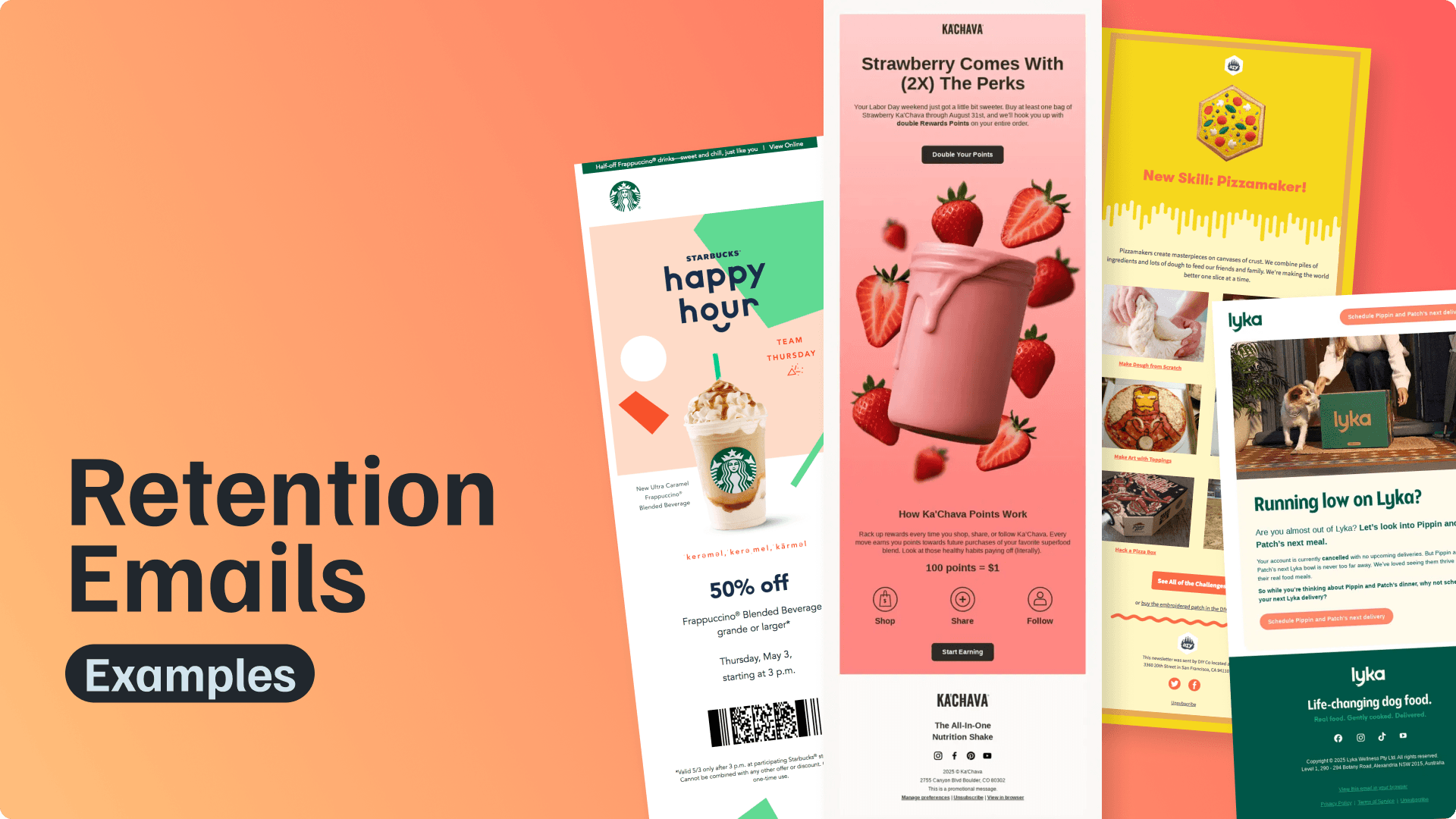
Retention emails are sent to existing customers, subscribers, or users to keep them engaged with your brand after the first interaction. They can bring inactive customers back, encourage repeat purchases, support product adoption, announce useful updates, or strengthen long-term loyalty.
That makes retention emails one of the most flexible parts of an email marketing strategy. A discount email, product update, loyalty reward, educational tip, renewal reminder, or personalized recommendation can all work as a retention email when the goal is to keep the relationship active.
Before we get into the examples, here’s a quick overview of the main retention email types and where each one fits in the customer journey.
| Retention email type | Best for | Example use |
|---|---|---|
|
Win-back email |
Inactive users |
“We miss you” offer |
|
Loyalty email |
Repeat buyers |
Points, rewards, VIP perks |
|
Product update email |
SaaS/product users |
New feature announcement |
|
Educational email |
Product adoption |
Tips, tutorials, use cases |
|
Replenishment email |
Ecommerce |
“Time to restock” reminder |
|
Personalized recommendation |
Ecommerce/SaaS |
Product or content suggestions |
Now let’s look at how these email types work in real campaigns. We’ve collected over 30 retention email examples and grouped them by purpose, so you can see how different brands use email to bring customers back, keep users motivated, and create more repeat engagement.
Use the quick links below to jump to a specific category, or scroll through the full list for retention email ideas across ecommerce, SaaS, subscriptions, apps, and service-based businesses.
Quick links:
Win-Back Retention Email Examples
Customer Loyalty & Rewards Emails
Subscription, Renewal & Replenishment Retention Email Examples
Motivation & Habit-Building Retention Email Examples
Product Update & Announcement Retention Email Examples
Personalized Recommendation Retention Email Examples
Educational Retention Email Examples
Customer Retention Email Templates
Win-Back Retention Email Examples
Win-back emails are sent to customers or users who have stopped buying, opening emails, or using a product. The goal is to give them a clear reason to return, whether that means a discount, reminder, product update, or simple nudge.
Win-back is just one part of customer retention, but it can take many different forms. Our 100+ winback email examples cover everything from simple comeback messages and personalized offers to replenishment reminders, subscription reactivation, and complete winback flows.
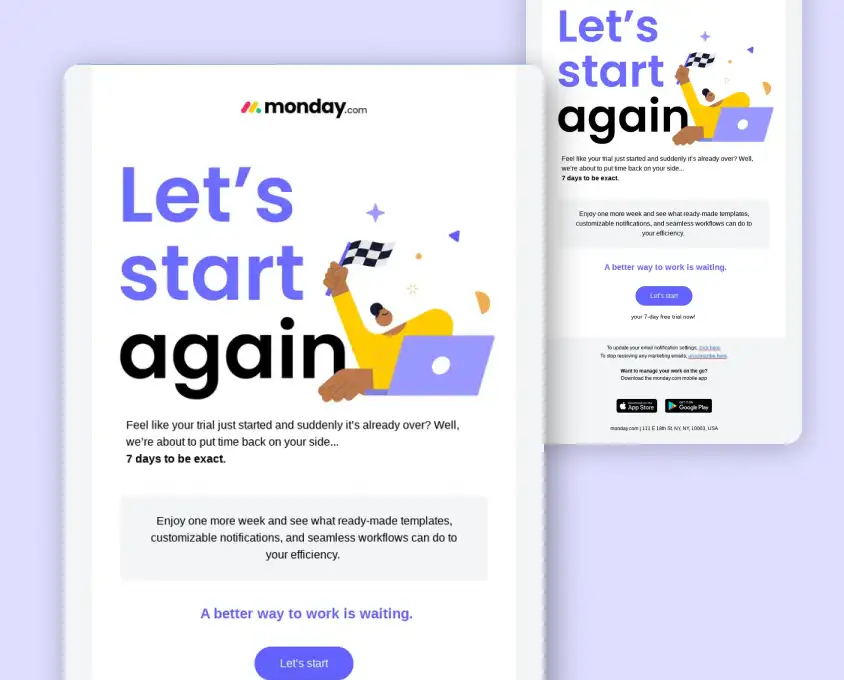
monday.com: A Trial Reactivation Email With Extra Time to Start Again
monday.com uses a trial extension email to bring users back after their free trial has ended. The message is simple and direct: the user still has another chance to explore the platform, try templates, test automations, and see how monday.com can support their workflow.
Why it works: The email removes pressure by giving users more time instead of pushing them straight into a paid plan. It also reminds them of specific product value, making the extension feel useful rather than random.
Takeaway: Trial reactivation emails work best when they lower friction and give users a clear reason to try the product again.
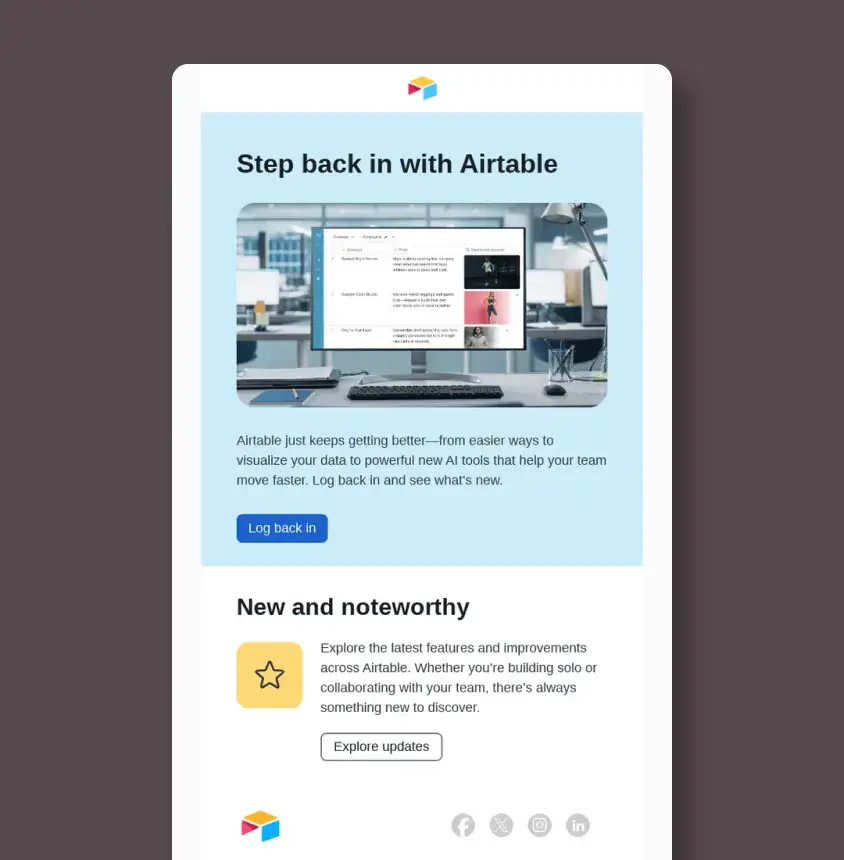
Airtable: A Win-Back Email Built Around New Product Value
Airtable encourages inactive users to log back in by showing that the product has continued to improve. The email highlights newer features and AI-powered updates, giving users a reason to return and see what has changed since they last used the platform.
Why it works: The message does not rely on a discount or generic “we miss you” copy. It makes the return feel practical by connecting the CTA to new functionality and improved workflows.
Takeaway: A strong win-back email can use product progress as the reason to bring users back.
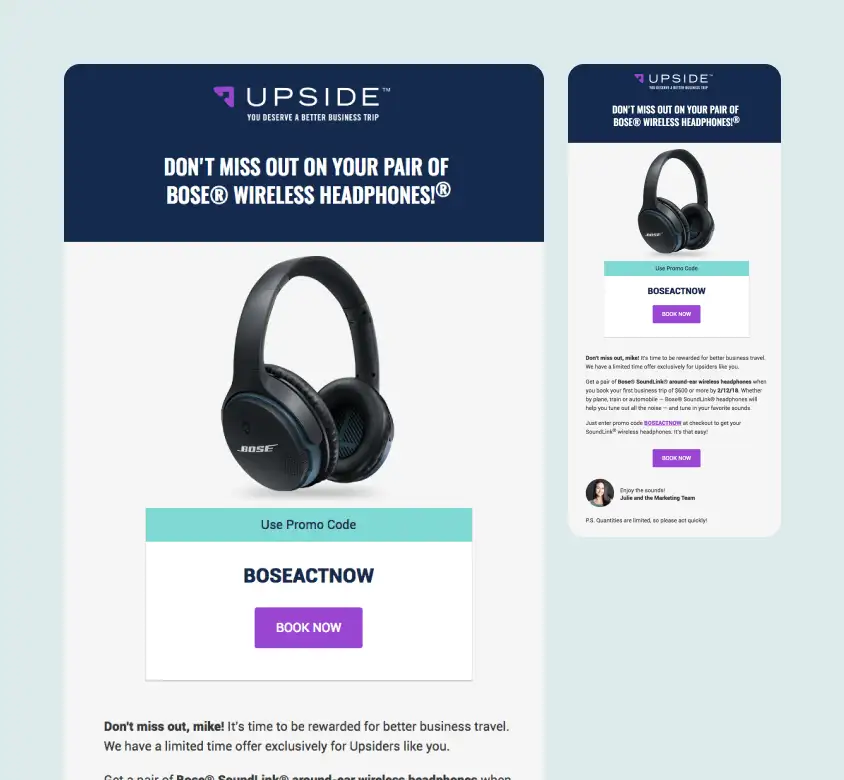
Upside: A Limited-Time Reward for First-Time Bookings
Upside uses a limited-time reward to encourage users to book their first business trip. The email leads with a clear incentive, adds urgency with “Don’t miss out,” and makes the next step easy with a visible promo code and booking CTA.
Why it works: The offer feels specific and valuable, not generic. By tying the reward to a first booking, Upside gives inactive or hesitant users a strong reason to take action.
Takeaway: A win-back email works best when the incentive is clear, time-sensitive, and easy to redeem.
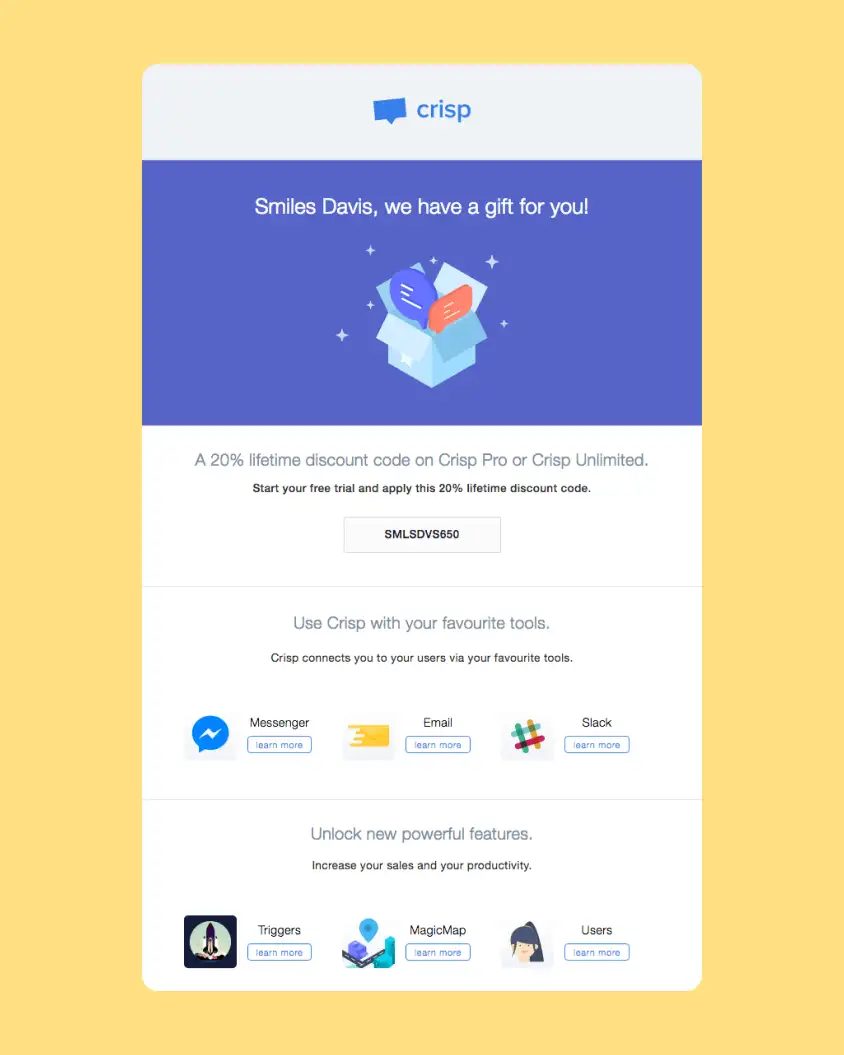
Crisp: A Personalized Discount for Product Reactivation
Crisp uses personalization and a lifetime discount to bring users back to the product. The email addresses the recipient by name, presents the offer as a gift, and then reminds them of useful integrations and features they can unlock.
Why it works: The message combines a financial incentive with product value. Instead of relying only on the discount, it also shows what users can do once they return.
Takeaway: Pairing a discount with feature reminders can make a reactivation email feel more useful.
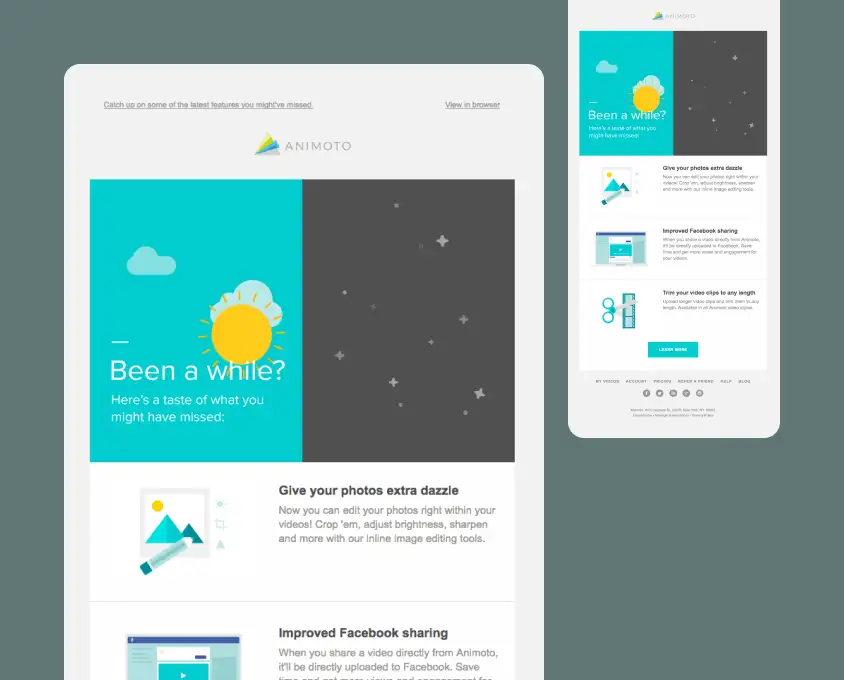
Animoto: A “Been a While?” Email Built Around Missed Features
Animoto’s “Been a while?” email is a direct reactivation message for users who have not engaged recently. Instead of simply asking them to come back, the email highlights features they may have missed, including photo editing tools, improved Facebook sharing, and video trimming.
Why it works: The email gives users a concrete reason to return. It turns inactivity into curiosity by showing what has changed since their last visit.
Takeaway: Win-back emails are stronger when they lead with new value, not guilt.
Customer Loyalty and Rewards Emails
Loyalty emails keep repeat customers engaged by giving them a reason to continue buying, collecting points, unlocking rewards, or staying connected to the brand. These emails work especially well when the reward feels easy to understand and easy to use.
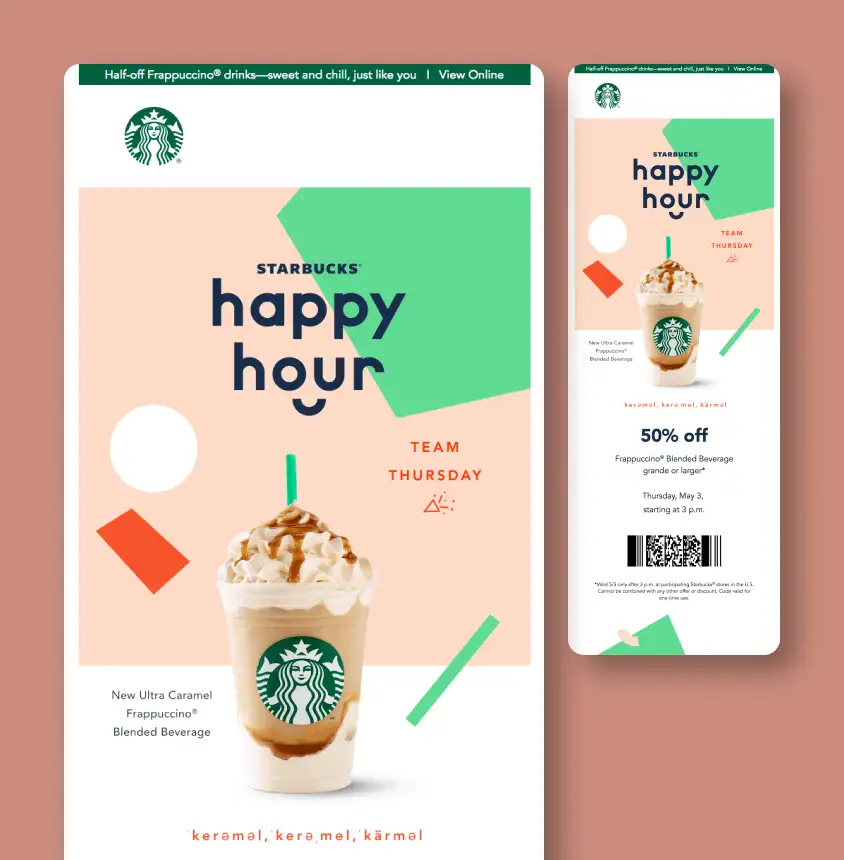
Starbucks: A Time-Limited Happy Hour Offer
Starbucks uses a limited-time Happy Hour offer to bring customers back into stores. The design puts the product and discount front and center, while the barcode makes the offer feel immediately usable.
Why it works: The email is simple, visual, and easy to act on. Customers understand the offer instantly, and the one-day timing adds urgency without overcomplicating the message.
Takeaway: Loyalty emails should make the reward easy to understand and easy to redeem.
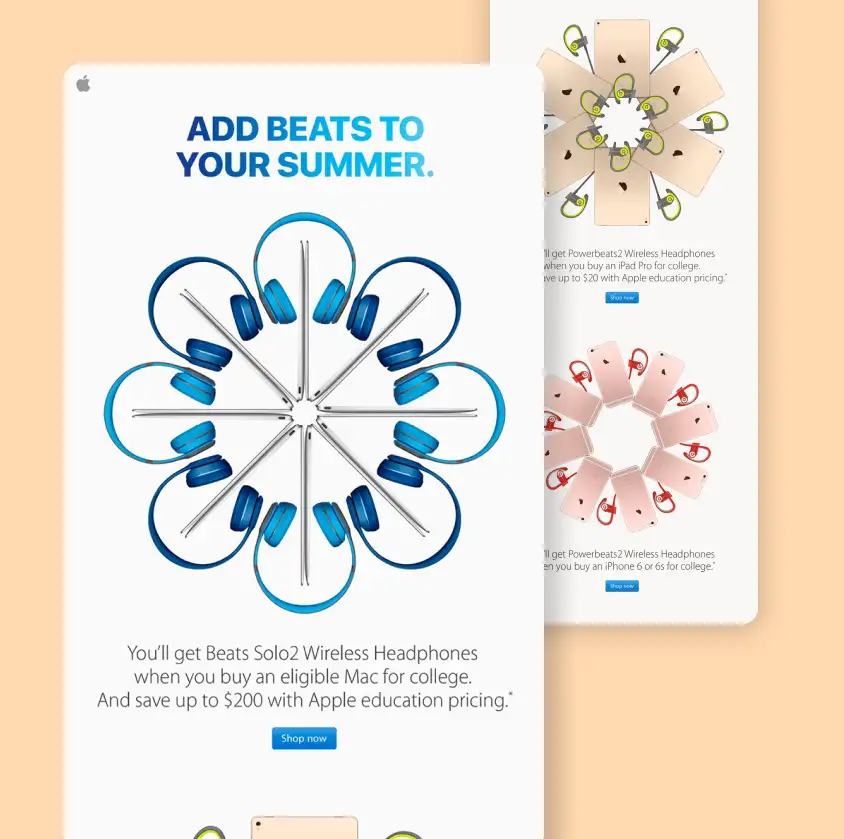
Apple: A Free Gift With Eligible Product Purchases
Apple’s retention email uses a free Beats offer to encourage eligible product purchases. The campaign connects the reward to a seasonal moment and presents each product bundle in a clean, highly visual way.
Why it works: The free gift makes a high-value purchase feel more rewarding. The repeated product sections also help customers quickly find the offer that matches the device they are considering.
Takeaway: A strong reward can make an existing purchase decision feel more timely and appealing.
Need retention emails your customers actually want to open?
MailBakery designs and codes custom email campaigns, lifecycle flows, and reusable templates that look polished, load fast, and work across major email clients. See how our email design and coding services can help?
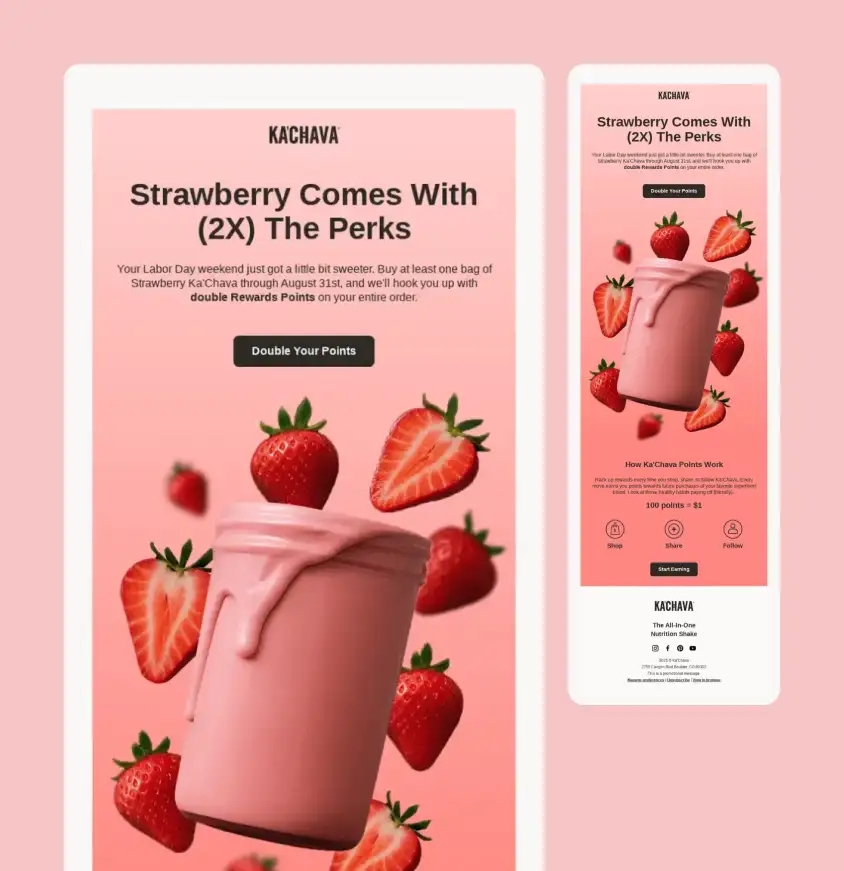
Ka’Chava: A Double Rewards Email With a Seasonal Product Hook
Ka’Chava uses a limited-time rewards campaign to encourage repeat purchases. The email connects a seasonal offer with double rewards points, then explains how the loyalty program works through simple earning actions like shopping, sharing, and following the brand.
Why it works: The email combines a product-specific promotion with a clear loyalty mechanic. Customers understand both the immediate offer and the longer-term value of earning points.
Takeaway: Loyalty emails work best when the reward is easy to understand and tied to a timely reason to buy.
Snap Kitchen: A Points-Based Reward Reminder
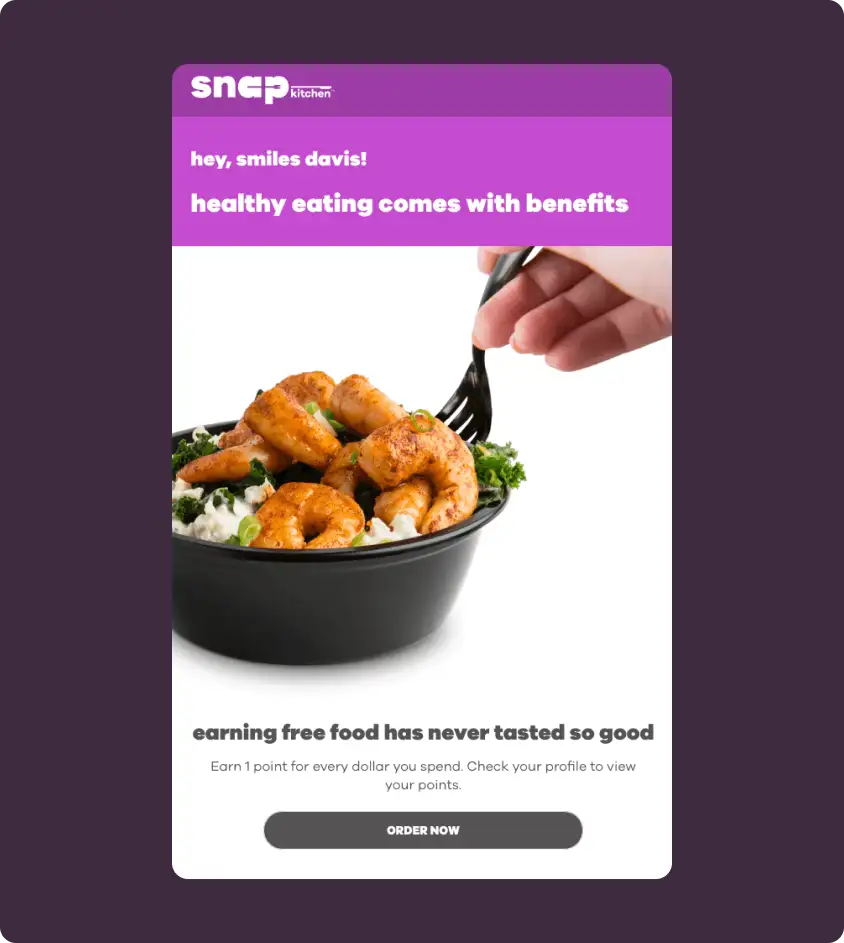
Snap Kitchen keeps repeat customers engaged by reminding them that healthy eating comes with rewards. The email connects every dollar spent to loyalty points and sends users back to their profile to check their progress.
Why it works: The message makes the loyalty program feel tangible. Customers are not just ordering food; they are earning something every time they buy.
Takeaway: Points-based retention emails work well when they clearly show how continued purchases create extra value.
Acorns: A Referral Bonus Email With a Clear Goal
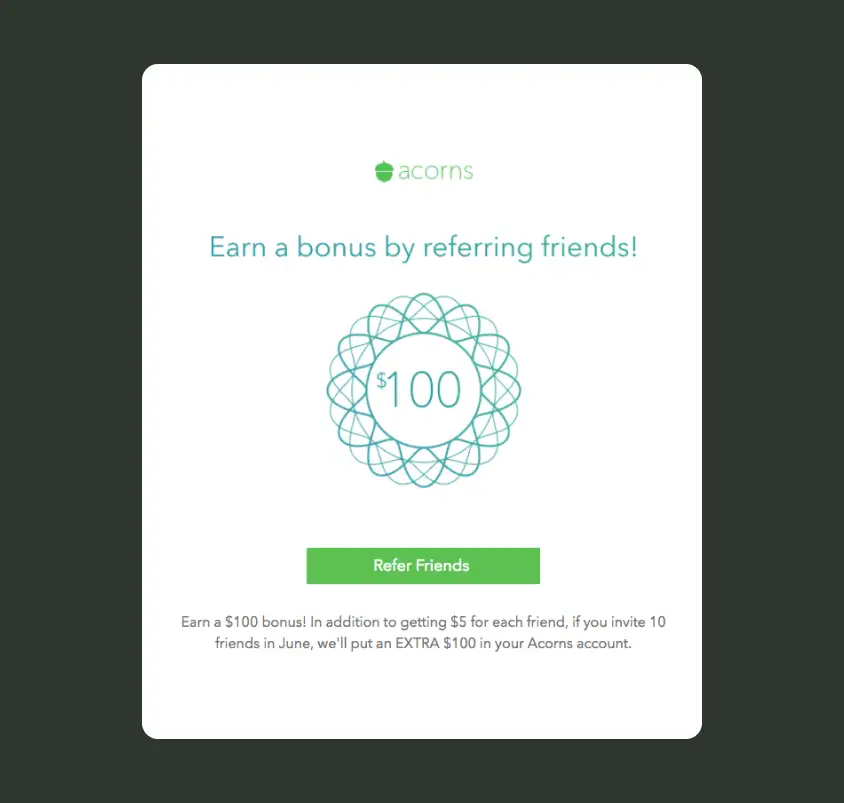
Acorns uses a referral bonus to keep users active and turn them into advocates. The email keeps the message simple: invite friends, earn the usual referral amount, and unlock an extra bonus after reaching a clear goal.
Why it works: The reward is specific and easy to calculate. By adding a larger bonus for inviting multiple friends, Acorns gives users a stronger reason to keep sharing.
Takeaway: Referral retention emails work best when the reward feels achievable and worth the effort.
Subscription, Renewal, and Replenishment Retention Email Examples
Subscription, renewal, and replenishment emails are built around repeat behavior. They encourage customers to continue a plan, renew a membership, restock a product, upgrade access, or commit to a recurring habit before interest fades.
Lyka: A Replenishment Email for Restarting Deliveries
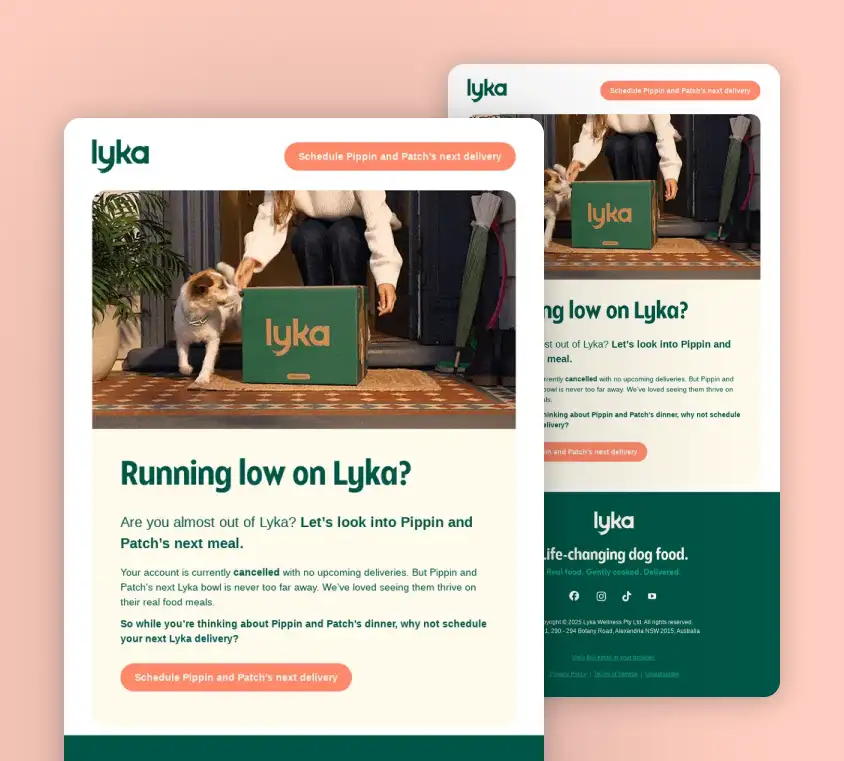
Lyka uses a replenishment-style email to bring customers back before they run out of pet food. The email references the customer’s cancelled account, reminds them there are no upcoming deliveries, and encourages them to schedule the next meal for their pets.
Why it works: The message is specific, personal, and tied to a real customer need. It does not feel like a broad promotion because the reminder is based on account status and product usage.
Takeaway: Replenishment emails are strongest when they connect timing, customer context, and convenience.
Asana: A Trial-to-Paid Email That Helps Users Keep Working
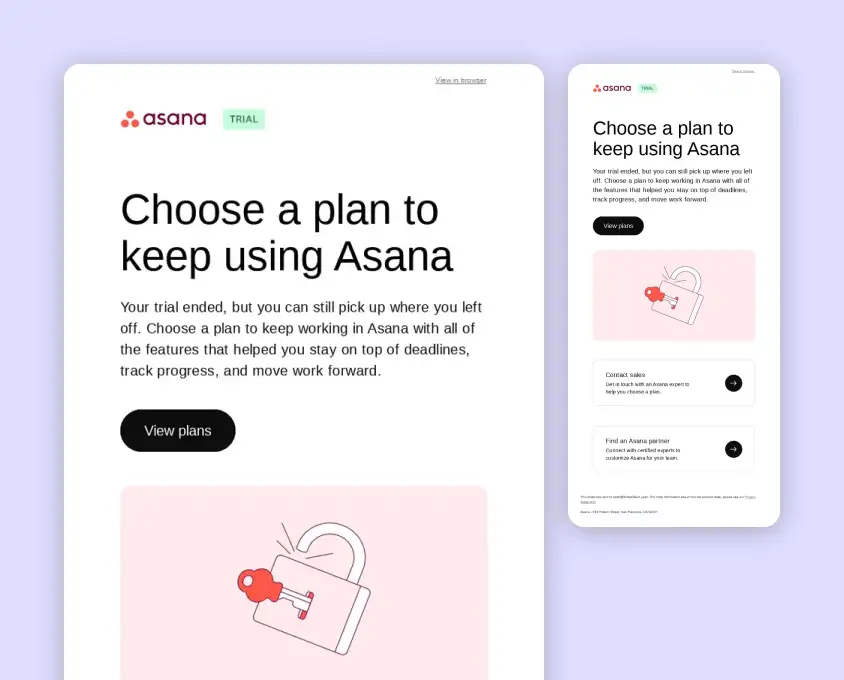
Asana sends a renewal-style email after a trial ends, encouraging users to choose a plan and continue where they left off. The copy reminds users of the product benefits they already experienced, such as managing deadlines, tracking progress, and moving work forward.
Why it works: The email frames the upgrade around continuity. Instead of starting from zero, users are invited to keep using the workflows and features that were already helping them.
Takeaway: Trial conversion emails should remind users what they will keep, not only what they need to buy.
Uber: A Ride Pass Email for Repeat Trips
Uber promotes a ride pass that helps users lock in lower fares for 28 days. The email focuses on practical value: flat fares between frequent places, discounts on other rides, and limited availability.
Why it works: The offer is tied to repeat behavior. For users who regularly travel between home, work, or other familiar places, the pass gives them a reason to choose Uber again and again.
Takeaway: Subscription-style retention emails should connect the offer to a habit customers already have.
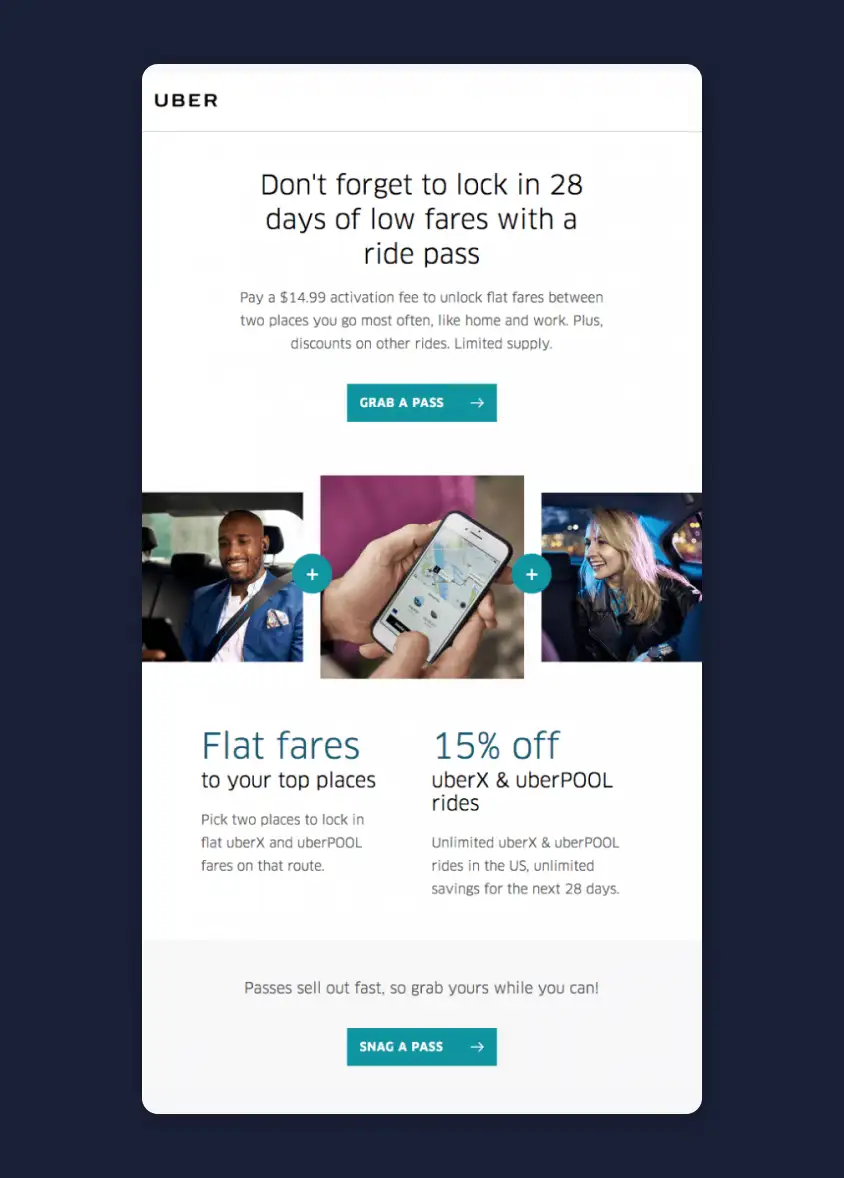
Headspace: A Discounted Subscription Offer Tied to New Year Goals
Headspace uses a six-month subscription offer to encourage users to continue their meditation practice. The email connects the deal to the end of the year, positioning the offer as a way to start the new year with a healthier routine.
Why it works: The message combines timing, savings, and habit formation. It makes the subscription feel like a practical step toward a personal goal.
Takeaway: Renewal and subscription emails are stronger when the offer is connected to a meaningful customer moment.
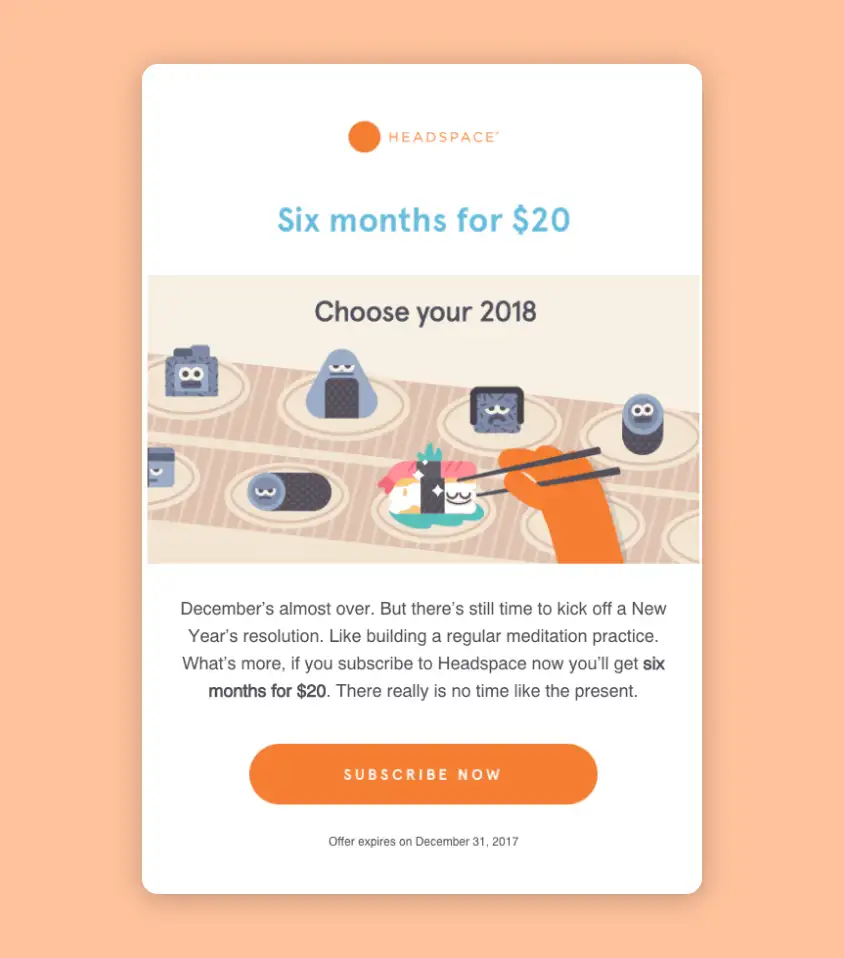
Sattva: A Lifetime Membership Offer With Long-Term Value
Sattva promotes a lifetime membership by showing both the discount and the value included in the plan. The email explains the app’s guided meditations, playlists, personalization options, community features, and mobile access.
Why it works: The large savings get attention, but the supporting content explains why the membership is worth keeping long term. The email sells the experience, not only the discount.
Takeaway: Subscription emails should make the long-term value feel clear before asking users to commit.
Motivation and Habit-Building Retention Email Examples
Motivation and habit-building emails help users stay active after they have already started. They often use progress updates, badges, milestones, encouragement, streaks, gamification, or small next steps to make continued engagement feel rewarding.
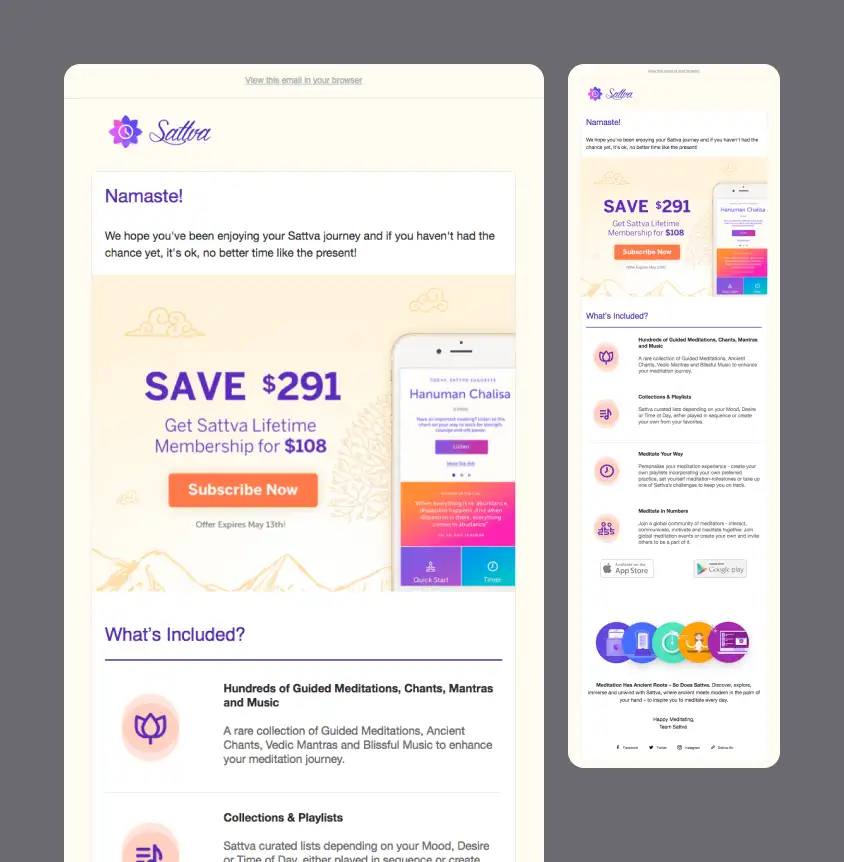
Withings: A Progress Badge Email That Celebrates Activity
Withings uses achievement badges to keep users motivated. The email celebrates steps, distance, and progress toward health goals, then encourages users to view and share their badges.
Why it works: The message turns product usage into a personal milestone. By recognizing progress, Withings gives users a reason to keep tracking their activity.
Takeaway: Progress-based emails can support retention by making customers feel seen and encouraged.
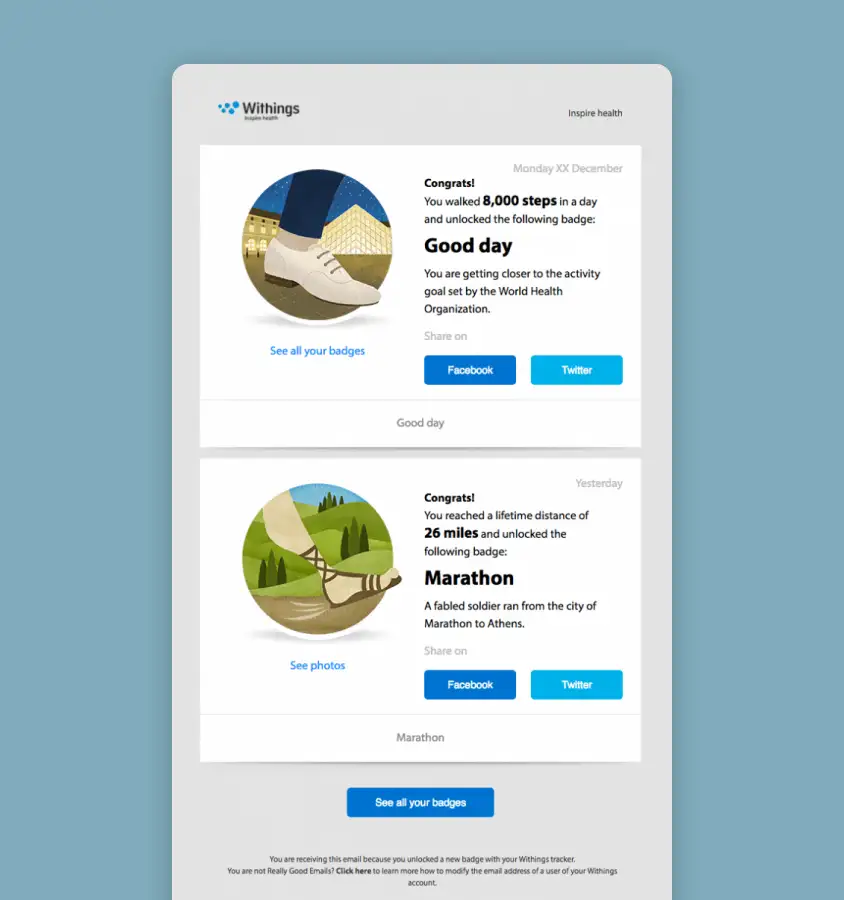
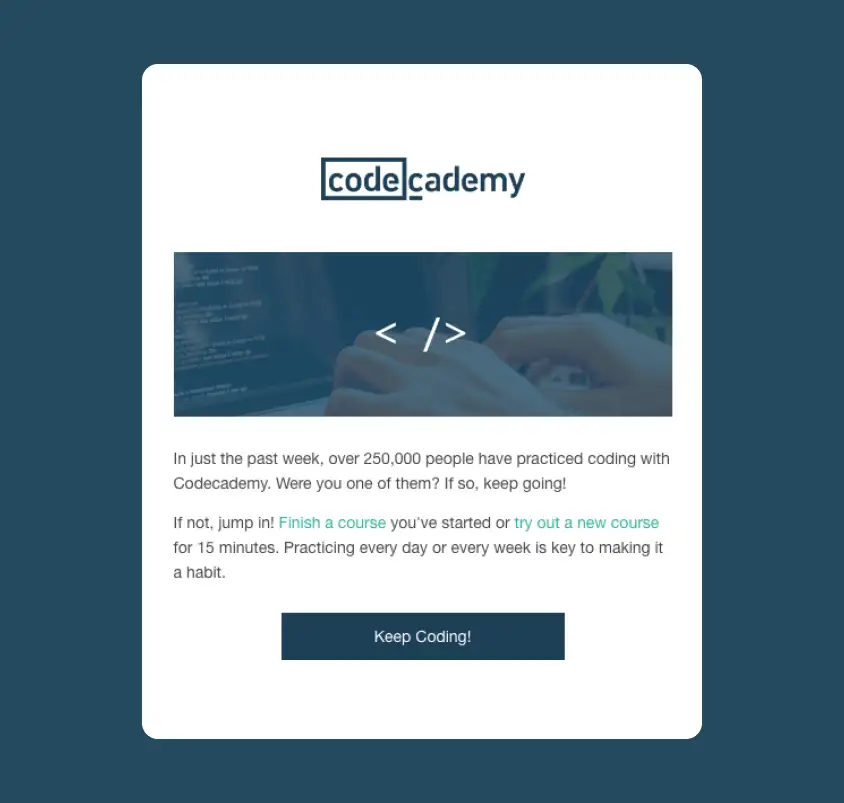
Codecademy: A Learning Nudge That Makes Practice Feel Easy
Codecademy motivates users to continue learning by reminding them that practice builds a habit. The email speaks to both active and inactive learners, encouraging them to finish a course or try something new for just 15 minutes.
Why it works: The message lowers the barrier to action. Instead of asking users to commit to a big learning session, it makes the next step feel small and manageable.
Takeaway: Habit-building emails should make returning feel easy, not overwhelming.
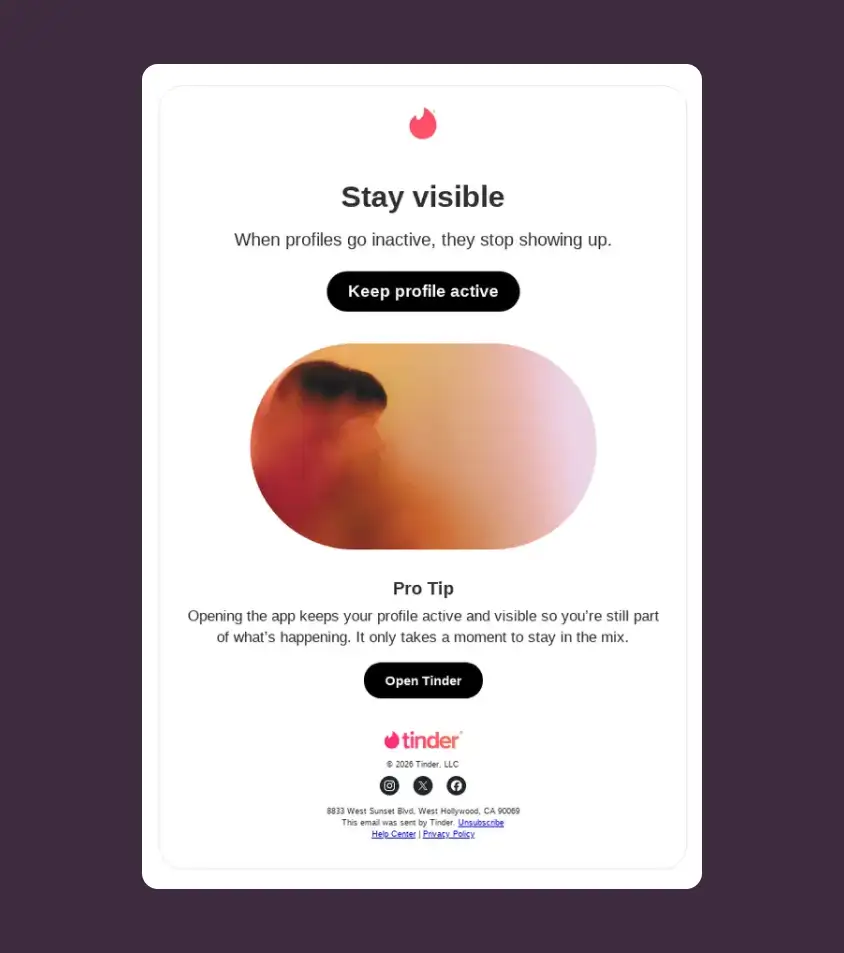
Tinder: A Usage Reminder That Keeps Profiles Active
Tinder uses a short retention email to remind users that inactive profiles stop showing up as often. The message is built around visibility, with a clear CTA encouraging users to open the app and keep their profile active.
Why it works: The email connects product behavior to user outcome. Instead of simply saying “come back,” it explains what users risk losing if they stay inactive.
Takeaway: Habit-building retention emails work well when they show how one small action helps users stay visible, active, or connected.
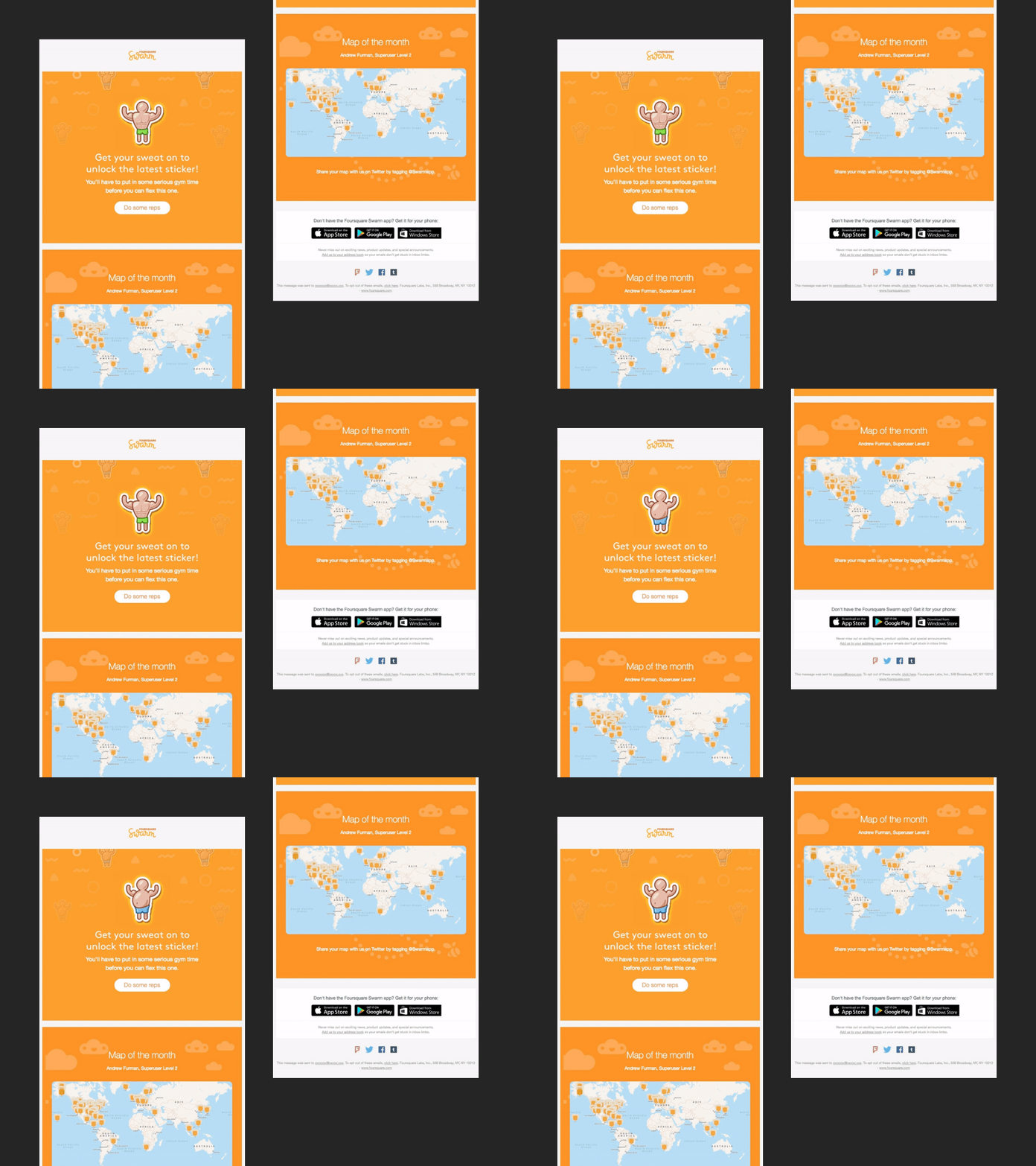
Foursquare Swarm: A Gamified Sticker Email for Continued App Use
Foursquare Swarm uses gamification to keep users engaged. The email introduces a sticker reward, highlights a “map of the month,” and encourages users to keep using the app to unlock more achievements.
Why it works: The email makes product engagement feel playful. Rewards, stickers, and community highlights give users reasons to come back beyond the core app function.
Takeaway: Gamified retention emails work when they make continued use feel fun and rewarding.
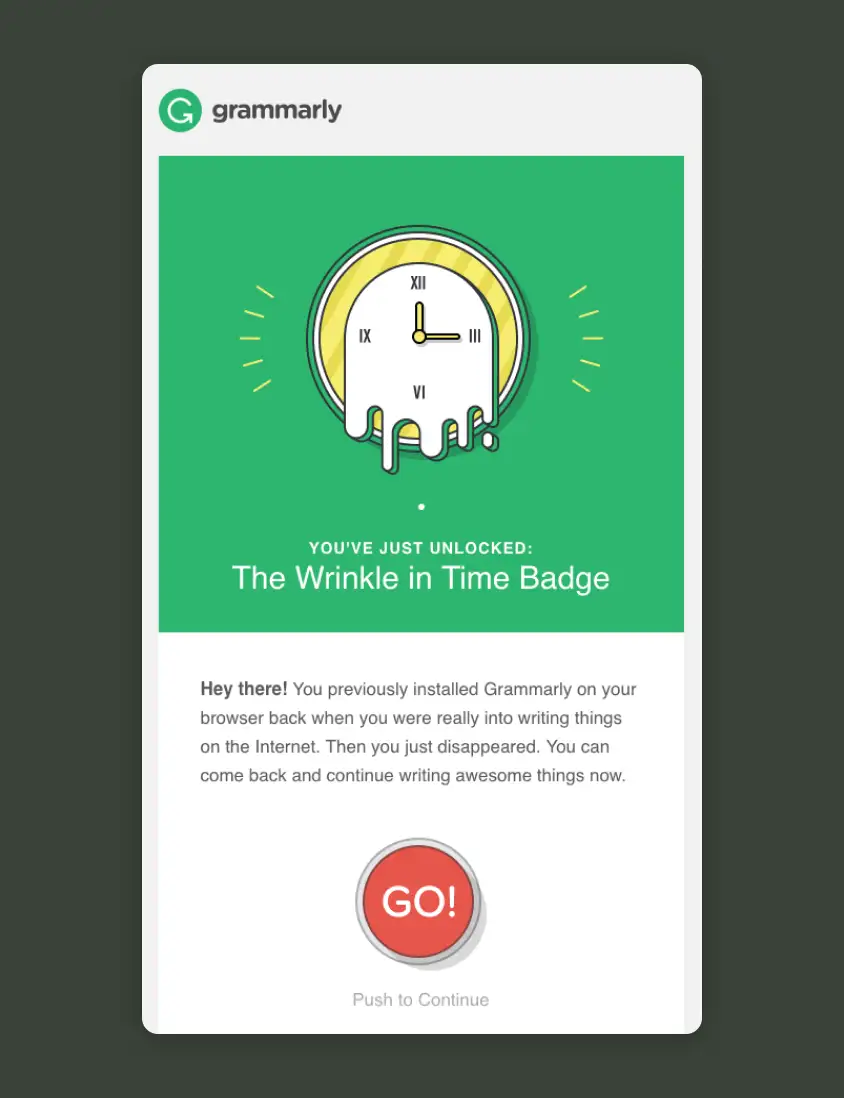
Grammarly: A Badge-Style Email That Encourages Users to Return
Grammarly uses a badge-style message to bring users back after inactivity. The email reminds the recipient that they previously installed Grammarly, recognizes their past writing activity, and invites them to continue.
Why it works: The badge gives the email a playful hook, while the copy directly acknowledges the user’s disappearance without sounding too harsh. The CTA is simple and focused.
Takeaway: Reactivation emails can feel softer when they use encouragement instead of pressure.
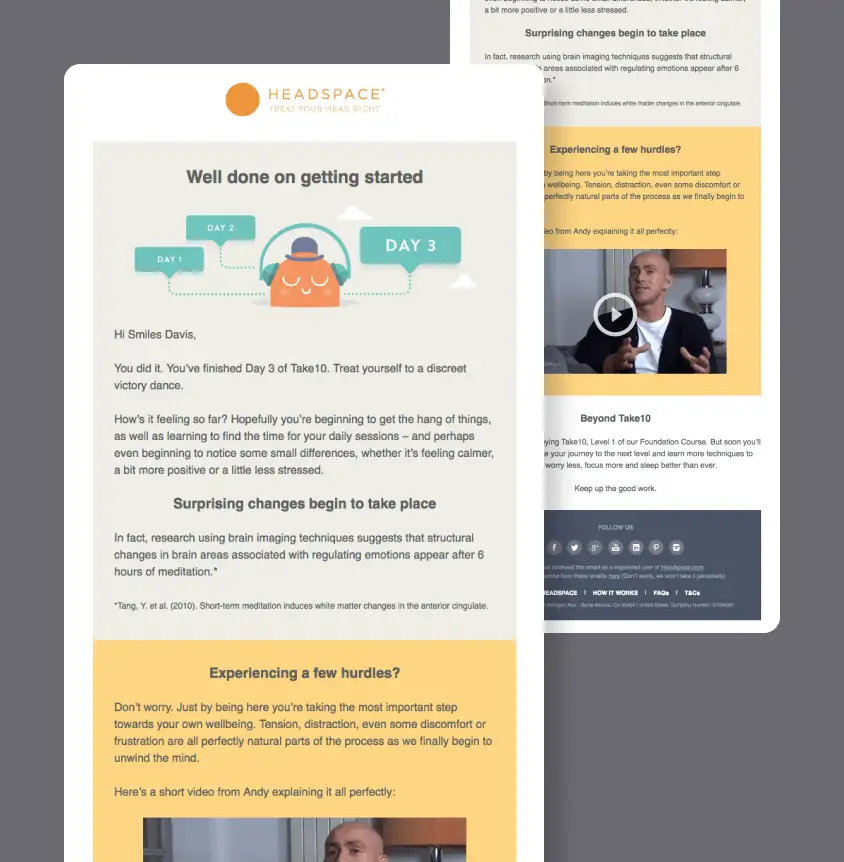
Headspace: A Progress Email for Early Meditation Habits
Headspace celebrates early progress and encourages users to keep going after completing the first few days of a meditation course. The email mixes encouragement, reassurance, research, and video content to help users stay consistent.
Why it works: The message supports users at a vulnerable moment, when they are still forming a habit. It acknowledges possible hurdles and gives them reasons to continue.
Takeaway: Early-stage retention emails should celebrate progress and help users overcome drop-off points.
Product Update and Announcement Retention Email Examples
Product update emails keep existing users interested by showing what is new, improved, or newly available. The strongest examples do not just announce a feature. They explain how the update helps customers get more value from the product.
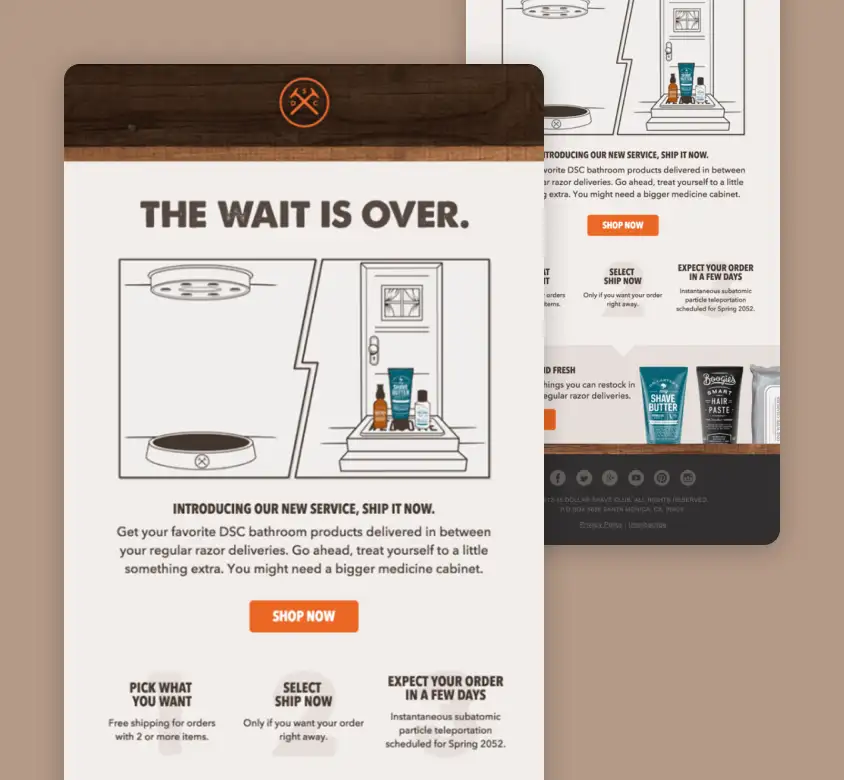
Dollar Shave Club: A New Service Announcement for Existing Subscribers
Dollar Shave Club announces its “Ship It Now” service, which lets customers add extra products between regular razor deliveries. The email explains the benefit clearly and shows how the new service fits into the existing subscription experience.
Why it works: The update solves a real customer need: getting related products without waiting for the next scheduled shipment. It expands customer usage without feeling disconnected from the original service.
Takeaway: Product update emails should show how the new feature makes the customer’s current experience better.
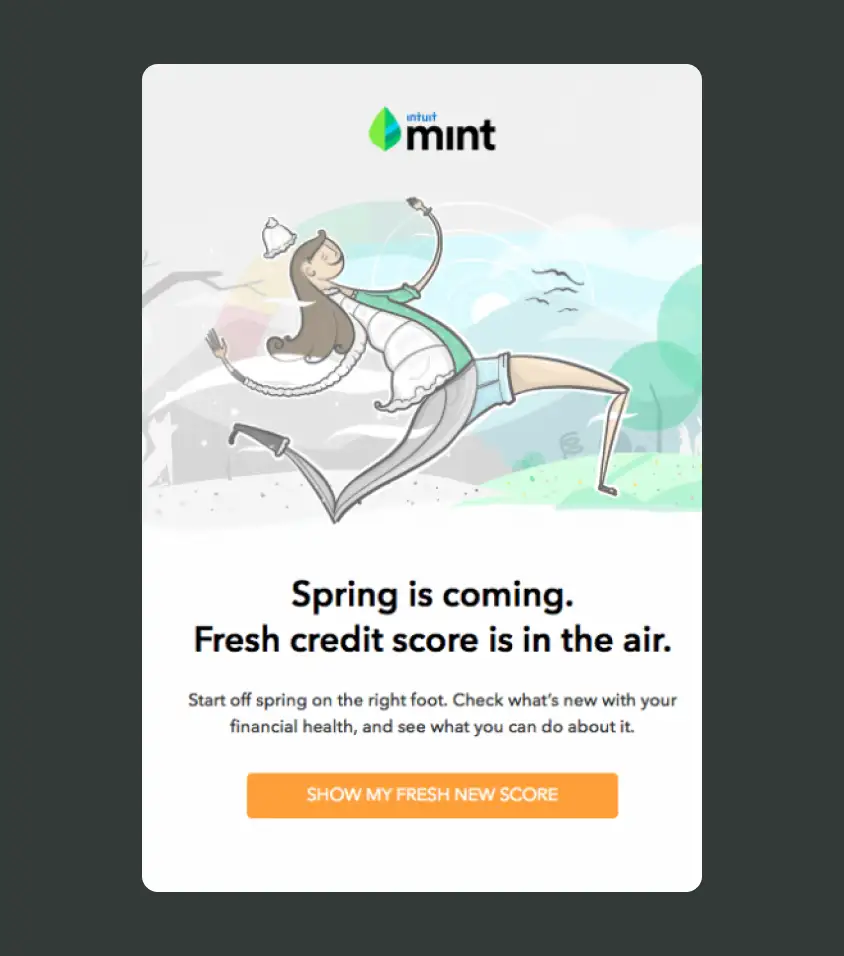
Mint: A Seasonal Account Update With a Fresh Credit Score Hook
Mint uses a seasonal hook to bring users back to their account. The “fresh credit score” message connects spring with financial health and encourages users to check what has changed.
Why it works: The email turns a routine account update into a timely reason to log in. The seasonal framing makes the message feel more engaging than a standard notification.
Takeaway: Account update emails can drive retention when they connect useful information to a timely hook.
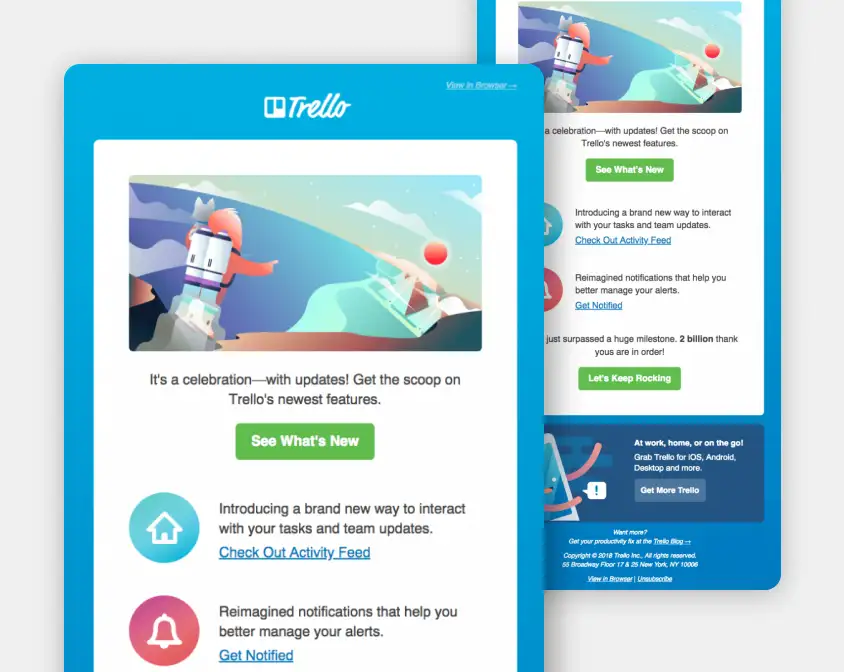
Trello: A Product Milestone Email With New Feature Highlights
Trello uses a celebration email to announce new features and a major product milestone. The email introduces activity feed updates, improved notifications, and mobile options while keeping the tone upbeat and playful.
Why it works: The message gives existing users a reason to explore the product again. It combines product news with a sense of shared progress, making users feel part of the platform’s growth.
Takeaway: Product announcement emails should focus on what users can do next, not only what changed.
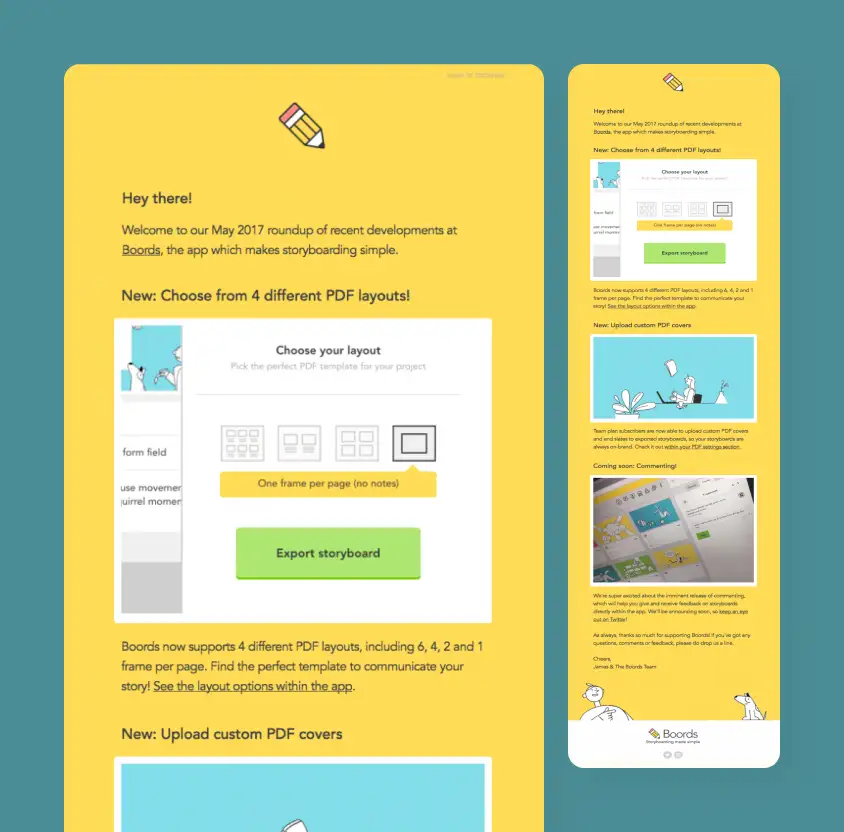
Boords: A Friendly Feature Roundup for Active Users
Boords sends a product roundup that highlights new PDF layouts, custom PDF covers, and upcoming commenting features. The email feels like a friendly update from the team while still pointing users back into the product.
Why it works: The email gives customers multiple useful reasons to return. Each feature is explained with enough context to make the update feel practical.
Takeaway: Feature roundup emails work best when each update is tied to a clear user benefit.
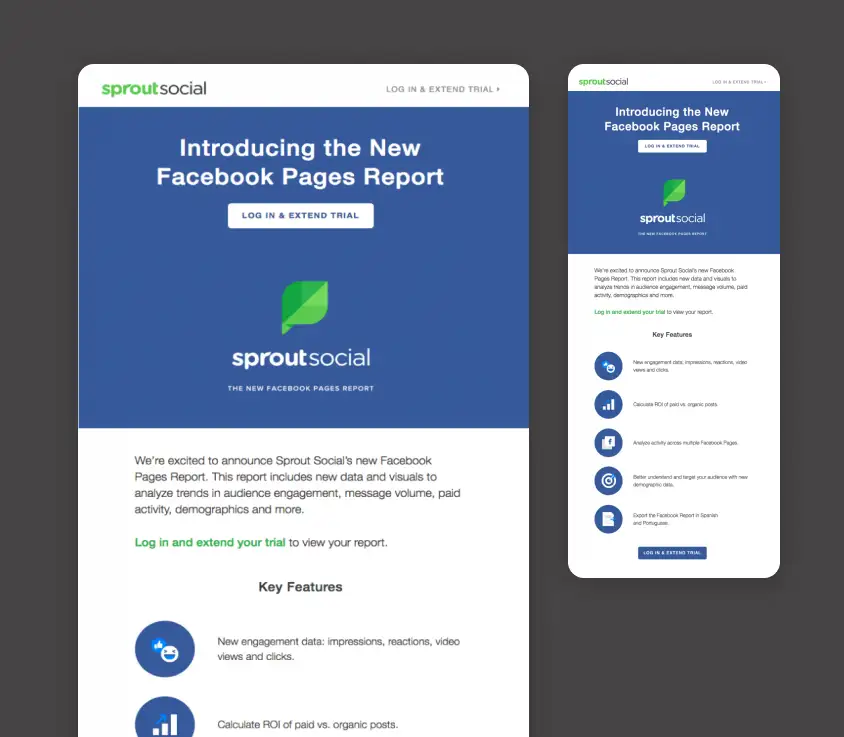
Sprout Social: A New Report Announcement Focused on Business Value
Sprout Social introduces a new Facebook Pages Report and explains the key features users can access. The email highlights new data, engagement metrics, ROI insights, demographic information, and export options.
Why it works: The email focuses on business value. Instead of simply announcing a report, it shows how the report can help users analyze and improve their social media performance.
Takeaway: Product update emails should explain why the new feature matters to the customer’s goals.
Personalized Recommendation Retention Email Examples
Personalized recommendation emails bring customers back through relevant suggestions, curated picks, product categories, collections, or content based on what they may want next. They work best when the email gives the reader several clear paths to explore.
Product recommendations can support retention at different stages of the customer journey, from personalized follow-ups to post-purchase cross-sells and replenishment reminders. Explore our collection of 140+ product recommendation email examples for more ways brands use relevant suggestions to encourage repeat purchases and product discovery.
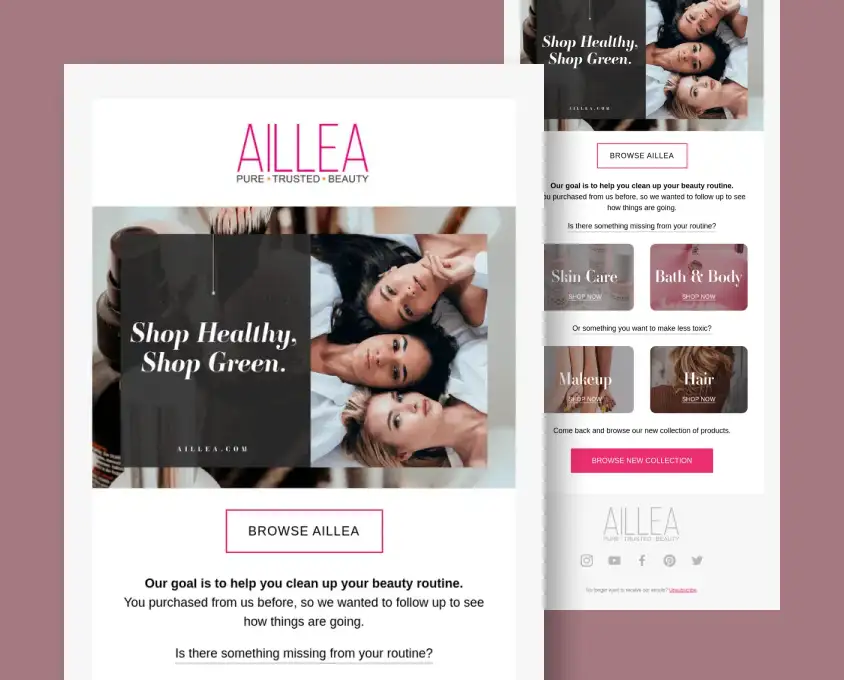
AILLEA: A Post-Purchase Recommendation Email Built Around Beauty Routine Gaps
AILLEA uses a post-purchase recommendation email to bring previous customers back with relevant beauty categories. The email references the customer’s earlier purchase, then invites them to browse skin care, bath and body, makeup, and hair products based on what may be missing from their routine.
Why it works: The message feels more personal than a general promotion because it starts from previous customer behavior. Instead of pushing one product or one discount, it gives the reader several clear paths to continue shopping.
Takeaway: Personalized recommendation emails work best when they use customer context to make the next shopping moment feel relevant and easy.
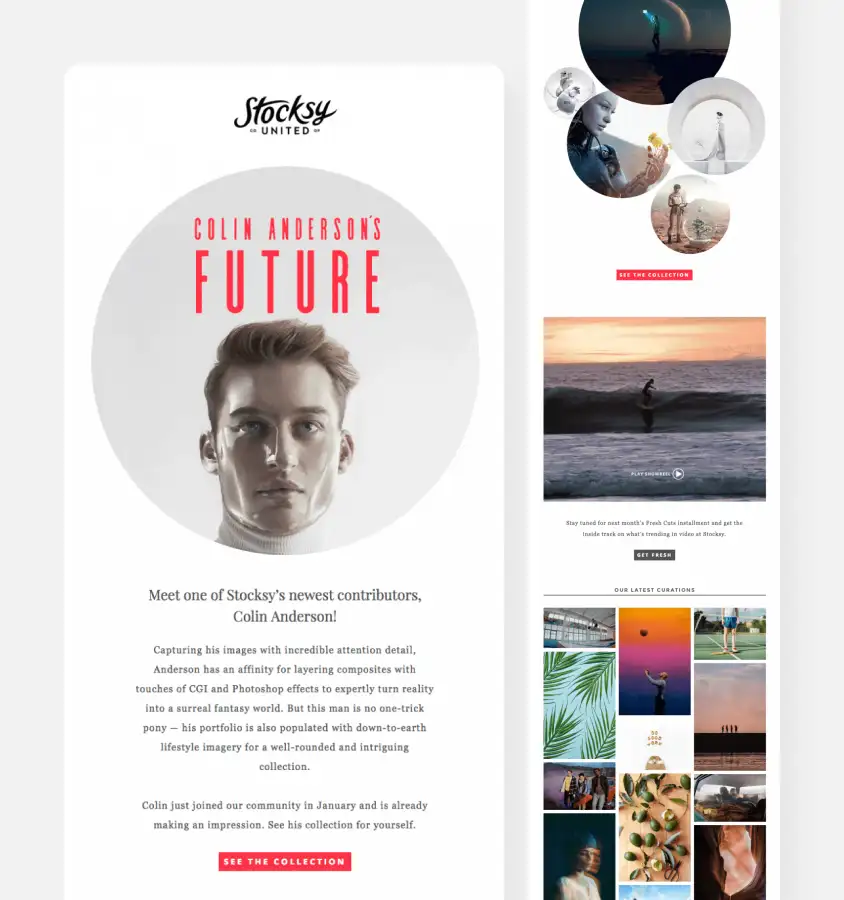
Stocksy United: A Curated Content Email Built Around Visual Discovery
Stocksy United uses curated content to bring users back through visual discovery. The email spotlights a contributor, showcases collections, promotes a showreel, and highlights fresh image curation.
Why it works: The message gives creative users inspiration, not just a sales pitch. It keeps the brand top of mind by helping subscribers discover new work they may want to explore.
Takeaway: Curated recommendation emails should feel useful, inspiring, and easy to browse.

Educational Retention Email Examples
Educational retention emails teach customers how to use a product, discover useful features, solve a problem, or build a habit connected to the brand. Instead of pushing a direct sale, they keep people engaged by making the product easier, more useful, or more rewarding to use.
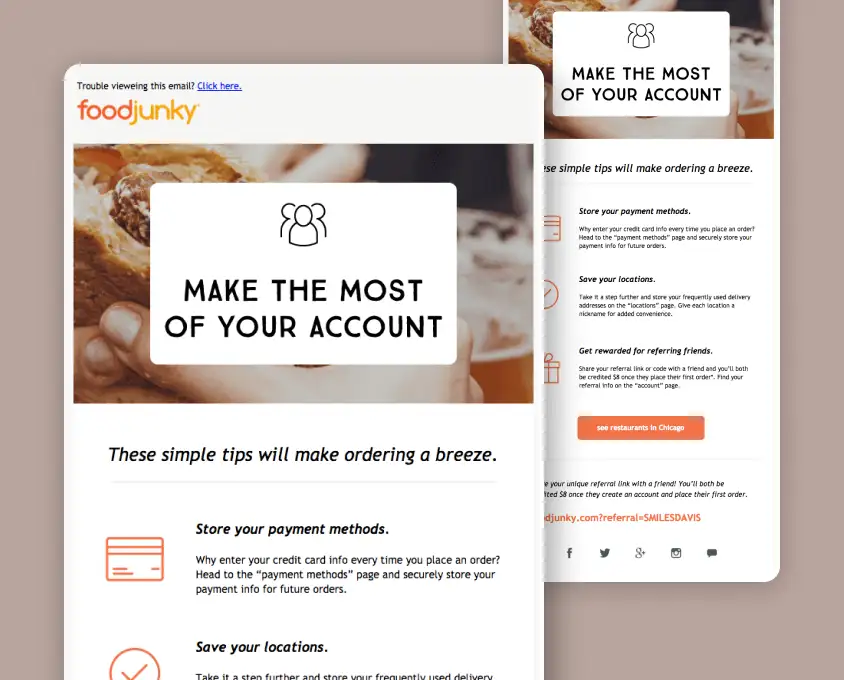
FoodJunky: An Account Tips Email That Makes Ordering Easier
FoodJunky teaches users how to make the most of their account. The email explains how to store payment methods, save delivery locations, and use referral rewards to make future orders easier.
Why it works: The tips remove friction from the ordering process. By helping users set up their account properly, FoodJunky makes repeat orders faster and more convenient.
Takeaway: Educational retention emails should help customers get more value with less effort.
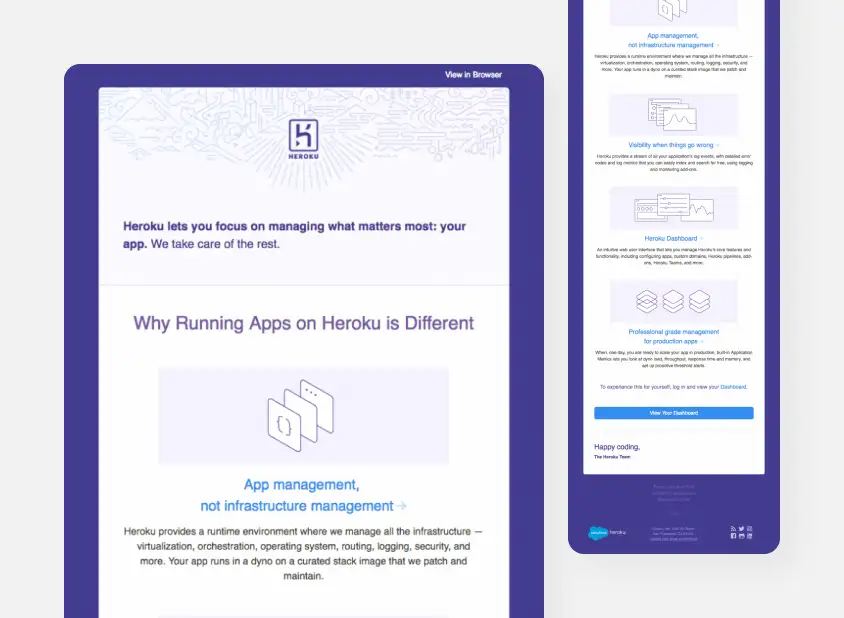
Heroku: A Product Education Email for Understanding Platform Value
Heroku uses an educational email to explain why running apps on the platform is different. The message breaks down app management, visibility, dashboard features, and production-grade management in a clear product-focused way.
Why it works: The email teaches users about the product’s deeper value. It helps customers understand benefits they may not notice immediately when using the platform.
Takeaway: Educational emails are useful for explaining complex products in a way that supports long-term adoption.
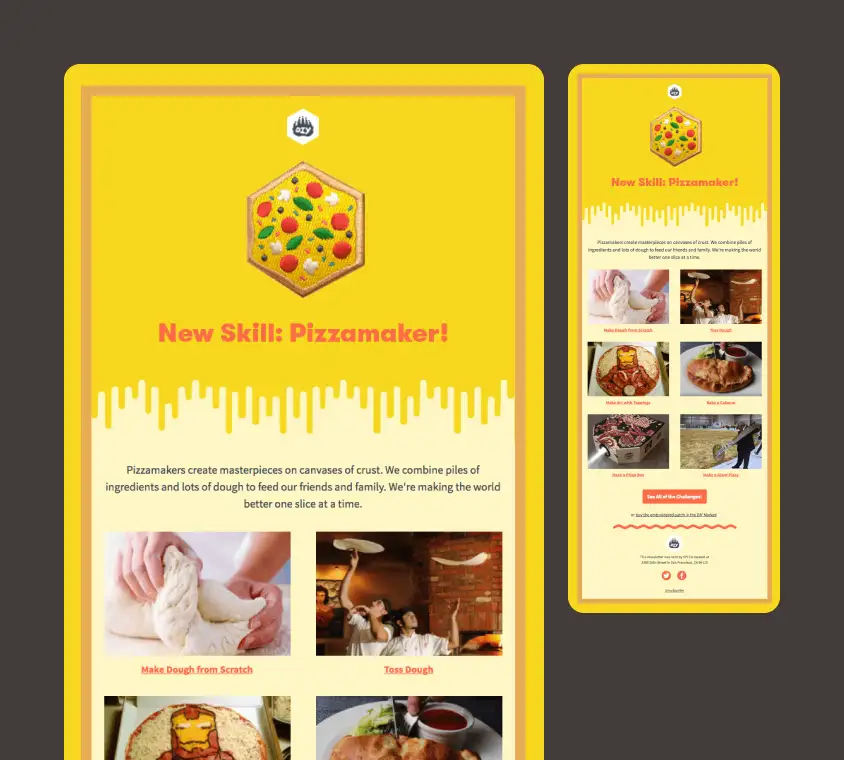
DIY: A Skill-Based Email That Turns Learning Into Discovery
DIY introduces a new skill and invites users to explore related challenges. The email uses a playful theme, visual examples, and a clear CTA to encourage users to learn something new.
Why it works: The email turns education into discovery. Instead of presenting a dry tutorial, it makes the skill feel fun, creative, and worth trying.
Takeaway: Educational retention emails work well when they make learning feel active and enjoyable.
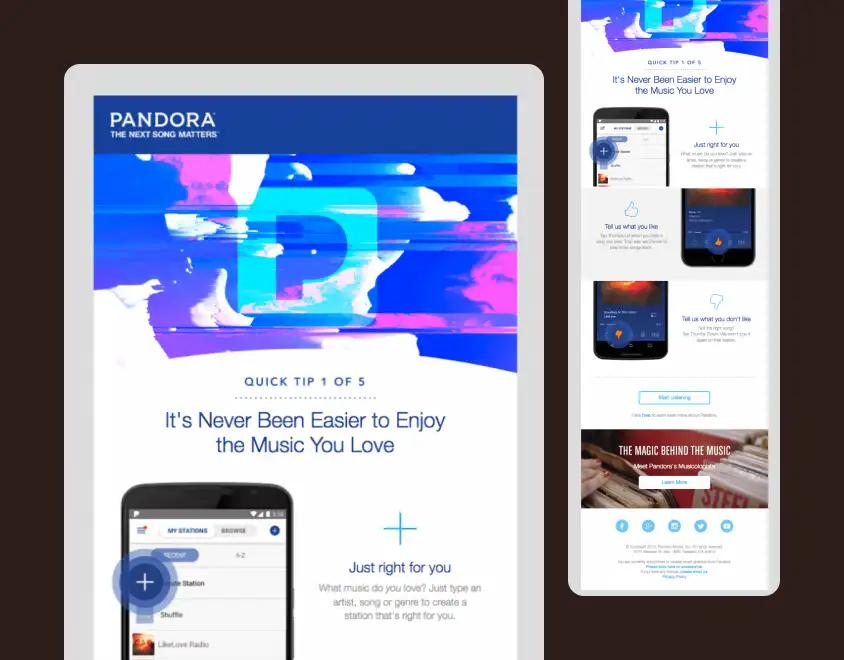
Pandora: A Quick Tip Email for Better Music Recommendations
Pandora uses a “Quick Tip” email to teach users how to get better music recommendations. The message explains how to create stations, use thumbs up and thumbs down, and personalize the listening experience.
Why it works: The email connects product education directly to a better user experience. By teaching users how to shape their stations, Pandora gives them a reason to listen more often.
Takeaway: Product tips can improve retention when they help users get more personalized results.
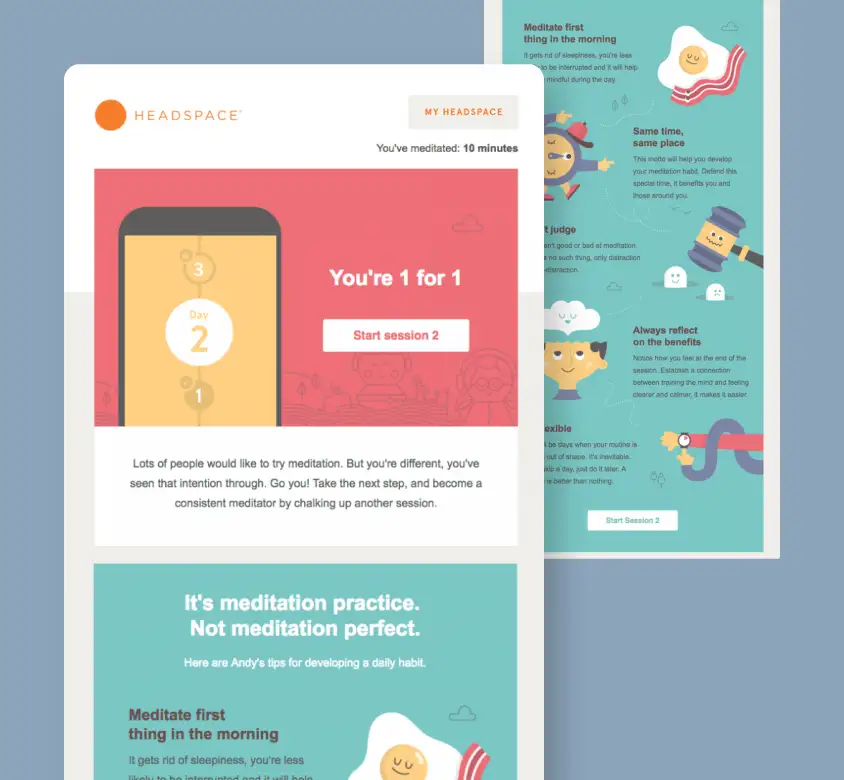
Headspace: A Meditation Habit Email With Practical Routine Tips
Headspace combines education with habit support by sharing practical tips for building a meditation routine. The email encourages users to start the next session while offering advice on timing, consistency, flexibility, and self-judgment.
Why it works: The email supports the user’s goal beyond the app itself. It teaches customers how to succeed with meditation, which naturally makes continued product use more likely.
Takeaway: Educational emails can drive retention by helping customers build the behavior your product supports.
Customer Retention Email Templates
The examples above show how different brands use retention emails to bring customers back, encourage repeat purchases, support product adoption, and keep users engaged. If you’d rather start with a proven structure, the following customer retention email templates cover some of the most common retention scenarios.
Win-Back Retention Email Template
Use this format to re-engage customers or users who have not purchased, logged in, opened emails, or used your product for a while.
Best for:
- inactive customers
- dormant subscribers
- trial users who never converted
- customers who have not purchased recently
Subject line ideas
Still interested?
We saved this for you
It’s been a while
Here’s a reason to come back
Preview text ideas
A quick reminder with something useful inside
Come back and pick up where you left off
Here’s what you may have missed
Your account is still waiting for you
Email structure
Opening
It’s been a while since we last saw you.
Reason to return
We’ve added new features, updated our products, or prepared an offer that may be worth another look.
Value reminder
Here’s what you can still do with your account or what you can get when you return.
CTA
Come Back
Replenishment Email Template
Use this format to remind customers to reorder a product they may be running low on, especially when the product is bought regularly.
Best for:
- skincare and beauty products
- food and beverage brands
- pet products
- supplements and household goods
Subject line ideas
Running low?
Time to restock?
Your favorites may need a refill
Ready for another order?
Preview text ideas
Reorder your usual products in just a few clicks
Stock up before you run out
Your last order might be almost finished
We made reordering easy
Email structure
Opening
It may be time to restock your favorite product.
Product context
Based on your last order, you might be running low soon.
Convenience message
You can reorder quickly and keep everything on schedule.
CTA
Reorder Now
Product Education Email Template
Use this format to help customers understand how to use a product better, discover features, or get more value from their account.
Best for:
- SaaS onboarding
- product adoption
- app engagement
- feature discovery campaigns
Subject line ideas
Get more from your account
A quick tip to help you get started
Try this next
Make your setup easier
Preview text ideas
Here’s one simple way to get better results
Use this feature to save time
A quick guide to getting more value
This tip can help you move faster
Email structure
Opening
Here’s a quick way to get more from your account.
Helpful tip
Explain one feature, action, or setup step that improves the customer experience.
Benefit
Show how this helps the user save time, get better results, or avoid extra work.
CTA
Try It Now
Loyalty Reward Email Template
Use this format to encourage repeat purchases by reminding customers about points, rewards, perks, credits, or special offers.
Best for:
- ecommerce loyalty programs
- points-based rewards
- VIP customer offers
- repeat purchase campaigns
Subject line ideas
Your reward is waiting
You’ve earned this
A little thank-you from us
Use your points before they expire
Preview text ideas
Here’s what you can unlock today
Your next reward is closer than you think
Keep earning with every order
Don’t forget to use your customer perk
Email structure
Opening
Thanks for being part of our customer community.
Reward context
You have points, credits, rewards, or a special offer available in your account.
Why it matters
Use it on your next order, unlock a new perk, or keep earning toward your next reward.
CTA
View Your Reward
Subscription Renewal Email Template
Use this format to remind customers before a subscription, membership, plan, or service period ends.
Best for:
- SaaS subscriptions
- membership programs
- app subscriptions
- service renewals
Subject line ideas
Your plan is coming up for renewal
Keep your access active
Don’t lose your benefits
Renew before your plan ends
Preview text ideas
Here’s what happens next with your subscription
Keep using the features you rely on
Your membership benefits are still available
Renew now to continue without interruption
Email structure
Opening
Your subscription is coming up for renewal soon.
Value reminder
Here’s what your plan includes and why it is worth keeping active.
Renewal details
Mention the renewal date, plan, price, or next billing step when relevant.
CTA
Renew Now
Client Retention Email Template
Use this format to stay connected with clients after a project, service interaction, consultation, or completed order.
Best for:
- agencies and studios
- consultants
- B2B service providers
- freelancers and account managers
Subject line ideas
A quick check-in
How are things going?
Checking in after our last project
Thought this might be useful
Preview text ideas
Just wanted to see how everything is going
Here’s a useful next step based on our work together
A quick follow-up from our team
Let us know if you need anything else
Email structure
Opening
I wanted to check in and see how everything is going after our recent work together.
Context
Mention the project, service, order, or previous conversation.
Helpful next step
Offer support, a useful resource, a review, a recommendation, or a next service when relevant.
CTA
Schedule a Check-In
What Makes a Good Retention Email?
A strong retention email usually has a clear reason for reaching out, a message tied to the customer’s past behavior, and one simple action to take next. The best examples do not just remind people that a brand exists. They give customers a reason to return, continue, upgrade, reorder, or re-engage.
| Element | Why it matters |
|---|---|
|
Personal context |
Shows why the email is relevant |
|
Clear value |
Gives the customer a reason to act |
|
One CTA |
Reduces friction |
|
Timing |
Matches behavior or lifecycle stage |
|
Helpful tone |
Feels useful, not desperate |
FAQ: Retention Emails
What is the difference between retention emails and win-back emails?
Retention emails are a broad category of emails used to keep customers engaged after their first interaction or purchase. Win-back emails are one specific type of retention email focused on re-engaging inactive customers who have stopped buying, opening emails, or using a product.
What should a customer retention email include?
A strong customer retention email should include a clear reason for reaching out, a message connected to the customer’s behavior or interests, and one simple call to action. It should feel useful, timely, and relevant instead of looking like a generic promotional email sent to everyone.
How often should you send retention emails?
The right frequency depends on your product, sales cycle, and customer behavior. Ecommerce brands may send retention emails weekly or monthly, while SaaS and service businesses may use them around product activity, renewals, milestones, or periods of inactivity. The key is to send emails when there is a clear reason to contact the customer.
Are newsletters considered retention emails?
Newsletters can be retention emails when they are sent to existing subscribers or customers with the goal of keeping them connected to the brand. A newsletter that shares product updates, useful resources, new content, customer stories, or curated recommendations can support retention when it gives people a reason to stay engaged.
How do you write a client retention email?
A good client retention email should feel personal, helpful, and specific. Start with the reason for the message, connect it to the client’s previous work or relationship with your business, and offer a useful next step. For service businesses, this could be a check-in, renewal reminder, project follow-up, helpful resource, or new service suggestion.
What are the best retention email templates?
The best retention email templates are built around a specific customer moment. Useful templates include win-back emails for inactive customers, loyalty reward emails for repeat buyers, product education emails for new users, replenishment emails for consumable products, and renewal emails for subscriptions or service contracts.
What is a good subject line for a retention email?
A good retention email subject line should be clear, relevant, and tied to the reason for the message. Examples include “Still interested?”, “Your reward is waiting”, “Time to restock?”, “New features you may have missed”, “A quick check-in”, or “Here’s something picked for you.”
How do retention emails improve repeat purchases?
Retention emails improve repeat purchases by reminding existing customers why they bought from a brand in the first place and giving them a relevant reason to return. This can happen through personalized recommendations, loyalty rewards, replenishment reminders, limited-time offers, helpful education, or product updates that match the customer’s interests.
When should you send a retention email?
A retention email should be sent when there is a meaningful customer moment to respond to. This could be after a first purchase, before a subscription renewal, when a customer has not returned for a while, after a product milestone, when a reward becomes available, or when a new feature, product, or resource is relevant to them.
Need Retention Emails Your Customers Actually Want to Open?
Retention campaigns work better when the message, design, and HTML all support the same goal. MailBakery helps brands create polished retention emails, lifecycle campaigns, reusable templates, and custom email designs that look great and work across major email clients.
Whether you need a win-back email, loyalty campaign, product update, replenishment reminder, or full customer retention flow, our team can design and code emails that keep customers engaged after the first click.
More Email Examples to Explore
Need more ideas for your next campaign? These posts cover different email moments, from first-touch welcome messages to reactivation, cart recovery, and campaign inspiration.
- Re-Engagement Email Examples
- Abandoned Cart Email Examples
- Welcome Email Examples
- Welcome Email Series
- Best Email Marketing Campaign Examples
- Email Design Trends You Can’t Ignore
This article was last updated on June 22, 2026, with new retention email examples, updated categories, customer retention email templates, best practices, FAQ answers, and internal resources.