120+ Back in Stock Email Examples to Turn Restocks Into Sales
Published:
Last updated:
Need ideas for your back in stock emails? We’ve collected 100+ real examples from brands across fashion, beauty, ecommerce, and more.
You’ll find simple product alerts, restock announcements, urgency-driven emails, personalized notifications, discount-led messages, and emails that pair the returning product with recommendations. Further down, we also cover back in stock email subject lines, key design elements, and practical tips for setting up back in stock alerts in Shopify and WooCommerce.
Back in stock announcement emails promote the return of a previously unavailable product to a broader audience. Unlike individual stock alerts, they are usually promotional campaigns rather than notifications triggered by a specific customer request.
Brightland announces that its Pizza Oil is back, then supports the restock with serving inspiration, flavor notes, and press recognition before adding a light scarcity reminder.
Hard Lines includes the return of its popular Run Club T-shirt as a featured update in its weekly roundup, pairing the restock with a charitable £5 donation from every sale.
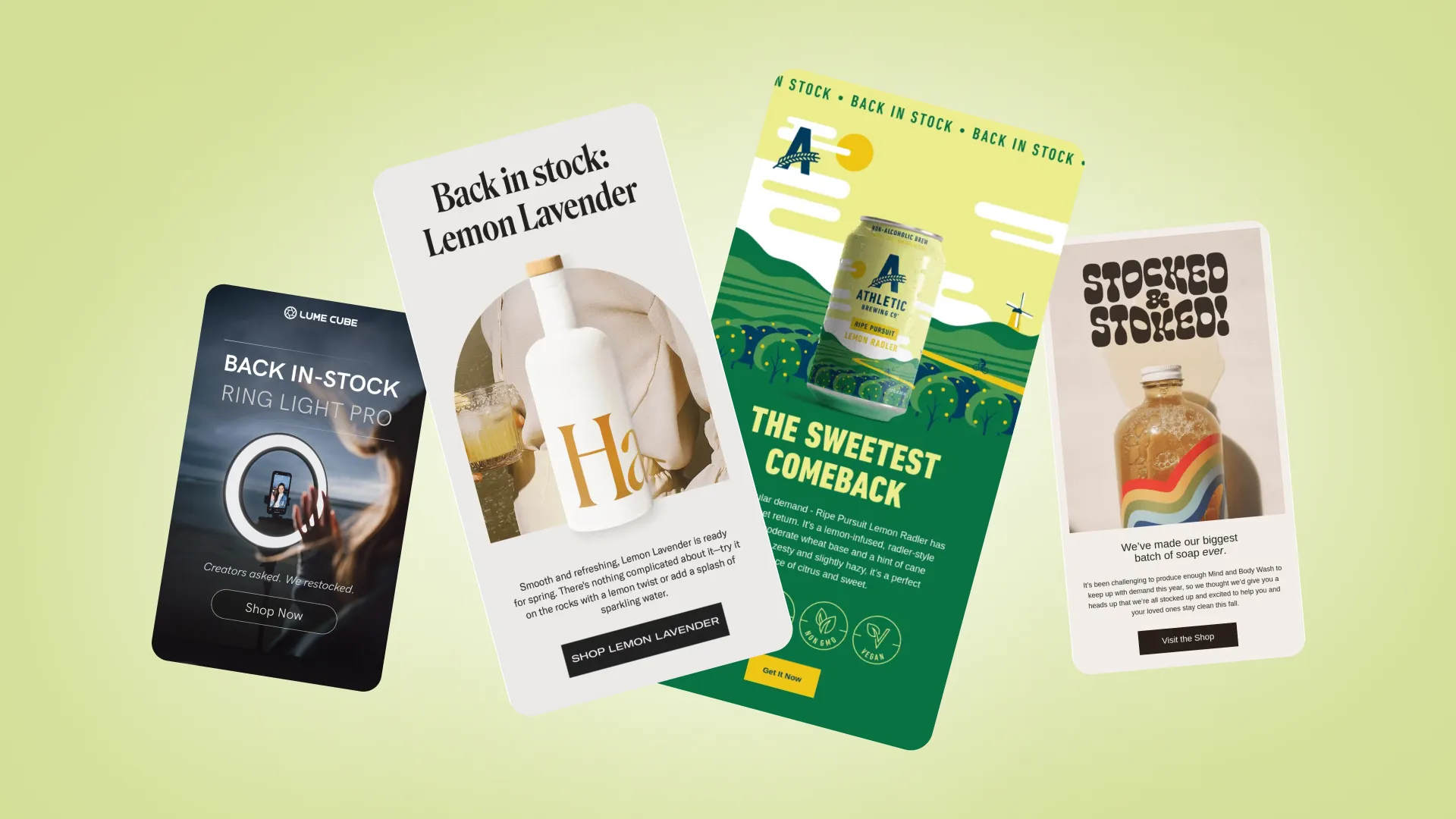
Athletic Brewing brings back its Ripe Pursuit Lemon Radler with a “sweetest comeback” message, then supports the restock with flavor details, product storytelling, and customer reviews.
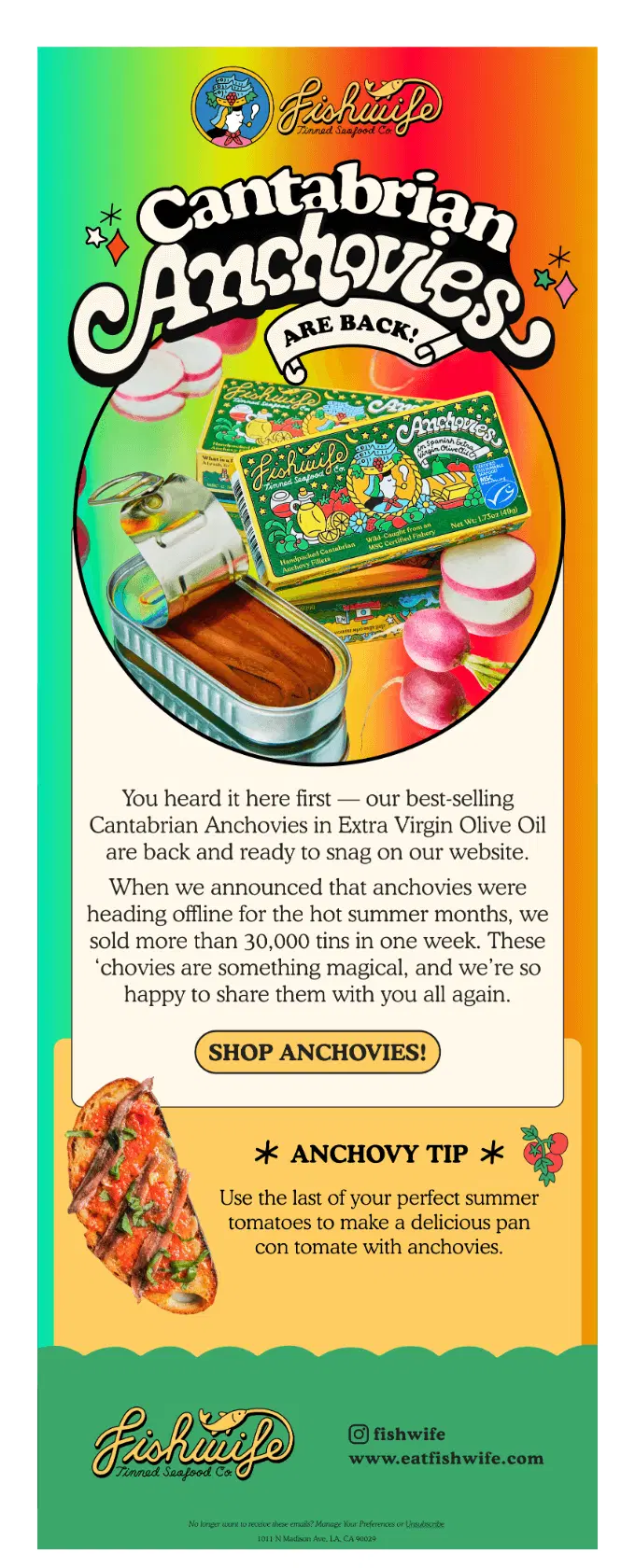
Fishwife announces that its bestselling Cantabrian Anchovies are available again after being taken offline for the summer, reinforcing their popularity with the note that more than 30,000 tins sold in one week before the pause.
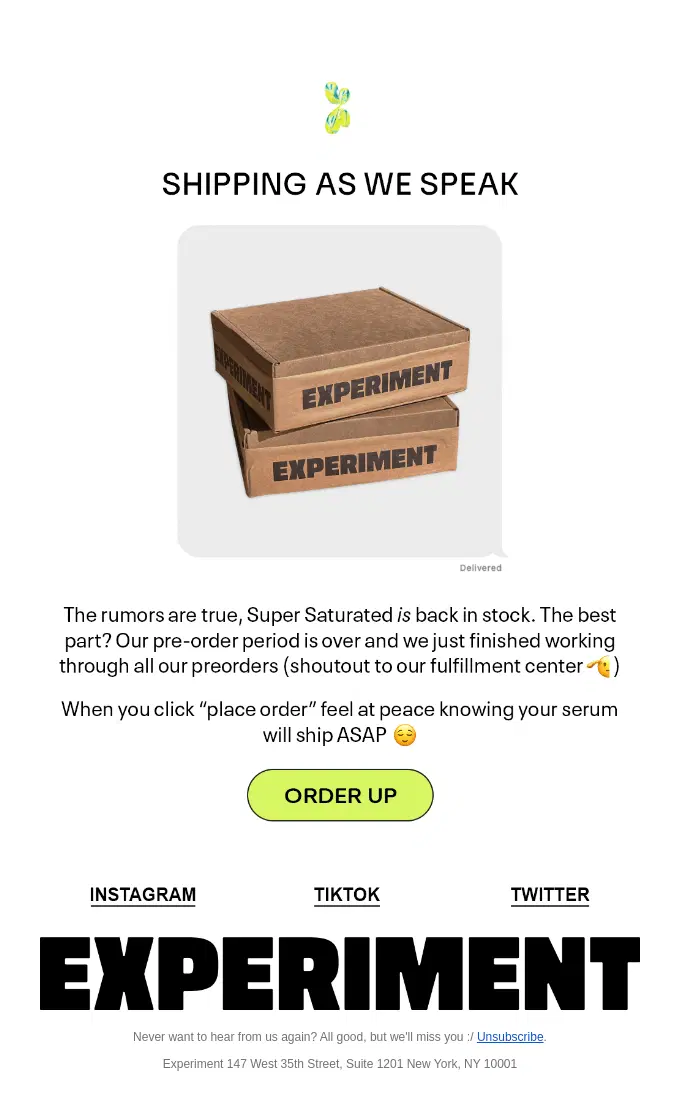
Experiment lets customers know that Super Saturated is officially back in stock after pre-orders have been fulfilled, emphasizing immediate availability and fast shipping.
Haus announces that Lemon Lavender is back in stock, then supports the restock with serving inspiration, customer social proof, and details about its lemon, lavender, and chamomile ingredients.
Athletic Brewing brings back its Nature Nut collaboration with JUSTIN’S as part of a playful trail-themed campaign, pairing the returning brew with a curated Trail Mix Pack and outdoor adventure messaging.
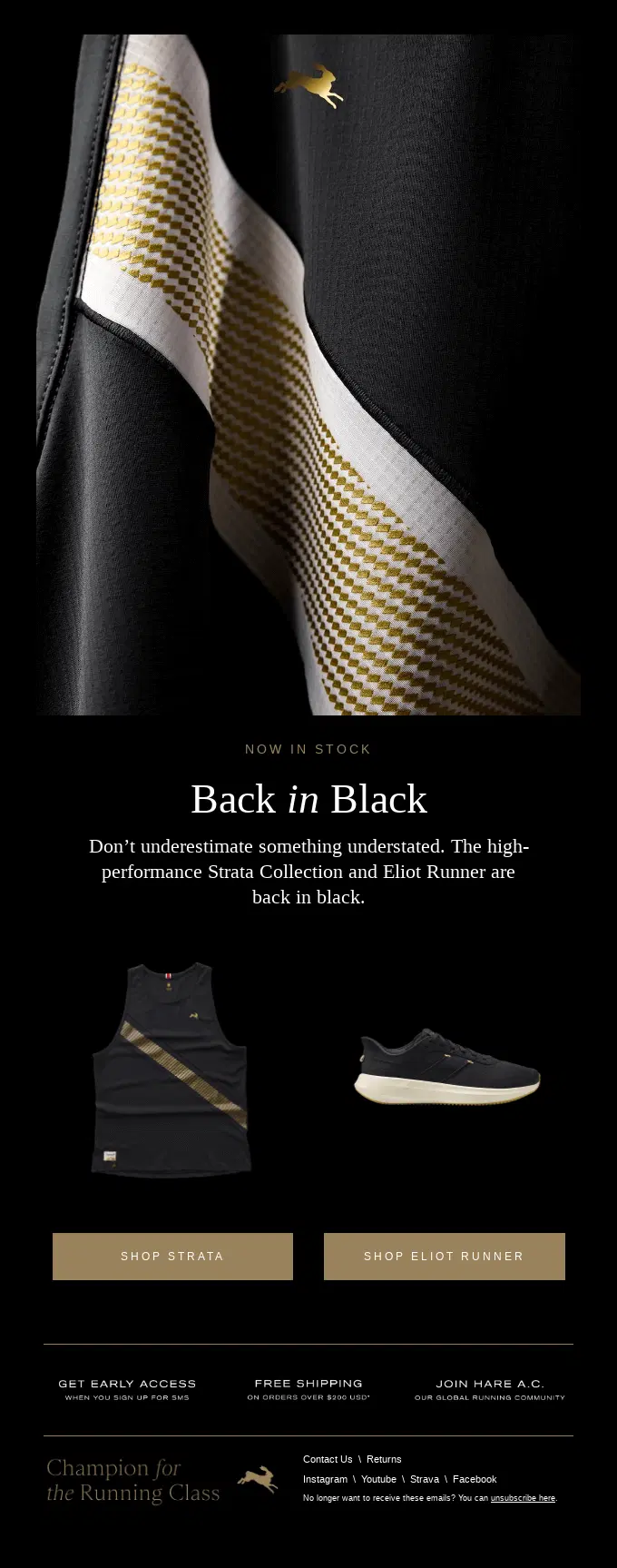
Tracksmith announces the return of two performance running favorites in black, using a focused “Back in Black” concept and separate CTAs for the Strata Collection and Eliot Runner.
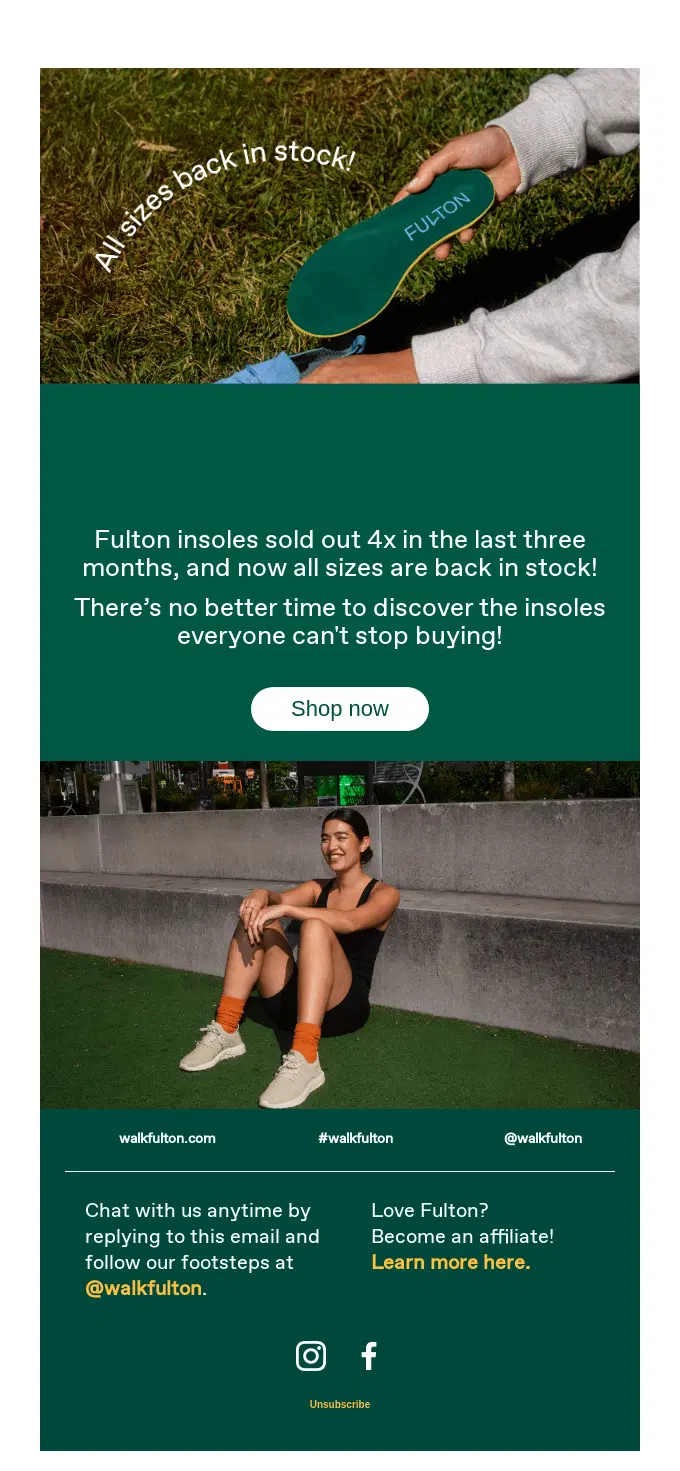
Fulton announces a full-size restock of its popular insoles, using four recent sellouts as proof of demand while keeping the message focused on renewed availability.
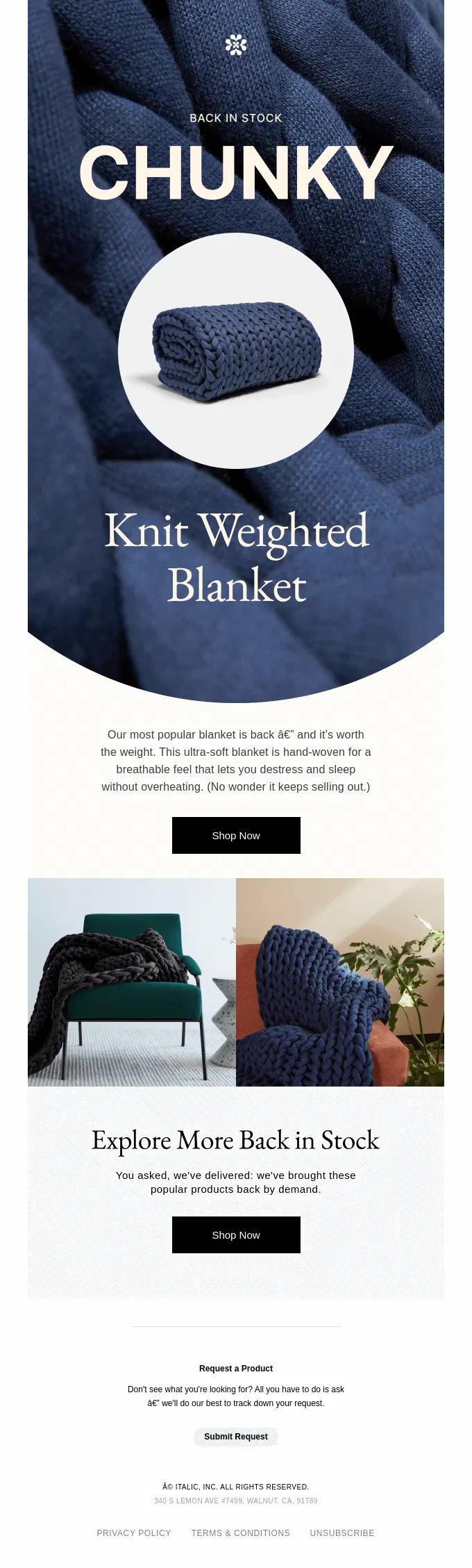
Italic puts its popular Chunky Knit Weighted Blanket at the center of the restock, highlighting its breathable, ultra-soft design before inviting shoppers to explore other products that are back by demand.
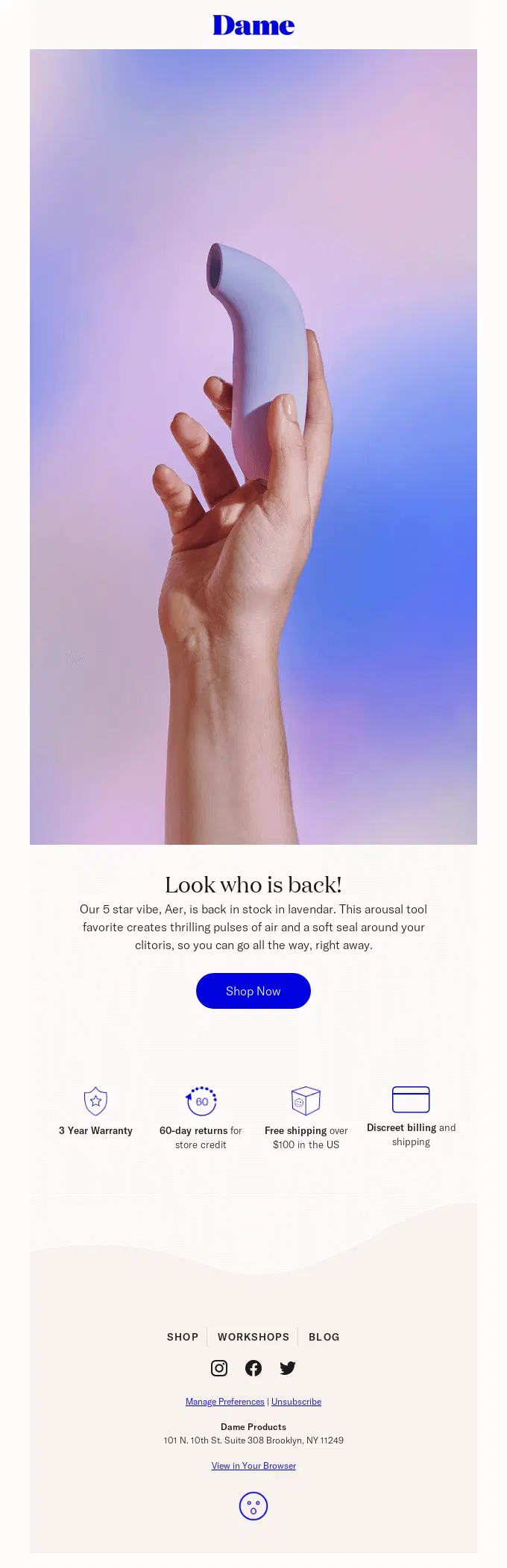
Dame keeps the restock focused on Aer’s return in lavender, briefly highlighting its key features before reinforcing the purchase with warranty, returns, and discreet shipping benefits.
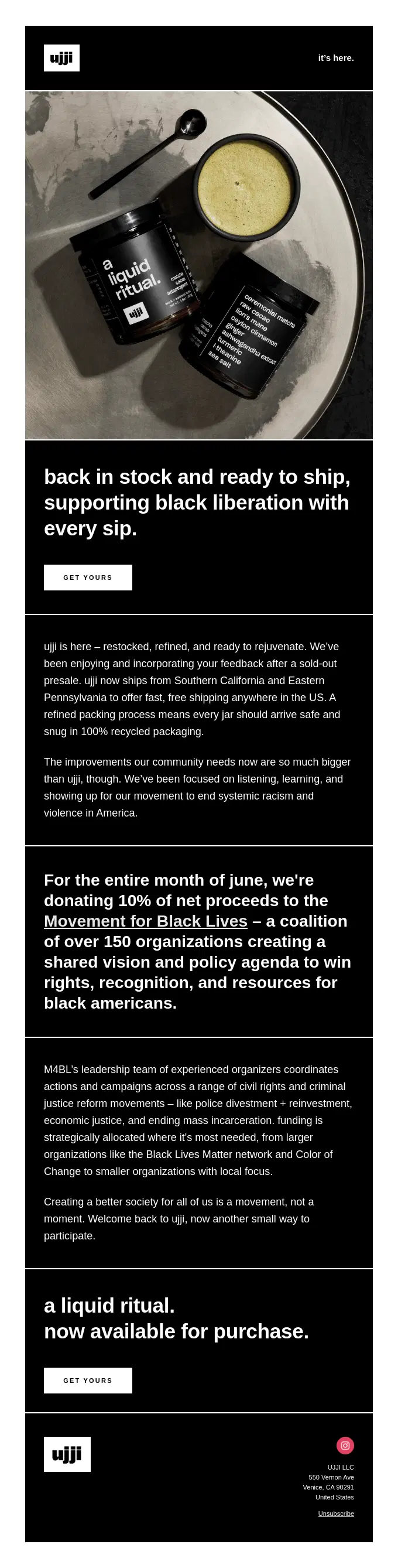
Ujii announces that Liquid Ritual is restocked and ready to ship, then connects the product return to a month-long initiative supporting the Movement for Black Lives.
Urgency and Limited Stock Back in Stock Email Examples
Urgency-focused back in stock emails encourage customers to act quickly by emphasizing limited quantities or the risk of another sellout. Common messages include “back, but not for long,” “selling fast,” and “limited stock available.”
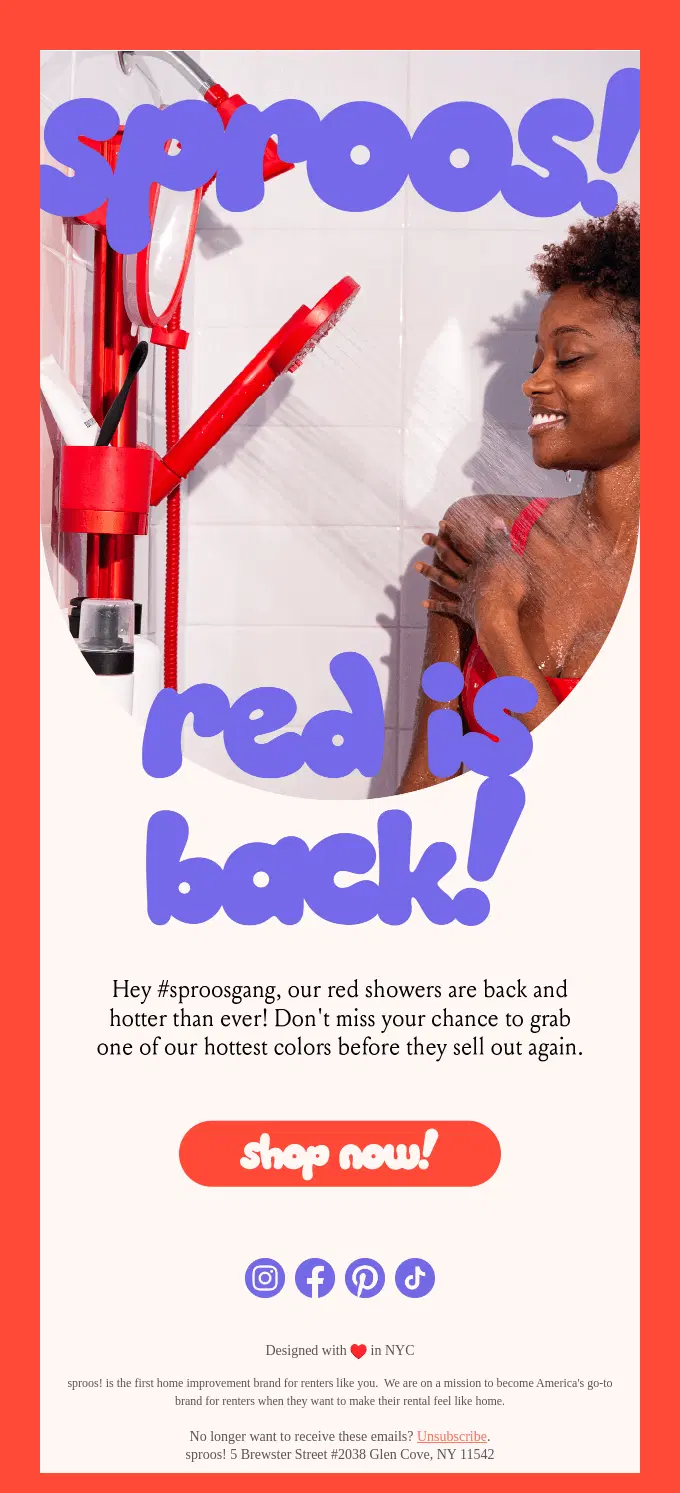
Sproos brings back its red shower system with a playful restock message and clear scarcity, encouraging shoppers to grab the returning color before it sells out again.

Material brings back its Salt Sphere after a rapid first sellout, using the product’s previous demand and small-batch availability to create genuine urgency around the restock.
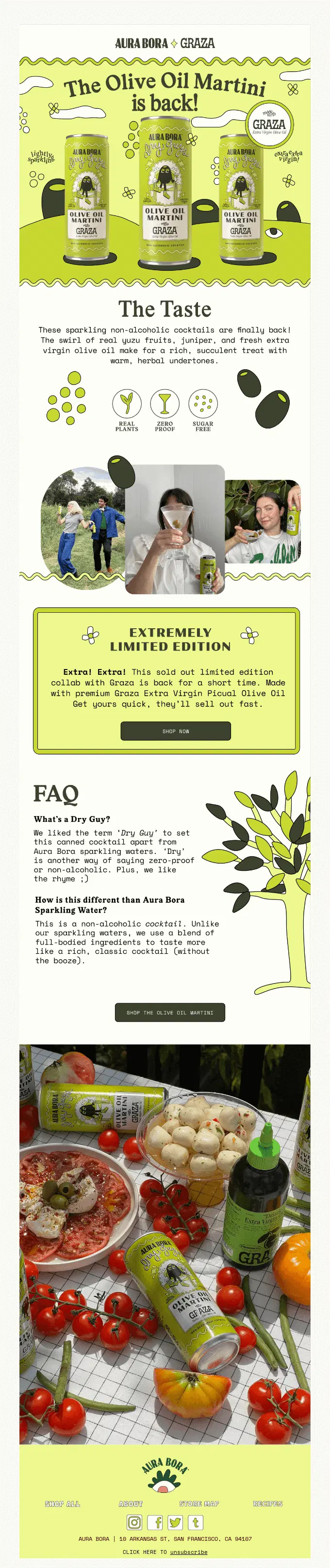
Aura Bora and Graza bring back their sold-out Olive Oil Martini collaboration for a short time, making scarcity the main hook with “extremely limited edition” and “they’ll sell out fast” messaging.
Flamingo Estate highlights the return of Pamela Anderson’s limited-edition pickles as a limited harvest, reinforcing the fresh-batch restock with ingredient details, press coverage, conservation support, and social proof.
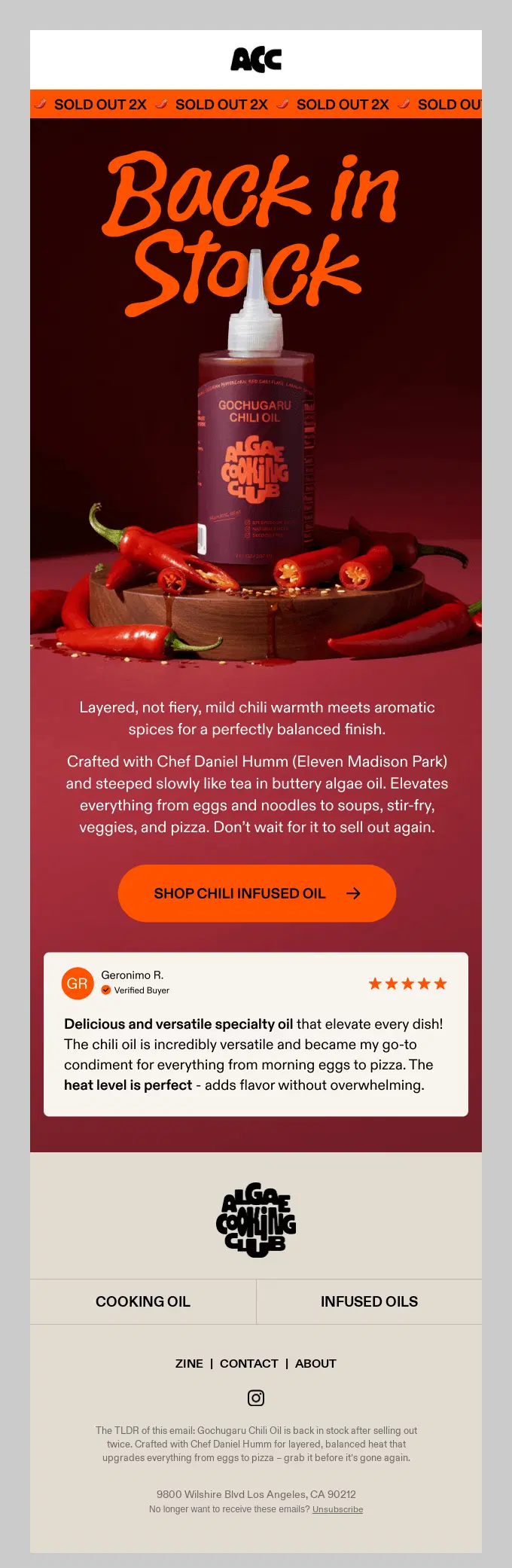
Algae Cooking Club turns its previous sellouts into urgency, highlighting that the Gochugaru Chili Oil sold out twice and encouraging shoppers not to wait before it disappears again.
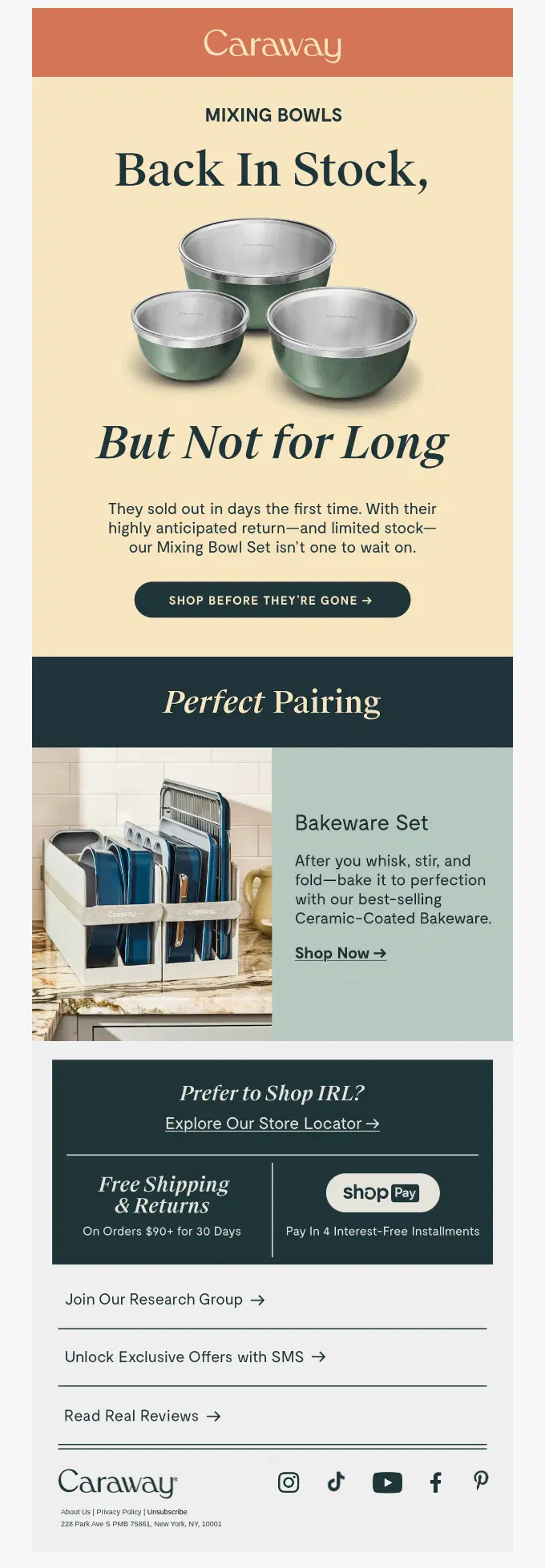
Caraway emphasizes that its Mixing Bowl Set sold out quickly before, using “Back In Stock, But Not for Long” messaging to create urgency while adding a complementary bakeware recommendation.
Brightland brings its Mini Essentials set back after three previous sellouts, using repeated demand and limited availability to create urgency while showing shoppers exactly what is included in the set.
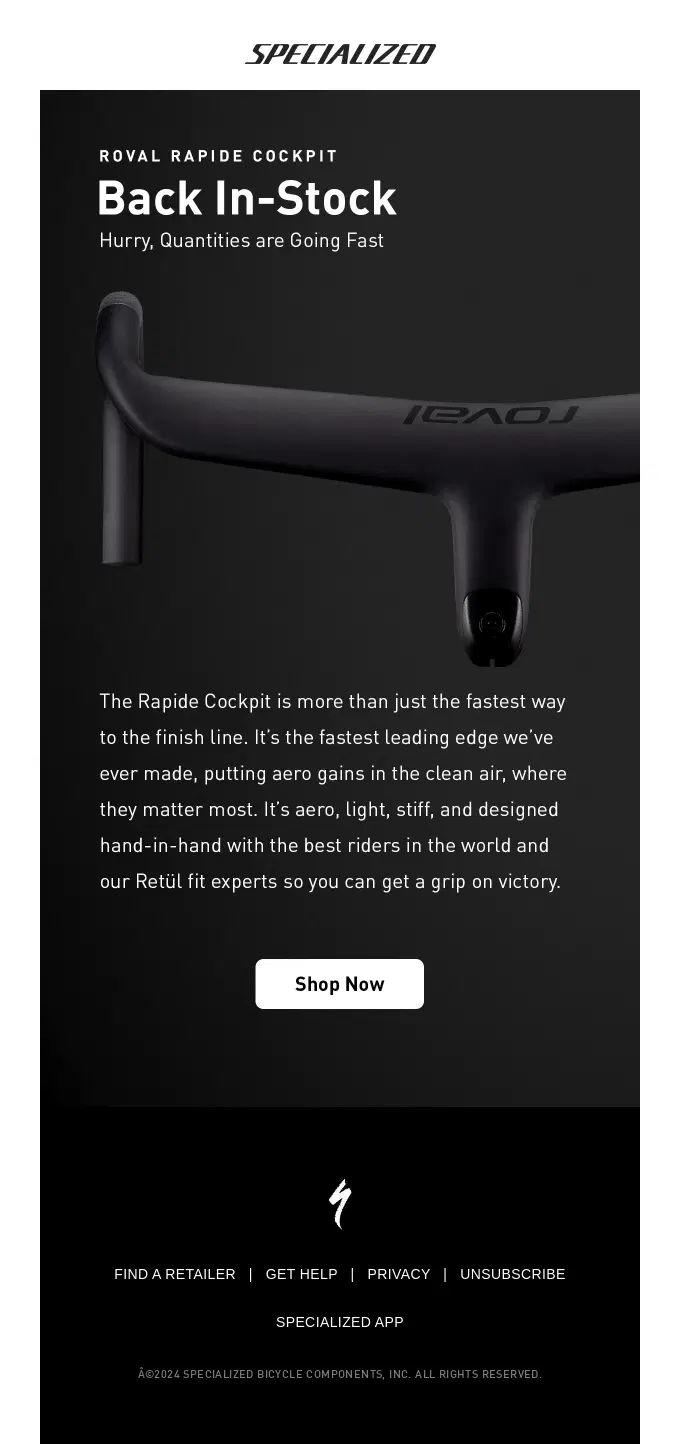
Specialized combines a clear back-in-stock announcement with strong scarcity messaging, then reinforces the purchase with aerodynamic, lightweight, and performance-focused product benefits.
Flamingo Estate makes scarcity the centerpiece of its Olio Nuovo restock, stressing that only 150 bottles are available while reinforcing the release with harvest details, flavor notes, and product benefits.
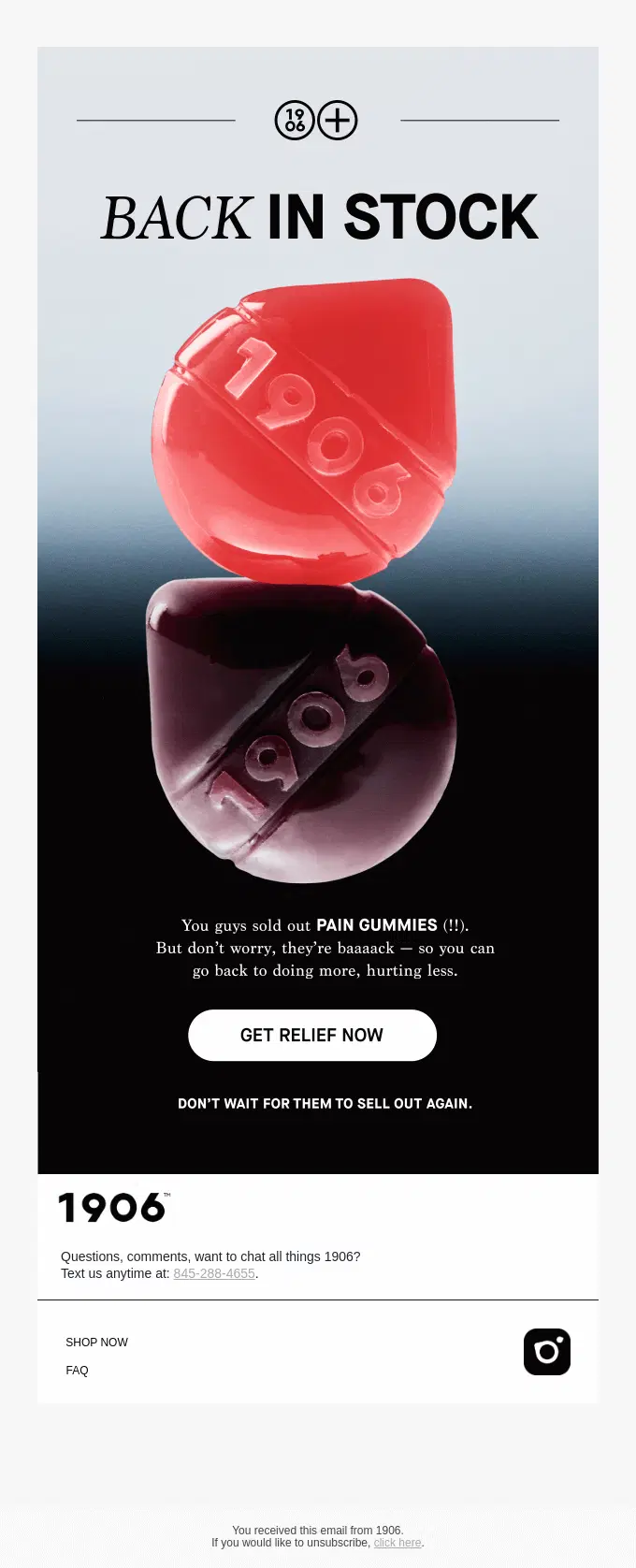
1906 turns a previous sellout into the main urgency hook, announcing that its Pain Gummies are back while warning shoppers not to wait for them to sell out again.
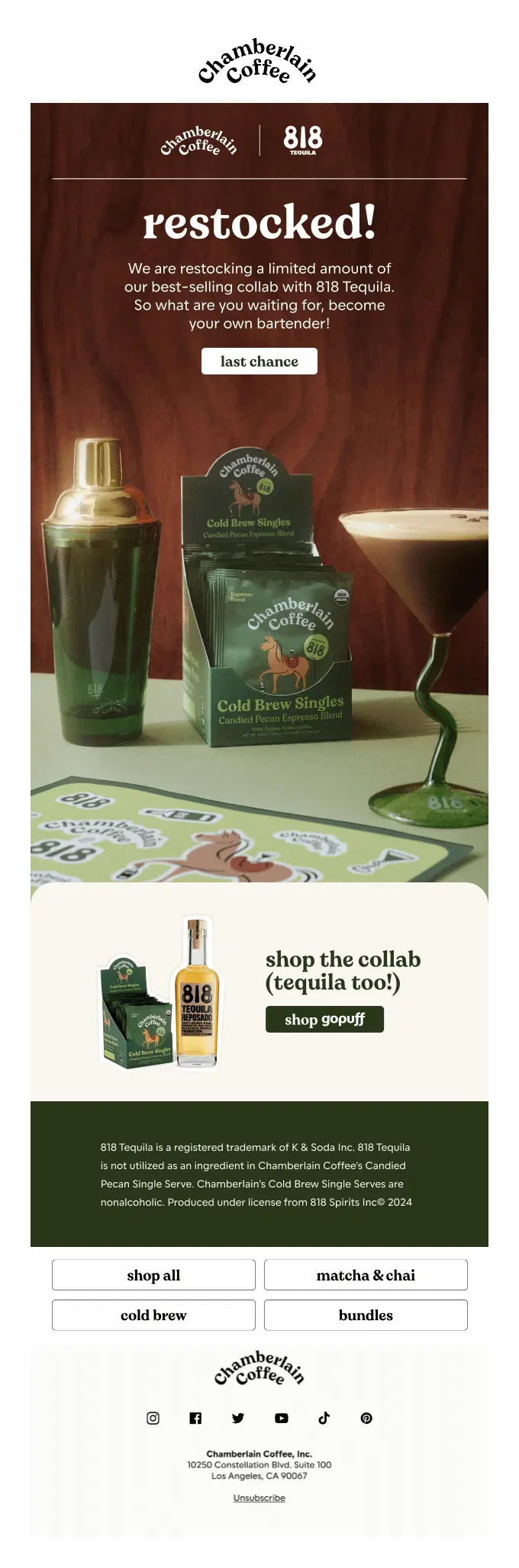
Chamberlain Coffee brings back a limited quantity of its bestselling 818 Tequila collaboration, making scarcity and “last chance” messaging the main reason to act quickly.
Album and Old Pal Provisions bring back their collaborative soft top surfboards in three sizes, using a direct restock message and light scarcity to encourage shoppers to buy before they sell out again.
Graza and Aura Bora bring back their Olive Oil Martini collaboration with scarcity at the center, using “extremely limited quantity” and “grab ’em before they’re gone again” messaging to push a quick purchase.
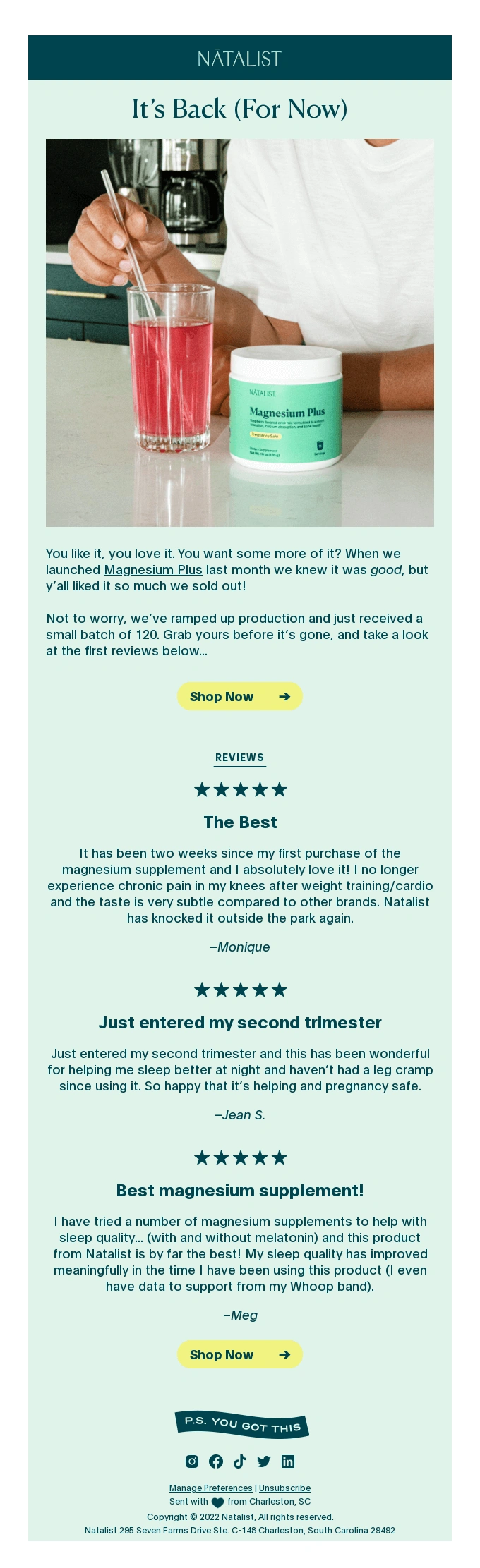
Natalist makes the small restock the main hook, highlighting that only 120 units are available and reinforcing demand with several five-star customer reviews.
Bloomscape brings back its bestselling Tradescantia Nanouk with a limited-time availability message, then supports the restock with product details, colorful lifestyle imagery, and a dedicated plant care guide.
Back in Stock Sale and Discount Email Examples
Back in stock sale emails combine a restock announcement with an additional purchase incentive. Brands may offer a percentage discount, fixed amount off, free shipping, special price, or limited-time deal alongside the returning product.
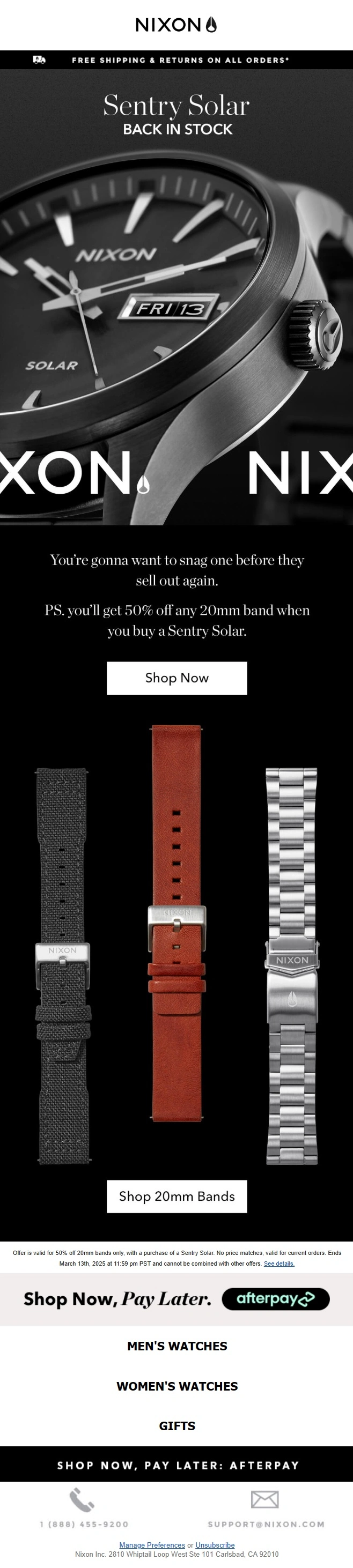
Nixon brings back the Sentry Solar and adds a complementary 50% discount on any 20mm band, combining renewed availability with an extra incentive to purchase.

JOSEPH makes the promotion and restock equally central, bringing bestselling seasonal styles back into stock while offering savings of up to 60%.
Manhattan Home Design combines a broad furniture restock with its Labor Day promotion, offering 25% off while emphasizing that featured in-stock pieces can ship within one to two business days.
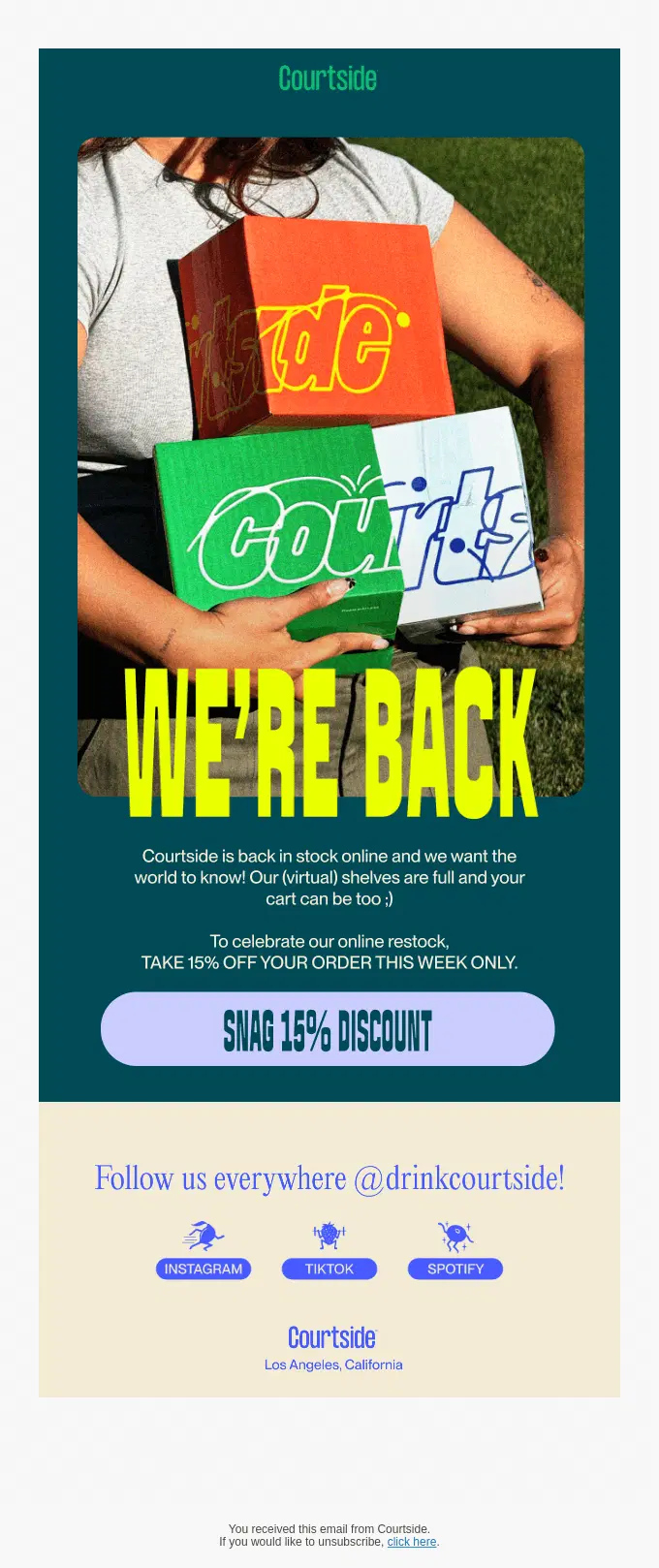
Courtside celebrates its online restock with a limited-time 15% discount, turning the availability update into a promotional incentive to shop while the offer lasts.
Wimp celebrates the return of its decaf coffee with a playful “Delicious Is Back” concept and adds an extra incentive through gift card rewards for customers who buy two or three bags.
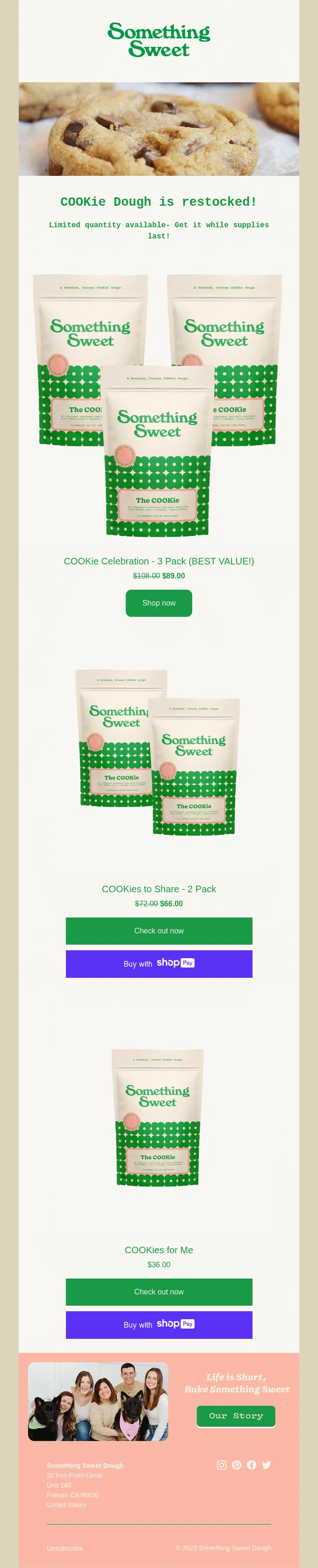
Something Sweet combines the cookie dough restock with bundle savings, offering discounted two- and three-pack options while adding light scarcity with “limited quantity available” messaging.
Baby Gold combines the return of its Paperclip Chain collection with a Labor Day discount, using 20% off sitewide and free shipping to add an extra incentive around the restock.
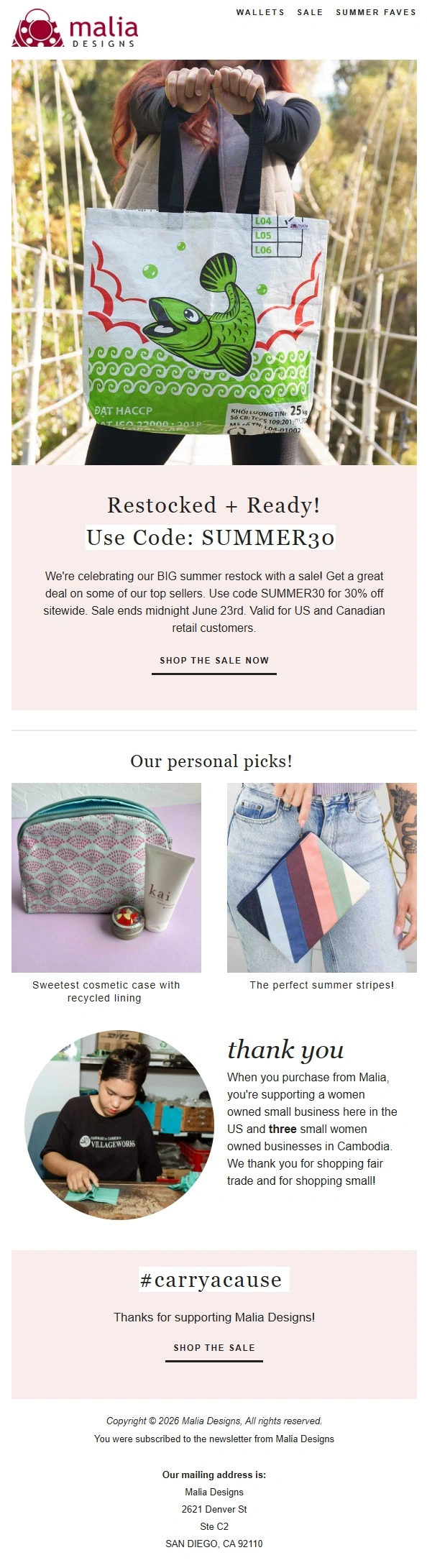
Malia Designs combines a broad summer restock with a 30% sitewide promotion, then adds personal product picks and brand storytelling to extend the campaign beyond the initial sale message.
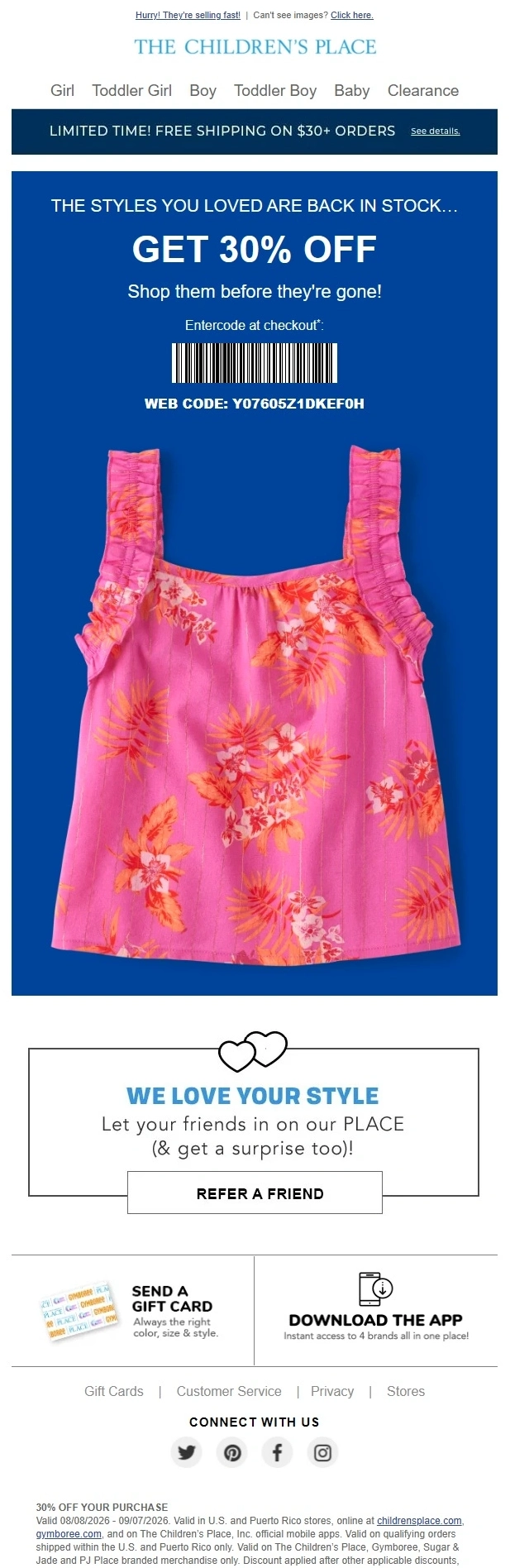
The Children’s Place makes the discount central to the restock, pairing returning styles with 30% off and a limited-time free shipping offer to encourage faster purchases.
Fashion Back in Stock Email Examples
Fashion back in stock emails notify shoppers when previously unavailable clothing, footwear, or accessories return. They often highlight the availability of a specific size, color, style, or product variation the customer may have been waiting for.
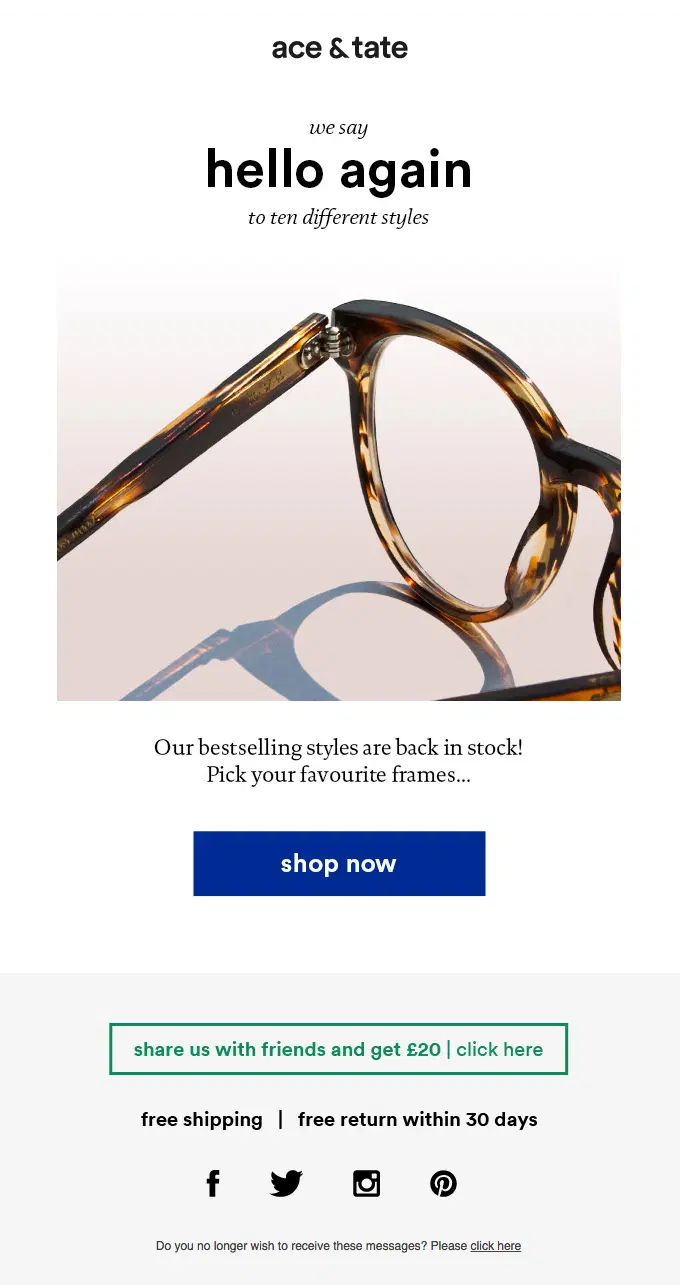
Ace & Tate announces the return of ten bestselling eyewear styles with a simple restock message, bold product imagery, and a direct Shop Now CTA.

SPANX brings its Authentic 360 Denim back in stock, using fashion-led imagery and fit-focused benefits to sell the returning jeans while keeping the first-order discount secondary.
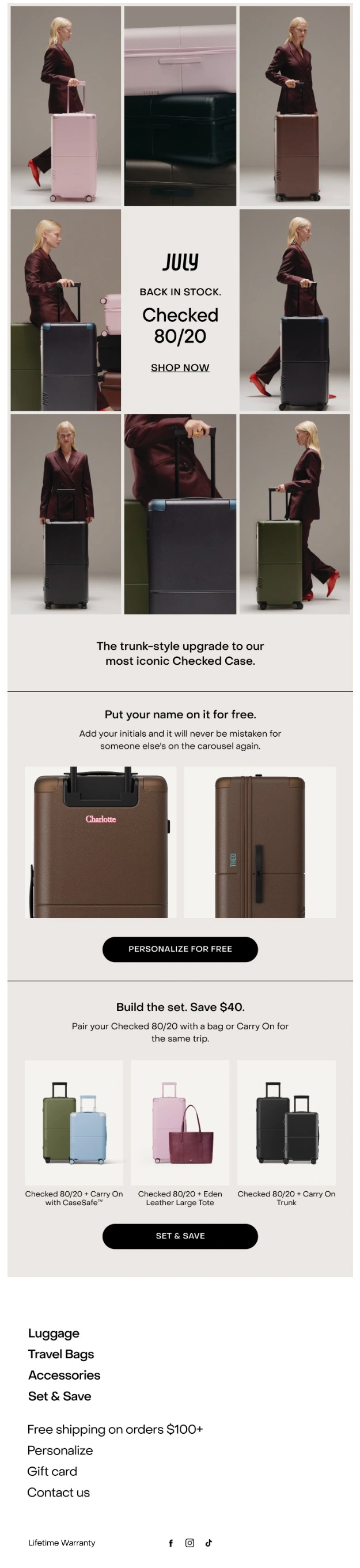
July brings its Checked 80/20 suitcase back in stock across several colors, then supports the restock with free personalization and bundle options that pair the returning case with Carry On luggage.
Organic Basics announces that its ReNaked underwear bestsellers have been restocked, pairing a fashion-focused product preview with light scarcity messaging and direct shopping CTAs.
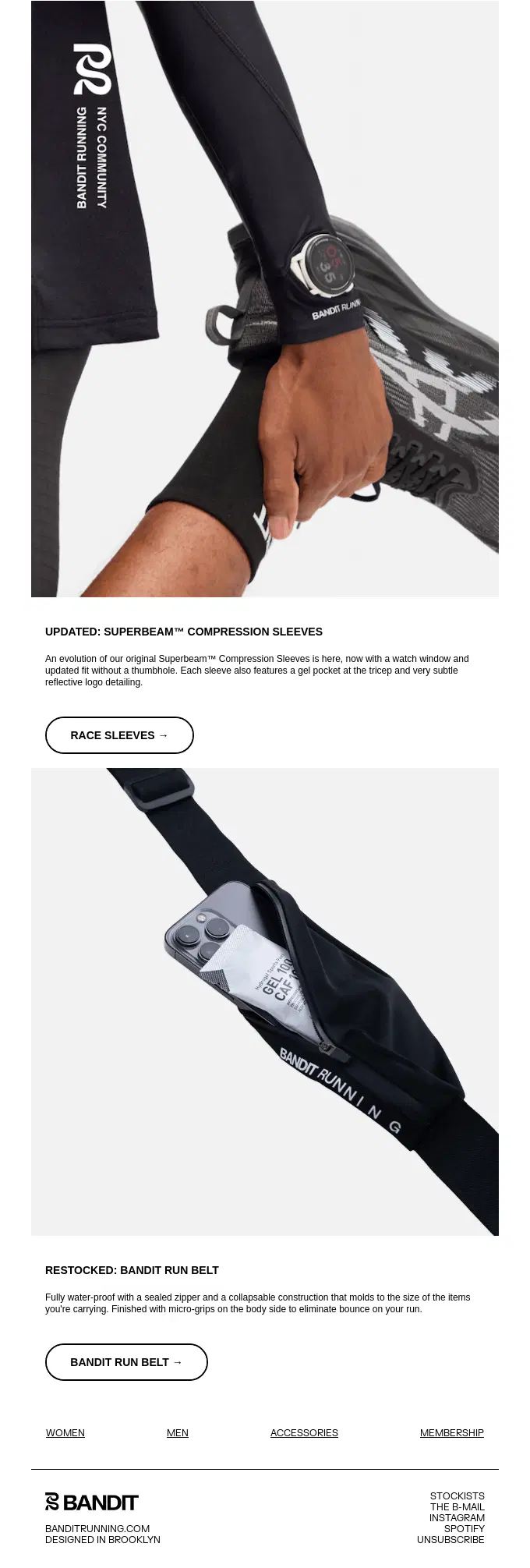
Bandit Running announces the restock of its Run Belt while also introducing an updated version of its Superbeam Compression Sleeves, using technical product details and clean performance imagery throughout the email.
Projects Watches announces that the full Albers Collection is back in stock, using the return of all three designs as the main message while adding artistic context and individual product details.
Lululemon showcases multiple returning fashion and activewear pieces in a product-grid layout, pairing the restock with light urgency and direct links to individual styles and categories.
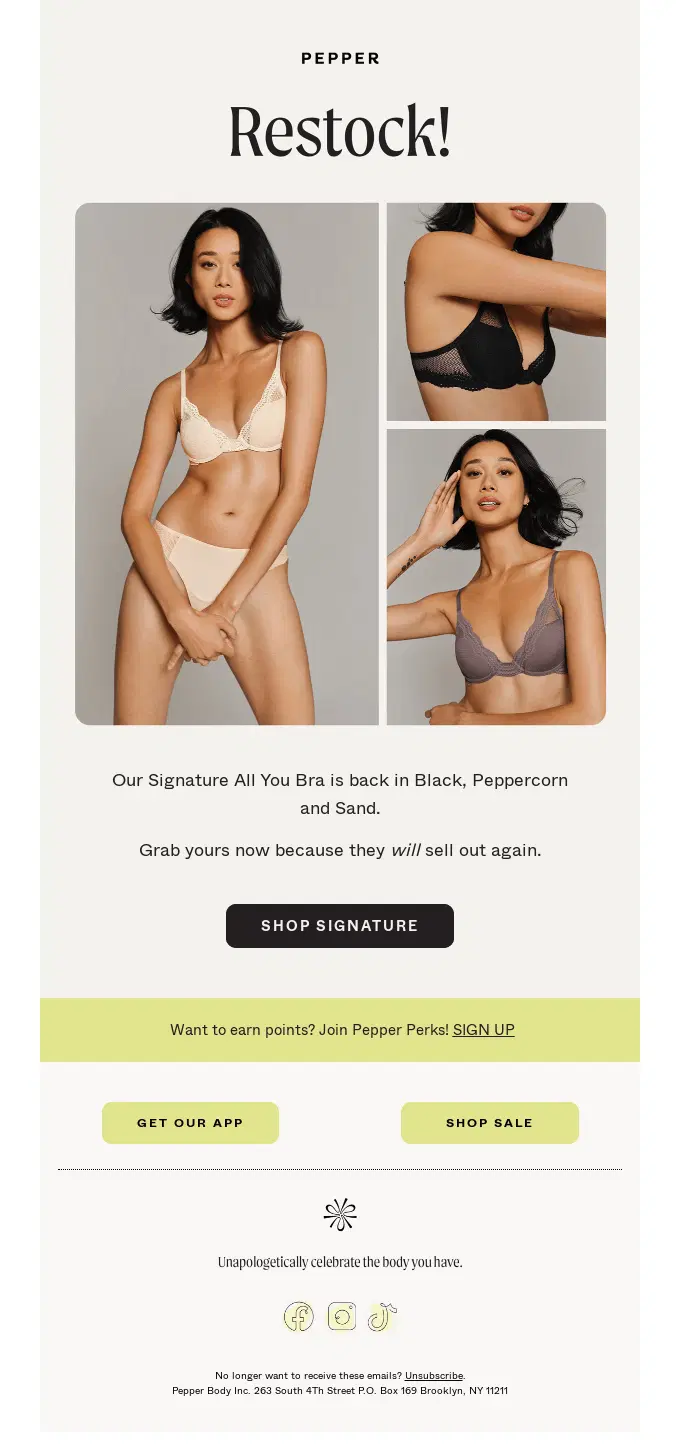
Pepper announces the restock of its Signature All You Bra in three colors, pairing the returning styles with light urgency to encourage shoppers to buy before they sell out again.
Kizik showcases a broad restock of customer-favorite sneakers across multiple styles and colors, combining a product-heavy fashion layout with its signature hands-free footwear benefit.
Canyon Coffee announces the return of its apparel and accessories collection, using relaxed lifestyle imagery to showcase restocked tees, sweatshirts, hats, and tote bags.
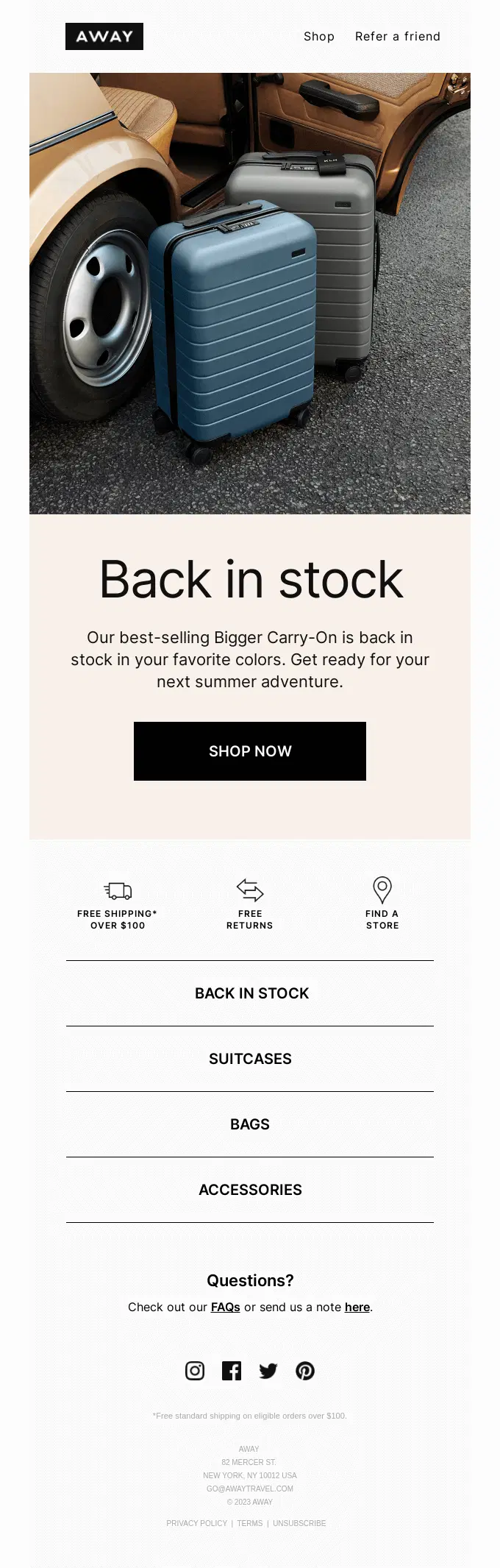
Away announces that its bestselling Bigger Carry-On is back in stock in customer-favorite colors, keeping the message focused on the returning suitcase and a direct path to shop.
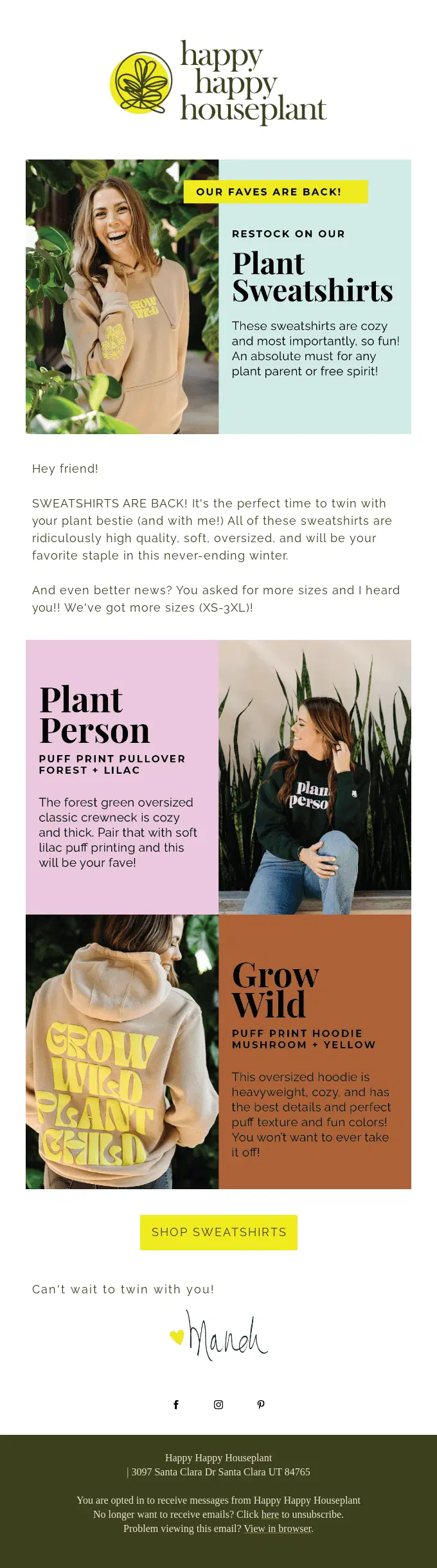
Happy Happy Houseplant brings back its popular plant-themed sweatshirts with new sizes, using lifestyle photography and product-focused copy to showcase the returning apparel collection.
Janji brings back its bestselling Multipass Sling Bag in Midnight, pairing the accessory restock with a five-star customer review, lifestyle photography, and light sellout urgency.
Patagonia brings back its Men’s Houdini Jacket with a focused product message, pairing the restock with technical details, outdoor imagery, and light scarcity around remaining availability.
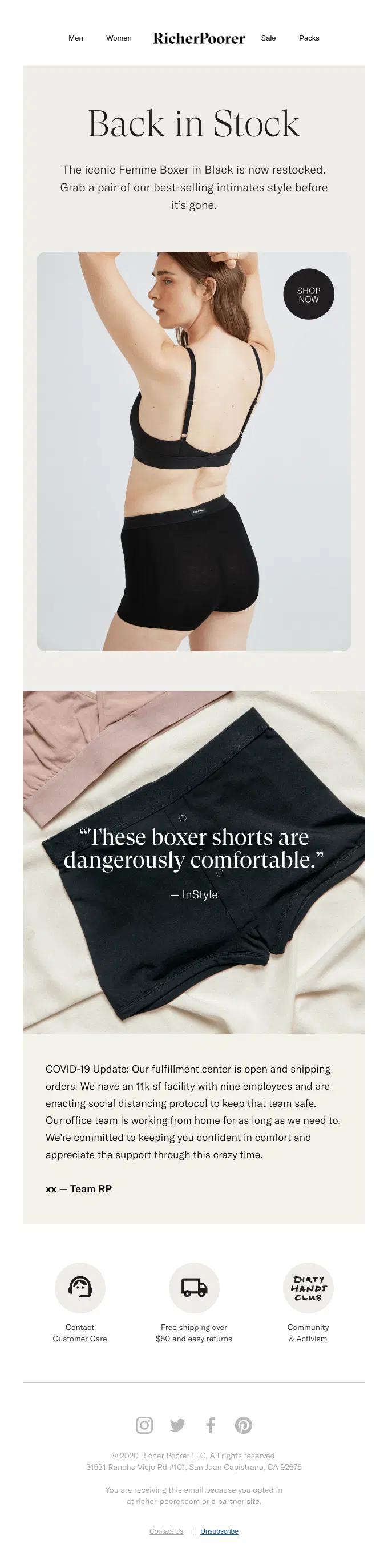
Richer Poorer brings back its bestselling Femme Boxer in black, pairing the intimates restock with clean lifestyle photography, an InStyle quote, and light scarcity messaging.
Offhours brings back its signature Homecoat in several colors, combining the loungewear restock with preorder access and limited-quantity messaging to encourage shoppers to act quickly.
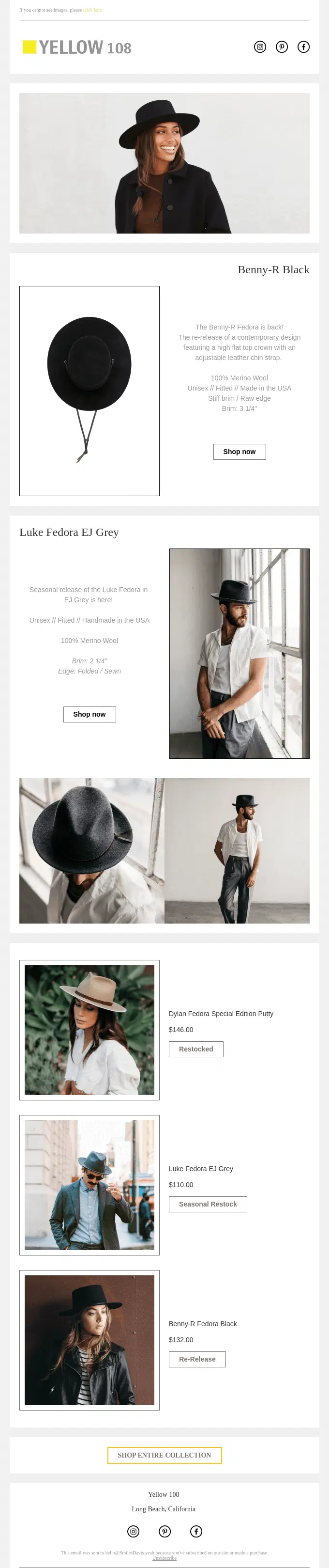
Yellow 108 brings several fedora styles back through a mix of restocks, re-releases, and seasonal availability, using editorial product imagery and individual shopping options for each returning hat.
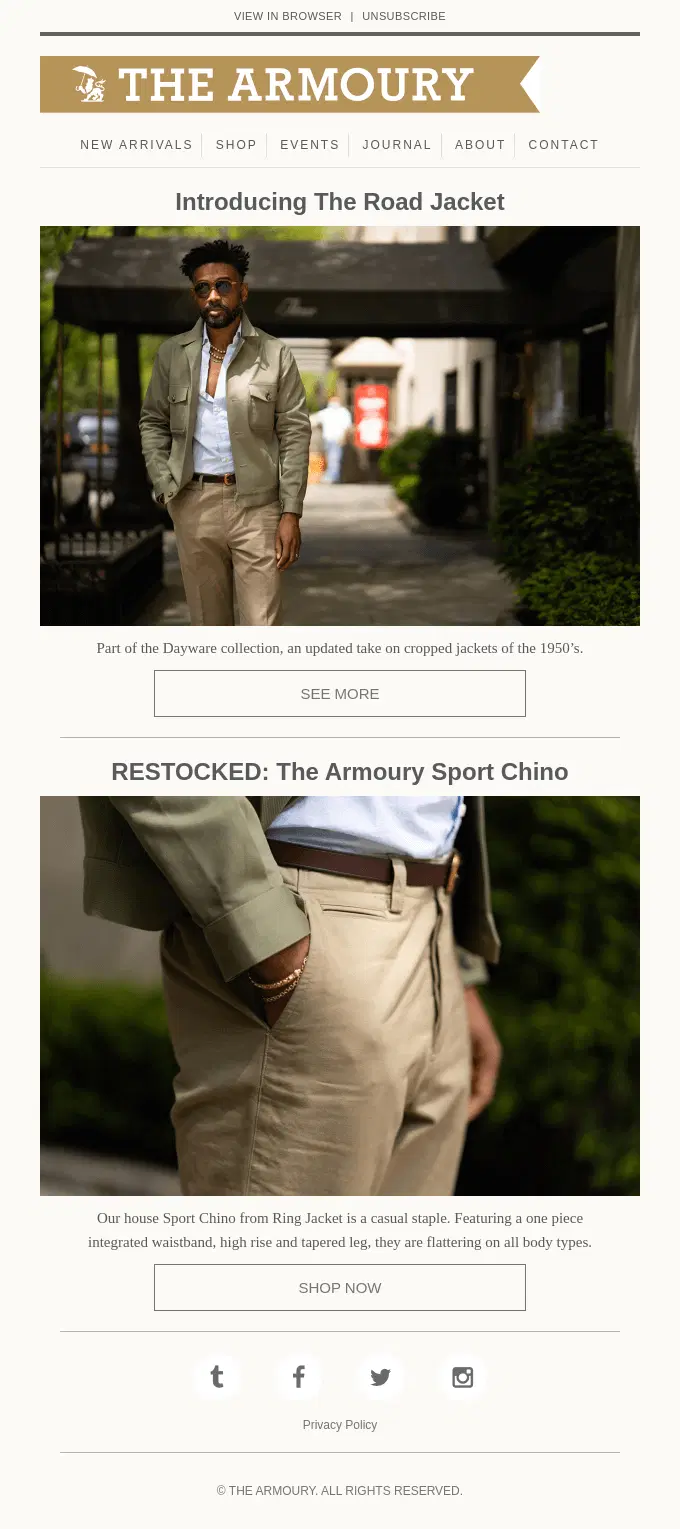
The Armoury combines a new product introduction with the restock of its Sport Chino, using editorial menswear imagery and concise product details to showcase both pieces.
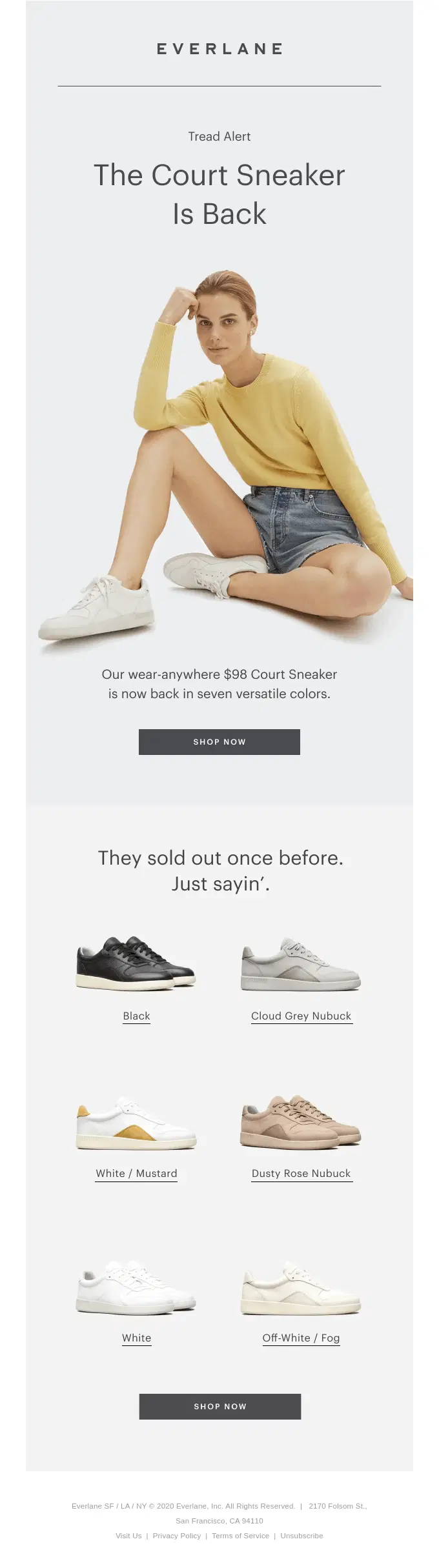
Everlane brings back its Court Sneaker across seven colorways, using a clean fashion-led layout to showcase the returning options after the style previously sold out.
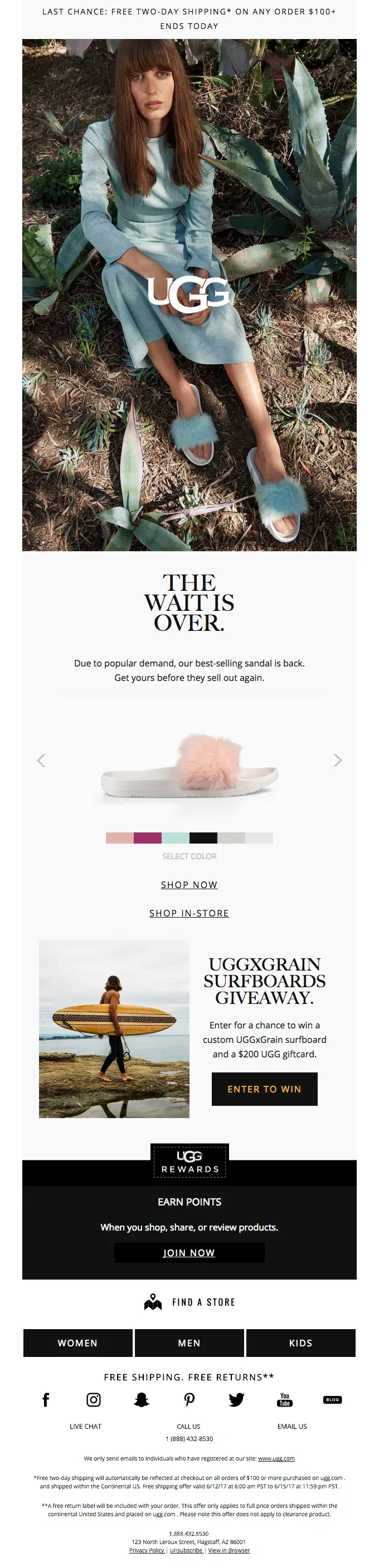
UGG brings back its bestselling sandal with a fashion-led product focus, combining multiple color choices with light scarcity and a limited-time free two-day shipping offer.
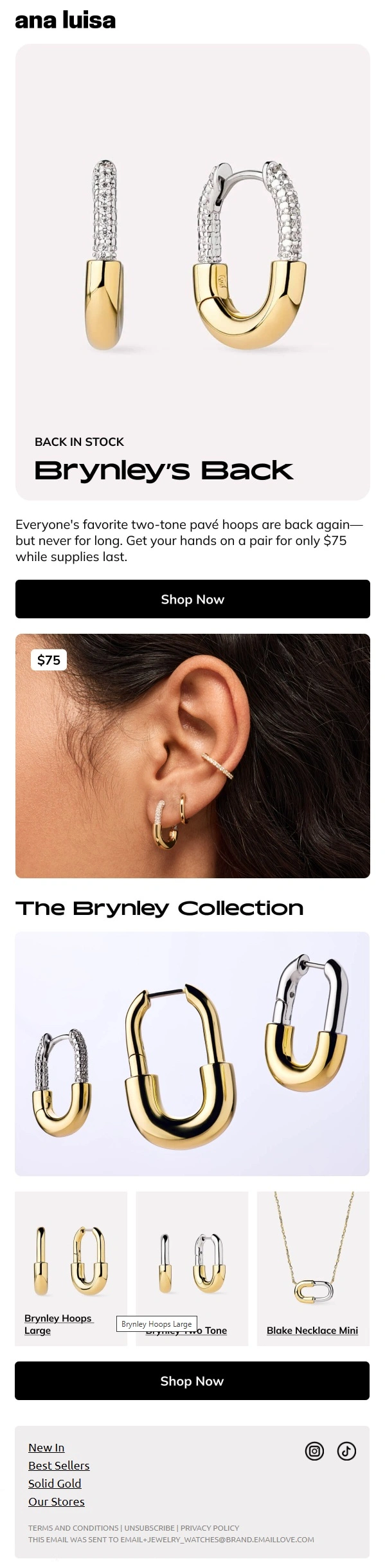
Ana Luisa brings its Brynley hoops back in stock with a jewelry-focused campaign, pairing the returning bestseller with close-up styling imagery and additional pieces from the same collection.
Beauty Back in Stock Email Examples
Beauty back in stock emails announce the return of sold-out skincare, makeup, fragrance, haircare, or other beauty products. These messages may focus on a single high-demand product, a specific shade or variation, or several popular products that have been restocked.
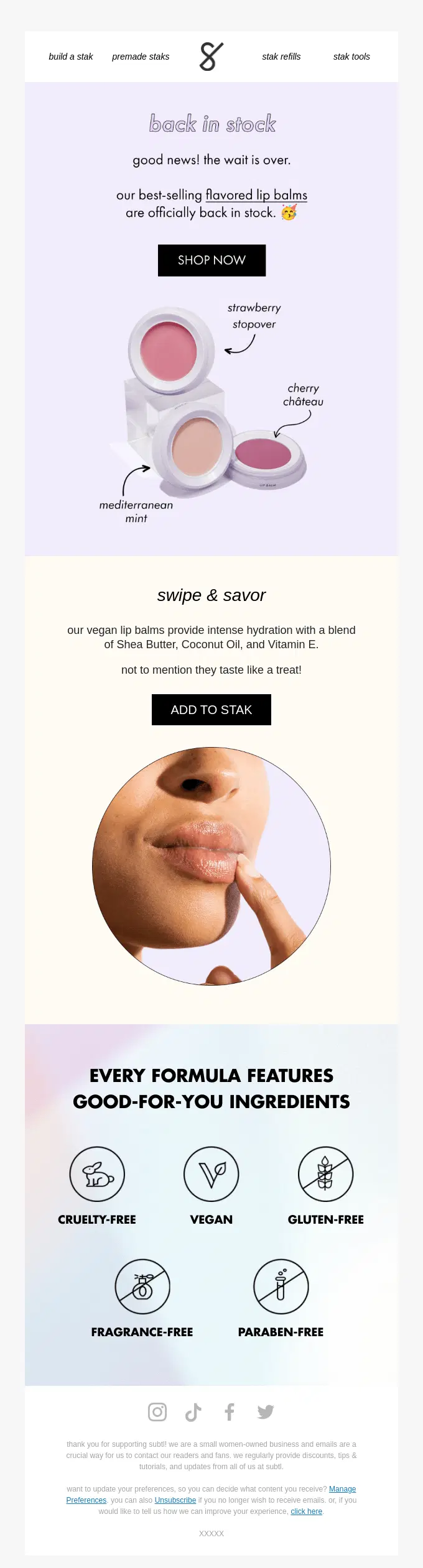
Stak announces the return of three bestselling lip balm flavors, then supports the restock with hydration benefits and clear cruelty-free, vegan, gluten-free, fragrance-free, and paraben-free credentials.

Prima announces that its skincare and body care range is finally back in stock, using an animated hero to showcase the returning products and bring more movement to an otherwise simple, brand-focused restock message.
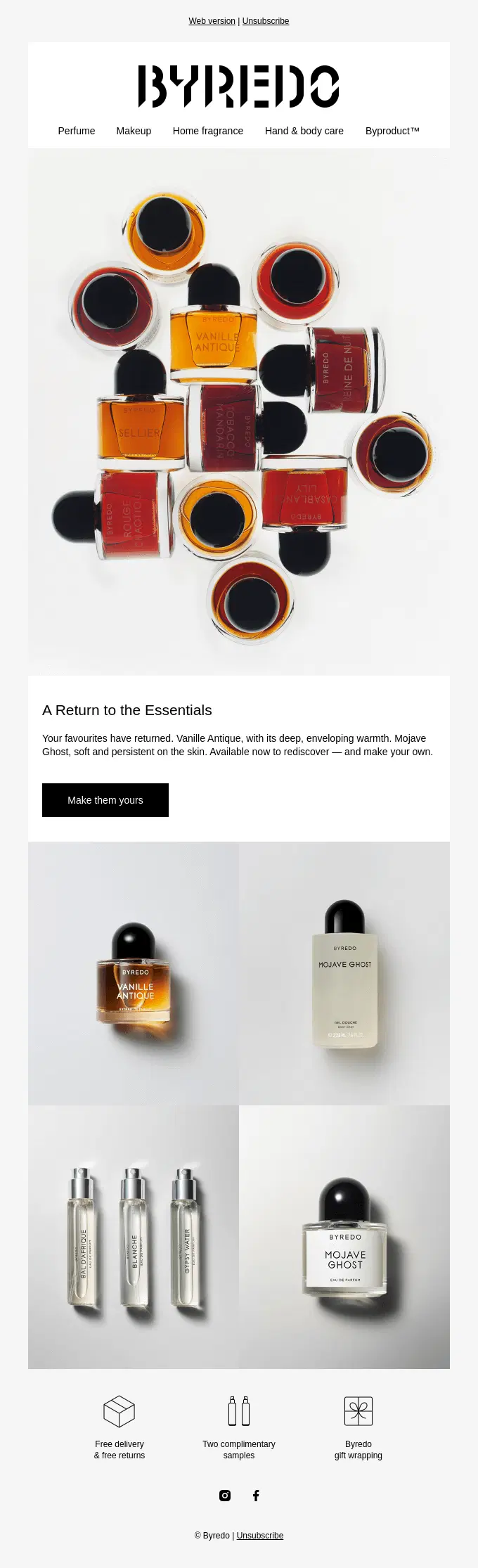
Byredo announces the return of several fragrance favorites with an understated, editorial-style design that keeps the focus on the products while reinforcing the purchase with free delivery, samples, and gift wrapping.
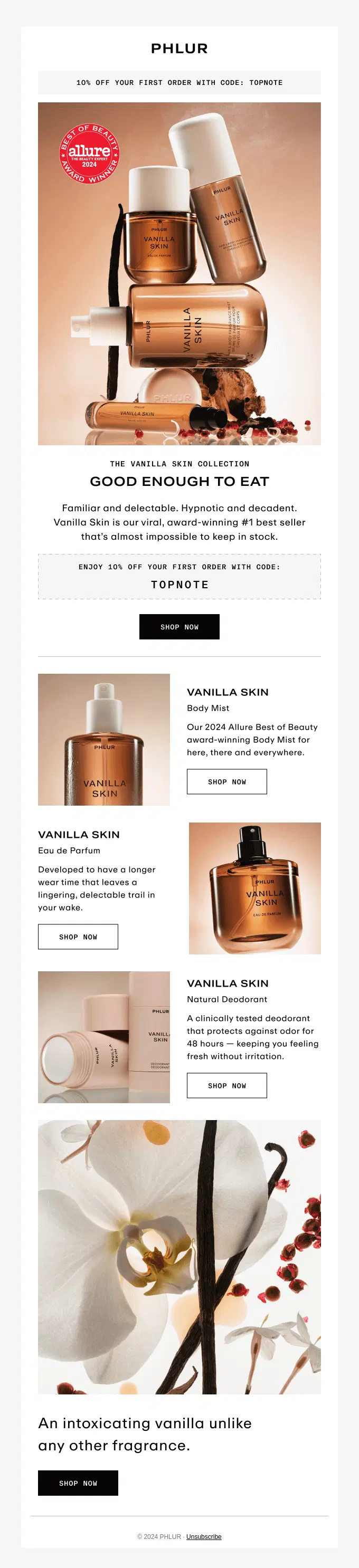
Phlur spotlights its hard-to-keep-in-stock Vanilla Skin collection with award-winning credentials, product-specific benefits, and a first-order discount across the returning fragrance lineup.
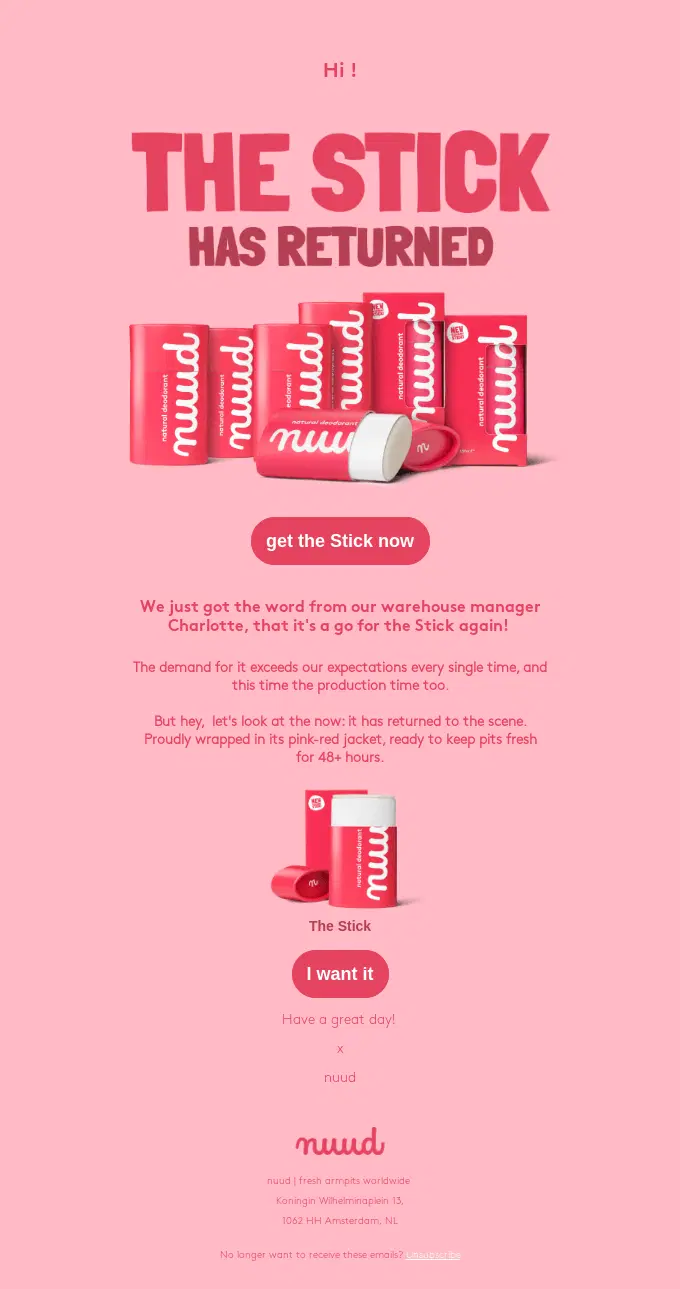
Nuud announces that its deodorant Stick has returned after demand exceeded expectations, using playful copy and bold product imagery to make the restock feel like a much-awaited comeback.
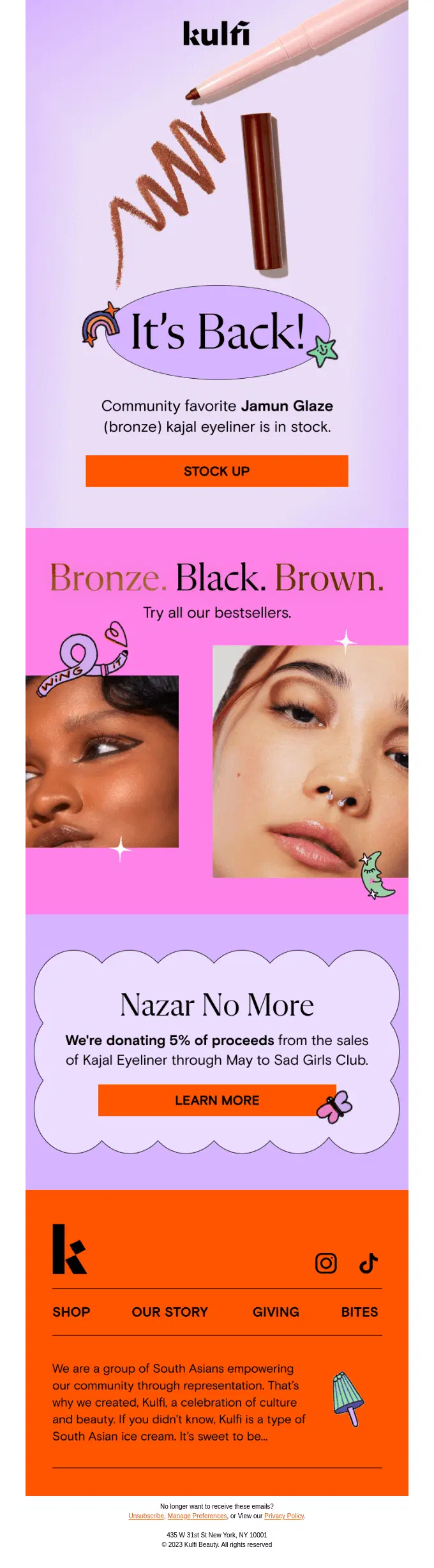
Kulfi announces that its Jamun Glaze kajal eyeliner is back in stock, then expands the message with other bestselling shades and a 5% donation initiative supporting Sad Girls Club.
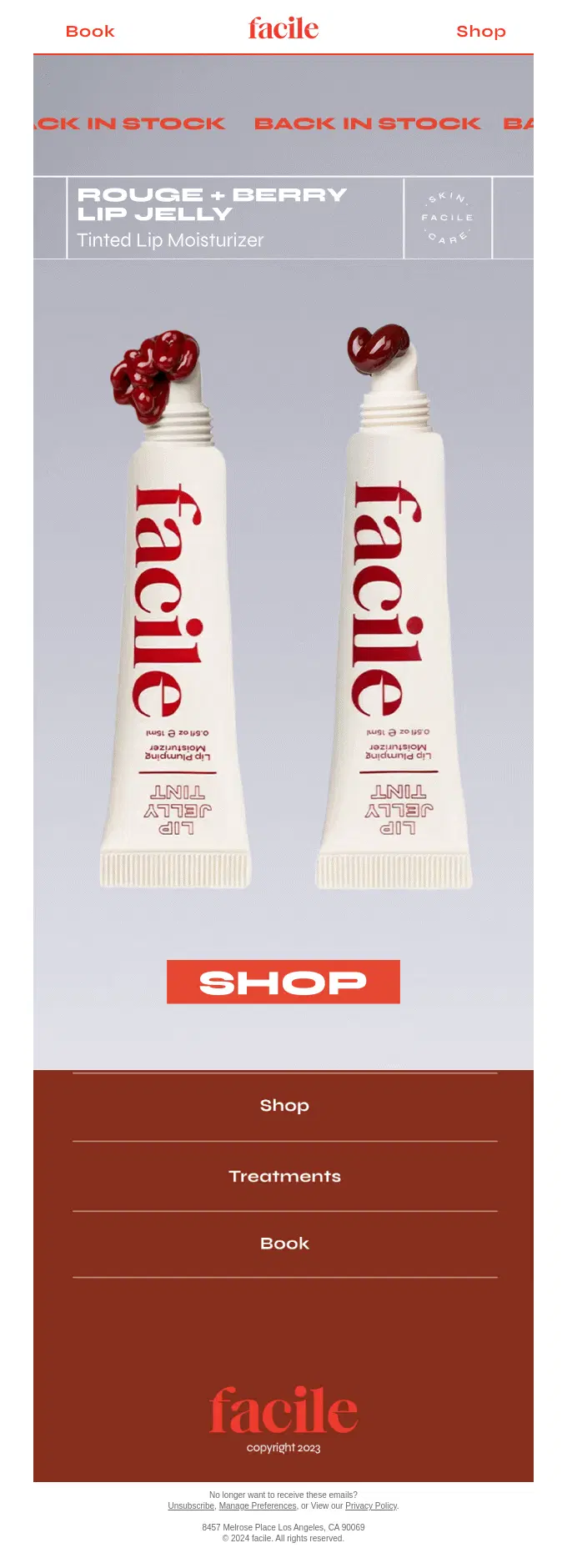
Facile keeps the restock focused on its Rouge and Berry Lip Jelly shades, using bold product photography and minimal copy to drive shoppers directly back to the returning beauty products.
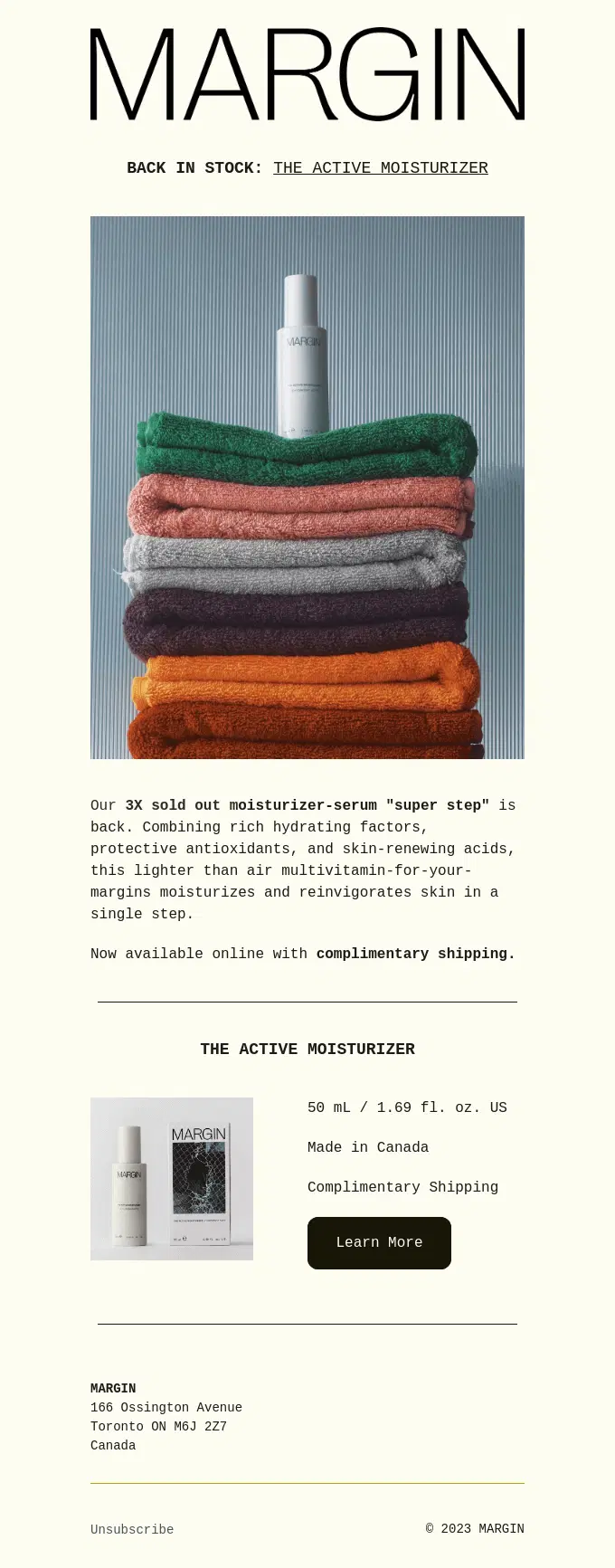
MARGIN brings back its three-times-sold-out Active Moisturizer, pairing the restock with concise skincare benefits and complimentary shipping.
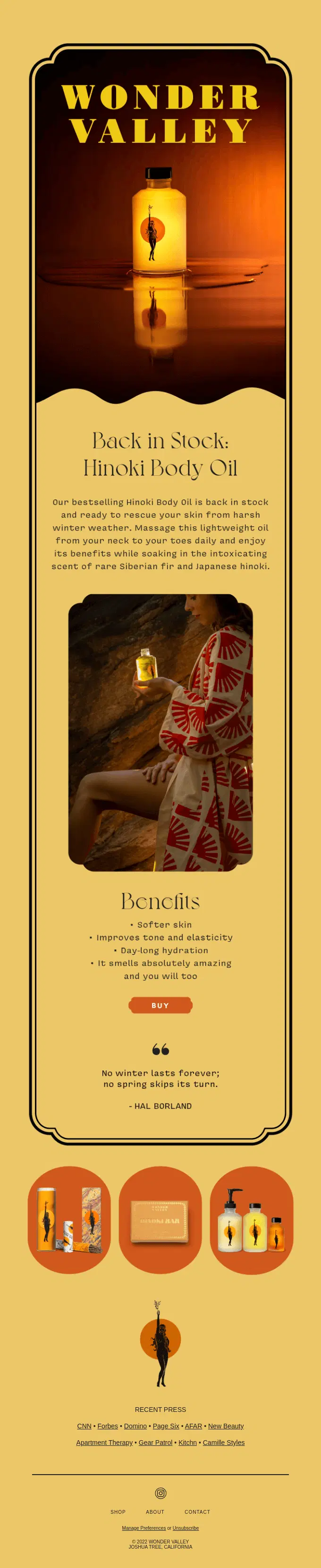
Wonder Valley brings back its bestselling Hinoki Body Oil, combining the restock with clear skincare benefits such as softer skin, improved tone and elasticity, and all-day hydration.
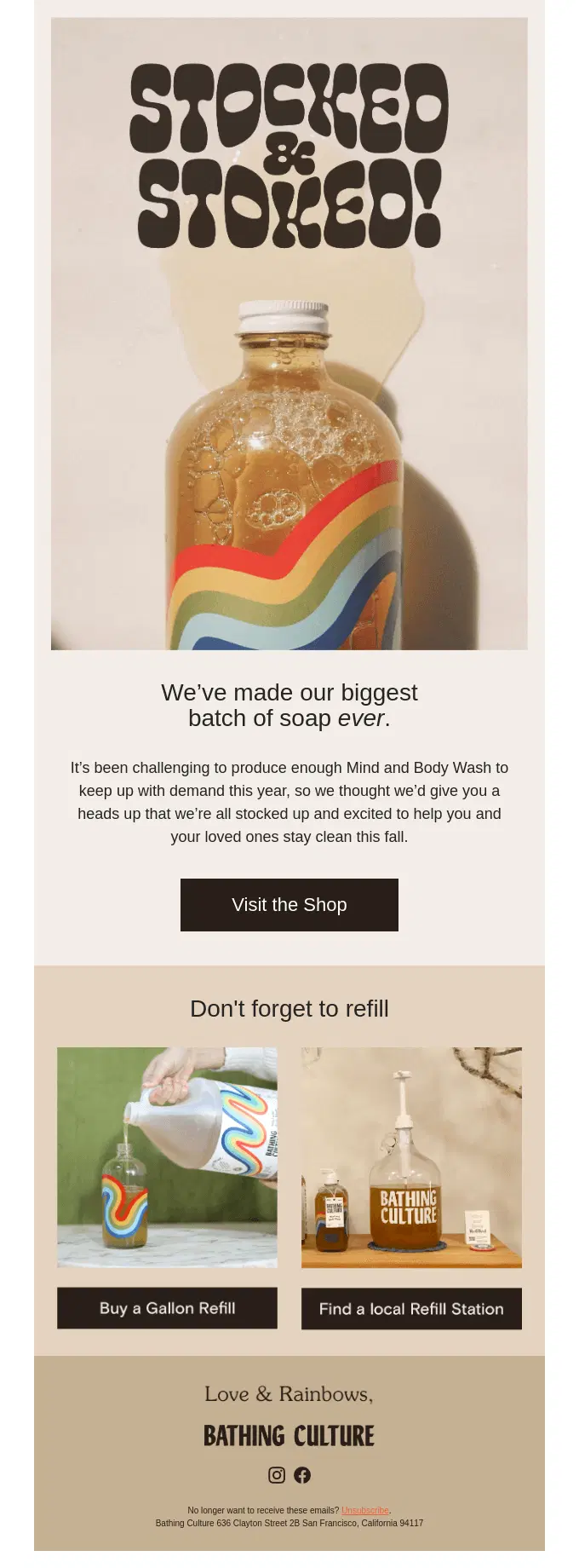
Bathing Culture celebrates its biggest soap batch yet, using the restock to reassure shoppers that Mind and Body Wash is available again before introducing gallon refills and local refill stations.
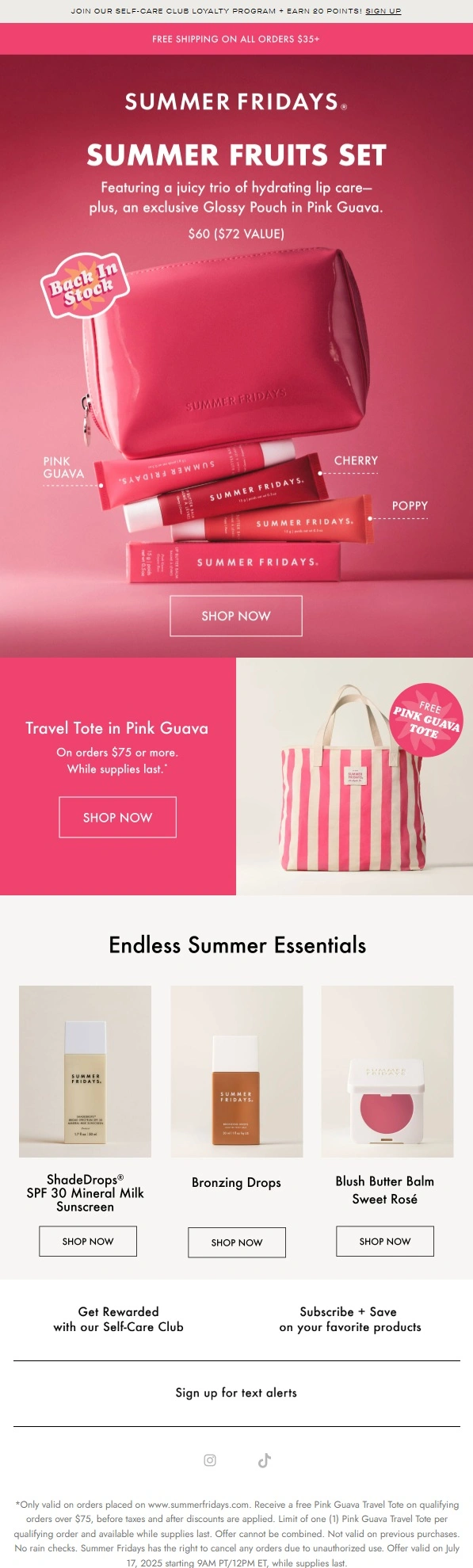
Summer Fridays brings its Summer Fruits Set back in stock with a product-focused beauty campaign, then extends the email with a free gift incentive and additional summer beauty essentials.
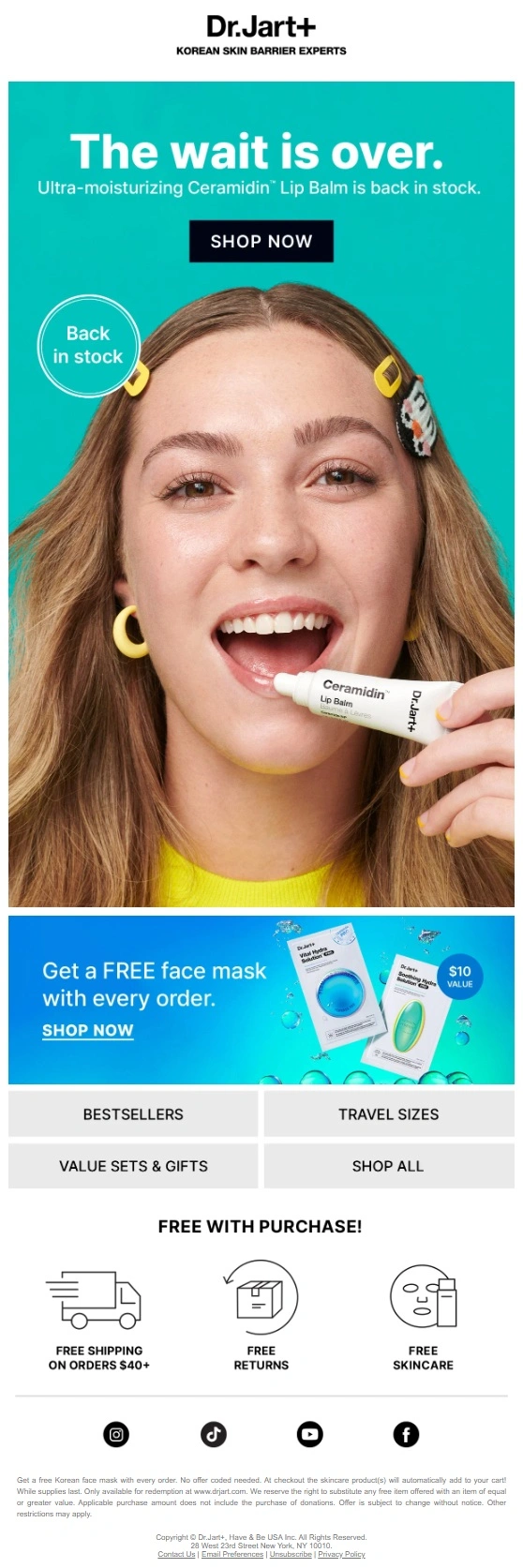
Dr.Jart+ brings its Ceramidin Lip Balm back in stock with a simple beauty-focused campaign, pairing the returning product with a strong hero image and an additional free skincare gift incentive.
Multi-Product Back in Stock Email Examples
Multi-product back in stock emails announce that several products, styles, or variants are available again at the same time. Brands often use product grids, multiple CTAs, or collection-style layouts to help shoppers browse the returning selection.
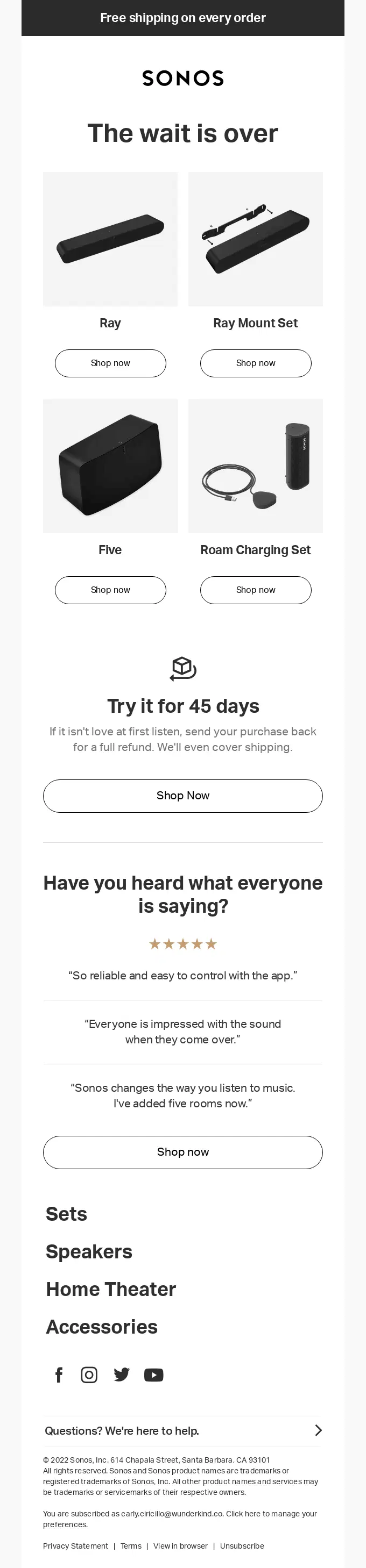
Sonos uses a “The wait is over” message to bring several audio products back at once, giving each returning item its own shopping CTA before reinforcing the purchase with a 45-day trial and customer reviews.
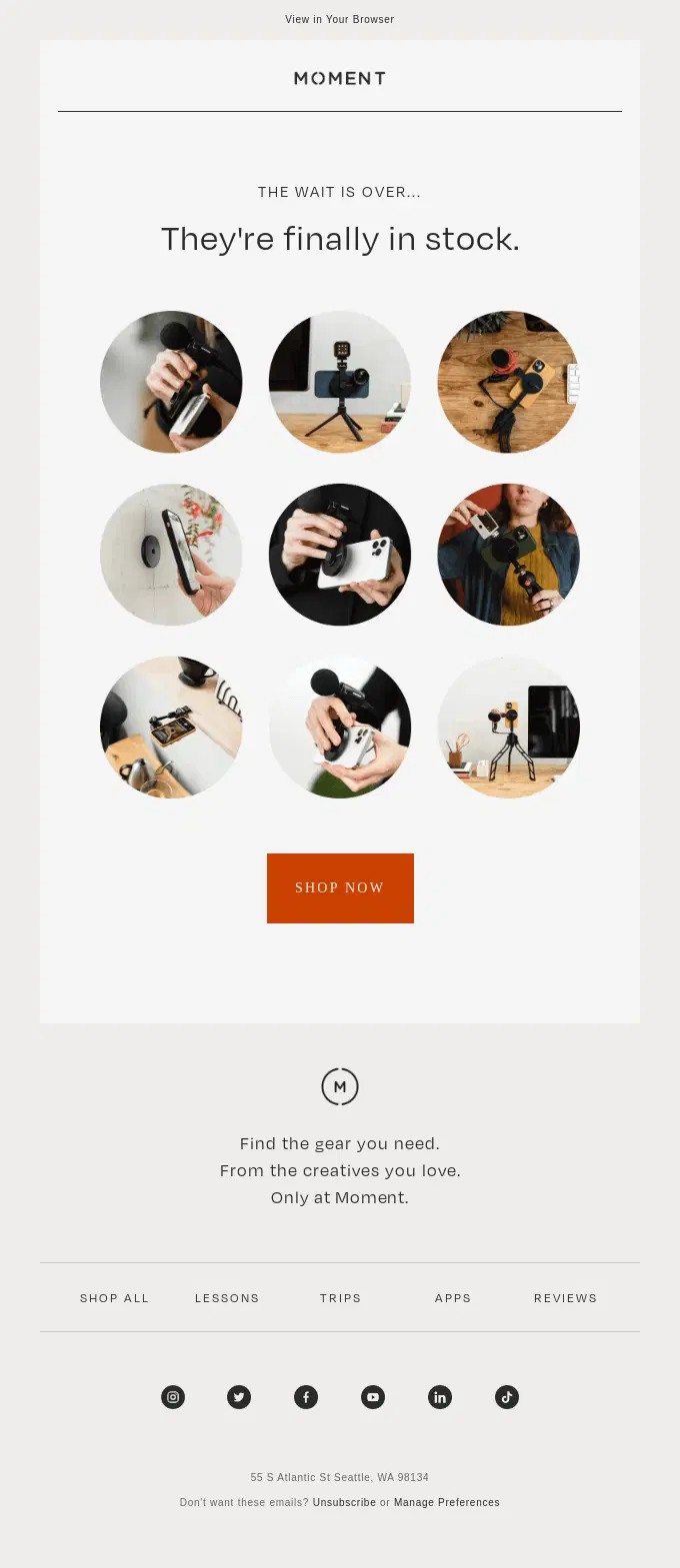
Moment uses a simple “They’re finally in stock” message to announce the return of several creator accessories at once, keeping the focus on the newly available gear and a single shopping CTA.
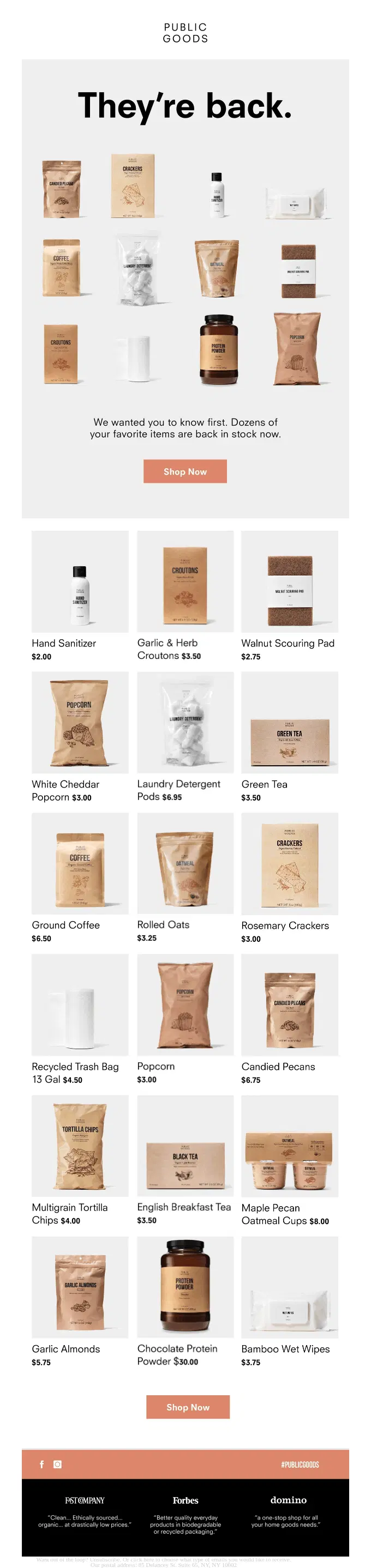
Public Goods makes the breadth of its restock the main message, bringing dozens of everyday products back at once and letting shoppers browse the returning selection through a clear product-grid layout.
Bombas turns the restock into a broad slipper roundup, bringing several styles back at once and using individual sections to highlight different fits, materials, colors, and use cases.
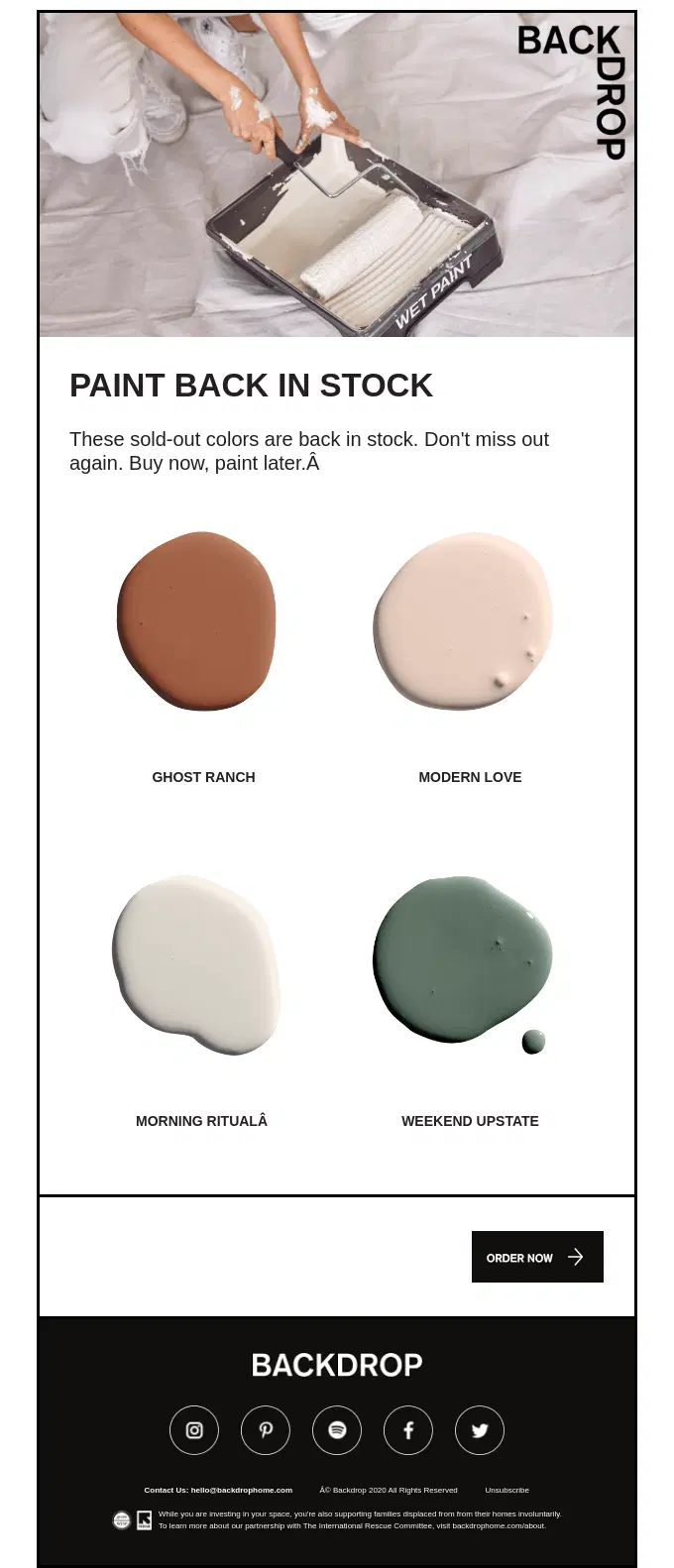
Backdrop brings four previously sold-out paint colors back at once, presenting each shade visually and adding light urgency around the possibility of another sellout.

Saks Fifth Avenue gives shoppers a second chance at numerous previously unavailable products, using a large product grid to showcase returning items from Versace and Demeyere and encouraging customers to shop before they sell out again.
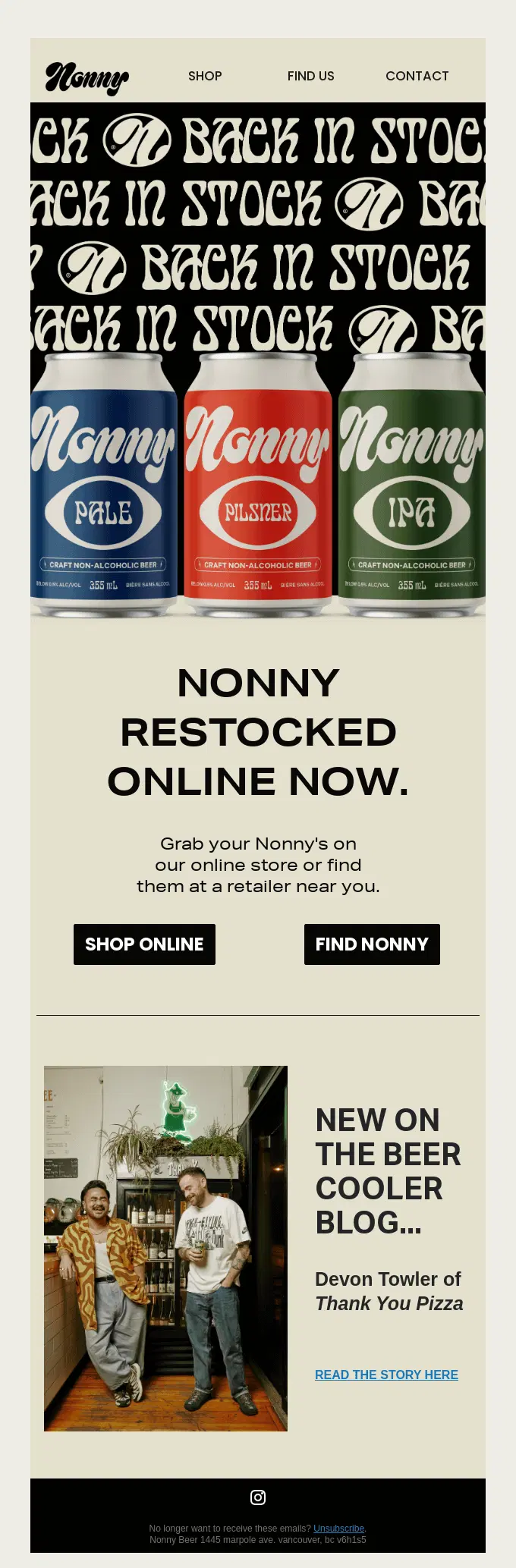
Nonny announces that its core non-alcoholic beer lineup is back in stock online, using a simple product-led restock message with options to shop directly or find the brand at a nearby retailer.
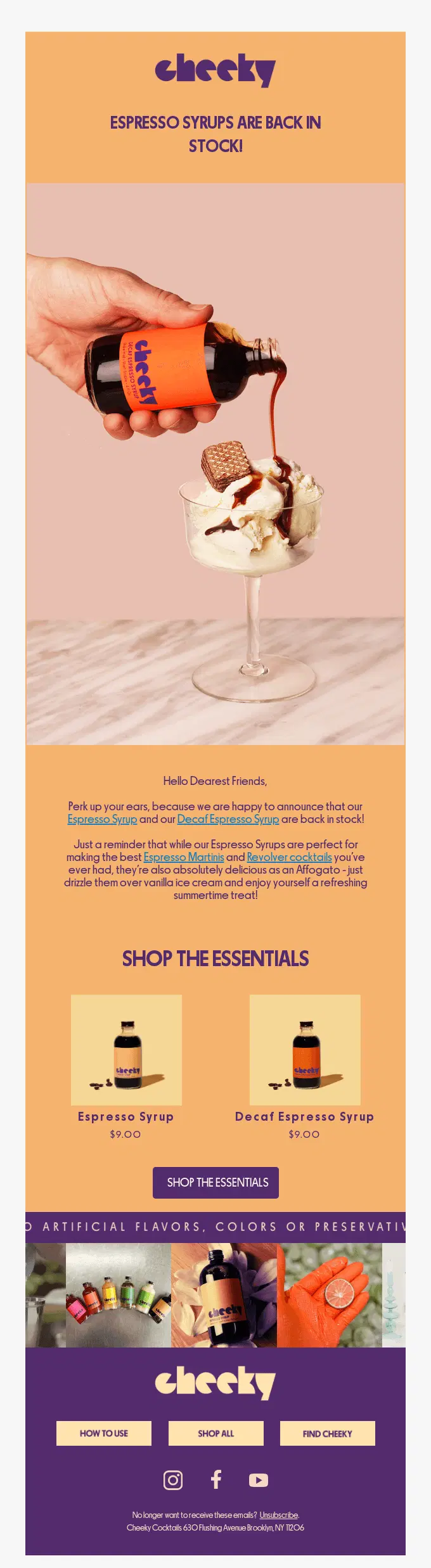
Cheeky announces that two espresso syrups are back in stock and adds serving inspiration for cocktails, affogatos, and other treats before directing shoppers to both returning products.
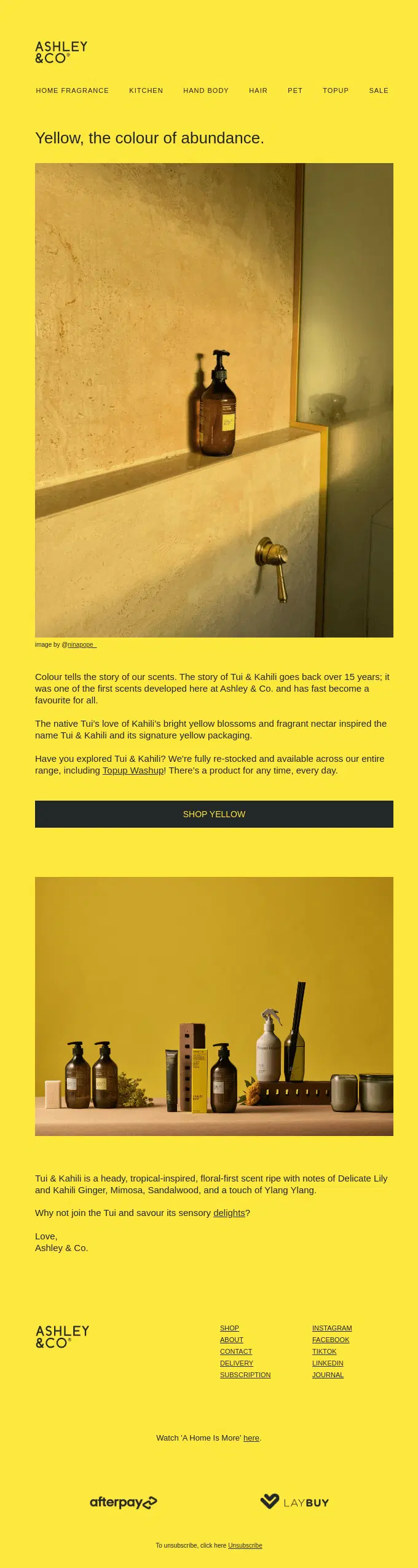
Ashley & Co. announces that its Tui & Kahili range has been fully restocked, using the fragrance’s color story, scent notes, and product imagery to turn the availability update into a broader brand-led announcement.
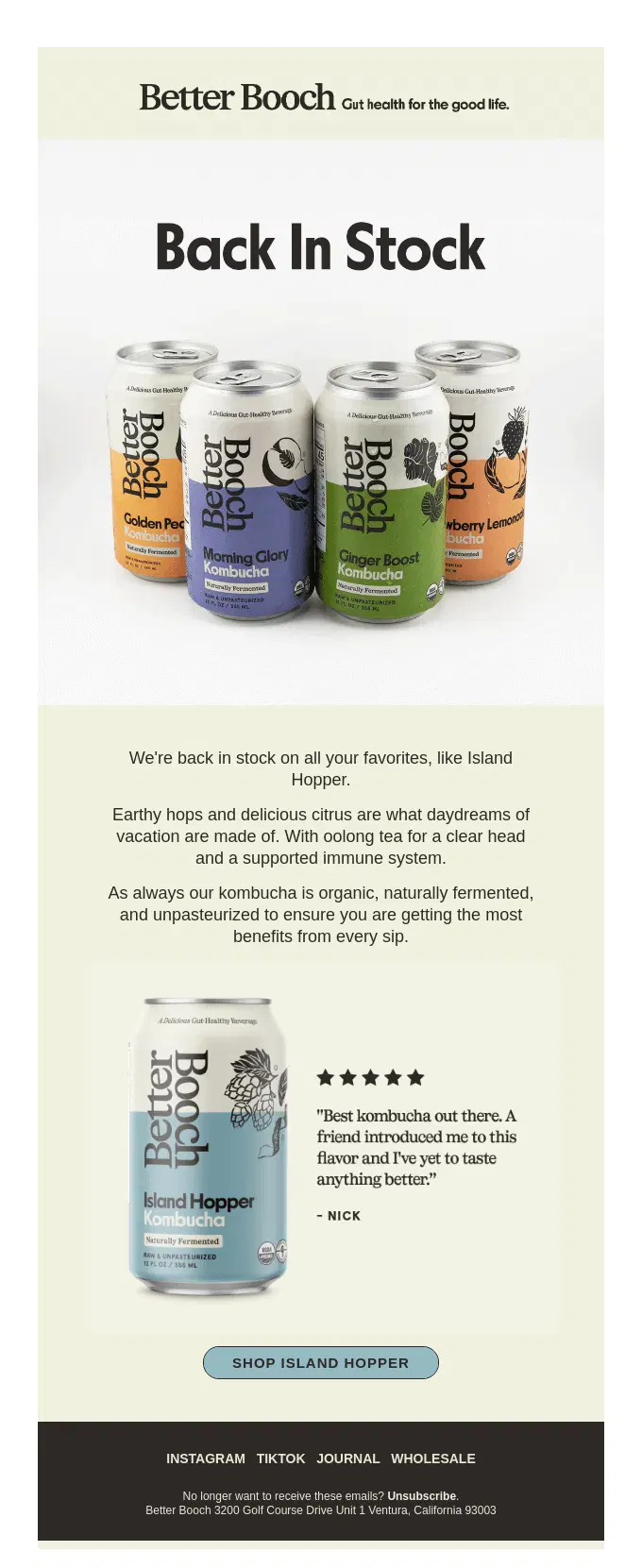
Better Booch announces that several customer-favorite kombucha flavors are back in stock, spotlighting Island Hopper with simple product copy, social proof, and a direct shopping CTA.
Tula Plants & Design highlights a broad restock of rare cacti and succulents, using a product-grid format to introduce several newly available plants with short care and origin details.
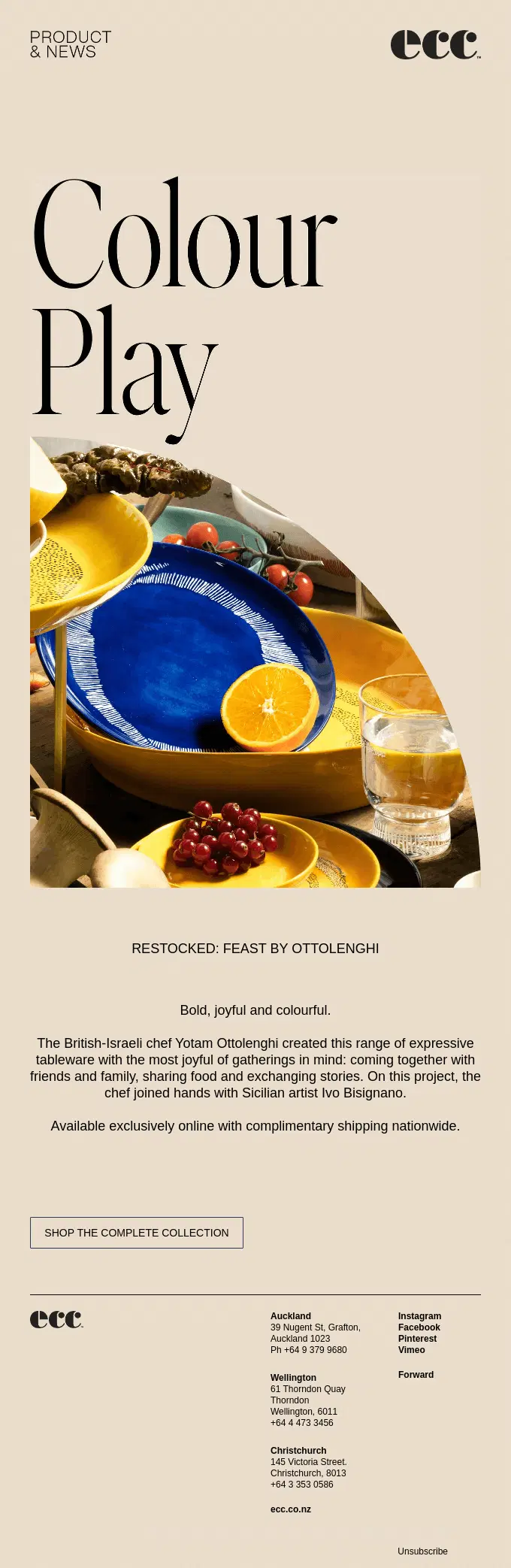
ECC announces the return of its Feast by Ottolenghi tableware range, using bold color-led imagery and a short collection story to reintroduce the restocked pieces.
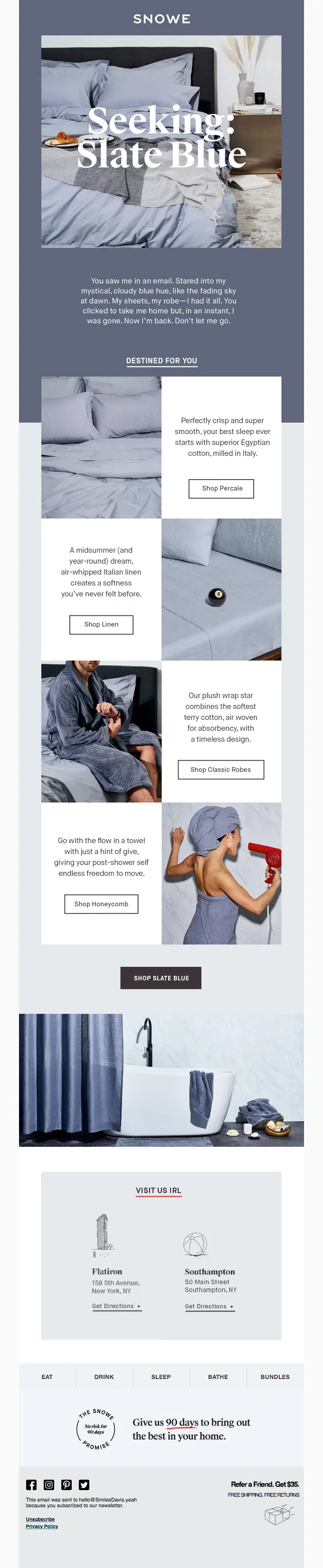
Snowe builds the restock around a returning color rather than a single item, bringing Slate Blue back across multiple bedding and bath products while using personalized-style copy to remind shoppers they had shown interest before.
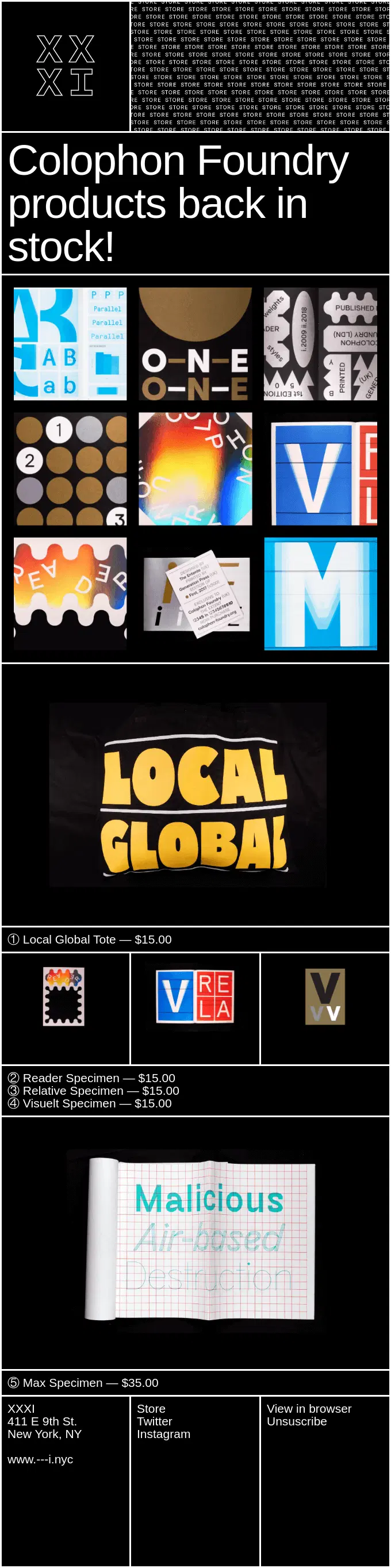
XXI treats the restock as a broad product return, showcasing multiple Colophon Foundry items at once in a graphic, catalog-style layout rather than focusing on a single hero product.
needessentials announces a broad wetsuit restock, presenting numerous returning styles and cold-water accessories in a straightforward product-grid layout.
Back in Stock Emails With Product Recommendations
Back in stock emails with product recommendations keep one returning product or restock as the primary message while also featuring additional items shoppers may like. These recommendations can include complementary products, similar styles, alternatives, new arrivals, or other products that are not necessarily part of the restock.
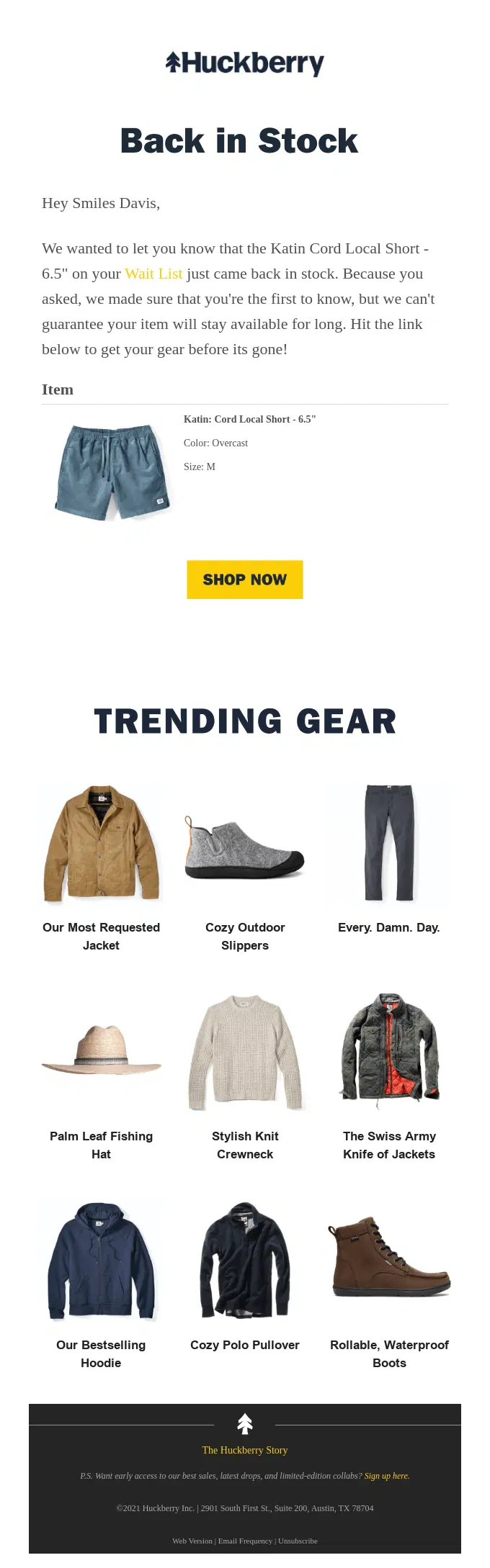
Huckberry pairs a personalized back in stock alert for a specific product and size with urgency messaging and a secondary Trending Gear section featuring related product recommendations.
Salt & Stone brings back its Saffron & Cedar Body Mist with a product-focused restock message, then extends the email with reviews, scent details, and complementary back-in-stock sets.
Bespoke Post leads with the restocked XL tabletop fireplace, then turns the email into a broader shopping experience with seasonal products, curated collections, and new arrivals.
Hightide Store leads with newly restocked stationery essentials, then broadens the email with Bensan footwear and additional product recommendations across featured categories.
Radio Roasters leads with the return of its single-serve Steeped Coffee bags, then expands the email with a new coffee release and a complementary storage product.
Quince leads with a restocked pair of performance leggings, expands the update with several other returning products, and finishes with a dedicated recommendation section featuring additional apparel and bedding.
Firebox leads with the returning Crying Unicorn Candle, then broadens the email with playful product recommendations and a timely Father’s Day gifting section.
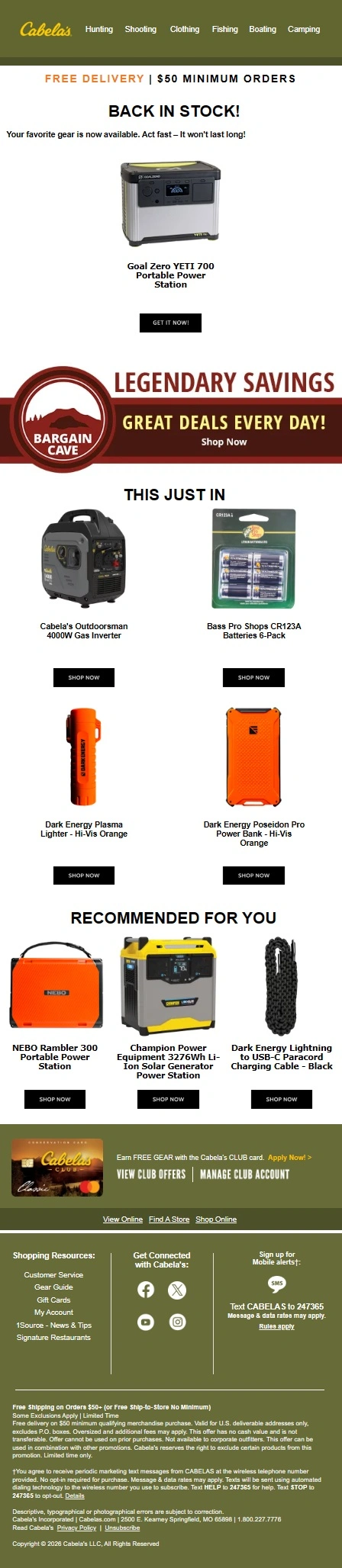
Cabela’s leads with the returning Goal Zero YETI 700, then broadens the campaign with newly arrived gear and a separate recommendation section featuring other products shoppers may want to explore.
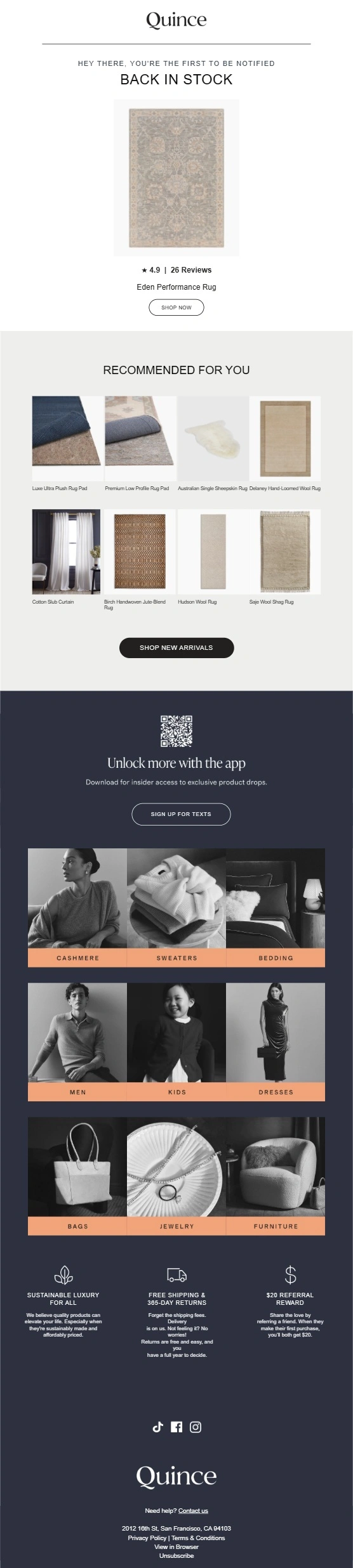
Quince keeps the Eden Performance Rug as the main restock message, then extends the email with closely related recommendations such as rug pads, alternative rugs, and complementary home products.
Benefit-Focused Back in Stock Email Examples
Benefit-focused back in stock emails use the restock as an opportunity to remind shoppers why the product is worth buying. Brands may emphasize key features, ingredients, performance, use cases, upgrades, or other product advantages alongside the availability message.
Lume Cube turns the Ring Light Pro restock into a product education email, using detailed feature callouts to show creators exactly what makes the returning light useful.
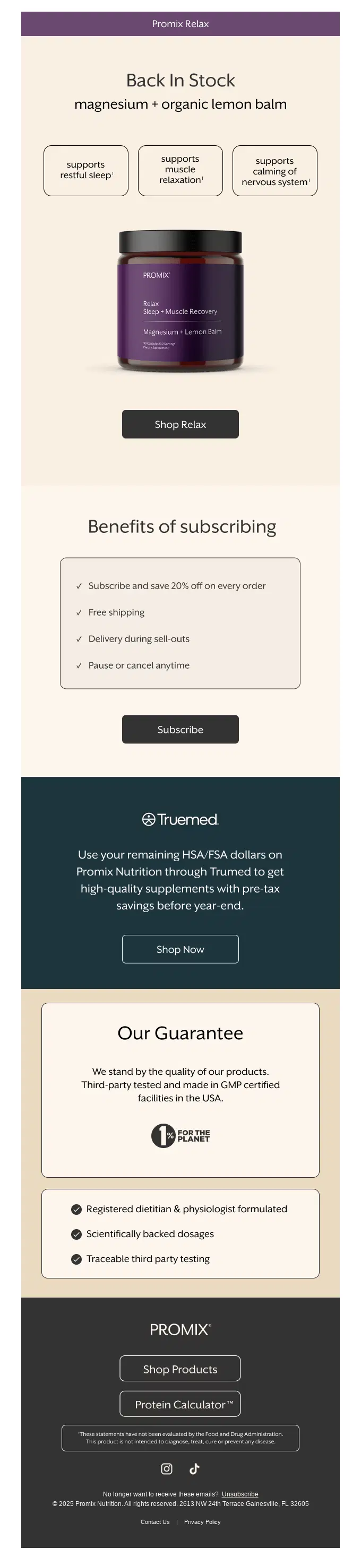
Promix leads with the product restock, then reinforces the purchase with subscription benefits, testing credentials, expert formulation, and a detailed quality guarantee.
Lumio uses the restock to introduce upgraded versions of its Lito lamps, making their new USB-C charging and practical features the main reason to revisit the products.
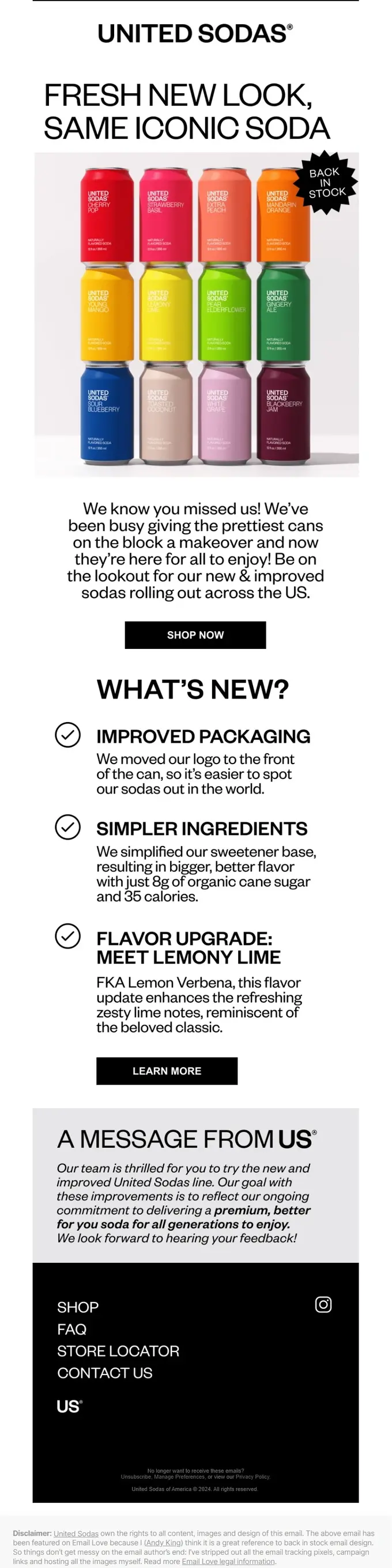
United Sodas uses the restock to introduce improvements across the range, highlighting refreshed packaging, a simplified sweetener base, and an upgraded Lemon Lime flavor rather than relying on availability alone.
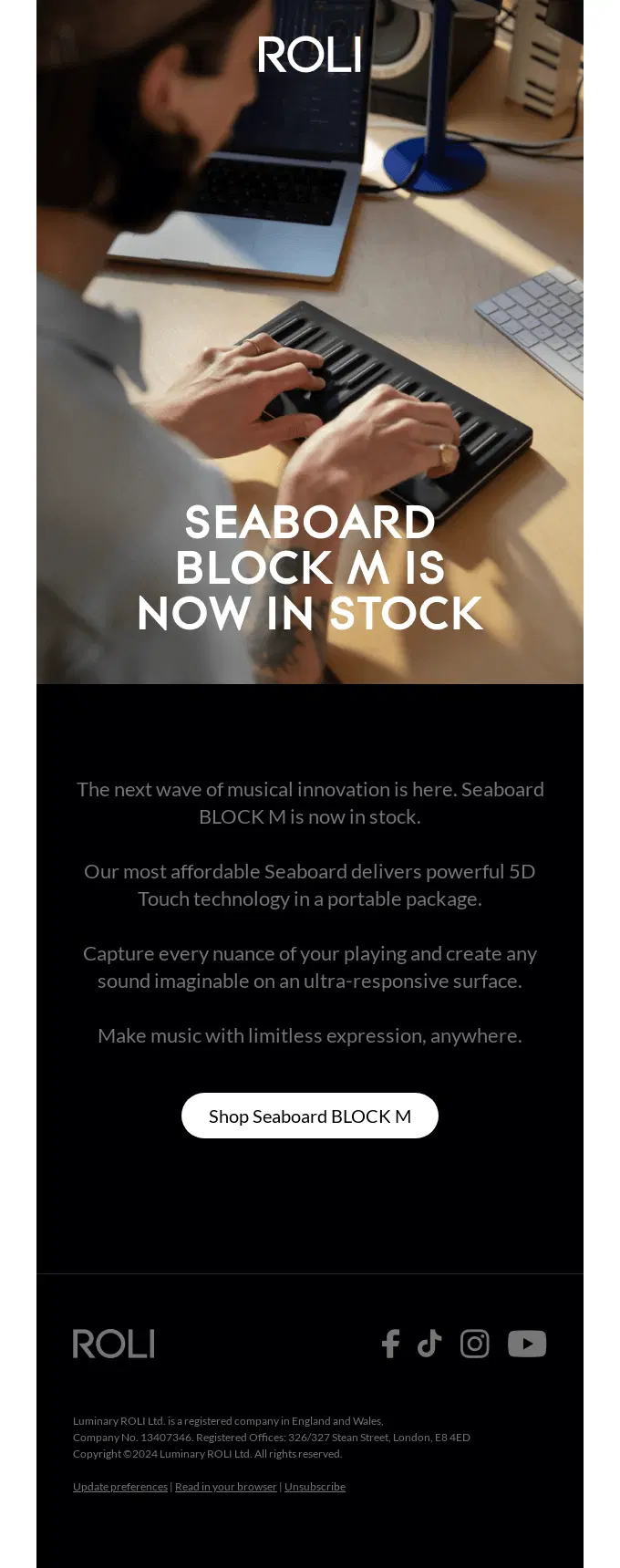
ROLI announces that the Seaboard BLOCK M is back in stock, then uses the email to reinforce its value through portability, responsive 5D Touch technology, and performance-focused product benefits.
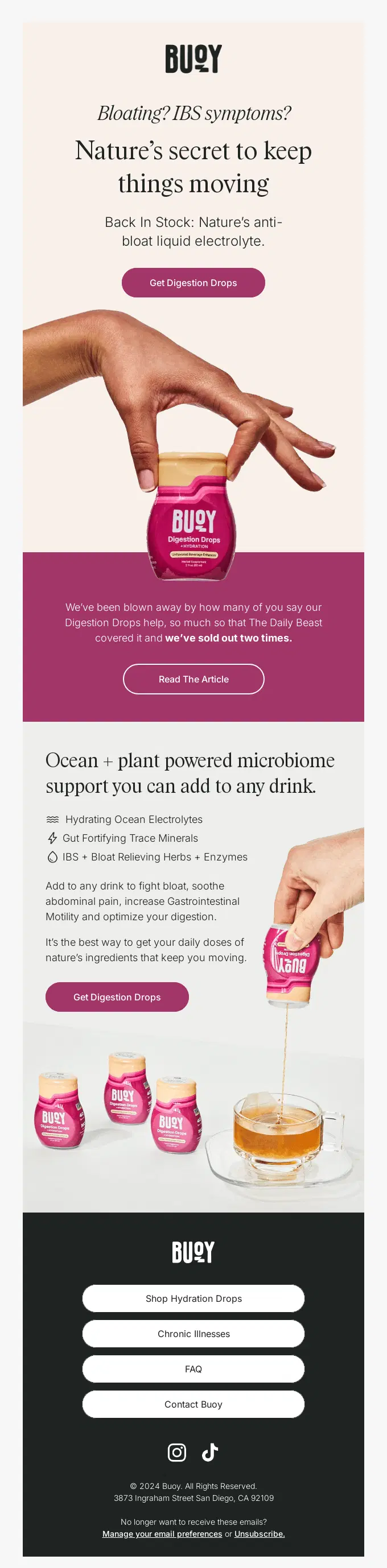
Buoy uses the restock to re-explain why its Digestion Drops stand out, pairing the sold-out proof with clear digestive, hydration, and ingredient-focused product benefits.
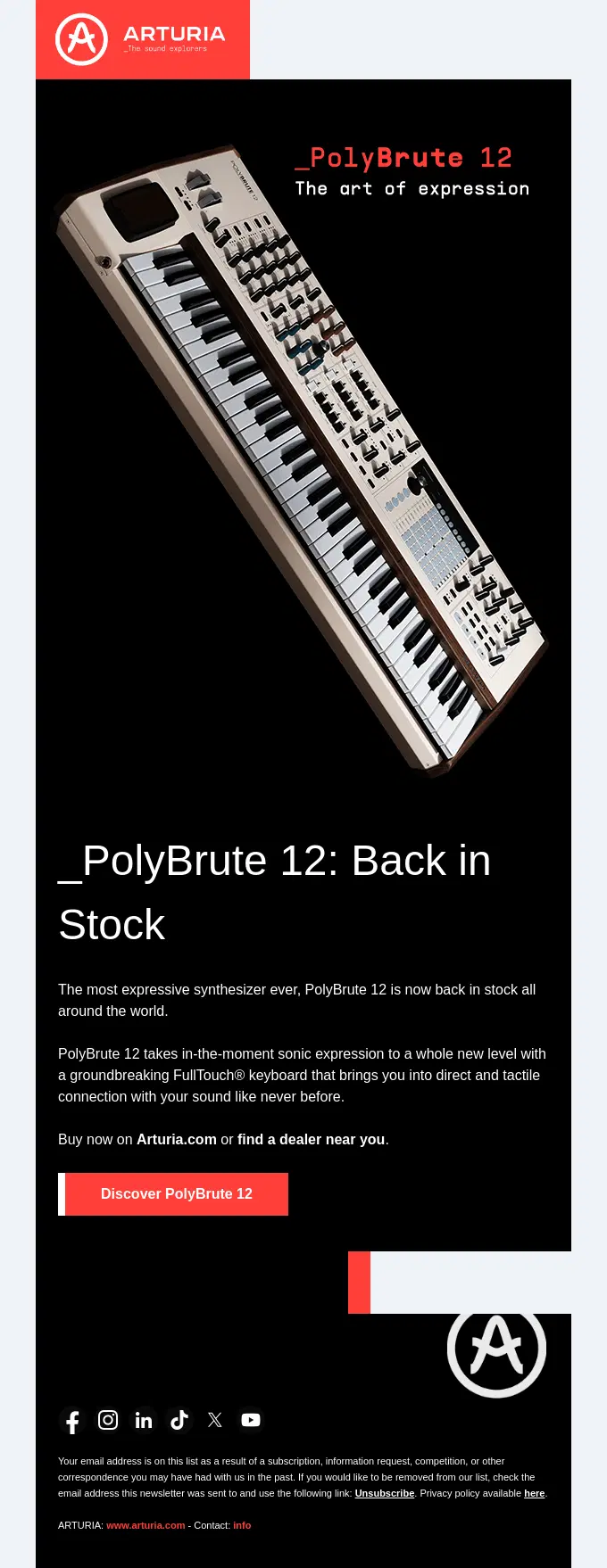
Arturia announces that the PolyBrute 12 is back in stock and uses the restock message to emphasize its expressive FullTouch keyboard and tactile music-making experience.
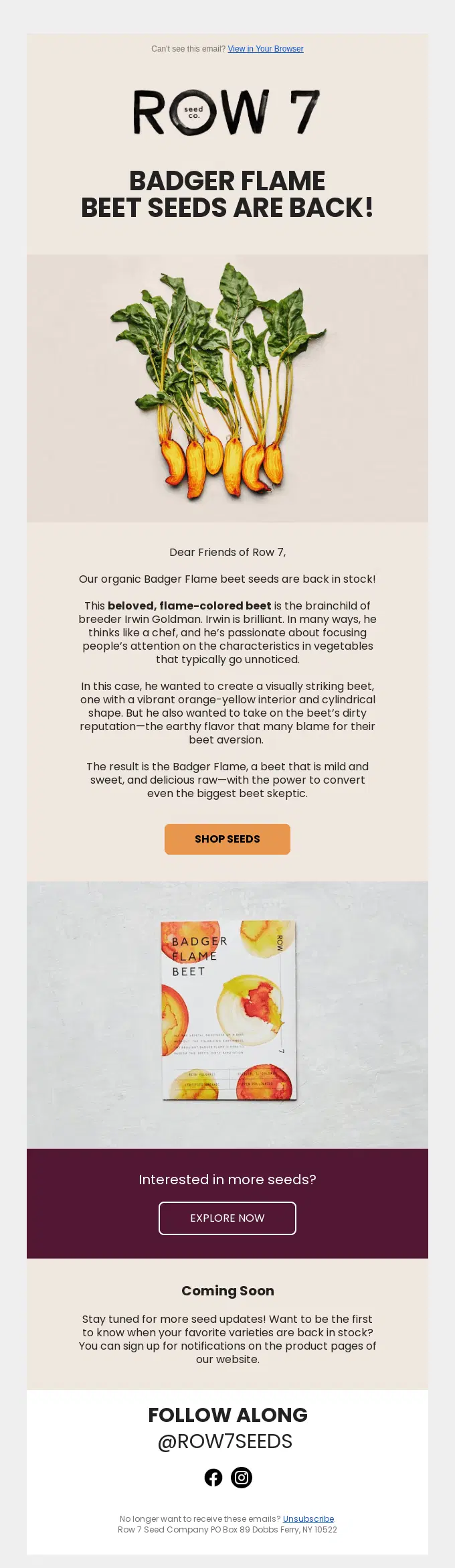
Row 7 uses the restock to reintroduce Badger Flame beet seeds, explaining the variety’s distinctive color, mild sweetness, and breeding story before directing shoppers back to the product.
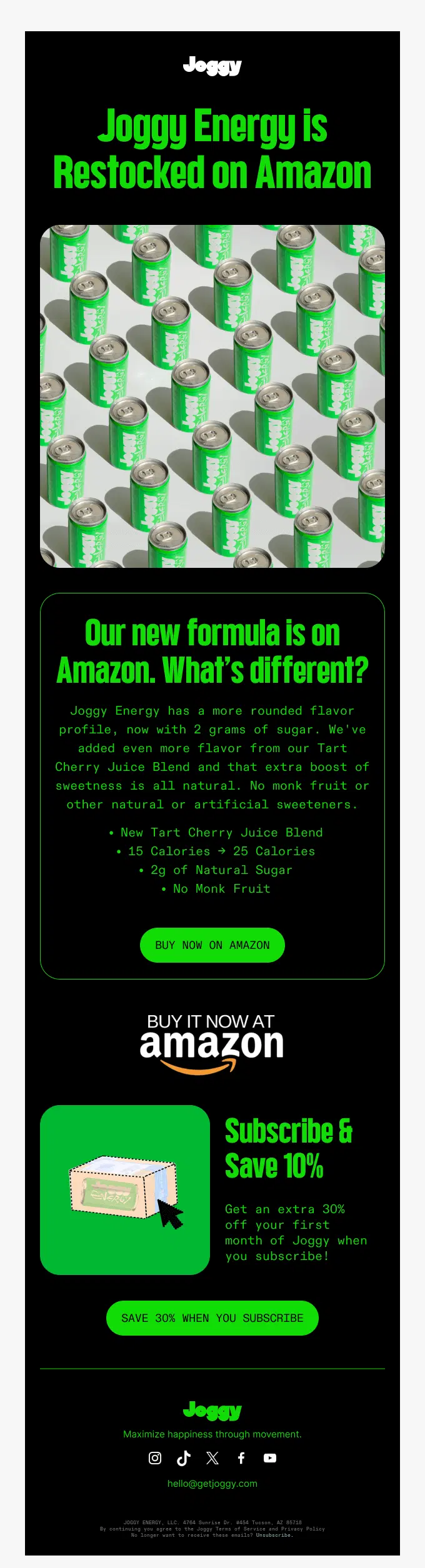
Joggy uses the Amazon restock to introduce its updated Energy formula, making the new tart cherry blend, lower sugar content, and other product changes a central part of the message.
Athletic Brewing brings back First Ride and uses the restock to spotlight its dark coffee flavor, caffeine boost, and key product attributes before adding a secondary Athletic Bar promotion.
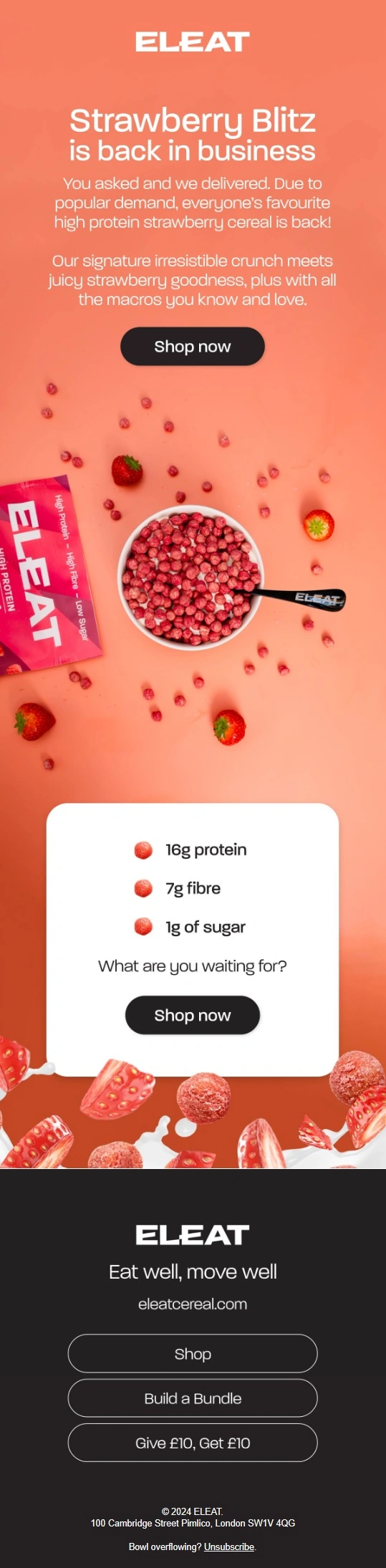
ELEAT uses the return of Strawberry Blitz to reinforce what makes the cereal appealing, pairing the restock message with clear protein, fibre, and low-sugar benefits.
Pedicure Bowls uses the restock to highlight the stool’s practical advantages, showing how its natural banana leaf construction, durability, lightweight design, and dual use as a seat or pedicure bowl riser add value beyond simple availability.
Simple Back in Stock Notification Email Examples
Simple back in stock notifications tell customers that a specific product or variant they were interested in is available again. These emails usually focus on one item, a clear availability message, and a direct CTA to complete the purchase.
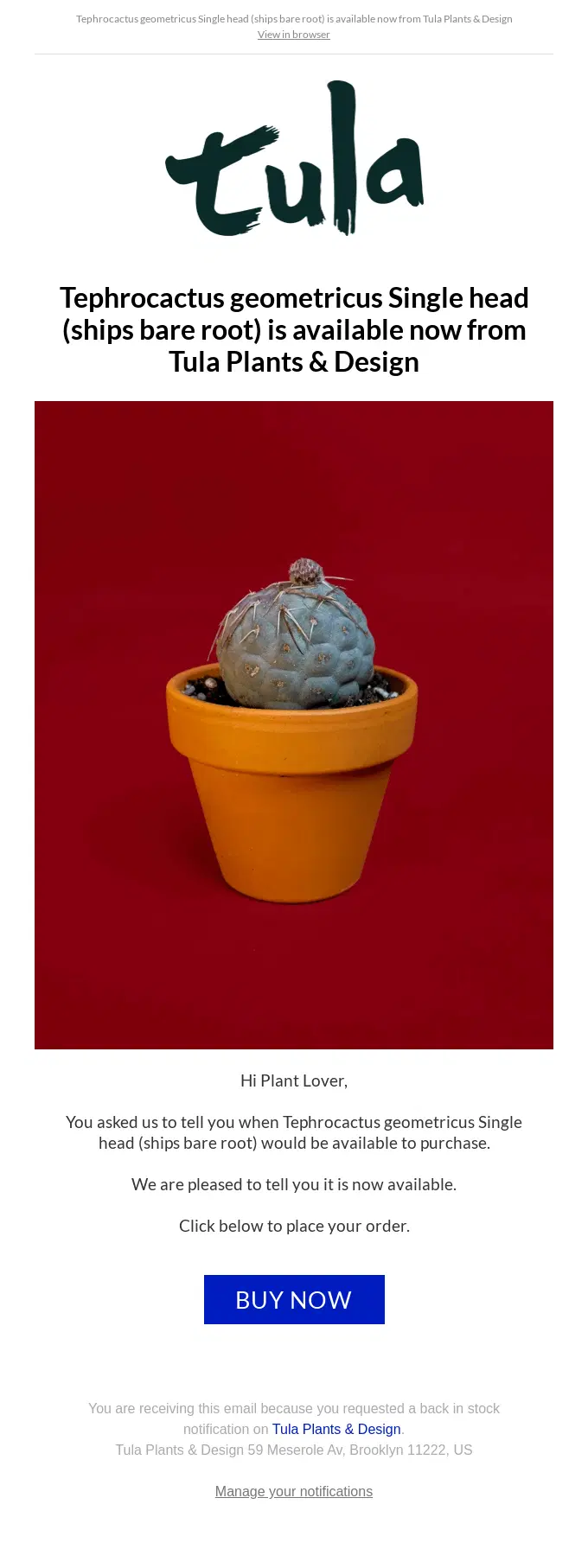
Tula Plants & Design sends a straightforward triggered alert to a shopper who requested a restock notification, keeping the message focused on the exact plant and a direct path to purchase.
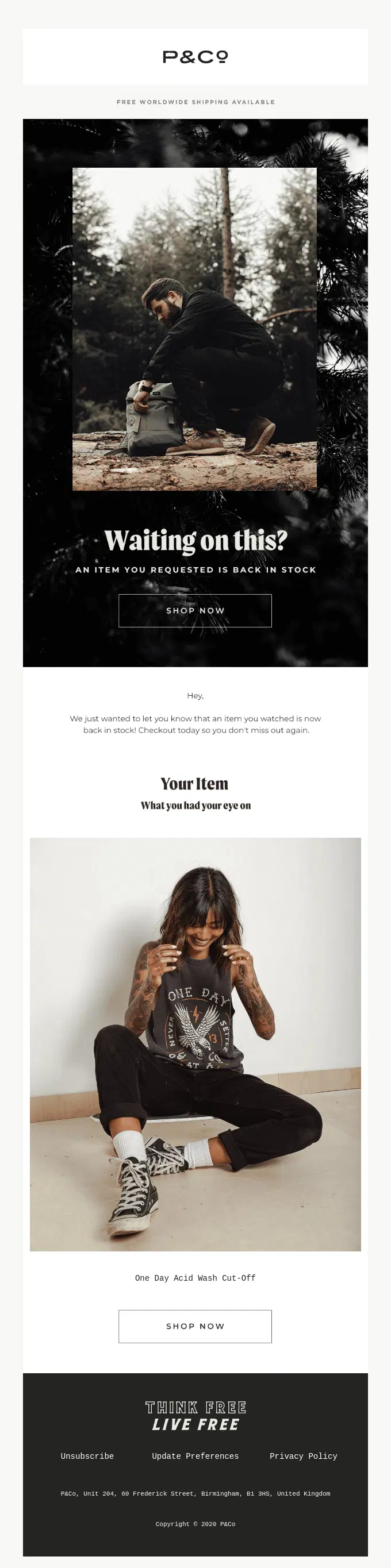
P&Co sends a personalized restock alert for the exact item a shopper had been watching, keeping the message focused on the returning product and an immediate path to purchase.
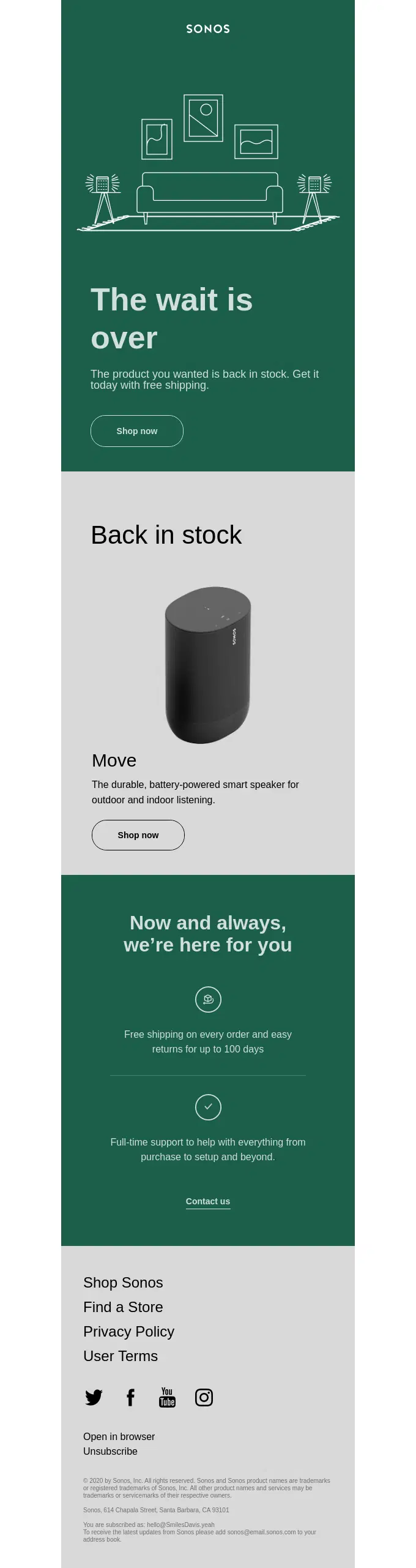
Sonos sends a direct availability alert for the Move speaker, reminding the shopper that the product they wanted is back while adding shipping, returns, and support reassurance.
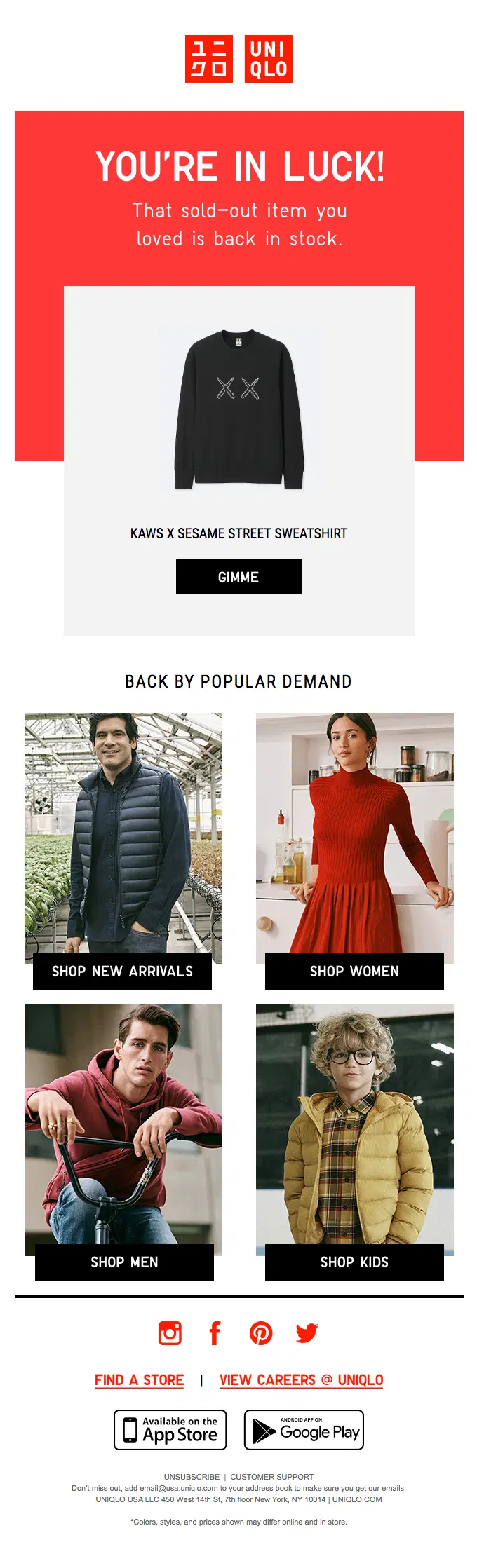
UNIQLO sends a targeted restock alert for the exact sweatshirt the shopper had shown interest in, keeping the requested item at the center before linking to broader men’s, women’s, kids’, and new-arrival categories.
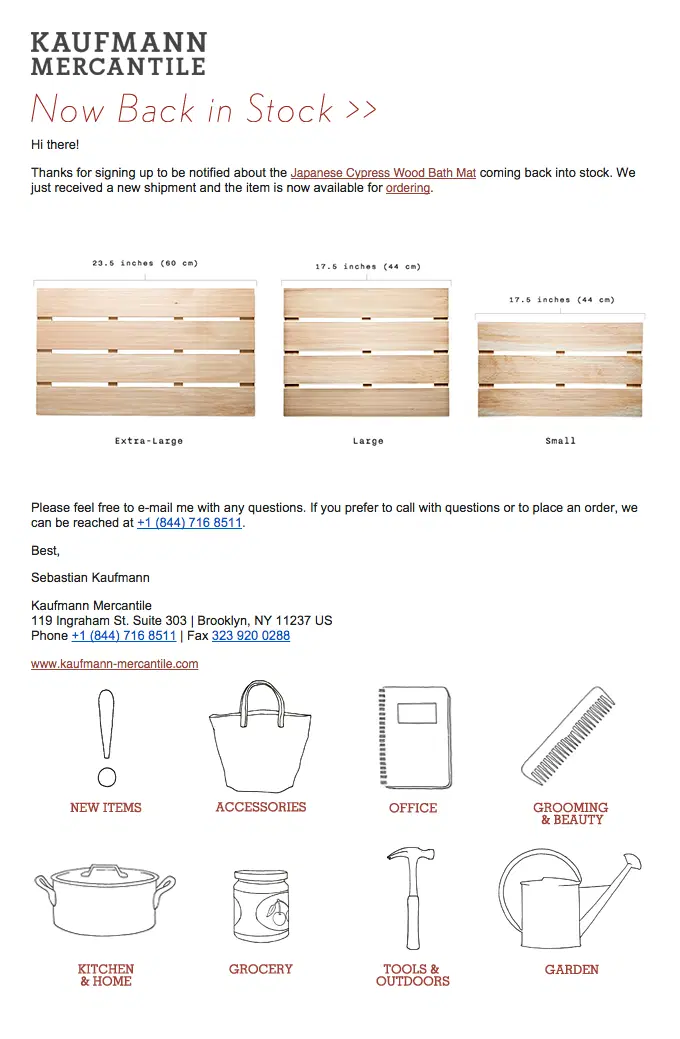
Kaufmann Mercantile sends a straightforward restock alert for the exact product the shopper requested, confirming a new shipment and showing the available bath mat sizes before directing them to order.
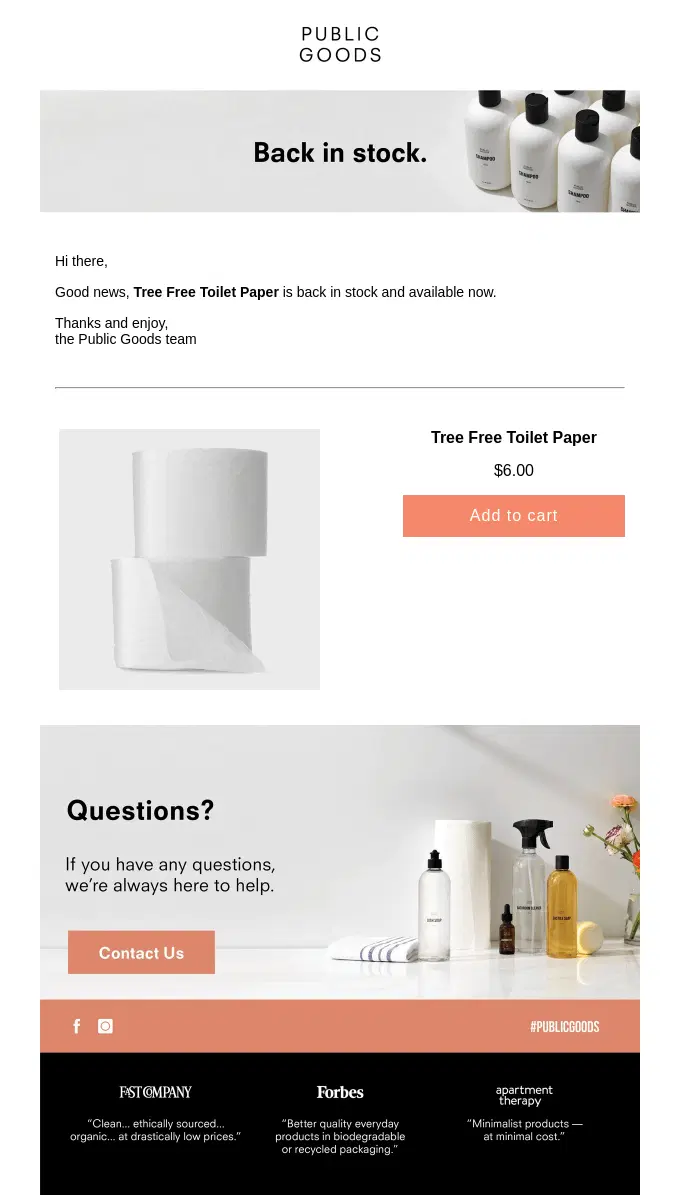
Public Goods keeps the restock alert focused on a single returning product, giving shoppers the essential availability details and a direct path to add it to their cart.
Seasonal and Holiday Back in Stock Email Examples
Seasonal and holiday back in stock emails bring products back when they are especially relevant to a particular season, holiday, or annual occasion. These may include returning seasonal flavors, holiday collections, limited yearly releases, or products restocked specifically for events such as Christmas, Pride Month, or St. Patrick’s Day.
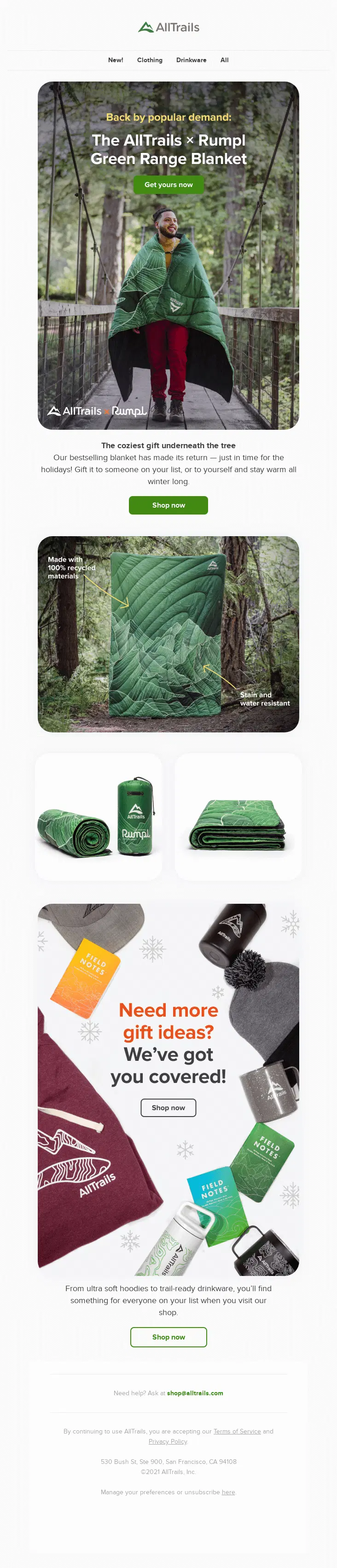
AllTrails brings back its Rumpl Green Range Blanket just in time for the holidays, framing the returning product as a winter gift before expanding into additional seasonal gift ideas.
Athletic Brewing brings back Rainbow Wall with a clear restock message, then connects the product to its wider Pride initiative and nonprofit partnerships supporting the LGBTQIA+ community.
Athletic Brewing uses a seasonal announcement to bring Irish Red back for St. Patrick’s Day while also highlighting the return of Trailblazer, giving both returning brews their own product story and CTA.
Queen Garnet marks the return of plum season with an editorial-style email combining seasonal availability, product education, recipes, media coverage, and shopping links.
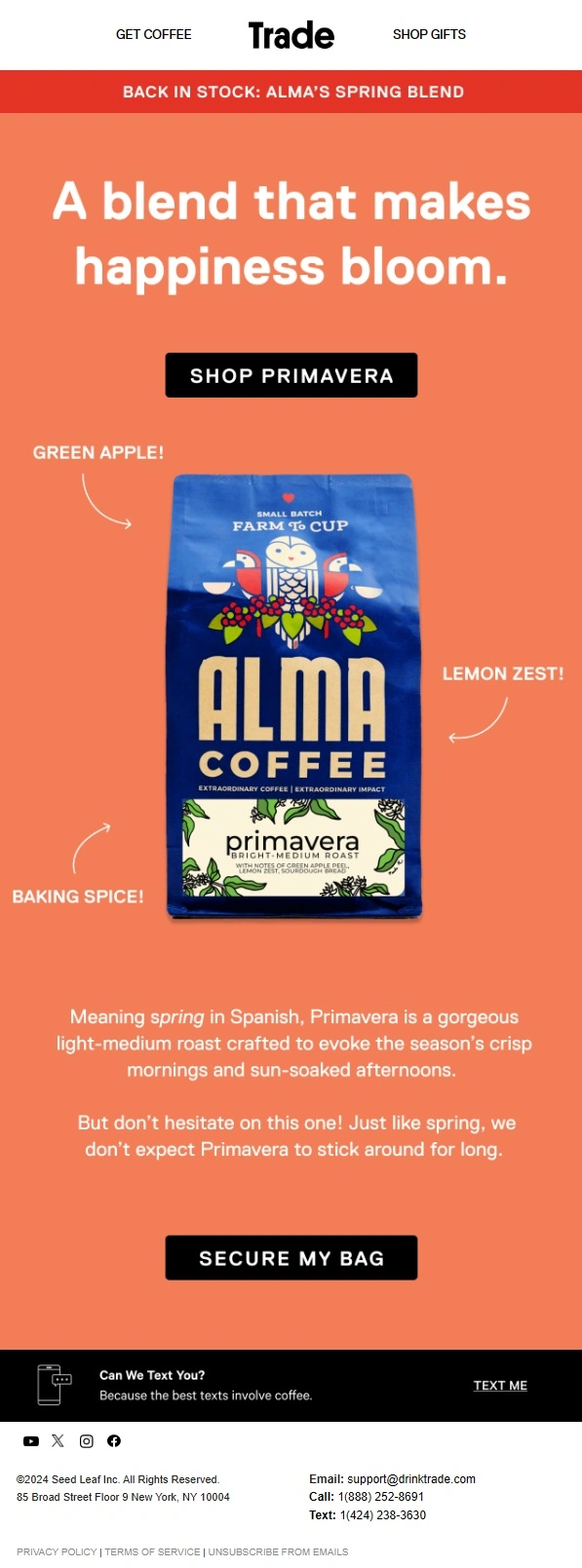
Trade brings back Alma Coffee’s Primavera blend for spring, using seasonal storytelling, flavor notes, and limited seasonal availability to encourage shoppers to secure a bag before it disappears again.
Farmers Defense brings its UV Sun Hoodies back just in time for spring, connecting the restock to warmer weather and outdoor activities while highlighting sun protection, breathability, and lightweight comfort.
PARKIT brings several sold-out chair styles back in time for Labor Day, tying the restock to the last big weekend of summer and showcasing returning colors designed for camping, beach days, and outdoor gatherings.
Sommer Swim uses the last restock of the season to bring sold-out swimwear back by demand, framing the return around the final stretch of summer and encouraging shoppers to buy before the season ends.
Athletic Brewing brings Trailblazer back for Women’s History Month, tying the annual restock to its mission of supporting women and non-binary people in the brewing industry through storytelling, employee voices, and charitable proceeds.
Pre-Order and Restock Coming Soon Email Examples
Pre-order and restock coming soon emails announce that a sold-out product is returning before it is actually available. Brands may use them to build anticipation, open pre-orders, collect early demand, or give customers advance access to an upcoming restock.
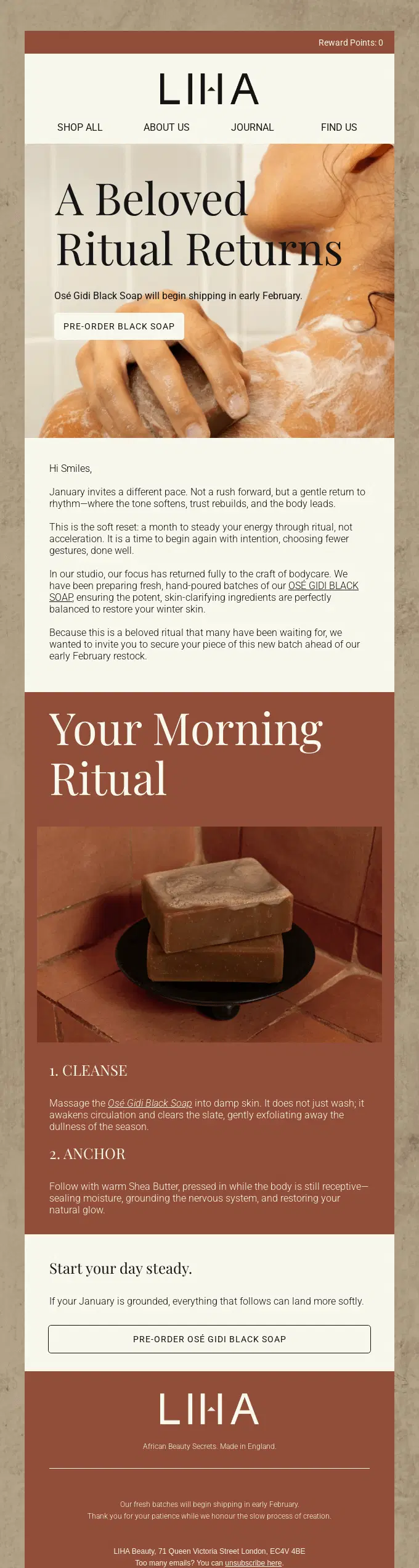
LIHA builds anticipation for the return of its Osé Gidi Black Soap, but the product is not yet back in stock—the email invites customers to pre-order ahead of the February restock.
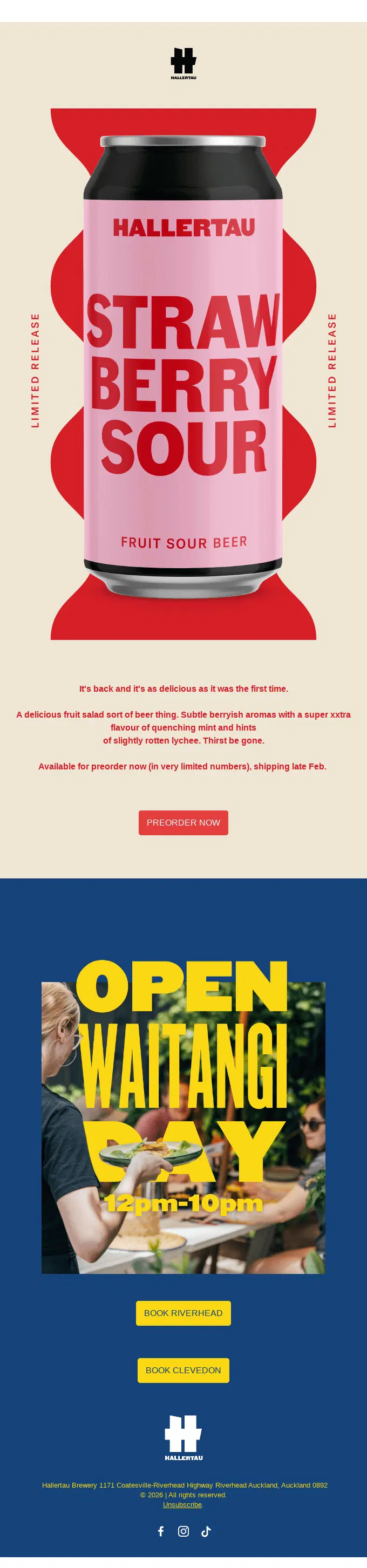
Hallertau brings back its Strawberry Sour as a limited release, opening preorders before shipping begins and using scarcity messaging to encourage early orders.
Orangewood announces that its Juniper guitar is returning and opens pre-orders ahead of wider availability, supporting the message with details about its rubber bridge design, tuning hardware, and amplified sound.
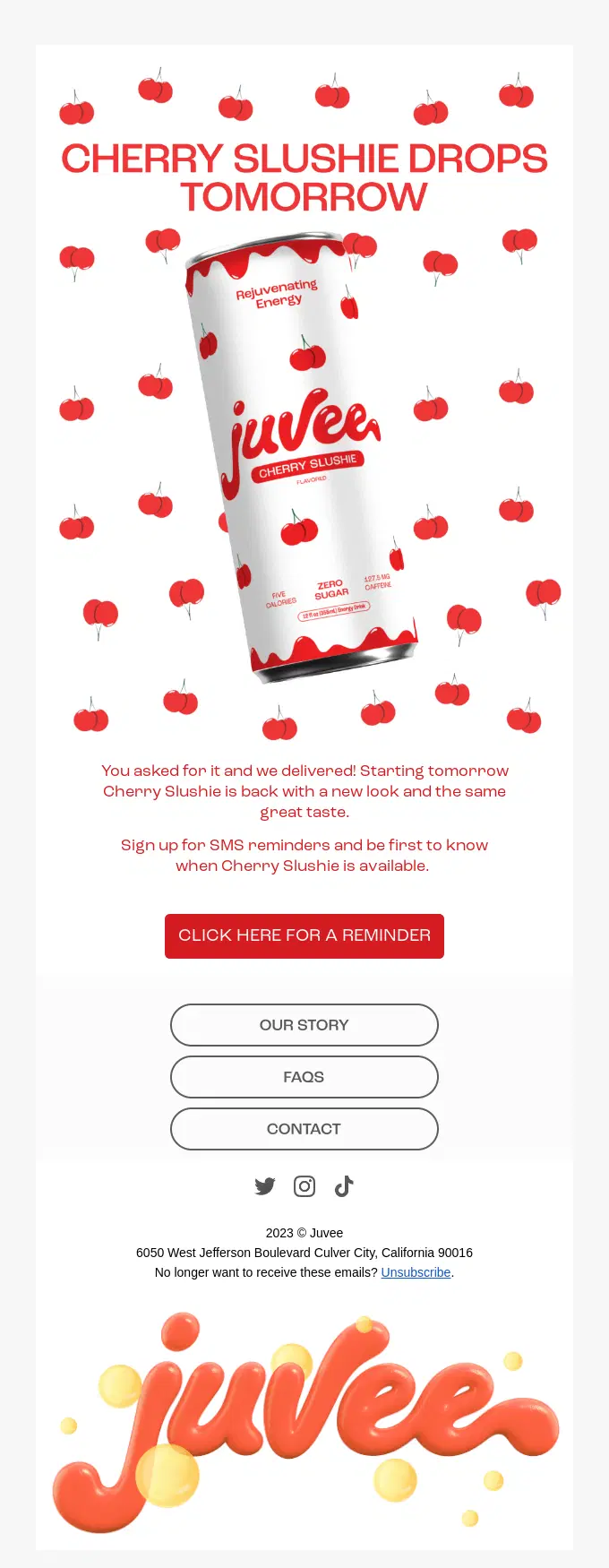
Juvee builds anticipation for the return of Cherry Slushie one day before availability, using the email to collect SMS reminder signups so customers can be notified when the restock goes live.
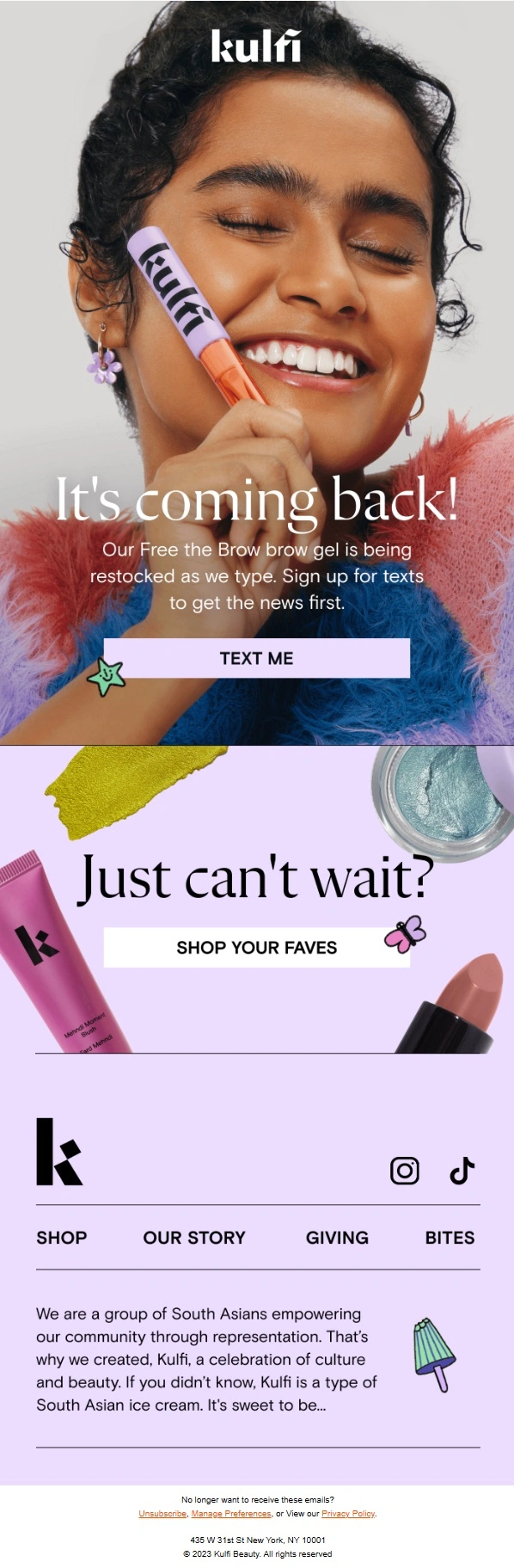
Kulfi Beauty tells shoppers that Free the Brow is on its way back and uses SMS signup as the primary action, giving interested customers a way to hear about the restock first.
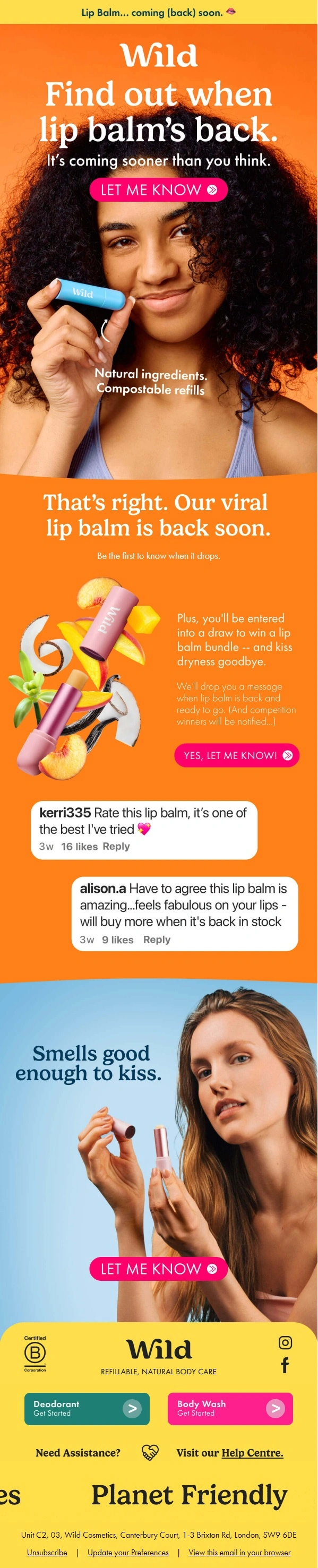
Wild builds anticipation for its Lip Balm restock before the product is available, collecting early interest with notification signups and reinforcing demand through enthusiastic customer comments.
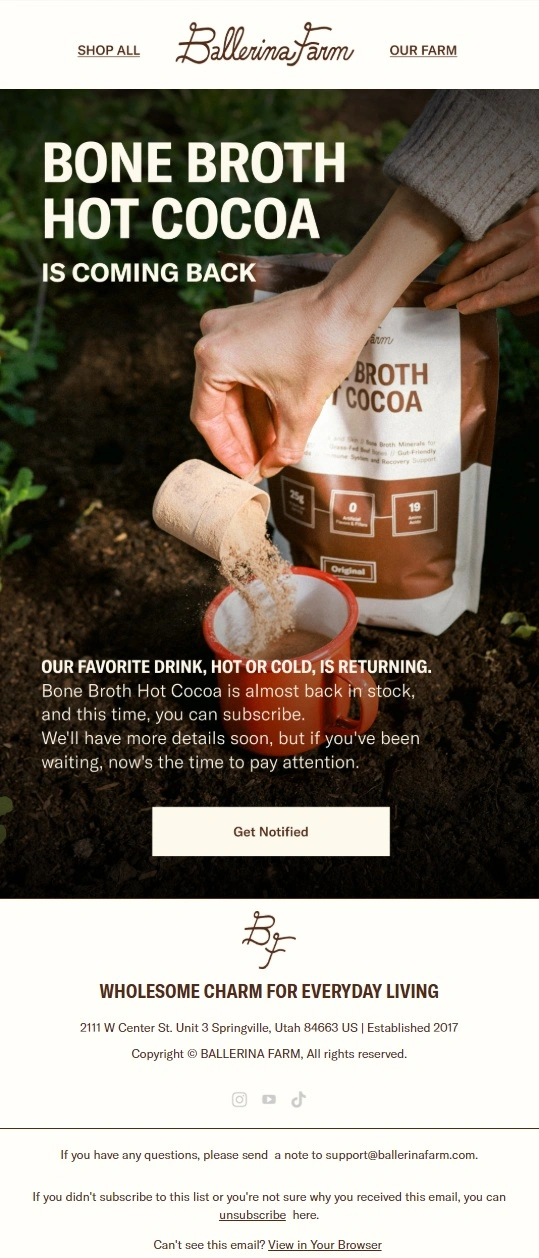
Ballerina Farm builds anticipation for the return of Bone Broth Hot Cocoa by letting shoppers know it is almost back in stock and inviting them to get notified before the full restock announcement.
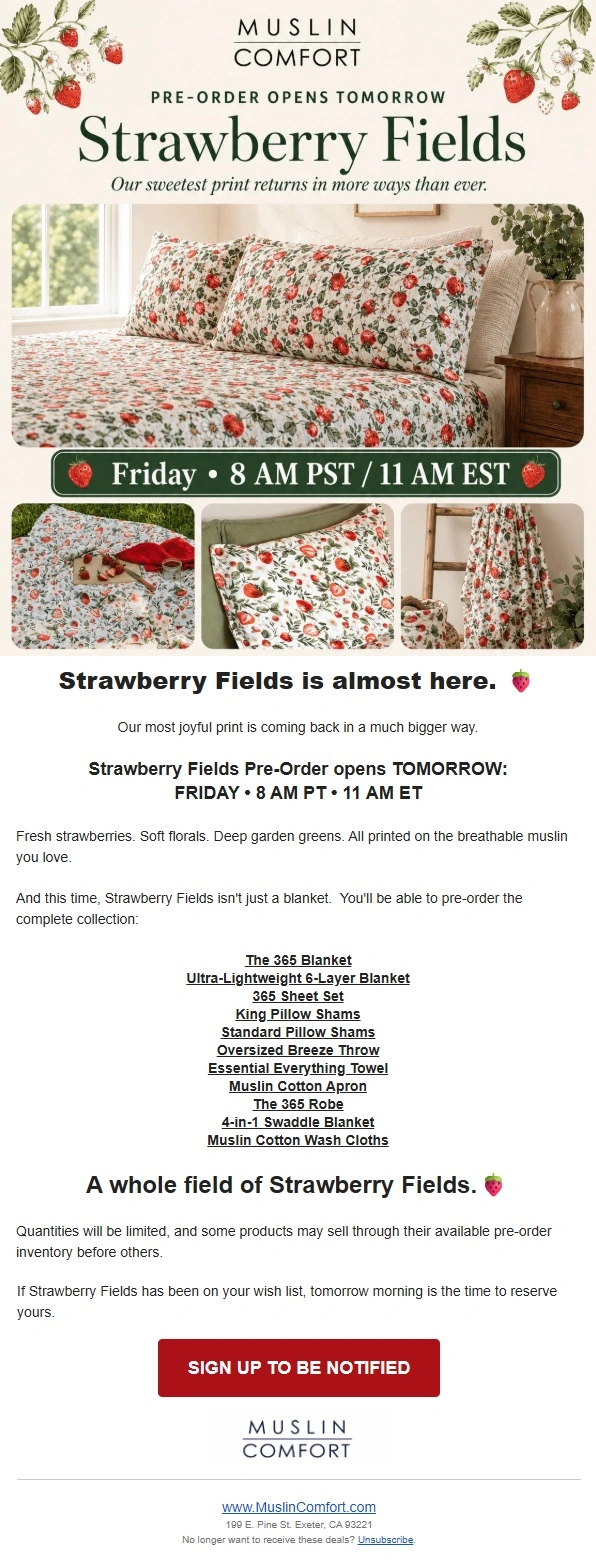
Muslin Comfort builds anticipation for the return of Strawberry Fields by revealing the expanded collection, announcing the exact pre-order time, and encouraging shoppers to sign up before limited quantities sell through.
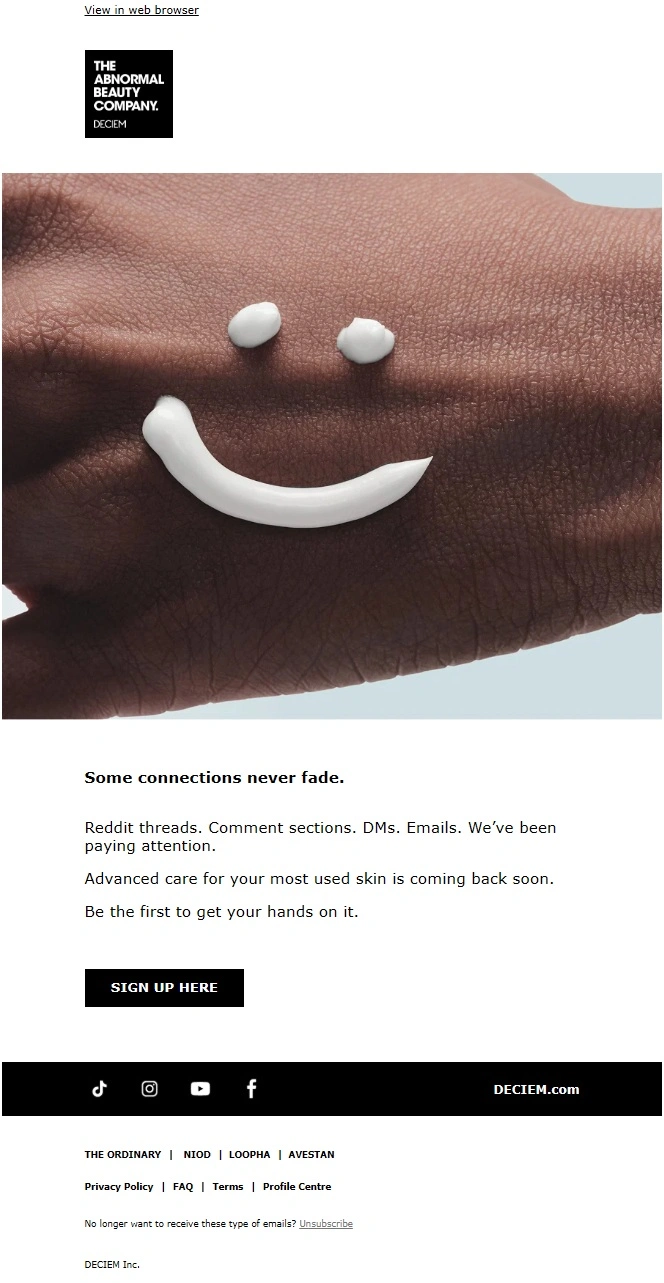
The Ordinary keeps the upcoming restock deliberately minimal, using a “coming back soon” message and signup CTA to reconnect with customers who have been asking for the product’s return.
Back in Stock Email Subject Line Ideas
A good back in stock subject line should make the reason for the email obvious before the subscriber even opens it. In many cases, simple language works best because the availability update itself is already valuable.
Urgency, personalization, and product-specific details can add extra motivation when they are relevant.
Type
Back in Stock Subject Line Ideas
Simple
It’s back in stock • Back by popular demand • Good news—it’s back
Product-specific
[Product Name] is back • Your favorite [Product Name] has returned • [Product Name] is available again
Personalized
The item you wanted is back • You asked. It’s back. • Something on your wishlist just returned
Urgency
Back—but maybe not for long • It sold out once already • Back in stock. Don’t wait too long.
Fashion
Your size is back • The style you wanted has returned • Your favorite fit is available again
Beauty
Your beauty favorite is back • Back on the shelf • The wait is over
Bestseller
One of our bestsellers is back • Your favorites have returned • Back by popular demand
Collection
The collection is back • Restocked: your favorites are here • Fresh restock just landed
Sale
Back in stock—and now on sale • It’s back + a little something extra • Restocked with a special offer
Playful
Look who’s back 👀 • Guess what just returned? • Missed it the first time?
Back in Stock Email Design: What Should You Include?
Back in stock email design should make the availability update immediately understandable. The subscriber should be able to identify the product, confirm that the relevant version is available, and reach the product page without searching for it again.
For triggered alerts in particular, unnecessary content can dilute a very high-intent message.
Element
Why It Matters
Clear availability headline
Immediately tells the reader why they received the email
Product image
Helps the shopper recognize the item they previously wanted
Product name
Confirms exactly which product is available
Size, color, or variant
Important when only a specific variation has returned
Price
Gives the shopper useful purchase information before clicking
Availability or scarcity message
Can encourage quicker action when stock is genuinely limited
Primary CTA
Takes the shopper directly to the relevant product page
Related products
Can support cross-selling without distracting from the main item
For most single-product alerts, one strong product image and one primary CTA are enough. Larger promotional restock campaigns can support more products, editorial imagery, and secondary calls to action.
How to Set Up Back-in-Stock Email Alerts
A back in stock email alert connects customer demand with inventory availability. Instead of asking shoppers to repeatedly return to a product page, the system records their interest and contacts them when the relevant product or variant becomes available again.
A typical back in stock email automation looks like this:
Step
What happens
1. Product sells out
The item or a specific variant becomes unavailable
2. Shopper requests an alert
The customer submits an email address for the product they want
3. Inventory changes
The product or requested variant becomes available again
4. Email is triggered
Eligible subscribers receive the back in stock notification
5. Shopper returns
The CTA sends them directly to the relevant product page
The exact setup depends on your ecommerce platform and email marketing stack, but the goal is the same: connect the notification to real inventory data so the email is only sent when the product can actually be purchased.
Shopify Back in Stock Emails
For a Shopify store, a back in stock setup needs a way to collect notification requests for unavailable products and connect those requests to inventory changes.
When stock returns, the customer should receive an email for the product—or ideally the exact variant—they requested. The CTA should link directly to that product rather than sending the shopper to a general collection or homepage.
For stores with frequent sellouts, it is also worth considering how notifications are prioritized when only a small amount of inventory returns. Sending an alert to every interested customer at once can create a poor experience if most recipients immediately find the product unavailable again.
WooCommerce Back in Stock Emails
The same basic logic applies to WooCommerce stores: collect interest while the product is unavailable, detect when inventory returns, and automatically notify the relevant customers.
For products with variations, notifications should ideally reflect the specific size, color, configuration, or option the shopper wanted. The email itself can remain simple as long as the product information and purchase path are clear.
Frequently Asked Questions
What is a back in stock email?
A back in stock email is a message sent when a previously unavailable product becomes available to purchase again. It may be an automated notification sent to shoppers who requested an alert or a broader promotional campaign announcing that popular products have been restocked.
What should a back in stock email include?
A back in stock email should clearly identify the restocked product and provide a direct way to buy it. At minimum, include a clear availability message, product image, product name, relevant variant information, and a prominent CTA linking to the product page.
Price, stock information, product recommendations, and promotional offers can be added when they help the customer make a decision.
When should you send a back in stock email?
Send a back in stock email as soon as the product is genuinely available to purchase again. Customers who requested a notification usually have higher intent than a general subscriber, so unnecessary delays can mean losing the purchase to another product or retailer.
Before triggering the message, make sure enough inventory is available to support the number of customers being notified.
How do you set up back-in-stock email alerts?
A back in stock alert requires three basic pieces: a way for customers to request notifications, inventory data that identifies when an item becomes available again, and an email automation that triggers when that condition is met.
For products with multiple variations, the system should ideally track interest at variant level so customers are notified only when the size, color, or configuration they wanted returns.
How do you send a back in stock email on Shopify?
To send back in stock emails on Shopify, you need a notification system that collects customer requests for unavailable products and connects them to Shopify inventory updates.
Once the requested product or variant returns to stock, an automated email can be triggered with the product information and a direct link back to the item. The exact setup depends on the notification and email tools used by the store.
How do you set up back in stock emails in WooCommerce?
In WooCommerce, back in stock emails can be set up by connecting customer notification requests with product inventory status. When an unavailable product becomes purchasable again, customers waiting for that item can automatically receive an email alert.
For variable products, tracking the individual variation is preferable to sending a generic notification for the entire product.
What are the best practices for back in stock emails?
The best back in stock emails are timely, specific, and easy to act on. Send the notification only when the item is actually available, clearly show the product the customer wanted, include the relevant size or variant when applicable, and use a prominent CTA that links directly to the product.
Keep the message focused, especially for automated alerts. Use urgency only when stock is genuinely limited, and avoid burying the requested product beneath unrelated promotions.
Should you offer a discount in a back in stock email?
You do not need to offer a discount in every back in stock email. The customer has already expressed interest in the product, and its return may be enough motivation to complete the purchase.
A discount can make sense when demand has cooled, the notification is part of a broader promotion, or the brand wants to create an additional reason to buy. For highly sought-after products, however, adding an incentive may simply reduce margin without being necessary.
What is the difference between a back in stock email and a replenishment email?
A back in stock email is triggered by inventory availability: a product was unavailable and can now be purchased again.
A replenishment email is triggered by expected customer usage: someone previously bought a consumable or repeat-purchase product and may now be ready to order it again.
In other words, back in stock emails solve an availability problem, while replenishment emails encourage a repeat purchase.
What is the difference between a back in stock email and an out of stock email?
An out of stock email communicates that a product is currently unavailable or addresses an availability problem with an order or purchase.
A back in stock email communicates the opposite: the product has become available again and the customer now has another opportunity to buy it.
The two messages may belong to the same inventory lifecycle, but they serve different moments and different customer needs.
Turn Every Restock Into an Email Worth Opening
A back in stock email already reaches shoppers with a reason to pay attention. Clear product details, strong visuals, a direct CTA, and a reliable responsive layout can make that second chance even easier to act on.
If you need a custom back in stock email or a reusable ecommerce template, MailBakery can help with the design and coding — from simple product alerts to larger promotional restock campaigns.
Like what you're reading? Subscribe to our top stories.
"*" indicates required fields
By submitting your request, you agree with Our Policies
Related Articles
You may also like these
120+ Halloween Email Examples for Spooky Campaign Inspiration
Published:
Last updated:
100+ Product Launch Email Examples to Turn Hype Into Sales
Published:
Last updated:
130+ Email Marketing Examples for Every Stage of the Customer Journey
Published:
Last updated:
Get Started
High-Performing Emails That Work Everywhere
At MailBakery, we set the gold standard in email development. Every design is turned into a flawless, high-performing email that works everywhere, on any device, every time.
This site uses cookies. By proceeding, you agree to our Privacy Policy, including the use of cookies and their tracking technologies.
Functional
Always active
These cookies are always enabled as they are required for basic site functionality. They allow you to be remembered as you browse our website.They help make the shopping cart and checkout process possible as well as assist in security issues and conforming to regulations.
Preferences
The technical storage or access is necessary for the legitimate purpose of storing preferences that are not requested by the subscriber or user.
Performance
These cookies allow us to track user behaviour, which helps us to improve our website’s functionality. In some cases, these cookies improve the speed with which we can process your request and allow us to remember site preferences you have selected. Refusing these cookies may result in displaying a non-tailored content or slower website performance.The technical storage or access that is used exclusively for anonymous statistical purposes. Without a subpoena, voluntary compliance on the part of your Internet Service Provider, or additional records from a third party, information stored or retrieved for this purpose alone cannot usually be used to identify you.
Marketing
Social media cookies offer the possibility to connect you to your social networks and share content from our website through social media. Advertising cookies (of third parties) collect information to help better tailor advertising to your interests. In some cases, these cookies involve the processing of your personal data. Refusing these cookies may result in seeing advertising that is not as relevant to you or you not being able to link effectively with Facebook, Twitter, or other social networks and/or not allowing you to share content on social media.
To provide the best experiences, we use technologies like cookies to store and/or access device information. Consenting to these technologies will allow us to process data such as browsing behavior or unique IDs on this site. Not consenting or withdrawing consent, may adversely affect certain features and functions.
Functional
Always active
These cookies are always enabled as they are required for basic site functionality. They allow you to be remembered as you browse our website.They help make the shopping cart and checkout process possible as well as assist in security issues and conforming to regulations.
Preferences
The technical storage or access is necessary for the legitimate purpose of storing preferences that are not requested by the subscriber or user.
Performance
These cookies allow us to track user behaviour, which helps us to improve our website’s functionality. In some cases, these cookies improve the speed with which we can process your request and allow us to remember site preferences you have selected. Refusing these cookies may result in displaying a non-tailored content or slower website performance.The technical storage or access that is used exclusively for anonymous statistical purposes. Without a subpoena, voluntary compliance on the part of your Internet Service Provider, or additional records from a third party, information stored or retrieved for this purpose alone cannot usually be used to identify you.
Marketing
Social media cookies offer the possibility to connect you to your social networks and share content from our website through social media. Advertising cookies (of third parties) collect information to help better tailor advertising to your interests. In some cases, these cookies involve the processing of your personal data. Refusing these cookies may result in seeing advertising that is not as relevant to you or you not being able to link effectively with Facebook, Twitter, or other social networks and/or not allowing you to share content on social media.