100+ Oops Email Examples for Every Kind of Email Mistake


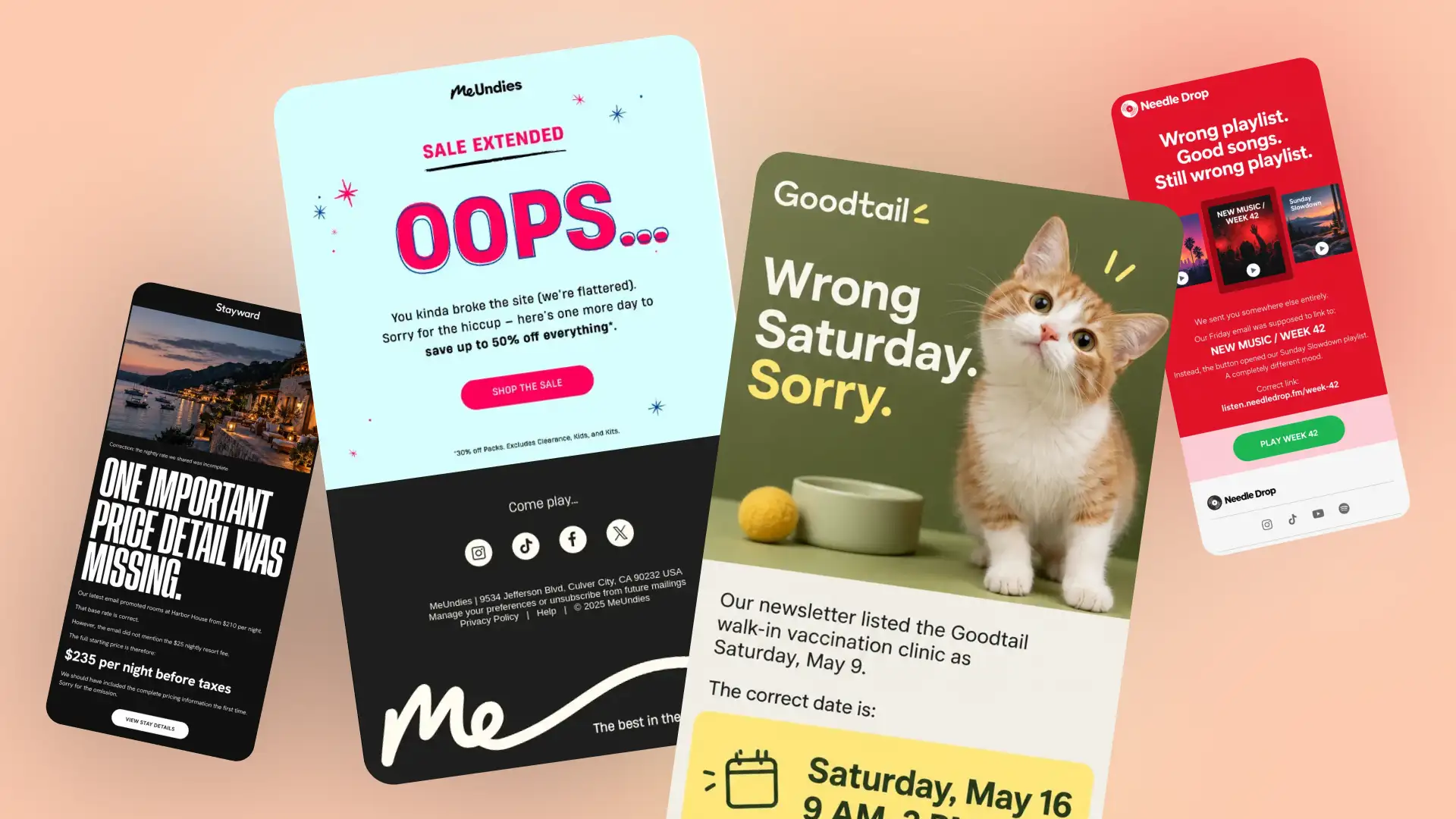
Sent the wrong date? Shared a broken link? Promoted the wrong discount? Sometimes an email mistake needs more than a quiet edit behind the scenes. An oops email gives you a chance to correct the information, tell subscribers what actually happened, and make the next step clear.
The best examples don’t turn every typo into a crisis. Some are apologetic, some funny, and others get straight to the correction in a few lines.
Below, you’ll find 100+ oops email examples covering wrong information, pricing errors, broken links, accidental sends, technical issues, promo code mistakes, stock problems, and more.
Quick links:
→ Wrong Date and Time Correction Email Examples
→ Oops Emails for Wrong Information
→ Wrong Link and Broken Link Oops Email Examples
→ Pricing and Discount Error Email Examples
→ Promo Code Correction Email Examples
→ Product and Inventory Correction Emails
→ Accidental Email Send Examples
→ Technical Error and Website Issue Oops Emails
How to Send a Correction Email After Making a Mistake
Resending an Email With a Correction
Wrong Date and Time Correction Email Examples
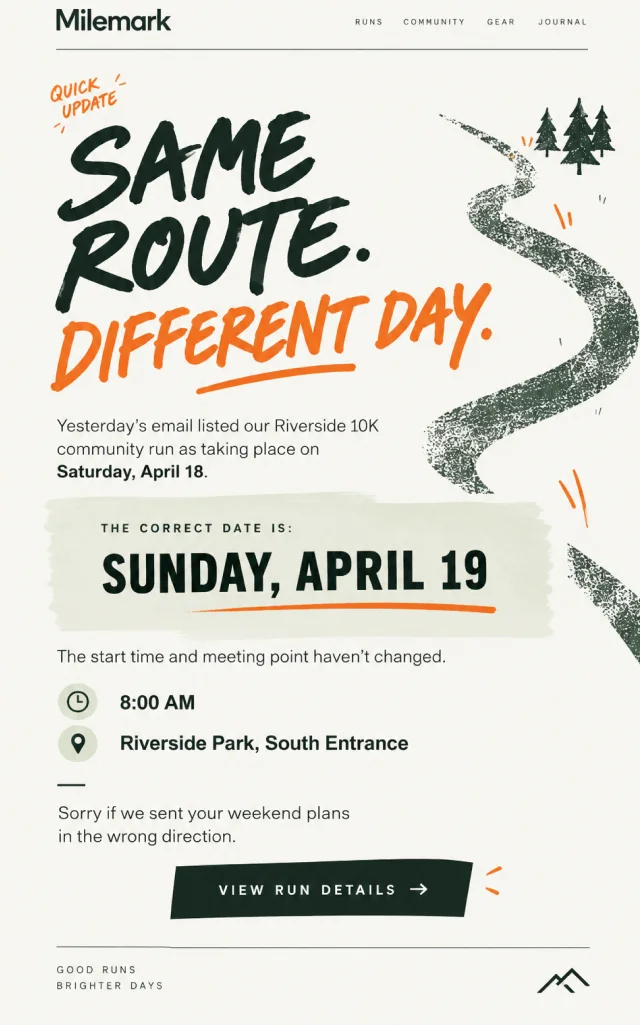
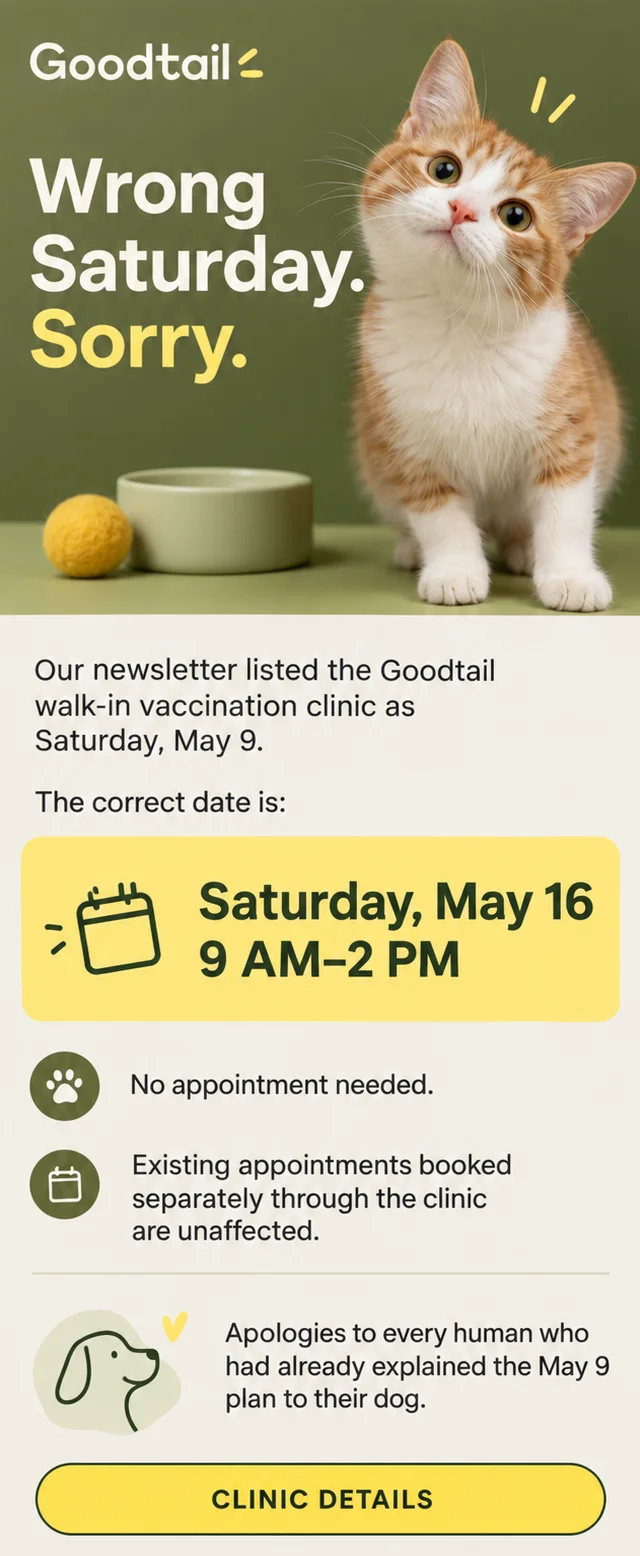
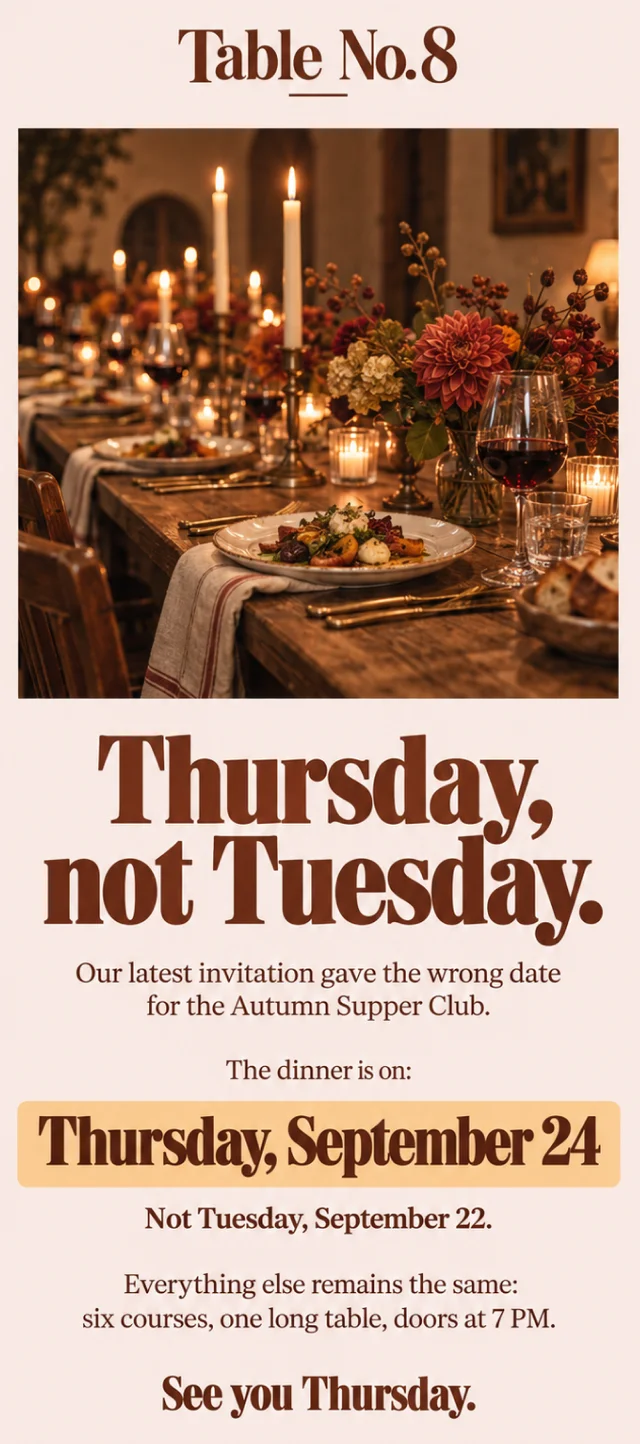
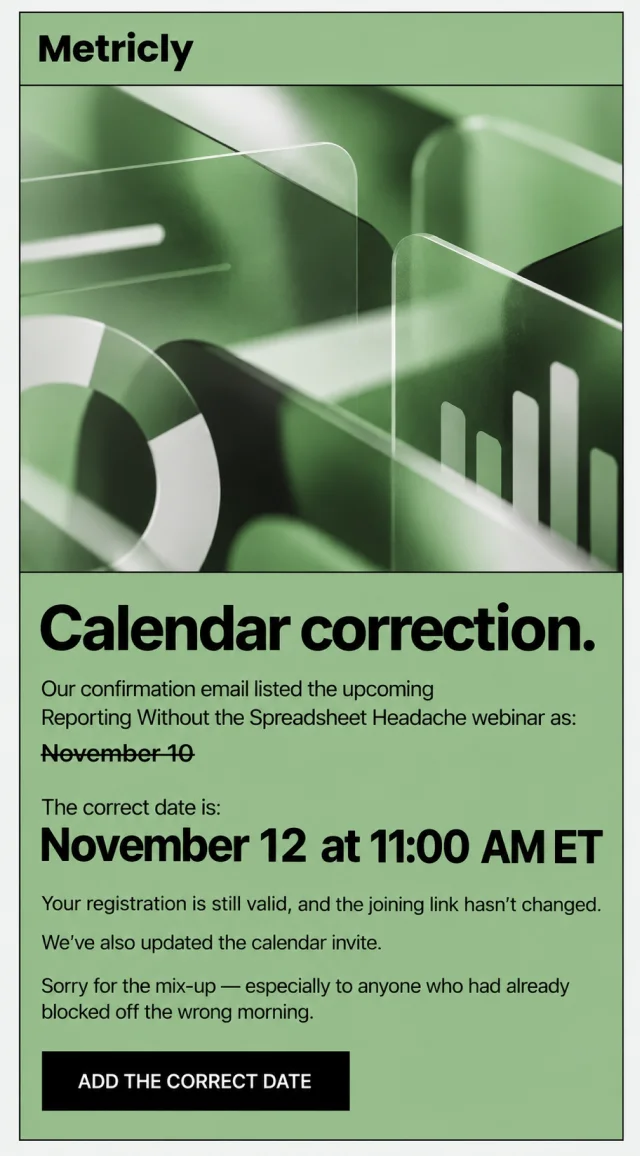
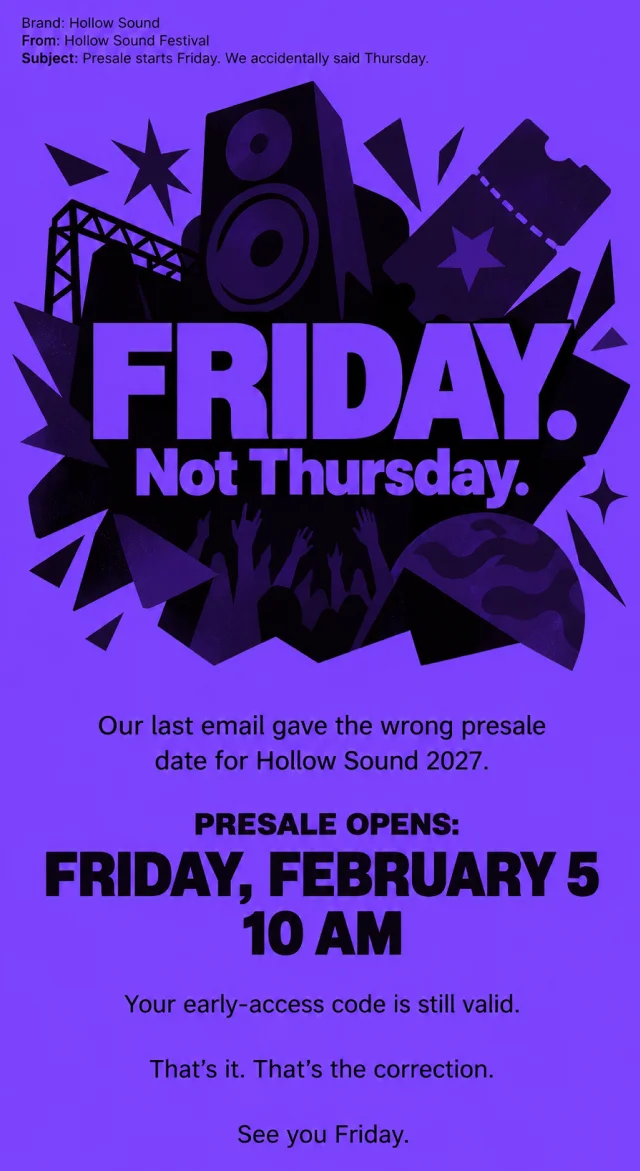
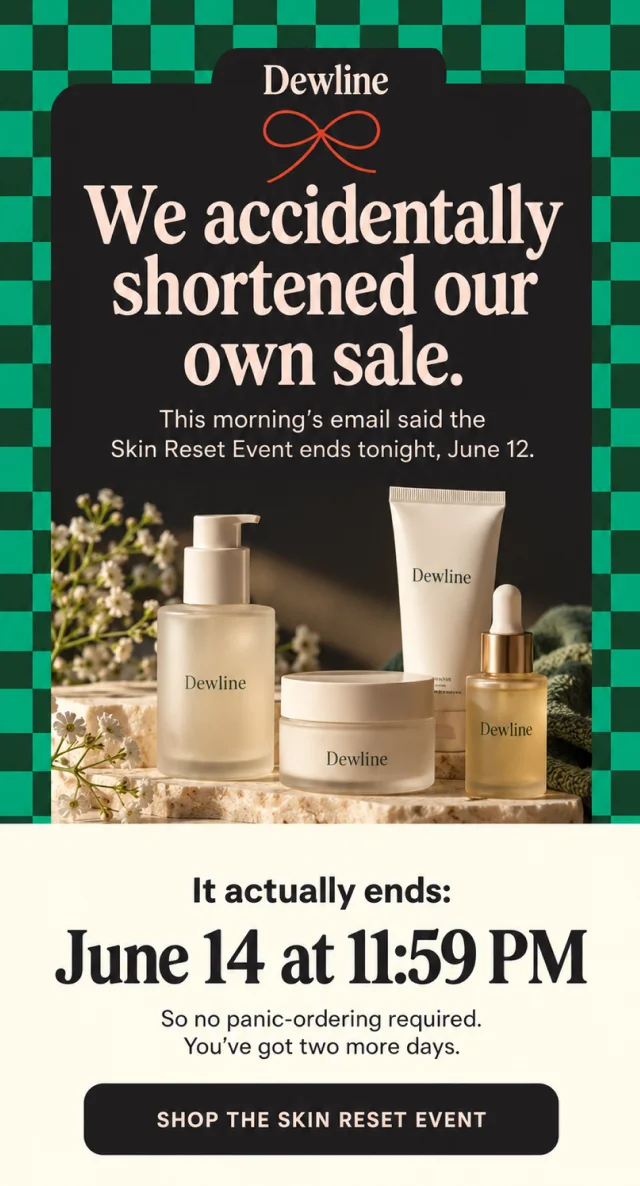
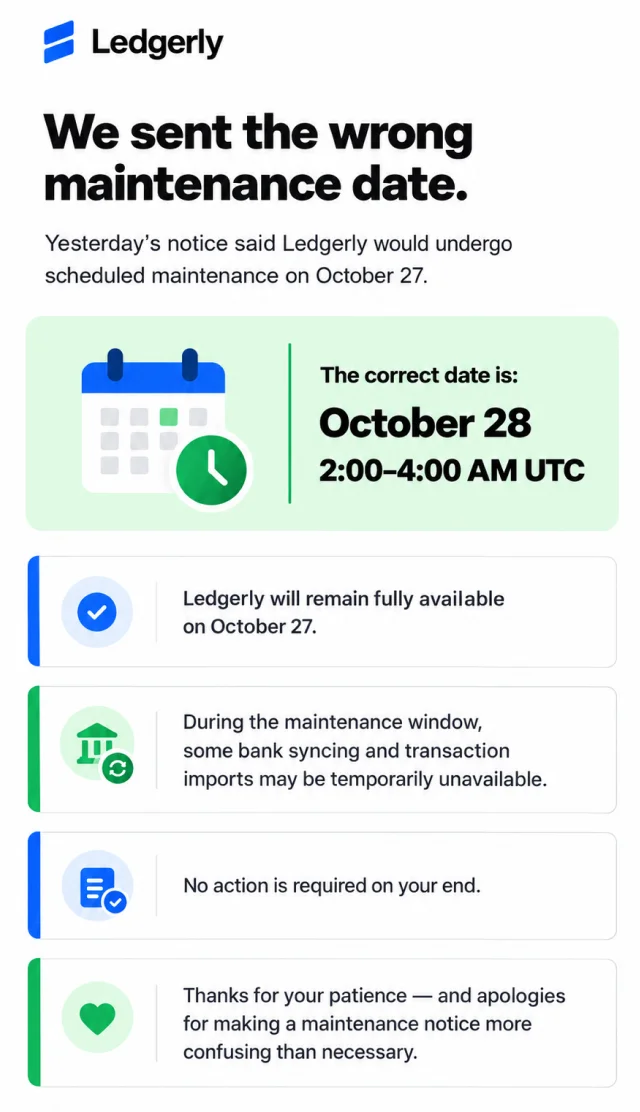
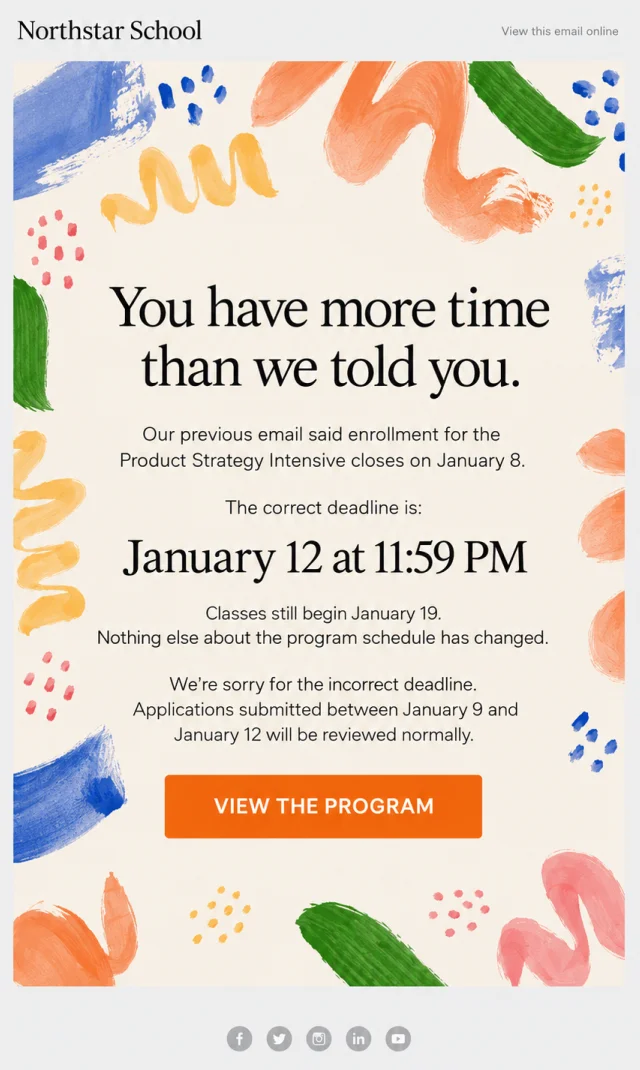
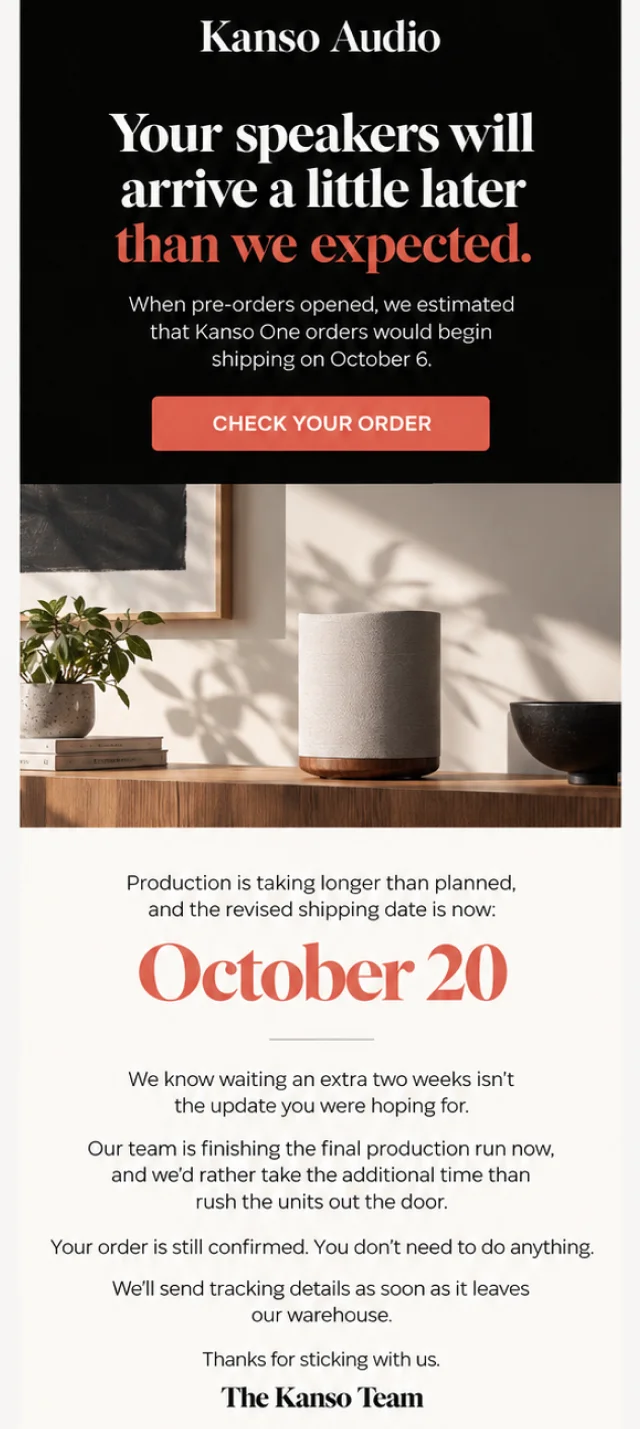
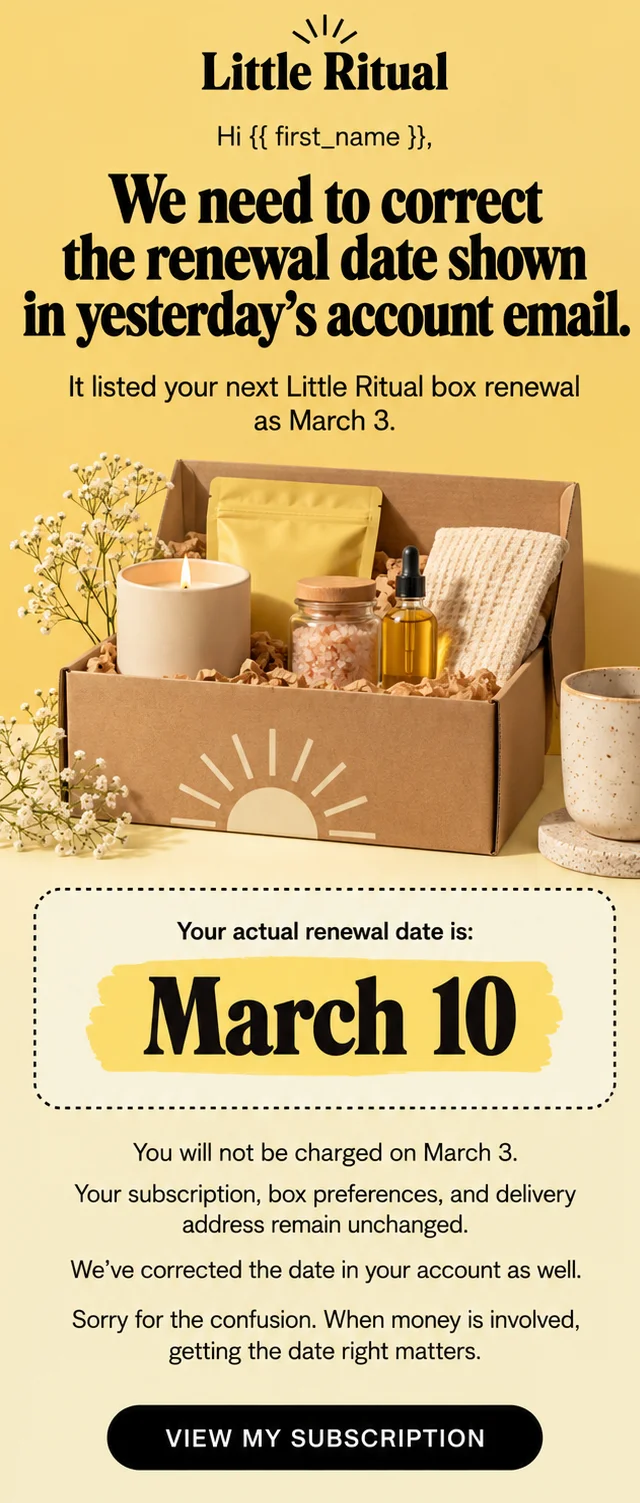
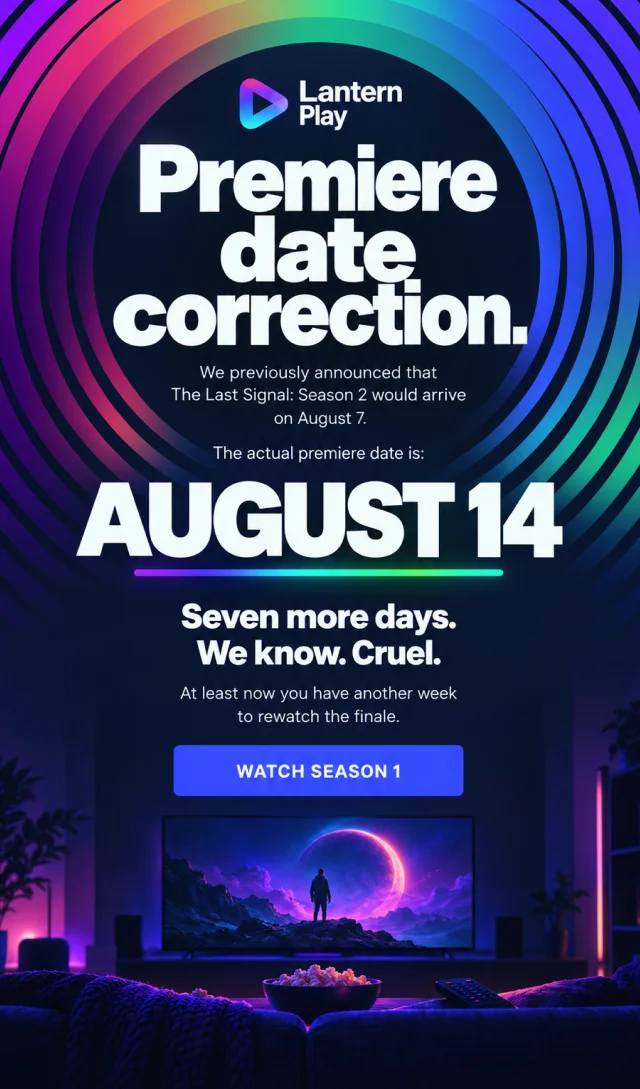
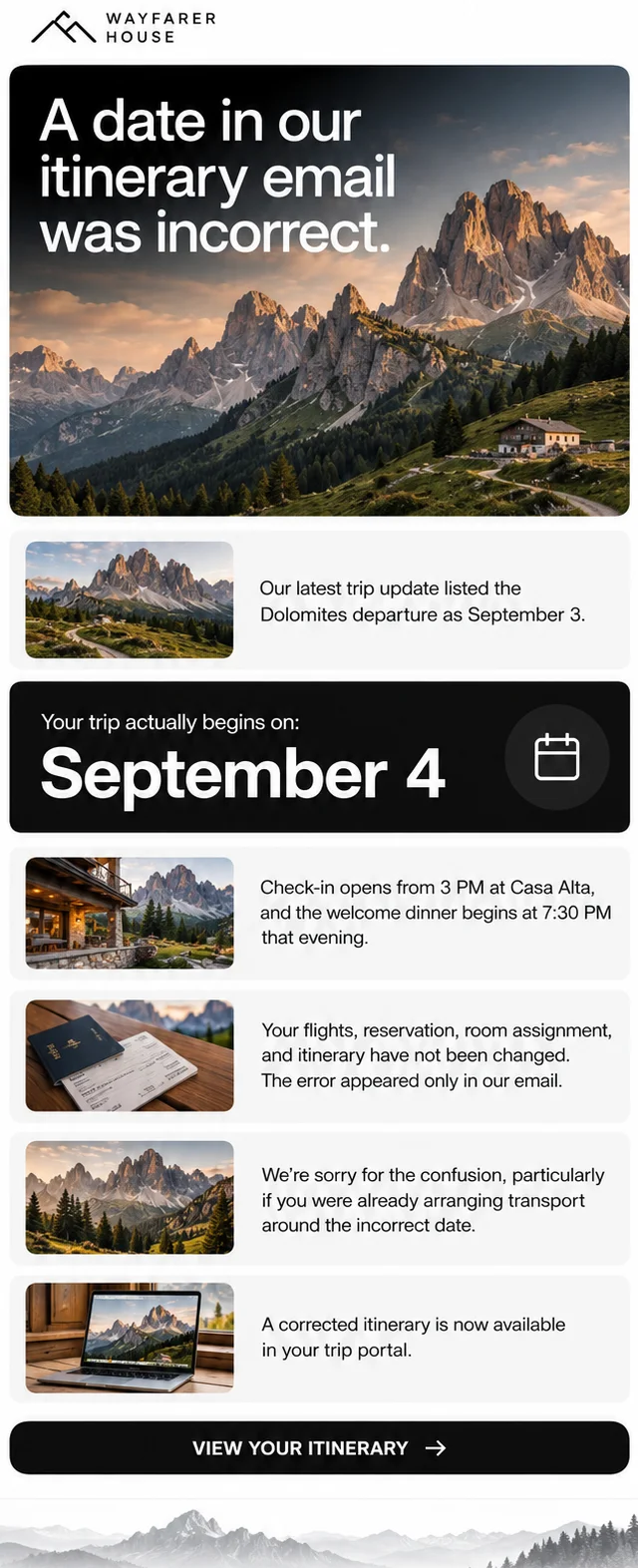
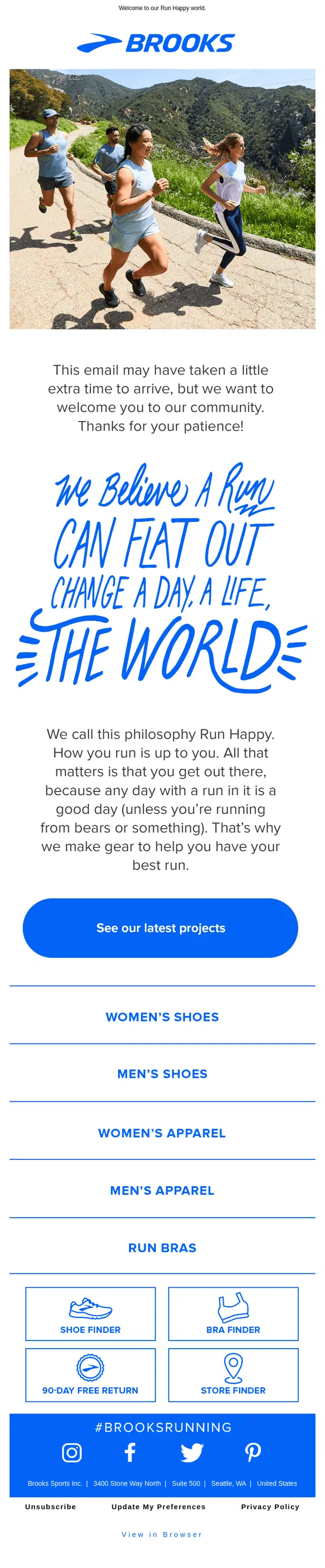
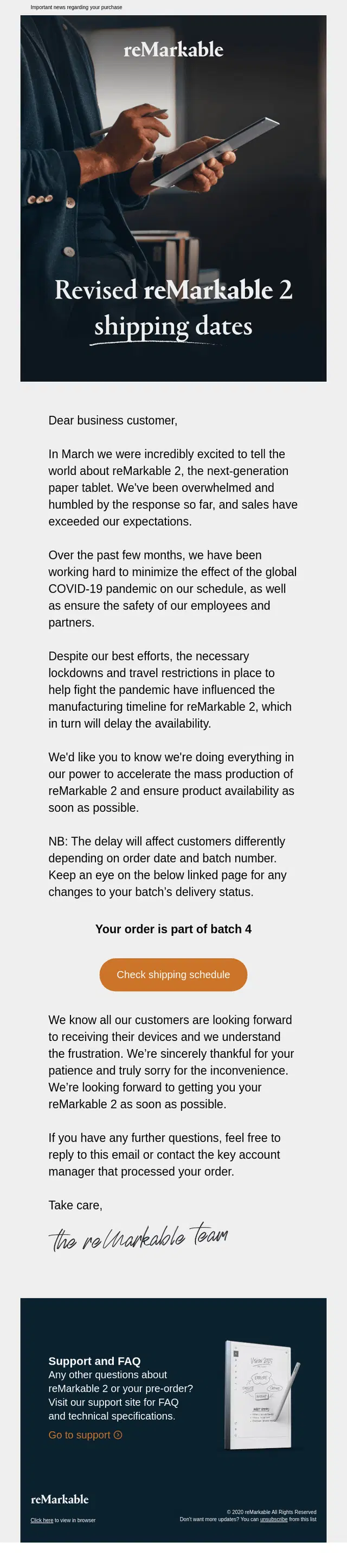
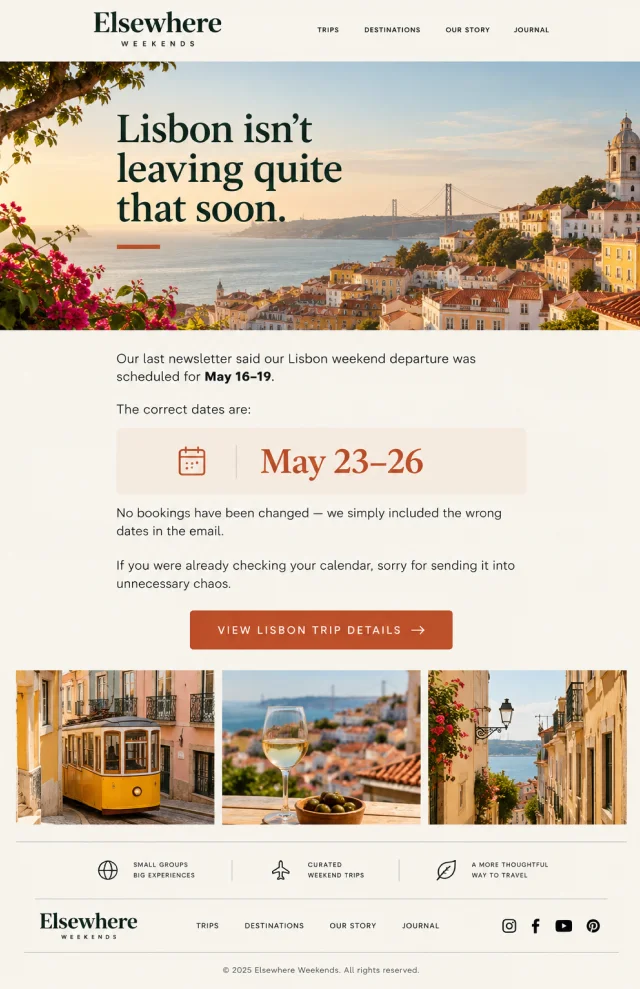
Dates are easy to mistype and difficult for subscribers to ignore.
A wrong event date, webinar time, sale deadline, launch day, renewal date, or shipping estimate can affect someone’s actual plans. That makes clarity especially important in this type of correction email. The examples below range from simple date swaps to delayed launches and revised delivery schedules. Notice how many of them put the corrected date on its own line rather than hiding it inside another paragraph.

Oops Emails for Wrong Information
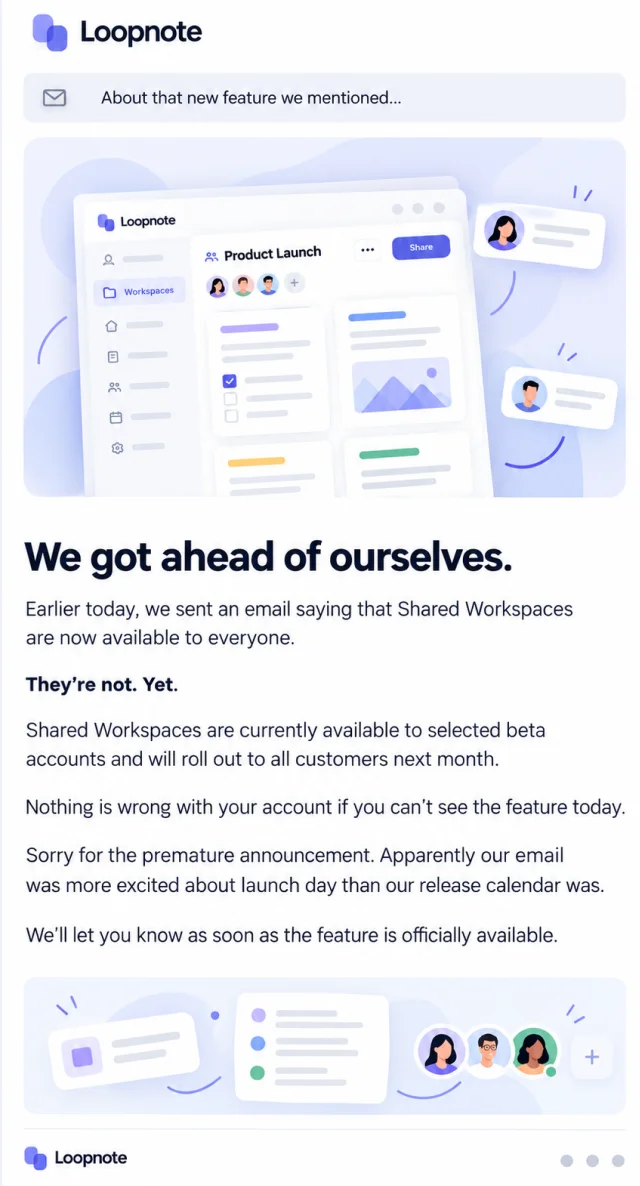
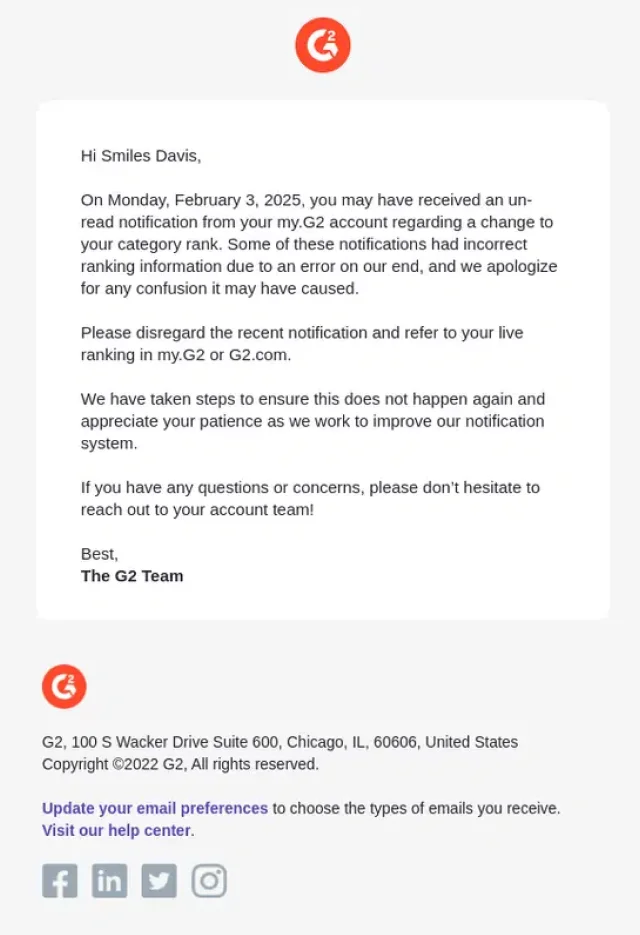
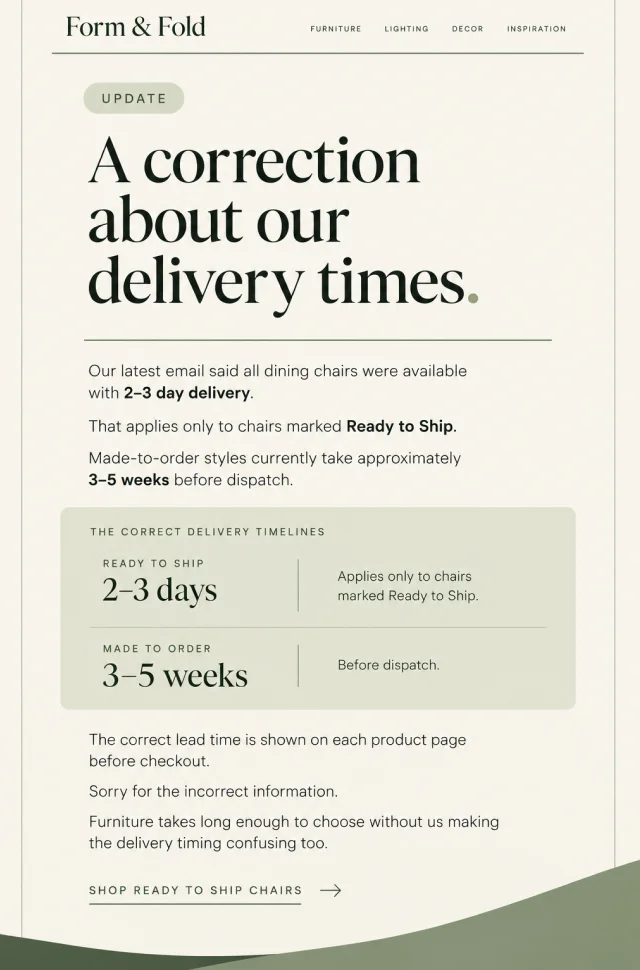
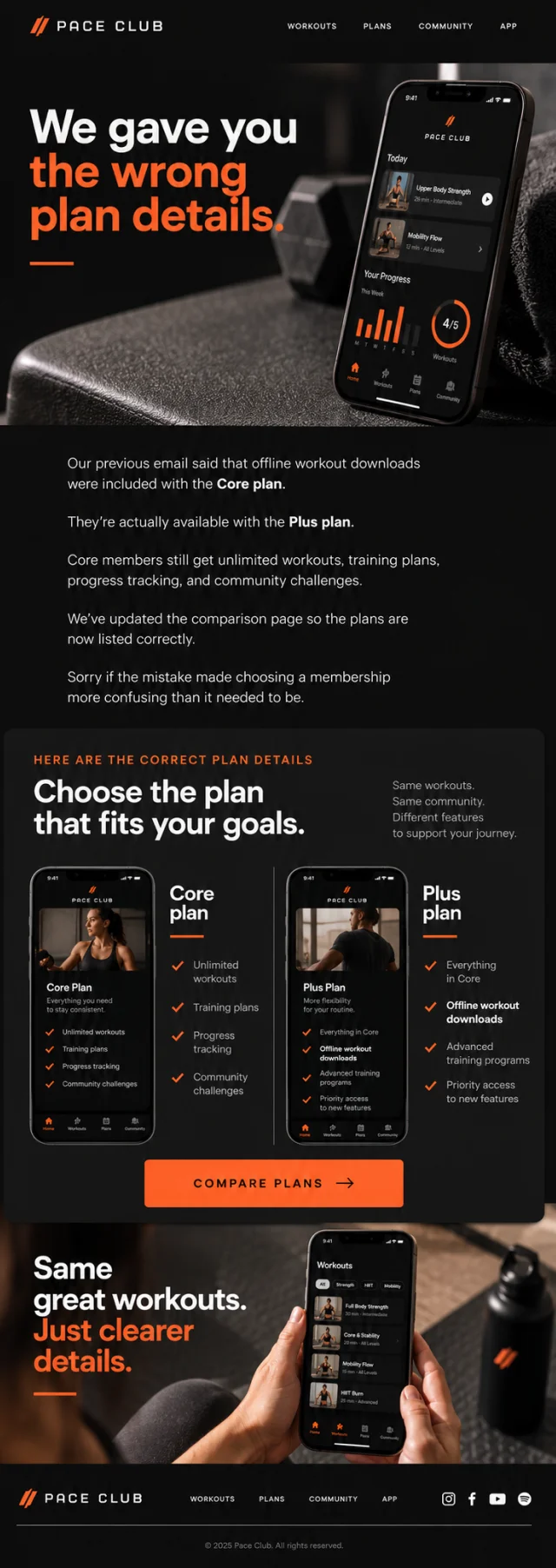
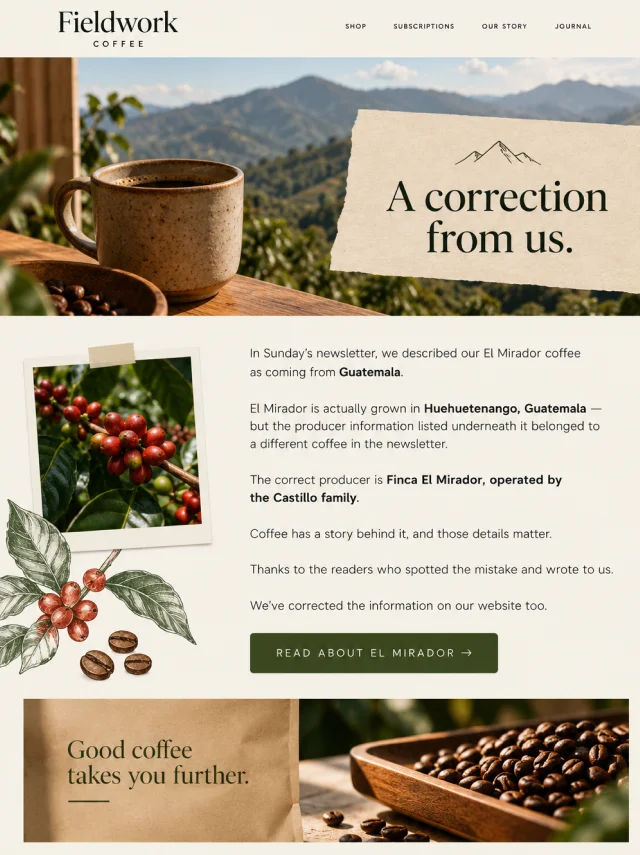
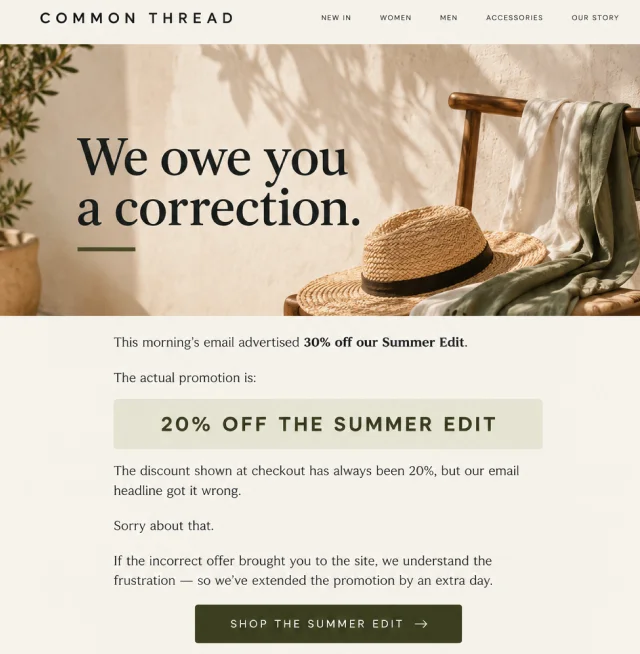
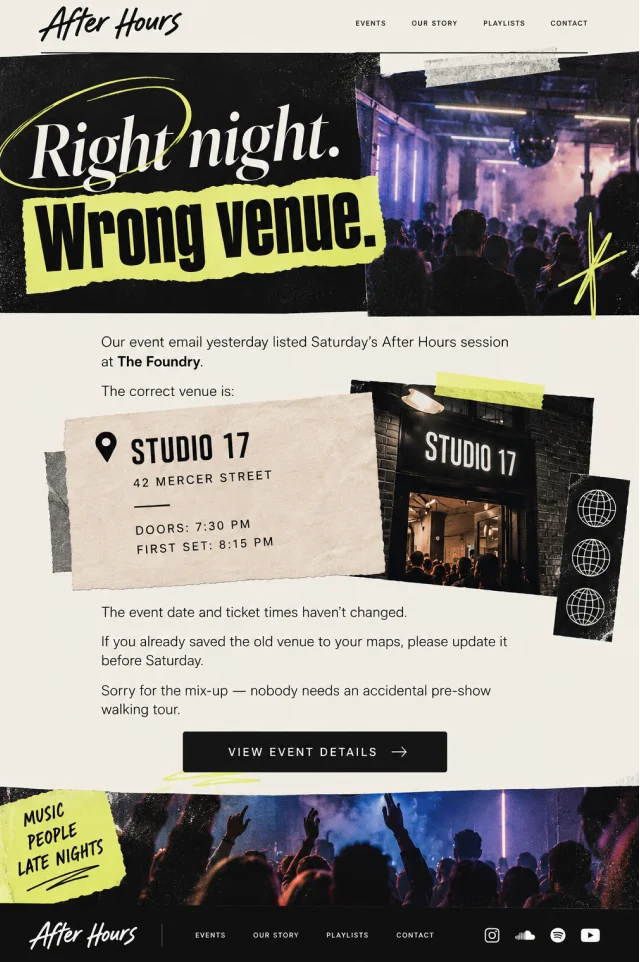
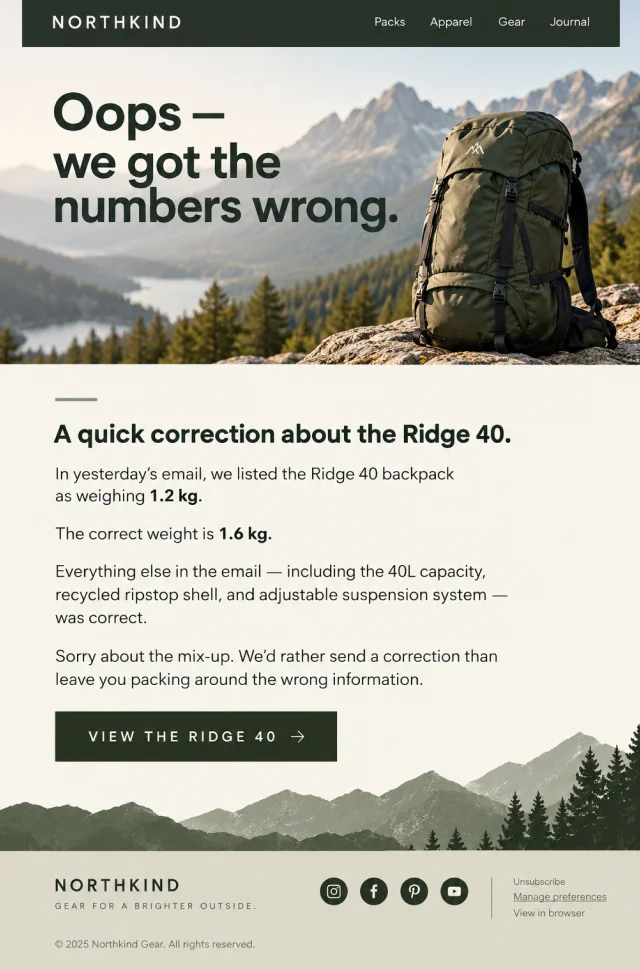
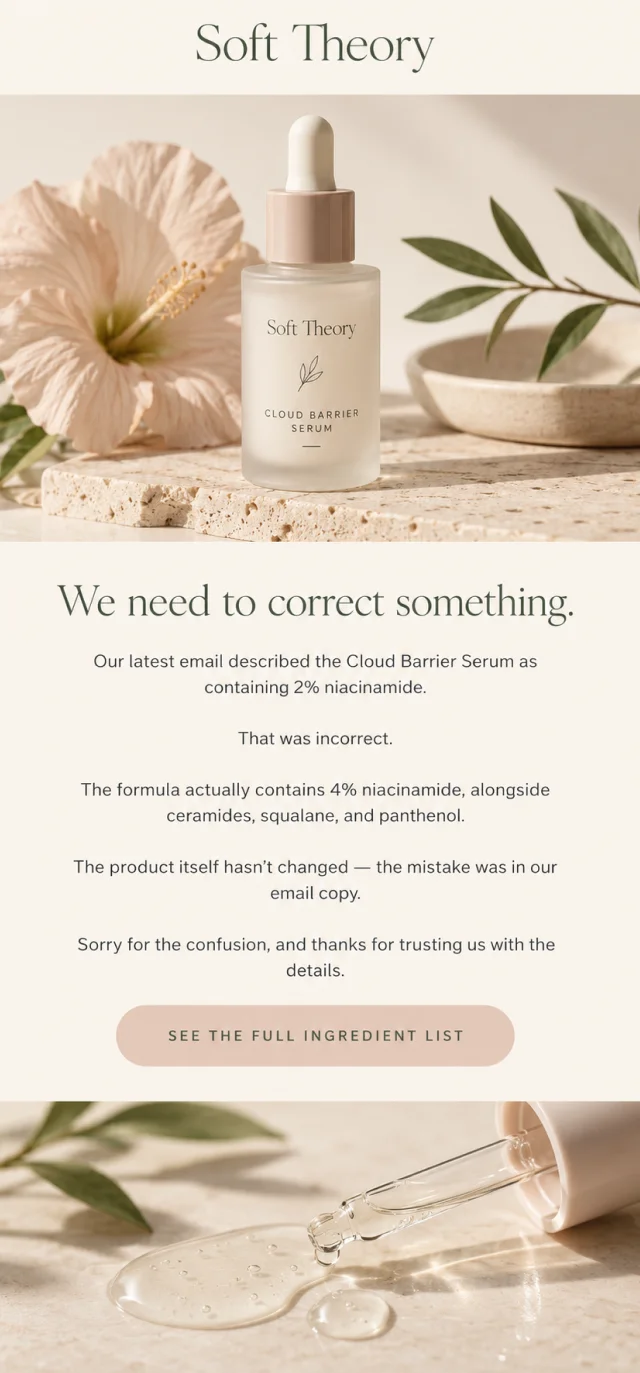
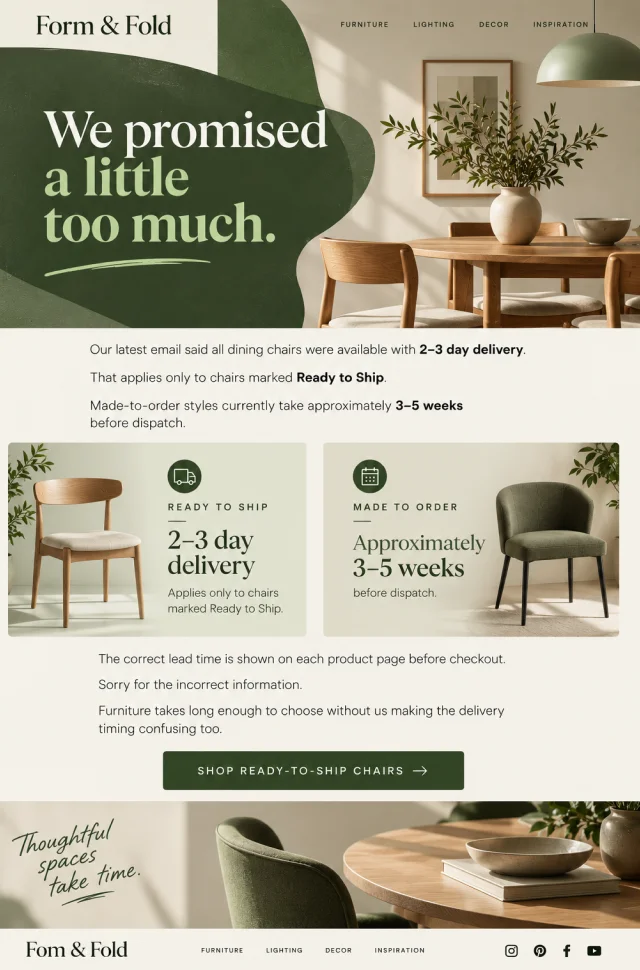
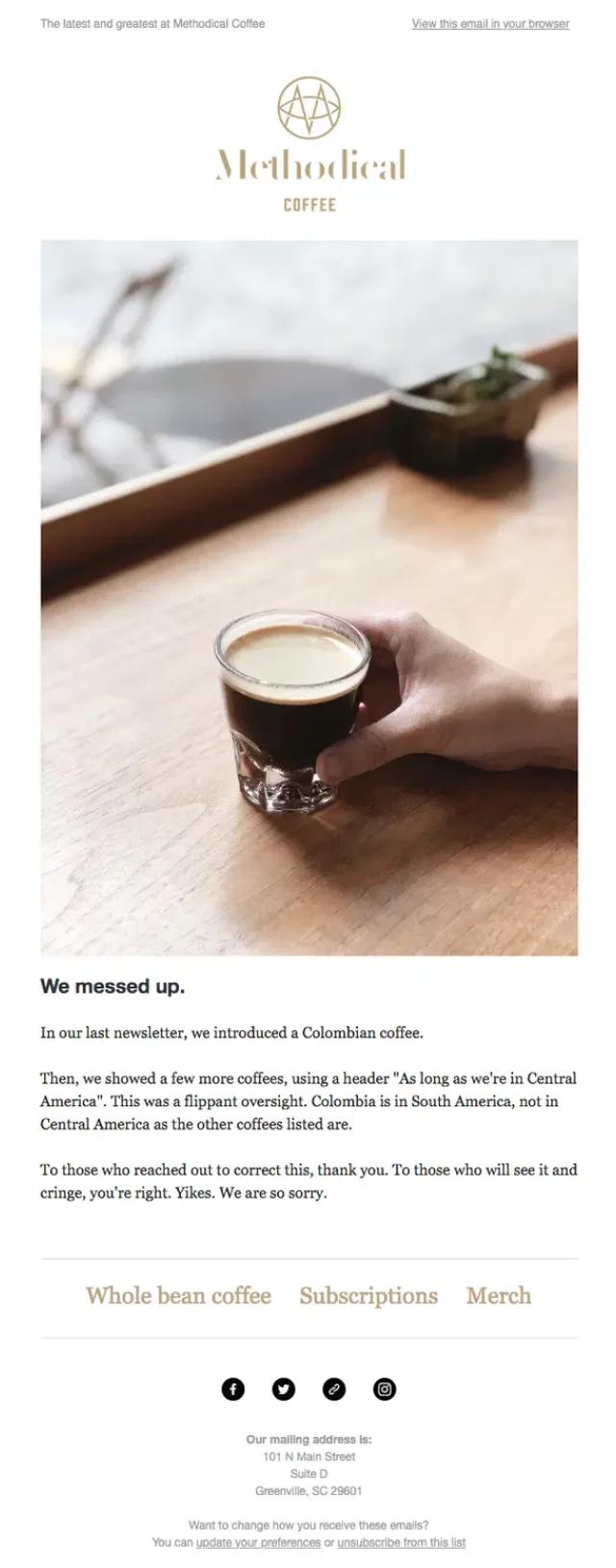
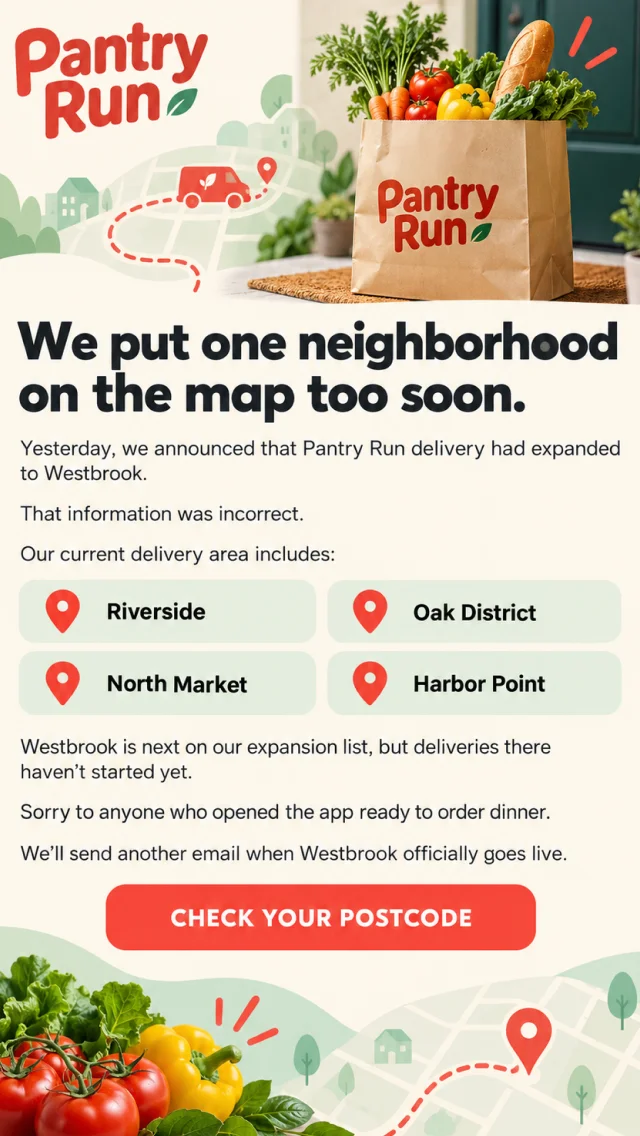
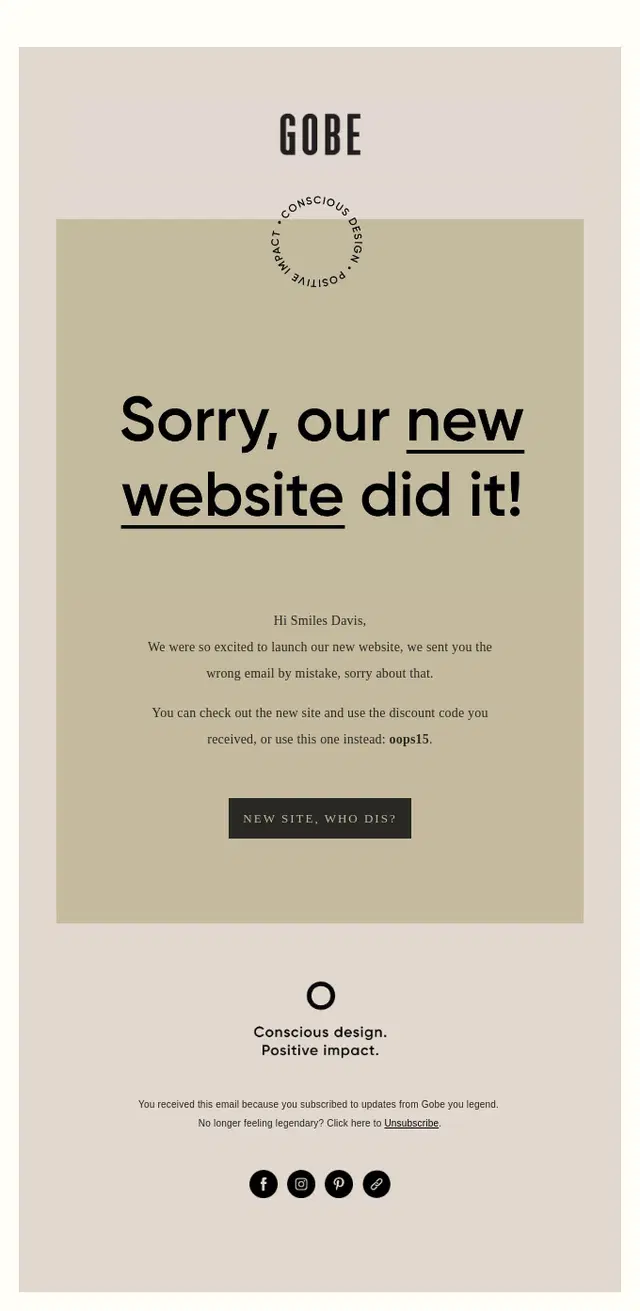
Wrong information can mean almost anything: an inaccurate product detail, incorrect delivery estimate, misleading feature announcement, wrong venue, or a factual mistake buried in a newsletter. These oops email examples show different ways brands correct the record without making the follow-up more complicated than the original mistake.
A useful correction usually tells readers three things quickly: what was wrong, what the correct information is, and whether they need to do anything differently.
Wrong Link and Broken Link Oops Email Examples
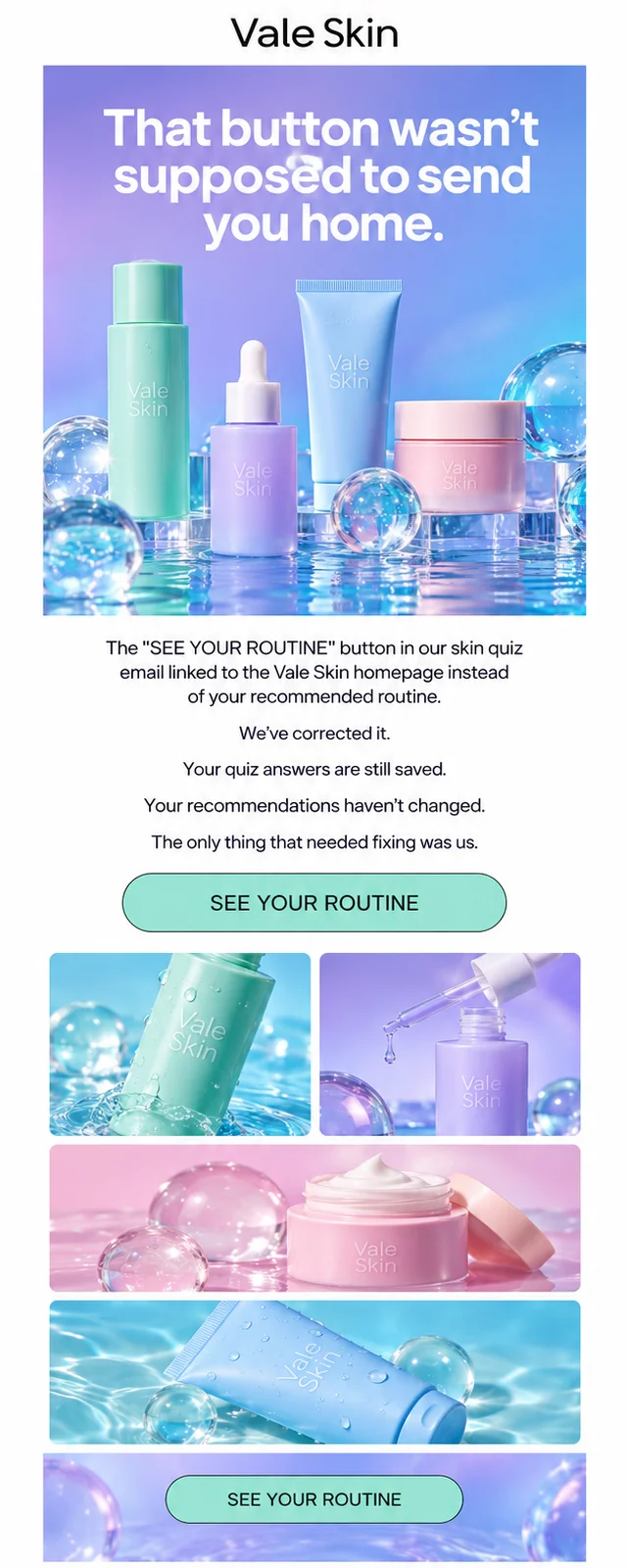
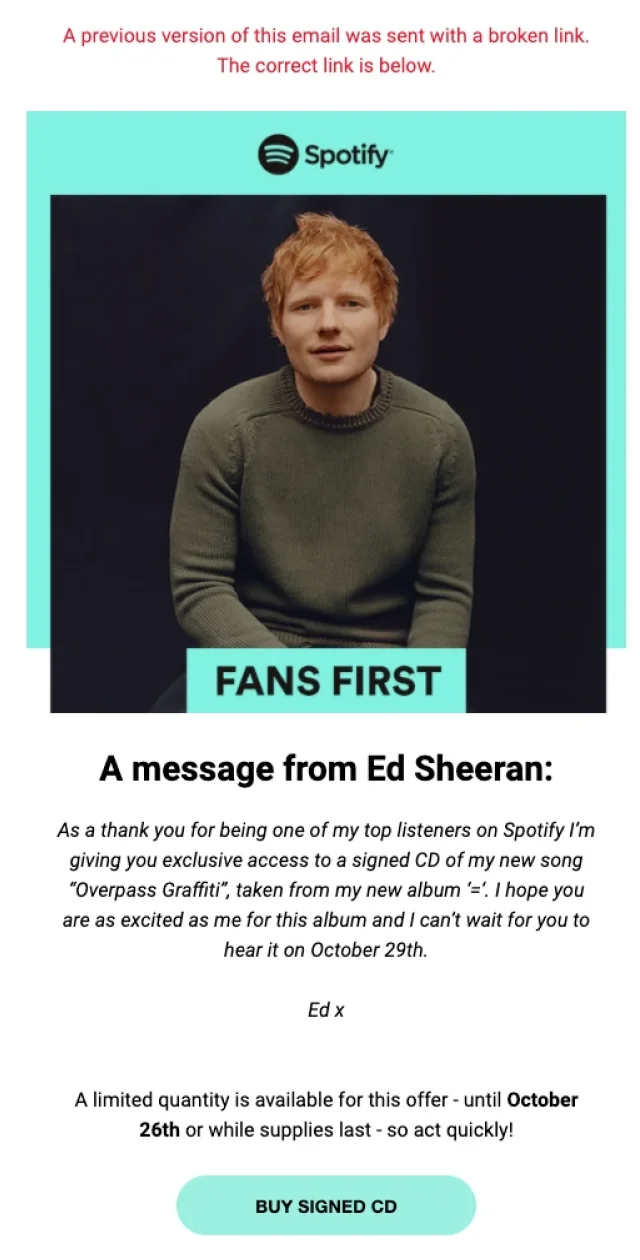
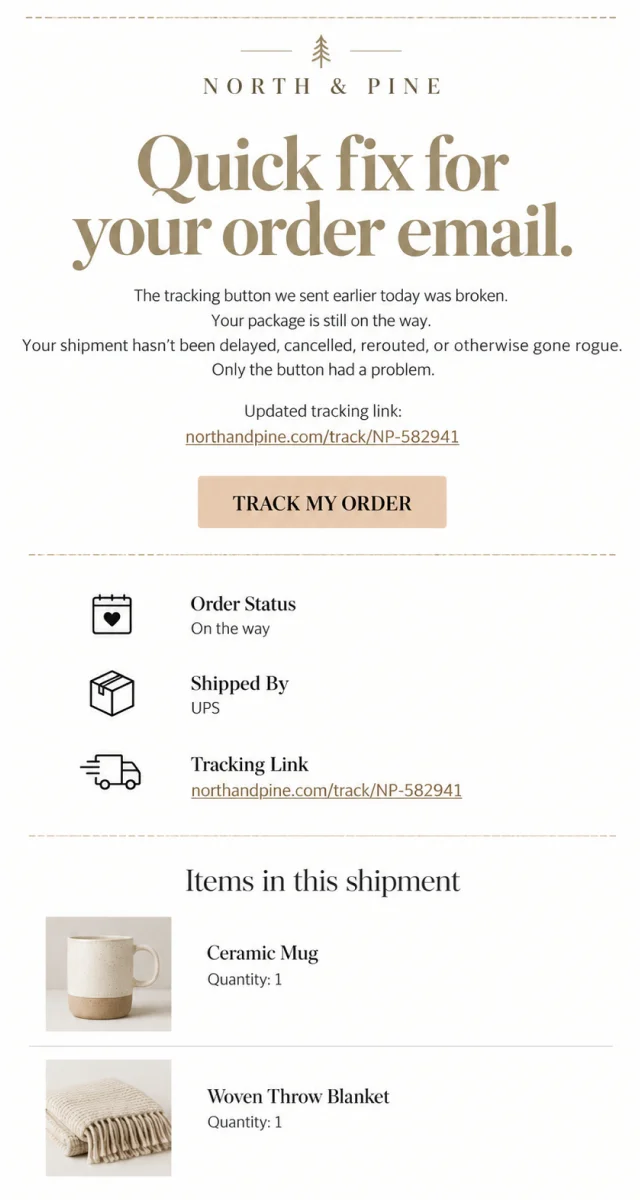
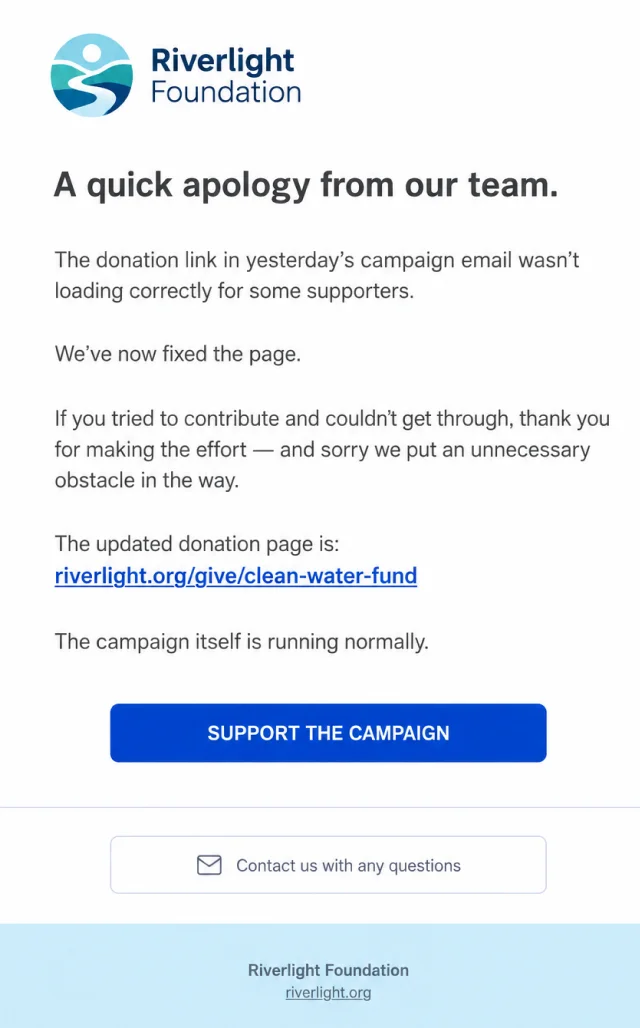
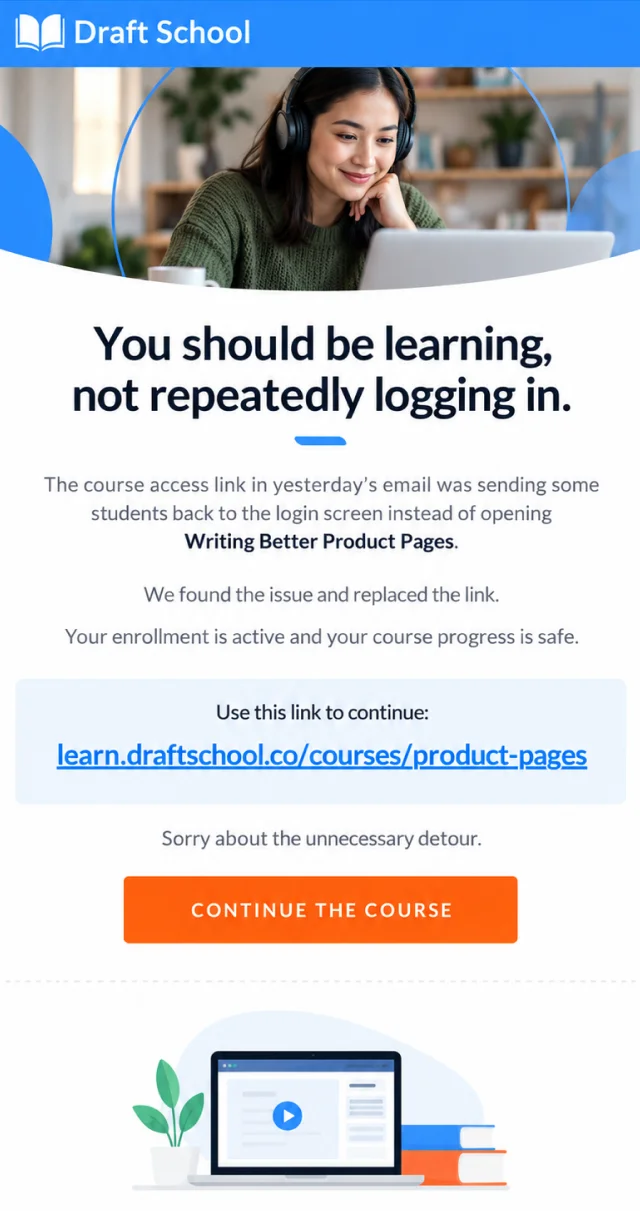
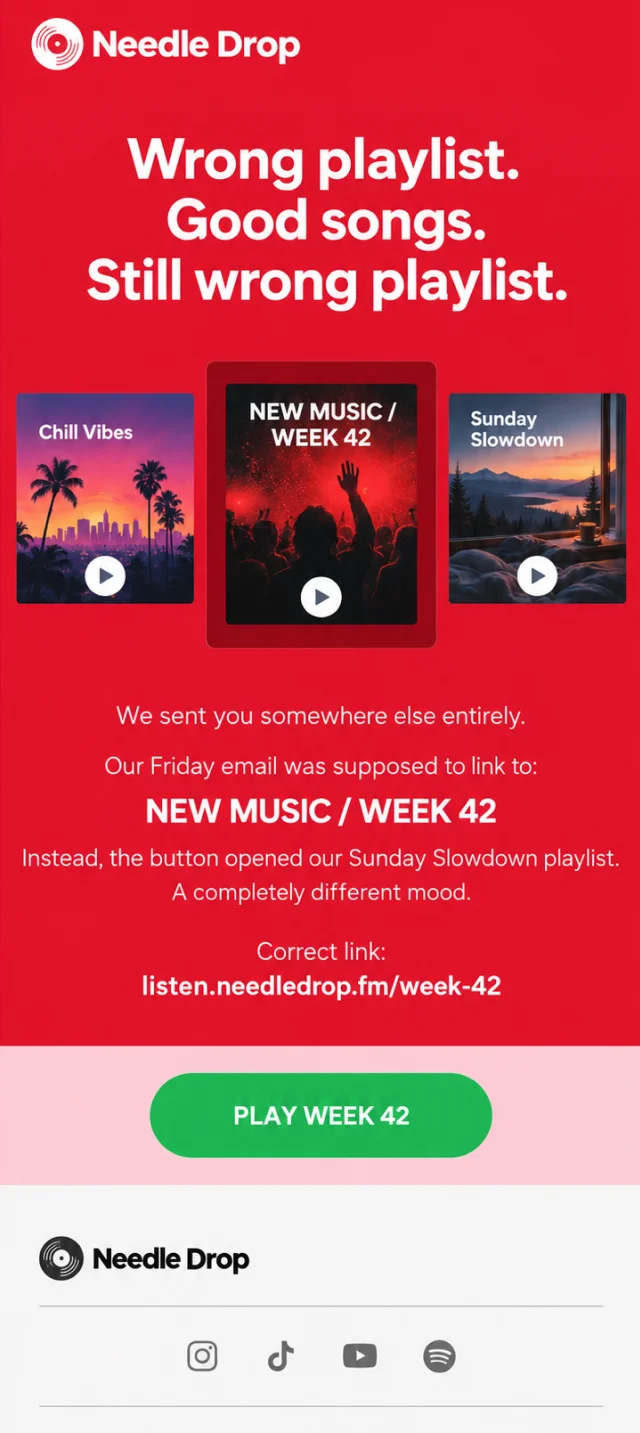
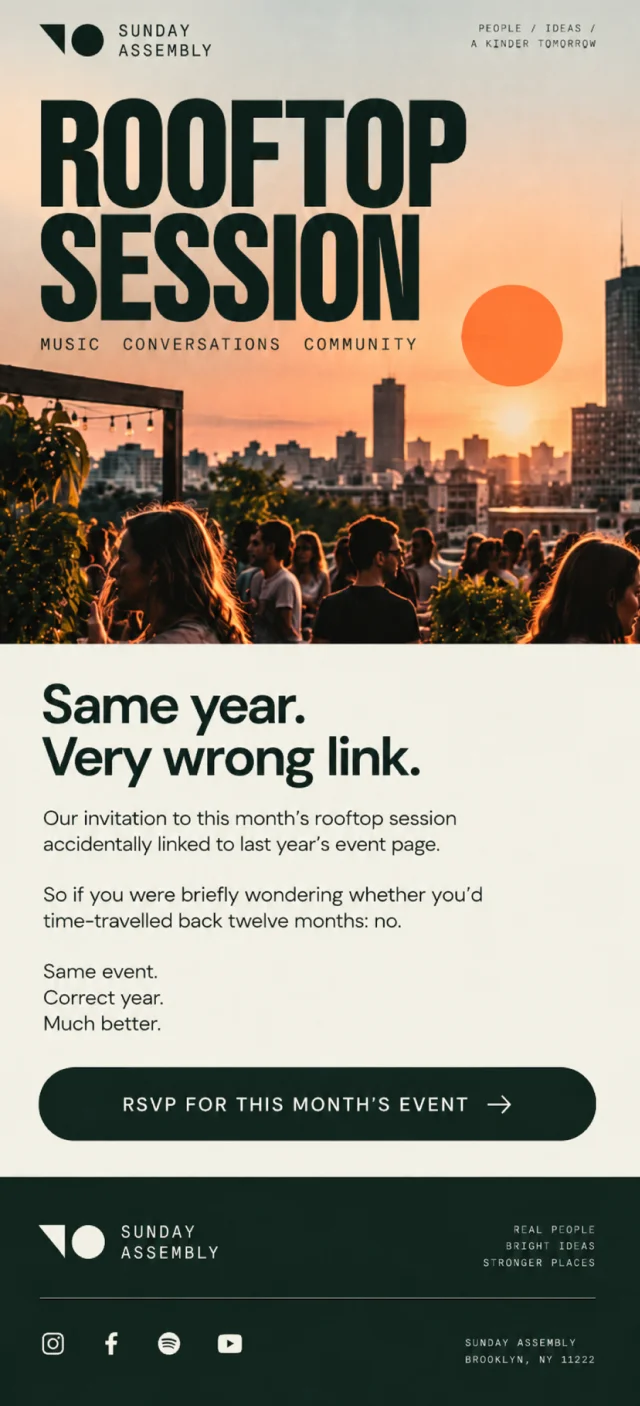
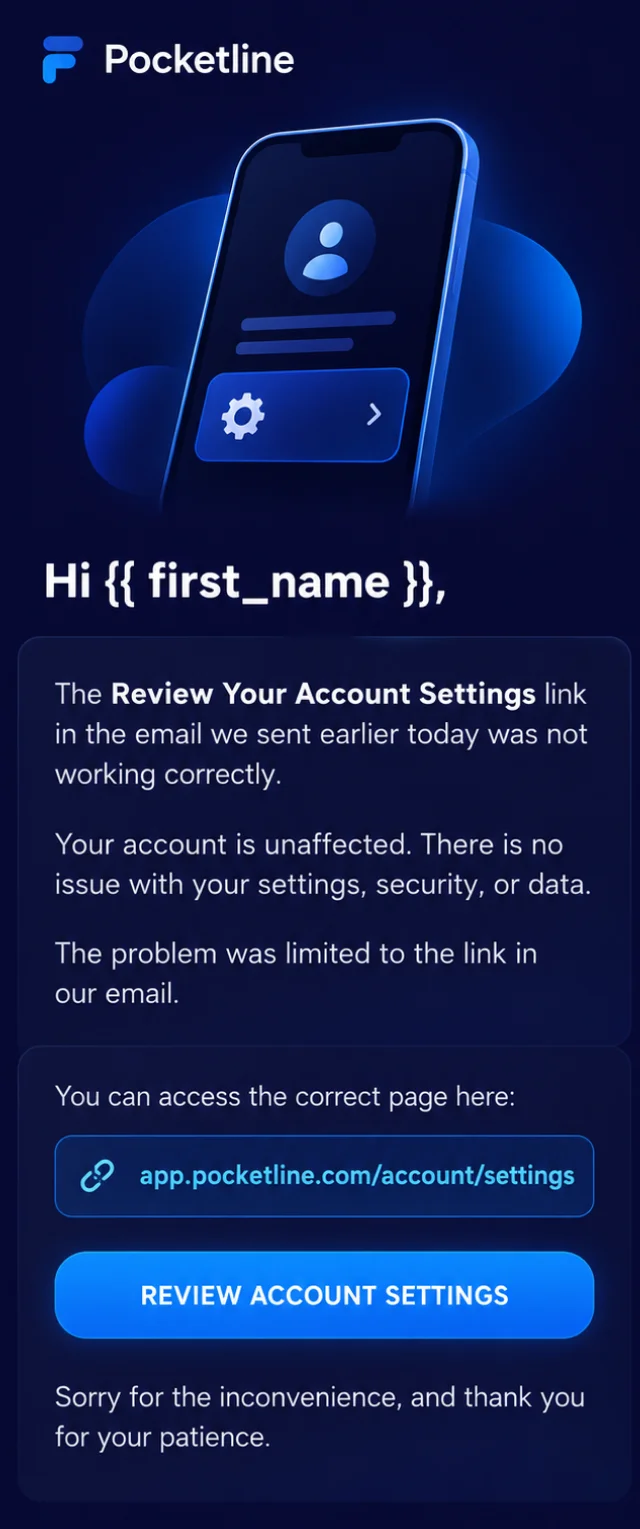
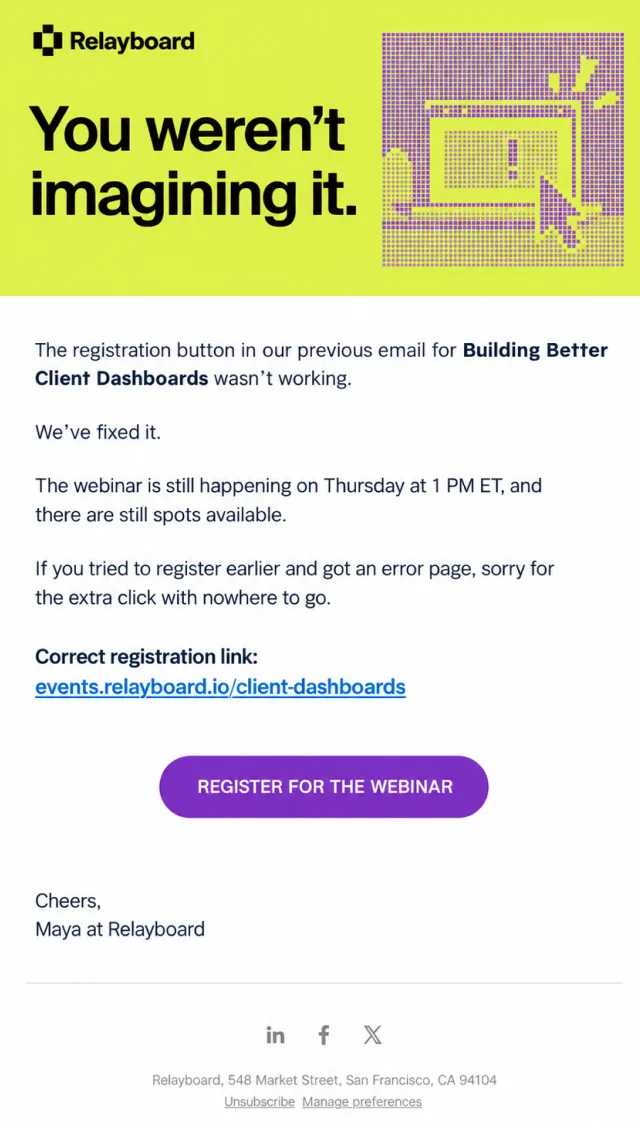
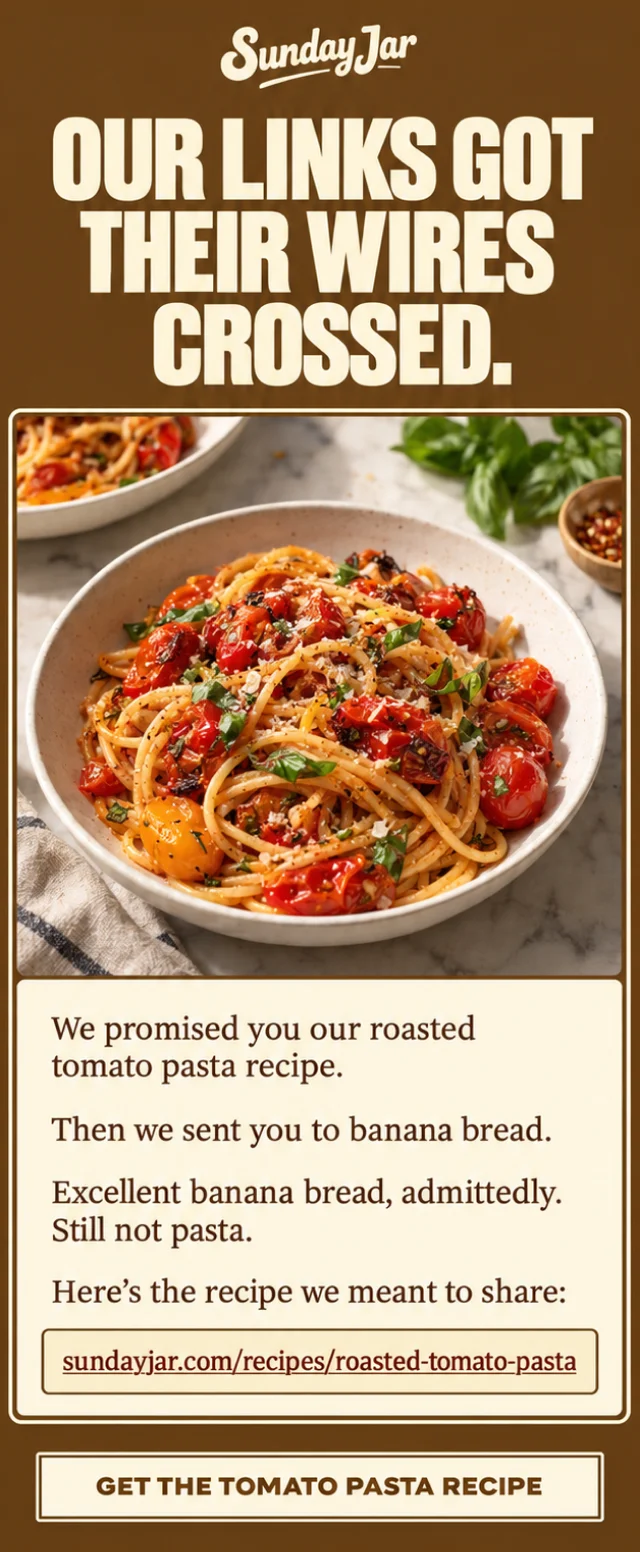
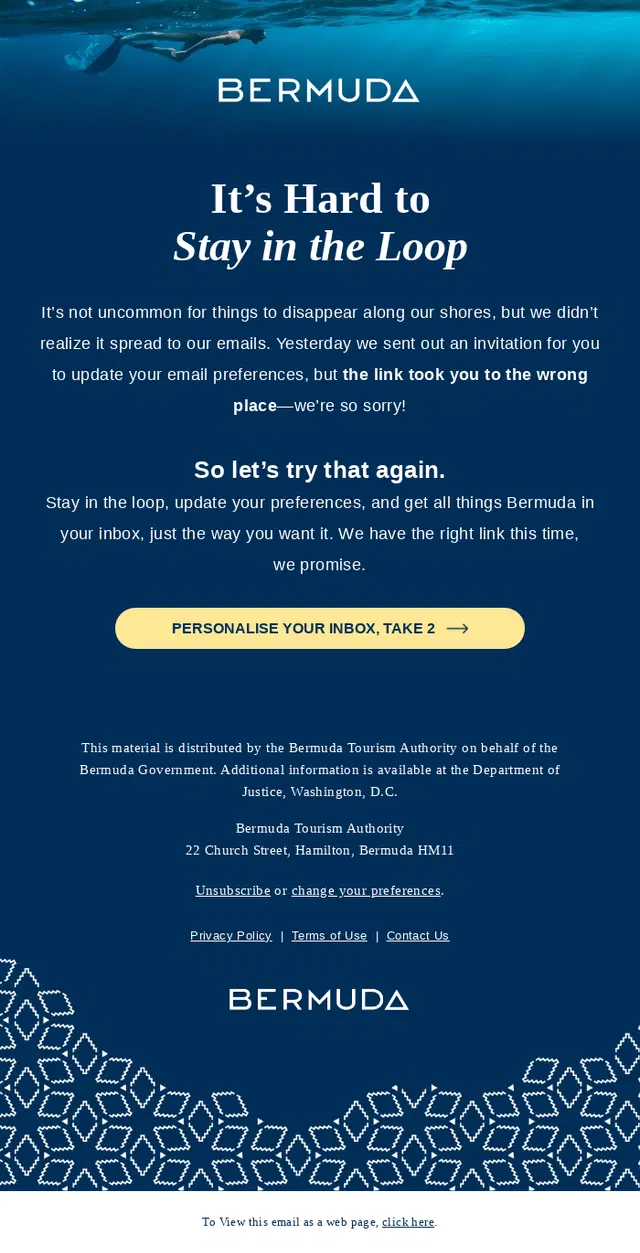
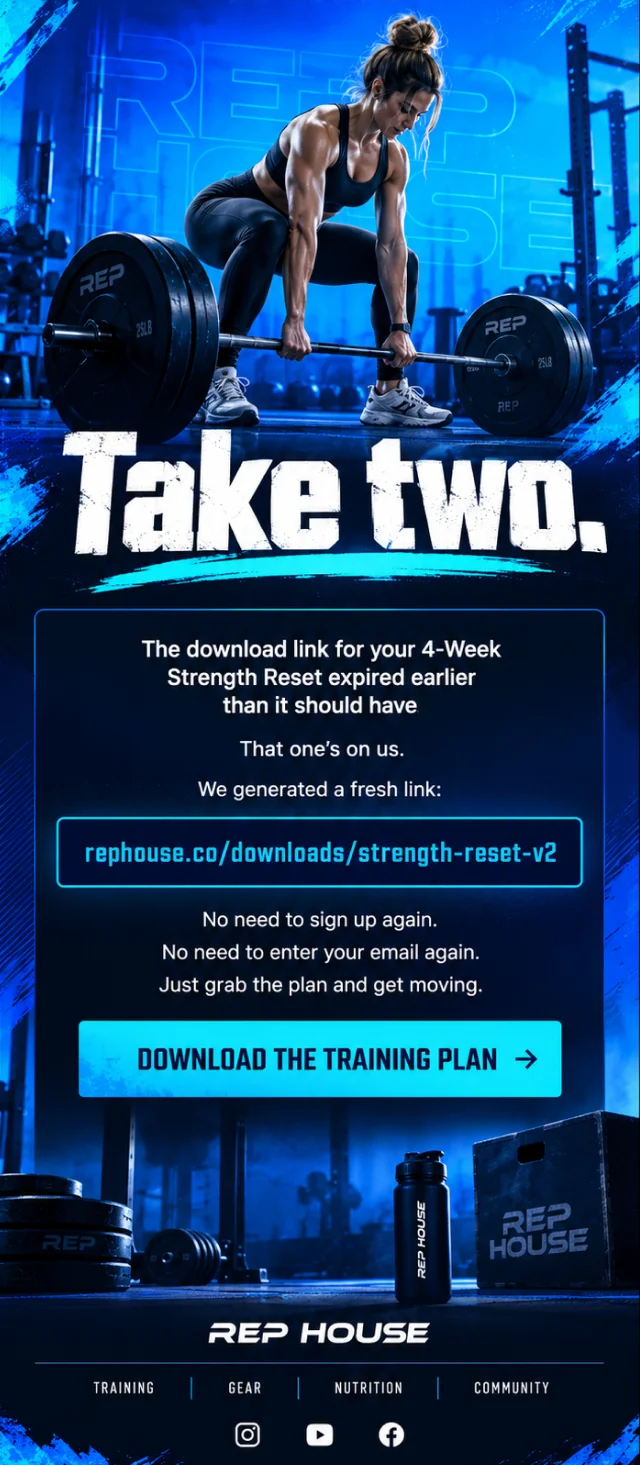
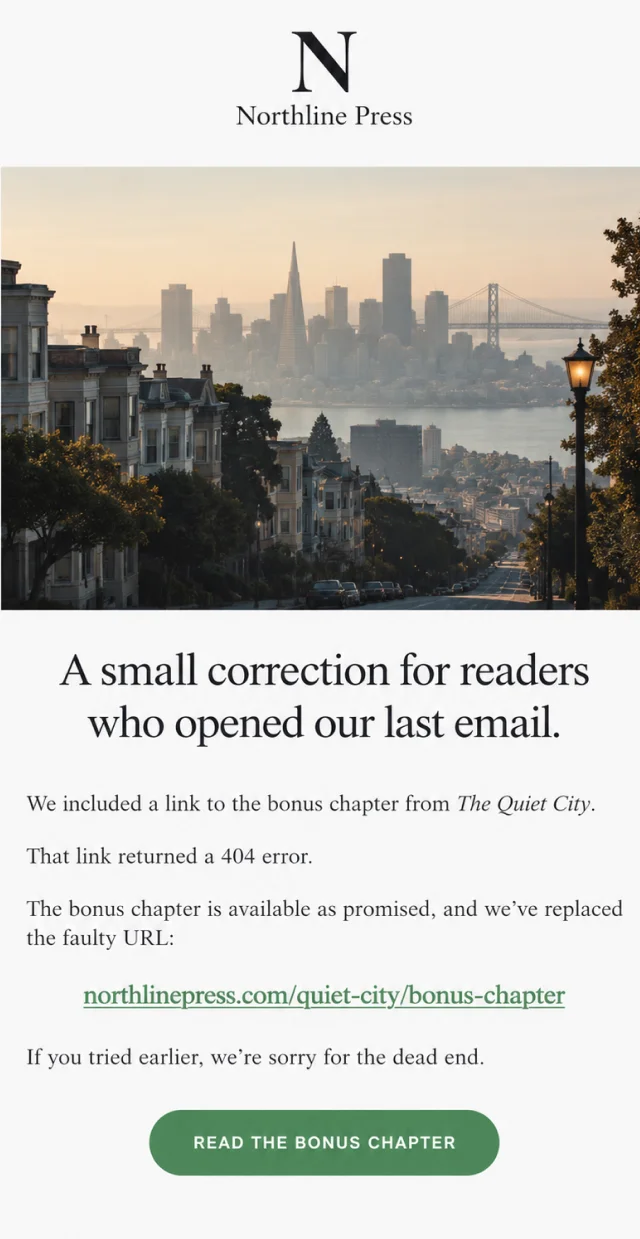
A campaign can look perfect and still fail because one button goes to the wrong place. Broken links, expired downloads, incorrect landing pages, bad tracking URLs, and buttons pointing to entirely different content are common reasons brands send an oops email.
The strongest examples don’t make subscribers hunt for the replacement. They acknowledge the broken link, provide the working one immediately, and confirm whether anything else was affected.


Pricing and Discount Error Email Examples
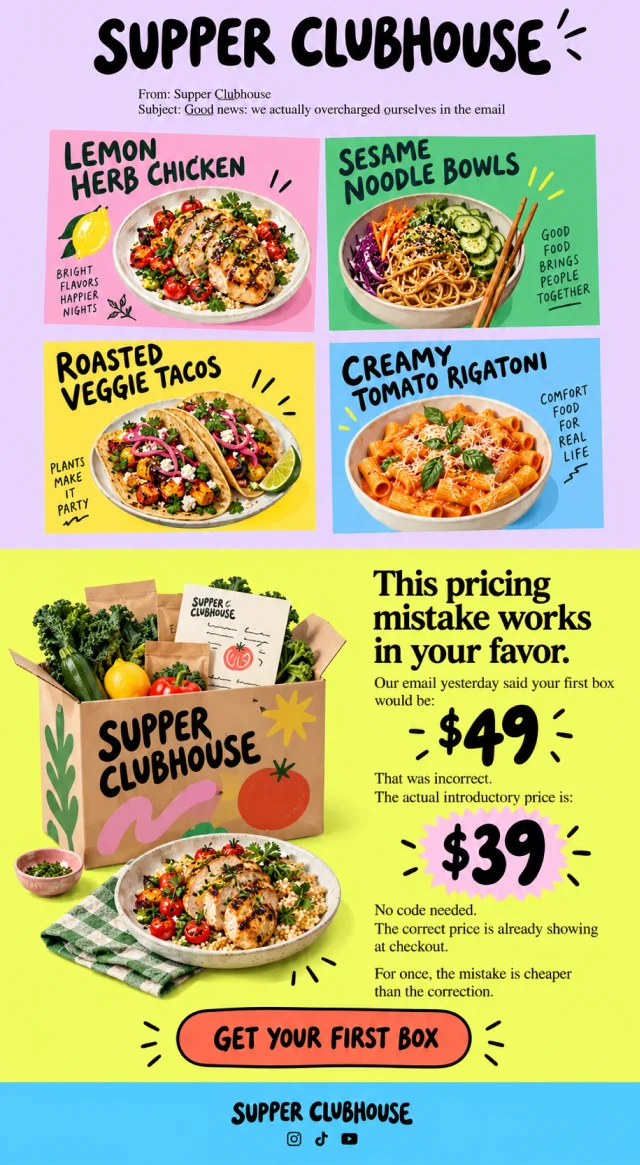
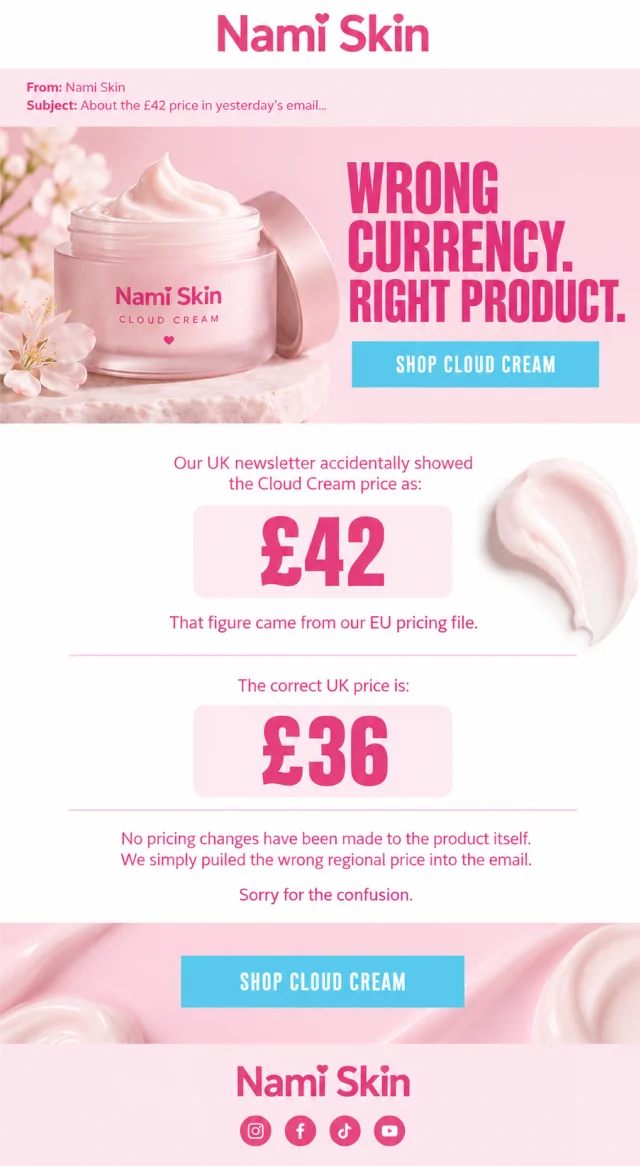
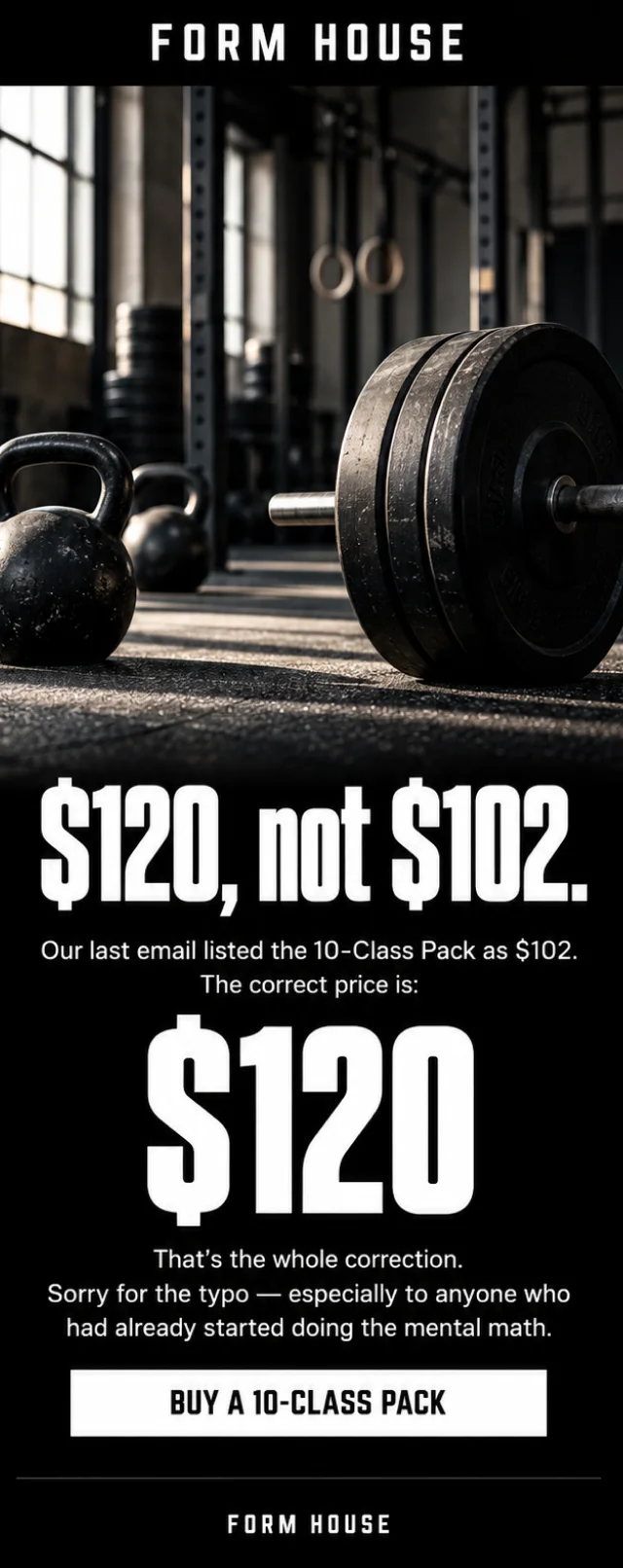
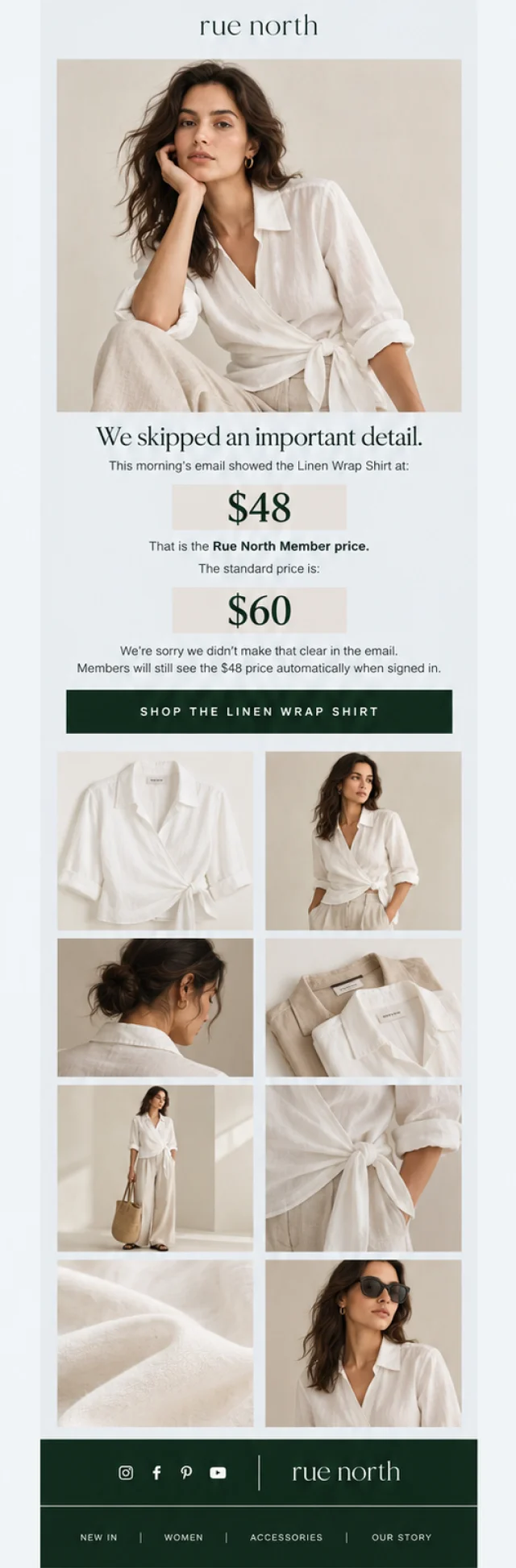
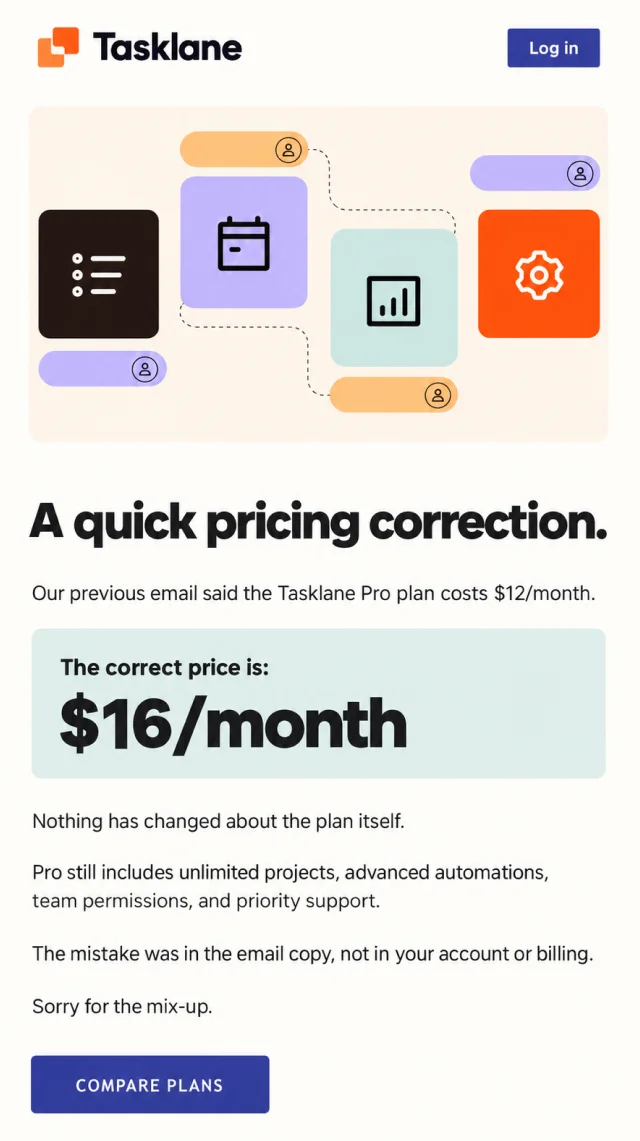
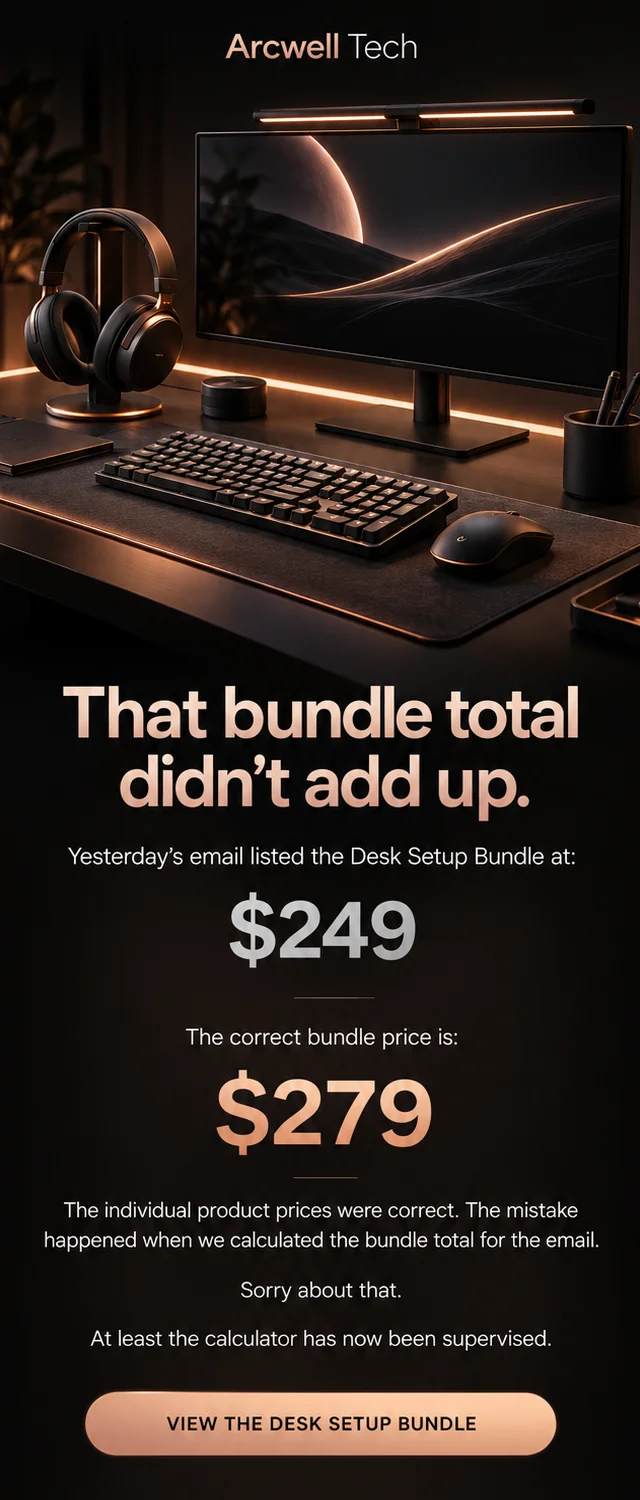
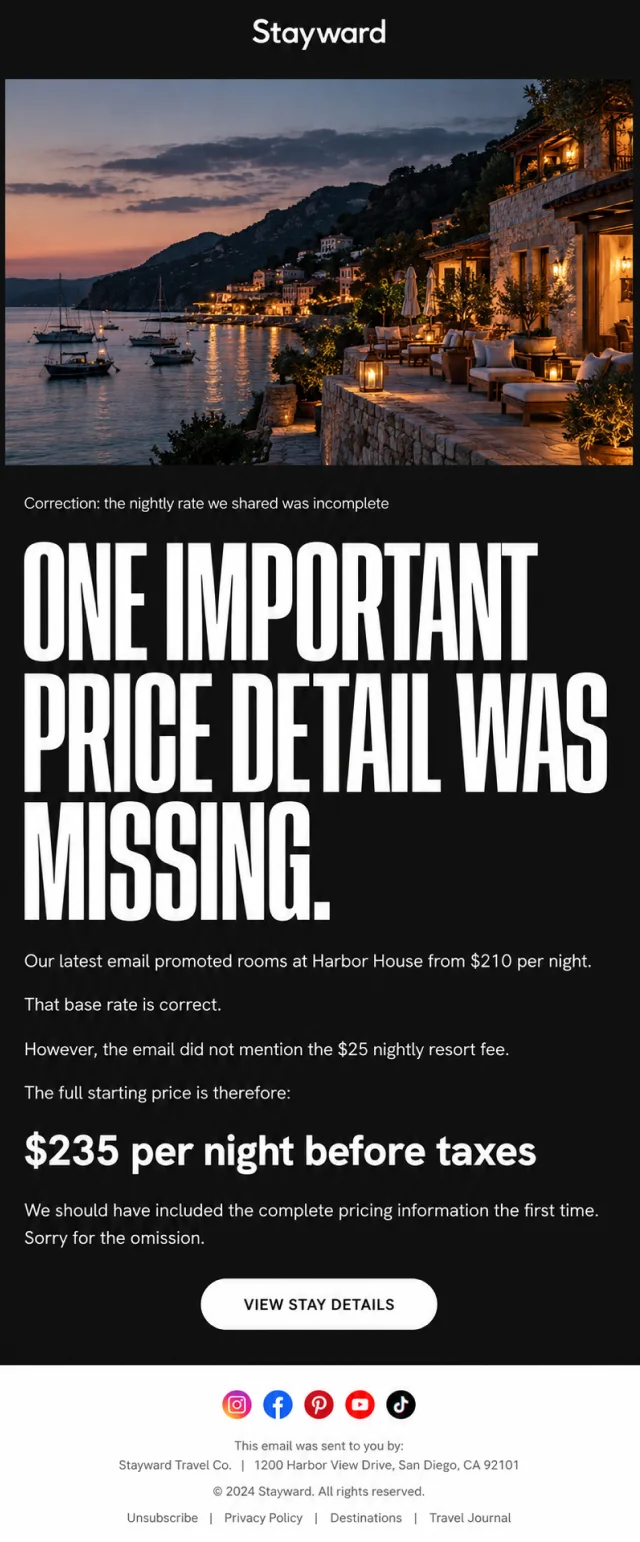
Pricing mistakes are harder to brush aside because customers may have already made a purchase decision based on the number they saw.
A pricing correction email might fix an incorrect product price, installment amount, regional price, discount percentage, member rate, bundle total, or missing fee.
These examples show how brands explain the discrepancy and clarify what customers will actually pay. Some mistakes work in the customer’s favor. Others require a more careful apology because the corrected price is higher.


Promo Code Correction Email Examples
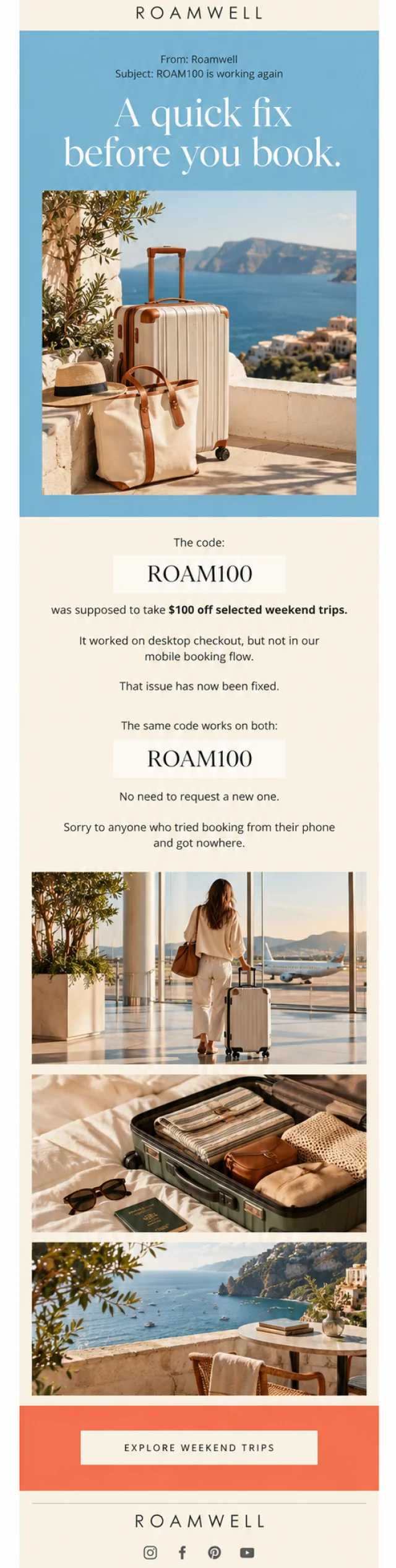
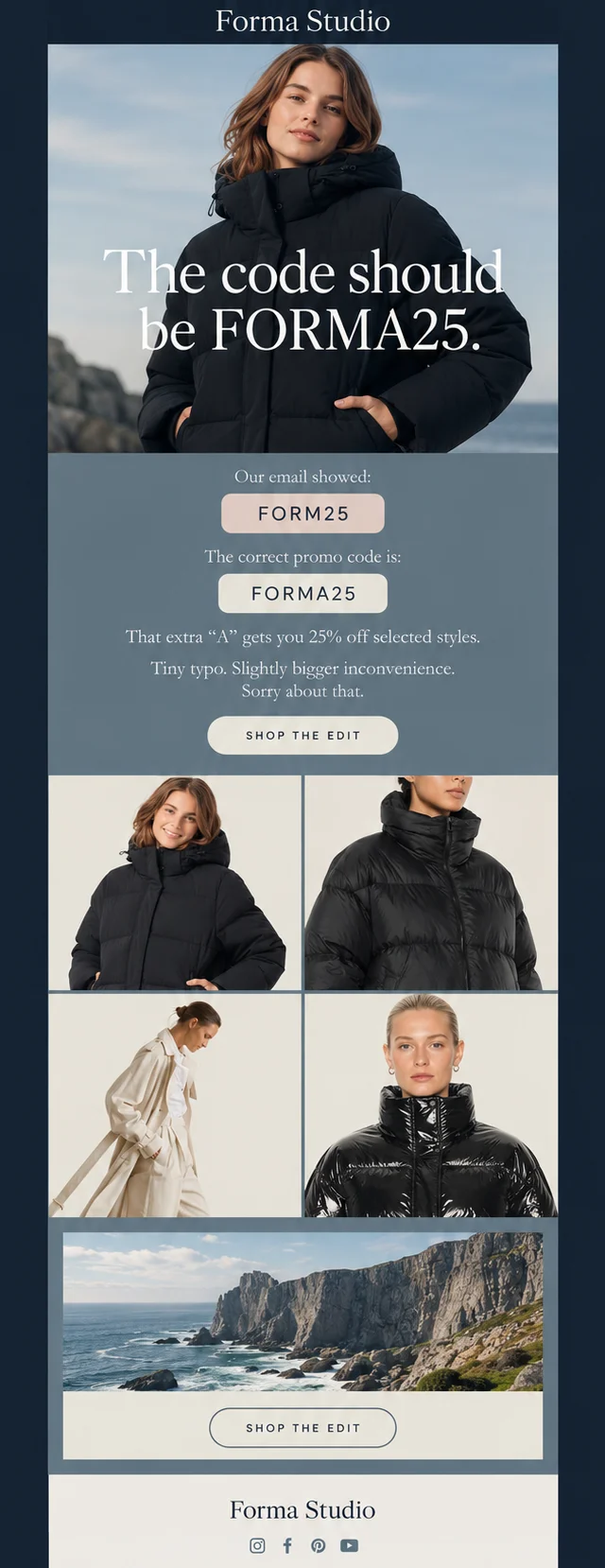
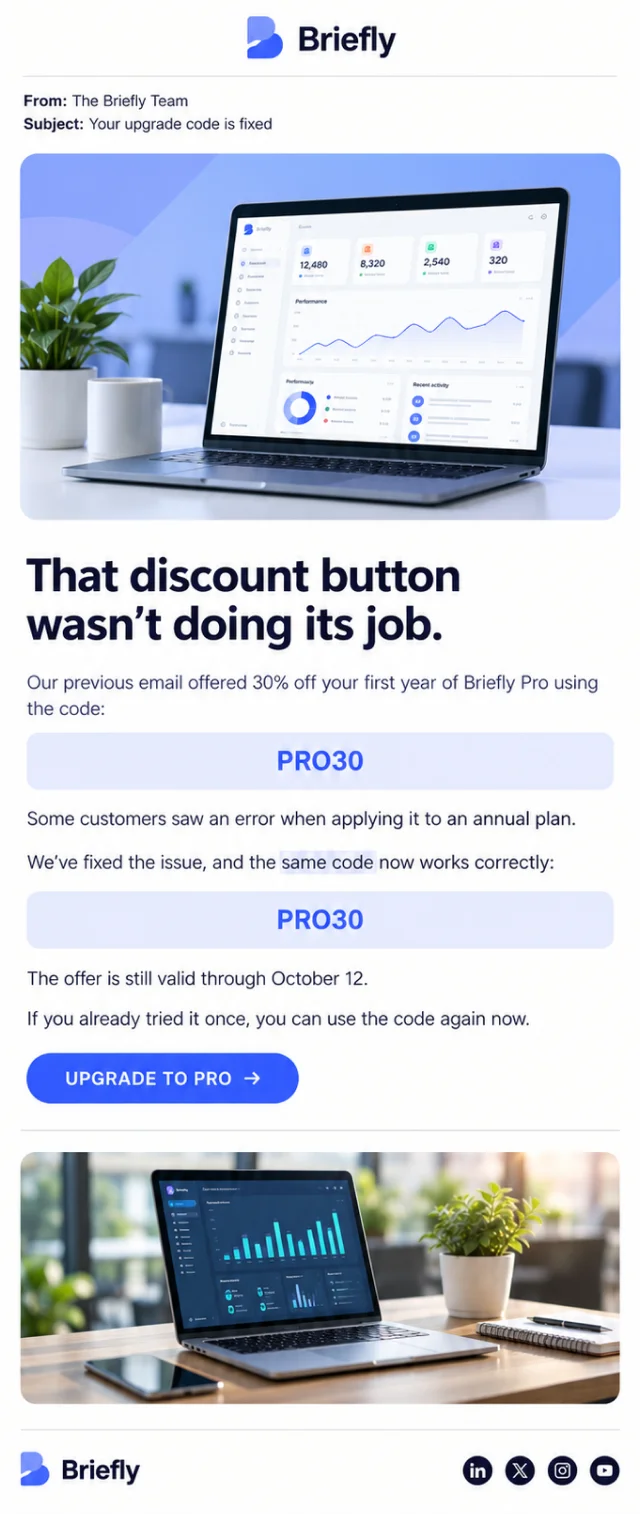
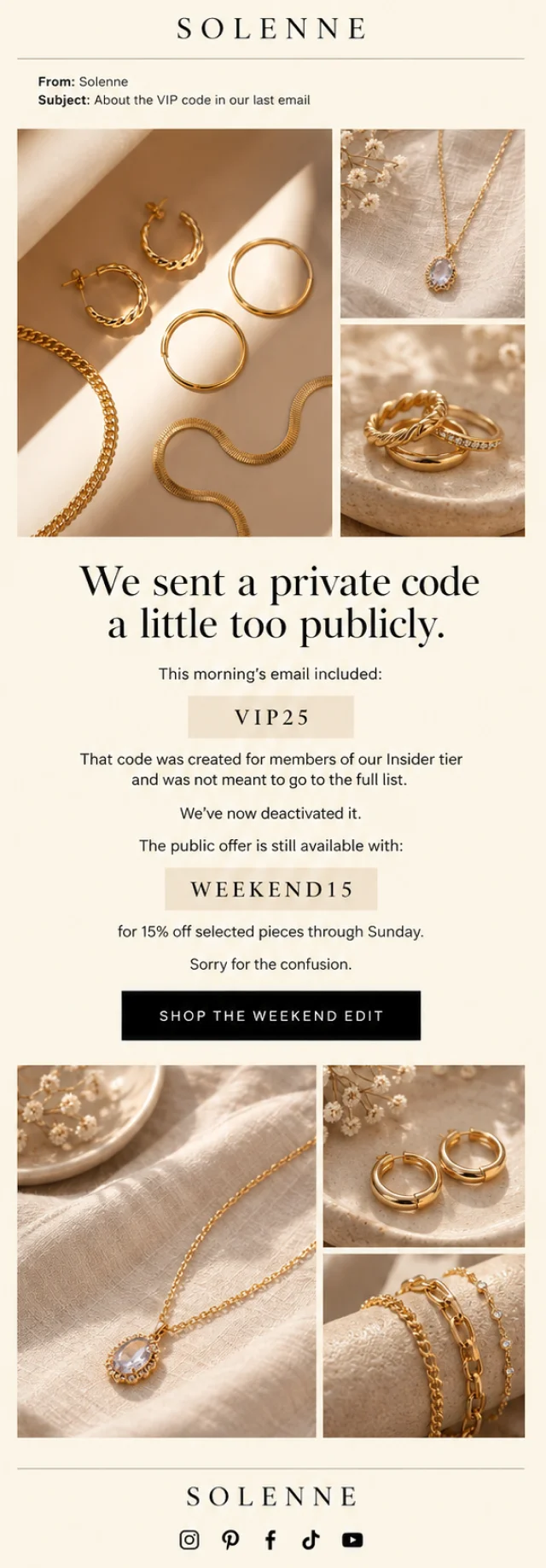
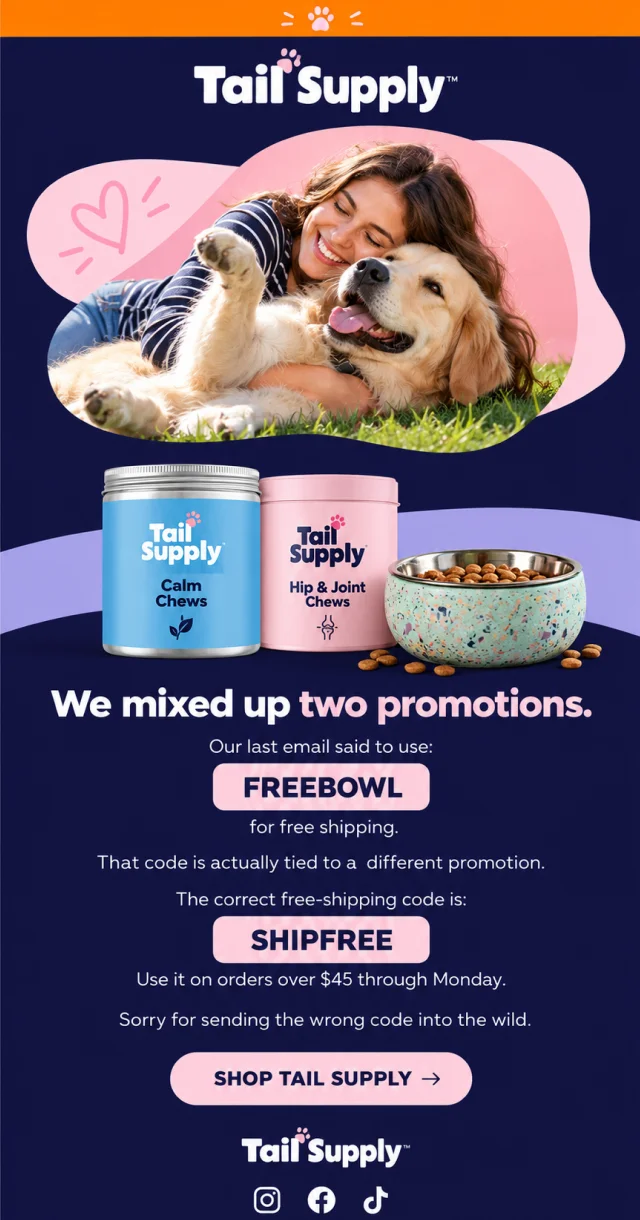
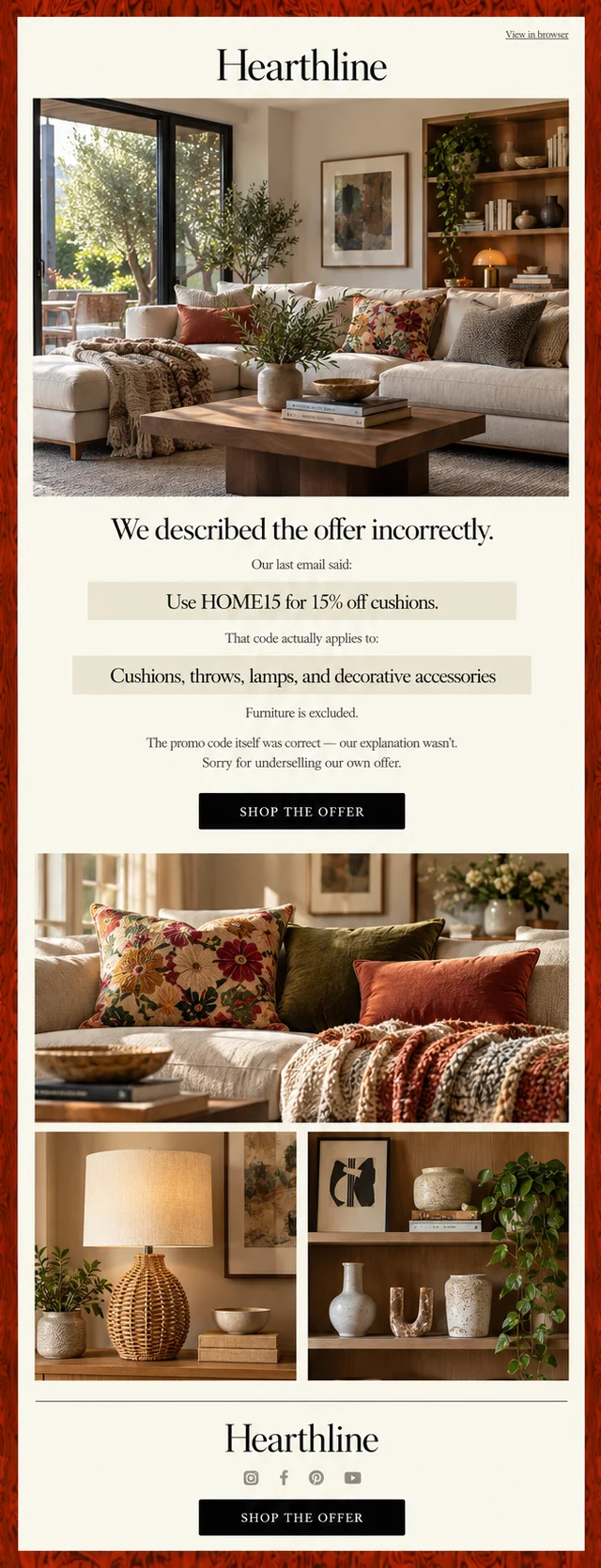
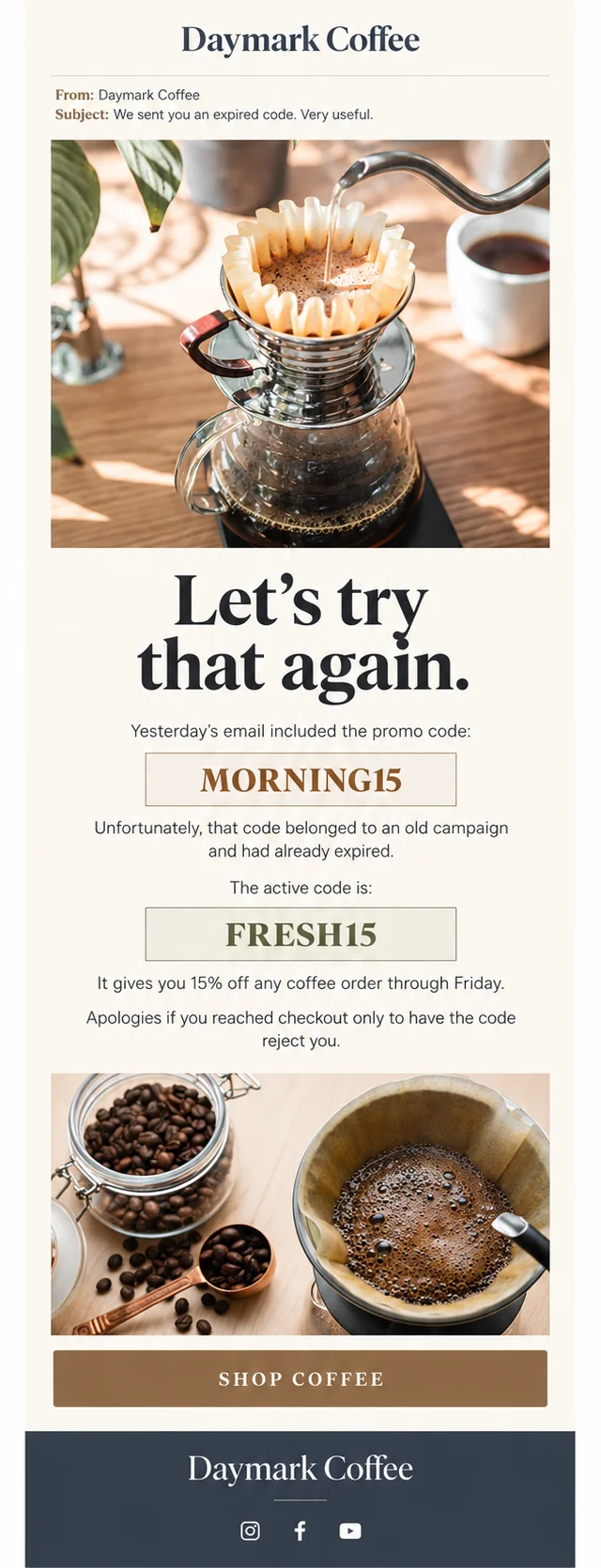
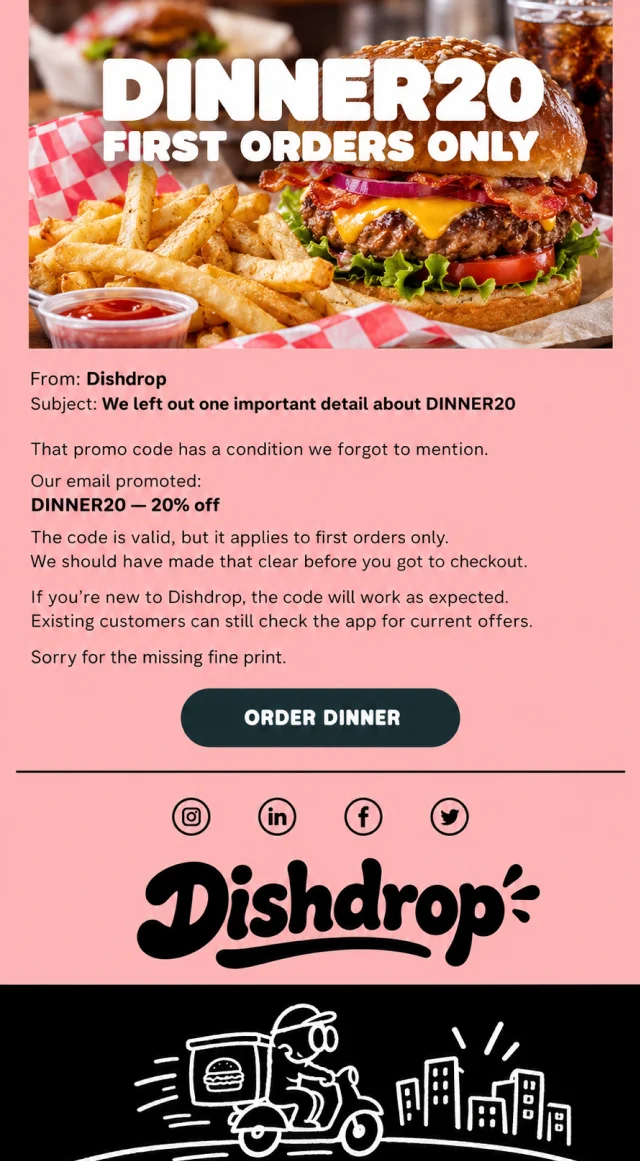
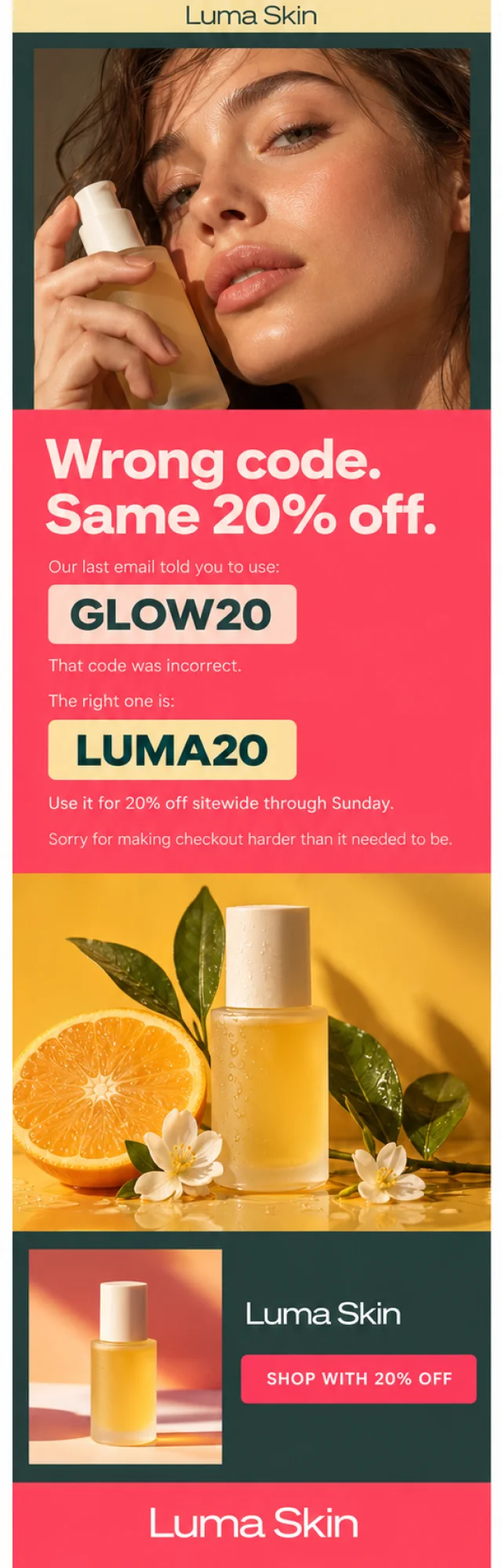
Promo codes create their own collection of email mishaps. Sometimes the wrong code is sent. Sometimes a valid code doesn’t work. Other campaigns forget an important condition, use an expired promotion, or accidentally share a private offer with the entire list.
A good promo code correction email puts the working code or corrected terms where they are impossible to miss. These examples show several ways to fix the problem without making checkout even more confusing.
Product and Inventory Correction Emails
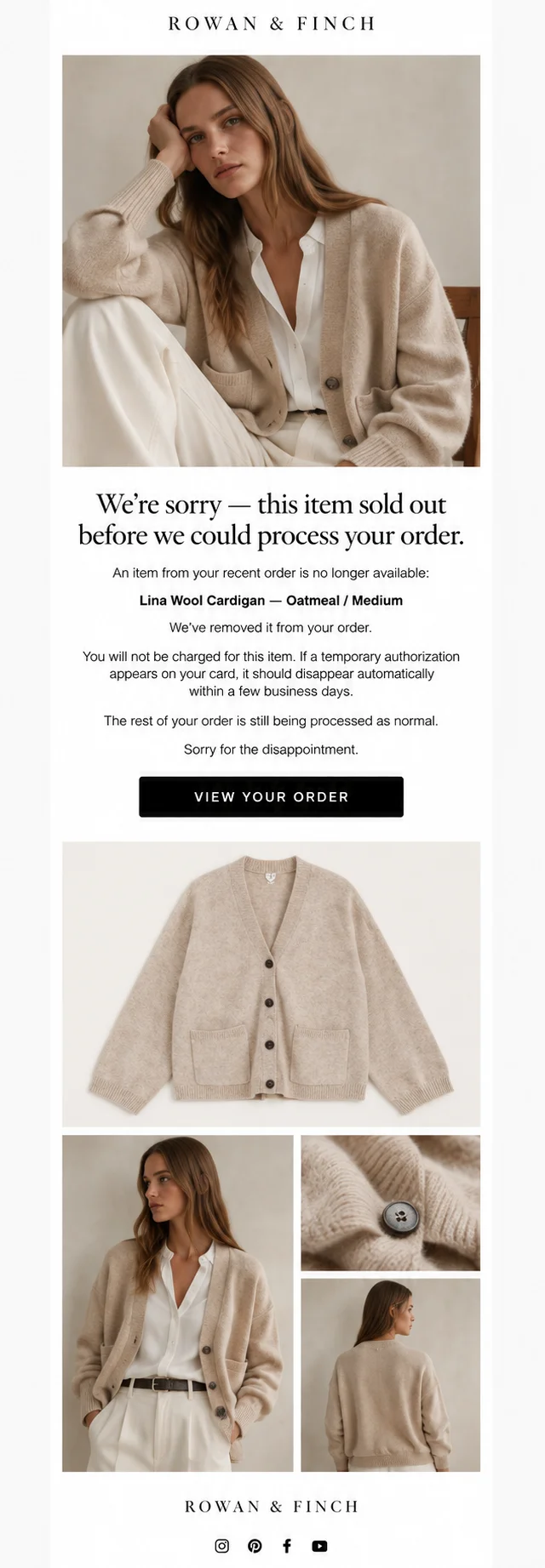
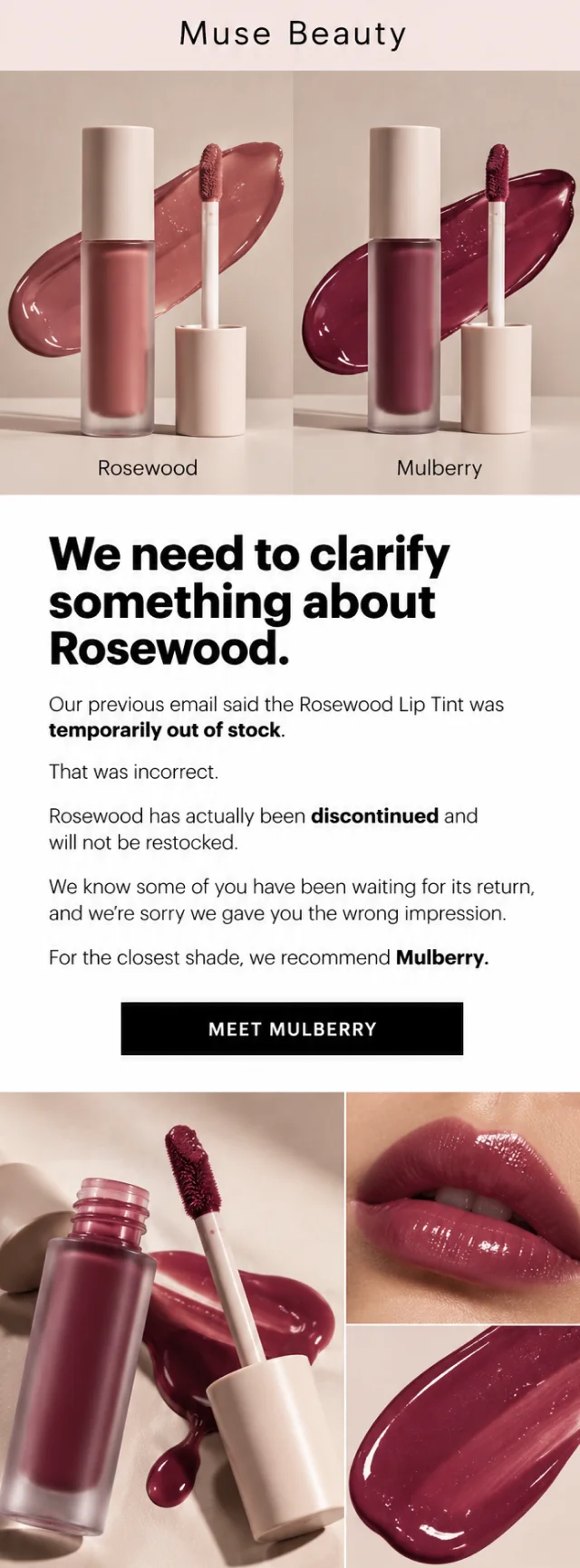
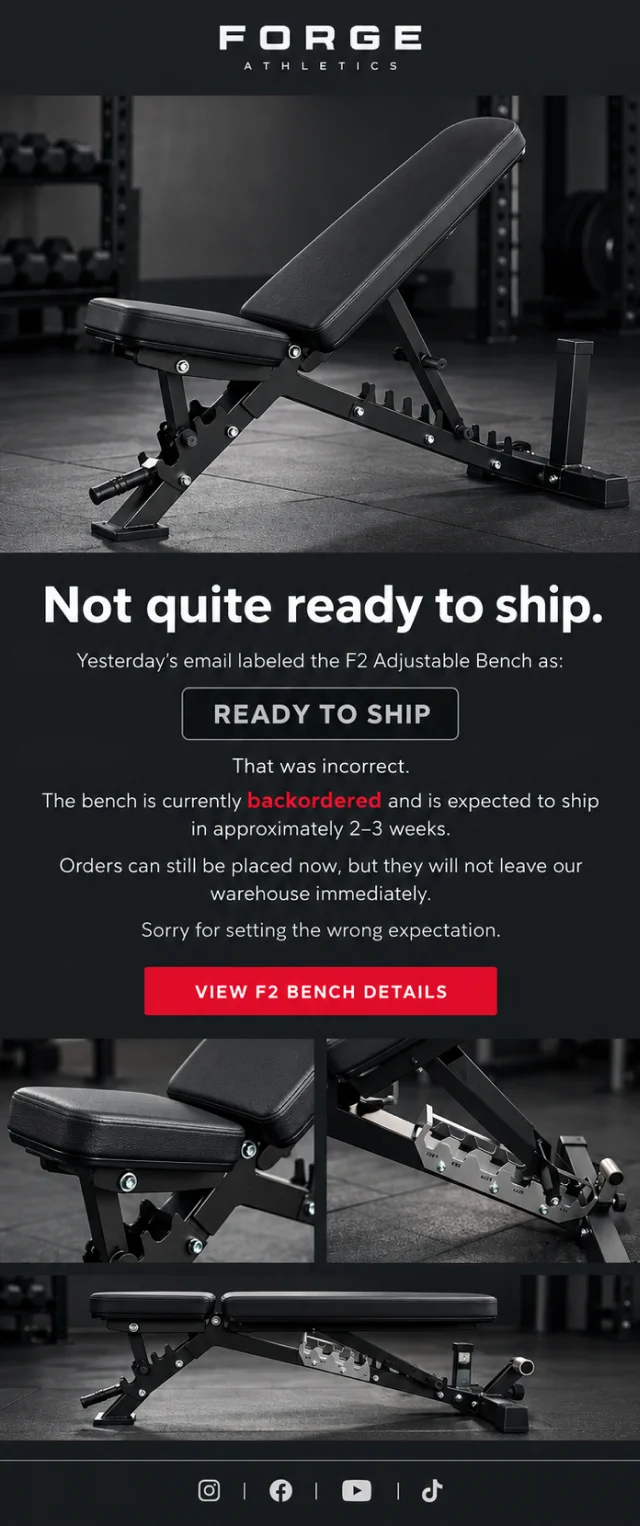
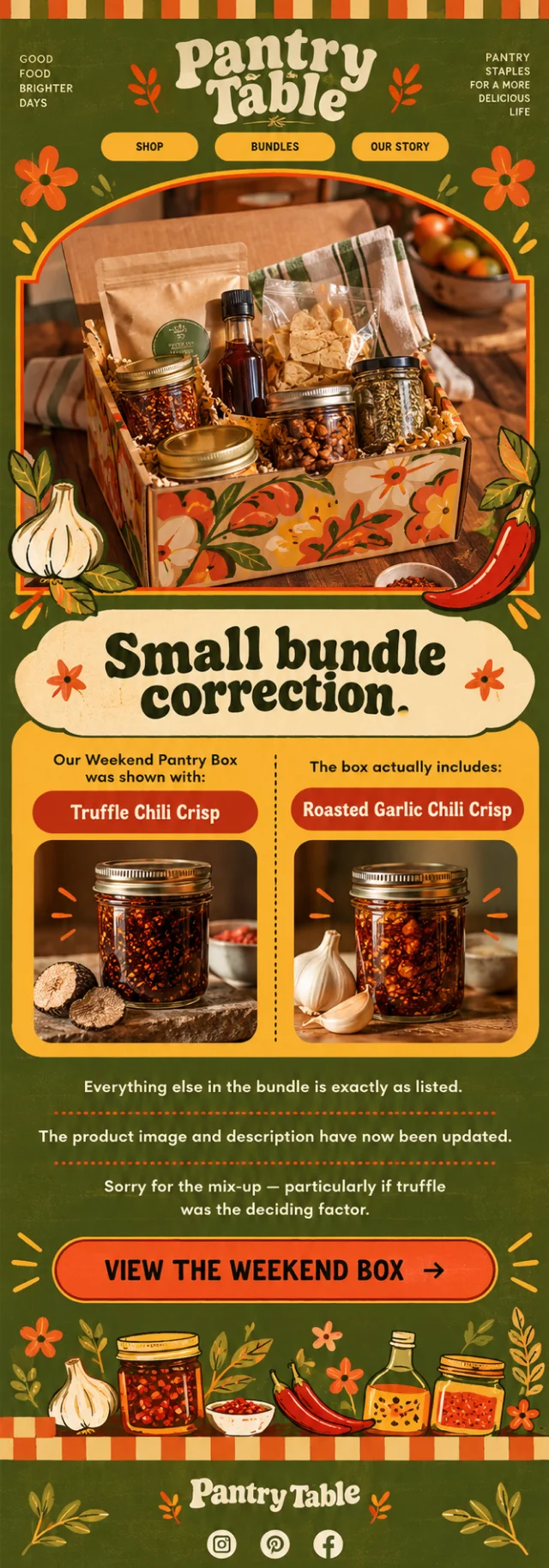
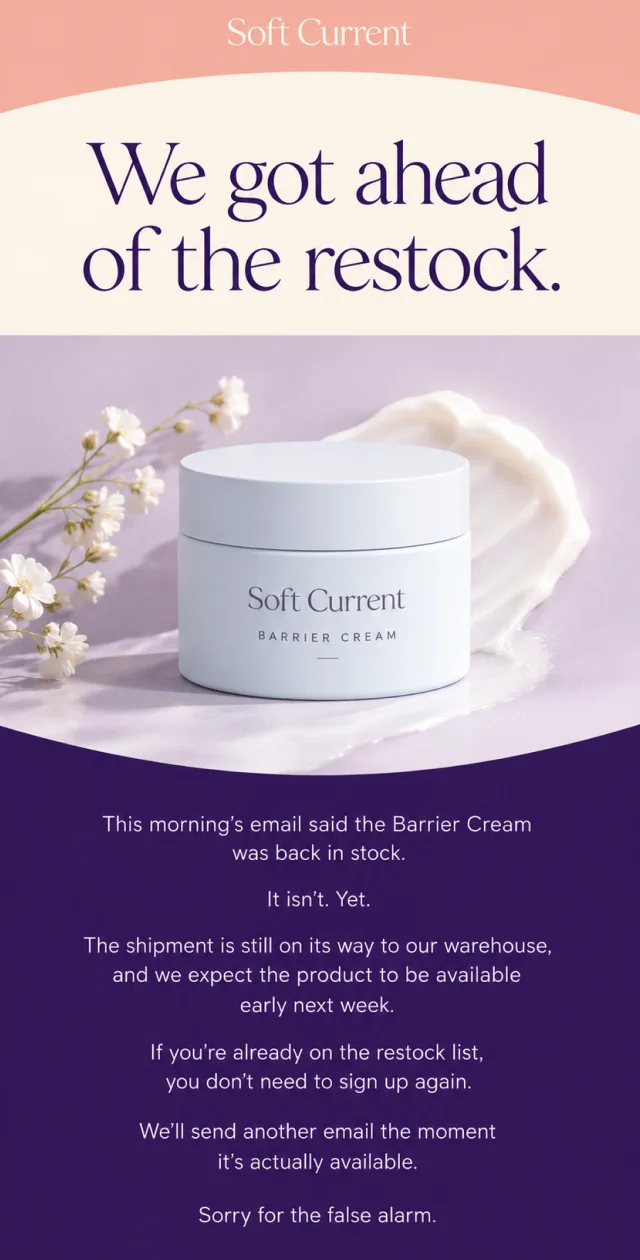
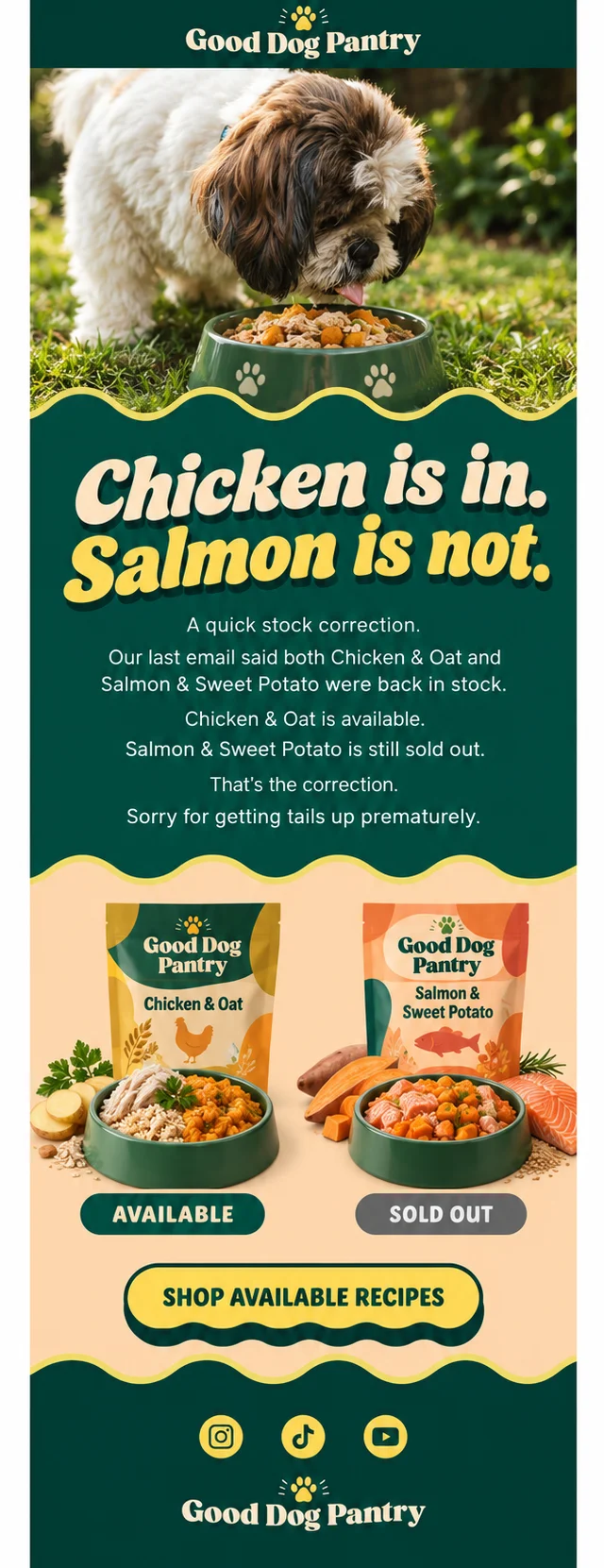
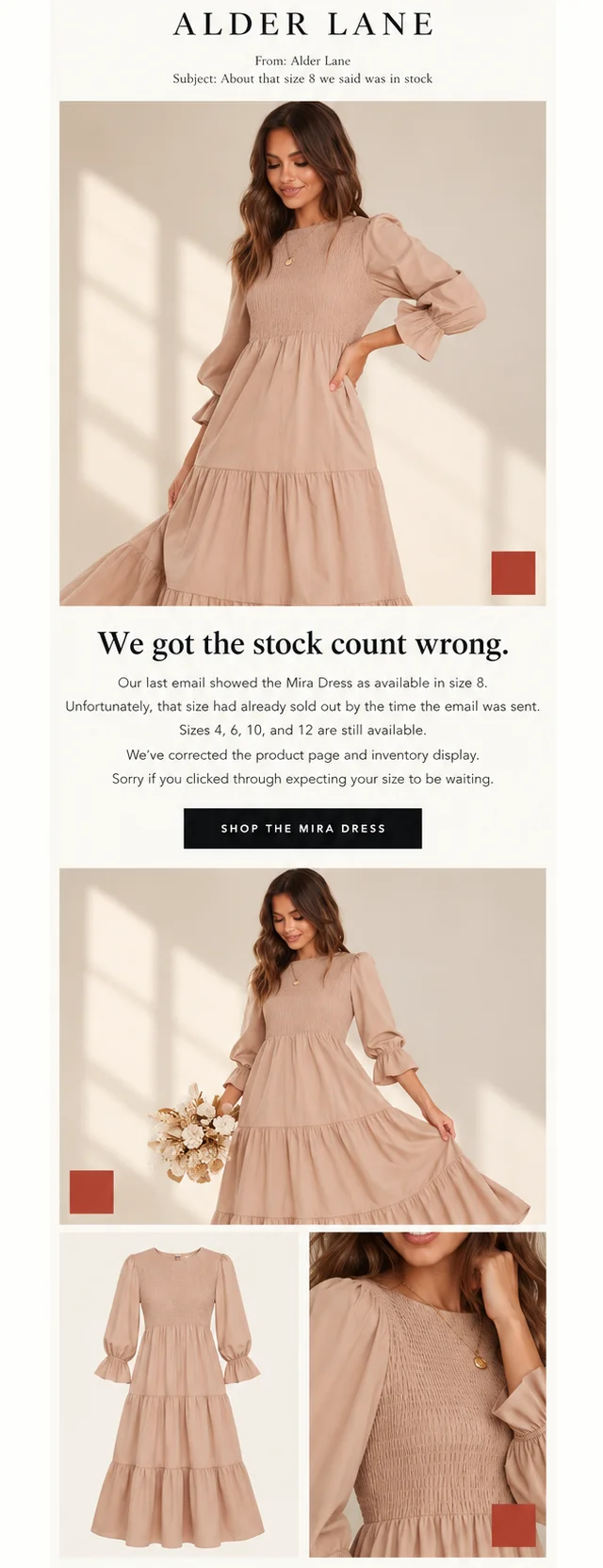
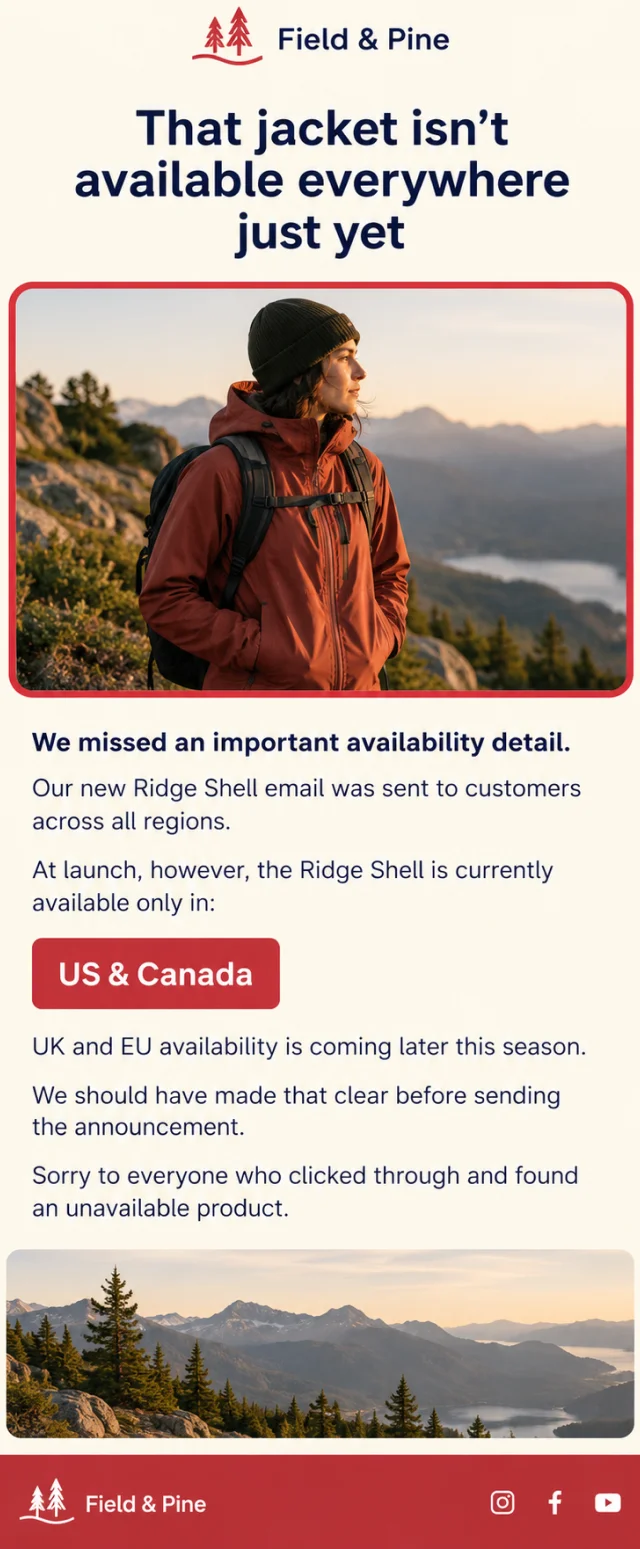
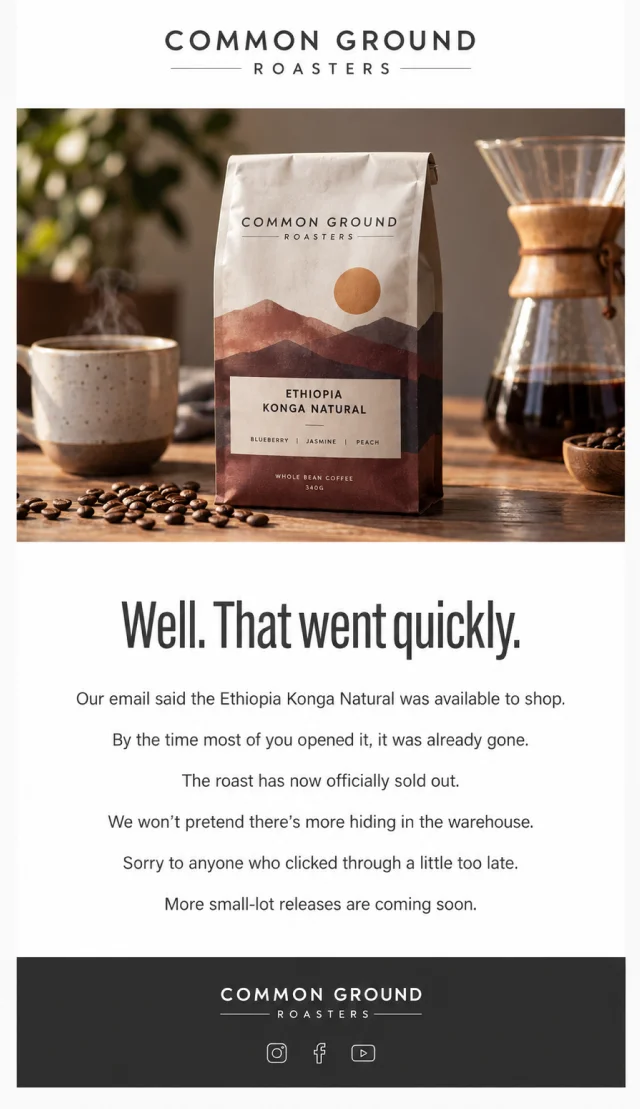
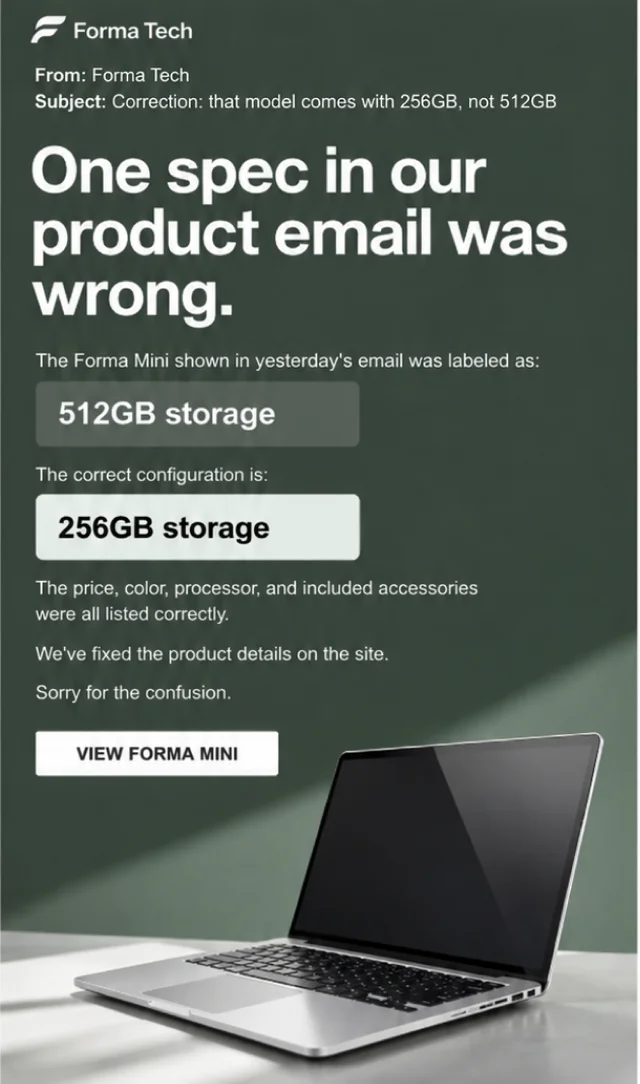
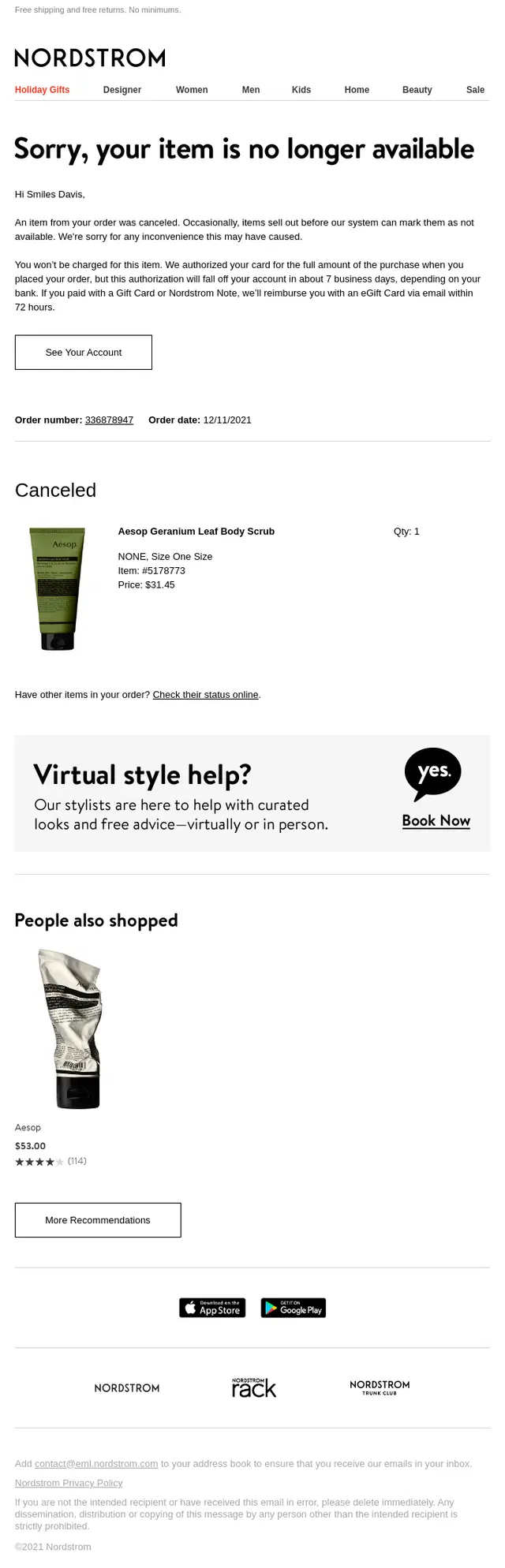
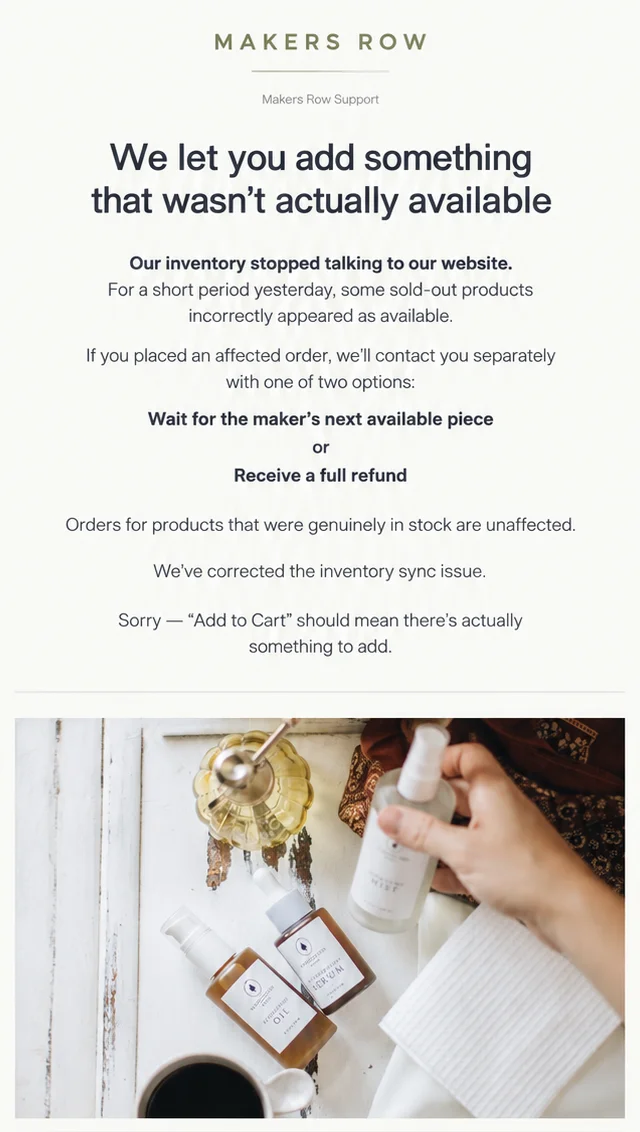
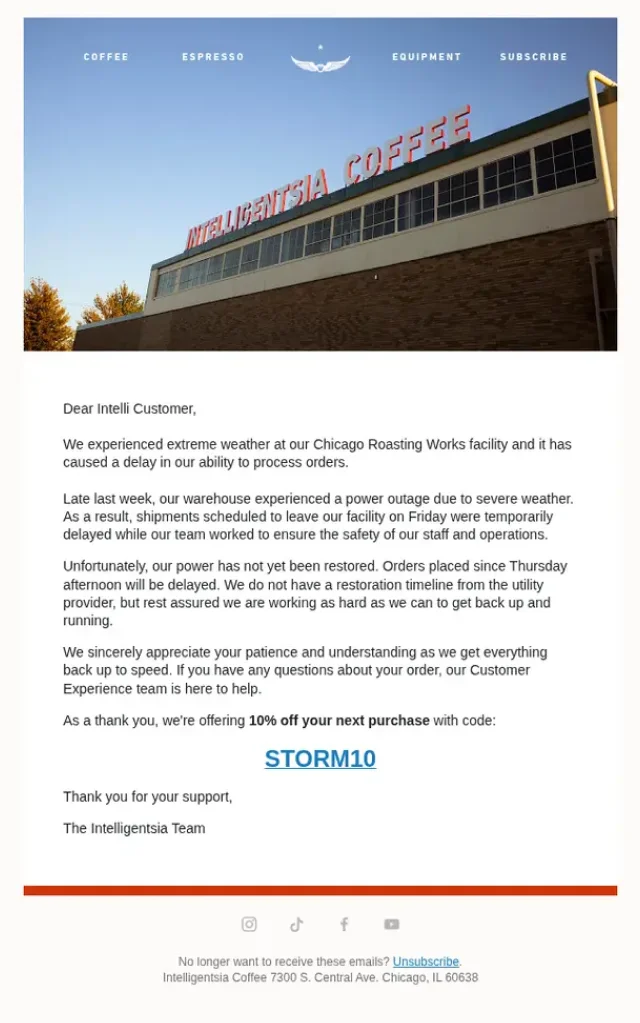
Stock changes quickly, and email doesn’t always keep up. A product may sell out between campaign setup and send time. An item marked as back in stock may still be on its way to the warehouse. A size, color, ingredient, specification, or bundle component may also be listed incorrectly.
These product and inventory correction emails show how brands handle unavailable items, inaccurate stock information, discontinued options, specification errors, and orders that can no longer be fulfilled as expected.

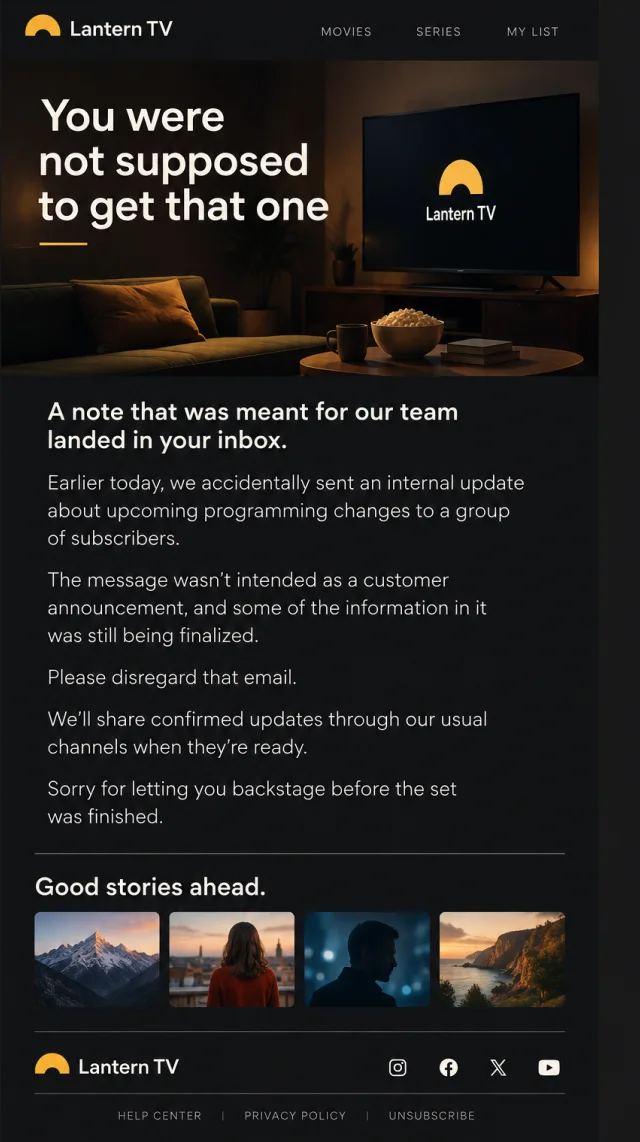
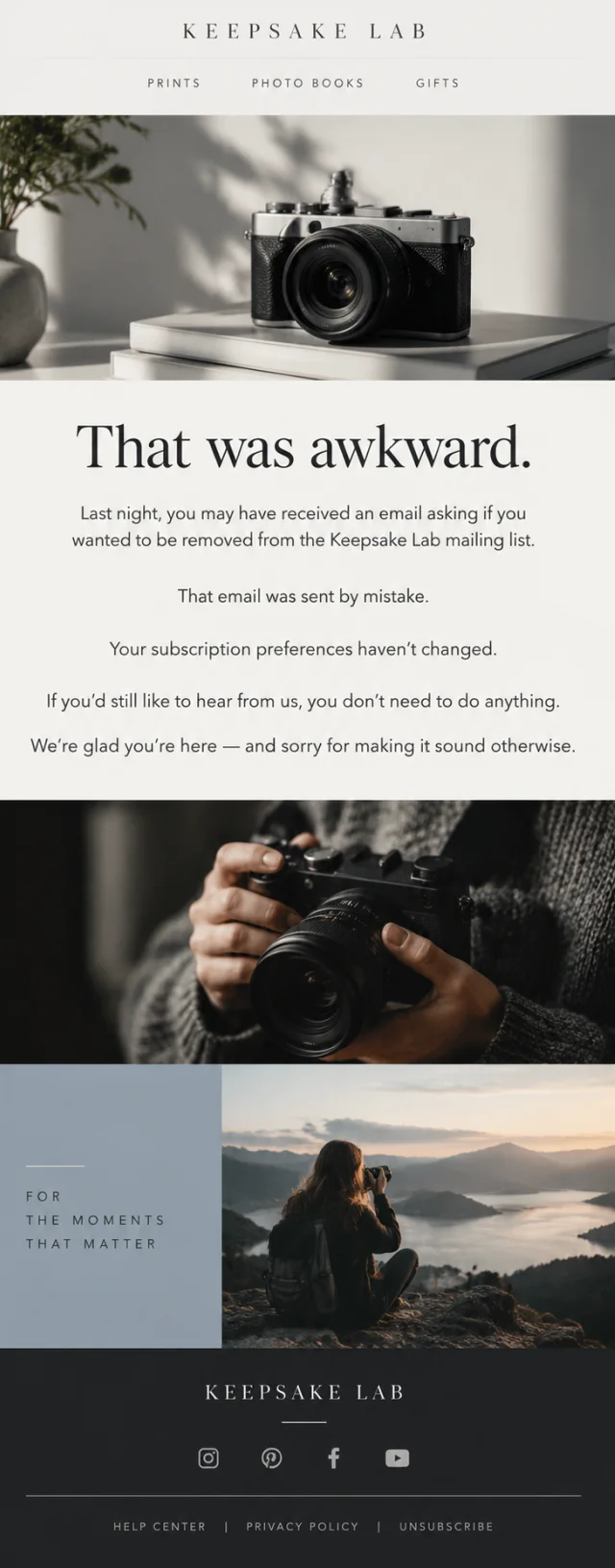
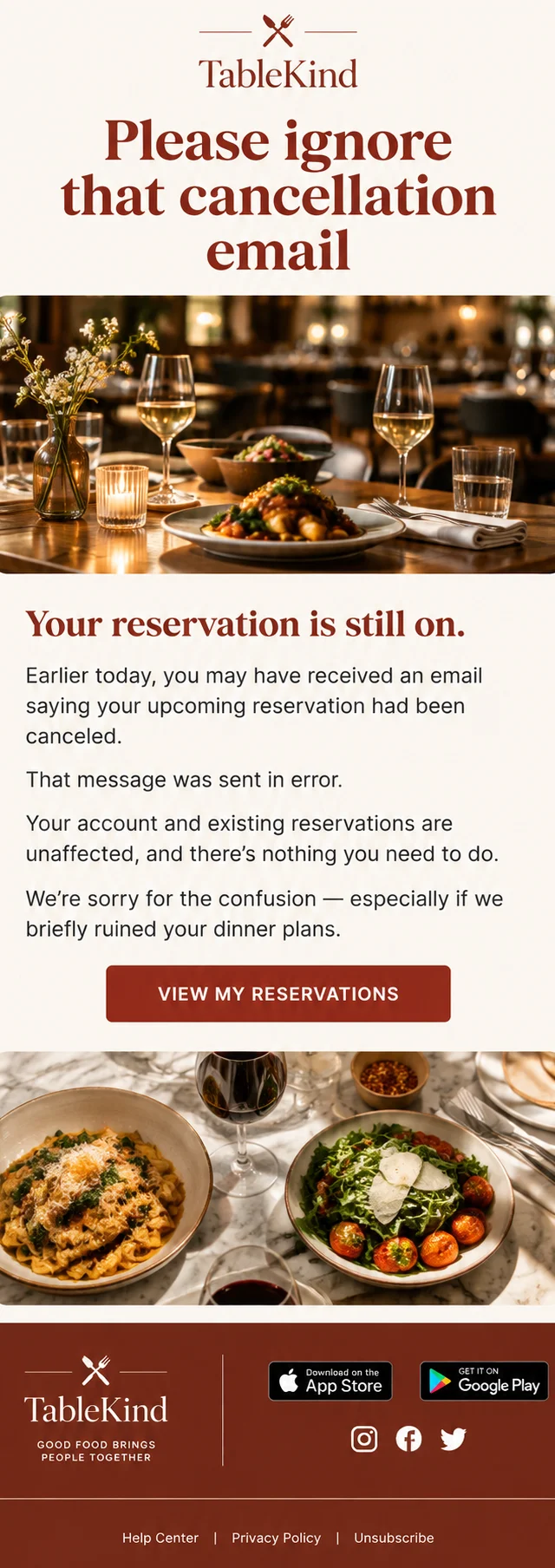
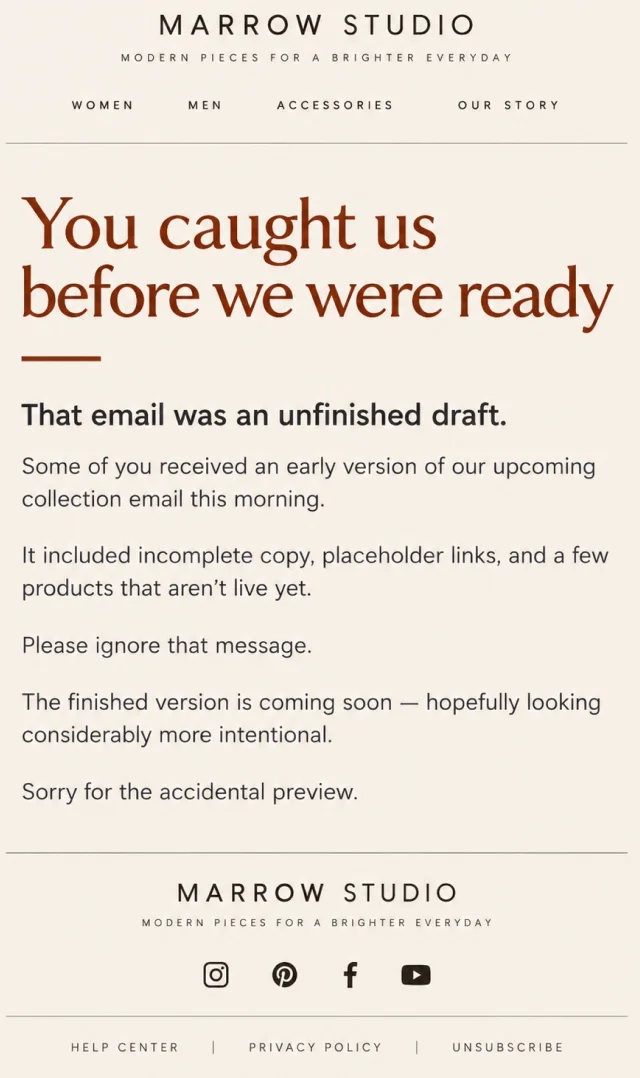
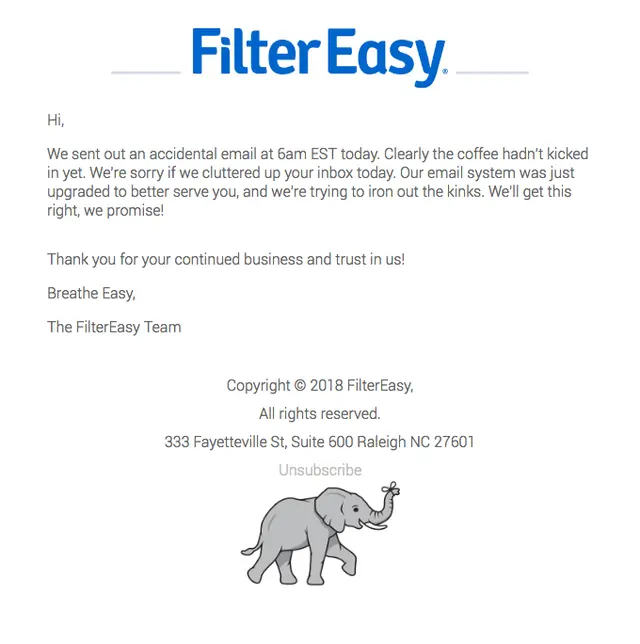
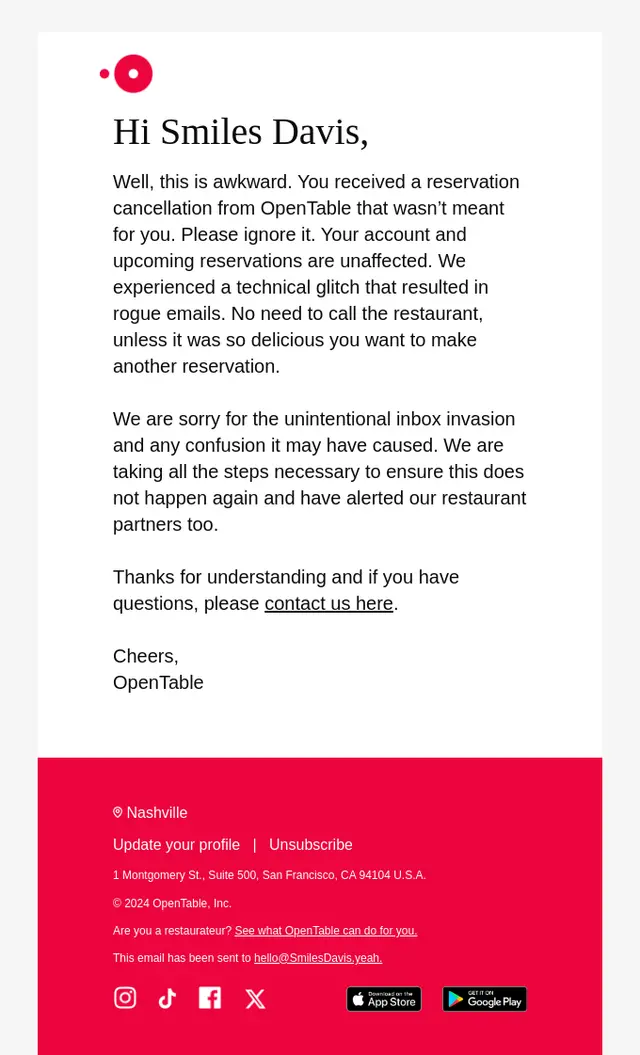
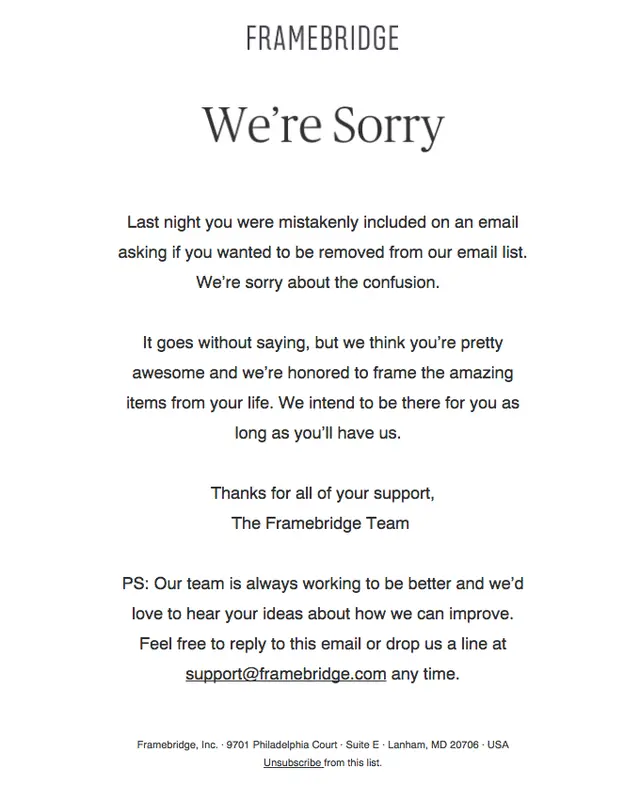
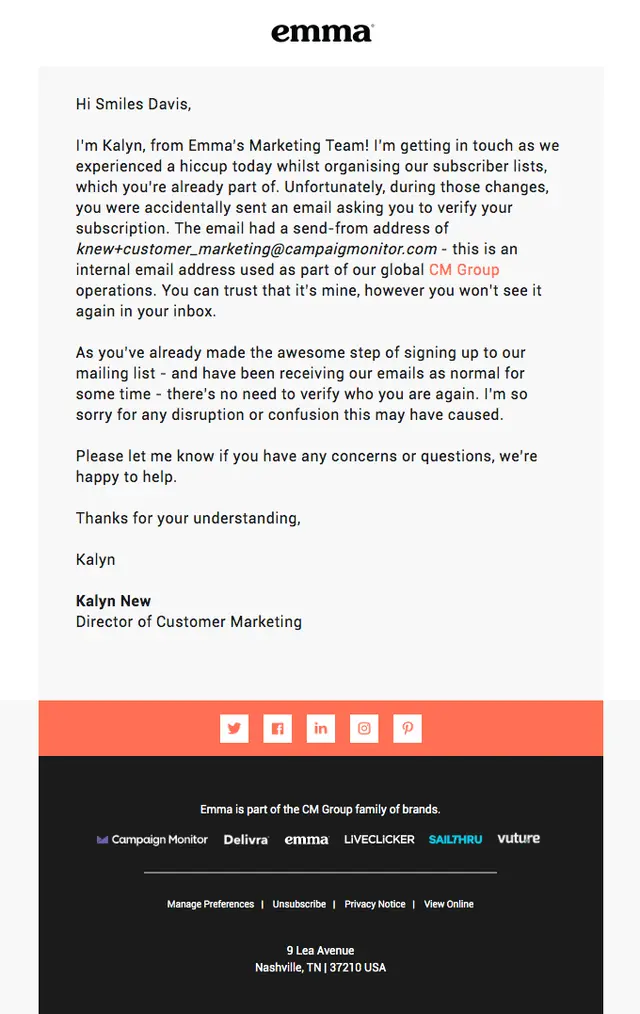
Accidental Email Send Examples
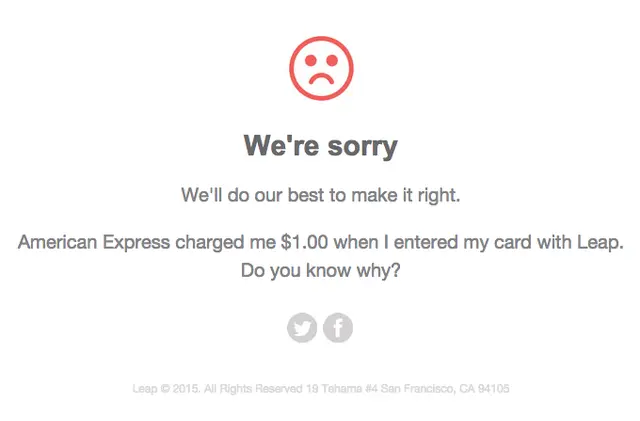
Sometimes the mistake isn’t inside the email. The mistake is sending the email at all.
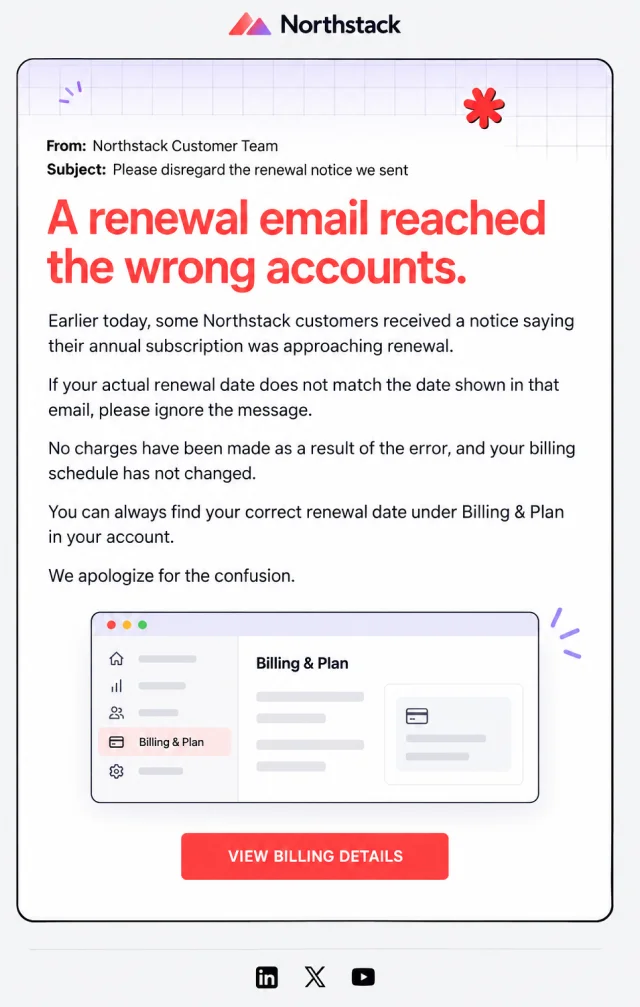
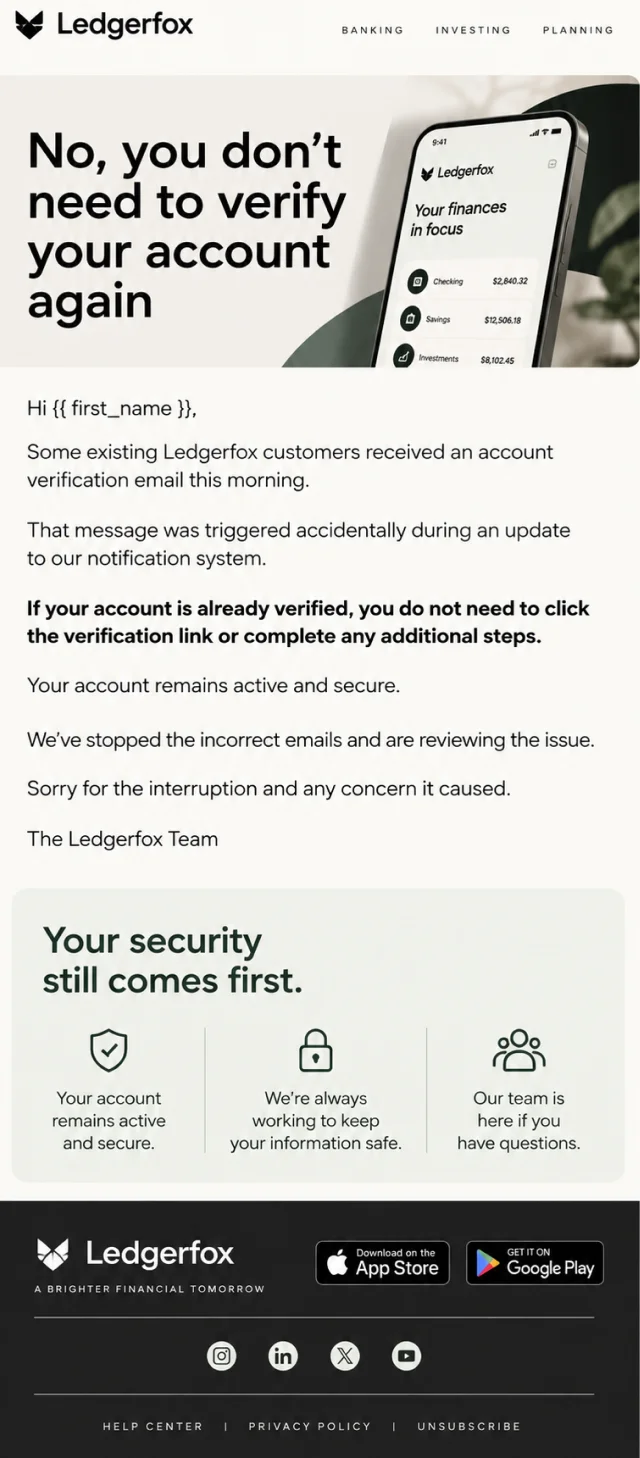
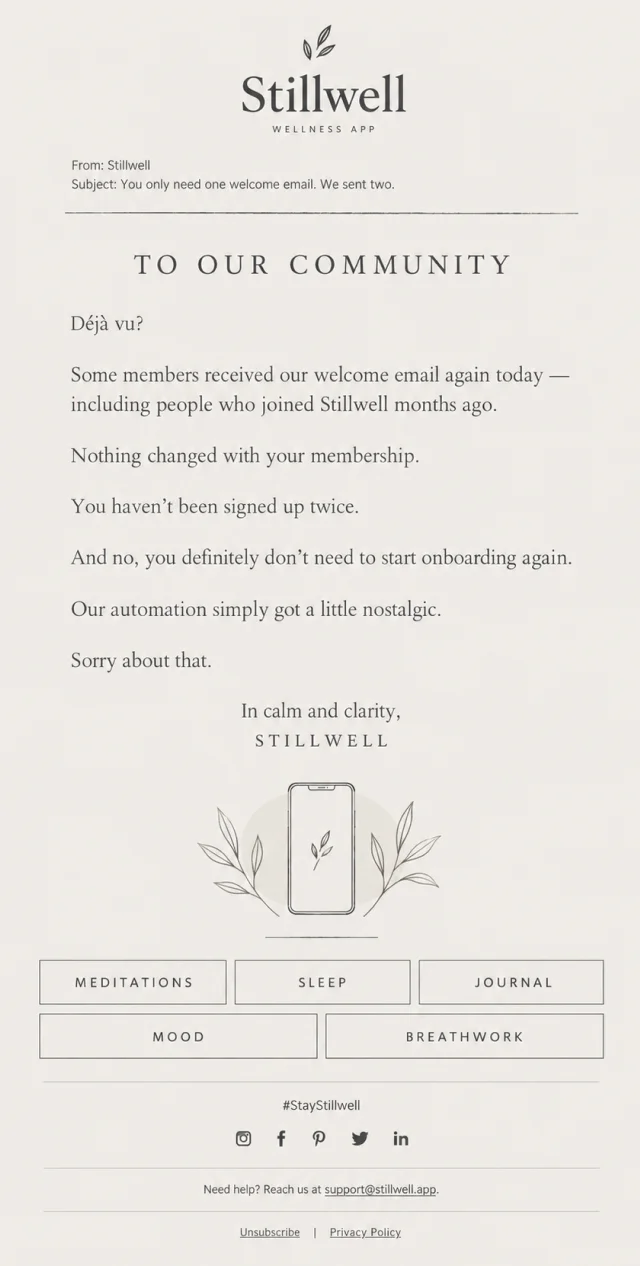
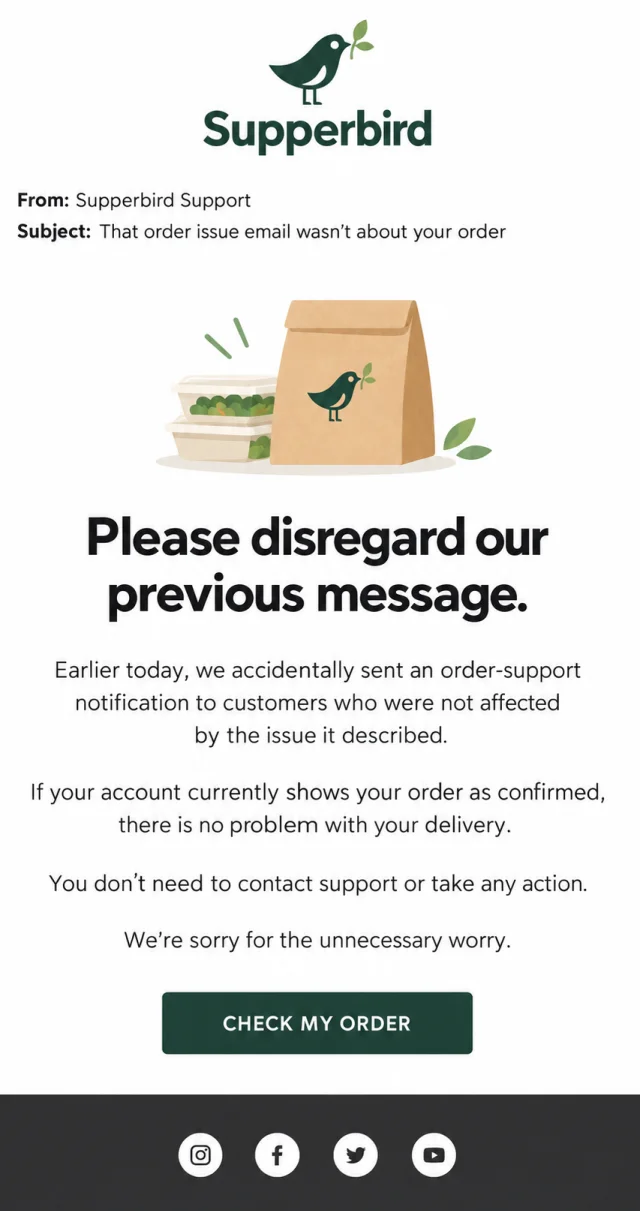
Test campaigns escape into real inboxes. Drafts go out before they’re finished. Internal messages reach customers. Automated emails trigger for the wrong audience. Duplicate welcome emails appear months after someone joined.
These accidental email send examples show how brands explain what happened, tell recipients what they can safely ignore, and reassure them when accounts, orders, reservations, or subscriptions were never affected.

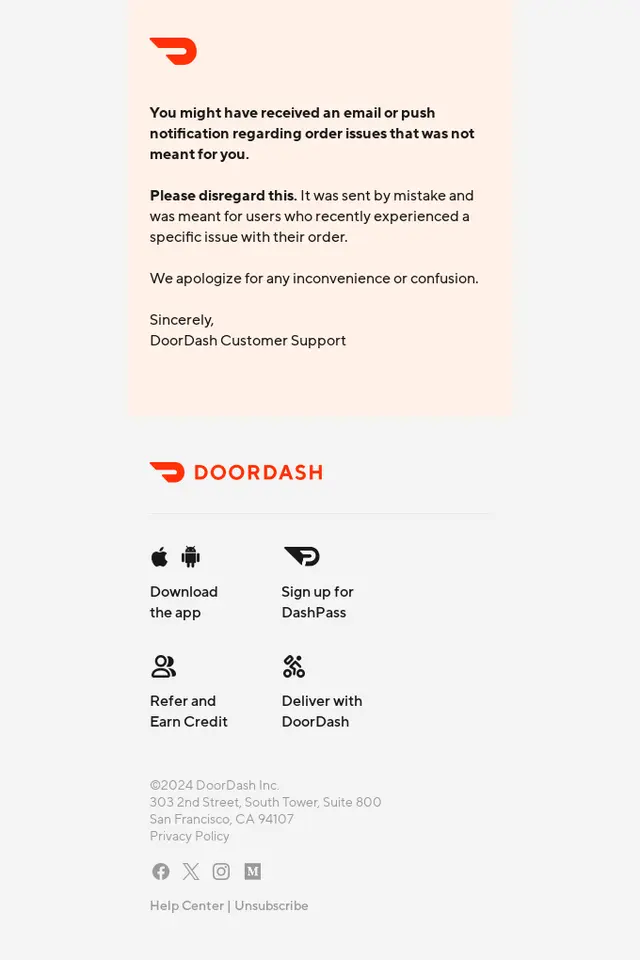
Technical Error and Website Issue Oops Emails
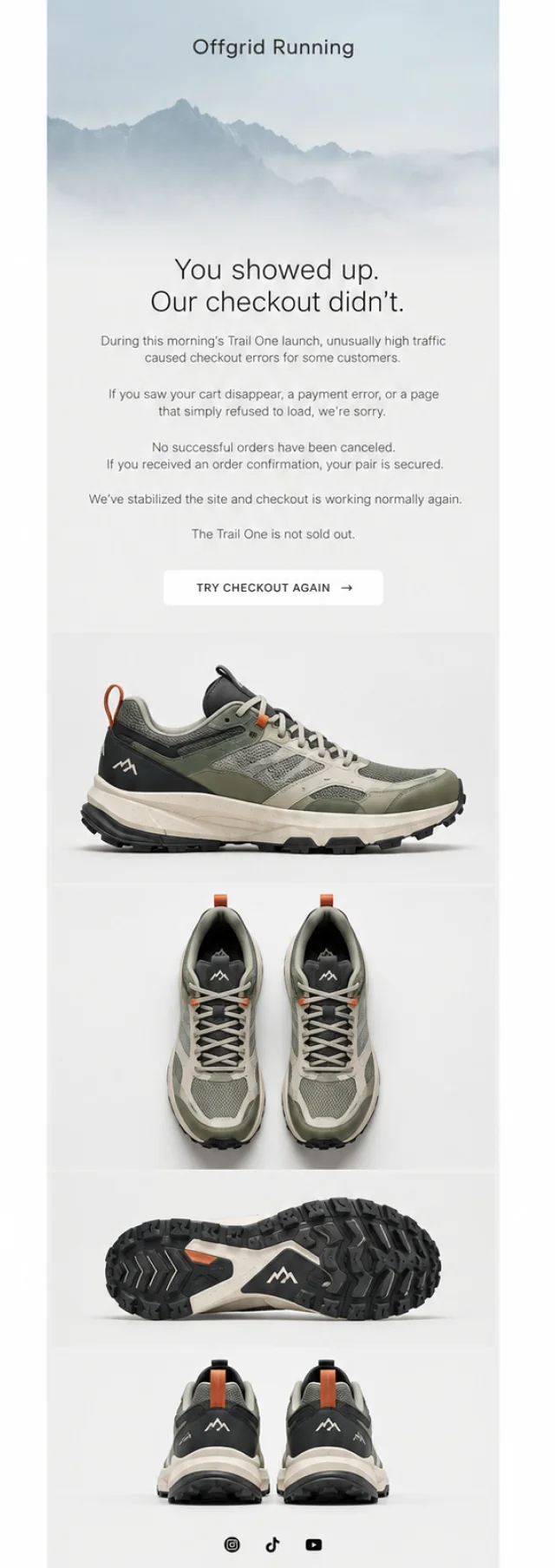
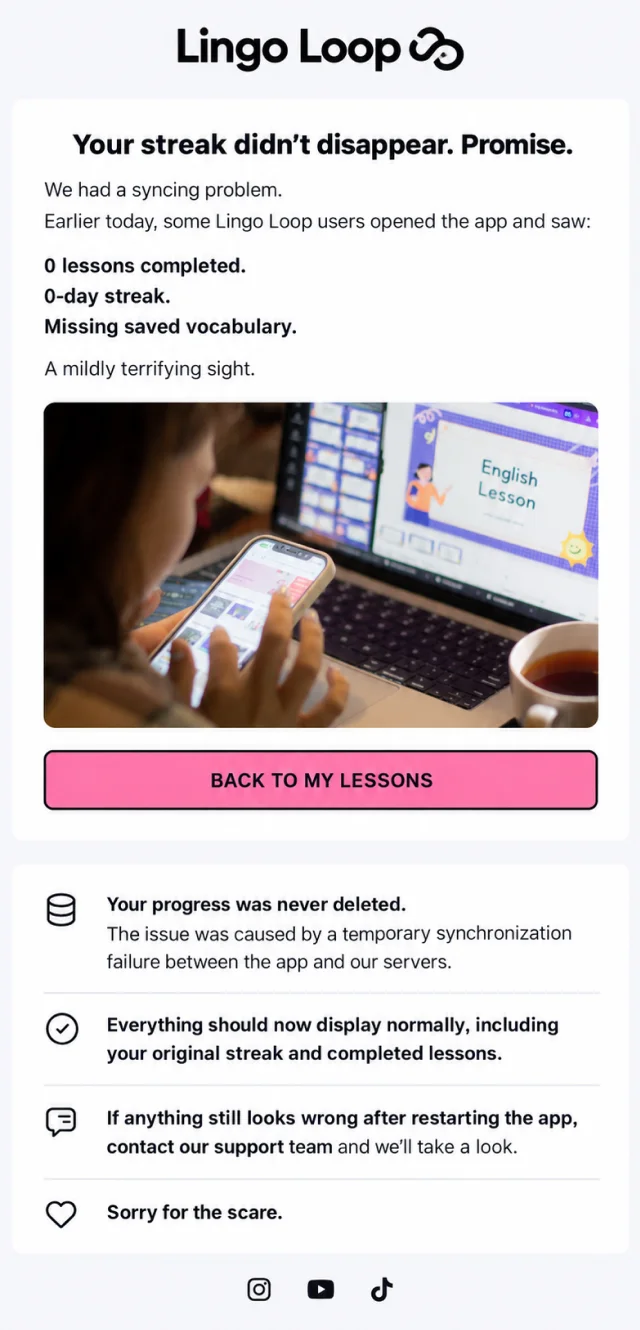
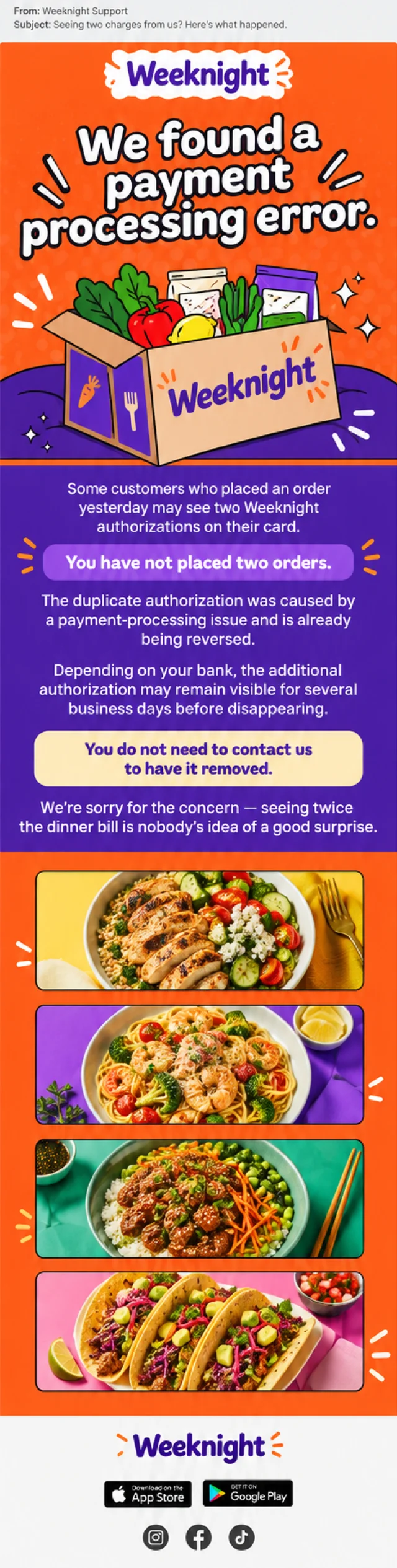
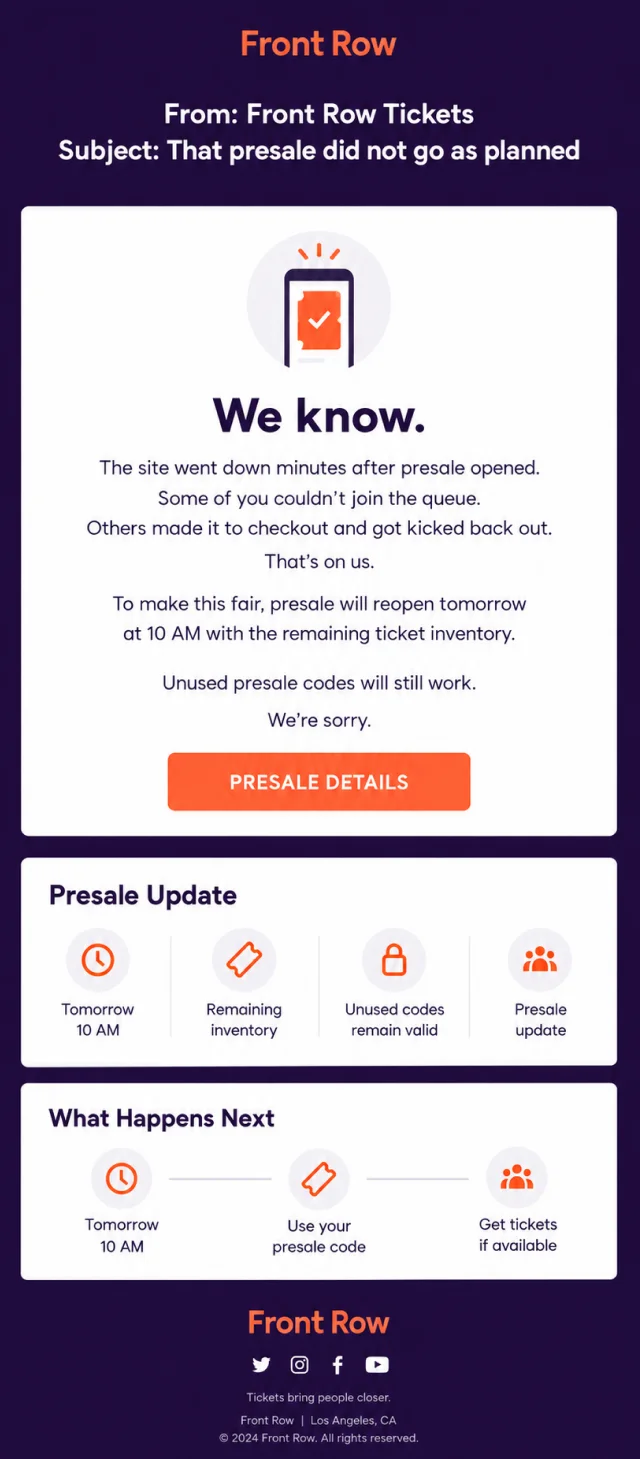
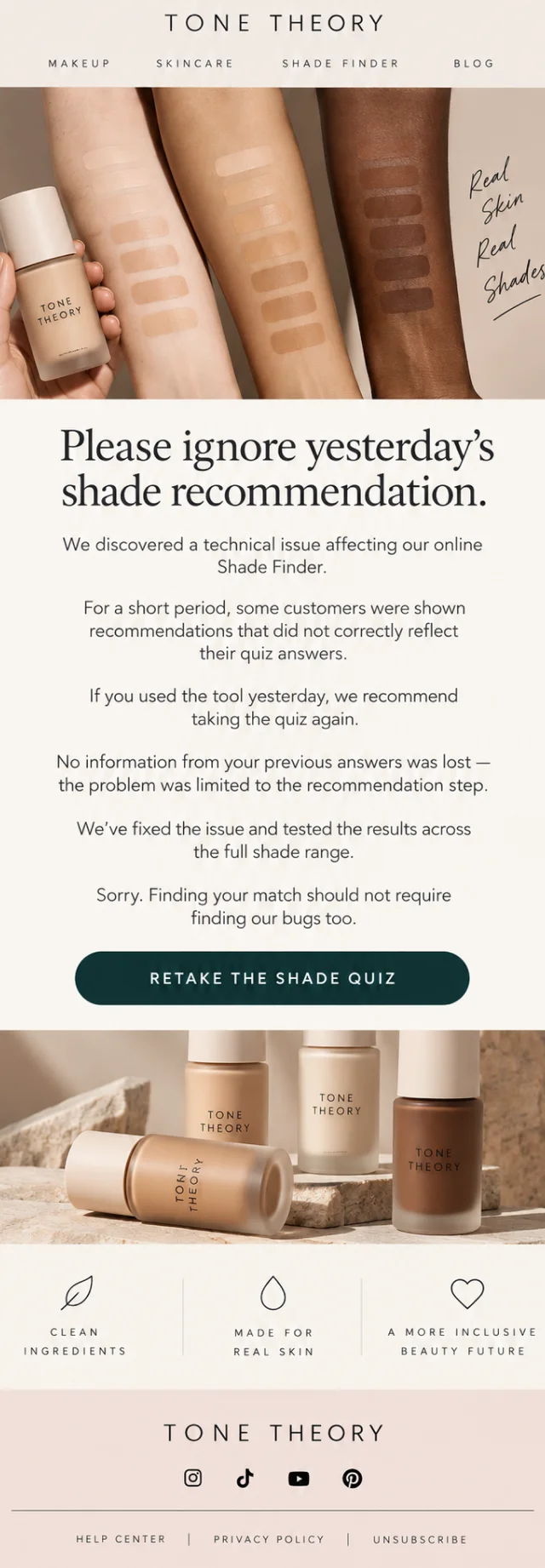
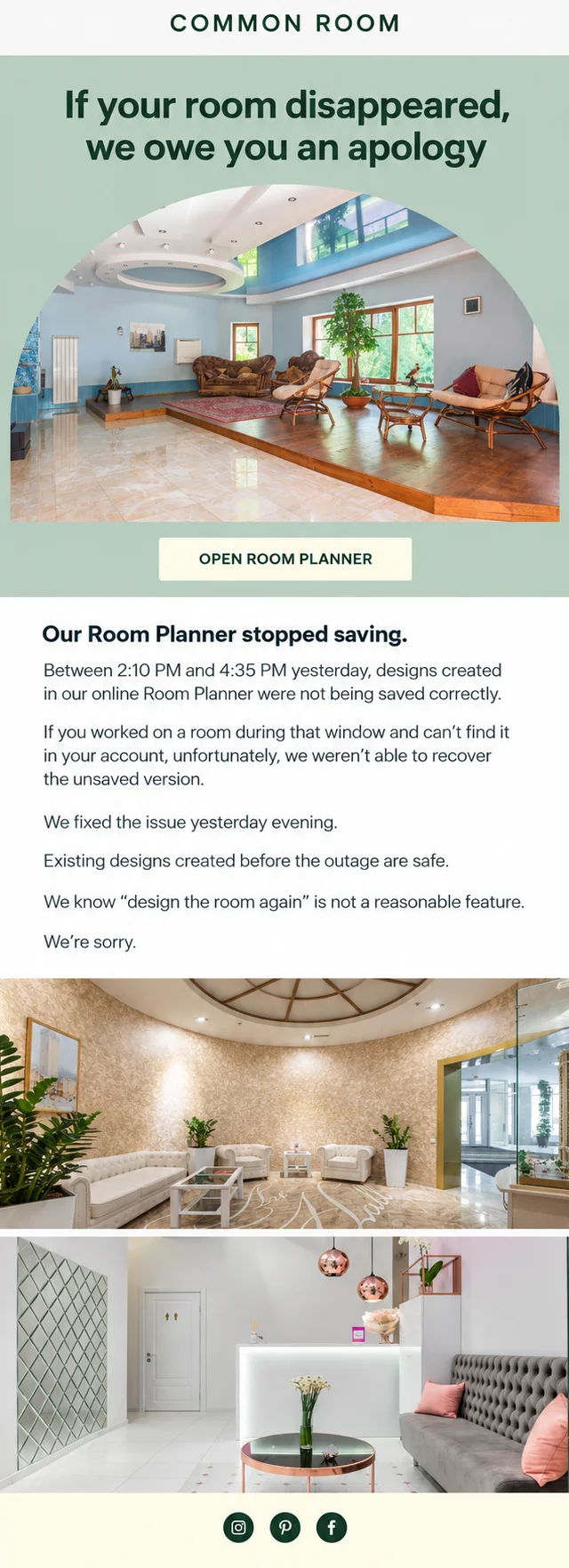
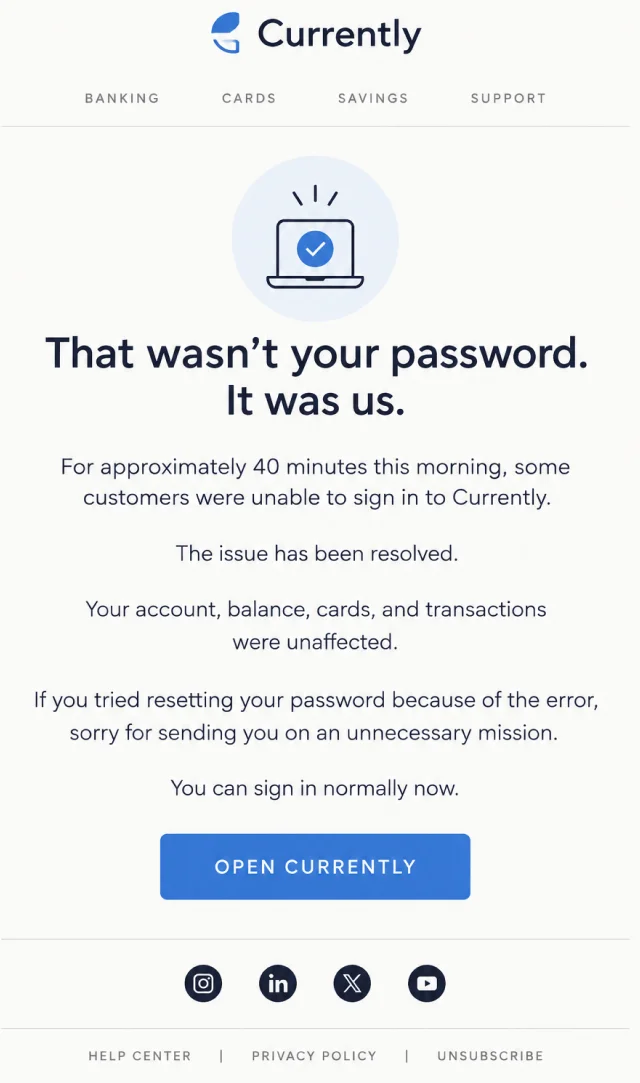
Not every failed campaign has a broken link. Sometimes the link works perfectly and the website, app, checkout, account system, payment processor, or interactive tool fails after the customer arrives.
Technical issue emails need to do more than say, “Sorry, it’s fixed.” Readers may need to know whether their payment went through, whether their data was saved, whether an order exists, or whether they should try again.
The examples below cover checkout failures, app syncing problems, login issues, website outages, payment errors, inventory sync problems, and other technical mishaps.

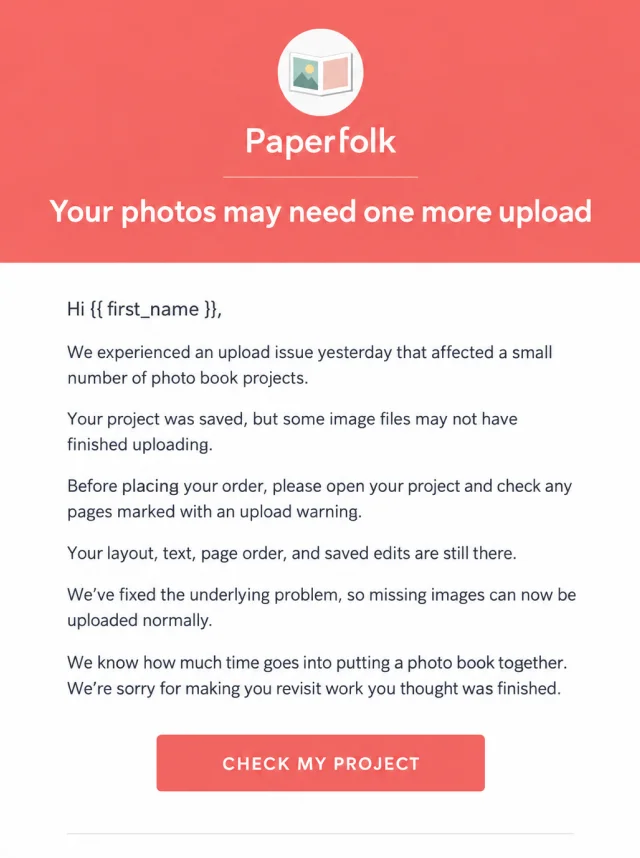
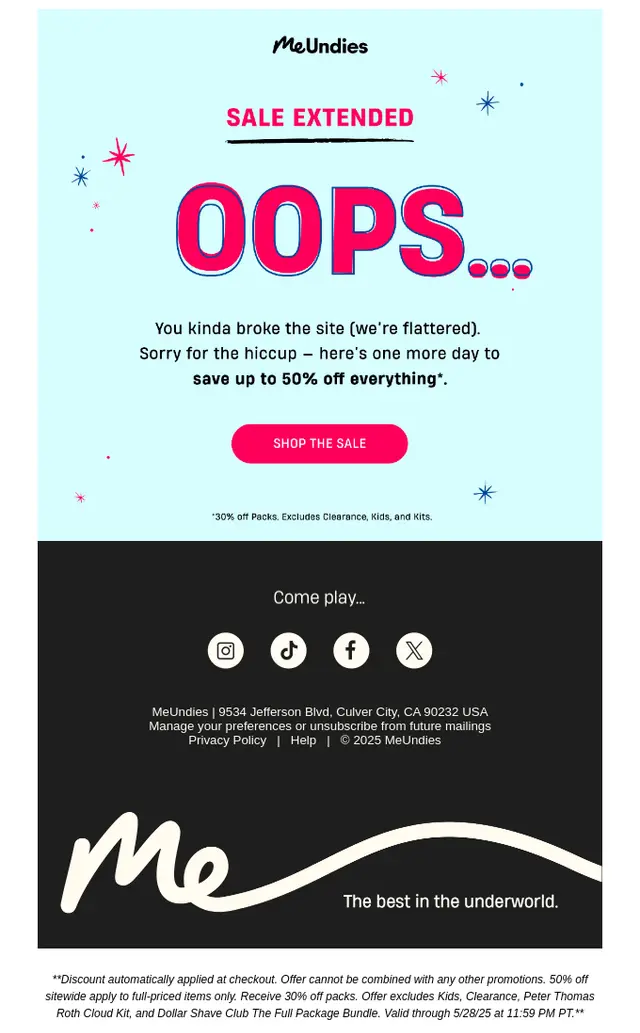
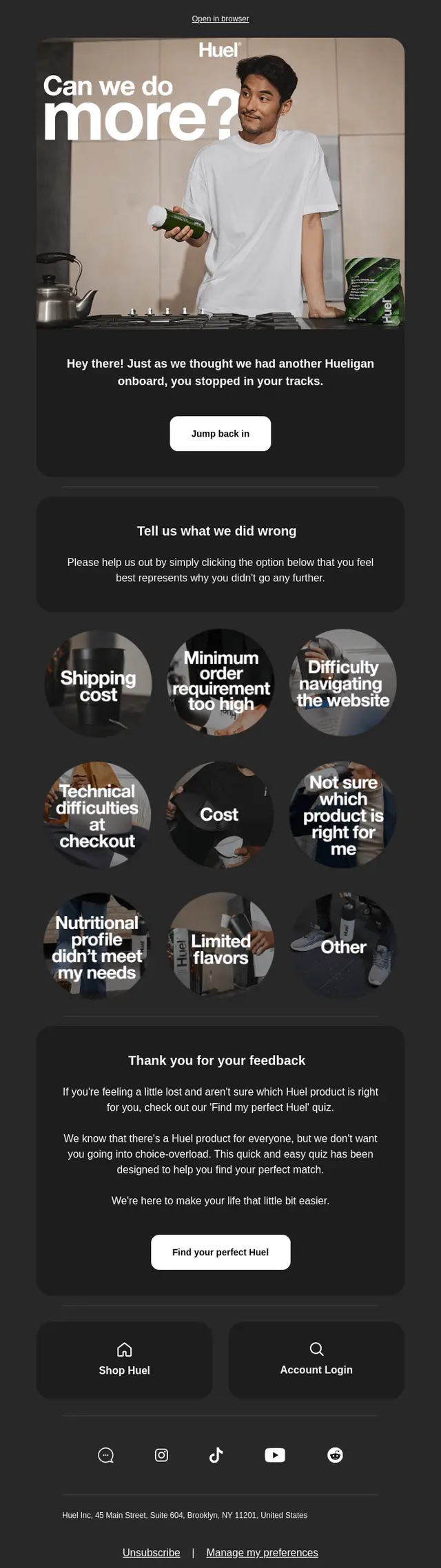
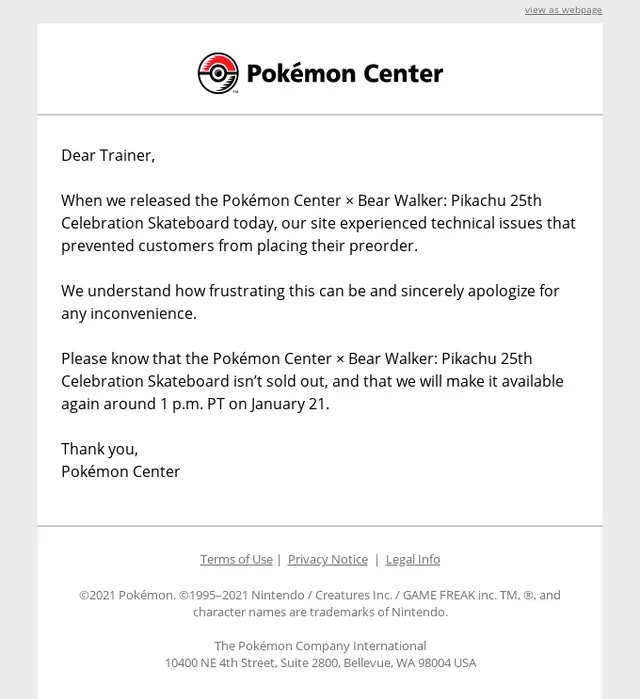
Oops Email Flows
An oops email often makes more sense when you can see what came before it.
These flows pair the original campaign with the correction that followed, showing how brands recover from mistakes without abandoning the original goal of the email. Some resend the promotion with corrected information, while others keep most of the campaign intact and simply fix the detail that went wrong.
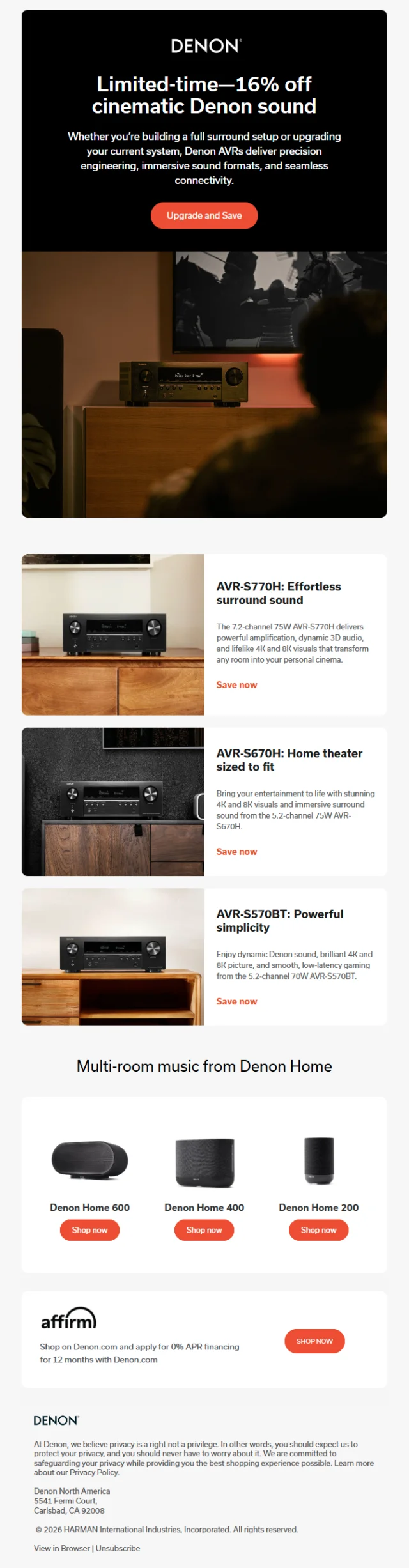
Sale Correction Email Flow
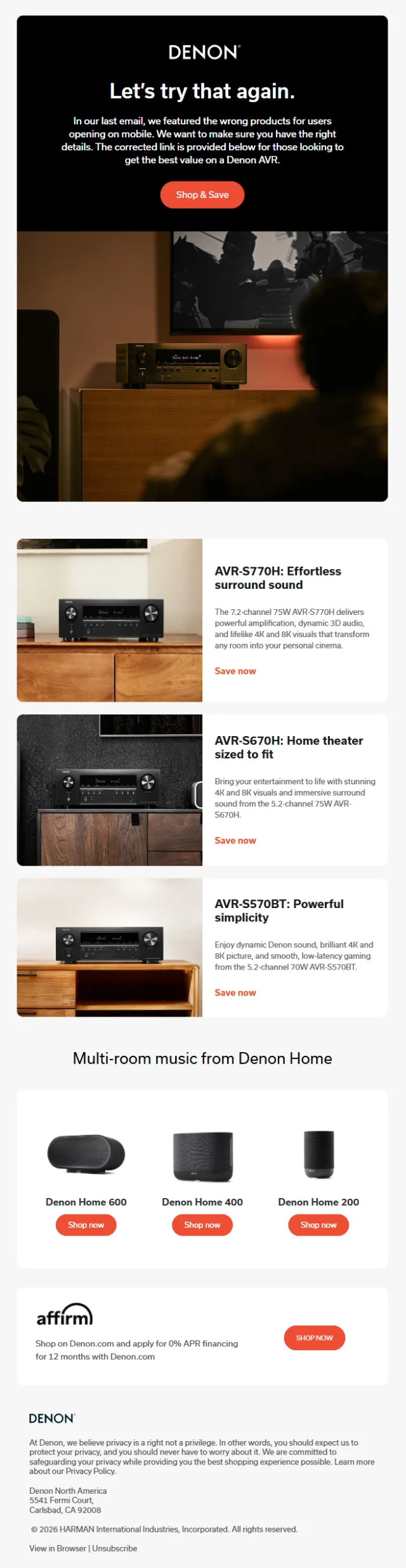
Denon’s two-email sequence starts with a limited-time AVR promotion and follows the next day with a correction. The original email promotes discounted home theater products, while the second message explains that mobile readers were shown the wrong products and gives them a corrected path to the intended offer.
Early Access Promo Code Correction Email Flow
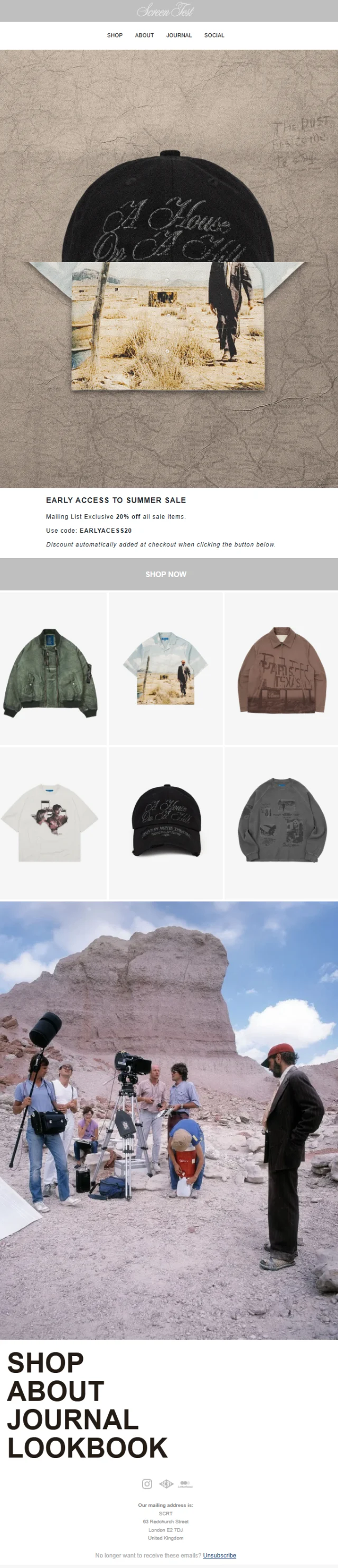
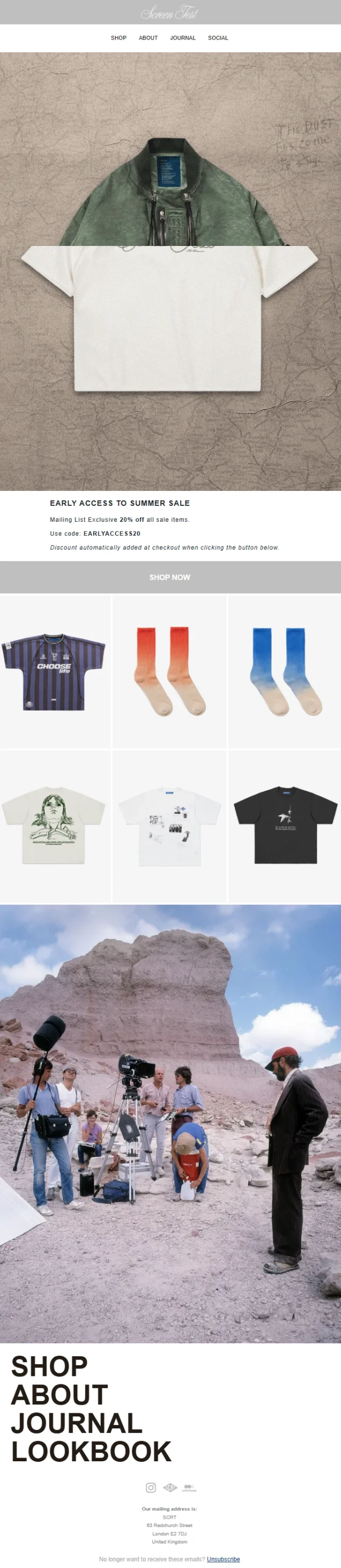
SCRT uses a similar two-step approach around its Summer Sale. The first email gives mailing-list subscribers early access with a 20% discount, but the promo code contains a typo. Two days later, SCRT resends the offer with the corrected EARLYACCESS20 code while keeping the same sale message and creative direction.
How to Send a Correction Email After Making a Mistake
A correction email doesn’t need a dramatic apology or a long explanation. Most subscribers mainly want to know what happened and what information they should use instead. A simple structure usually works best.
1. Acknowledge the Mistake Immediately
Don’t make readers work out why they’re getting another email. Open with the correction itself. “We gave you the wrong date,” “That link didn’t work,” or “We listed the wrong price” is often enough.
Clear language also helps the recipient understand that the new email replaces information they may have already read.
2. Explain What Was Incorrect
Identify the specific mistake rather than apologizing vaguely. Instead of saying, “There was an error in our last email,” say that the event date was wrong, the sale button went to the wrong page, or the advertised price was incorrect.
That context helps people quickly decide whether the correction matters to them.
3. Give Subscribers the Correct Information
The corrected detail should be one of the easiest things to find in the email. Use a separate line, short paragraph, bold text, or a simple before-and-after format when appropriate.
4. Apologize When the Mistake Affected the Customer
A professional apology doesn’t need to sound formal. A simple “Sorry for the confusion” may be enough for a small mistake. A pricing error, canceled order, lost work, incorrect billing notice, or technical failure may deserve a more specific apology.
Focus on the inconvenience rather than spending half the email explaining how the mistake happened internally.
5. Make the Correction Easy to Spot
Design can do part of the work. Put the corrected price, date, promo code, address, or link near the top. A clear CTA can then take the subscriber directly to the right page.
Repeating the incorrect information too prominently can create a second round of confusion, so make the new information visually dominant.
Resending an Email With a Correction
Resending an email with a correction makes sense when the original mistake could change what a subscriber does. A broken registration link, wrong event date, incorrect price, or invalid promo code can directly affect their next action.
You don’t always need to resend the entire campaign. A shorter message that identifies the mistake, provides the correct information, and repeats the relevant CTA is usually easier to understand.
Change the subject line, too. A subject such as “Correction: Our event is Sunday, not Saturday” clearly distinguishes the new email from the original.
| When You Should Send a Correction Email | When You Probably Don't Need an Oops Email – |
|---|---|
|
|
Oops Email Templates
A good oops email template should be easy to adapt. Replace the details, keep the correction prominent, and remove anything your subscribers don’t need to know.
Wrong Information Correction Email Template
Subject: Correction: We got one detail wrong
Hi {{ first_name }},
We need to correct something in our previous email.
We said:
[Incorrect information]
The correct information is:
[Correct information]
Everything else in the email remains unchanged.
Sorry for the confusion.
[CTA]
Broken Link Correction Email Template
Subject: Oops – here’s the correct link
The button in our last email wasn’t working correctly.
Sorry about that.
Here’s the link we meant to send:
[Correct URL]
Nothing else has changed, so you can pick up where you left off.
[CTA]
Wrong Date or Time Email Template
Subject: Correction: The correct date is [date]
We gave you the wrong date in our previous email.
The correct date and time are:
[Correct date]
[Correct time]
[Other event/order details] remain unchanged.
Sorry for the mix-up.
[CTA]
Incorrect Discount or Promo Code Template
Subject: The correct code is [CODE]
We sent you the wrong promo code earlier.
The code you should use is:
[CORRECT CODE]
It gives you [discount/offer] through [deadline].
Sorry for making checkout more complicated than it needed to be.
[CTA]
Accidental Email Send Apology Template
Subject: Please disregard our previous email
You may have received an email from us earlier today that wasn’t meant for you.
It was sent accidentally.
You don’t need to take any action, and [account/order/subscription details] have not changed.
Sorry for the unnecessary inbox clutter and any confusion it caused.
Oops Email Subject Line Examples
Words such as Correction, Oops, Our mistake, and We got that wrong help subscribers understand why another email has arrived. Specific subject lines are often even stronger because they tell the reader exactly what changed.
Simple Correction Email Subject Lines
- Correction: We got one detail wrong
- A quick correction
- Correction to our previous email
- An update to yesterday’s email
- We need to correct something
- One important correction
- Please note this correction
- Updated information inside
- The correct details are here
- A small correction from us
Apology and Mistake Email Subject Lines
- Oops – we got that wrong
- Our mistake
- Sorry, we sent the wrong information
- We owe you a correction
- About our last email…
- We gave you the wrong date
- That price wasn’t right
- The link in our last email was broken
- Please disregard our previous email
- Sorry for the mix-up
Funny Oops Email Subject Lines
- Well, that wasn’t right
- Take two
- Wrong link. Right email.
- Our math wasn’t mathing
- We got ahead of ourselves
- That button had one job
- Right idea. Wrong date.
- Apparently, our calendar disagreed
- We sent you somewhere else entirely
- Tiny typo. Bigger inconvenience.
Oops Email Best Practices
The goal of an oops email isn’t to make the mistake disappear. It’s to make the correction easier to understand than the mistake was.
Make the Correction Obvious
Put the reason for the email near the beginning.
Readers should immediately understand that the message contains updated information. Avoid opening with a long brand story before revealing what changed.
Don’t Over-Apologize
One sincere apology is usually stronger than five versions of “We’re so incredibly sorry.” Too much apologizing can make a small error feel larger than it was.
Match the response to the impact. A broken recipe link and an incorrect billing notice don’t need the same level of seriousness.
Explain Exactly What Changed
Specific corrections build more confidence than vague statements. Show the incorrect detail only when it helps explain the change, then clearly state the replacement.
“May 16, not May 9” is easier to process than a paragraph about an unspecified scheduling error.
Put the Corrected Information Near the Top
The subscriber opened the email to find out what changed.
Give them that answer quickly. Dates, prices, links, promo codes, addresses, and other critical details work well as standalone lines or visually distinct blocks.
Consider the Impact Before Sending Another Email
Not every error needs a correction campaign. Ask whether the mistake could change what someone buys, where they go, when they arrive, how much they pay, or what action they take.
If the answer is no, correcting the original landing page or future campaign may be enough.
Keep the Tone Consistent With Your Brand
Playful brands can still joke. More serious businesses can keep things restrained. The important part is knowing when humor fits the mistake.
A funny line about a broken playlist link can work well. The same joke-heavy approach is less appropriate when customers think they’ve been charged twice.
Offer Compensation Only When It Makes Sense
Small content mistakes rarely need compensation. A major outage, missed order, delayed shipment, or frustrating checkout failure may be different.
Offer something because the inconvenience justifies it, not because every apology email needs a coupon attached.
Frequently Asked Questions
What is an oops email?
An oops email is a follow-up message that corrects an error in an earlier email or campaign. It may address incorrect information, a wrong date, broken link, pricing mistake, invalid promo code, accidental send, or another issue that subscribers need clarified.
How do you write an oops email?
Start by saying what went wrong, then provide the correct information immediately. Explain whether the subscriber needs to take any action, add a brief apology when appropriate, and repeat the relevant CTA if they still need to complete something.
How do you professionally apologize for a mistake in an email?
A professional apology should be specific, brief, and focused on the recipient. Acknowledge the mistake, explain what was incorrect, provide the right information, and apologize for the inconvenience it caused. Avoid lengthy excuses or unnecessary internal details.
How do you send a correction email?
Use a subject line that signals a correction, clearly identify the mistake, and put the updated information near the top of the message. Add a new link or CTA when needed and explain whether anything else has changed.
How do you resend an email with a correction?
You can send a short correction rather than repeating the entire original email. Use a new subject line, state what was wrong, provide the corrected detail, and include the original CTA again if subscribers still need to take action.
What should the subject line of a correction email say?
The subject line should make the purpose obvious. Phrases such as “Correction,” “Oops,” “Our mistake,” or “Please disregard our previous email” work well. Adding the actual correction can make it even clearer, such as “Correction: The event is Sunday, not Saturday.”
Should you send an oops email for every mistake?
No. Minor spelling, punctuation, or design errors usually don’t need another email if they don’t change the meaning of the message. Send a correction when the mistake could affect a customer’s decision, purchase, schedule, account, or ability to complete an action.
Should you offer a discount in an apology email?
Only when the mistake caused enough inconvenience to justify one. A small typo rarely needs compensation. A canceled item, delayed order, prolonged outage, or failed promotion may be a better reason to offer a discount, credit, extension, or another gesture.
Turn an Email Mistake Into a Better Follow-Up
You’ve seen how brands handle wrong dates, broken links, pricing errors, promo code problems, accidental sends, technical issues, and other email mistakes.
The next step is turning that same clarity into a correction email that fits your own brand and situation.
MailBakery can create a custom oops email template designed around your message, brand style, correction, CTA, and email platform.