100+ Shipping Confirmation Email Examples that Make the Wait Exciting
Published:
Last updated:
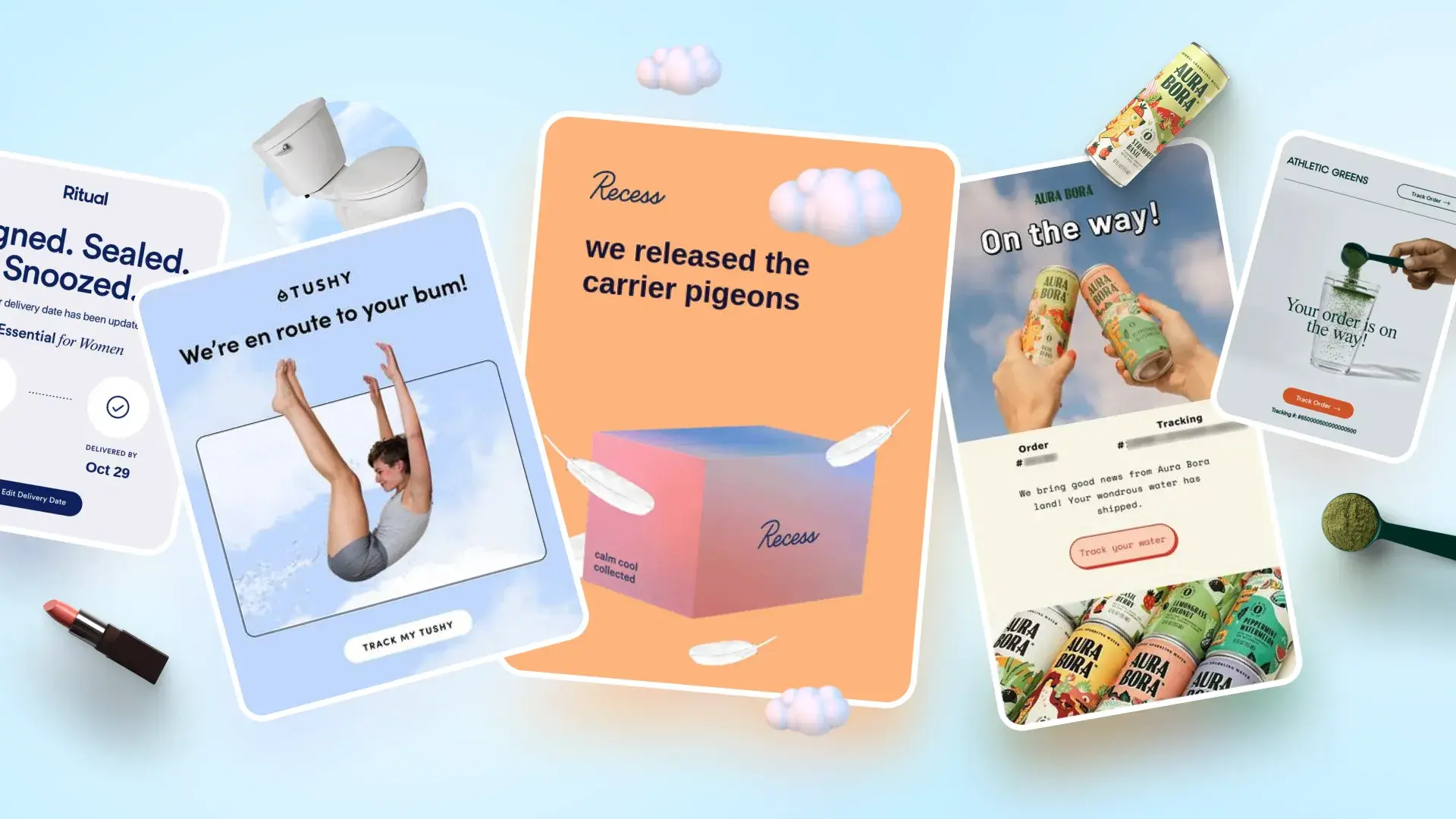
Shipping confirmation emails do more than tell customers their order is on the way. The best examples combine clear tracking and delivery information with thoughtful design, useful content, and well-timed post-purchase messaging. Here are 100+ shipping confirmation email examples to inspire your own.
These shipping confirmation emails make the shipment contents easy to verify at a glance. Alongside the shipping update and tracking information, they feature a structured summary of the products being sent, often with quantities, variants, prices, shipping methods, or other order details.
How to organize the order details?
When products have multiple variants: Pair each product image with its selected size, color, or other variant so customers can verify exactly what’s on the way.
When the order contains several items: Use a consistent layout with clearly aligned quantities and product details. Make the list easy to scan without competing promotional content.
When the email includes a full receipt: Prioritize shipment status and tracking, then group payment totals, billing information, and other reference details in a separate section.
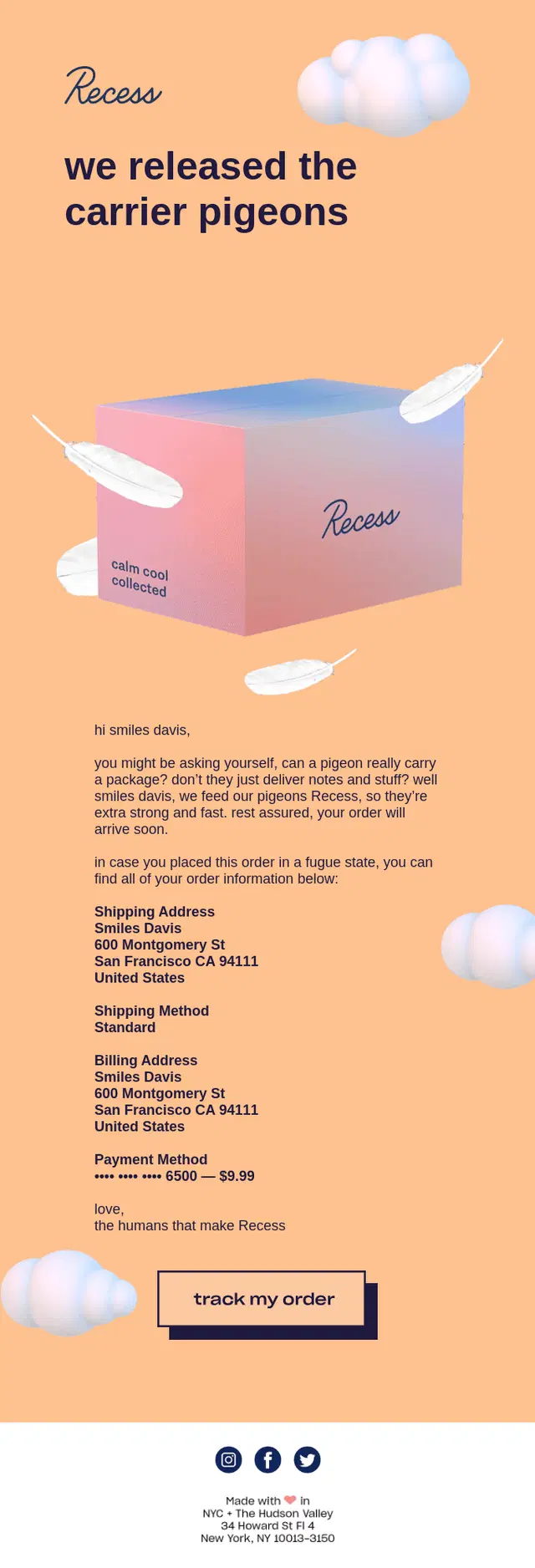
A Recess shipping confirmation email pairing playful carrier-pigeon branding with complete shipping, billing, and tracking details.
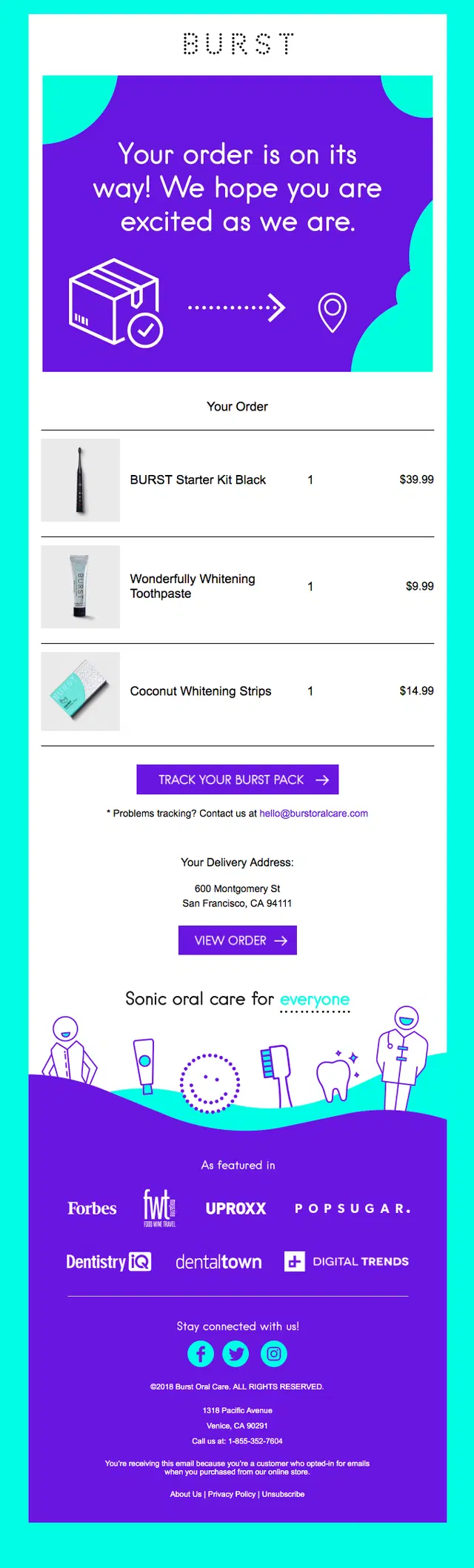
A BURST shipping email keeping the focus on the shipped products with a clear tracking CTA and delivery information.
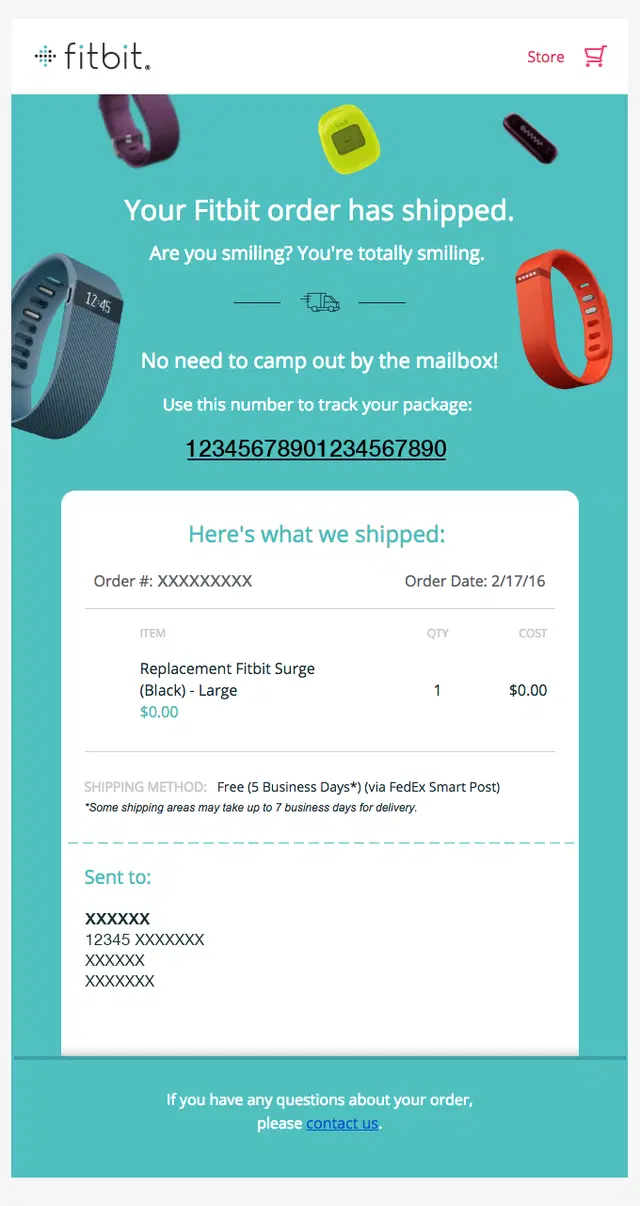
A Fitbit shipping confirmation email putting the tracking number front and center alongside item, shipping method, and delivery details.
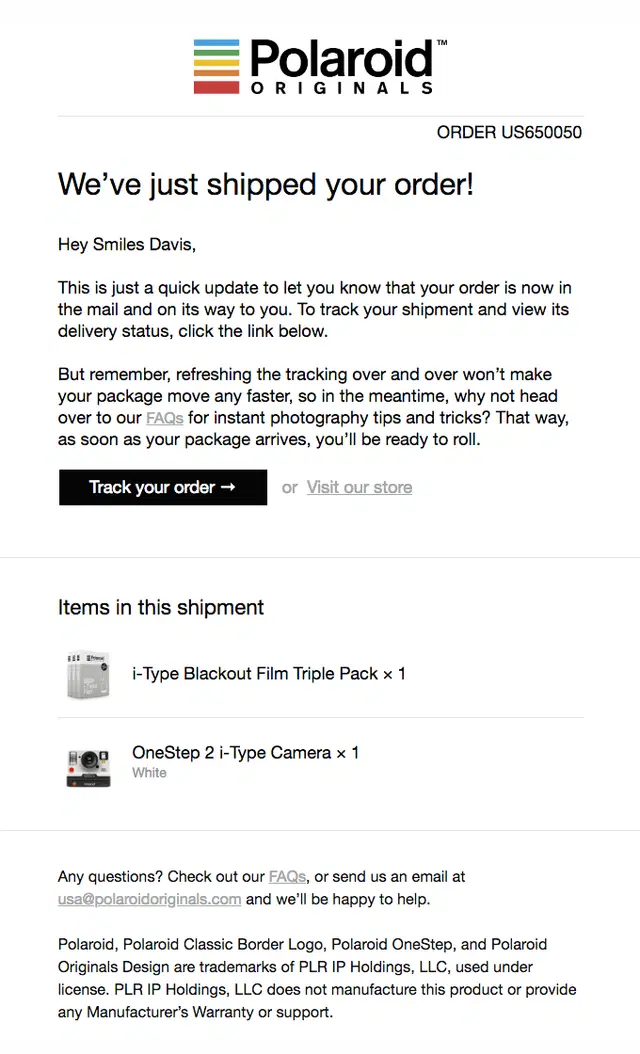
A Polaroid shipping confirmation email pairing shipped product details with clear tracking and easy access to FAQs and customer support.
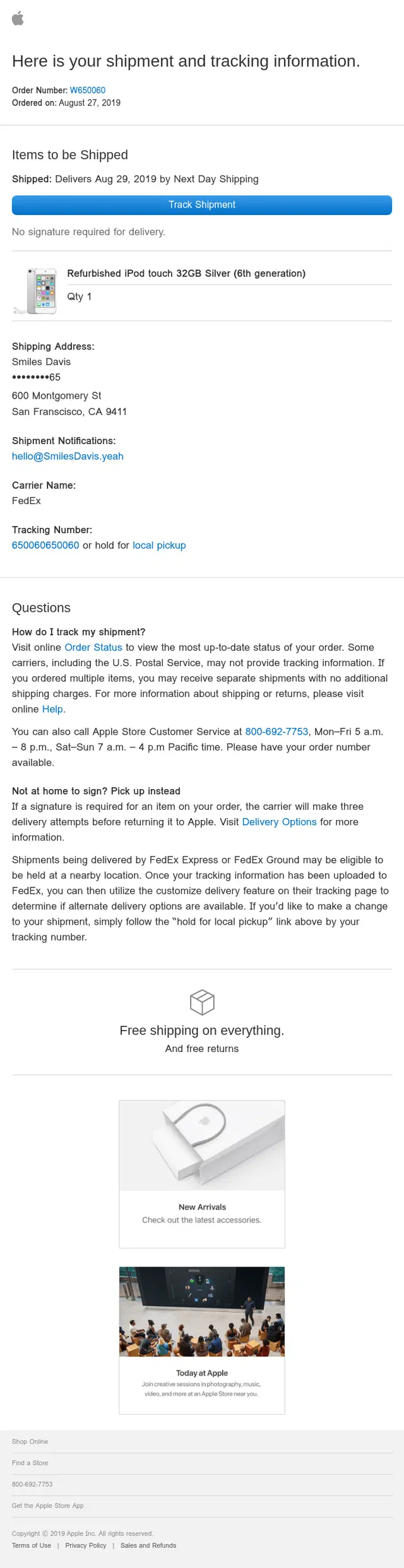
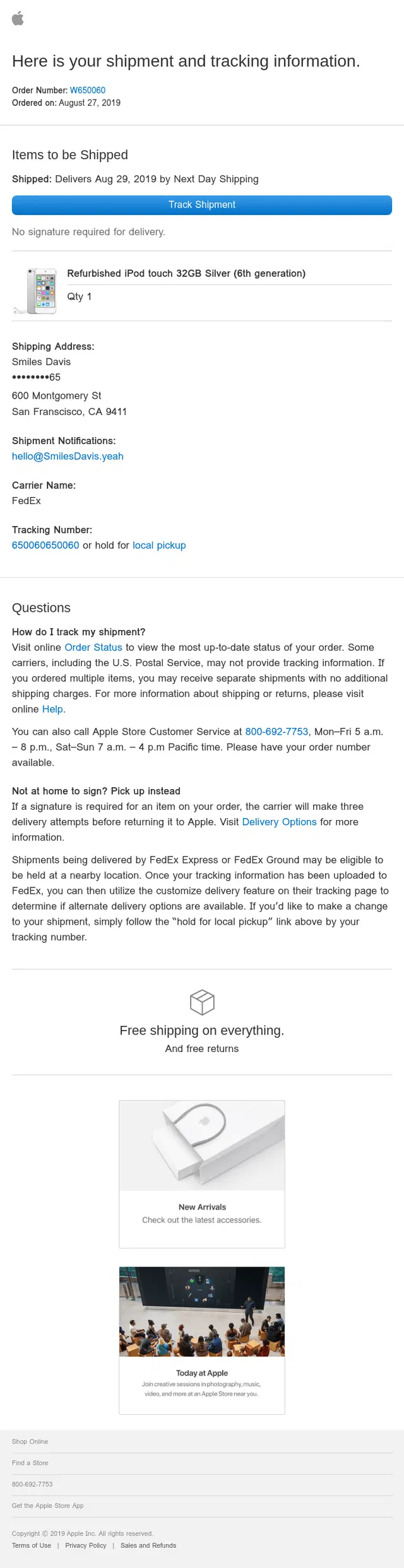
An Apple shipping confirmation email combining a precise delivery date and carrier tracking with product details, support, and a local pickup option.
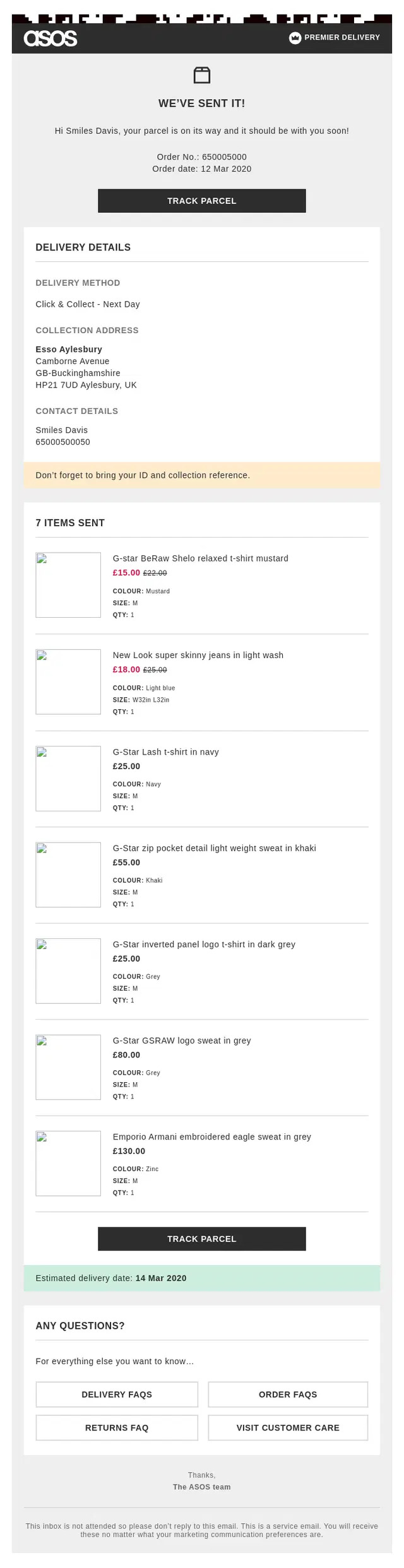
An ASOS shipping confirmation email clearly communicating Click & Collect details alongside shipped items, tracking, and the estimated delivery date.
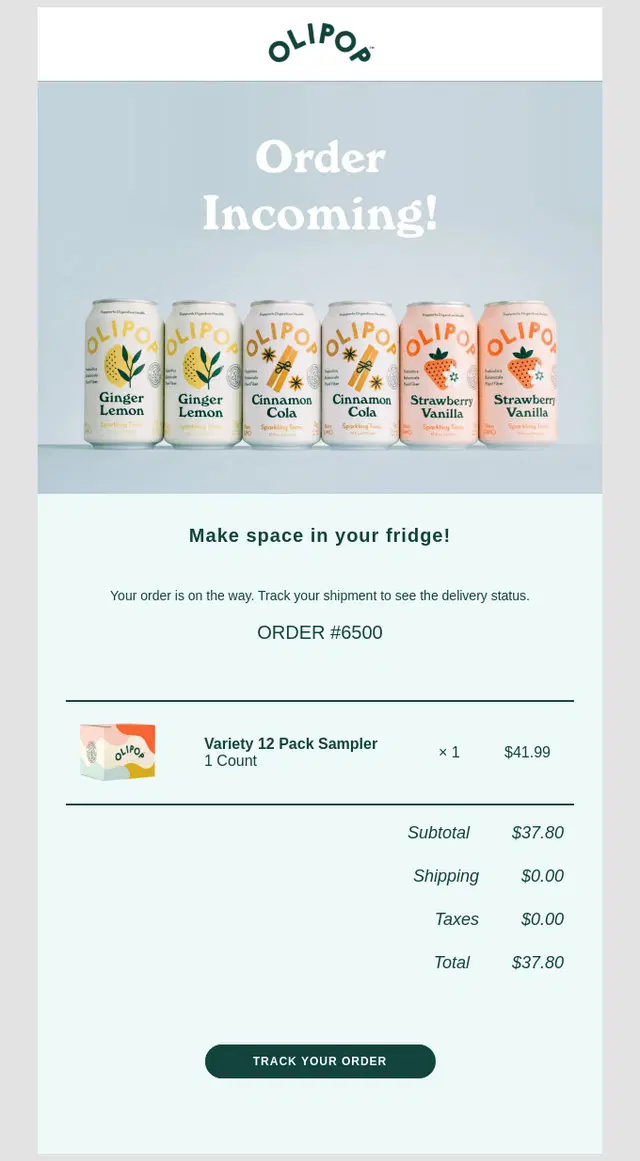
An OLIPOP shipping confirmation email using an itemized order summary with quantities, prices, and totals alongside a clear tracking CTA.
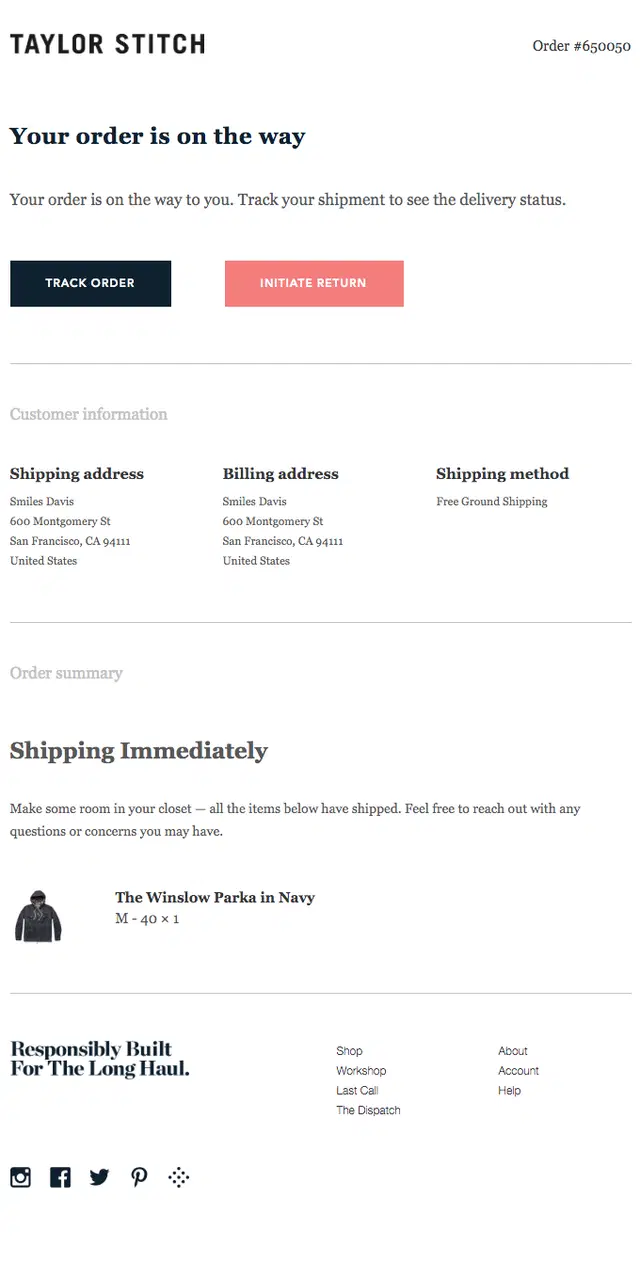
A Taylor Stitch shipping confirmation email bringing together the shipped item, tracking CTA, shipping method, and complete billing and delivery details.
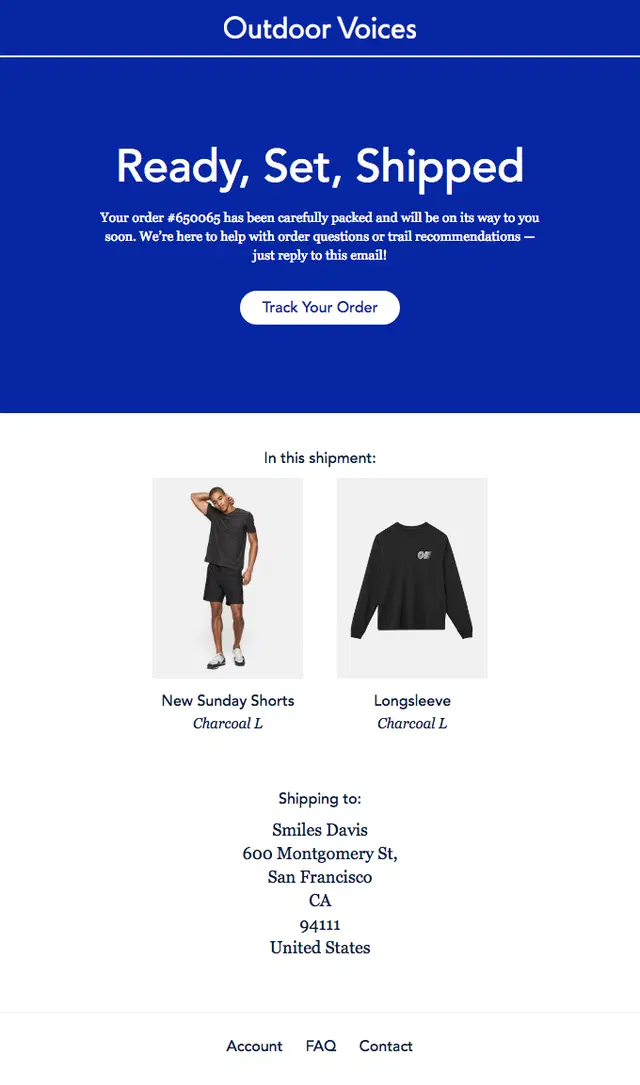
An Outdoor Voices shipping confirmation email using product imagery to make shipped items easy to identify alongside tracking and delivery details.
A Huel shipping confirmation email combining a detailed product list with tracking, delivery information, and complete shipping and billing details.
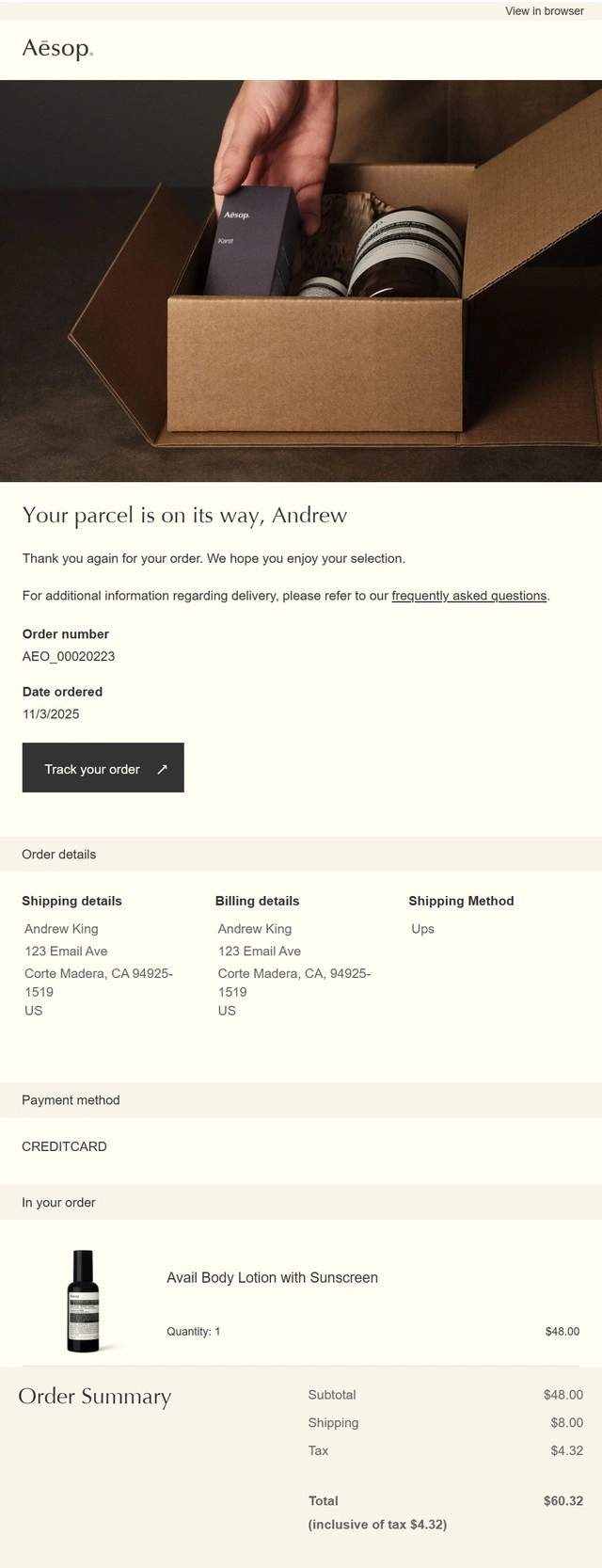
An Aesop shipping confirmation email providing a comprehensive order summary with product, payment, shipping, billing, and tracking information.
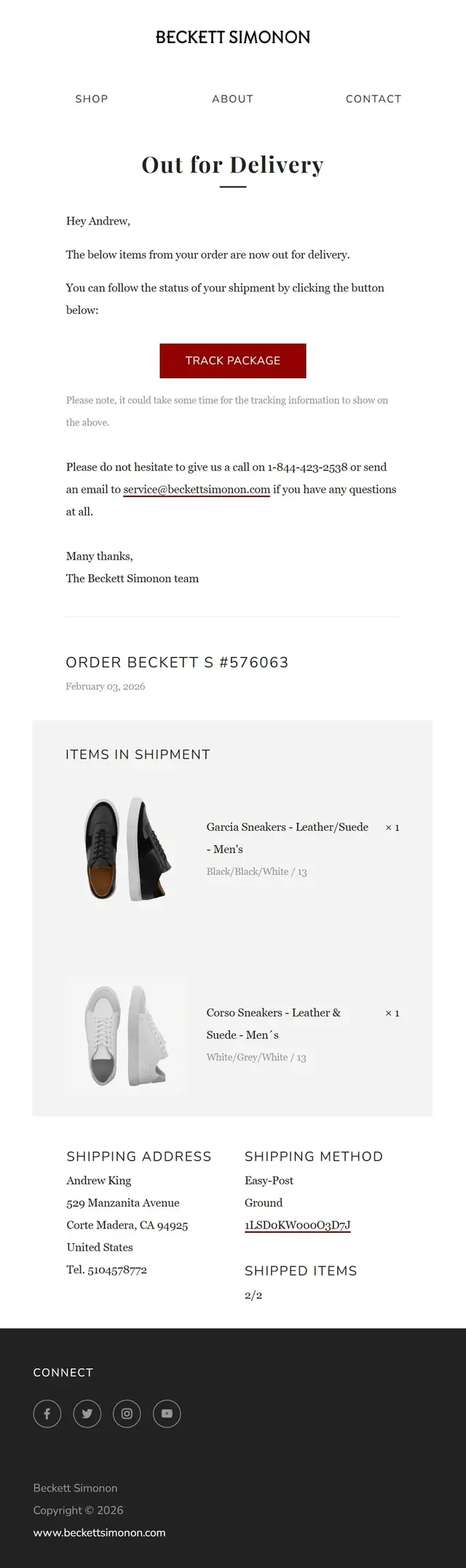
A Beckett Simonon out-for-delivery email pairing an arrival update with itemized shipment details, shipping method, and package tracking.
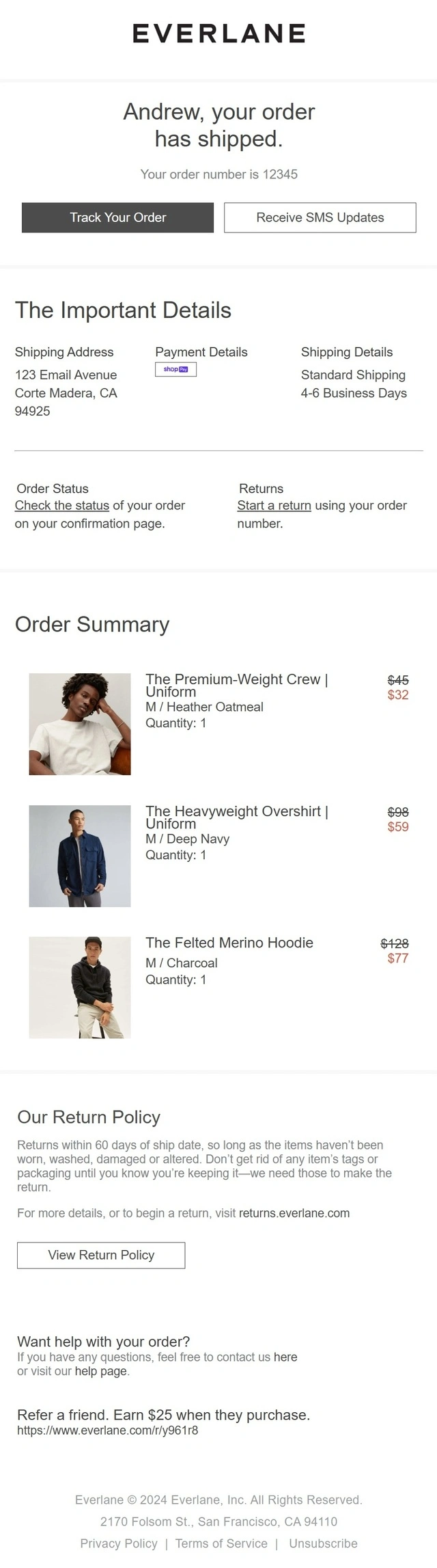
An Everlane shipping confirmation email combining an itemized order summary with tracking and SMS updates, plus returns and referral information.
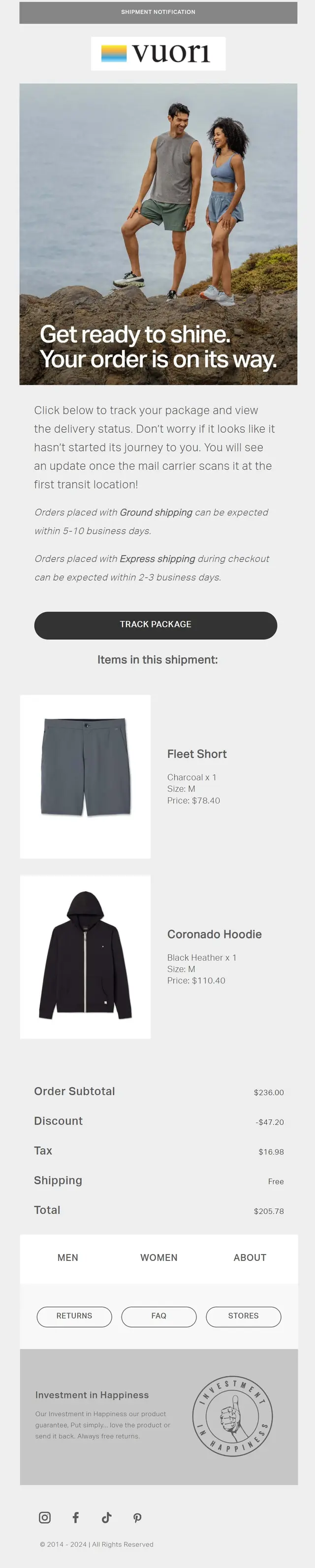
A Vuori shipping confirmation email pairing visual product details and order totals with estimated shipping timeframes and package tracking.
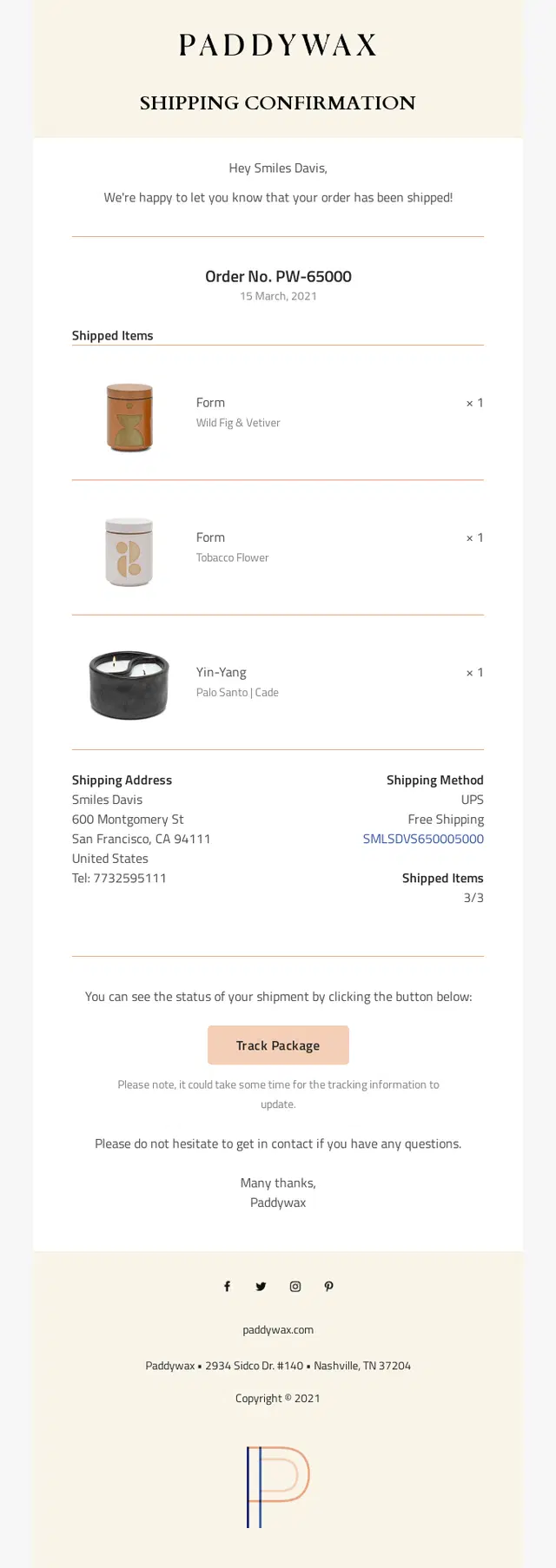
A Paddywax shipping confirmation email making a multi-item candle shipment easy to verify with product details, shipping information, and package tracking.
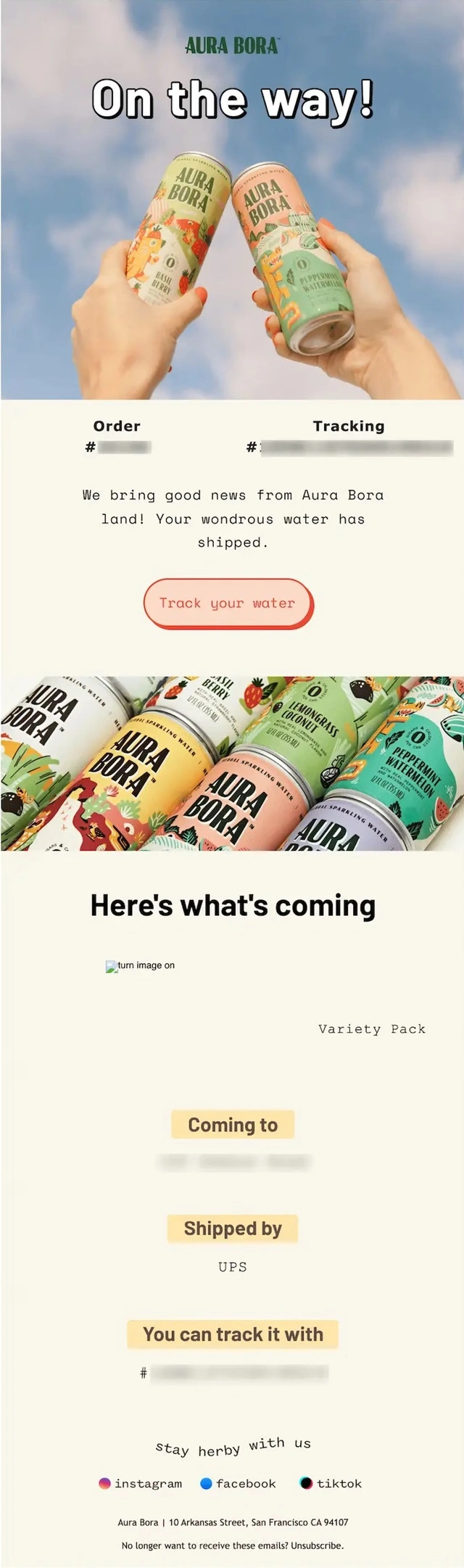
An Aura Bora shipping confirmation email using colorful branded imagery alongside detailed product, carrier, destination, and tracking information.
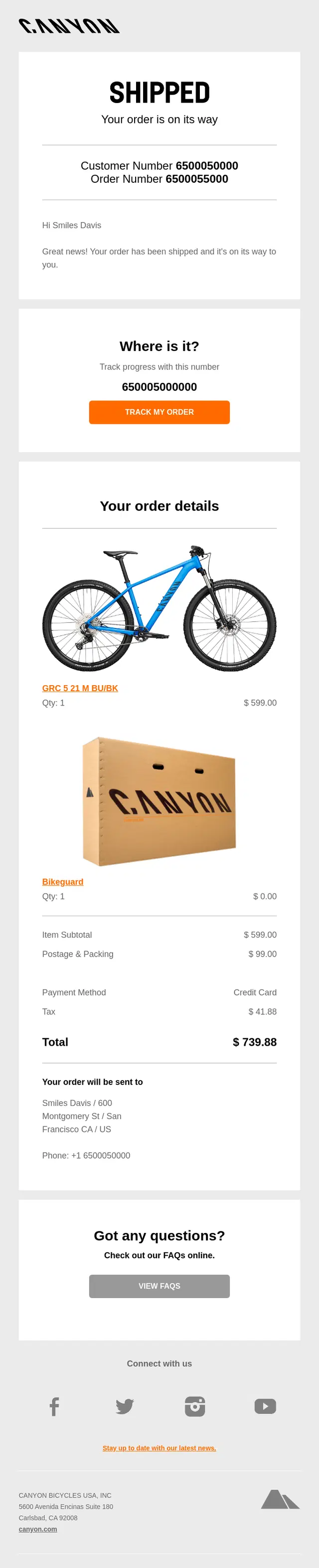
A Canyon shipping confirmation email combining detailed bike and order information with prominent package tracking and easy access to customer support.
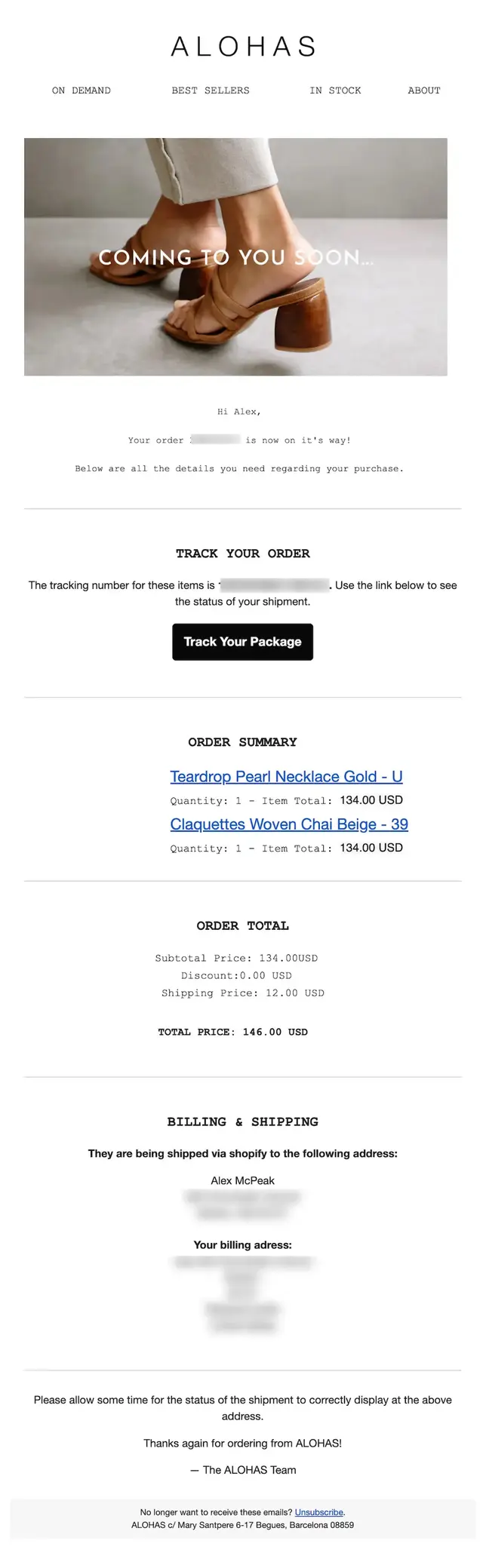
An ALOHAS shipping confirmation email presenting a detailed order summary with product names, quantities, prices, totals, and complete billing and shipping information.
Delivery Progress and ETA Shipping Emails
These examples make it easier for customers to understand where their package is and when it should arrive. They use estimated delivery dates, shipment timelines, maps, progress indicators, or status stages to turn basic tracking information into a clearer delivery update.
When to use visual tracking and delivery estimates?
When shipping involves several stages: Use a simple progress indicator to show completed milestones and the next expected step. Avoid displaying progress that isn’t supported by actual tracking data.
When delivery timing matters most: Give the estimated date or delivery window visual priority, and link to live tracking for possible changes.
When location adds useful context: Maps work well for local or same-day deliveries. Otherwise, a clear status update and ETA may be easier to follow.
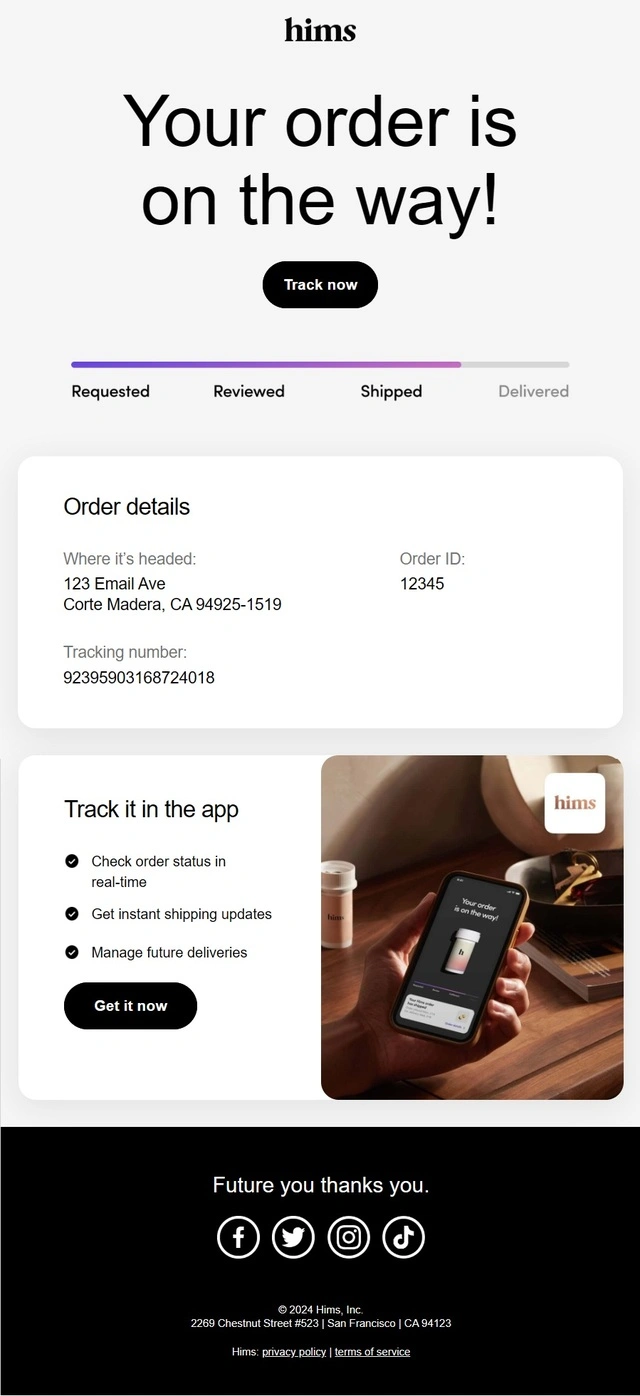
A Hims shipping confirmation email using a visual delivery progress bar and app-based updates to make shipment status easy to follow.
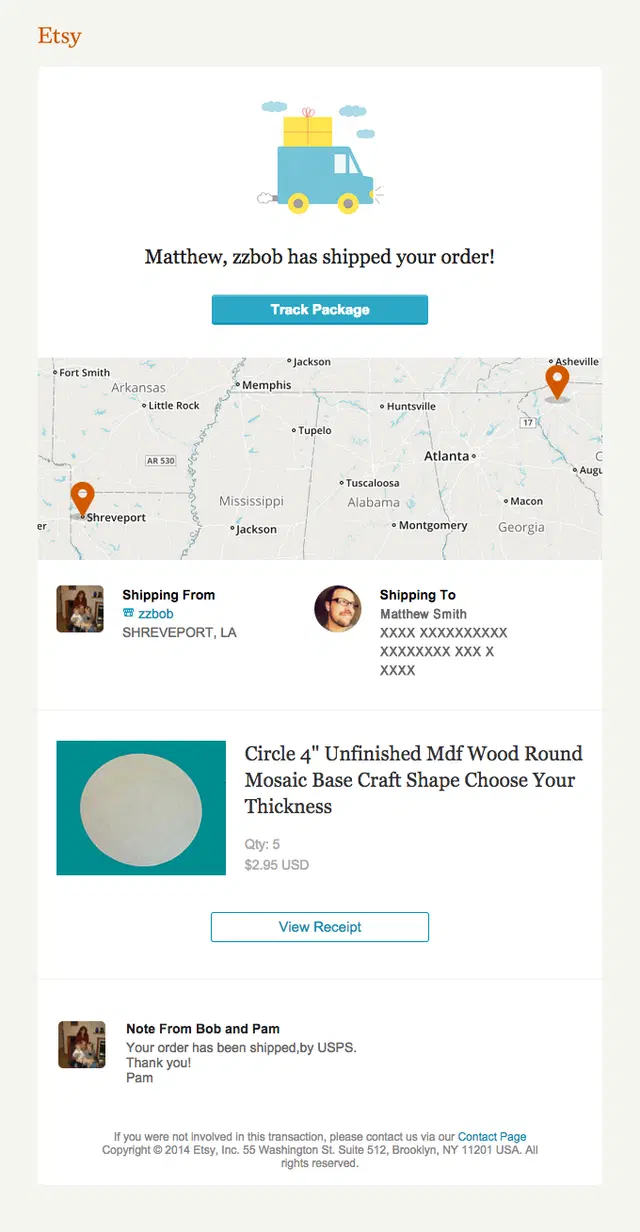
An Etsy shipping confirmation email visualizing the package journey with a shipment map showing its origin and destination.
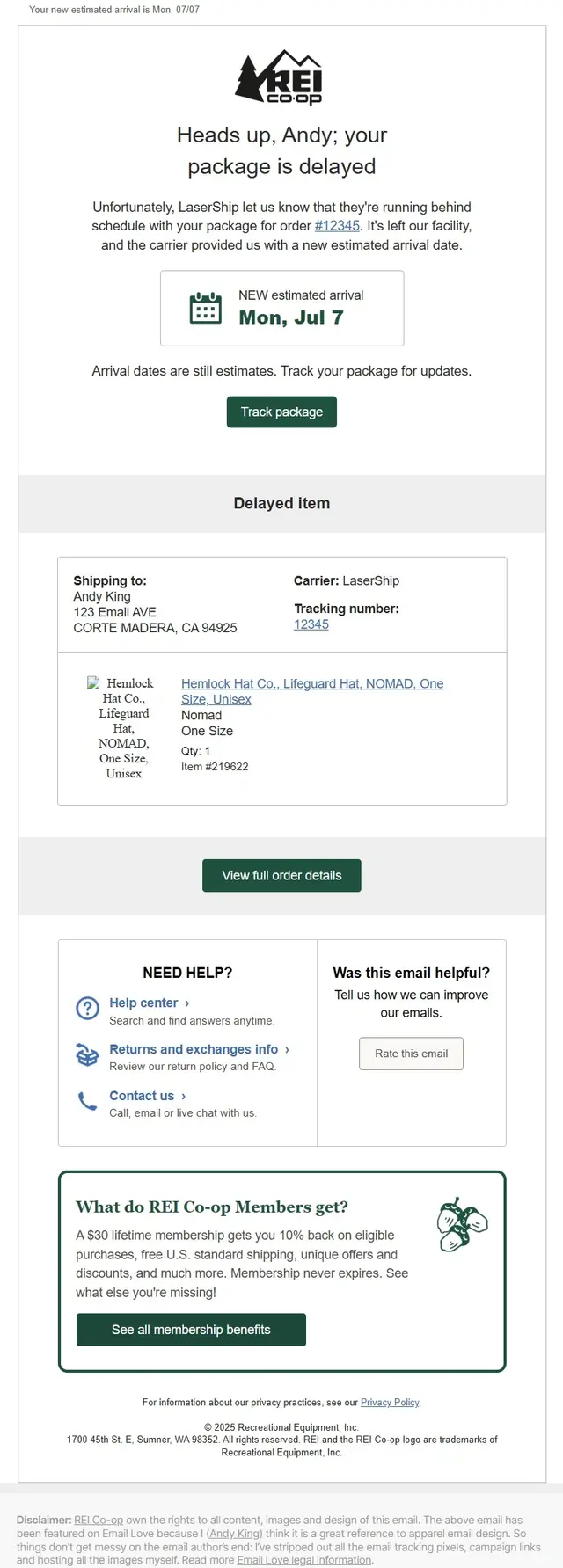
An REI Co-op shipping confirmation email highlighting an earlier-than-expected arrival date alongside carrier and tracking details.
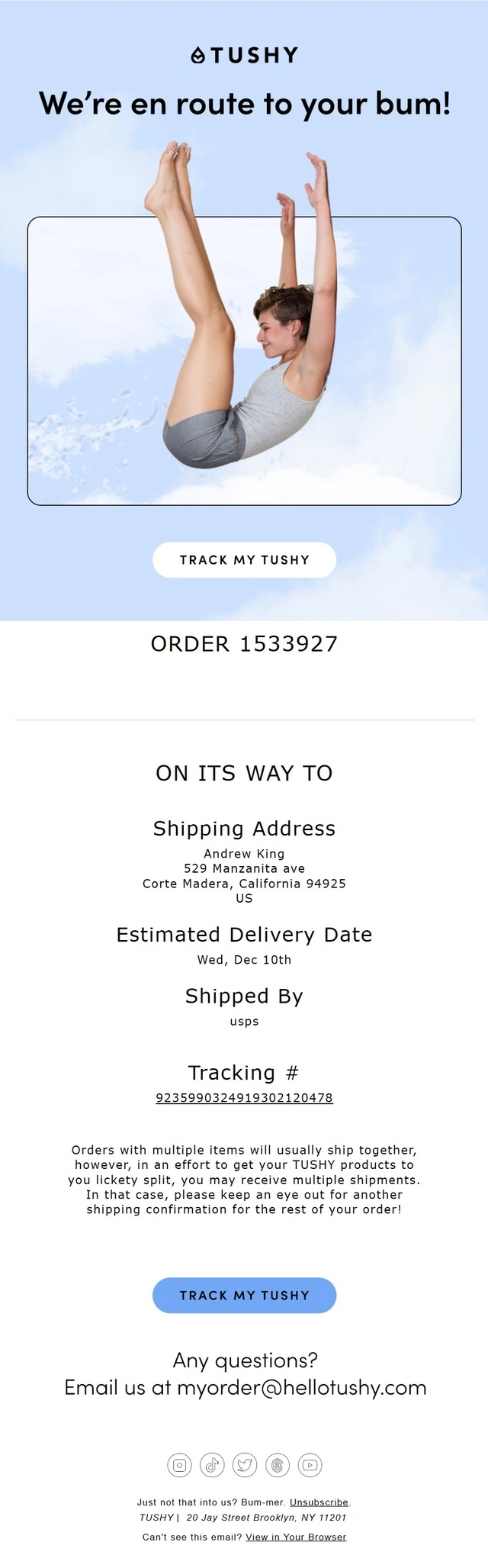
A TUSHY shipping confirmation email putting the estimated delivery date front and center while also preparing customers for possible split shipments.
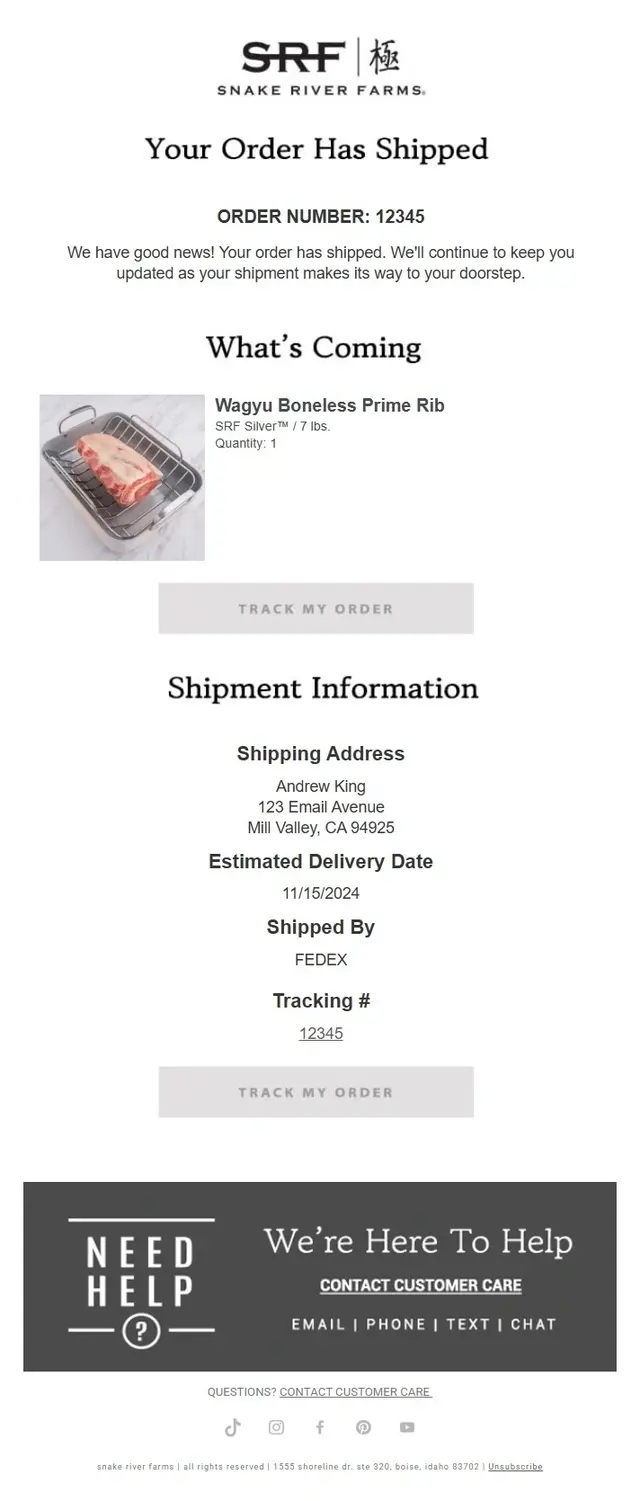
A Snake River Farms shipping confirmation email emphasizing the expected delivery date alongside carrier, tracking, and shipment details.
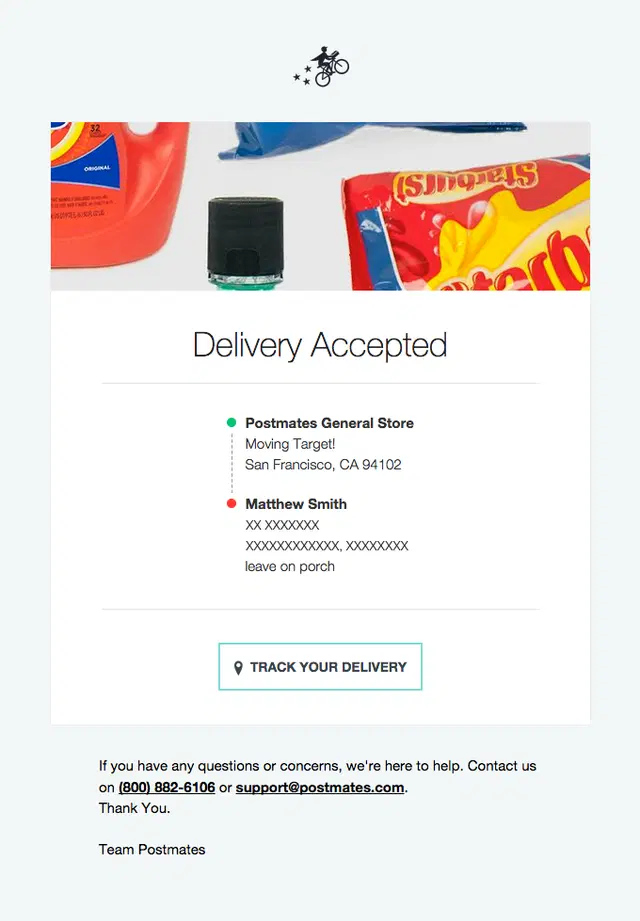
A Postmates delivery update email using a visual route between the store and customer to make real-time delivery progress easier to understand.
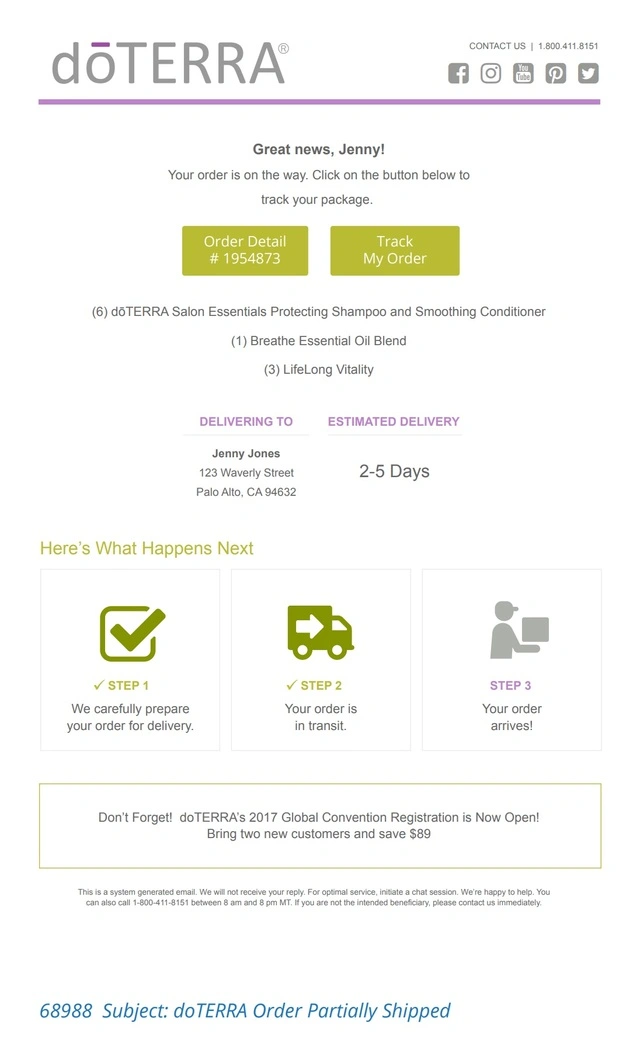
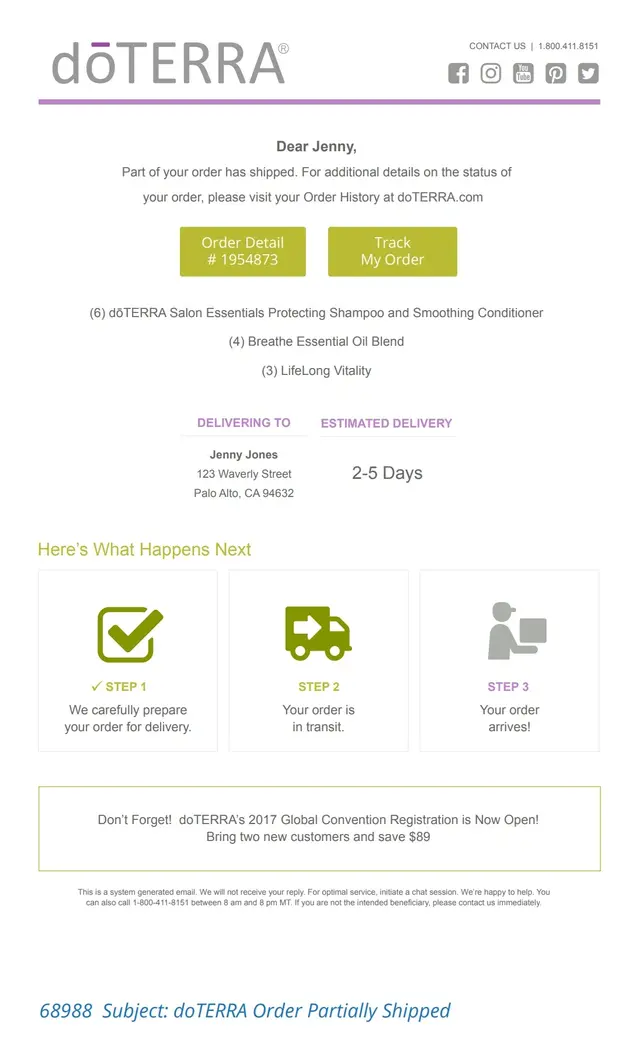
A doTERRA shipping confirmation email combining a 2–5 day delivery estimate with a three-step progress indicator from preparation to arrival.
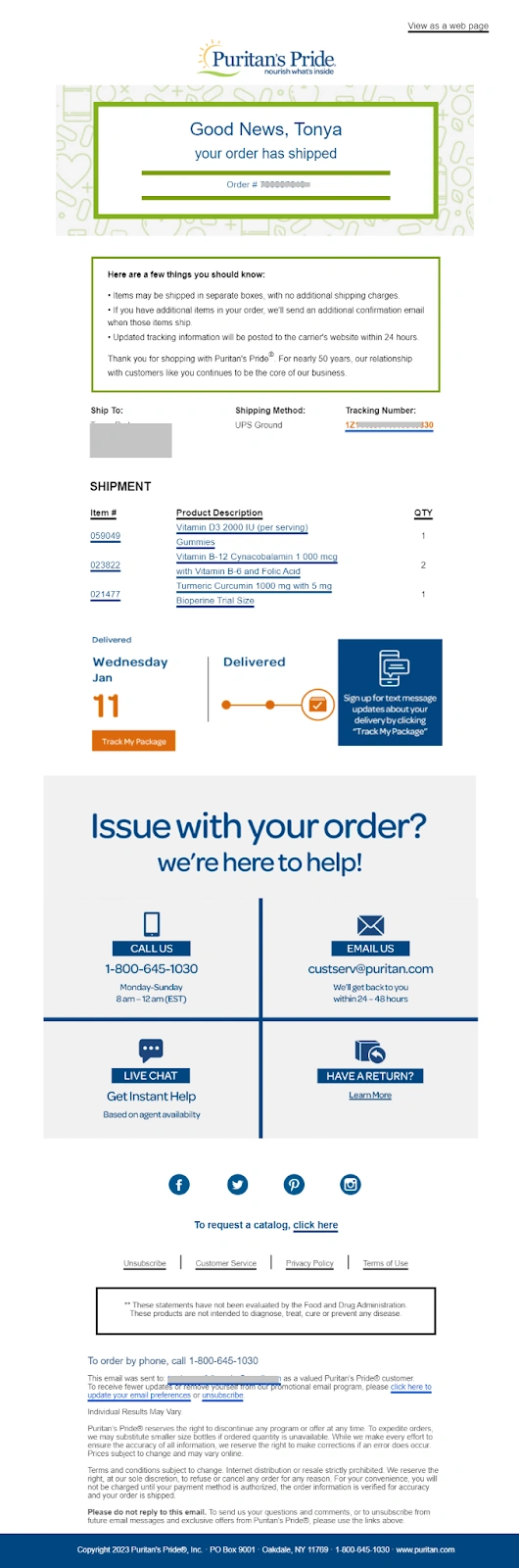
A Puritan’s Pride shipping confirmation email using a progress indicator to pair the expected arrival date with detailed shipment and tracking information.
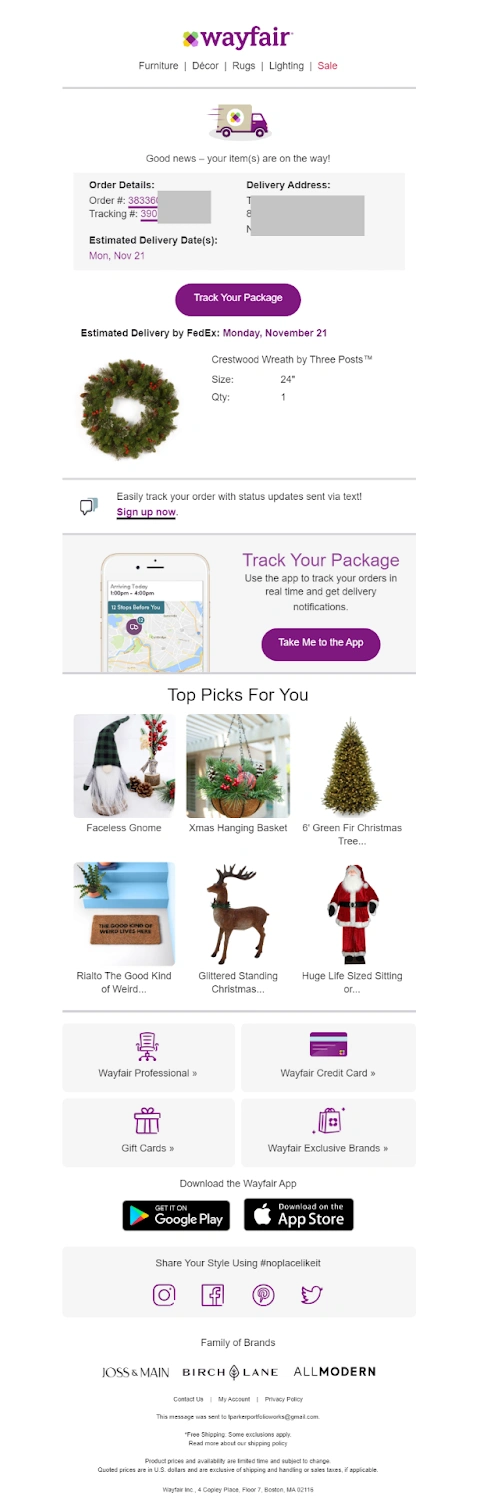
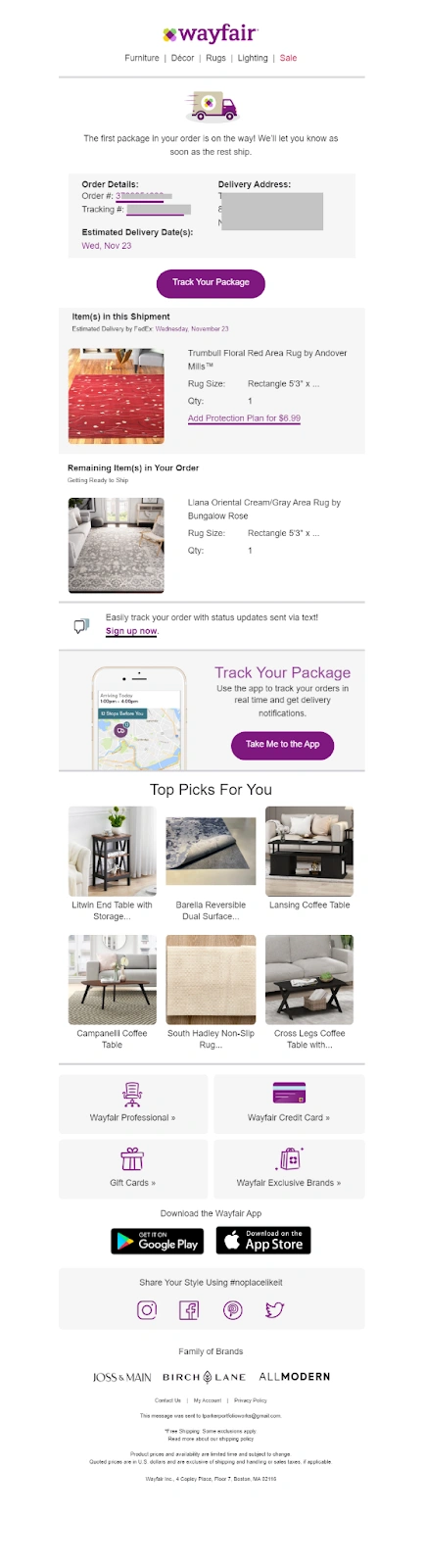
A Wayfair shipping confirmation email pairing an estimated delivery update with a personalized “Top Picks For You” product section.
Shipping Confirmation Emails With Product Recommendations and Upselling
These shipping confirmation emails use the post-purchase moment to encourage another purchase. Alongside tracking and shipment details, they feature complementary products, personalized recommendations, trending items, or other relevant upsell and cross-sell opportunities.
How to make product recommendations relevant?
When products complement the purchase: Suggest compatible accessories or related items that customers can use alongside what’s arriving. Make the connection clear rather than displaying unrelated bestsellers.
When customer preferences are known: Use previous purchases or browsing interests to narrow the selection. Avoid recommending products the customer has just ordered.
When an upgrade needs more consideration: Save the offer for a later post-purchase email if customers need time to experience their original purchase first.
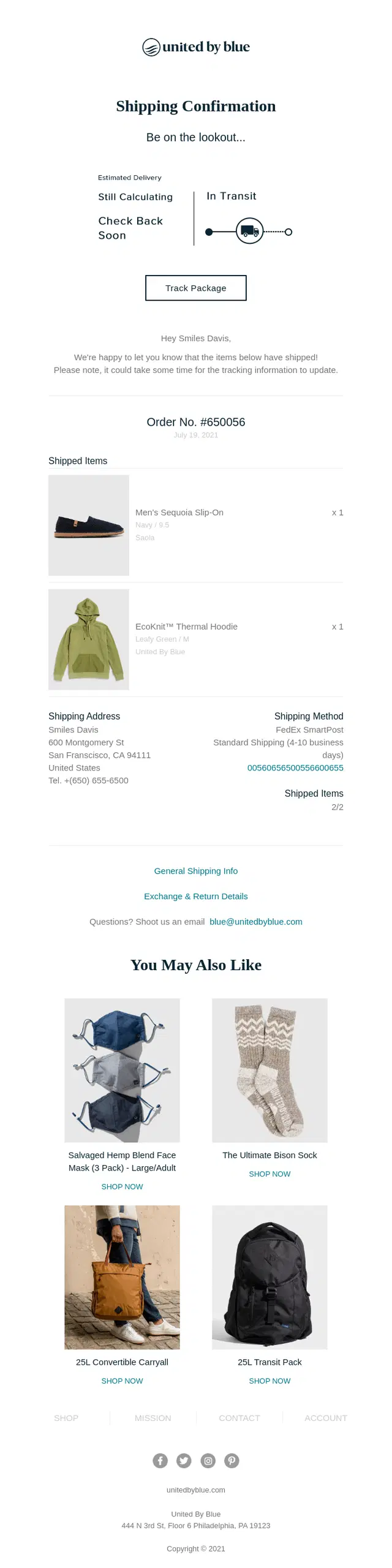
A United by Blue shipping confirmation email pairing in-transit order details with related product recommendations for a natural post-purchase cross-sell.
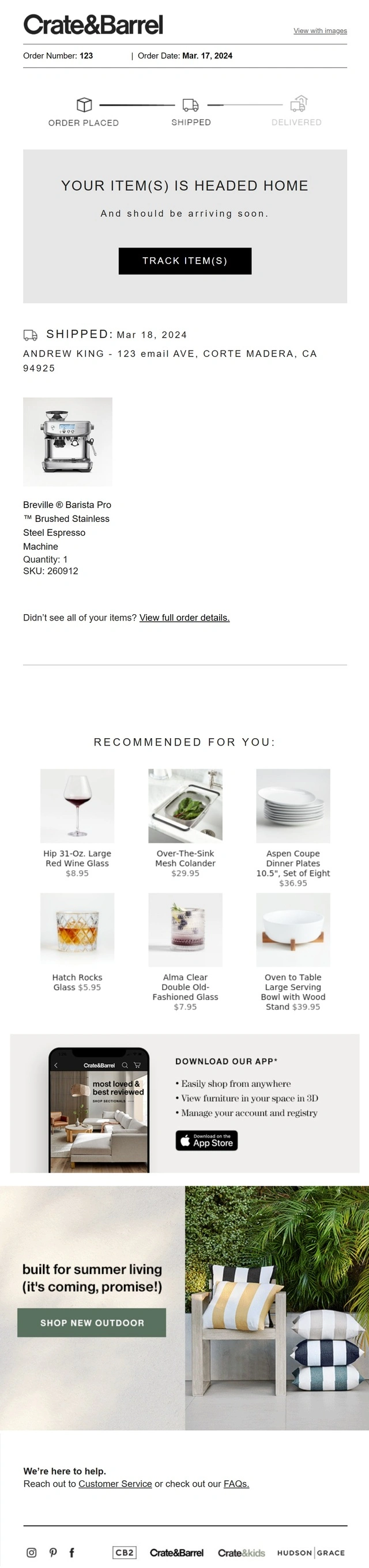
A Crate & Barrel shipping confirmation email combining shipment progress with personalized recommendations, app promotion, and seasonal shopping content.
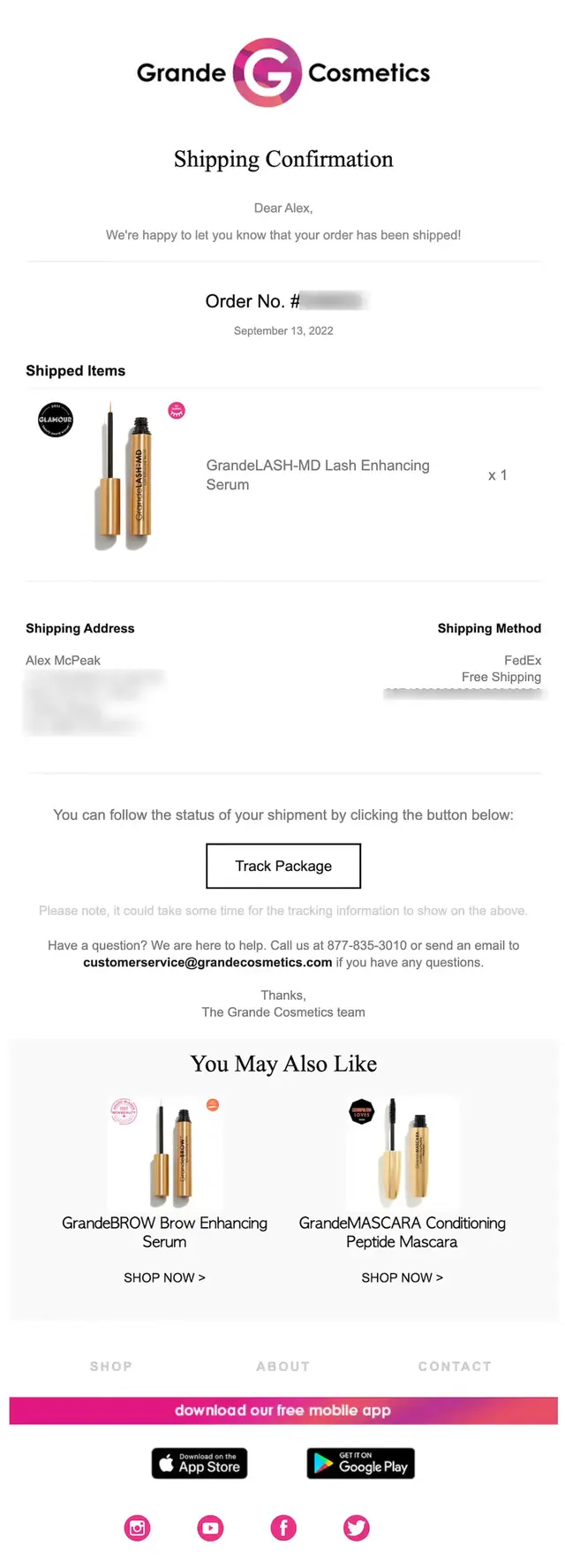
A Grande Cosmetics shipping confirmation email using personalized beauty recommendations to extend the post-purchase experience beyond package tracking.
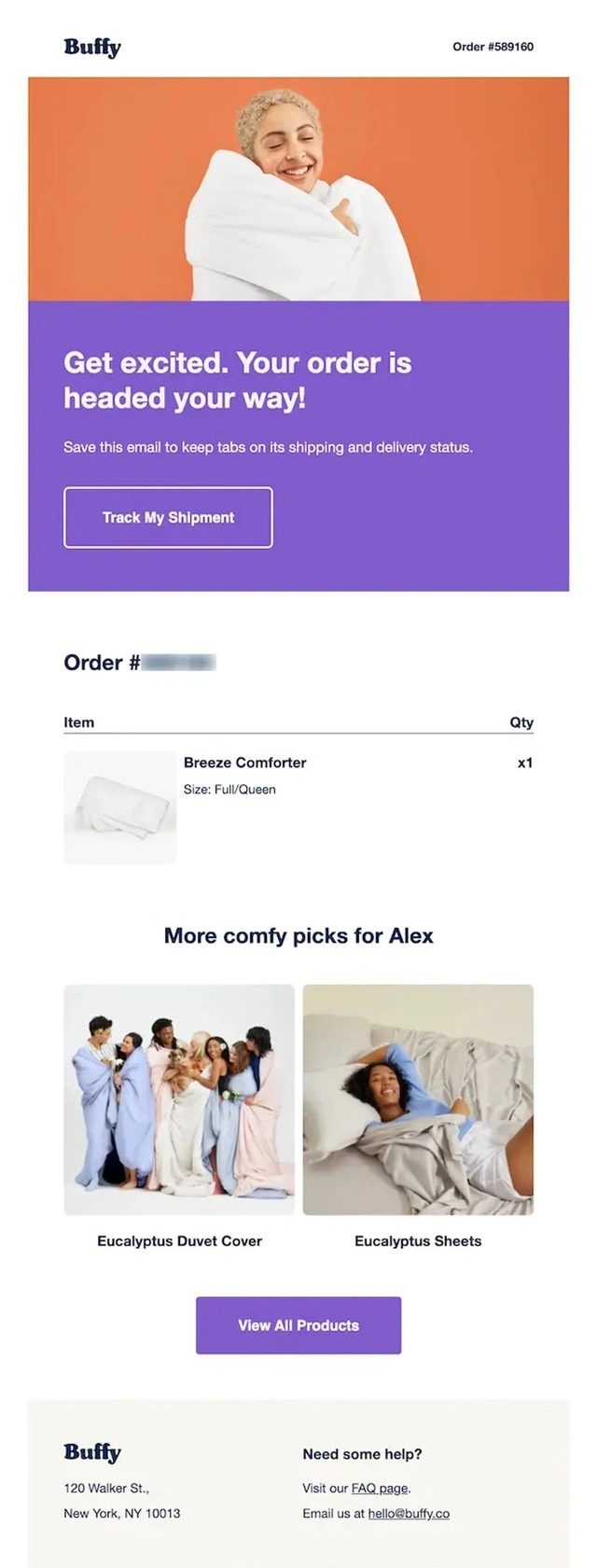
A Buffy shipping confirmation email recommending complementary bedding products alongside shipment and order details.
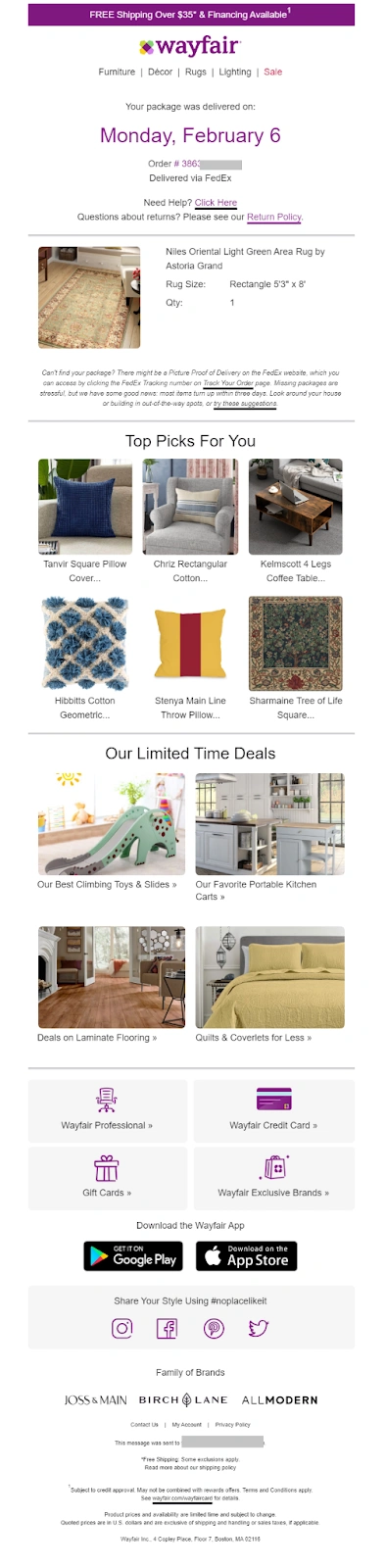
A Wayfair delivery confirmation email combining successful delivery messaging with personalized product recommendations and limited-time deals.
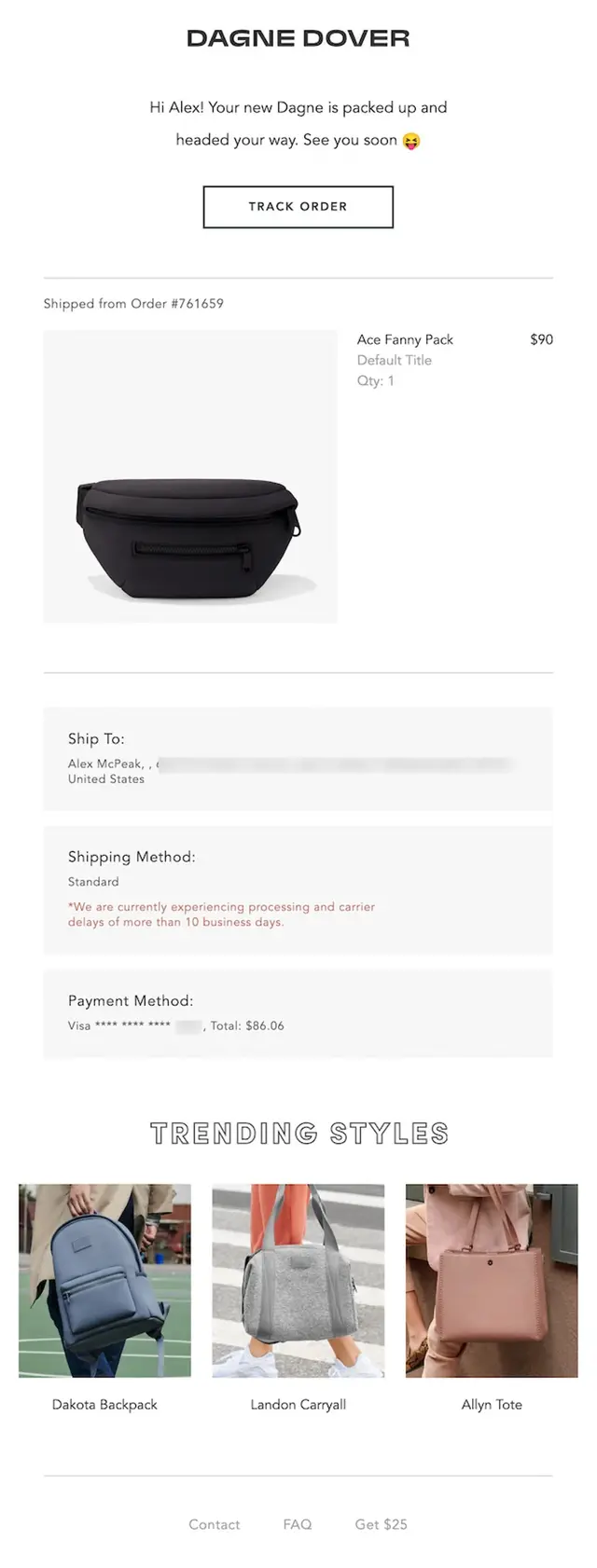
A Dagne Dover shipping confirmation email combining shipment details with a Trending Styles section featuring recommended bags.
Shipping Confirmation Emails With Helpful Content and Support
These shipping confirmation emails add useful post-purchase content beyond basic tracking. They include product education, care instructions, tutorials, delivery guidance, FAQs, returns information, guarantees, and customer support to help customers before and after their package arrives.
What information is useful while customers wait?
When arrival requires preparation: Provide timely instructions, such as signature requirements or storage guidance, before introducing general product education.
When customers may have questions: Link directly to relevant FAQs, return policies, or support resources rather than including every possible answer in the email.
When the product has a learning curve: Share one useful getting-started tip and link to the full guide, saving detailed tutorials for after delivery.
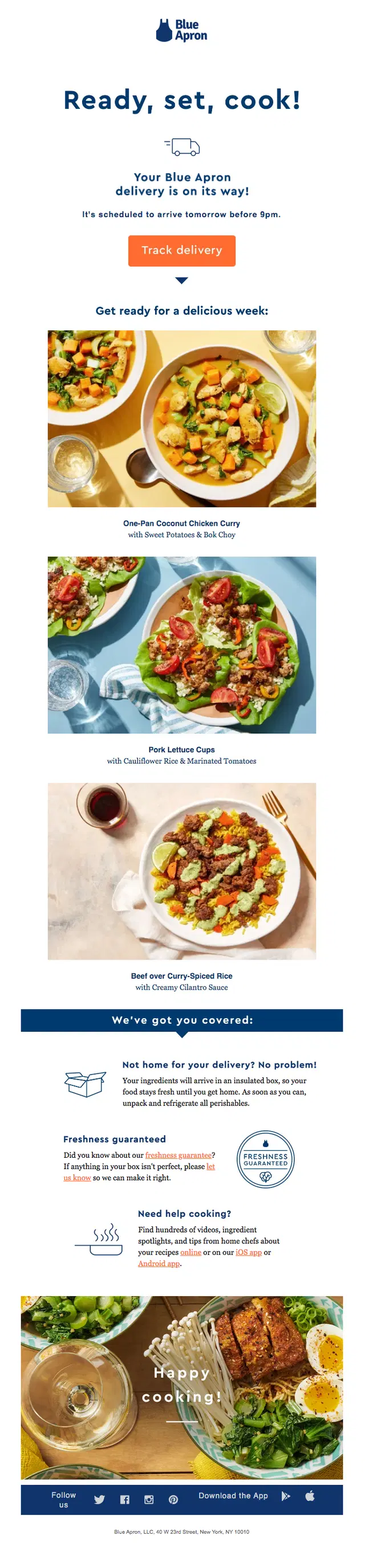
A Blue Apron shipping confirmation email combining next-day delivery tracking with meal previews, freshness guidance, and cooking support content.
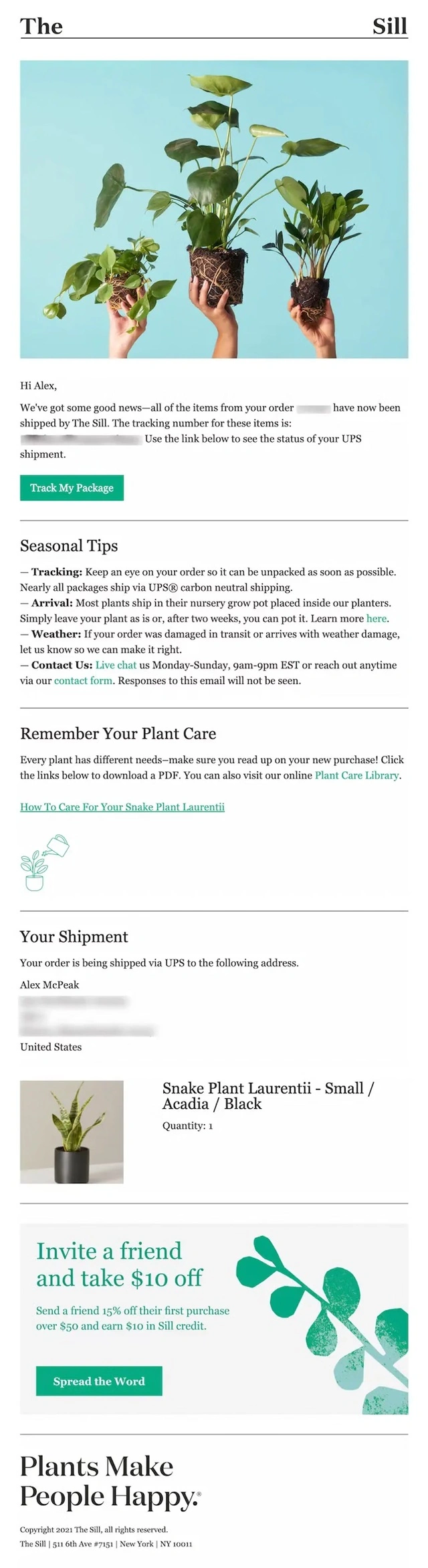
A The Sill shipping confirmation email pairing package tracking with seasonal shipping tips, plant care guidance, and downloadable care resources.
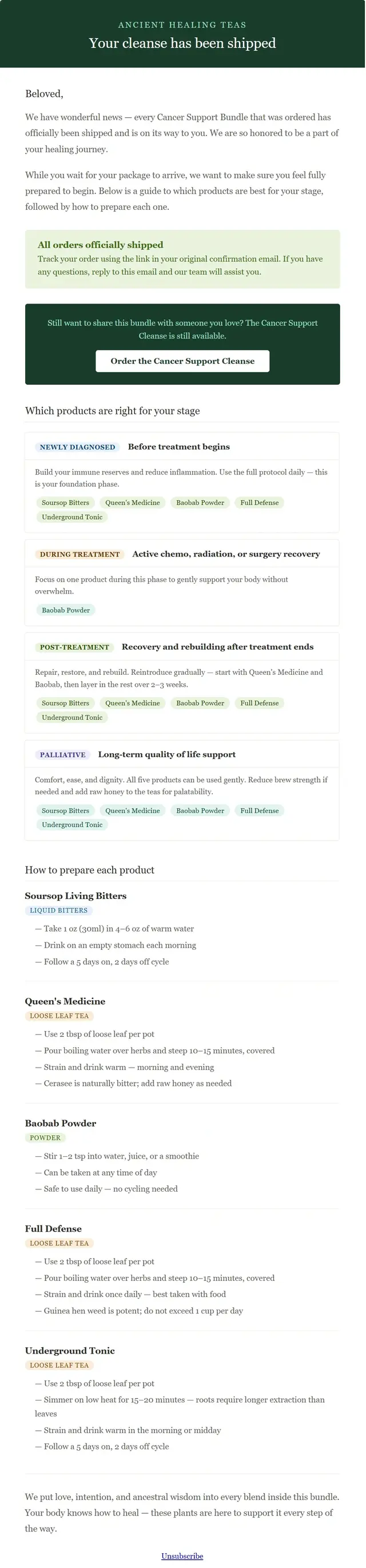
An Ancient Healing Teas shipping confirmation email using detailed product education to explain when and how to use each item in the shipped bundle.
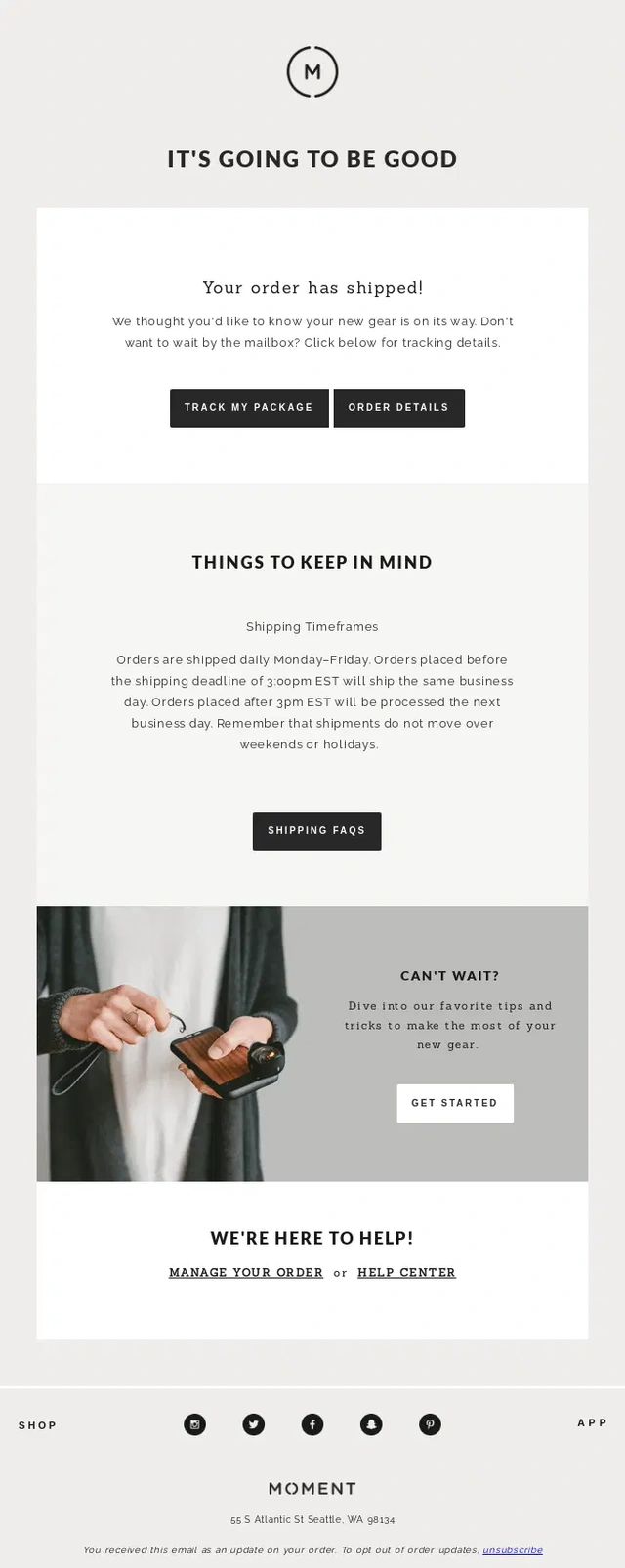
A Moment shipping confirmation email combining tracking with shipping FAQs, delivery guidance, and practical tips for getting started with new gear.
An Apple Store shipping confirmation email pairing delivery tracking with pre-sign options, delivery FAQs, and customer support guidance.
A Patagonia shipping confirmation email extending beyond tracking with information about its guarantee, repair program, and environmental initiatives.
A Dossier shipping confirmation email using the post-purchase message to explain fragrance sample changes and clarify the brand’s return policy.
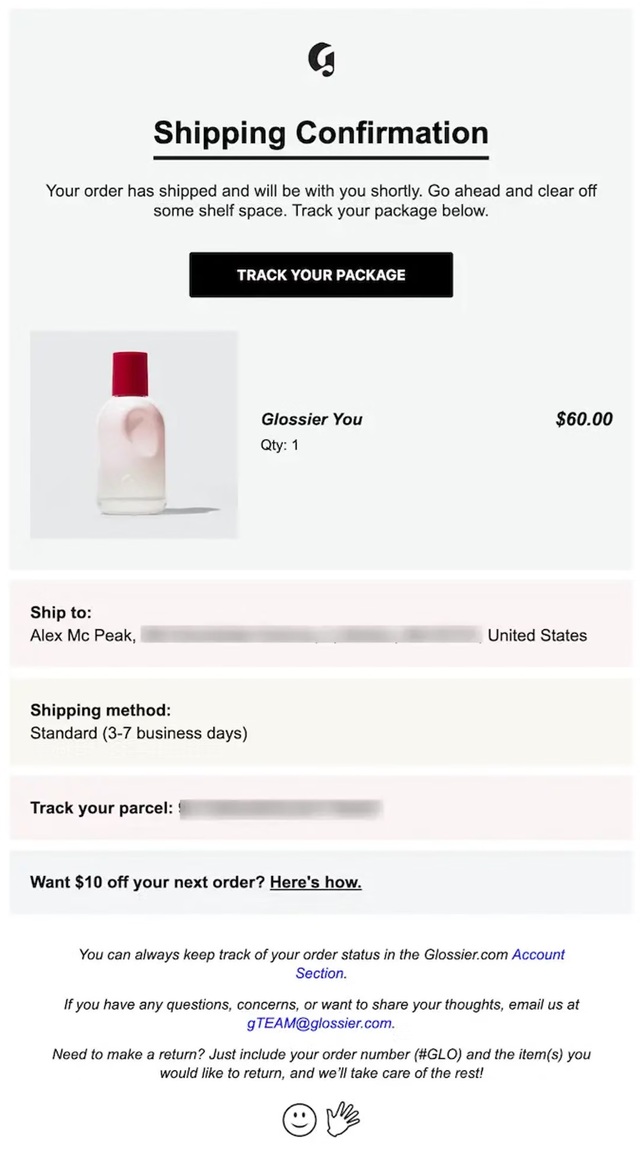
A Glossier shipping confirmation email combining package tracking with return instructions, customer support, and account-based order management.
A DAVIDsTEA shipping confirmation email combining detailed order tracking with educational drink content and loyalty program guidance.
Shipping Confirmation Emails With Referral and Community Content
Shipping emails can also turn an existing customer into an advocate. These examples pair delivery updates with referral rewards, loyalty incentives, social sharing prompts, user-generated content requests, or invitations to join the brand’s community.
When does this approach make sense?
When customers already know the product: Referral invitations are more suitable for repeat buyers who have firsthand experience. First-time customers may need to try their purchase before recommending it.
When offering referral rewards: Explain what the customer and their friend each receive, and make the program conditions easy to access.
When inviting social participation: Give customers a clear reason to join the community. Save requests for product photos or usage stories until after delivery.
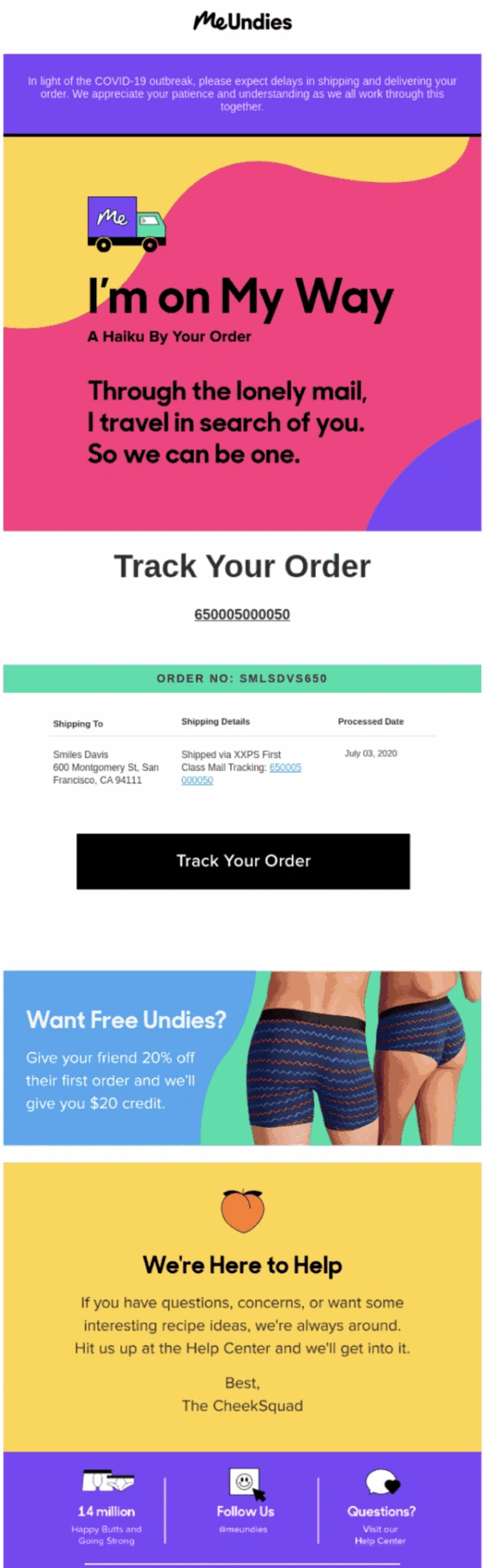
A MeUndies shipping confirmation email pairing order tracking with a referral offer that encourages customers to share the brand after purchase.
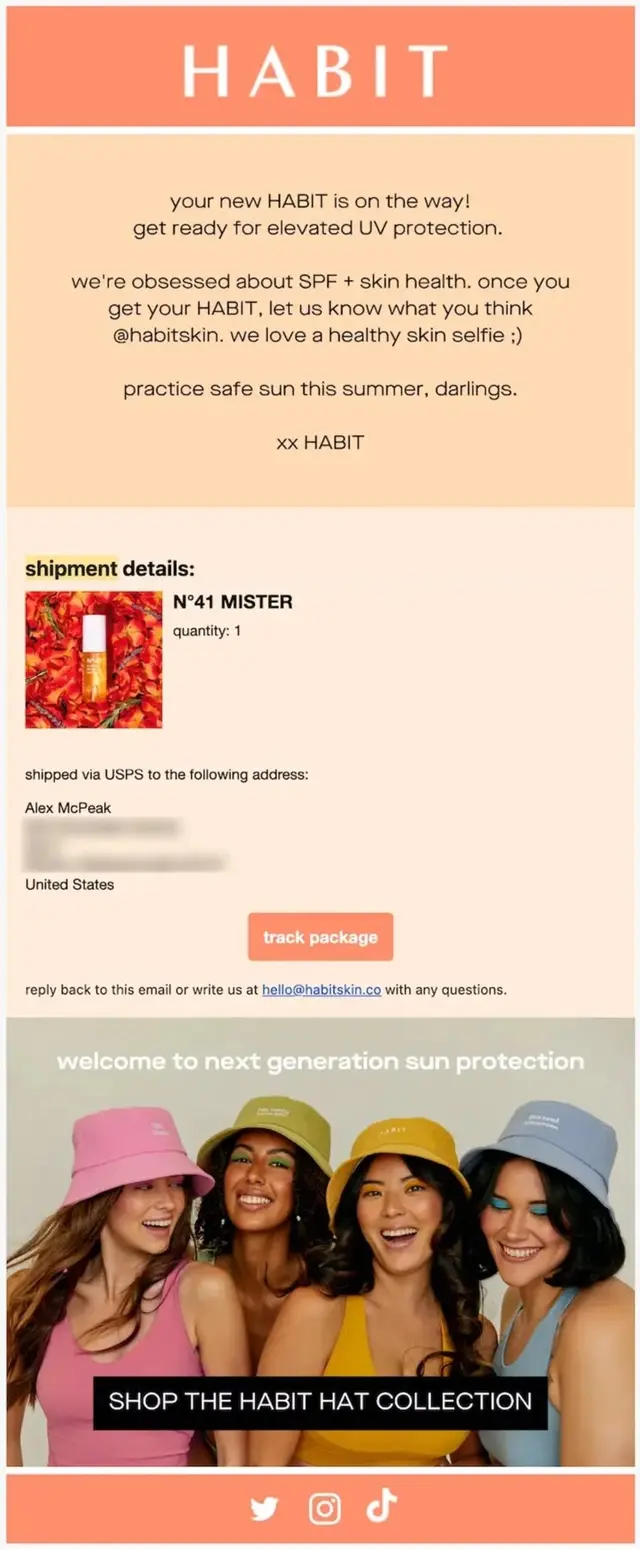
A HABIT shipping confirmation email combining shipment details with a social prompt inviting customers to share a skin selfie.
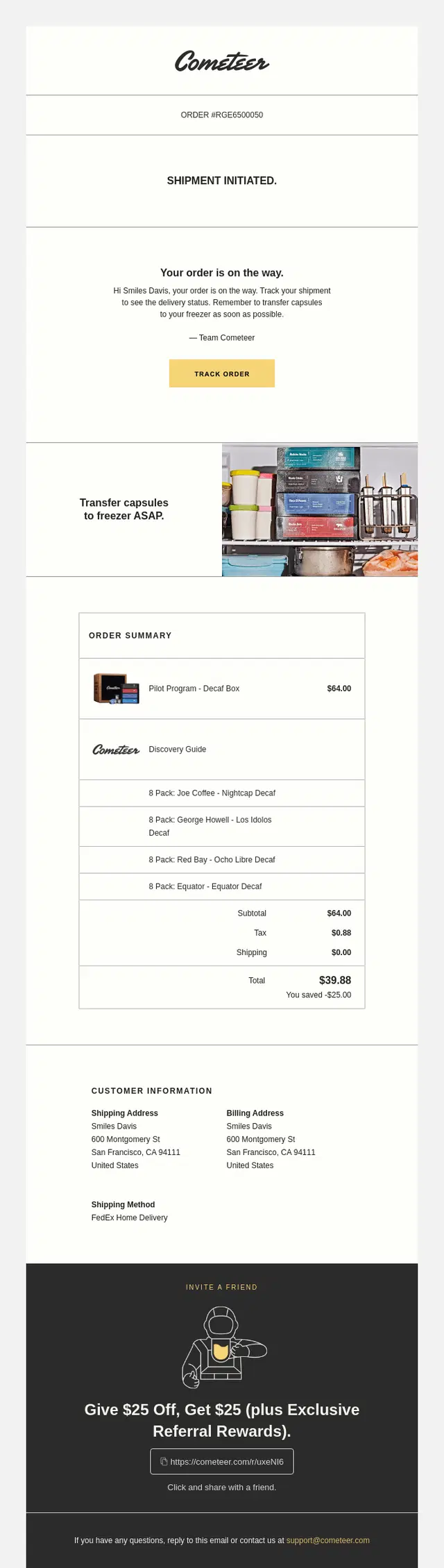
A Cometeer shipping confirmation email pairing order tracking and storage guidance with a $25 referral reward.
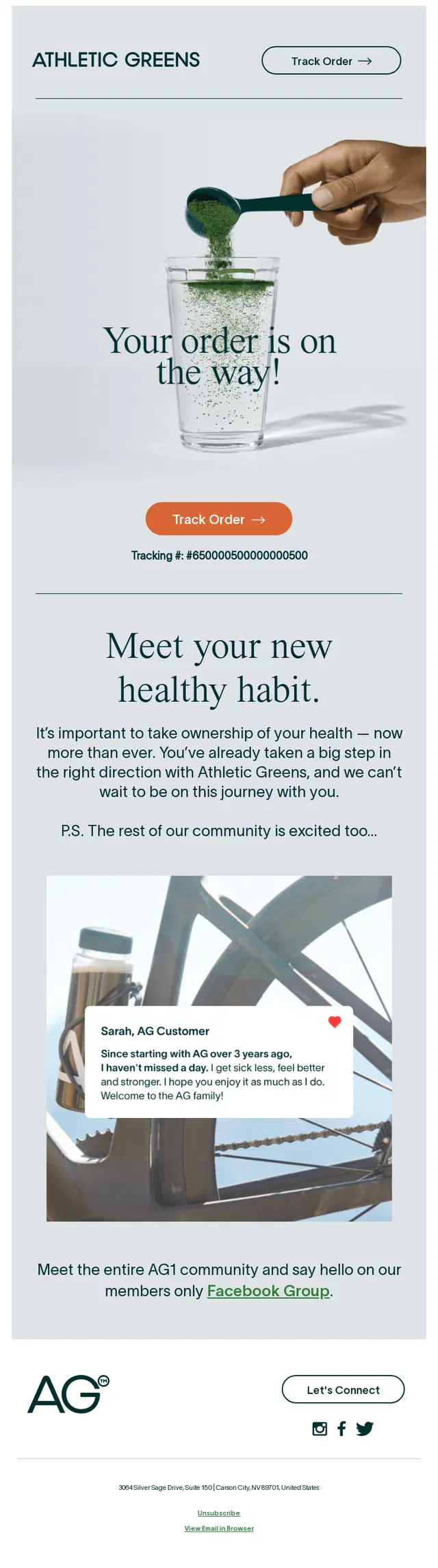
An Athletic Greens shipping confirmation email extending the post-purchase experience with a customer testimonial and invitation to join its Facebook community.
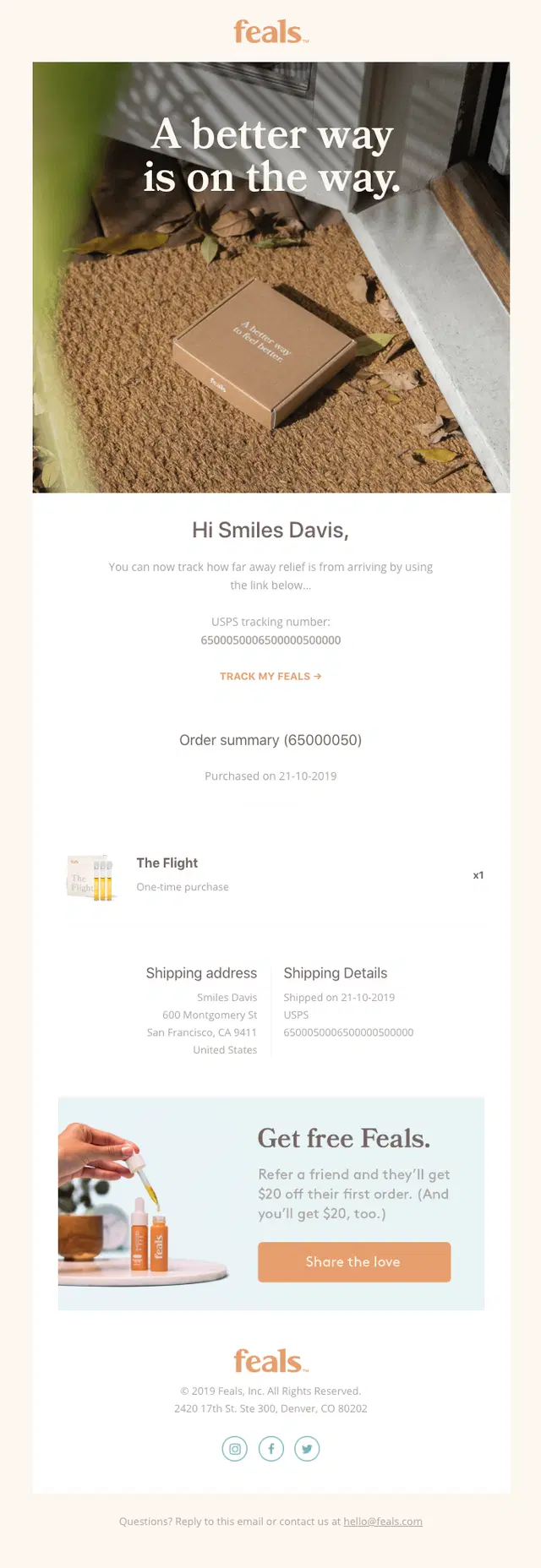
A Feals shipping confirmation email combining shipment tracking with a give-$20, get-$20 referral incentive.
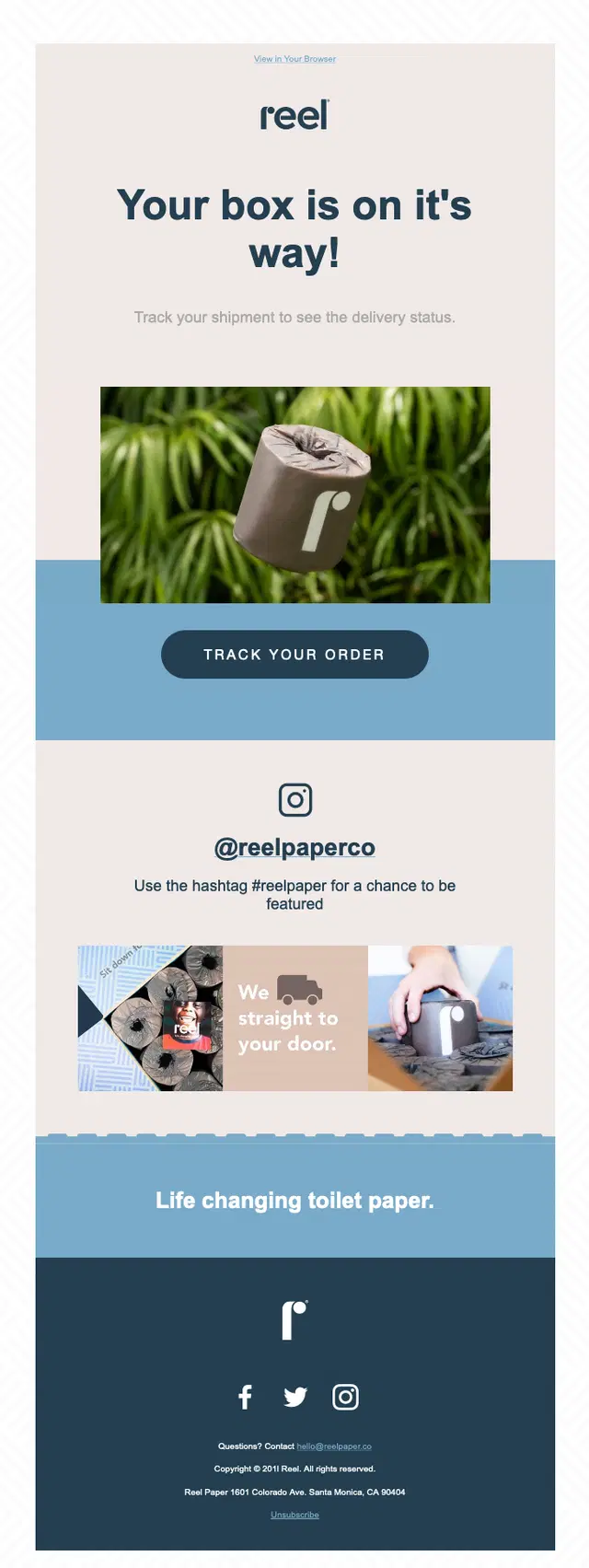
A Reel shipping confirmation email encouraging customers to share their experience on Instagram using the #reelpaper hashtag.
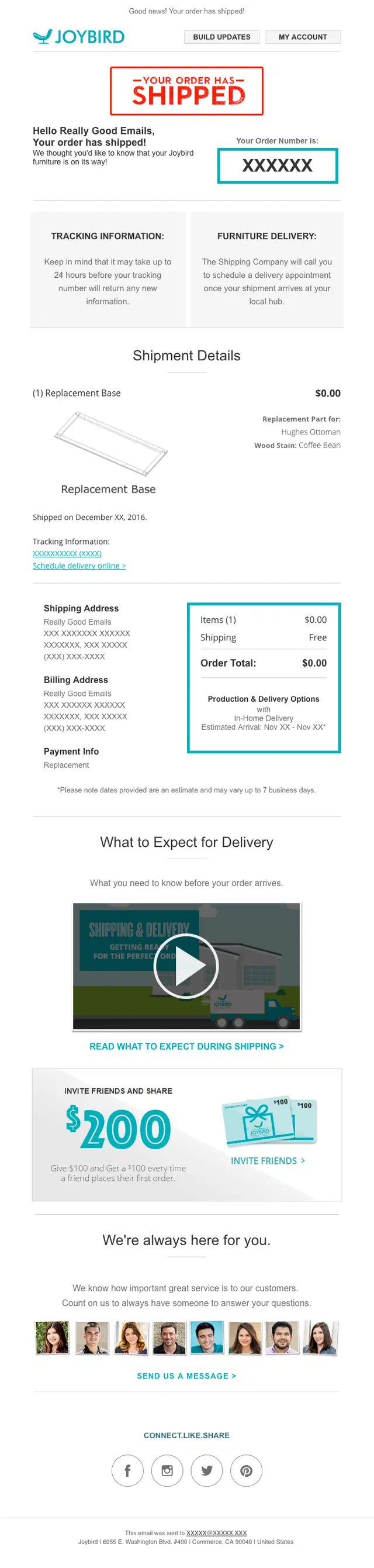
A Joybird shipping confirmation email pairing delivery guidance and scheduling details with a referral offer and customer support.
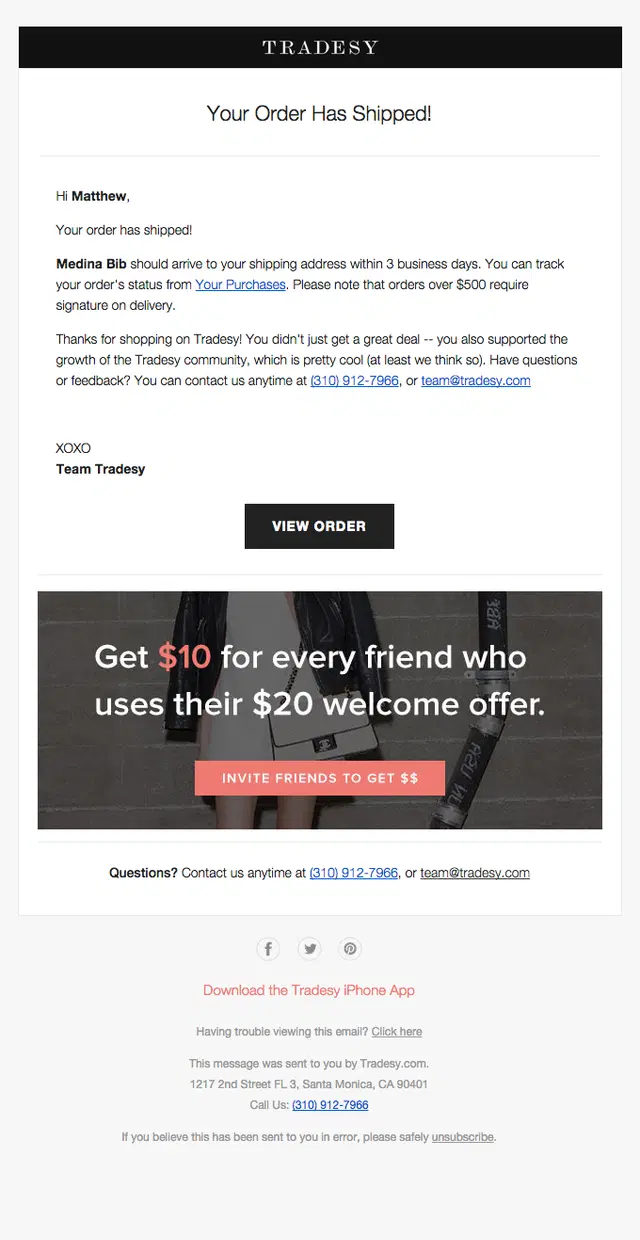
A Tradesy shipping confirmation email combining a three-day delivery estimate with a referral program rewarding customers for bringing in new shoppers.
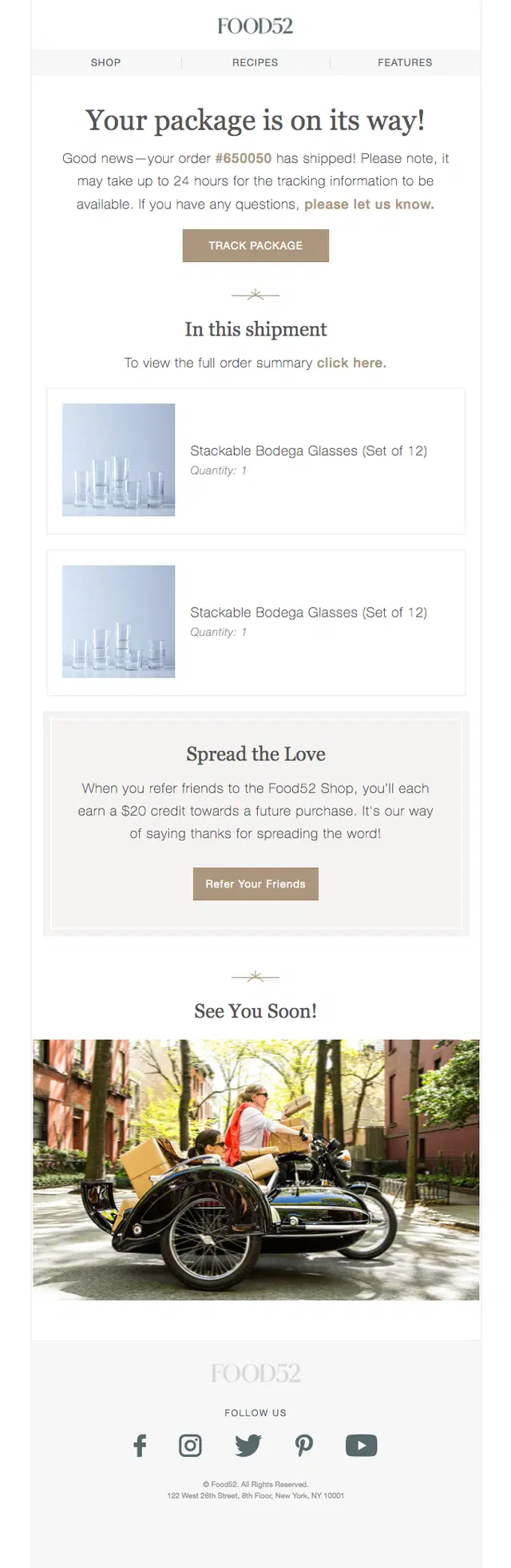
A Food52 shipping confirmation email pairing package tracking with a referral offer giving both the customer and their friend $20 in credit.
Minimalist Shipping Confirmation Email Examples
Not every shipping email needs a complex layout. These minimalist shipping confirmation email examples keep the focus on the essential update, using clear shipment messaging, tracking information, delivery details, and simple visual hierarchy to help customers find what they need quickly.
How to keep a shipping email minimal without losing clarity?
When the status is the main message: Use a direct headline such as “Your order has shipped” or “Out for delivery,” followed by an easy-to-find tracking action.
When deciding what to include: Prioritize the details customers need at that stage, such as an arrival estimate, tracking number, or delivery address, rather than repeating the full order summary.
When additional information is necessary: Keep support links, account details, or other helpful content in clearly separated sections below the main shipping update.
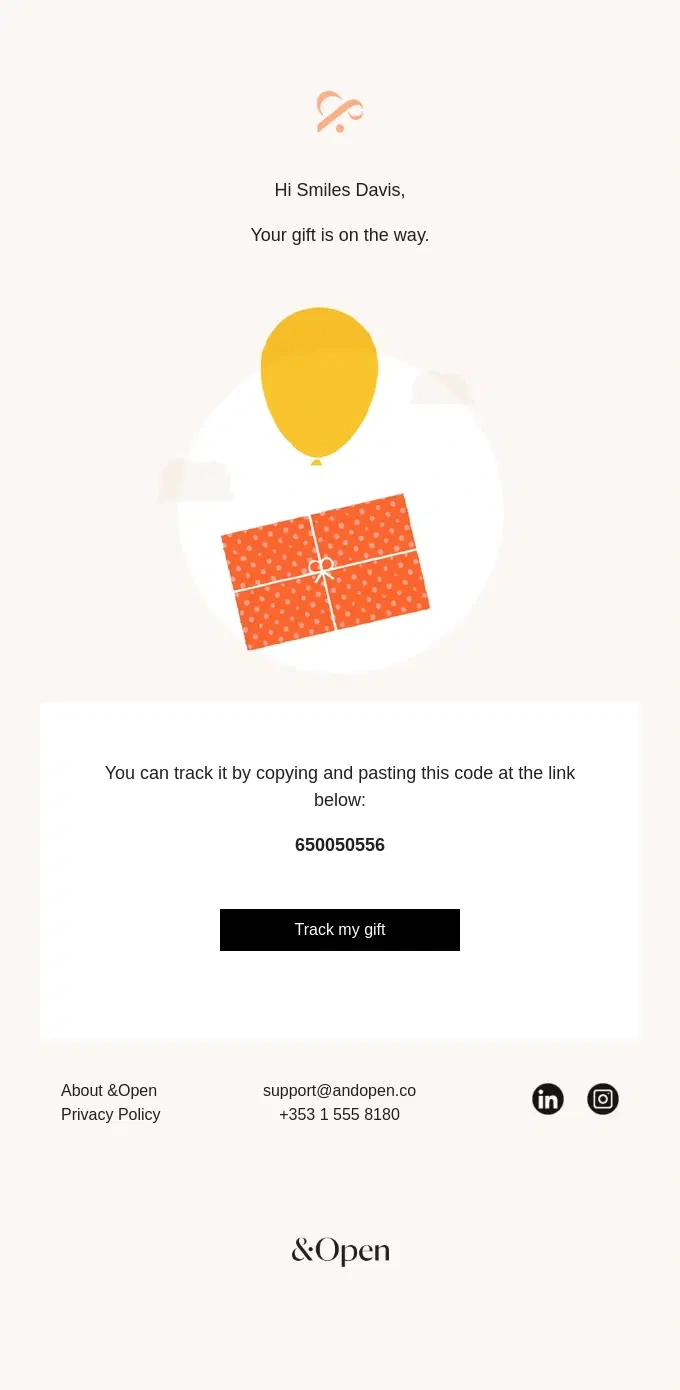
An &Open minimalist shipping confirmation email using a simple gift illustration, tracking code, and single clear CTA to keep the update focused.
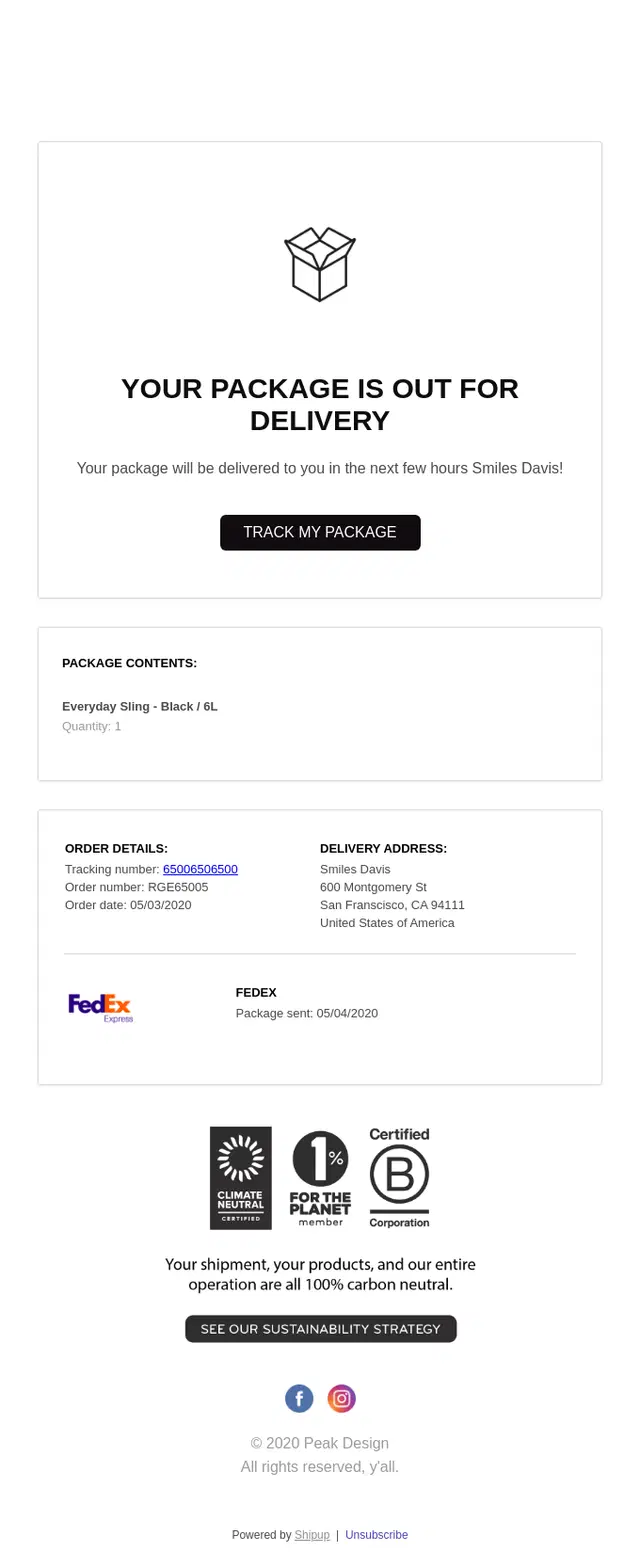
A Peak Design out-for-delivery email using a clean layout to surface arrival timing, package details, and tracking without unnecessary visual clutter.

An iFIT Nourish minimalist shipping confirmation email pairing a simple delivery truck illustration with a 2–5 day delivery estimate and clear tracking CTA.
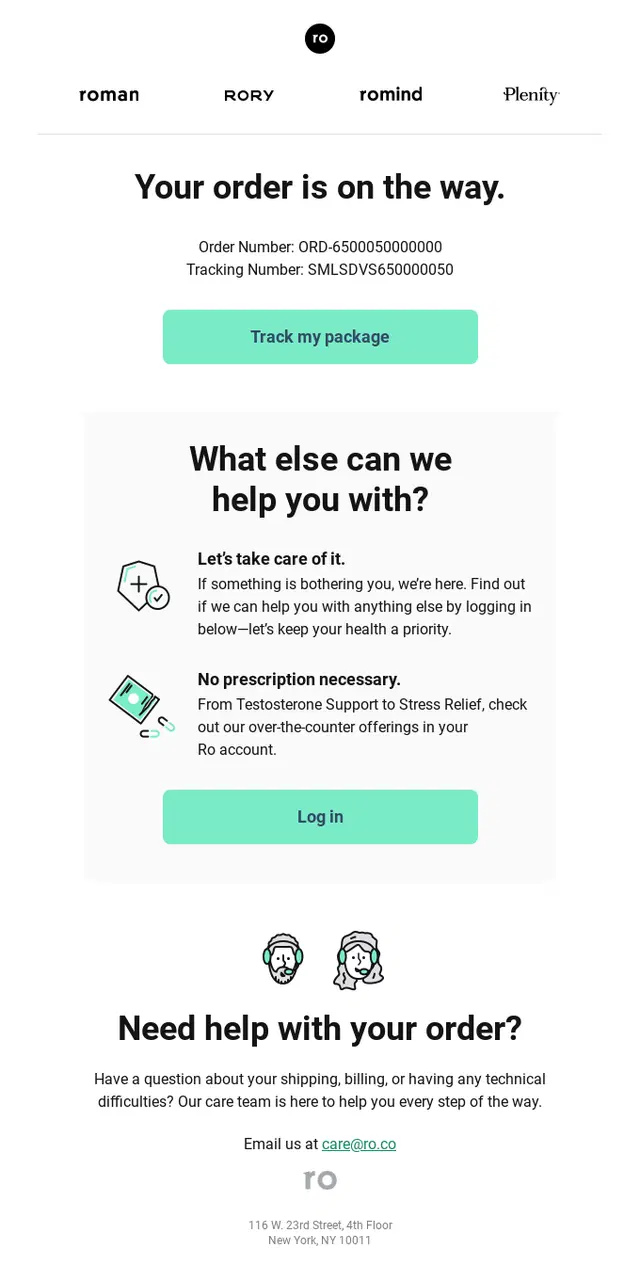
A Roman shipping confirmation email keeping order and tracking information prominent within a simple, easy-to-scan layout.
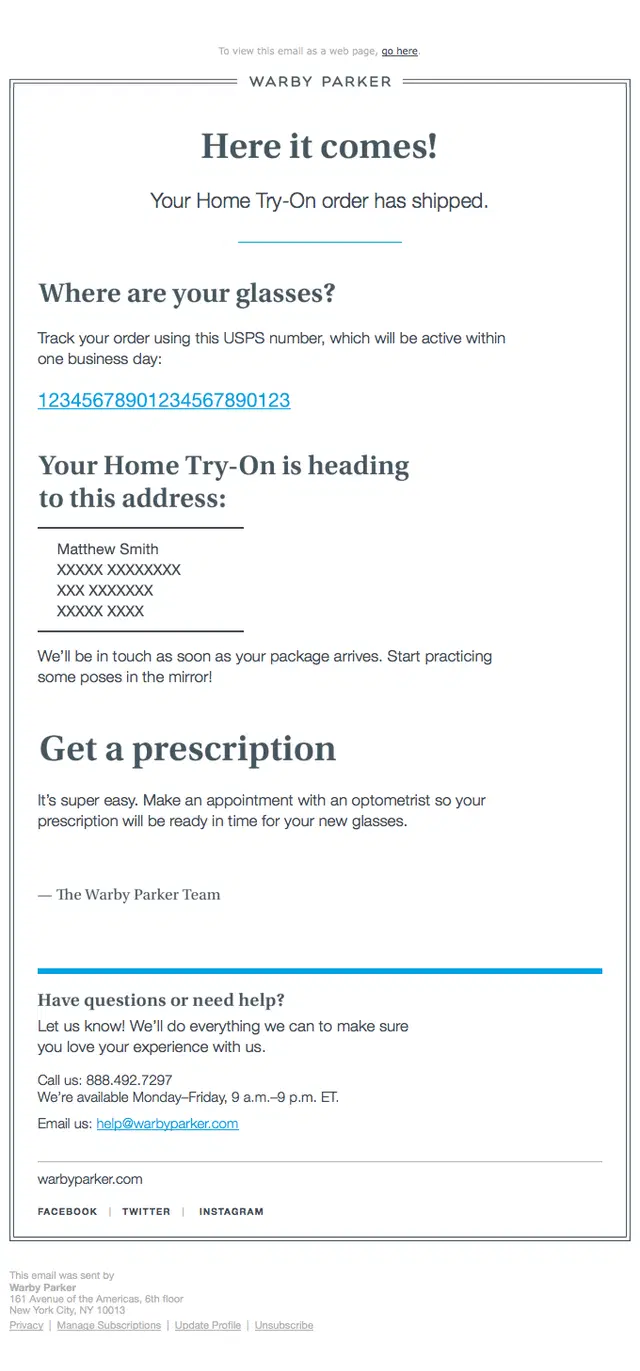
A Warby Parker shipping confirmation email putting the USPS tracking number front and center alongside only the essential delivery and prescription information.
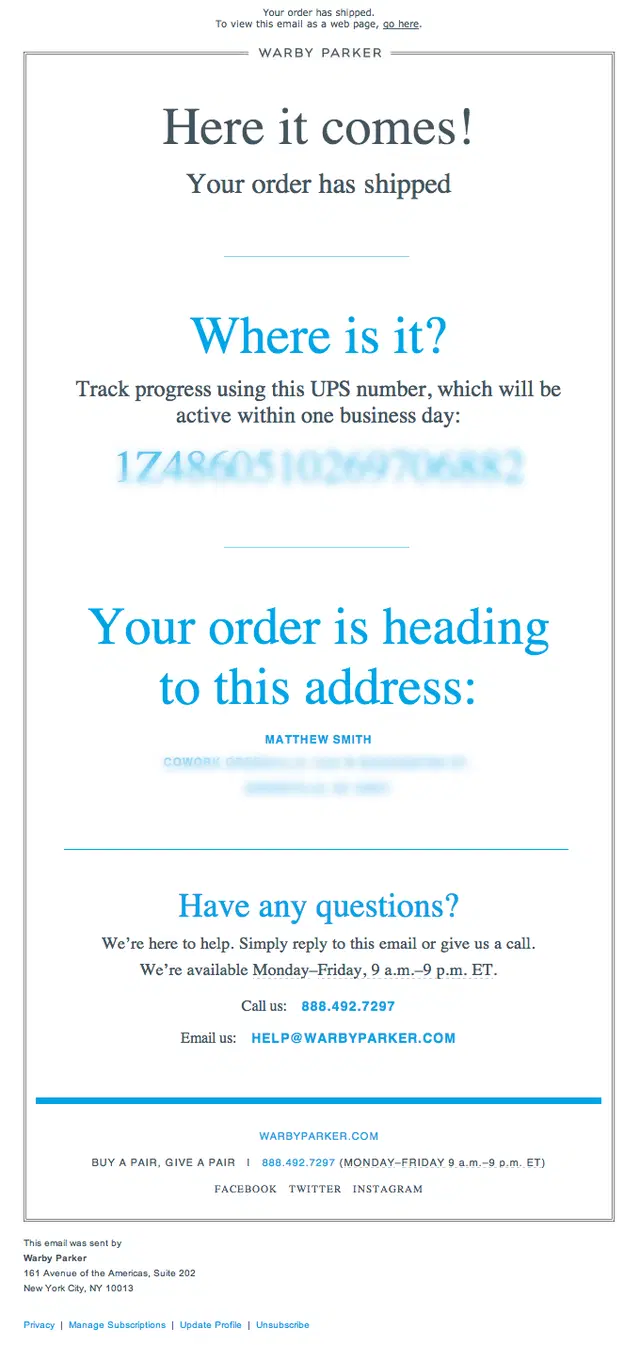
A Warby Parker shipping confirmation email using a stripped-back layout focused on the UPS tracking number, delivery address, and customer support.
Partial and Multiple Shipment Email Examples
When an order ships in more than one package, the confirmation email needs to make it clear what has shipped and what is still coming. These partial shipment email examples show how brands communicate split orders, multiple packages, and individual shipment details without creating confusion.
How to make split shipments easier to follow?
When packages have separate tracking links: Give each shipment its own clearly labeled section, pairing the tracking action with the products inside that package.
When items have different fulfillment statuses: Separate shipped products from those still processing, and show quantities when the same product is divided between packages.
When the final package ships: Make it clear that the remaining items are now on their way, so customers know the entire order has been dispatched.
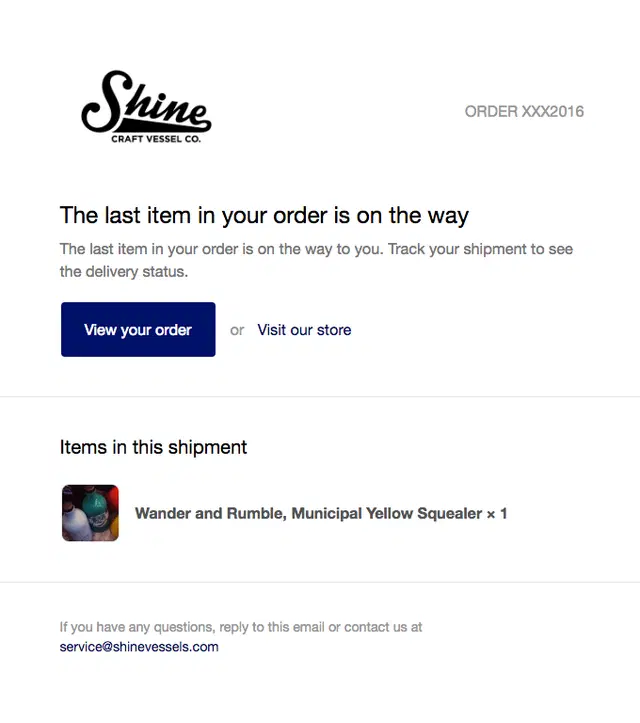
A Shine Craft Vessel shipping confirmation email clearly signaling that the final item from a split order is now on the way.
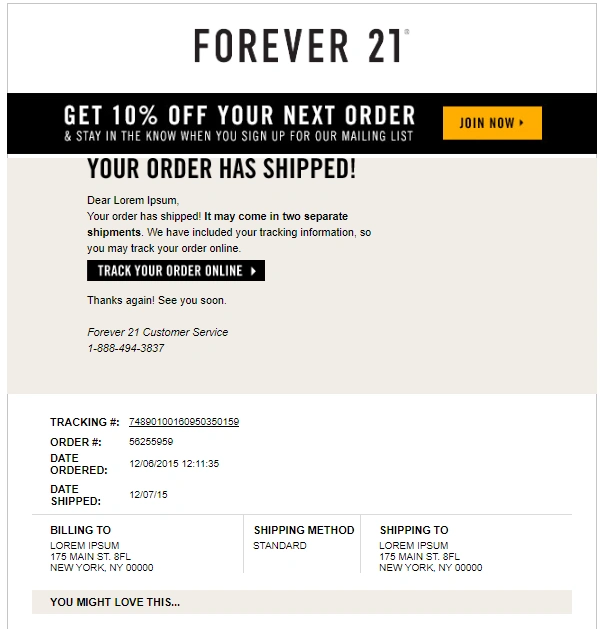
A Forever 21 shipping confirmation email preparing customers for a two-package delivery while keeping tracking and order details easy to find.
A Wayfair partial shipment email clearly separating the first package on the way from the remaining items still waiting to ship.
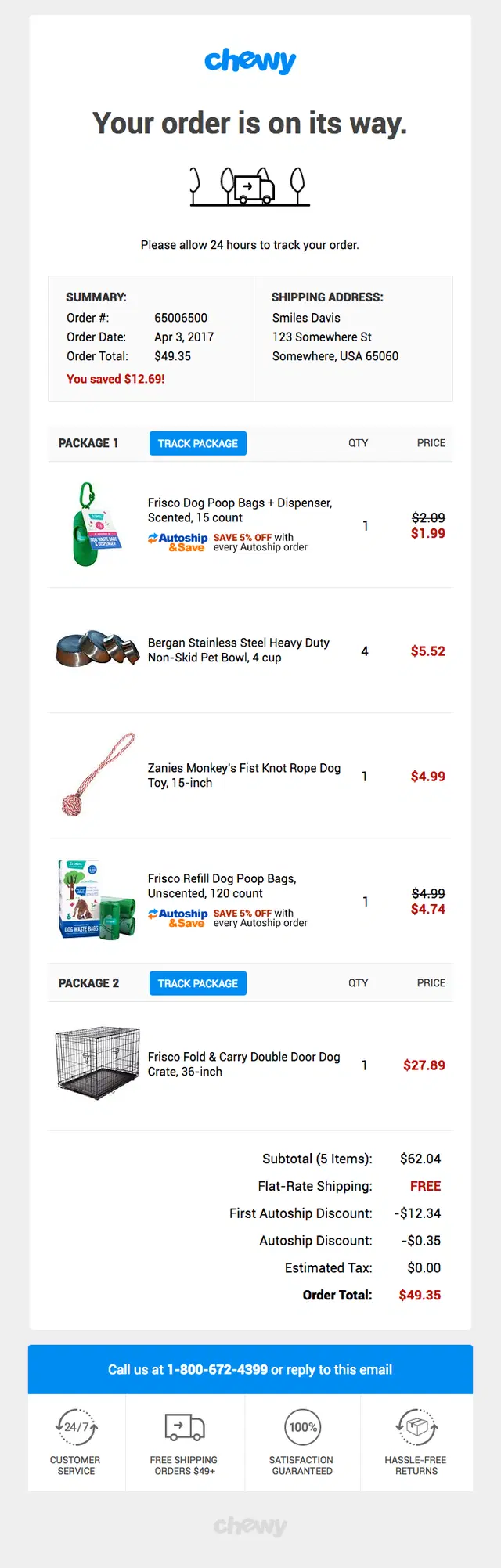
A Chewy shipping confirmation email dividing a split order into two packages with separate tracking buttons and product details for each shipment.
A doTERRA partial shipment email combining shipped product quantities with a delivery estimate and three-step shipment progress indicator.
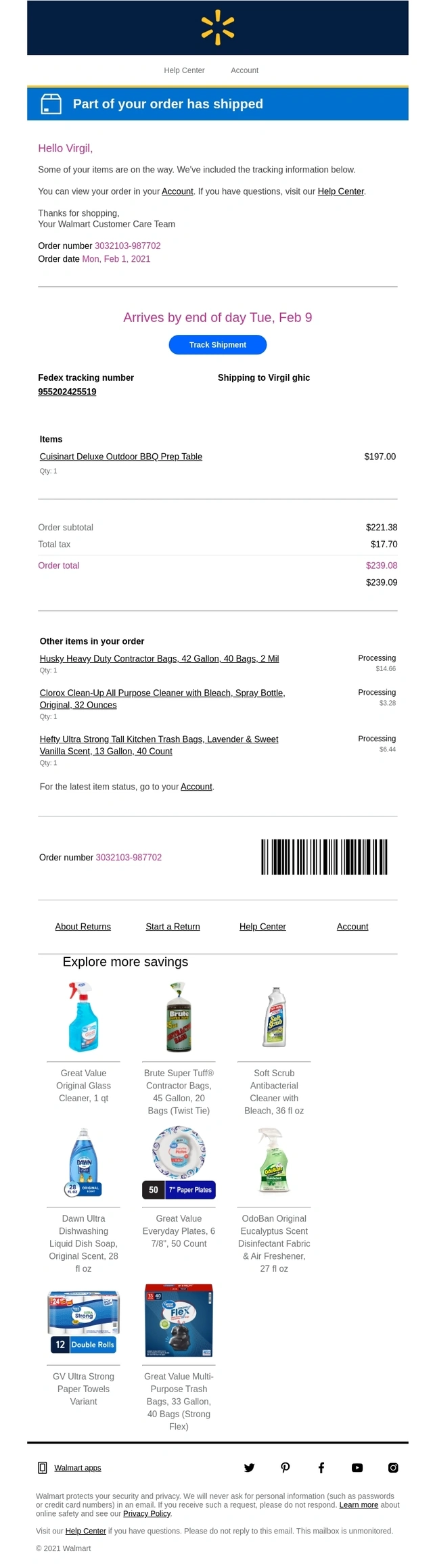
A Walmart partial shipment email clearly distinguishing shipped items from products still being processed, with tracking and an estimated delivery date.
Subscription and Recurring Shipment Emails
Recurring orders need shipping updates too, but the message can reflect the ongoing customer relationship rather than treating every shipment like a first purchase. These examples show how subscription brands confirm upcoming or dispatched recurring orders while reinforcing the value of the subscription.
What should recurring shipment updates make clear?
Before the next order is processed: Show the upcoming shipment date and, if changes are still possible, how to skip, delay, or edit the order.
After the package ships: Shift the primary action to tracking. Keep subscription management separate so customers don’t confuse changes to future orders with changes to a package already in transit.
When offering add-ons: Make it clear whether additional products are a one-time purchase or will become part of the recurring subscription.
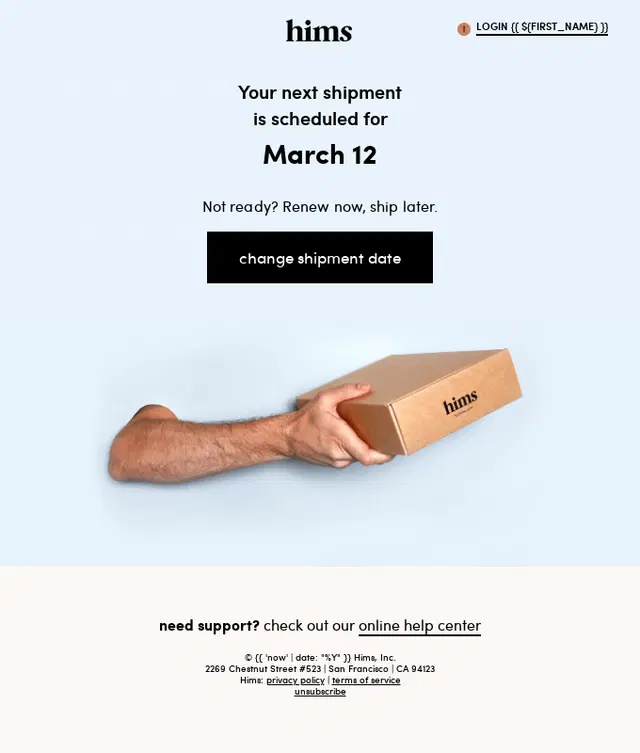
A Hims recurring shipment reminder highlighting the next scheduled shipment date with an easy option to change it.
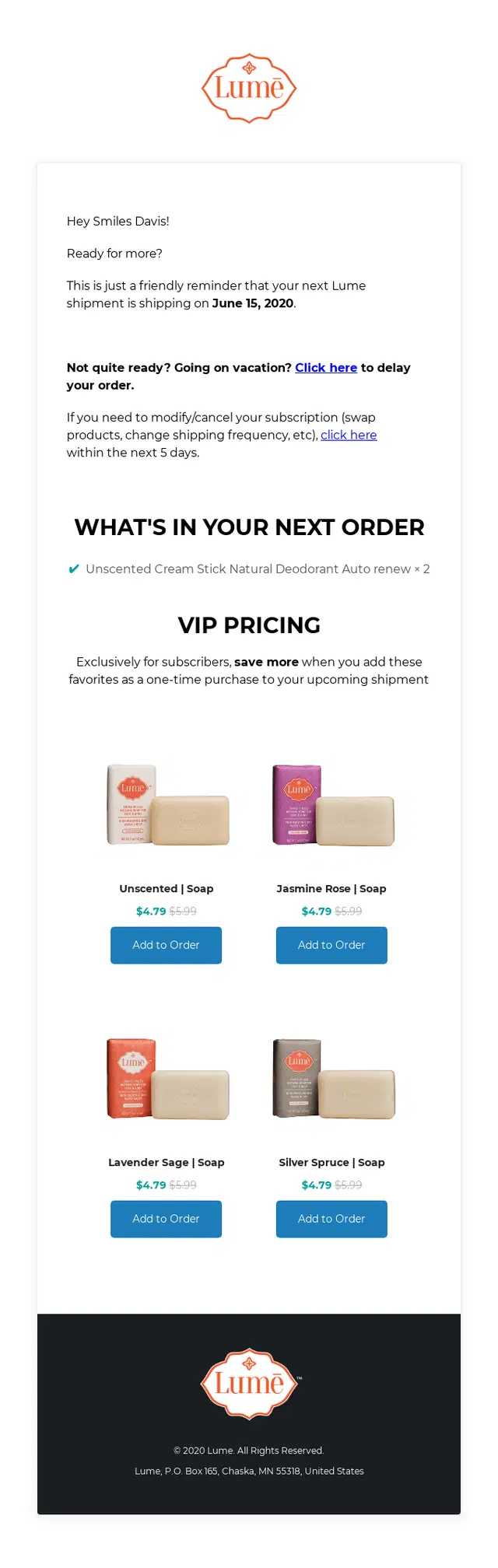
A Lume subscription shipment reminder letting customers delay or modify the upcoming order while offering discounted products to add before it ships.
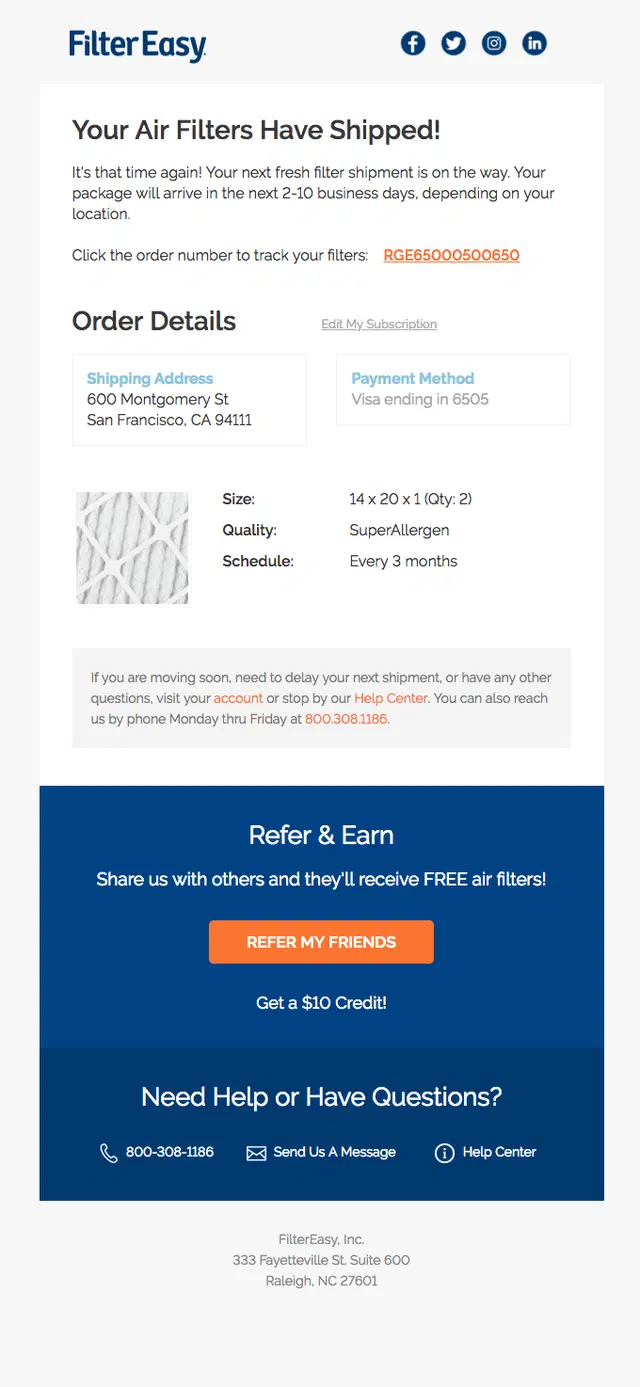
A FilterEasy shipping confirmation email combining replacement filter details with the recurring delivery schedule and customer support.
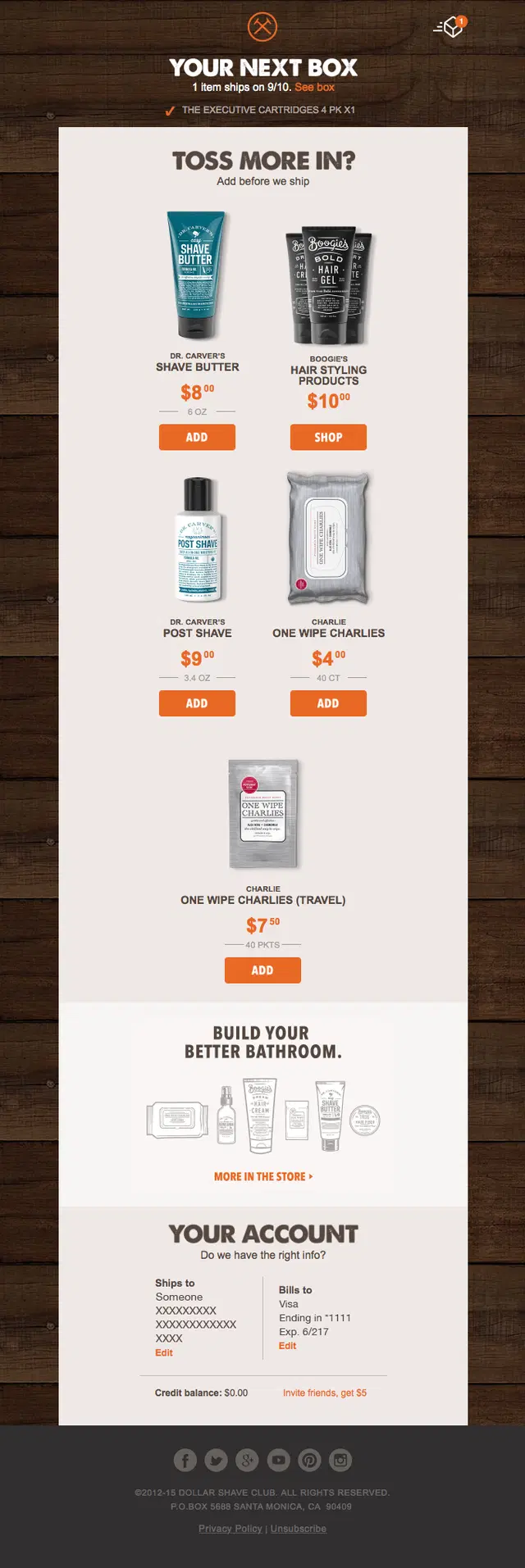
A Dollar Shave Club recurring shipment reminder combining the next box date with add-on product recommendations and referral credit.
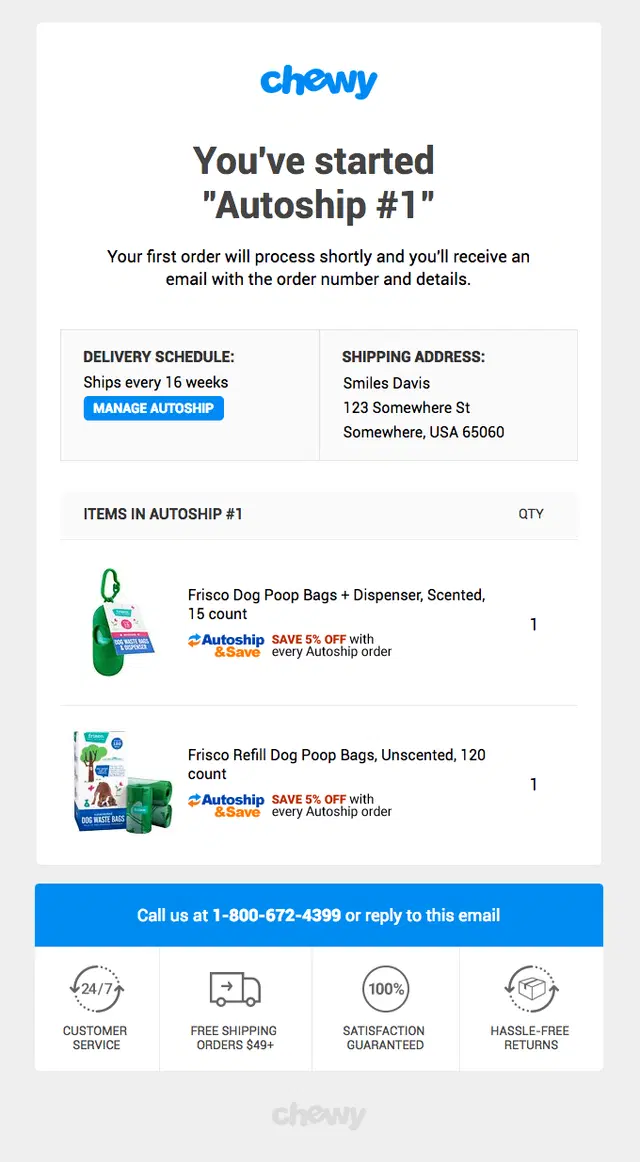
A Chewy Autoship confirmation email summarizing the recurring order, delivery schedule, subscribed products, and subscription management options.
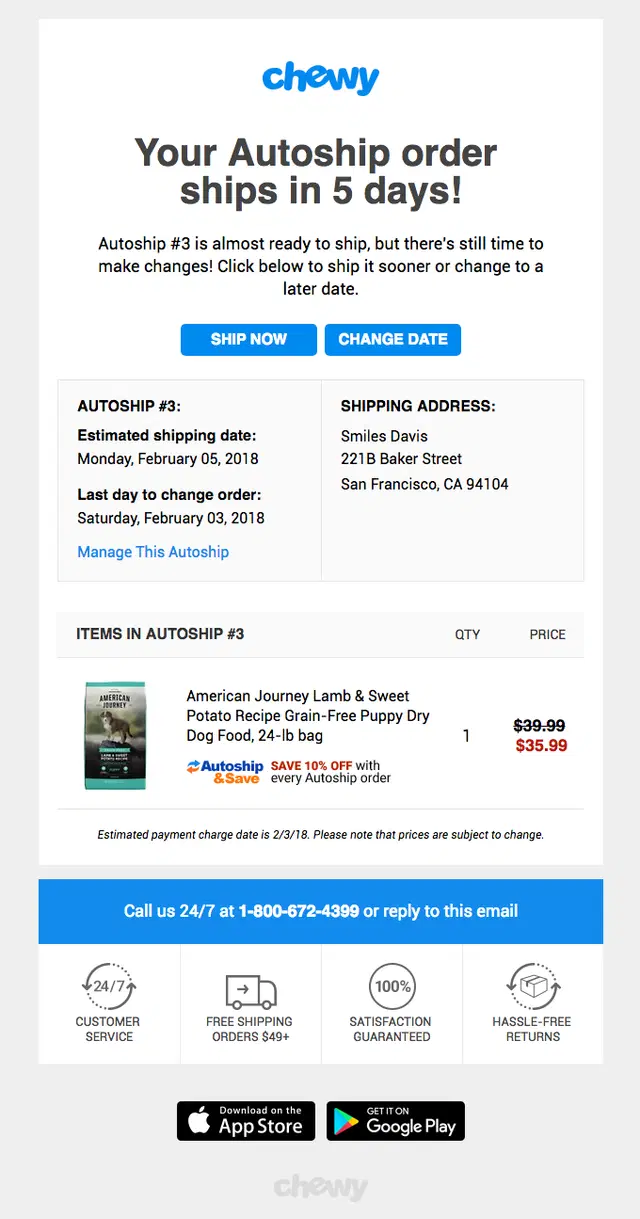
A Chewy recurring shipment reminder giving customers five days’ notice with options to ship immediately or change the delivery date.
Shipping Confirmation Email Flow Examples
Shipping updates often work as part of a larger transactional sequence rather than as a single email. These shipping confirmation email flow examples show how brands keep customers informed as an order moves from confirmation to shipment, tracking, out for delivery, and final delivery while maintaining a consistent customer experience.
Athletic Brewing 2-Step Shipping-to-Delivery Flow
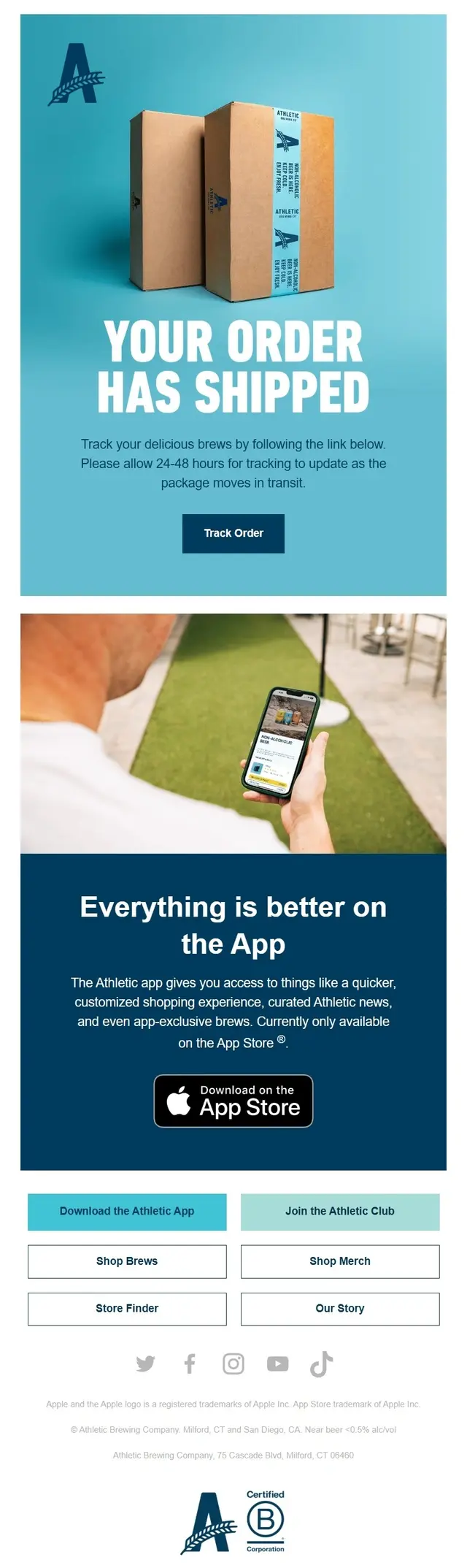
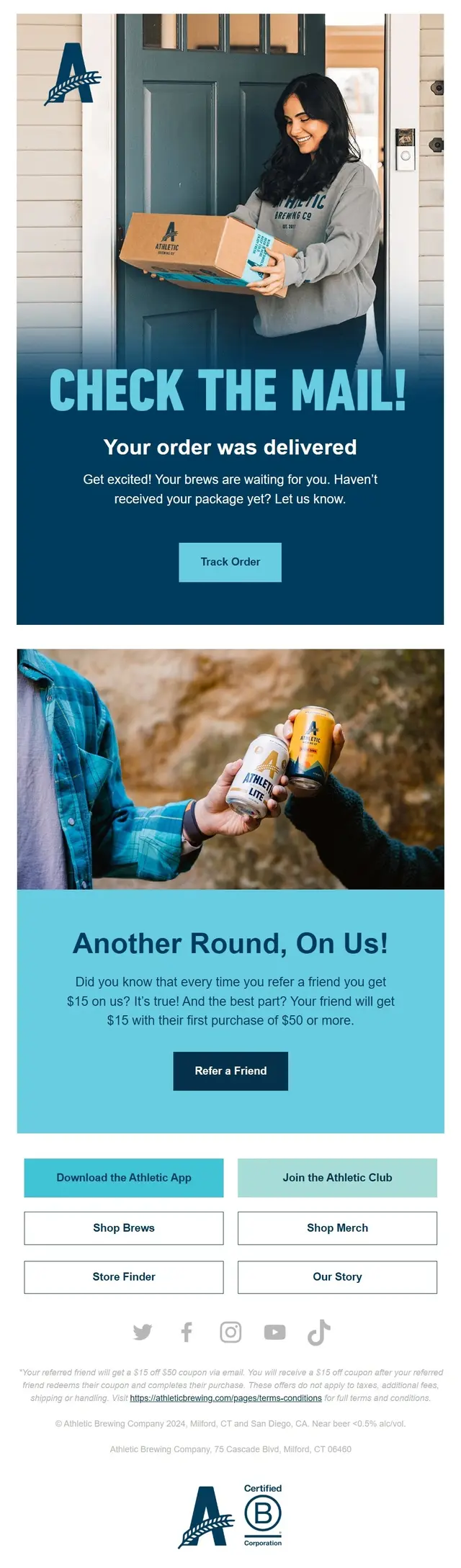
Athletic Brewing uses a two-step transactional flow to take the customer from shipment to successful delivery. The first email provides tracking information while promoting the Athletic app, and the second confirms arrival while adding a referral incentive.
An Athletic Brewing shipping confirmation email pairing order tracking with branded package imagery and a promotion for the Athletic app.
An Athletic Brewing delivery confirmation email closing the shipment journey with arrival confirmation, package support, and a give-$15, get-$15 referral offer.
Haoma 2-Step Order-to-Shipment Flow
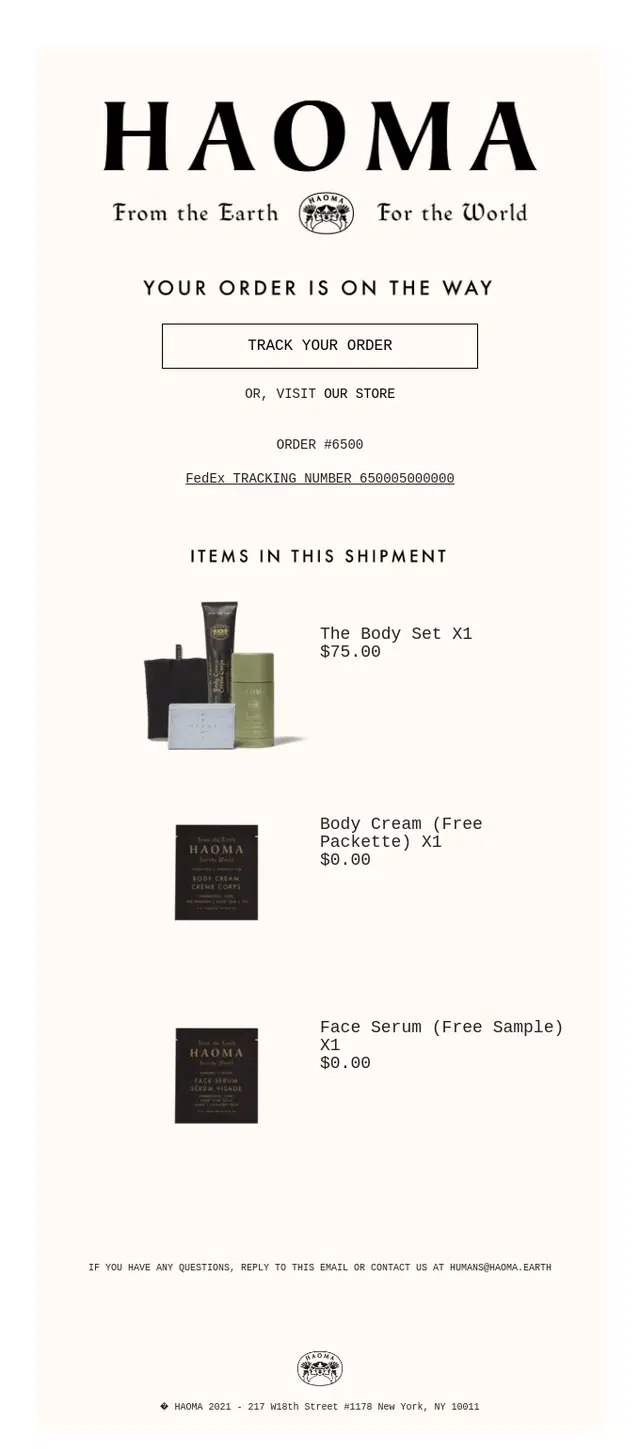
Haoma uses a two-step transactional flow that moves from the initial order update to a more detailed shipping confirmation. The second email keeps the same products while adding tracking information and shipment-specific details.
A Haoma order update email combining product details with branded imagery and a sustainability message showing that the purchase planted a tree.
A Haoma shipping confirmation email building on the original order update with itemized product details, shipment information, and a clear tracking CTA.
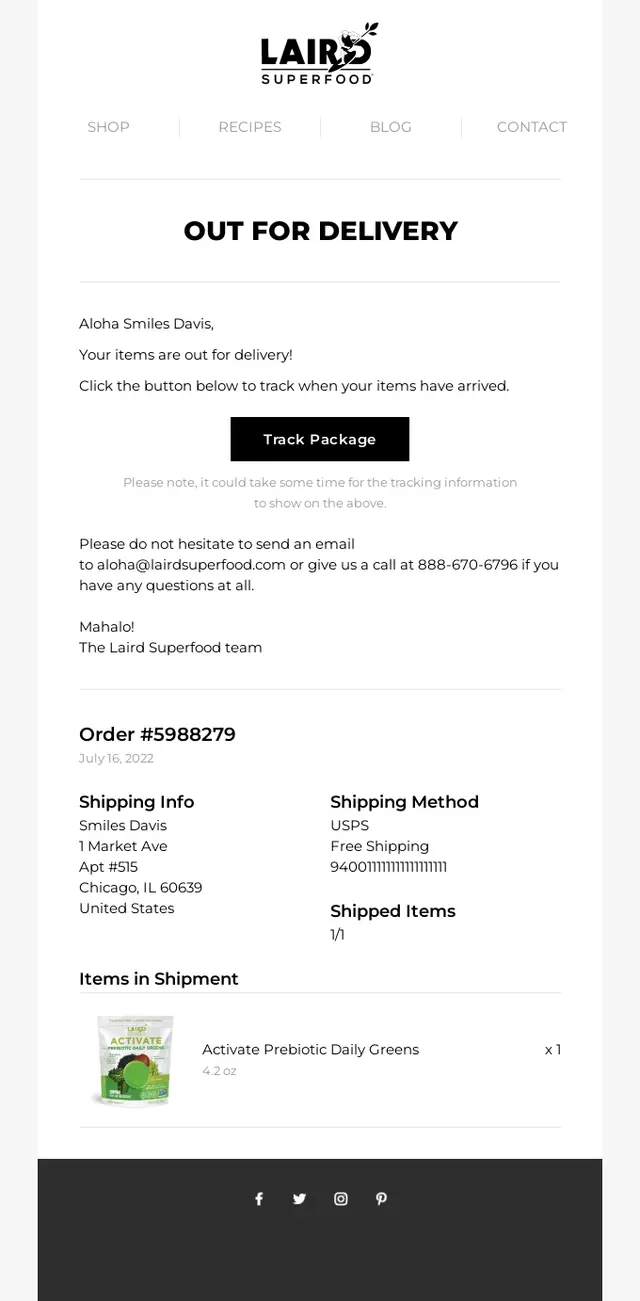
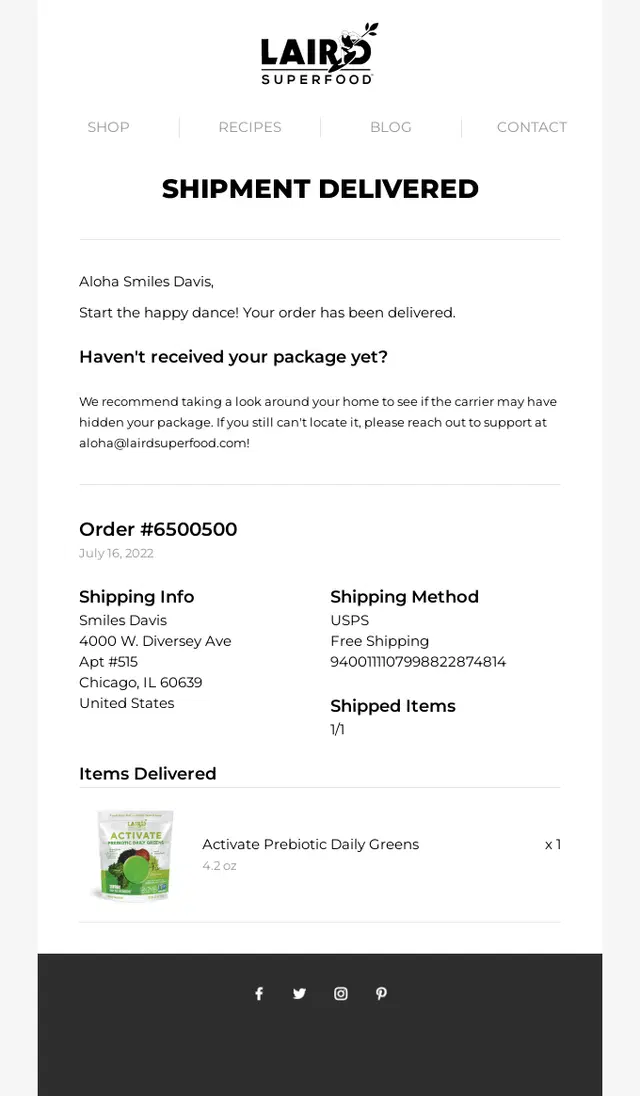
Laird Superfood uses a two-step delivery flow to keep the customer informed during the final stage of the shipment journey. The first email announces that the package is out for delivery, while the second confirms successful delivery and closes the loop with shipment and support details.
A Laird Superfood out-for-delivery email combining a final delivery-stage update with package tracking, shipping method, and product details.
A Laird Superfood delivery confirmation email closing the shipment journey with delivered status, order details, tracking information, and customer support guidance.
Sundays 3-Step Order-to-Delivery Flow
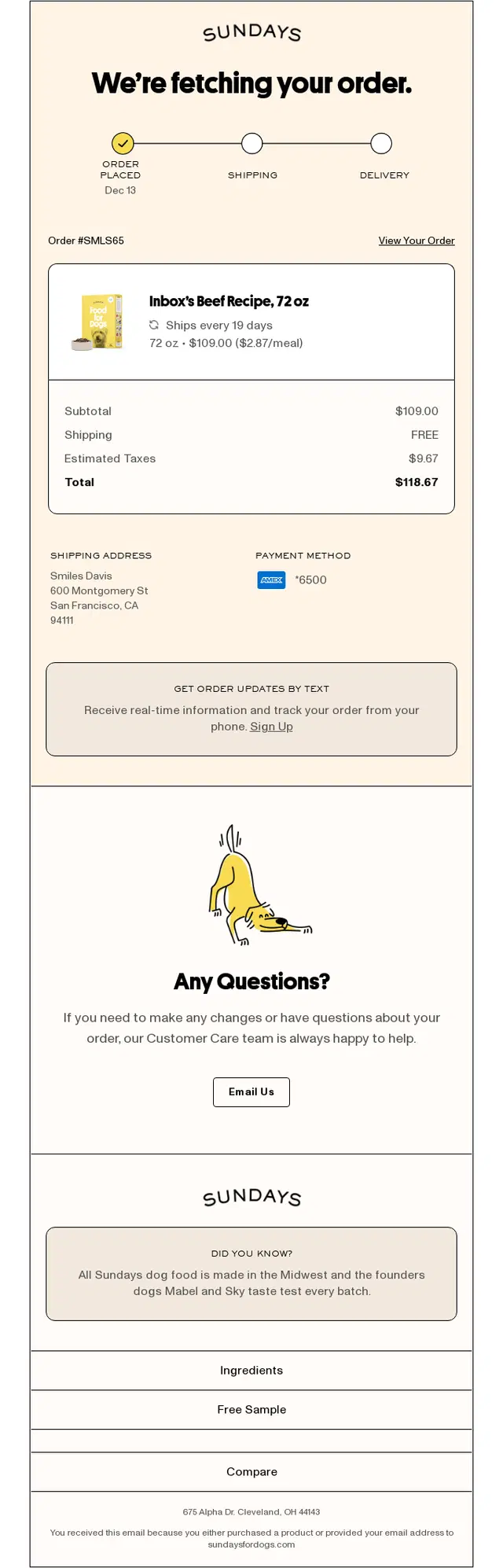
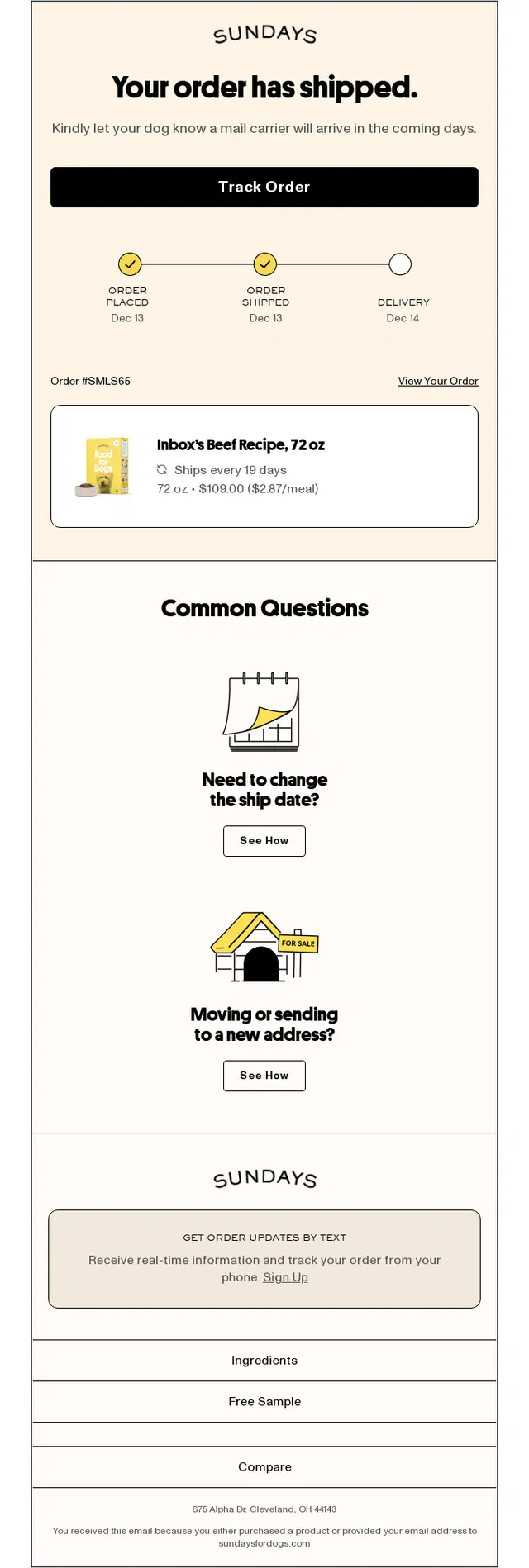
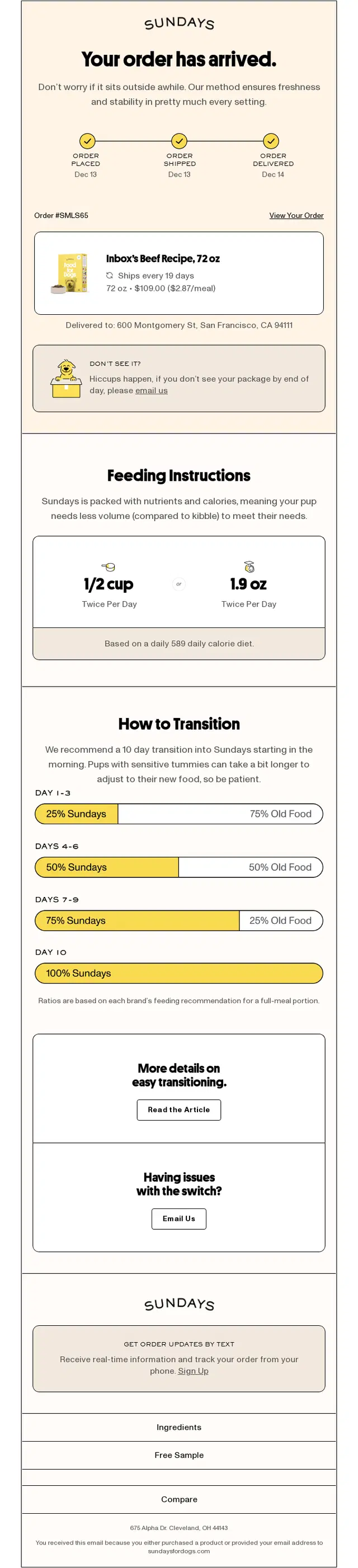
Sundays uses a three-step transactional flow to guide customers from order processing through shipment and final delivery. Each email keeps the same order context while adapting the status, tracking information, and next-step content to the current stage of the delivery journey.
A Sundays order processing email combining order, shipping, and payment details with a progress indicator showing that the dog food order is being prepared.
A Sundays shipping confirmation email pairing package tracking and delivery progress with product details and options to change the ship date or delivery address.
A Sundays delivery confirmation email closing the flow with arrival status, package support, and feeding instructions tailored to the customer’s dog.
Patagonia 3-step order and shipping flow
Patagonia uses a clear three-step post-purchase flow that takes the customer from order confirmation to shipment and then to a delivery-stage update. The emails keep the same products, order details, and overall visual style throughout, which makes the journey feel connected, consistent, and easy to follow.
A Patagonia order confirmation email combining detailed purchase information with strong lifestyle imagery and clear order status access.
Patagonia shipping confirmation email announcing that the order has shipped, with a prominent estimated delivery date and out-for-delivery progress indicator, tracking CTA, shipping details, product information, and additional brand content about guarantees, repairs, sustainability, and environmental initiatives.
A Patagonia delivery update email building anticipation around arrival while keeping tracking, order details, returns, and support information easy to access.
Nike 2-Step Shipping-to-Delivery Flow
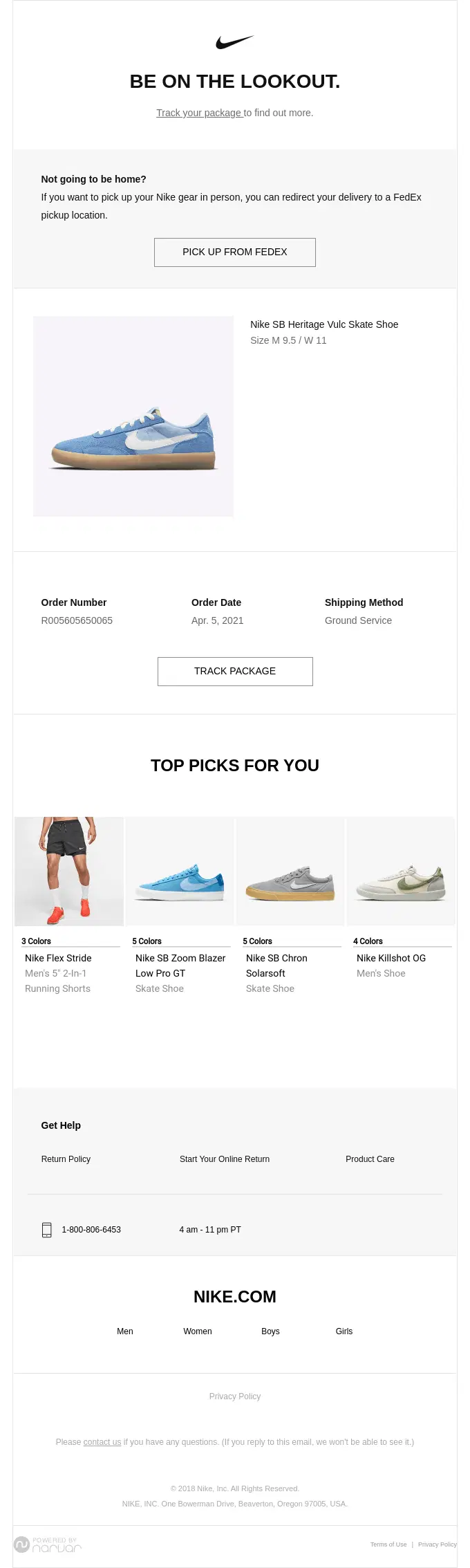
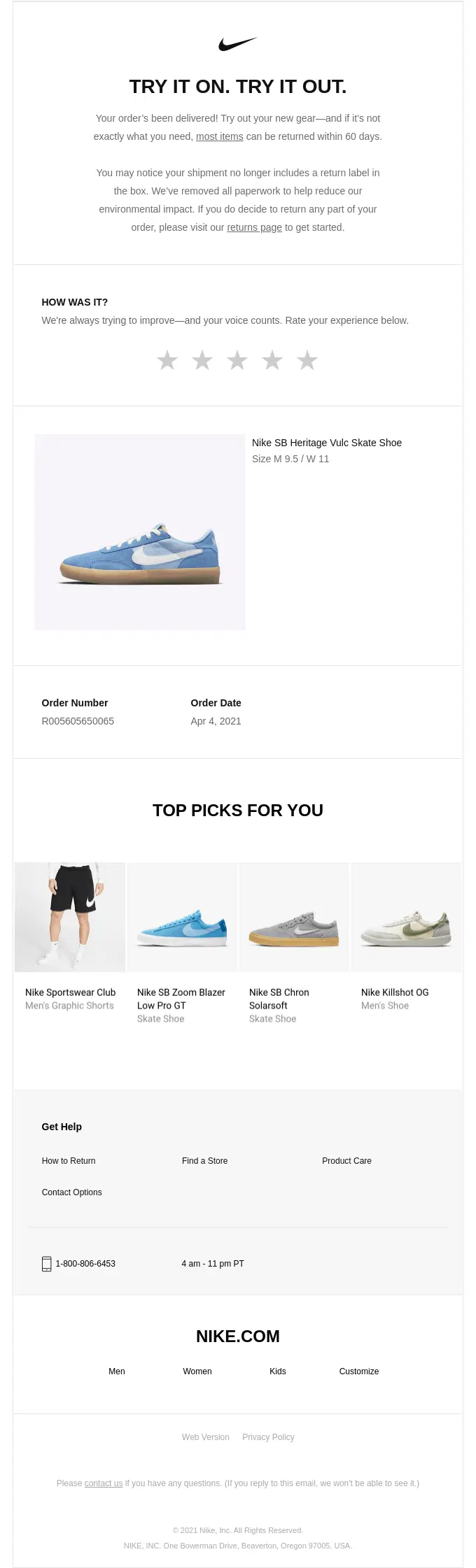
Nike uses a two-step transactional flow that moves from shipment tracking to delivery confirmation. The first email helps the customer track the package and manage delivery, while the second confirms arrival and adds a review prompt and personalized product recommendations.
A Nike delivery confirmation email pairing arrival confirmation with a review prompt, product details, and personalized product recommendations.
A Nike shipping update email combining package tracking and delivery management with product details and personalized recommendations.
Dr. Squatch 3-Step Shipment-to-Delivery Flow
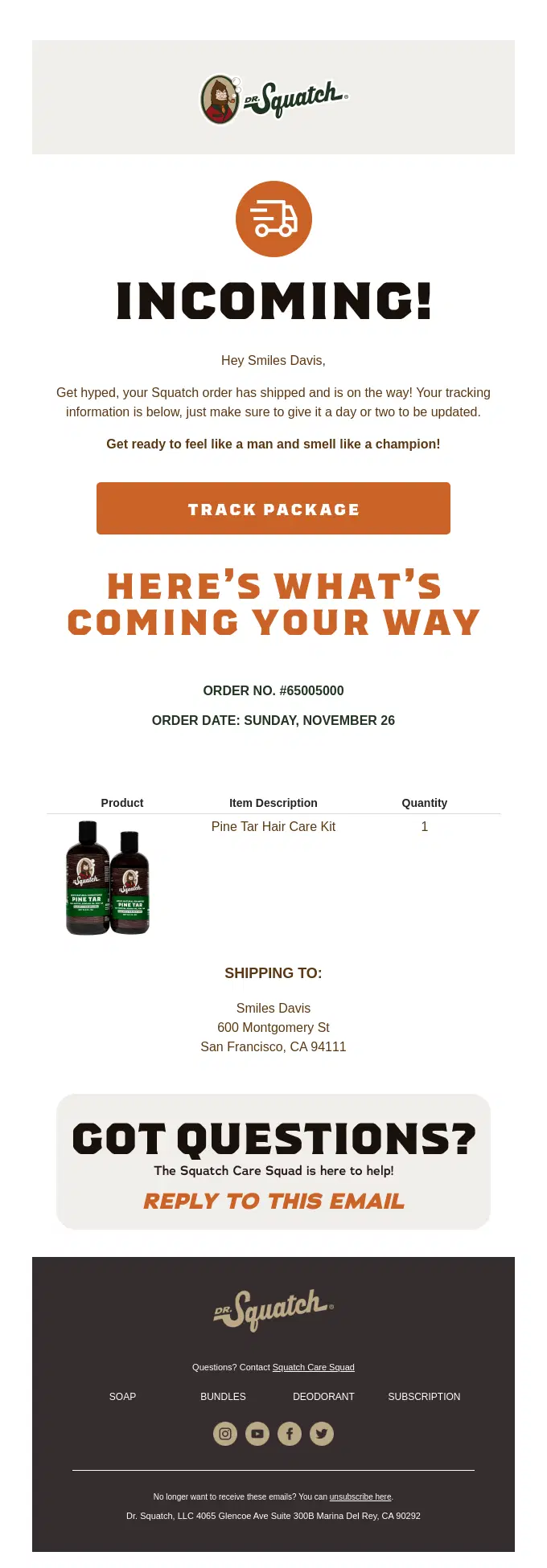
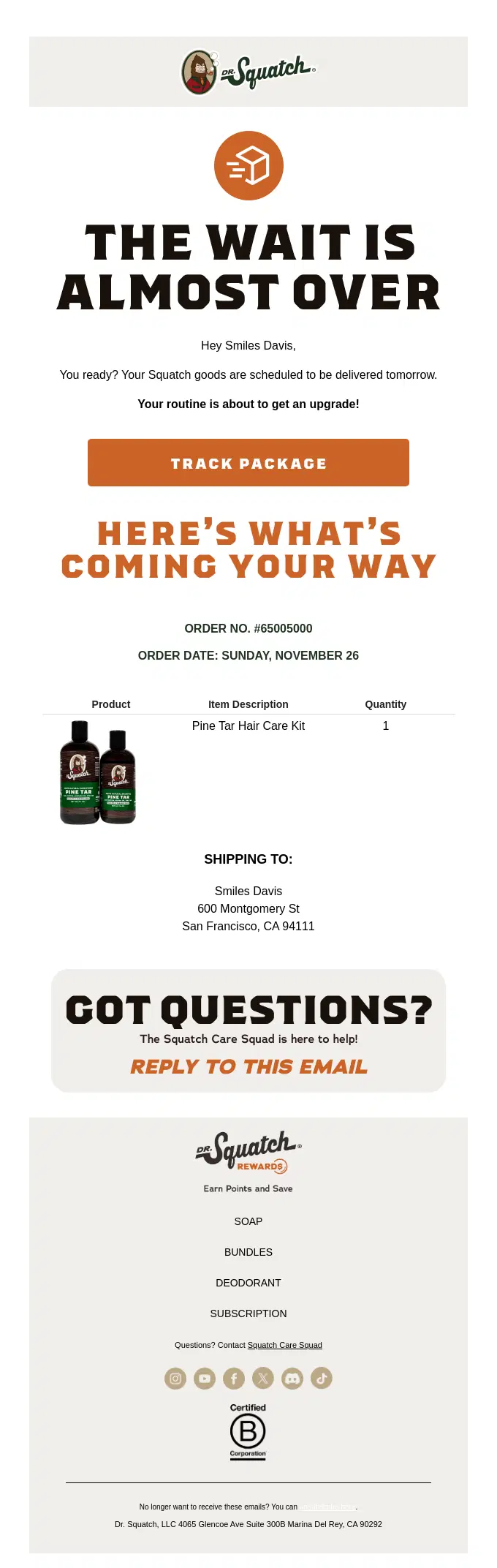
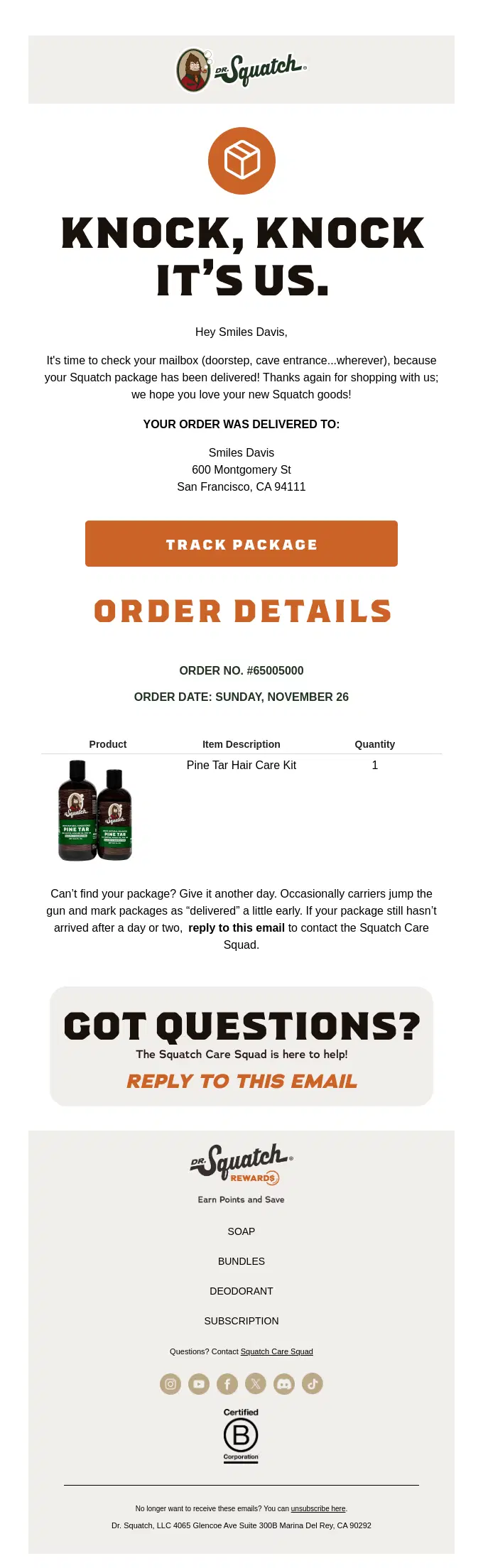
Dr. Squatch uses a three-step shipping flow to keep customers updated as their package moves closer to arrival. The sequence progresses from the initial shipment notification to an arrival reminder and finally a delivery confirmation, while keeping the same branded visual style and order context throughout.
A Dr. Squatch shipping confirmation email combining package tracking with shipped product details, order information, and the delivery address.
A Dr. Squatch delivery update email building anticipation around the package’s upcoming arrival while keeping tracking and shipment details accessible.
A Dr. Squatch delivery confirmation email closing the flow with arrival status, product and shipment details, and customer support guidance.
Usual 4-Step Shipping and Delivery Flow
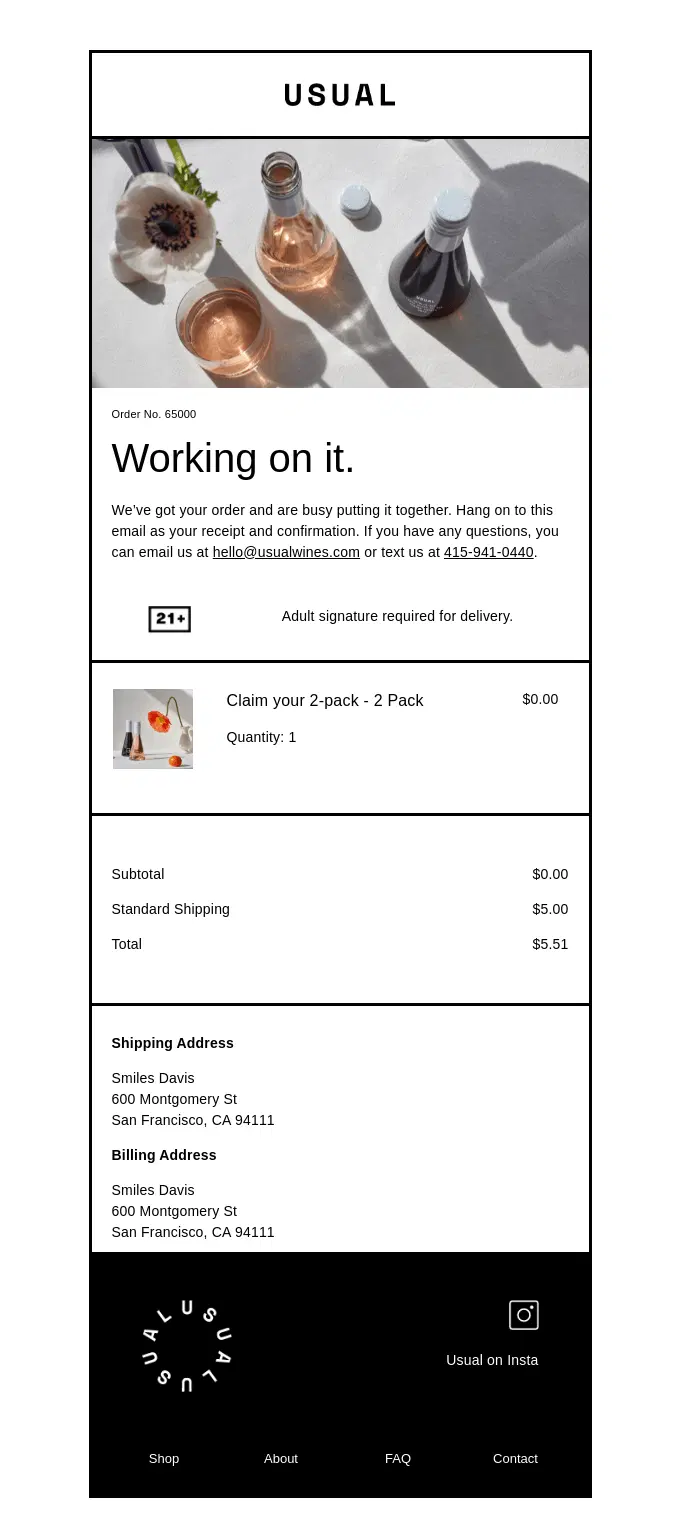
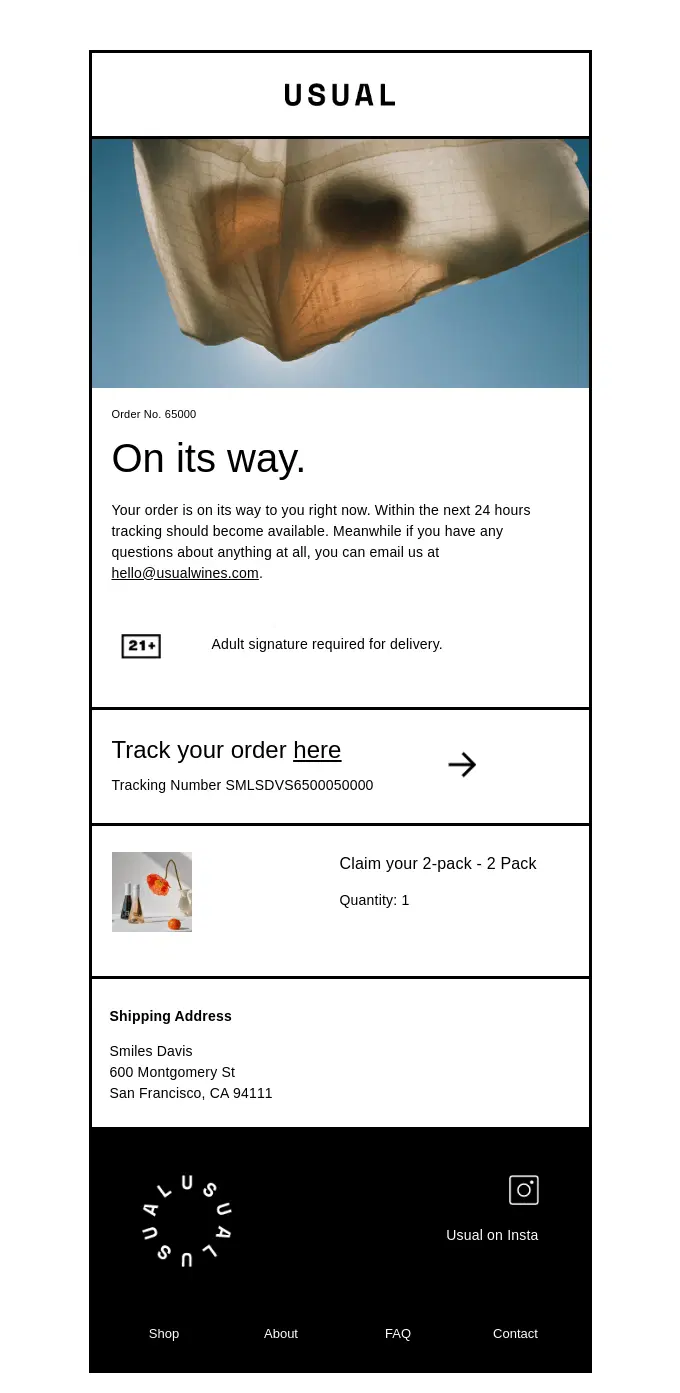
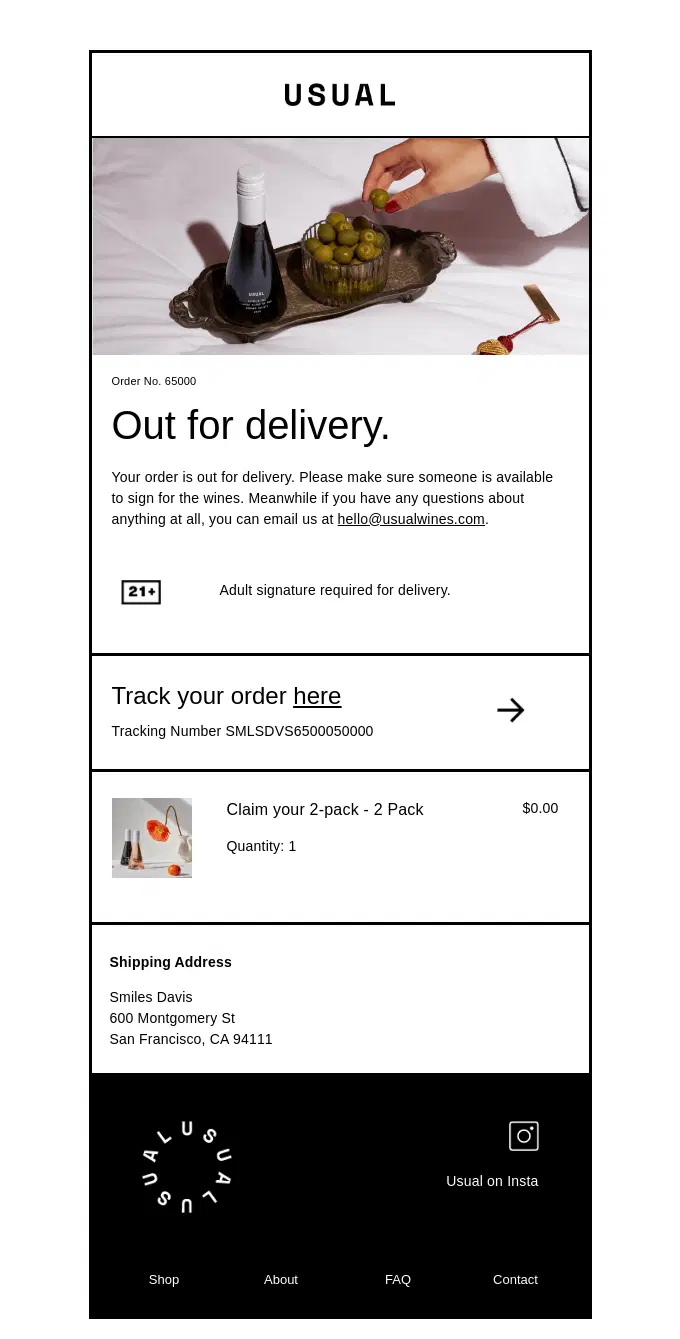
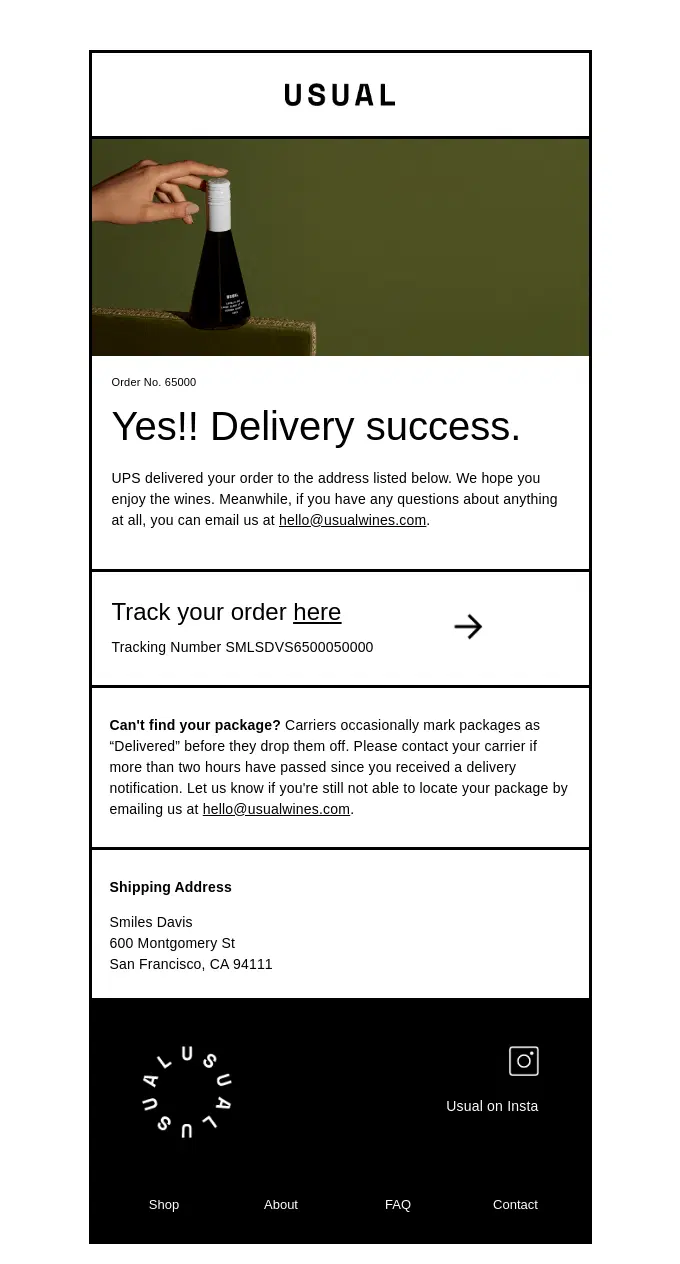
This four-email flow shows how Usual keeps customers informed from order confirmation through shipping, out-for-delivery, and successful delivery, while maintaining the same visual system throughout the journey.
A Usual order confirmation email setting expectations with product details, order summary, and delivery requirements.
A Usual shipping confirmation email combining shipment status with tracking information, shipped item details, and delivery information.
A Usual out-for-delivery email signaling that the package is arriving soon while keeping tracking, address, and item details visible.
A Usual delivery confirmation email closing the flow with successful delivery status and clear guidance for locating or reporting a missing package.
Shipping Delay and Exception Email Examples
Not every shipment goes according to plan. These shipping delay and exception email examples show how brands communicate cancellations, carrier delays, failed delivery attempts, weather disruptions, address issues, and other problems while giving customers a clear next step.
How to communicate delivery problems clearly?
When the new delivery date is uncertain: Separate confirmed information from estimates. Explain what’s being checked and when customers can expect another update instead of promising an unverified arrival date.
When customers need to take action: Make the required step immediately visible, such as confirming an address, rescheduling delivery, or contacting the carrier. Link directly to the relevant action.
When the shipment cannot be completed: Clearly explain what happens to the order and payment, including refunds, replacements, or cancellation details where applicable. Don’t bury the resolution beneath a lengthy apology.
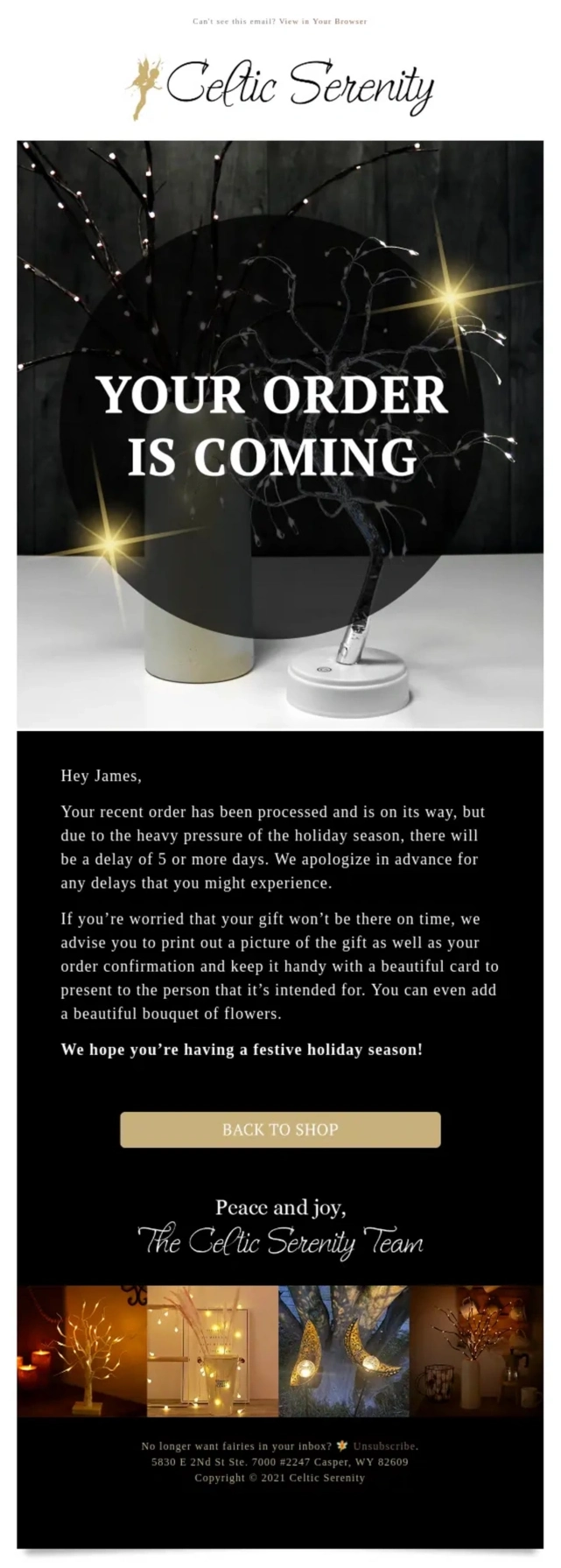
A Celtic Serenity shipping delay email explaining holiday-related delays while offering a practical backup option for late-arriving gifts.
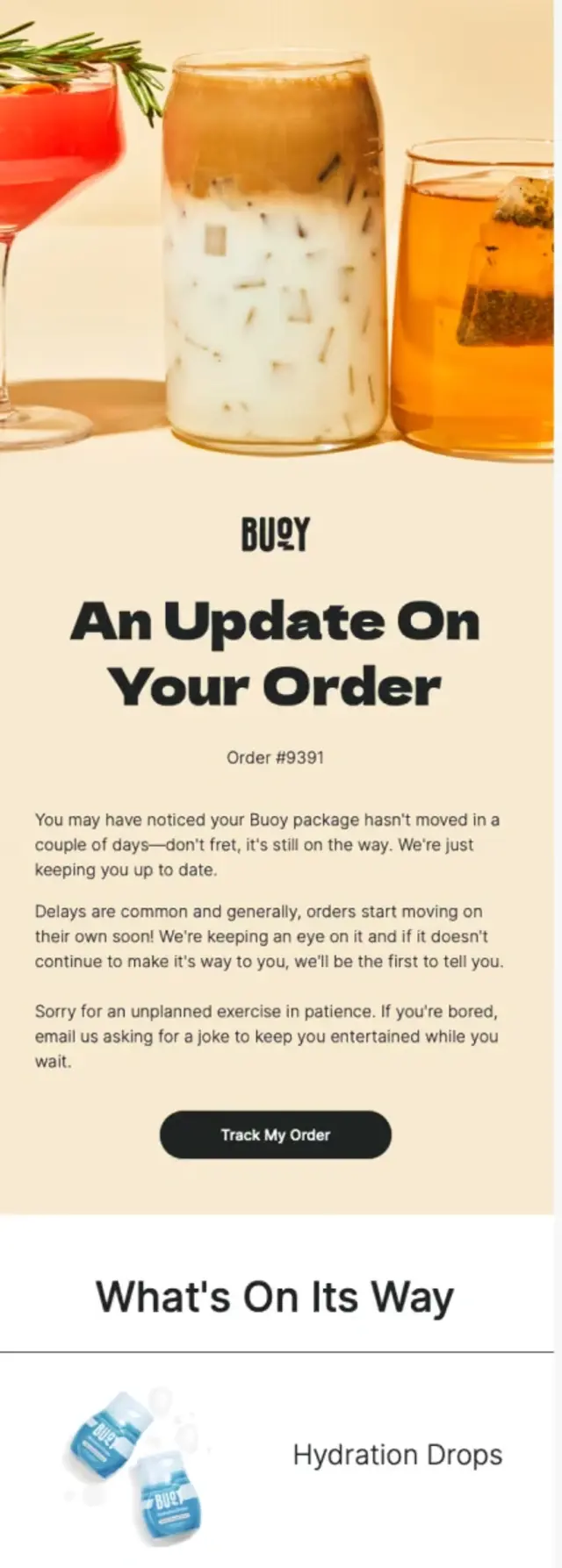
A Buoy shipping delay email reassuring customers after several days without package movement while keeping tracking and product details accessible.
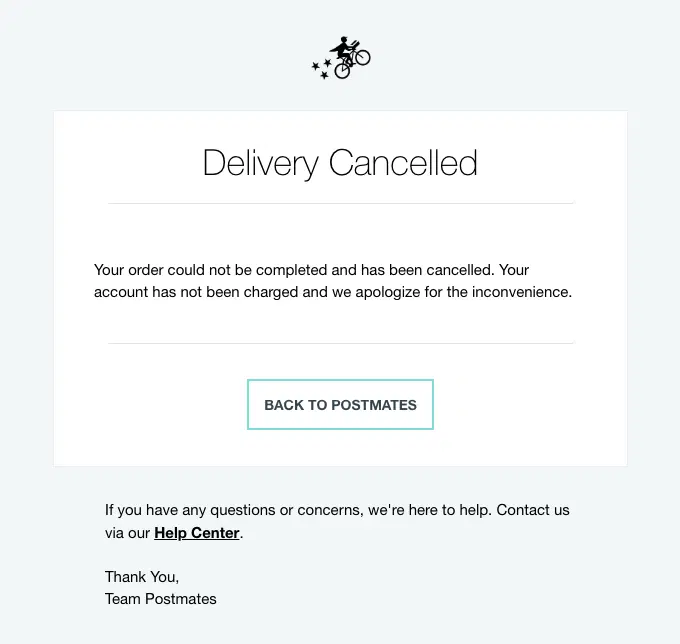
A Postmates delivery cancellation email clearly confirming that the order could not be completed and reassuring the customer that they were not charged.
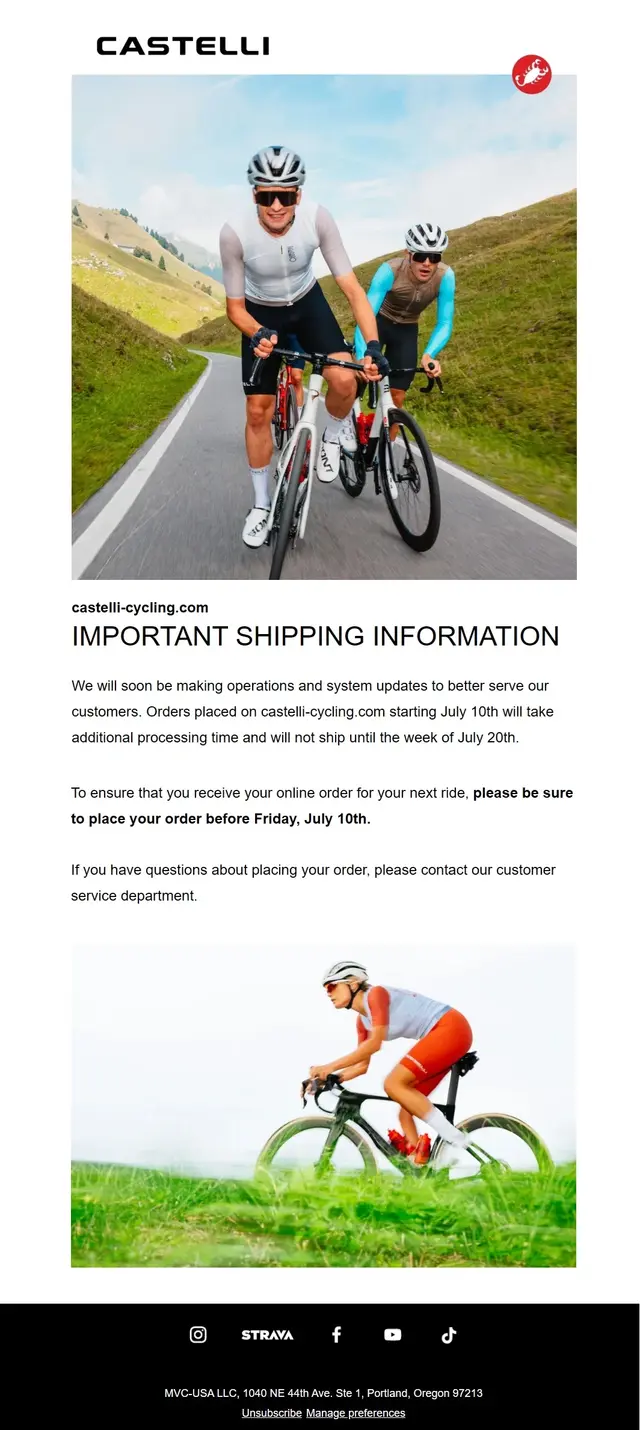
A Castelli shipping delay notice proactively communicating extended processing times and giving customers a clear shipping timeline before they order.
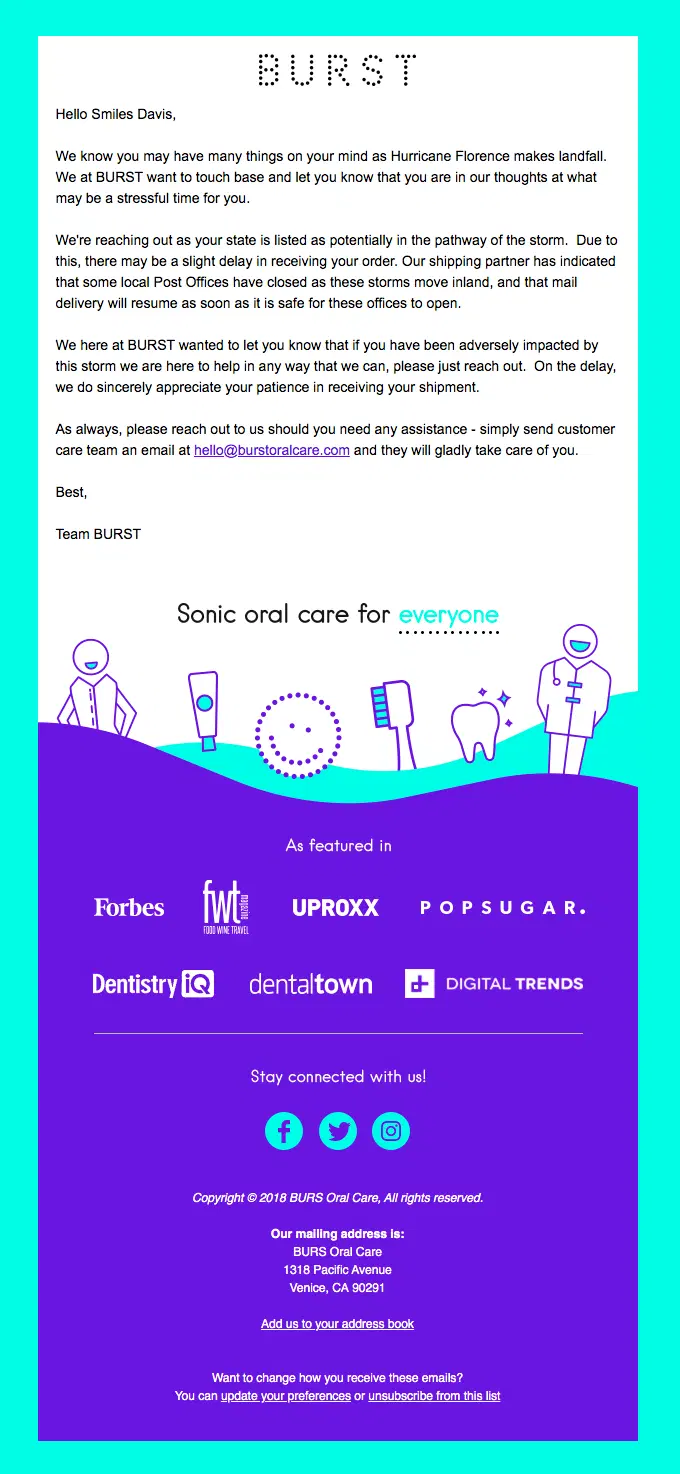
A BURST shipping delay notification email proactively warning customers about Hurricane Florence and possible carrier disruptions.
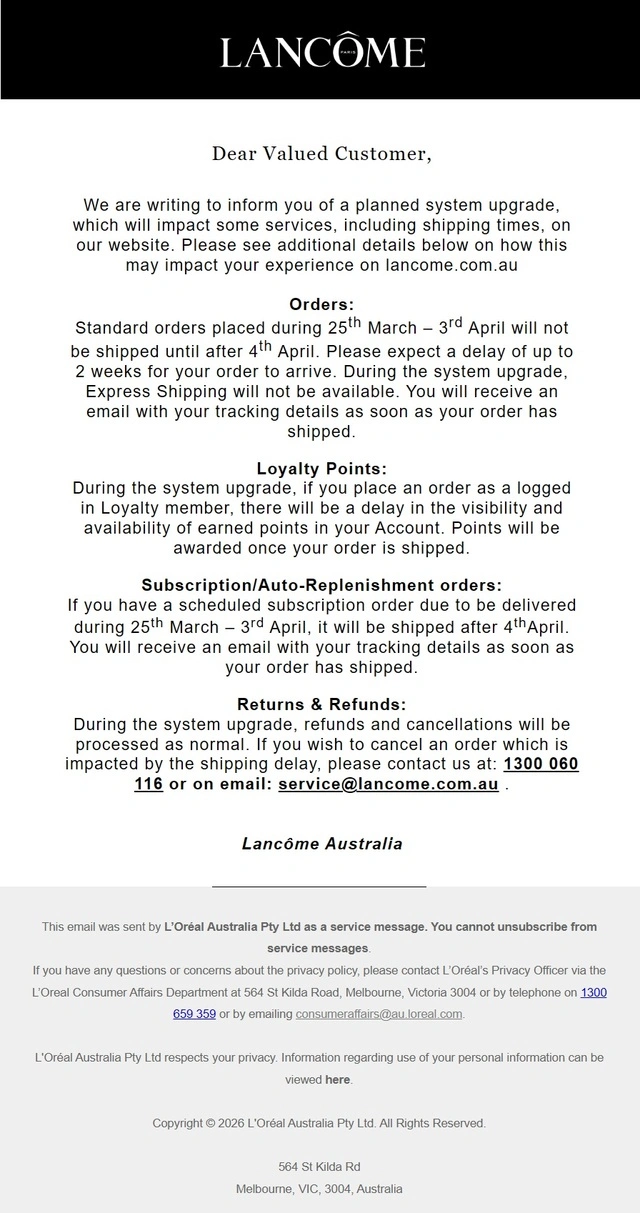
A Lancôme Australia shipping delay email explaining a temporary fulfillment pause while clarifying express shipping, subscription, loyalty, and returns implications.
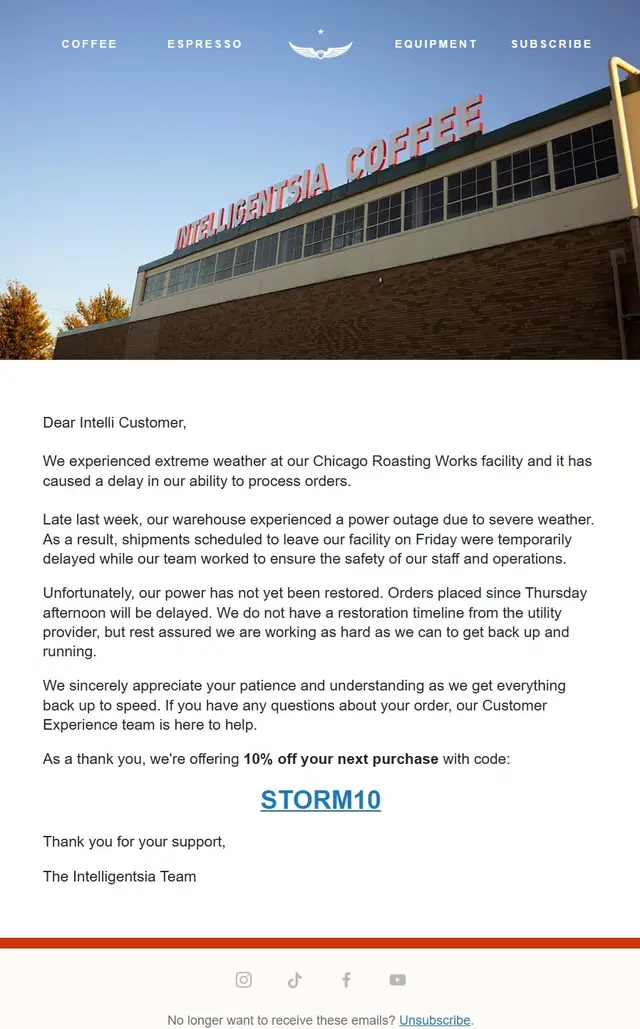
An Intelligentsia Coffee shipping delay email explaining weather and power-related fulfillment problems while offering support and a 10% future-order discount.
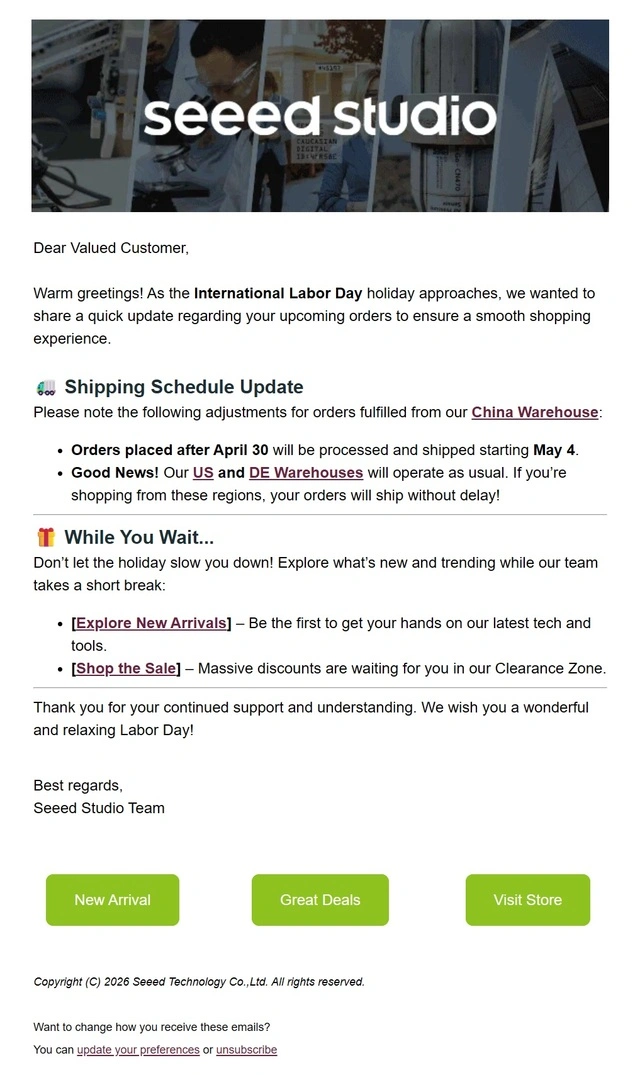
A Seeed Studio shipping update email clearly separating holiday delays at its China warehouse from normal fulfillment at other locations.
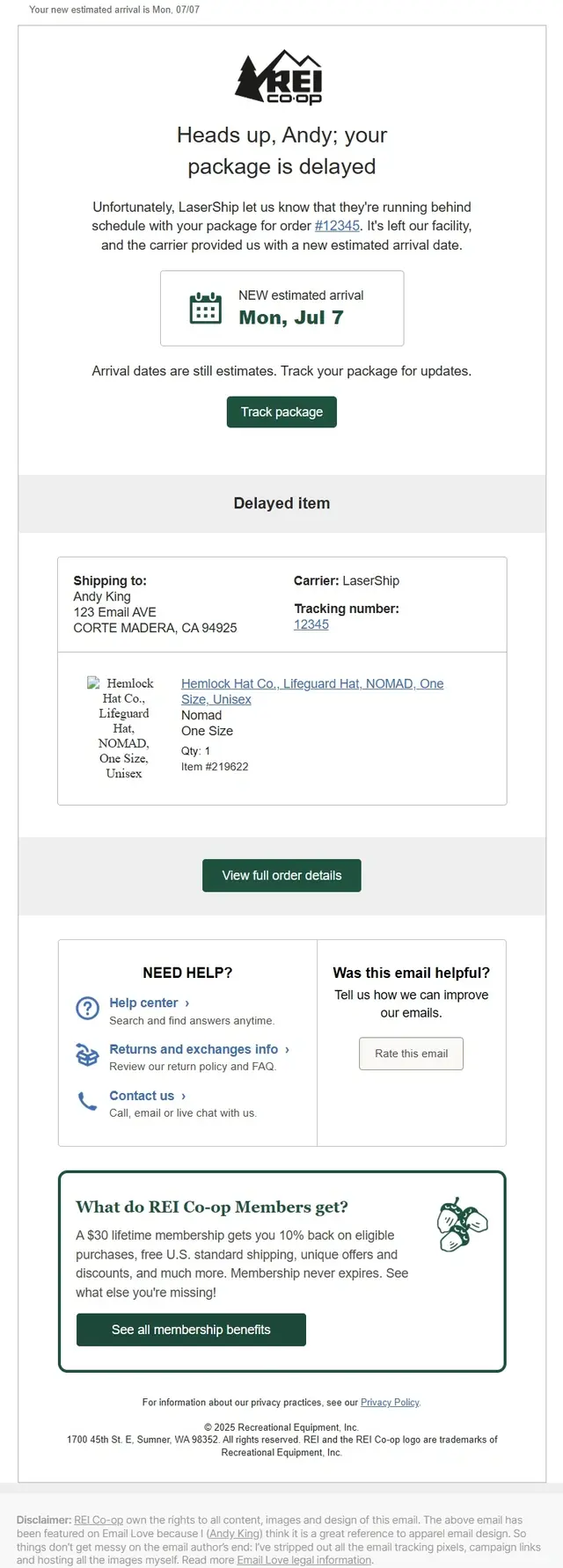
An REI Co-op shipping delay email pairing a revised arrival date with carrier information, delayed item details, and package tracking.
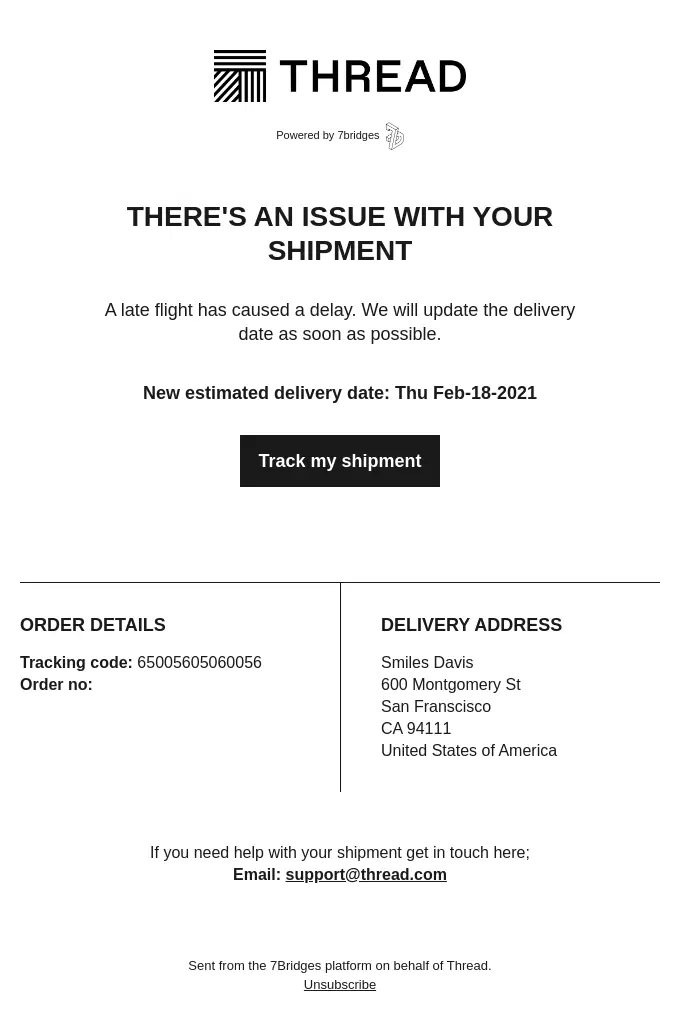
A Thread shipping delay email explaining a late-flight disruption while providing a revised delivery estimate and direct shipment tracking.
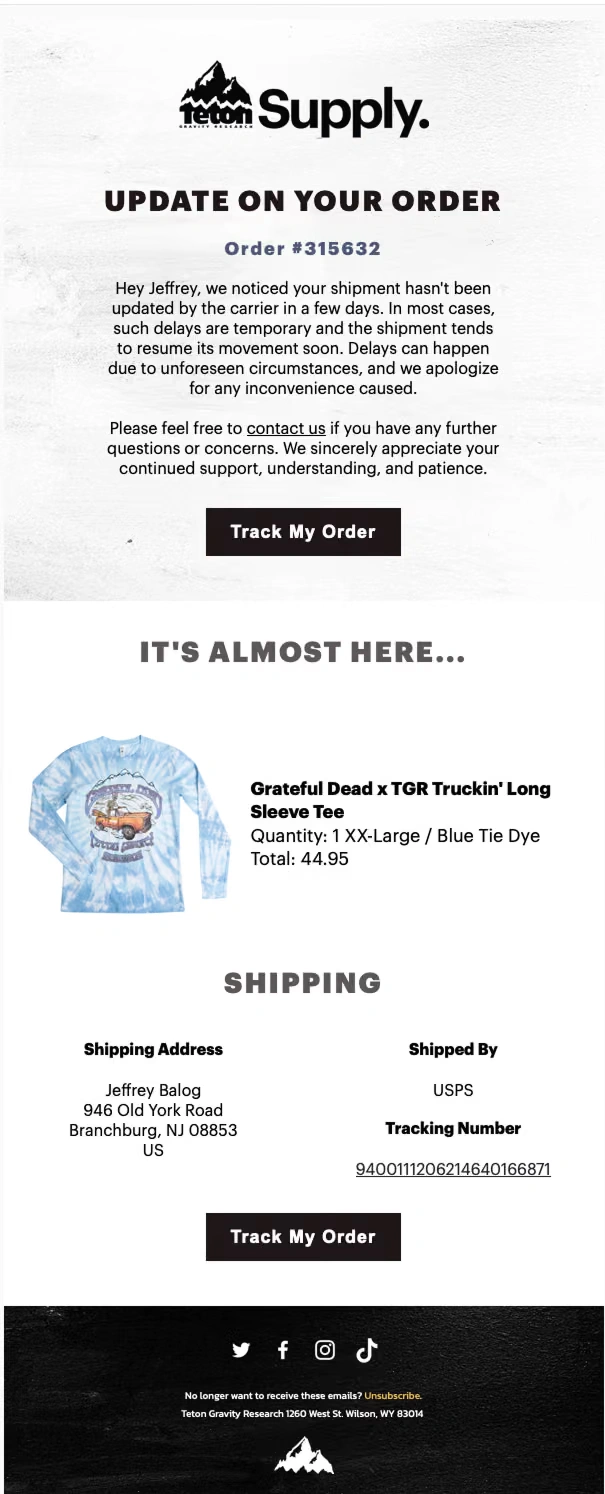
A Teton Supply shipping delay email reassuring customers after stalled carrier updates while keeping tracking, shipment details, and support easy to access.
What Should a Shipping Confirmation Email Include?
A shipping confirmation email should give customers everything they need to understand what has shipped, where it is going, and how to track it. At minimum, include the order or shipment number, tracking link and number, carrier, shipped items, estimated delivery date, shipping address, and a clear way to contact support if there is a problem.
Element
Why It Matters
Order or shipment number
Identifies the shipment
Tracking link
Gives customers an immediate next step
Tracking number
Makes the shipment easy to reference
Carrier
Shows who is handling delivery
Items shipped
Clarifies what is inside this package
Estimated delivery
Sets expectations
Shipping address
Confirms destination
Support link
Provides a clear path if something goes wrong
Shipping Confirmation vs Order Confirmation vs Delivery Confirmation
The difference between an order confirmation, shipping confirmation, and delivery confirmation email comes down to when each message is triggered. An order confirmation is sent after the purchase is completed, a shipping confirmation follows when the order leaves the seller or warehouse, and a delivery confirmation is sent once the package has reached the customer. Together, these emails keep customers informed throughout the post-purchase journey.
Email
Trigger
Main Purpose
Order confirmation
Order/payment completed
Confirm the purchase
Shipping confirmation
Order/package shipped
Provide shipping and tracking information
Delivery confirmation
Package delivered
Confirm arrival and close the delivery loop
Frequently Asked Questions
What is a shipping confirmation email?
A shipping confirmation email is a transactional message sent after an order has shipped. It tells the customer that their package is on the way and usually includes a tracking link or number, carrier information, shipped items, delivery details, and an estimated arrival date. It may also be called a shipping notification email or shipment confirmation email.
When should you send a shipping confirmation email?
A shipping confirmation email should be sent as soon as an order or package has actually been shipped and reliable tracking information is available. Sending it at this point gives customers immediate confirmation that their order has left the fulfillment stage and lets them start tracking the delivery.
For split orders, send a separate update when each package ships so customers know which items are on the way and which are still being prepared.
Does a shipping confirmation mean the package is already in transit?
Not always. A shipping confirmation usually means the order has been fulfilled and handed off, or is ready to be handed off, to the carrier. The tracking page may still show no movement until the carrier scans the package for the first time.
This is why many shipping confirmation emails tell customers to allow several hours or up to a day for tracking information to update.
What happens if an order ships in multiple packages?
If an order ships in multiple packages, the customer should receive clear information about which items are included in each shipment and separate tracking details when necessary. The remaining products can stay marked as unfulfilled until they ship.
This prevents customers from assuming that part of their order is missing and makes split shipments much easier to follow.
Can you include product recommendations in a shipping confirmation email?
Yes, but the main shipping information should always come first. Tracking, delivery details, shipped items, and support should remain easy to find before any recommendations, referral offers, educational content, or other post-purchase messaging.
There is also an important distinction between a marketing email and a strictly transactional shipping email. Some email platforms and compliance rules require transactional messages to contain only information directly related to the order, so promotional content may need to be sent separately.
How do you send a shipping confirmation email in Shopify?
Shopify can automatically send a shipping confirmation email when an order is fulfilled. When fulfilling the order, you can add the tracking number and carrier and choose to send the shipment details to the customer. The tracking information can then appear in the shipping confirmation email and on the customer’s order status page.
Shopify also supports separate shipping update, out-for-delivery, and delivered notifications, and its notification templates can be customized from Settings → Notifications.
Does WooCommerce send shipping confirmation emails?
WooCommerce can notify customers when an order is marked Completed, a status that usually indicates the order has shipped. The standard Completed Order email can therefore serve as the shipping notification.
For tracking information, WooCommerce Shipping can automatically add purchased tracking numbers to the Completed Order email, while shipment-tracking extensions can add carrier, tracking link, tracking number, and shipped-date information.
Can you send shipping confirmation emails with Klaviyo?
Yes. Klaviyo can send shipping confirmation emails through event-triggered flows using fulfillment data synced from an ecommerce platform. For Shopify stores, the Fulfilled Order event is recorded when an order is marked fulfilled and can be used to trigger a shipping flow.
Klaviyo also supports Fulfilled Partial Order flows for orders shipped in separate packages and provides pre-built Partial Shipping Confirmation flows for Shopify integrations.
If the email needs to be treated as strictly transactional in Klaviyo, it must meet Klaviyo’s transactional-content requirements; transactional flow emails are available on paid accounts and require approval. Promotional recommendations, coupons, and unrelated marketing content should not be included in a message submitted for transactional status.
Make Every Shipping Update Part of a Better Customer Experience
A great shipping confirmation email does more than say “your order is on the way.” Clear tracking, useful delivery details, thoughtful content, and consistent follow-up can make the wait easier while keeping customers connected to your brand.
If you use Klaviyo, we can help you build transactional and post-purchase flows that keep customers informed from shipment to delivery — with the right timing, messaging, design, segmentation, and setup for your store.
Like what you're reading? Subscribe to our top stories.
"*" indicates required fields
By submitting your request, you agree with Our Policies
Related Articles
You may also like these
120+ Halloween Email Examples for Spooky Campaign Inspiration
Published:
Last updated:
100+ Product Launch Email Examples to Turn Hype Into Sales
Published:
Last updated:
130+ Email Marketing Examples for Every Stage of the Customer Journey
Published:
Last updated:
Get Started
High-Performing Emails That Work Everywhere
At MailBakery, we set the gold standard in email development. Every design is turned into a flawless, high-performing email that works everywhere, on any device, every time.
This site uses cookies. By proceeding, you agree to our Privacy Policy, including the use of cookies and their tracking technologies.
Functional
Always active
These cookies are always enabled as they are required for basic site functionality. They allow you to be remembered as you browse our website.They help make the shopping cart and checkout process possible as well as assist in security issues and conforming to regulations.
Preferences
The technical storage or access is necessary for the legitimate purpose of storing preferences that are not requested by the subscriber or user.
Performance
These cookies allow us to track user behaviour, which helps us to improve our website’s functionality. In some cases, these cookies improve the speed with which we can process your request and allow us to remember site preferences you have selected. Refusing these cookies may result in displaying a non-tailored content or slower website performance.The technical storage or access that is used exclusively for anonymous statistical purposes. Without a subpoena, voluntary compliance on the part of your Internet Service Provider, or additional records from a third party, information stored or retrieved for this purpose alone cannot usually be used to identify you.
Marketing
Social media cookies offer the possibility to connect you to your social networks and share content from our website through social media. Advertising cookies (of third parties) collect information to help better tailor advertising to your interests. In some cases, these cookies involve the processing of your personal data. Refusing these cookies may result in seeing advertising that is not as relevant to you or you not being able to link effectively with Facebook, Twitter, or other social networks and/or not allowing you to share content on social media.
To provide the best experiences, we use technologies like cookies to store and/or access device information. Consenting to these technologies will allow us to process data such as browsing behavior or unique IDs on this site. Not consenting or withdrawing consent, may adversely affect certain features and functions.
Functional
Always active
These cookies are always enabled as they are required for basic site functionality. They allow you to be remembered as you browse our website.They help make the shopping cart and checkout process possible as well as assist in security issues and conforming to regulations.
Preferences
The technical storage or access is necessary for the legitimate purpose of storing preferences that are not requested by the subscriber or user.
Performance
These cookies allow us to track user behaviour, which helps us to improve our website’s functionality. In some cases, these cookies improve the speed with which we can process your request and allow us to remember site preferences you have selected. Refusing these cookies may result in displaying a non-tailored content or slower website performance.The technical storage or access that is used exclusively for anonymous statistical purposes. Without a subpoena, voluntary compliance on the part of your Internet Service Provider, or additional records from a third party, information stored or retrieved for this purpose alone cannot usually be used to identify you.
Marketing
Social media cookies offer the possibility to connect you to your social networks and share content from our website through social media. Advertising cookies (of third parties) collect information to help better tailor advertising to your interests. In some cases, these cookies involve the processing of your personal data. Refusing these cookies may result in seeing advertising that is not as relevant to you or you not being able to link effectively with Facebook, Twitter, or other social networks and/or not allowing you to share content on social media.