140+ Transactional Email Examples for Every Customer Touchpoint
Published:
Last updated:
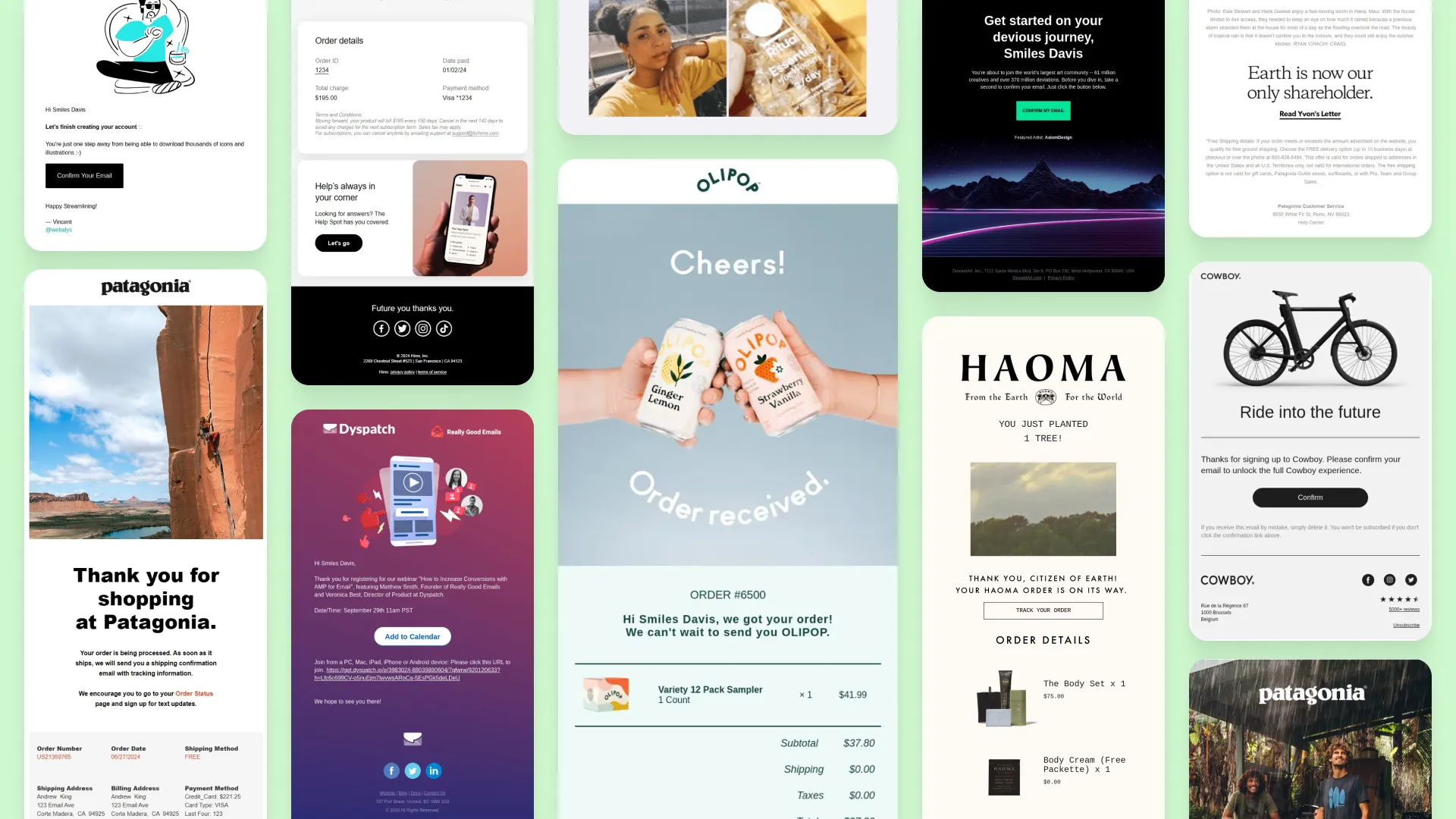
Transactional emails are the messages customers rely on after taking an action, from placing an order and resetting a password to receiving a shipping update, payment receipt, booking confirmation, or refund notice.
In this collection, we’ve gathered over 140 transactional email examples from real brands across ecommerce, SaaS, subscriptions, travel, services, and more. Use them to compare different approaches to structure, design, messaging, and customer experience, and find ideas for the transactional emails your own customers actually need.
These order confirmation email examples show how brands confirm purchases, summarize key order details, set delivery expectations, and guide customers toward the next step.
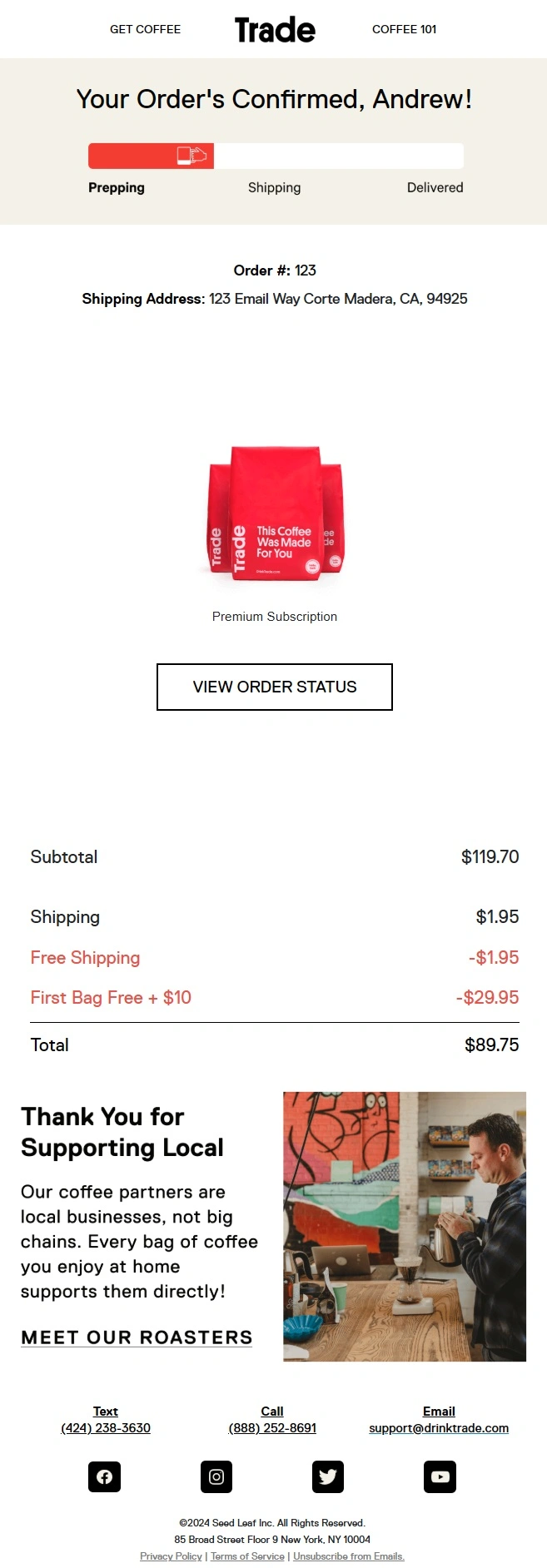
Trade combines a clear order summary with a visual fulfillment progress bar, making it easy to see that the subscription is confirmed and what happens next. The email also reinforces the brand by explaining how each purchase supports local coffee roasters.
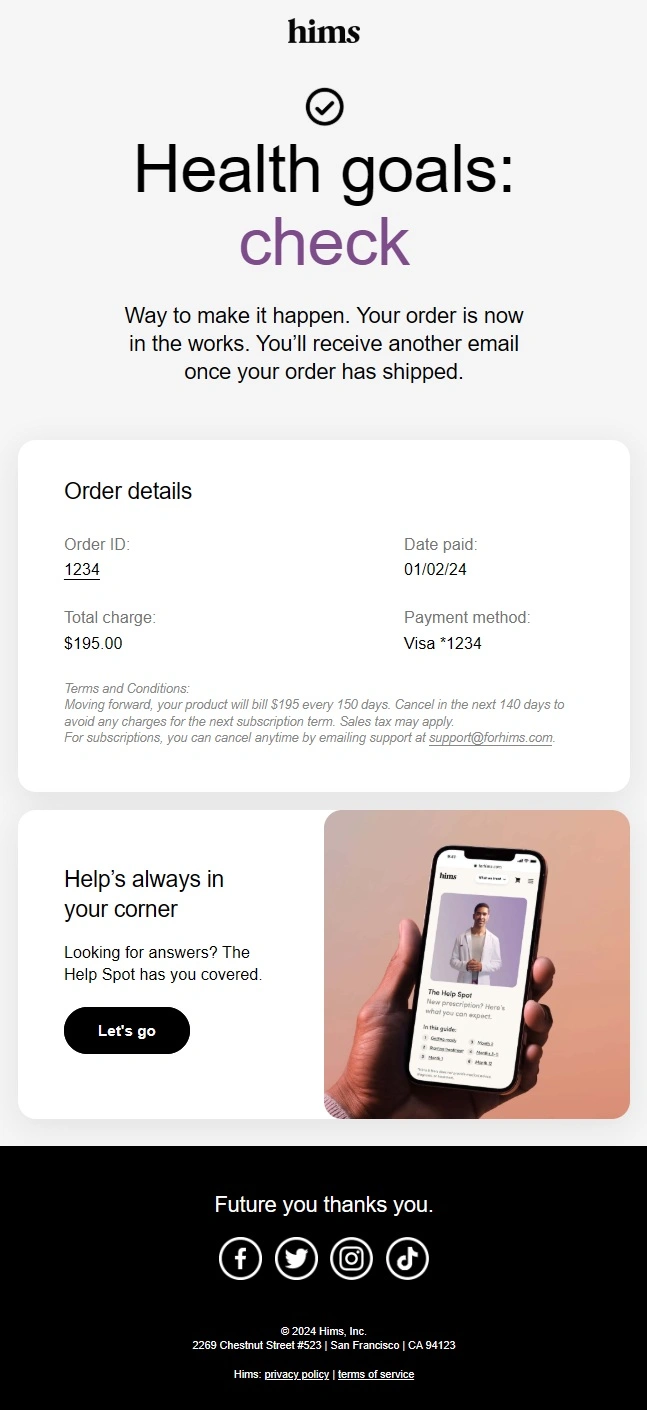
Hims confirms that the order is in progress, then clearly summarizes the payment details and sets expectations for the next shipping update.
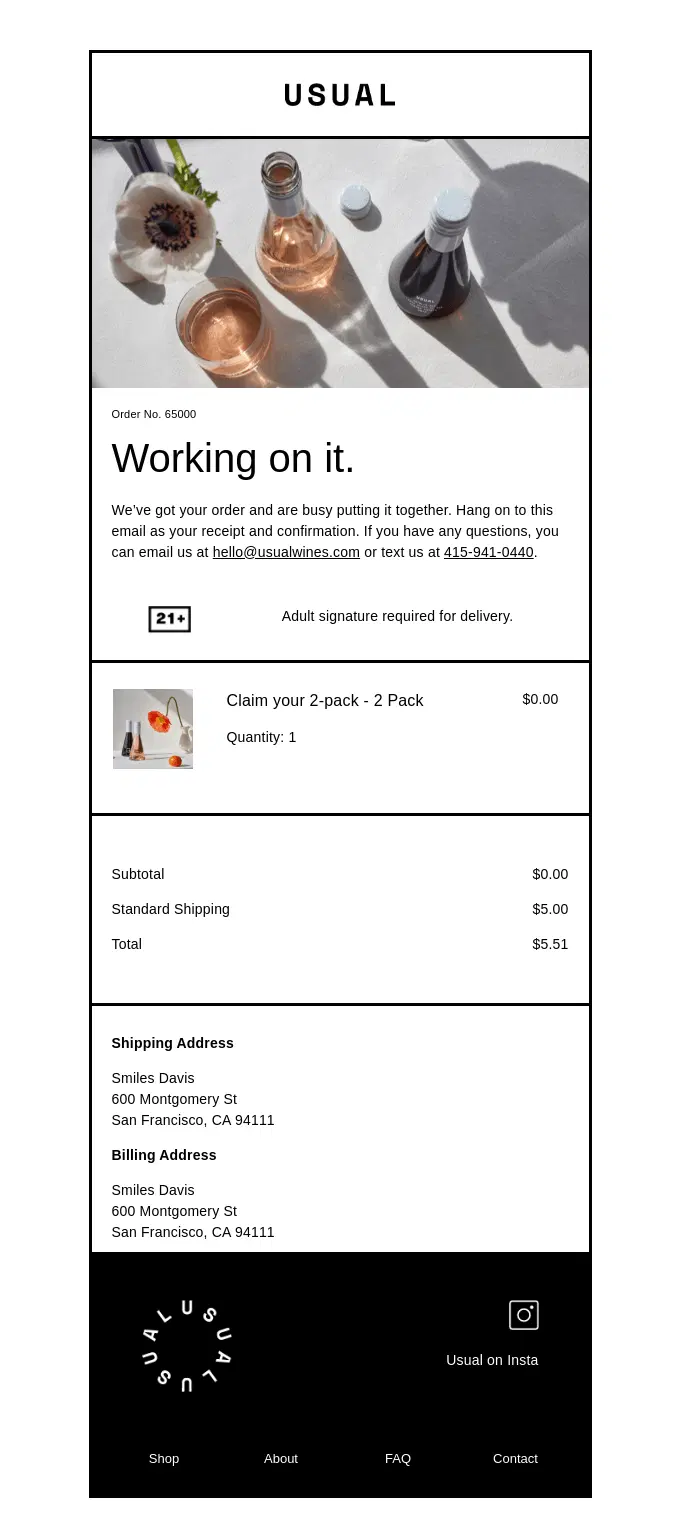
A Usual order confirmation email setting expectations with product details, order summary, and delivery requirements.
A Haoma order update email combining product details with branded imagery and a sustainability message showing that the purchase planted a tree.
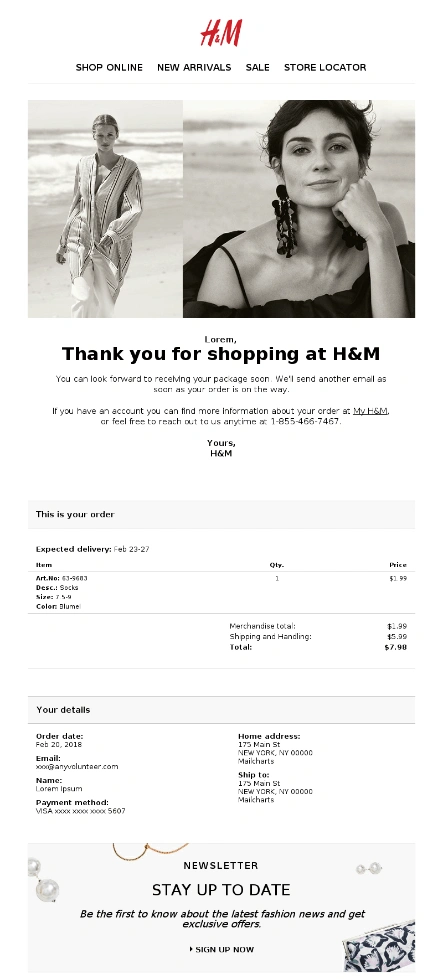
H&M keeps the confirmation structured and practical, presenting the purchase, delivery, payment, and customer details in clearly separated sections.
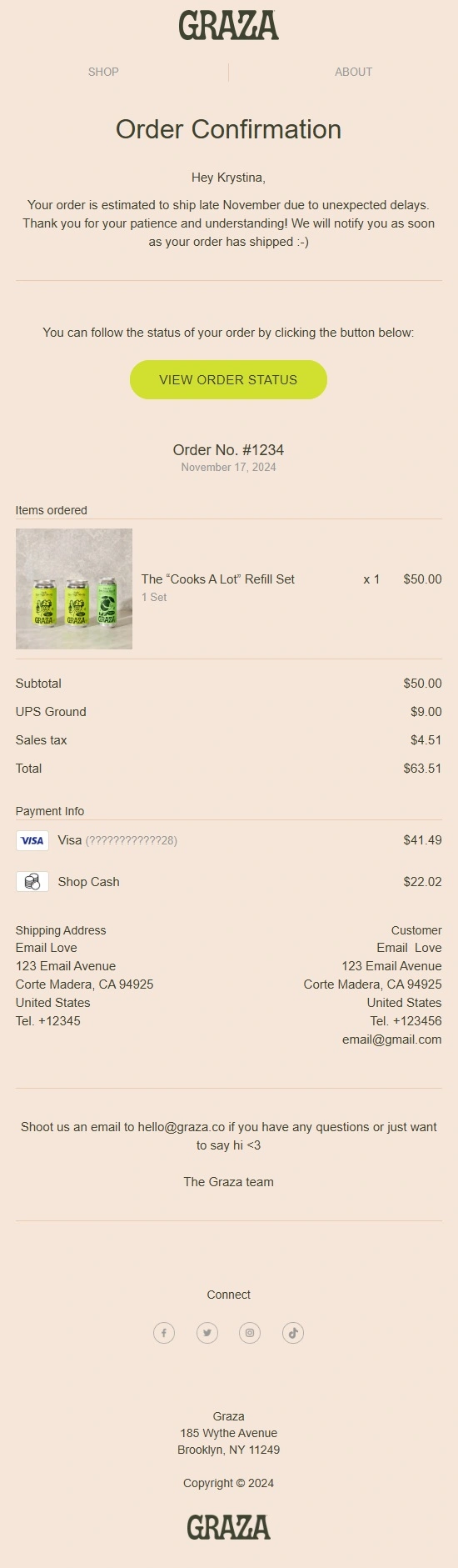
Graza addresses a delay before anything else and gives customers a prominent way to follow the order status themselves.
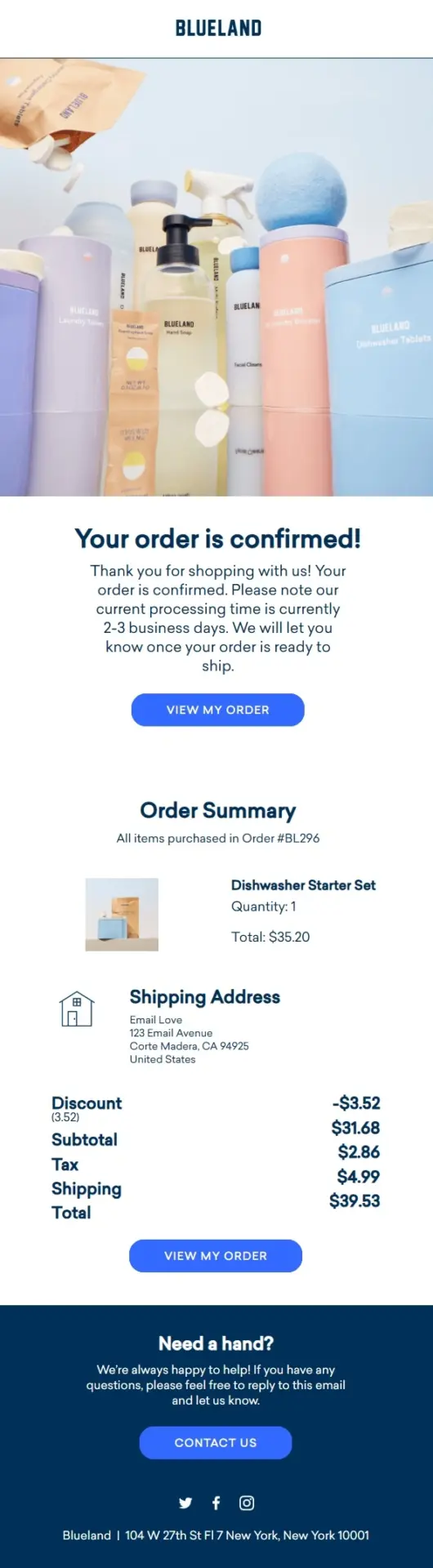
Blueland puts its current processing window front and center so customers know when to expect the next update on their order.
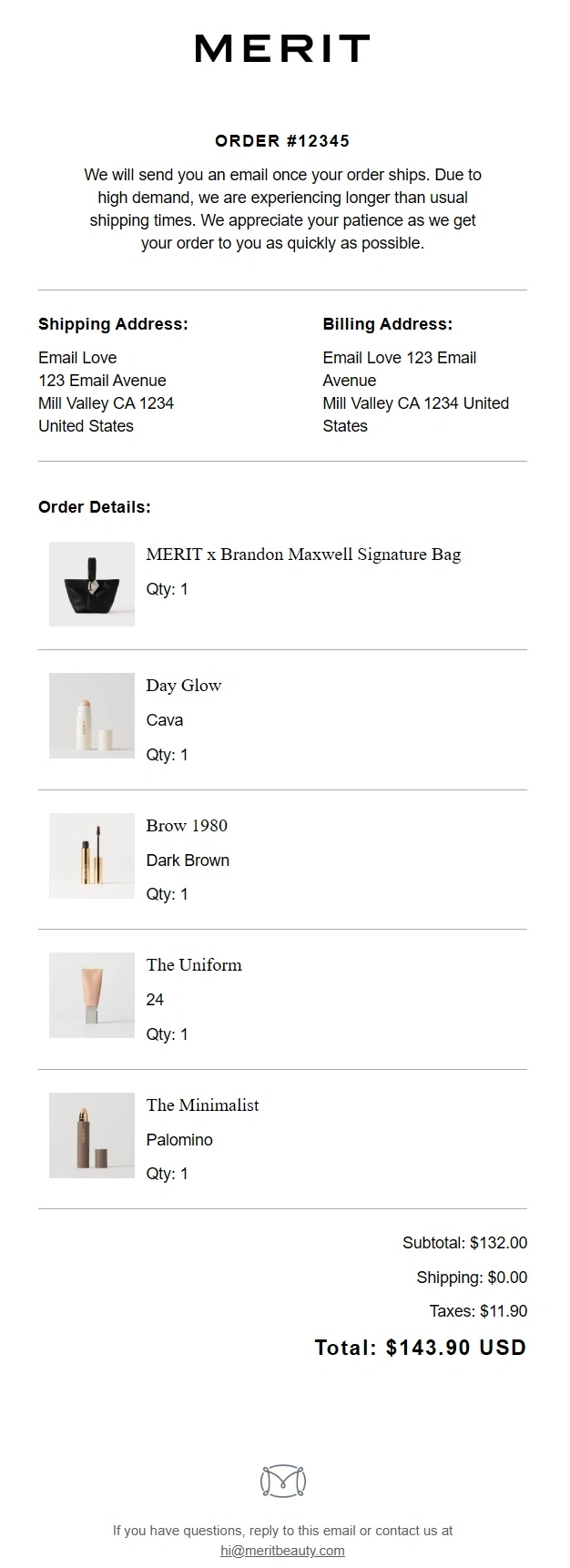
MERIT keeps a multi-item confirmation remarkably restrained, using generous whitespace and simple dividers to make the purchase details easy to scan.
Patagonia carries its identity well beyond the purchase details with outdoor imagery, its Ironclad Guarantee, repair program, and environmental mission.
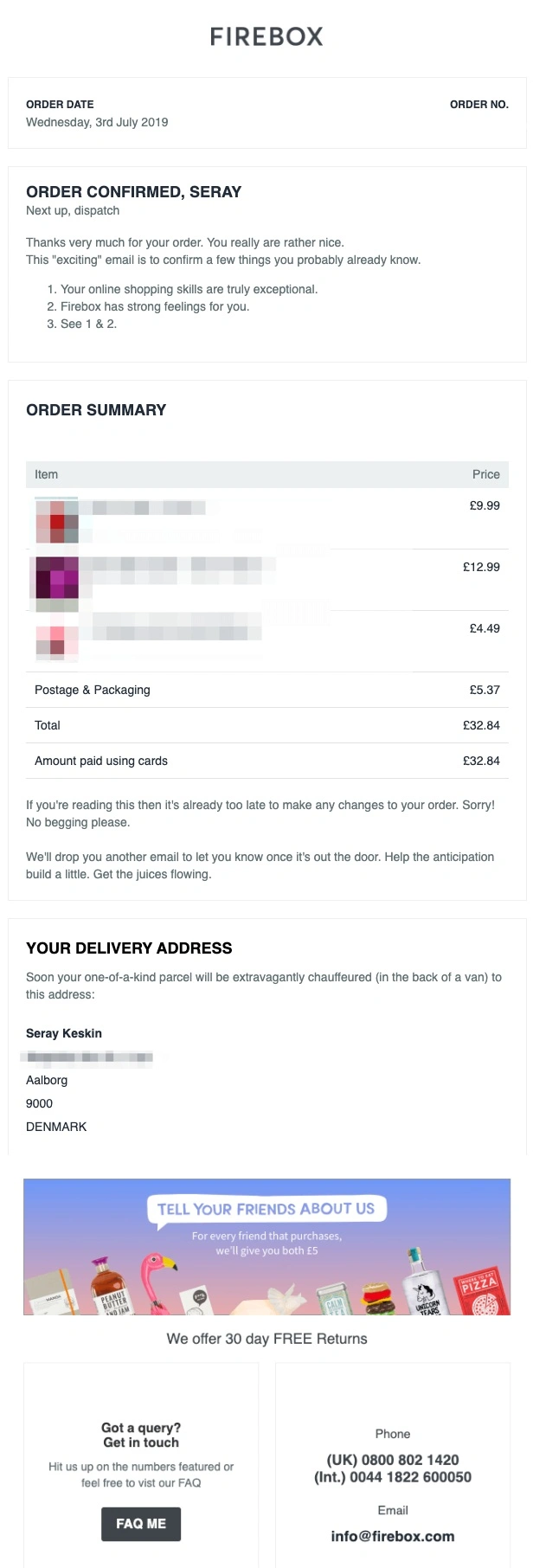
Firebox makes referrals a prominent post-purchase action with a simple offer that rewards both the customer and the friend with £5.
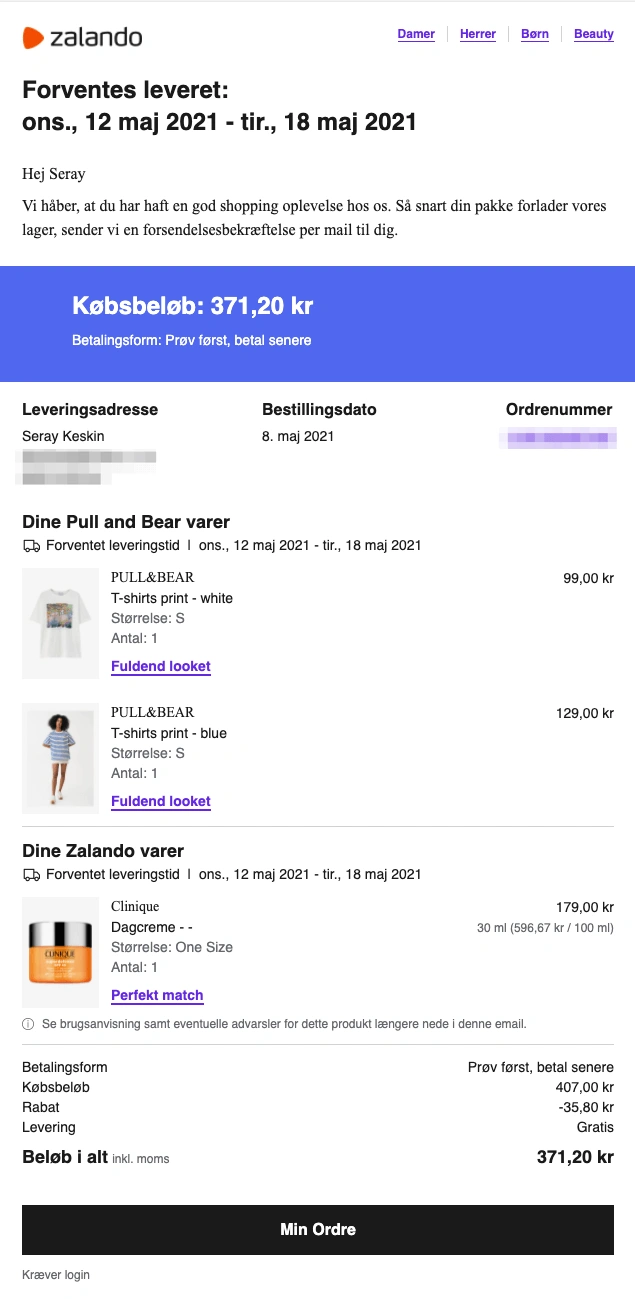
Zalando builds cross-selling directly into the order summary with product-specific “Complete the look” and “Perfect match” recommendations.
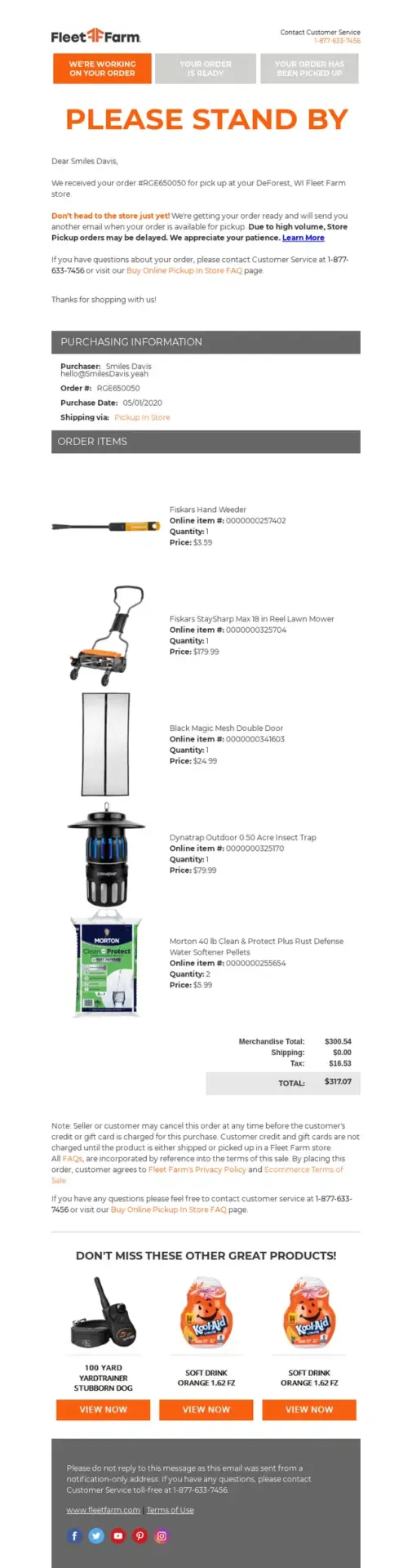
Fleet Farm makes pickup expectations unmistakable with a visual status tracker and a clear warning not to visit the store until the order is ready.
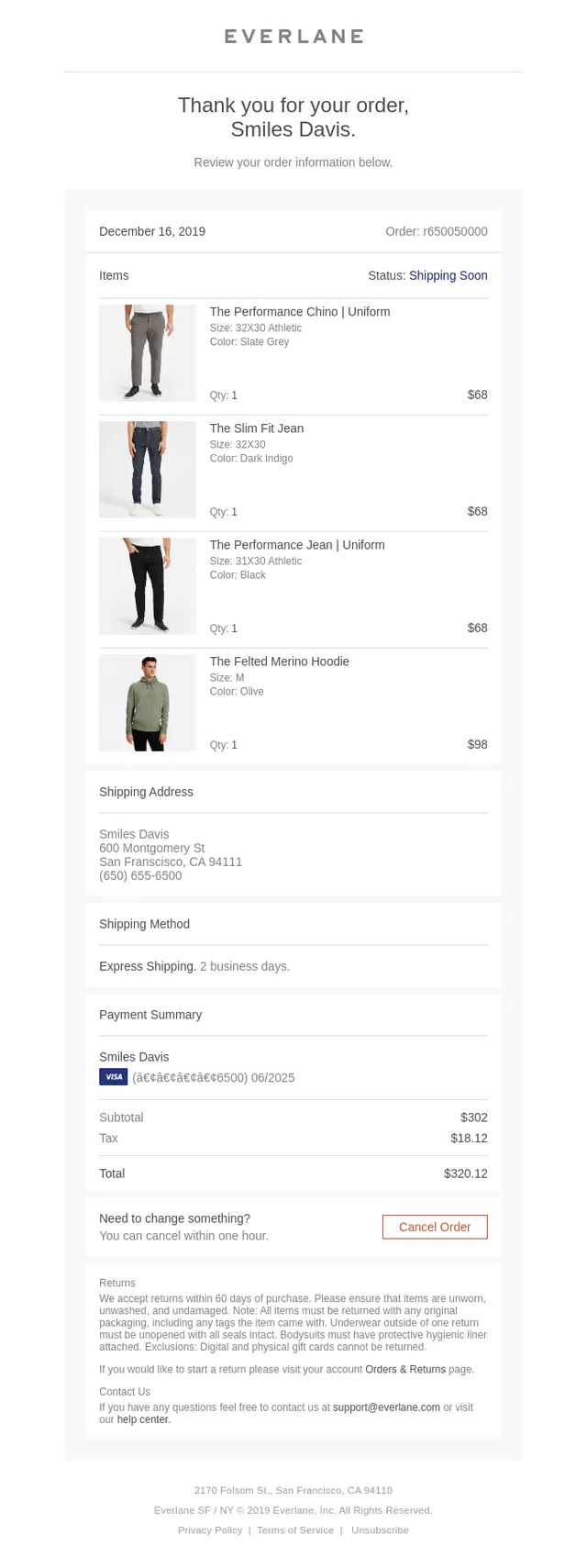
Everlane makes post-purchase changes unusually easy by placing a one-hour cancellation option directly alongside the order details.
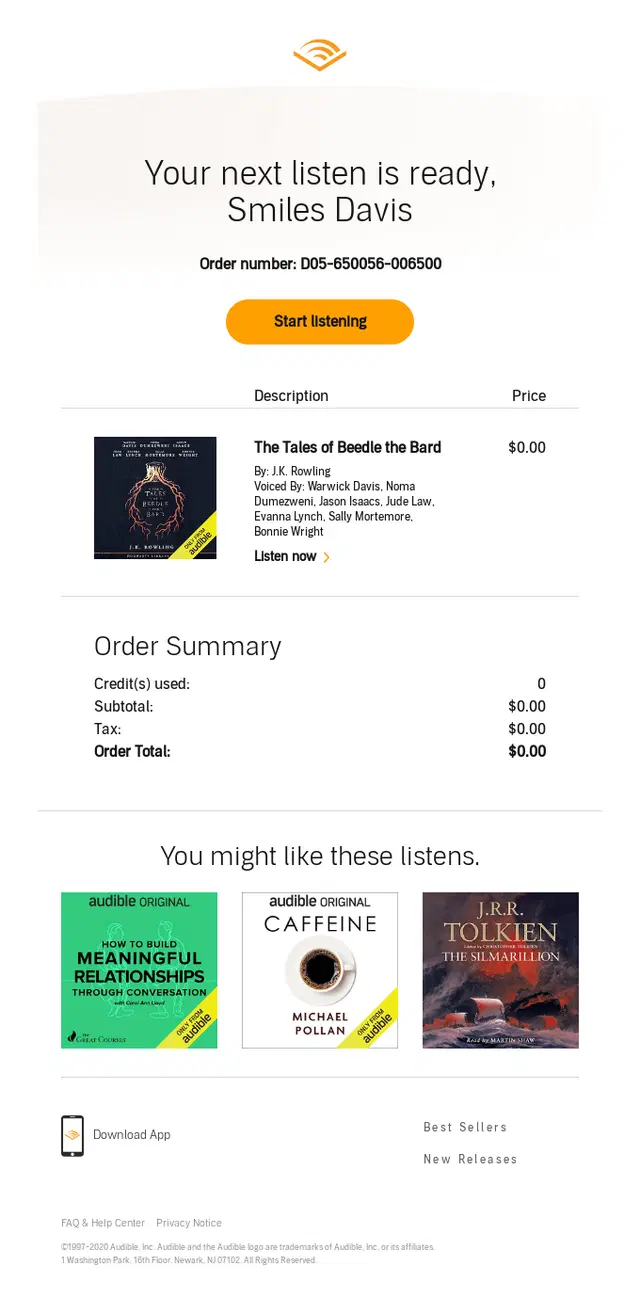
Audible follows the completed purchase with a curated “You might like these listens” section that naturally encourages the next discovery.
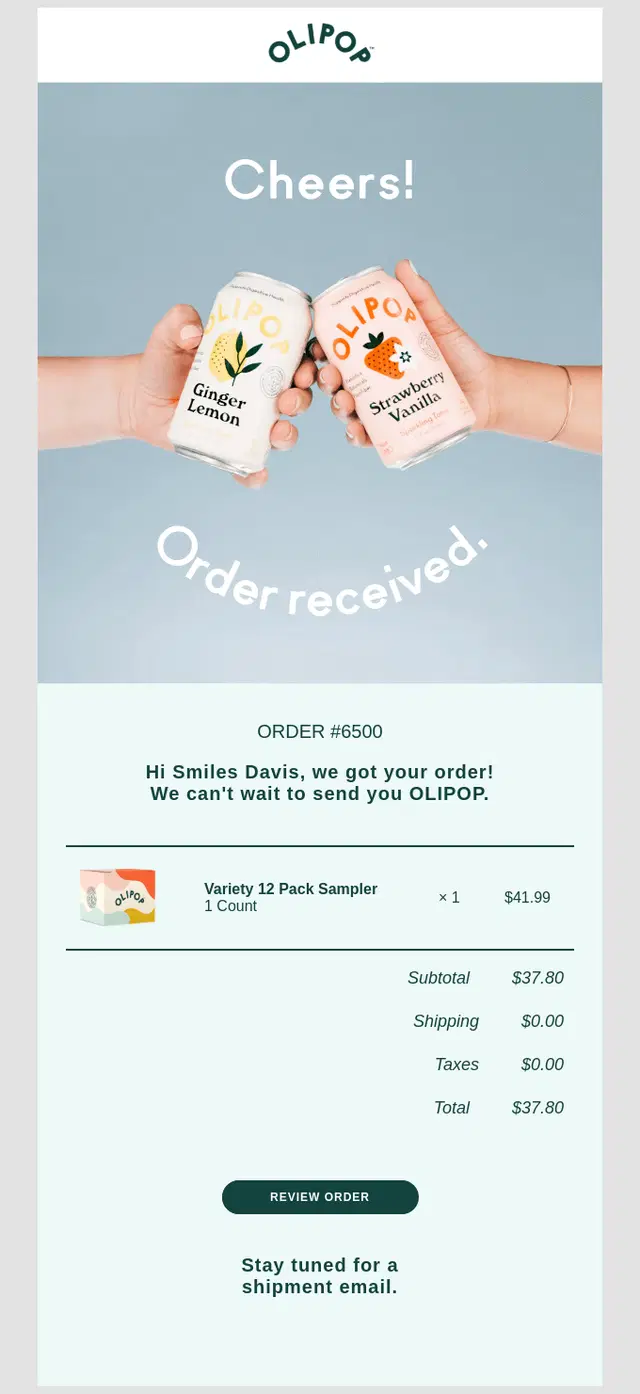
OLIPOP makes the next step unmistakable by confirming the purchase and telling customers to stay tuned for a separate shipment email.
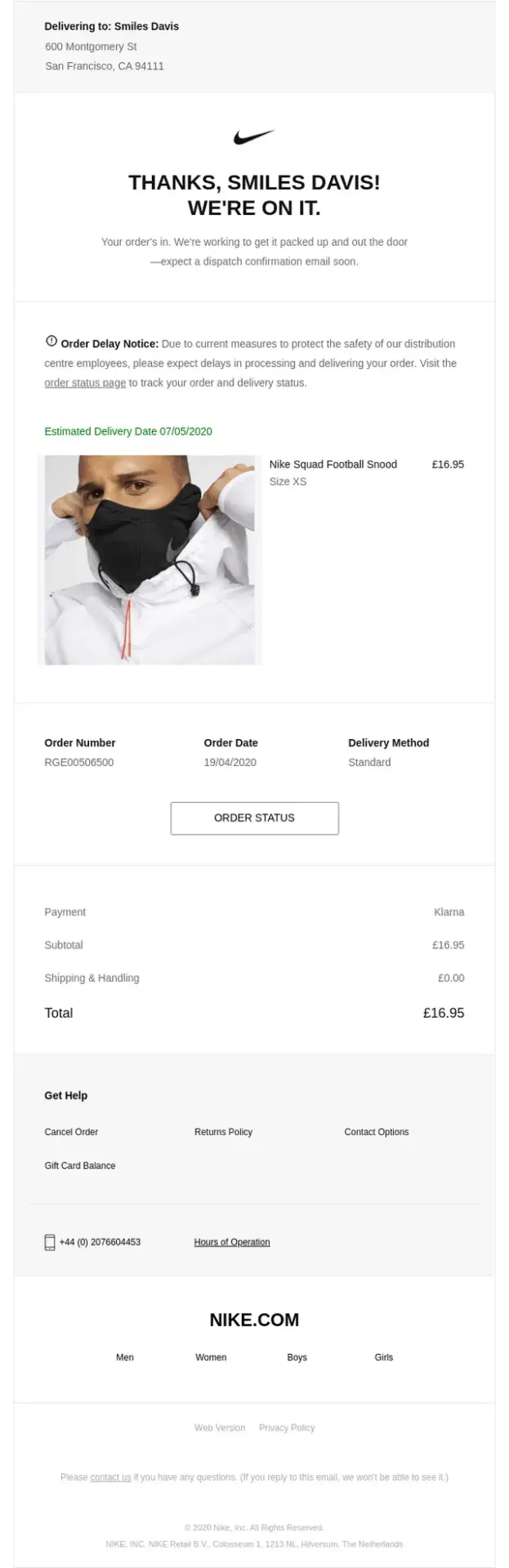
Nike sets expectations clearly by combining an estimated delivery date with a proactive delay notice and easy access to order status.
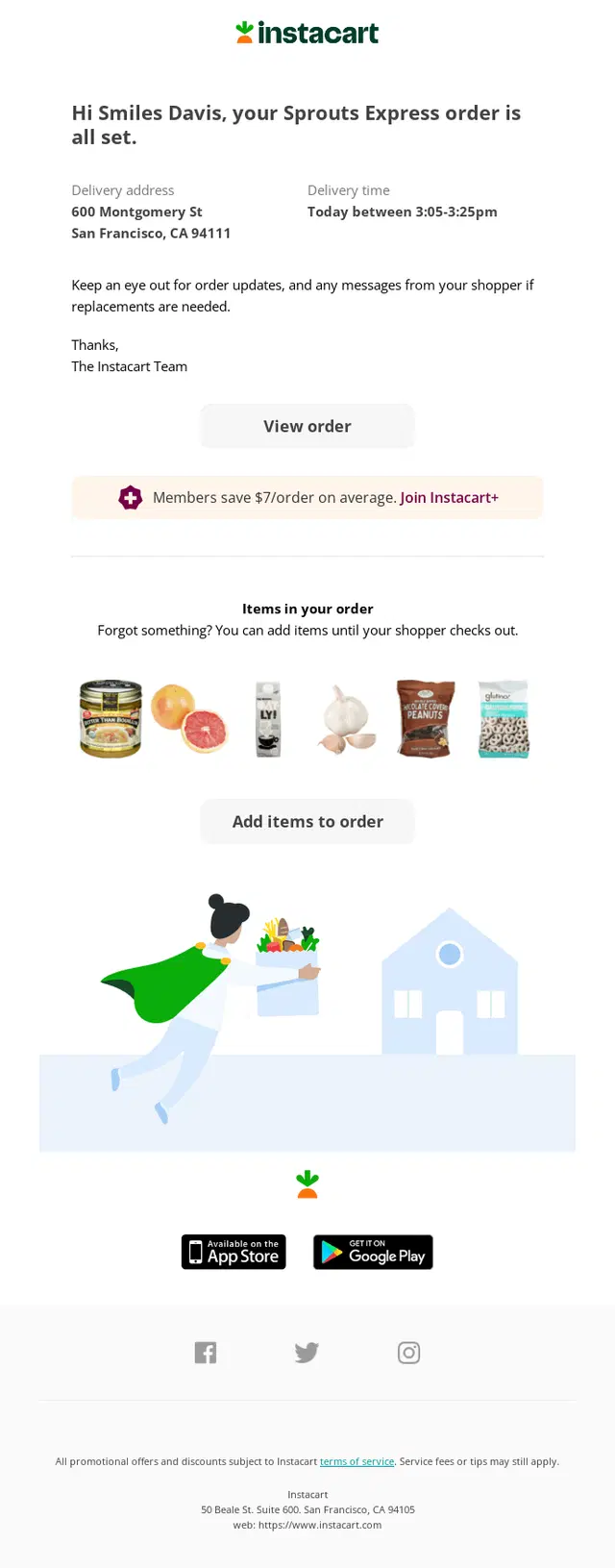
Instacart confirms that the order is set, gives customers a clear delivery window, and keeps the order flexible by allowing additional items to be added before shopping is completed.
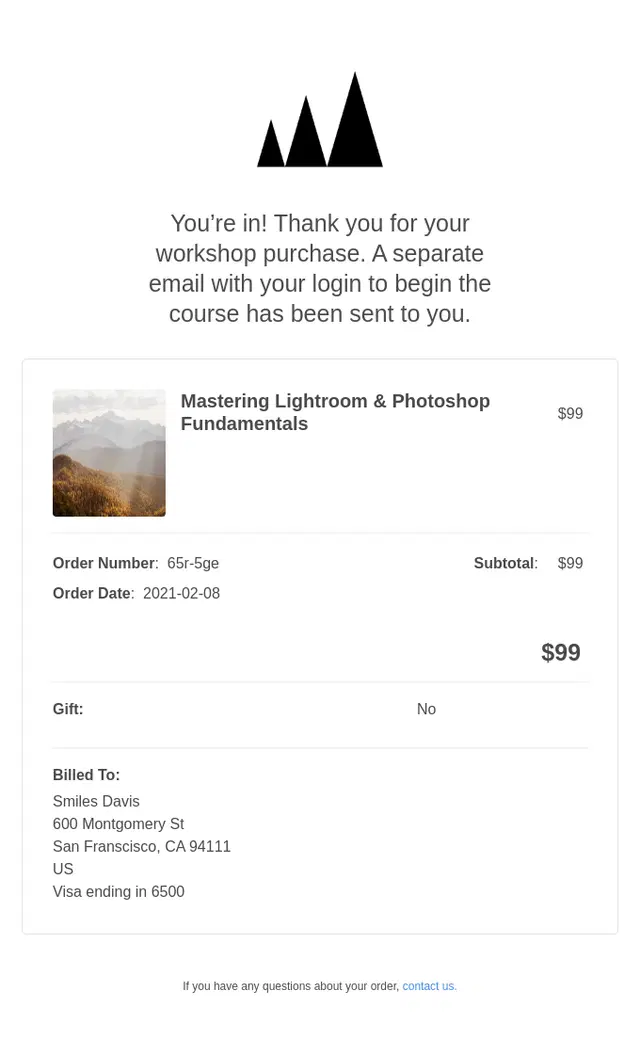
This workshop purchase confirmation email from Wildlist confirms the order, summarizes the purchase details, and explains the next step by telling the buyer to look for a separate email with course access information.
These receipt, payment, and invoice emails make transaction details easy to verify, including amounts paid or due, payment methods, billing information, purchased items, and access to receipts or downloadable invoices.
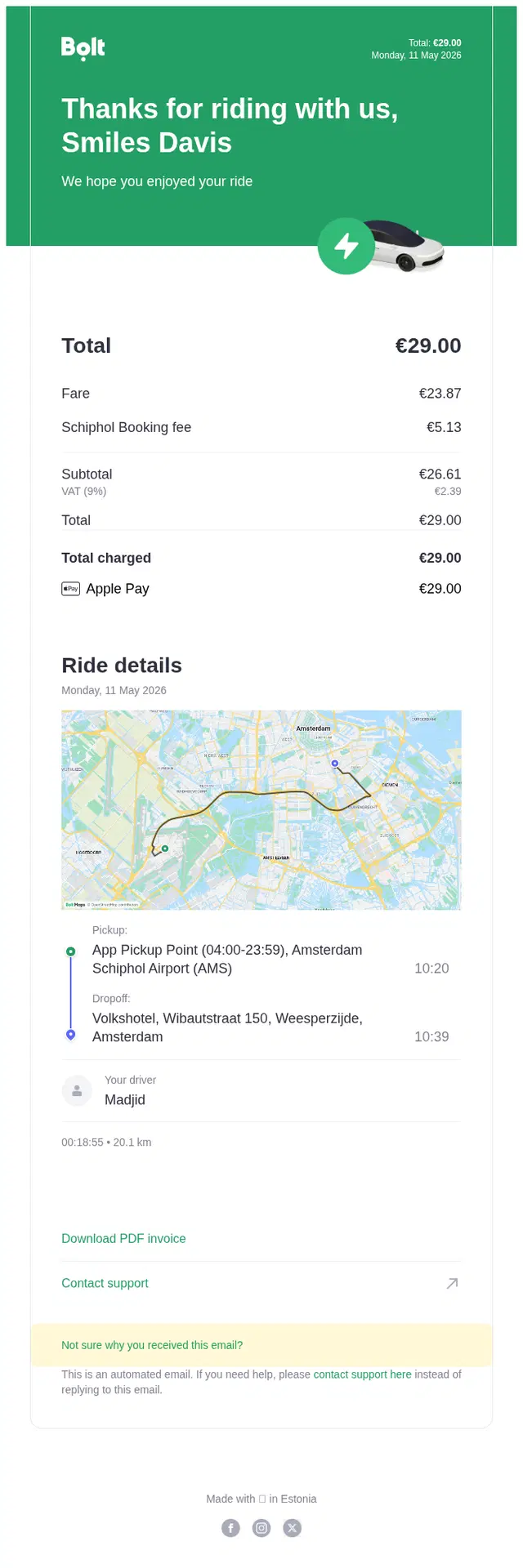
Bolt combines the payment receipt with a detailed trip record, breaking down the fare and payment method while also providing the route, ride details, and a downloadable PDF invoice.

Rippling makes a routine payroll notification feel celebratory with an animated hero, while keeping the transactional message simple: payday is confirmed, the net pay is clear, and the full paystub is one click away.
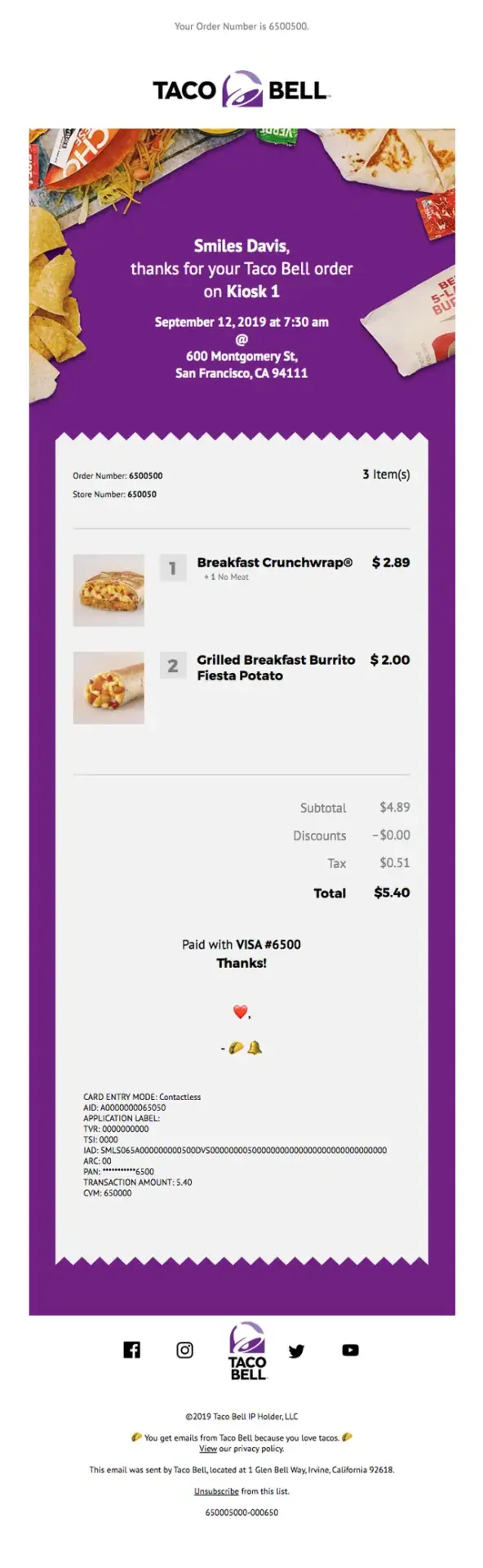
Taco Bell turns a basic receipt into a memorable brand moment with its signature purple palette, playful food imagery, and receipt-inspired layout.
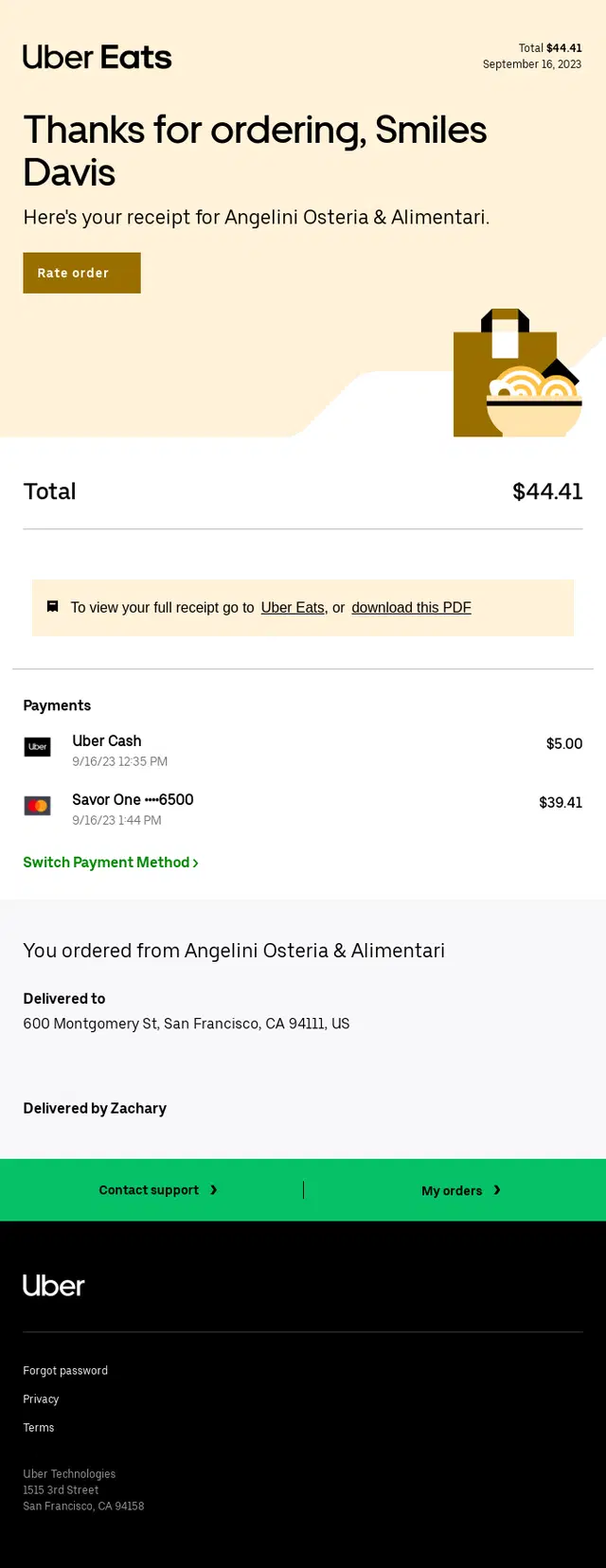
Uber Eats turns the post-order message into a clear digital receipt, summarizing the total, payment methods, restaurant, delivery details, and quick access to the full receipt.
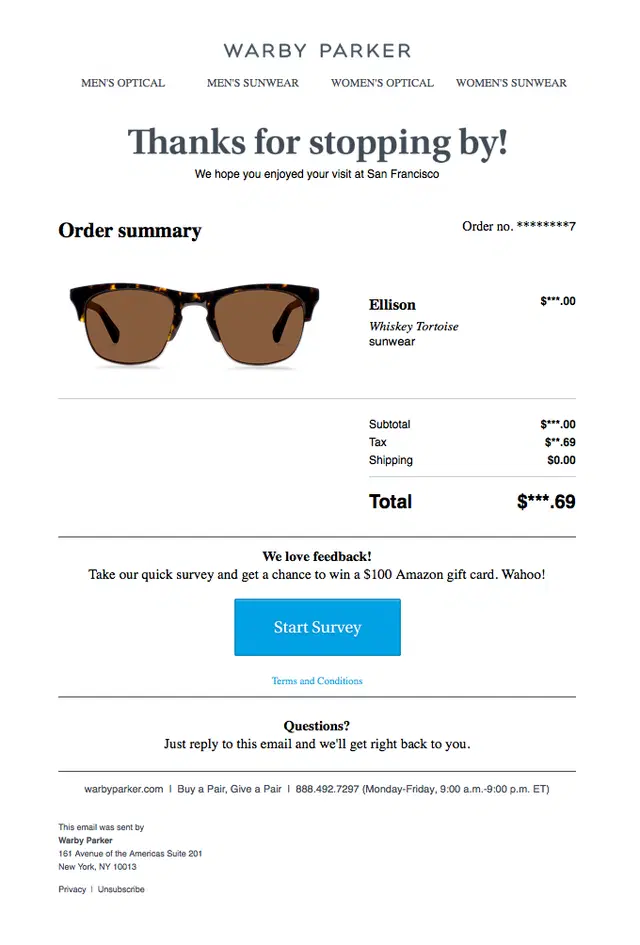
Warby Parker purchase receipt email showing the ordered glasses, order number, subtotal, tax, shipping, total payment amount, customer feedback survey, and support information.
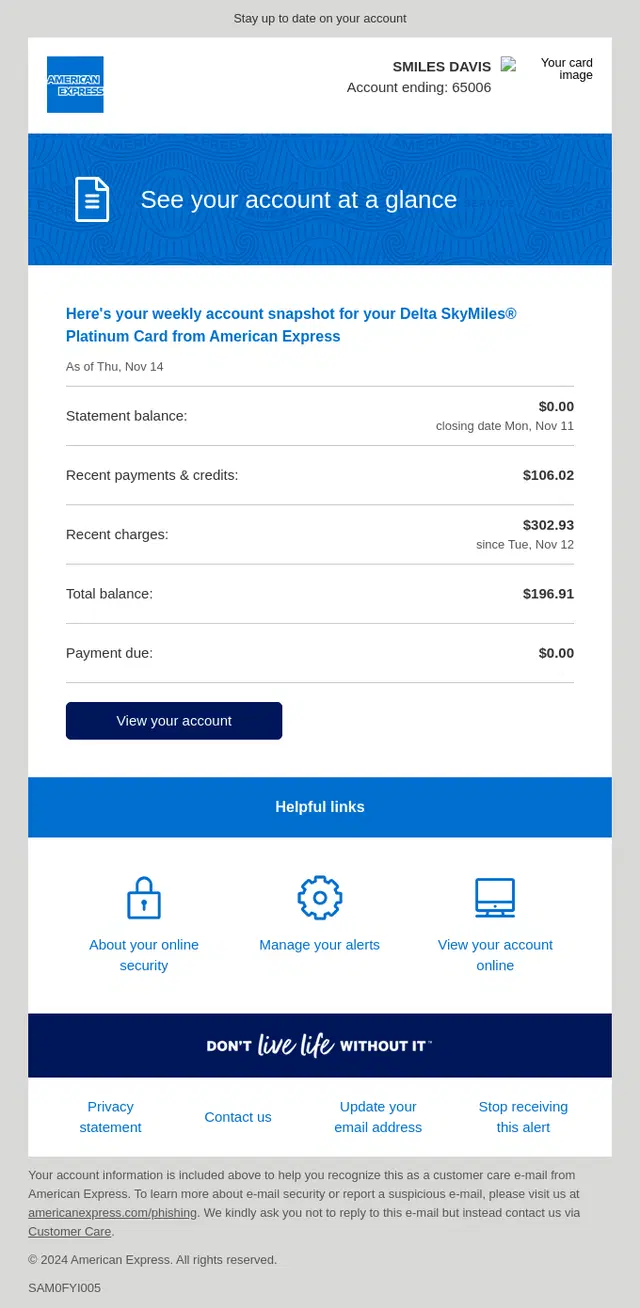
American Express gives cardholders a compact billing snapshot with recent payments, charges, total balance, and amount due, making the current account status easy to review at a glance.
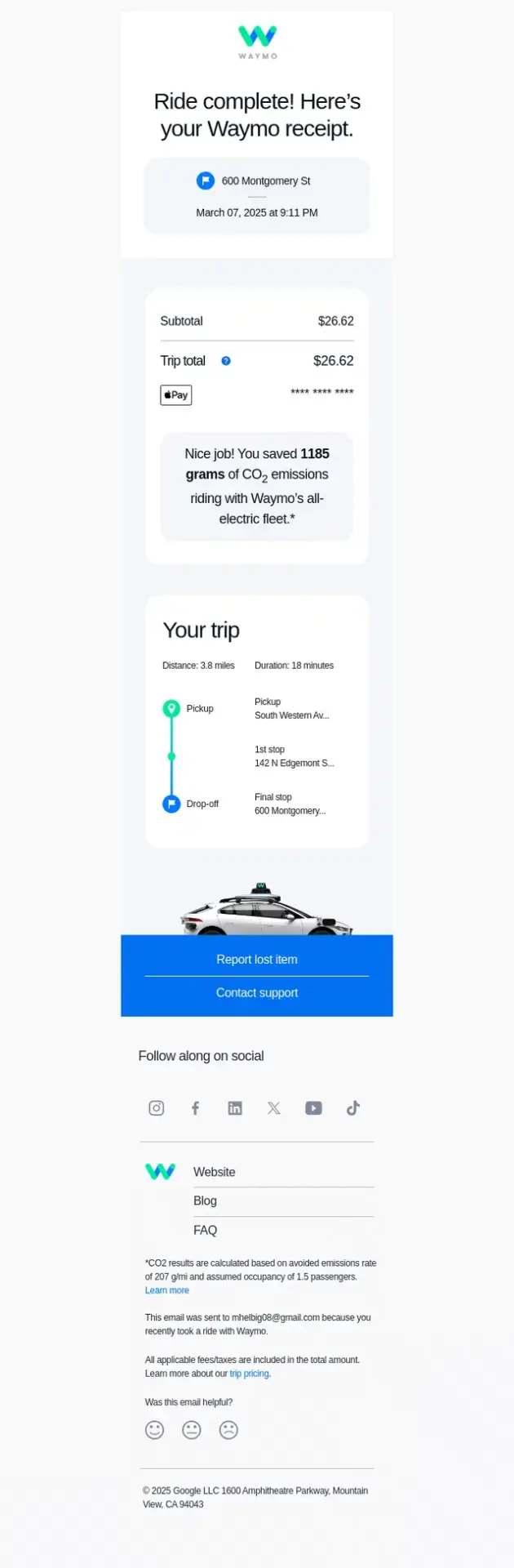
Waymo turns the completed ride into a detailed digital receipt, combining the amount paid with trip duration, distance, route details, payment information, and quick access to support.
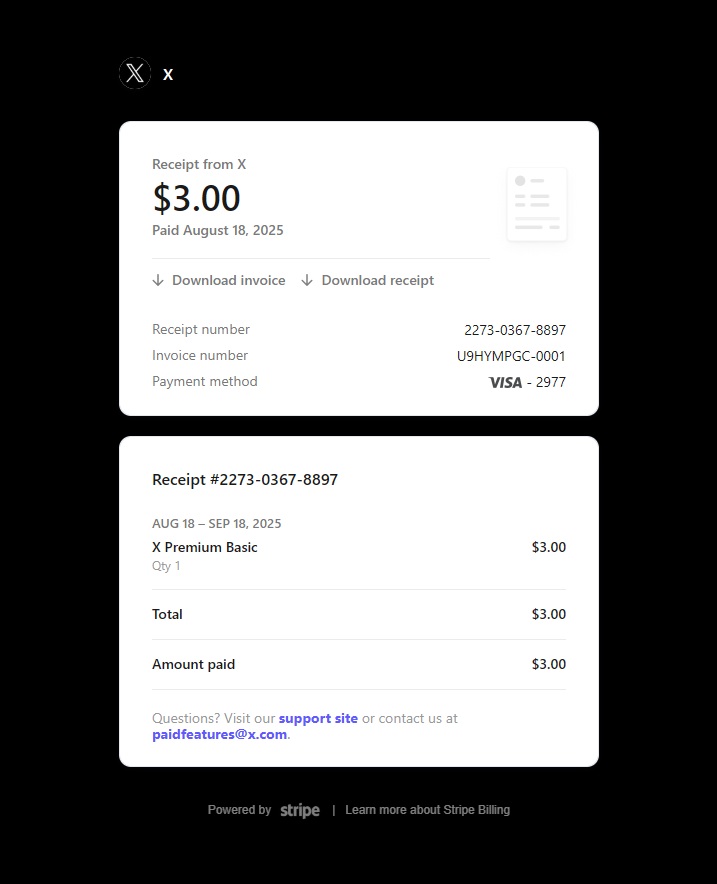
X combines the payment confirmation, receipt, and invoice details in one compact message, giving the customer clear access to the amount paid, billing references, payment method, and downloadable records.
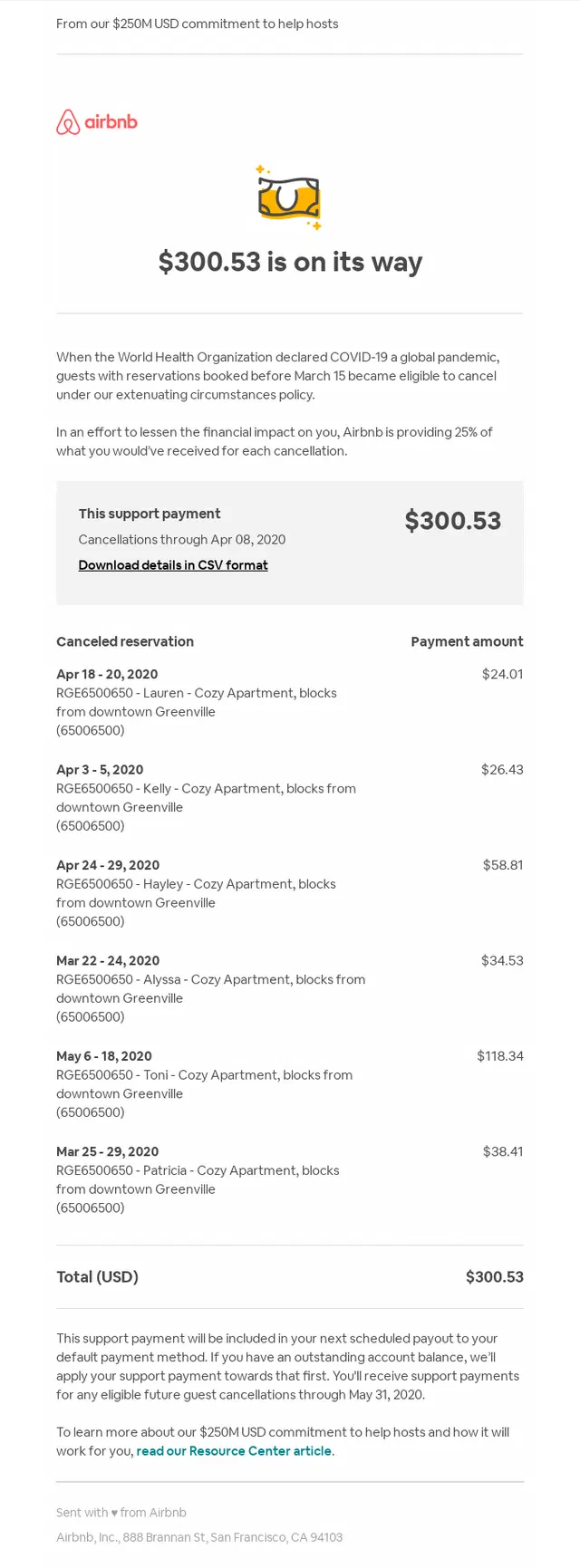
Airbnb confirms an upcoming support payment and breaks down exactly which canceled reservations contributed to the total, giving the host a clear record of the payout.
Shipping Confirmation Email Examples
These shipping confirmation emails tell customers when an order has left the warehouse and make tracking information, delivery estimates, and next steps easy to find.
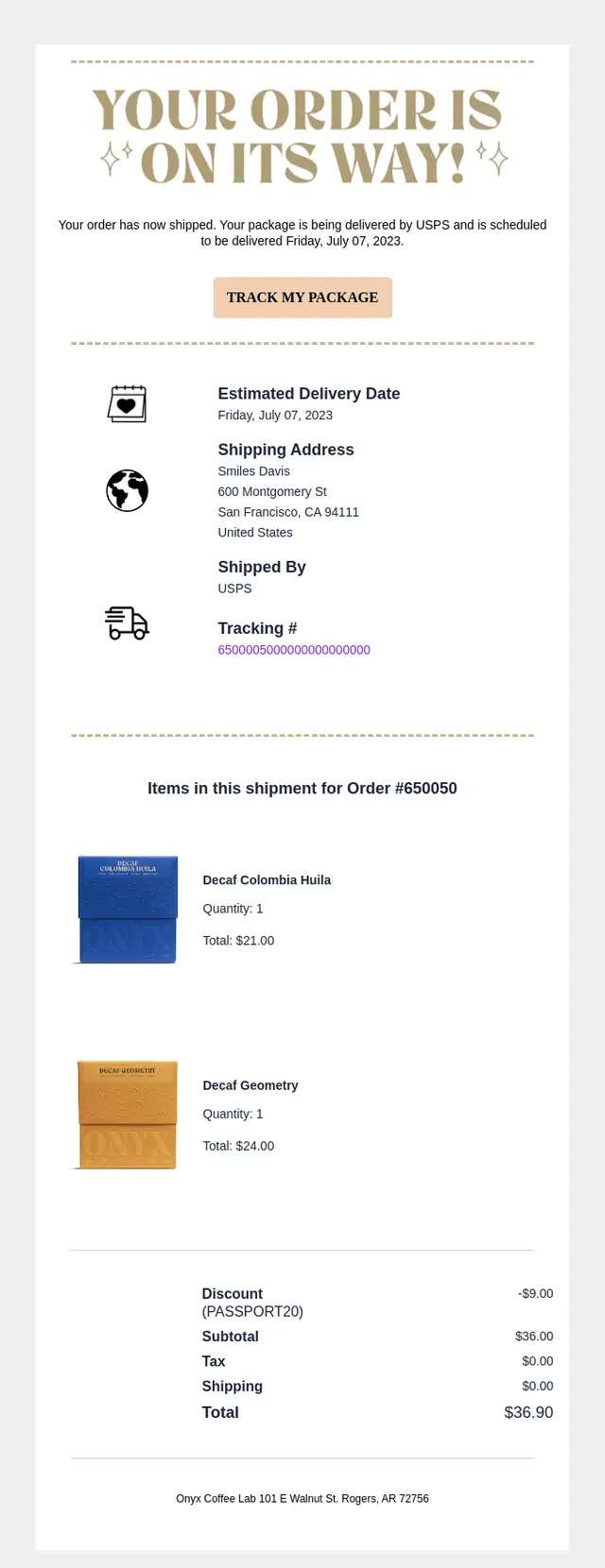
Onyx Coffee Lab combines a clear shipping confirmation with the estimated delivery date, carrier and tracking details, plus a complete summary of the products included in the shipment.

An iFIT Nourish minimalist shipping confirmation email pairing a simple delivery truck illustration with a 2–5 day delivery estimate and clear tracking CTA.
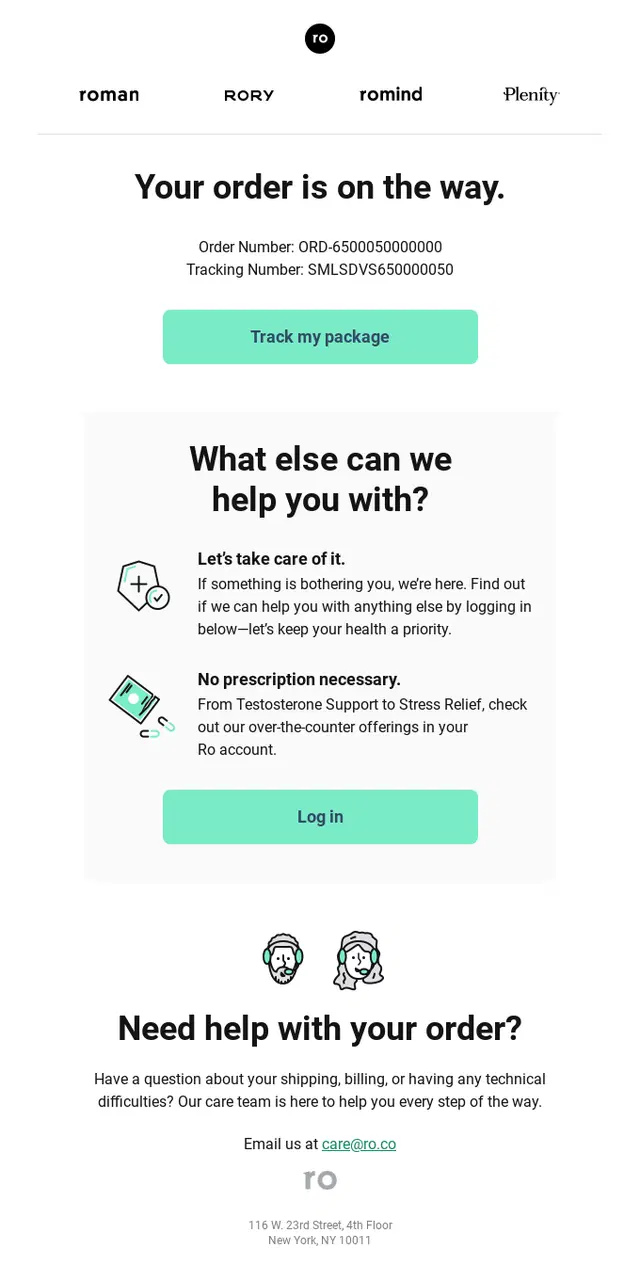
A Roman shipping confirmation email keeping order and tracking information prominent within a simple, easy-to-scan layout.
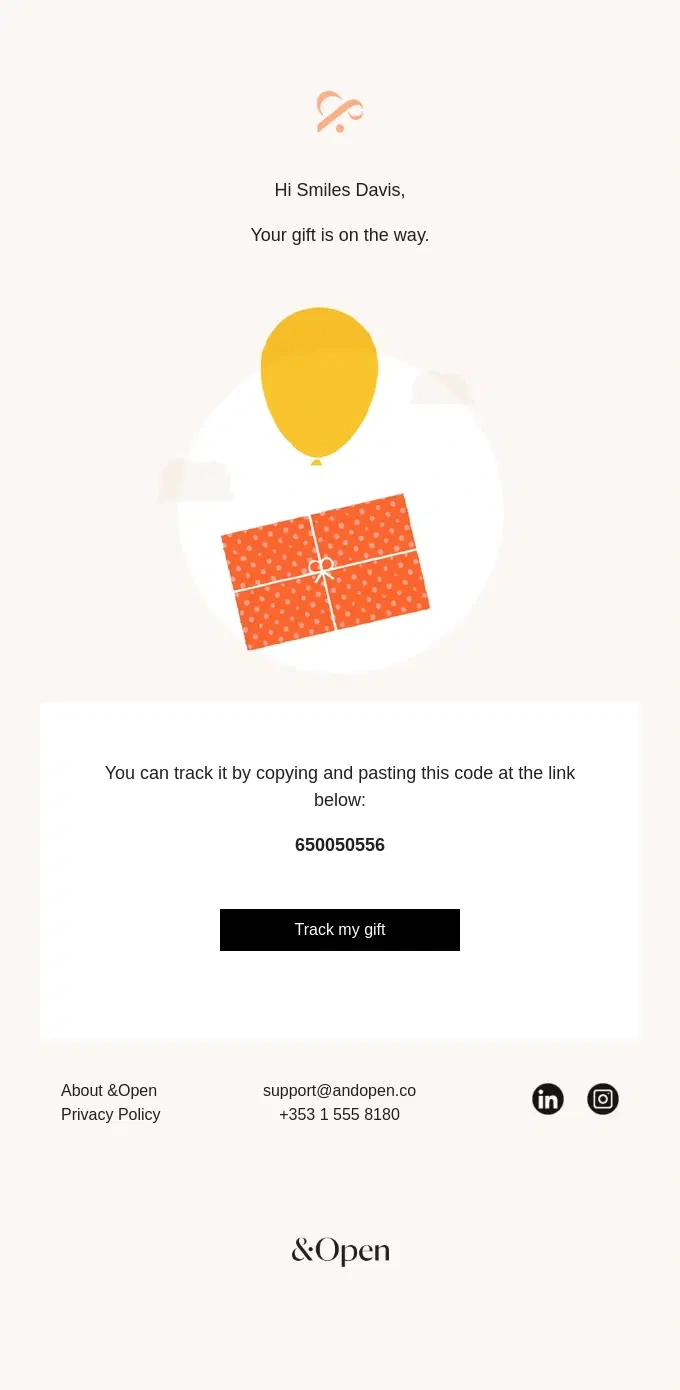
An &Open minimalist shipping confirmation email using a simple gift illustration, tracking code, and single clear CTA to keep the update focused.
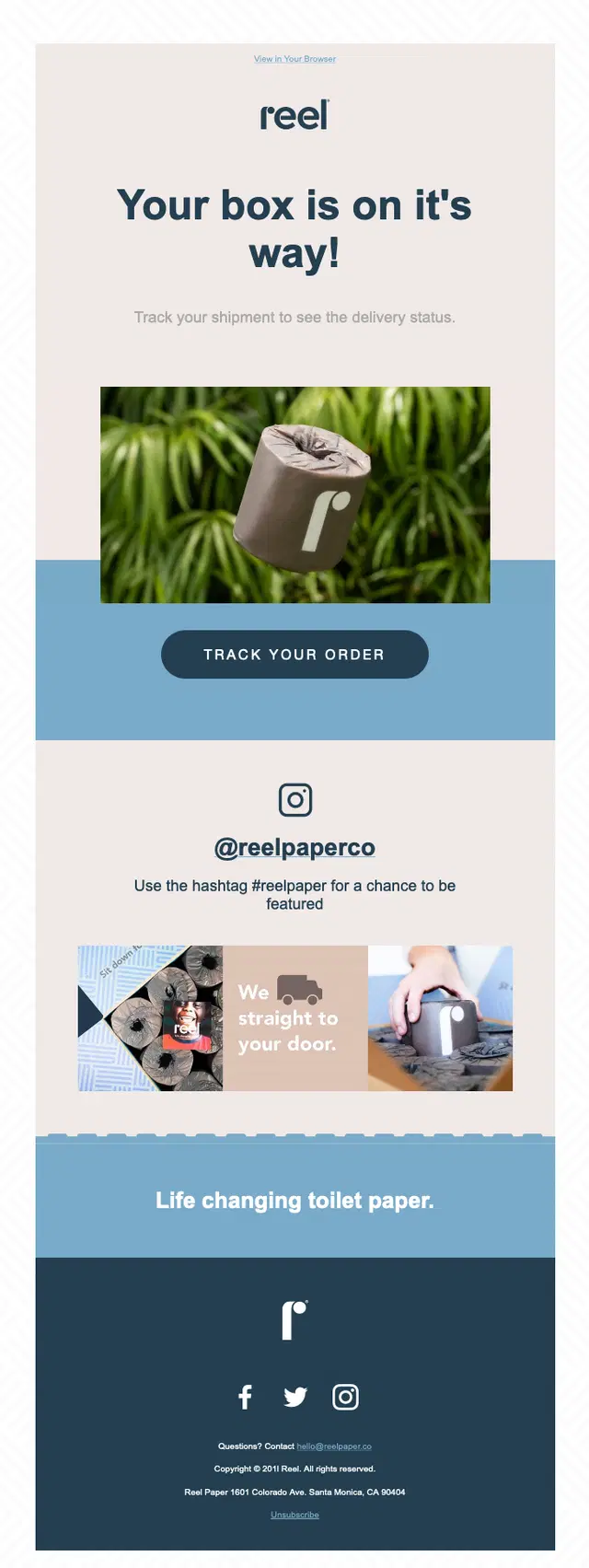
A Reel shipping confirmation email encouraging customers to share their experience on Instagram using the #reelpaper hashtag.
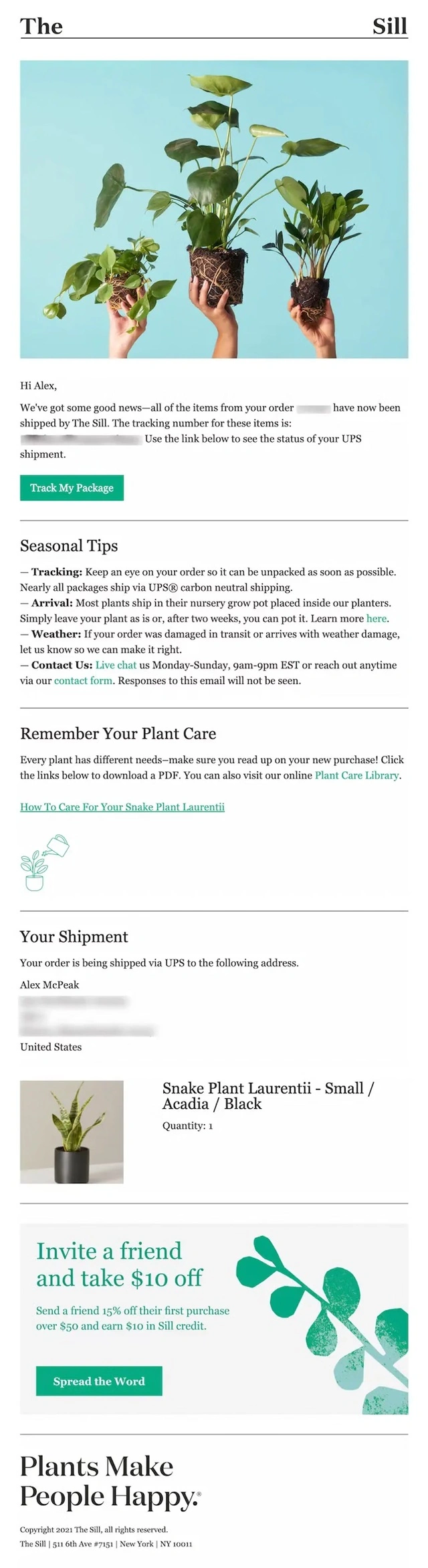
A The Sill shipping confirmation email pairing package tracking with seasonal shipping tips, plant care guidance, and downloadable care resources.
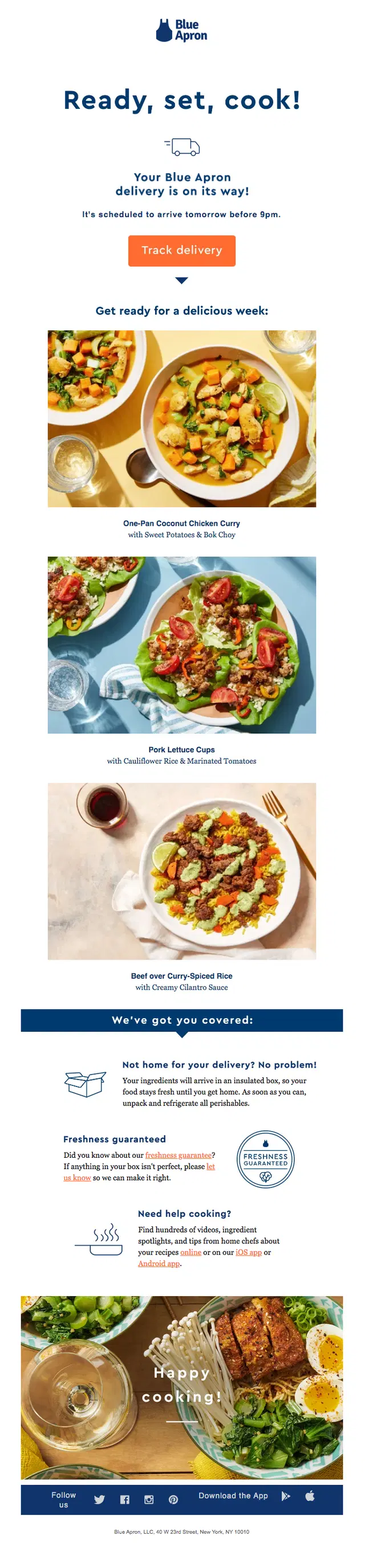
A Blue Apron shipping confirmation email combining next-day delivery tracking with meal previews, freshness guidance, and cooking support content.
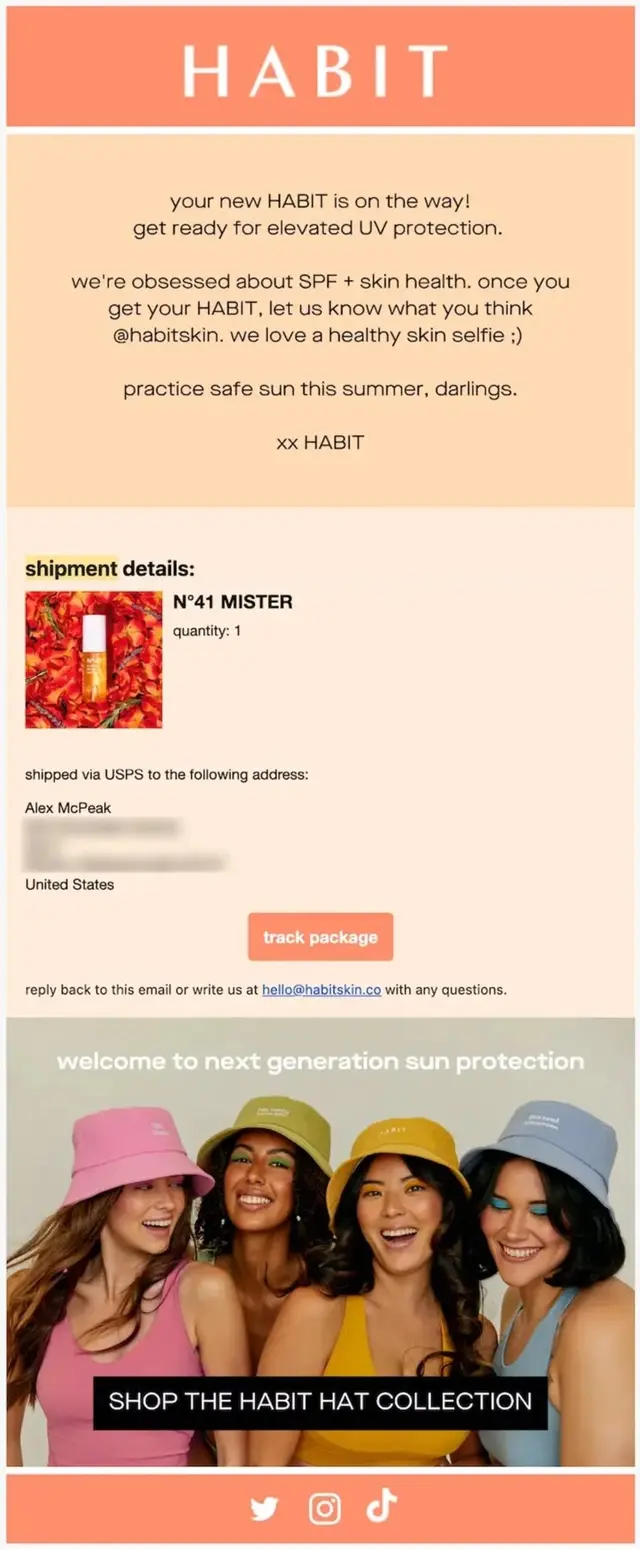
A HABIT shipping confirmation email combining shipment details with a social prompt inviting customers to share a skin selfie.
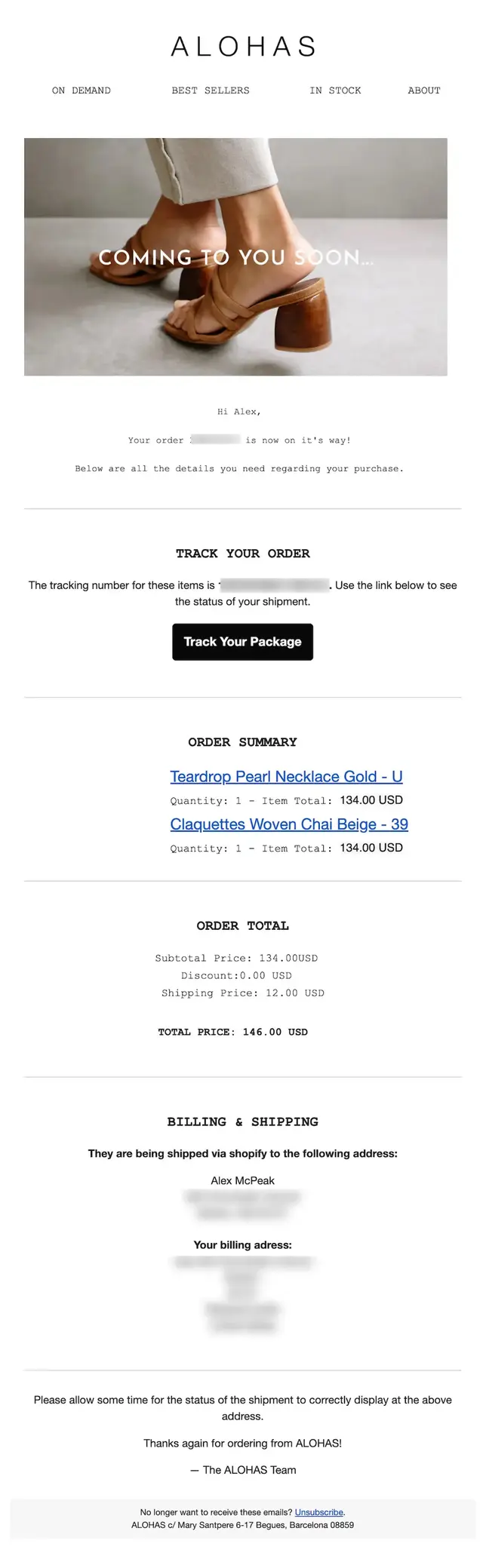
An ALOHAS shipping confirmation email presenting a detailed order summary with product names, quantities, prices, totals, and complete billing and shipping information.
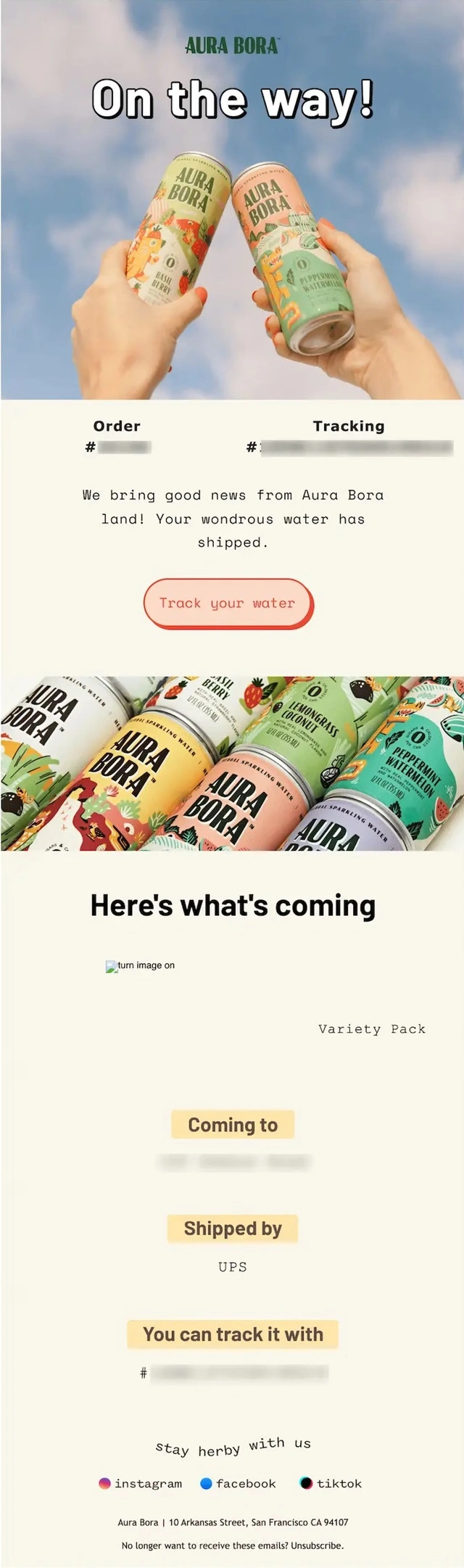
An Aura Bora shipping confirmation email using colorful branded imagery alongside detailed product, carrier, destination, and tracking information.
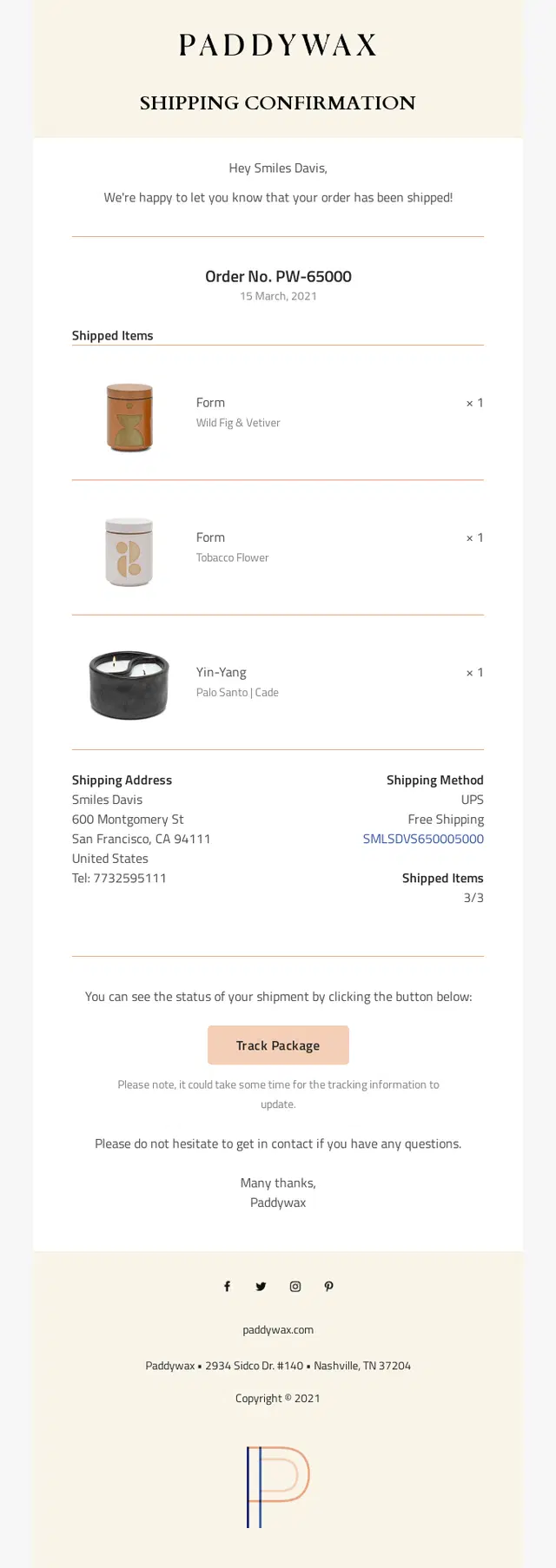
A Paddywax shipping confirmation email making a multi-item candle shipment easy to verify with product details, shipping information, and package tracking.
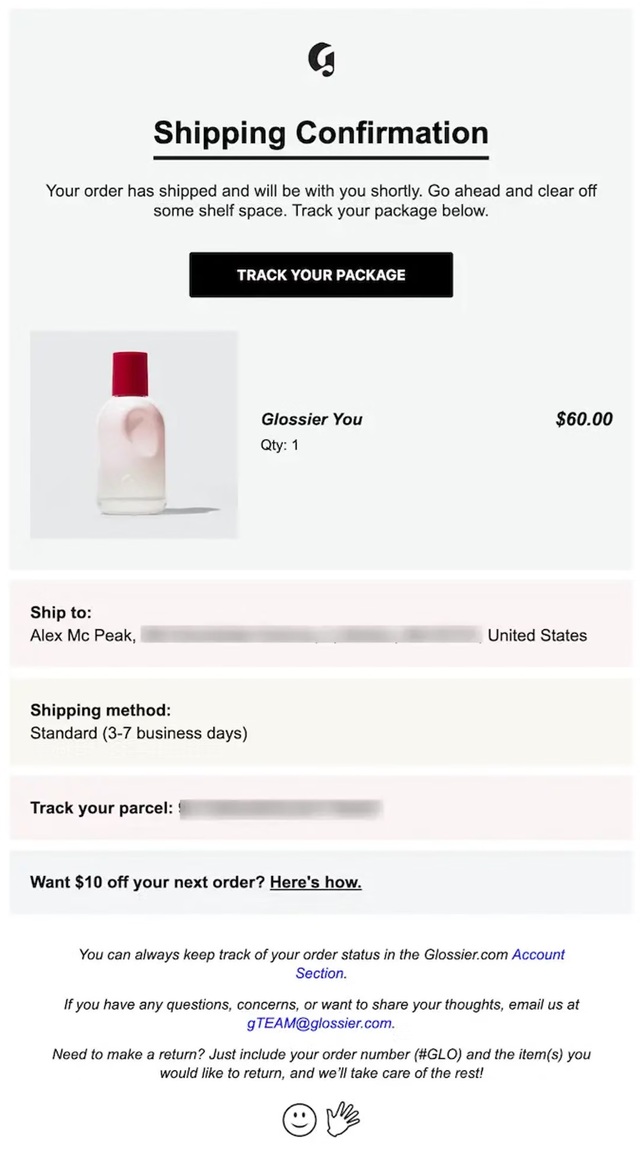
A Glossier shipping confirmation email combining package tracking with return instructions, customer support, and account-based order management.
Tracking, Out-for-Delivery and Delivery Email Examples
These delivery update emails keep customers informed as an order moves toward arrival, from tracking availability and out-for-delivery alerts to final delivery confirmation.
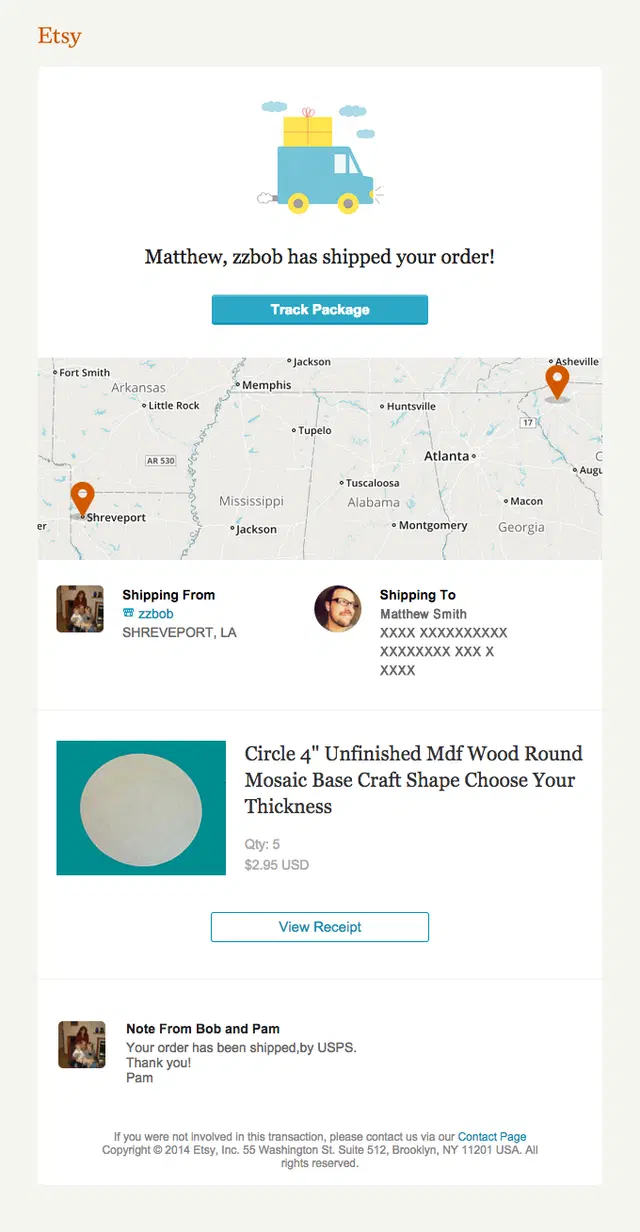
An Etsy shipping confirmation email visualizing the package journey with a shipment map showing its origin and destination.
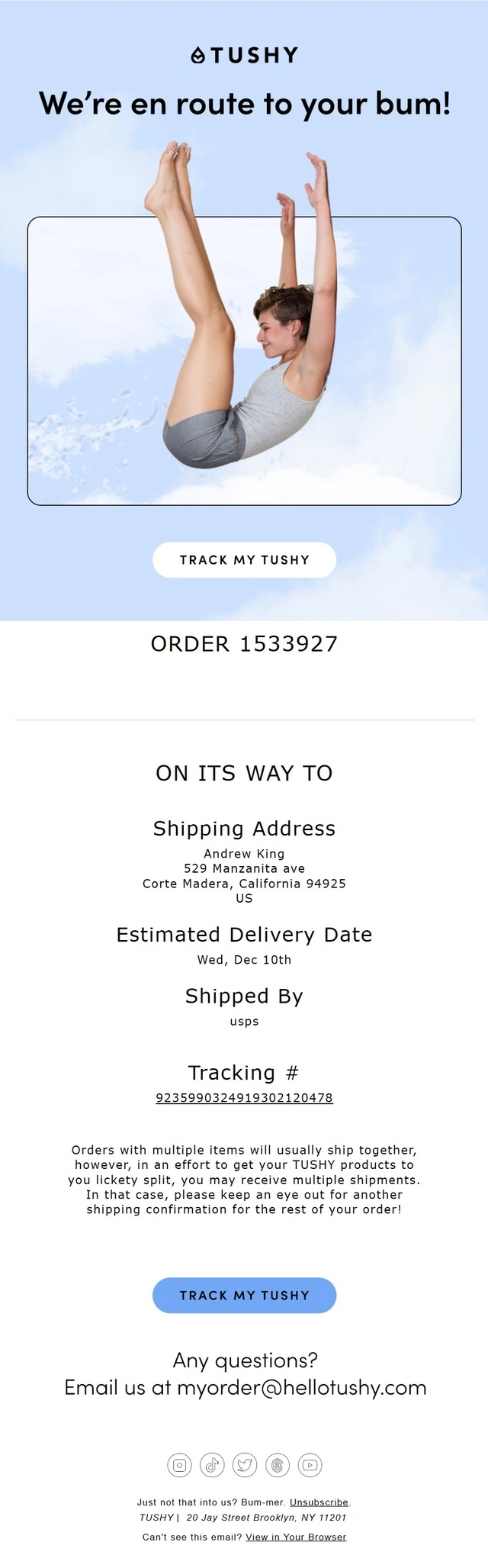
A TUSHY shipping confirmation email putting the estimated delivery date front and center while also preparing customers for possible split shipments.
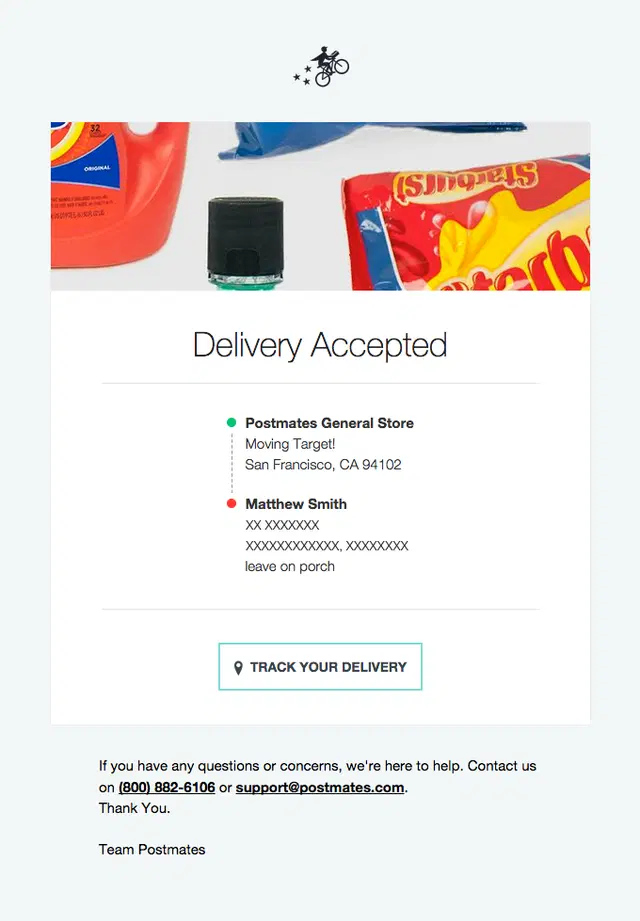
A Postmates delivery update email using a visual route between the store and customer to make real-time delivery progress easier to understand.
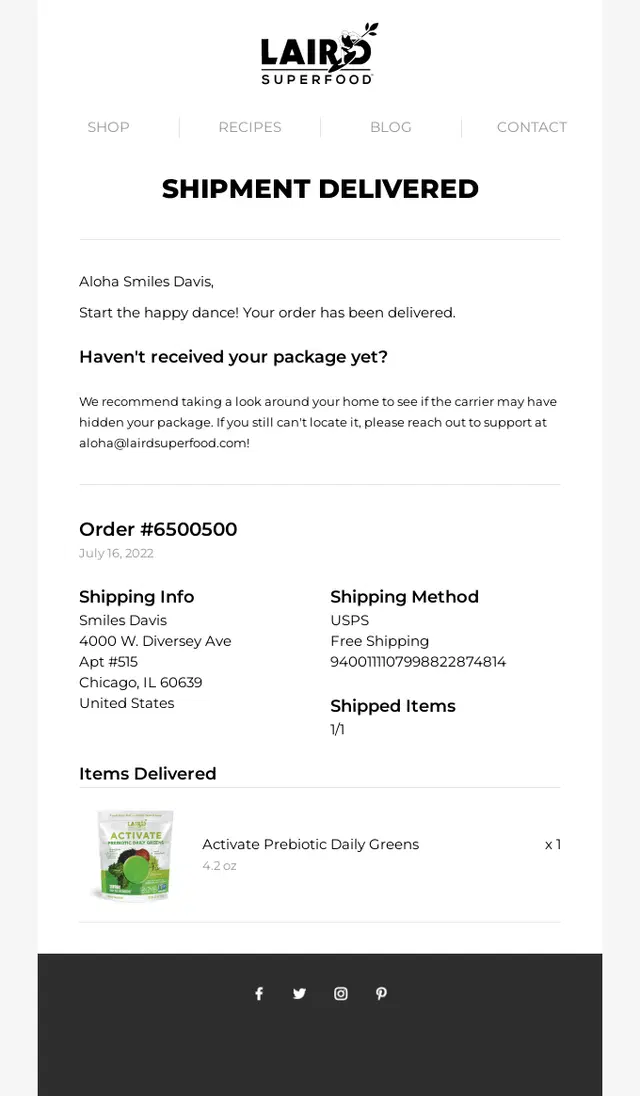
A Laird Superfood delivery confirmation email closing the shipment journey with delivered status, order details, tracking information, and customer support guidance.
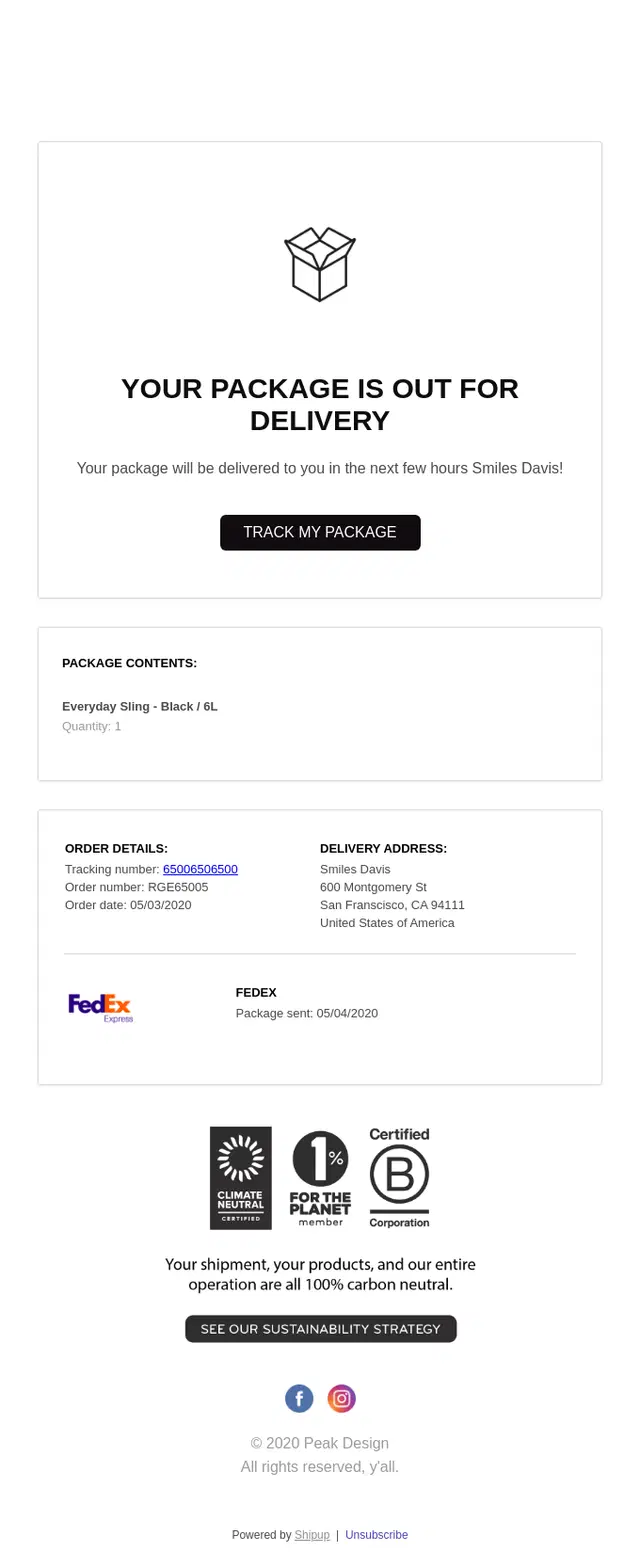
A Peak Design out-for-delivery email using a clean layout to surface arrival timing, package details, and tracking without unnecessary visual clutter.
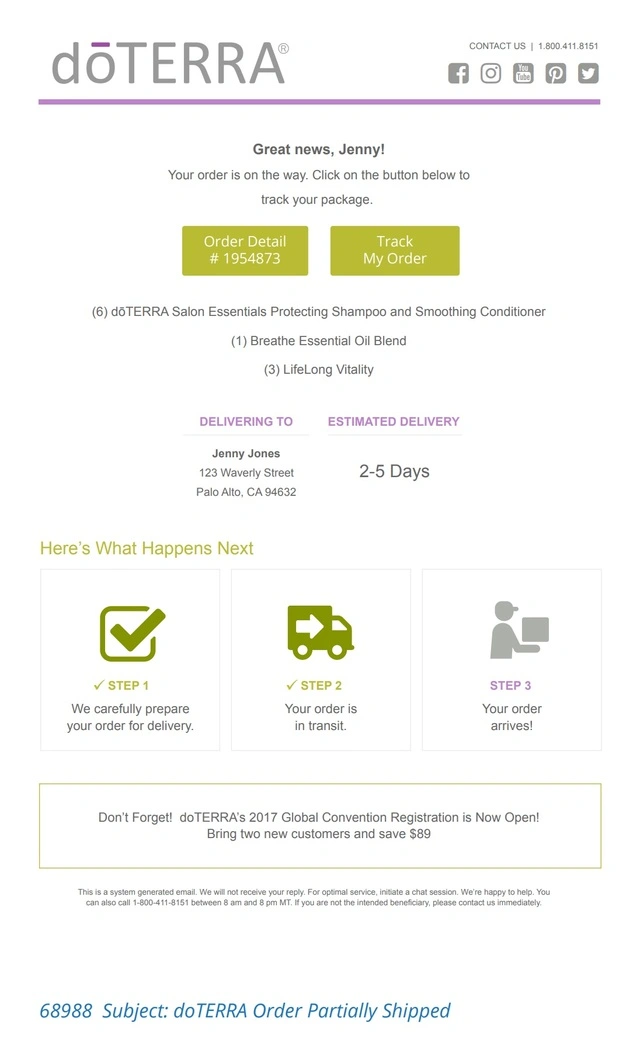
A doTERRA shipping confirmation email combining a 2–5 day delivery estimate with a three-step progress indicator from preparation to arrival.
A Patagonia delivery update email building anticipation around arrival while keeping tracking, order details, returns, and support information easy to access.
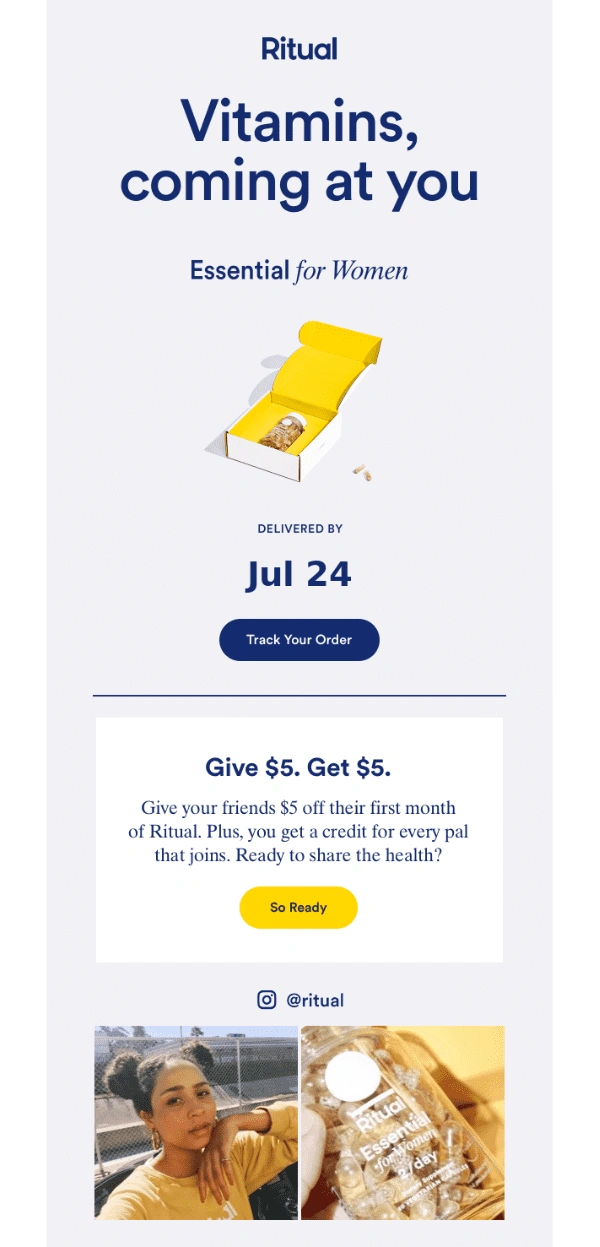
Ritual keeps the shipping update simple and visual, putting the estimated delivery date and tracking CTA first, then using the remaining space for a referral offer and community content.
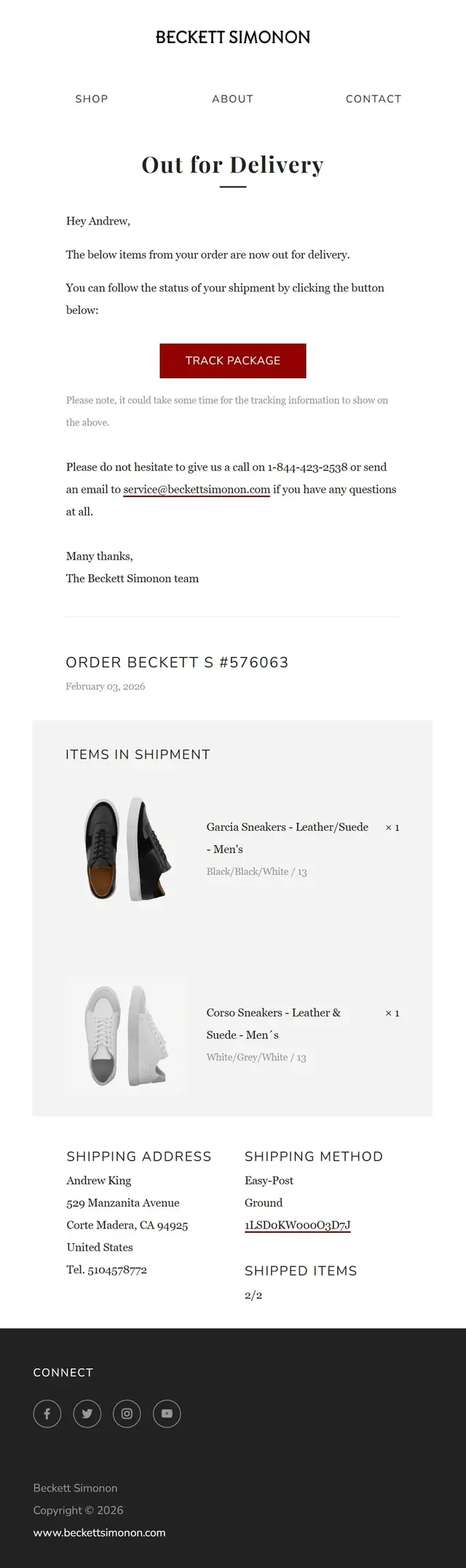
A Beckett Simonon out-for-delivery email pairing an arrival update with itemized shipment details, shipping method, and package tracking.
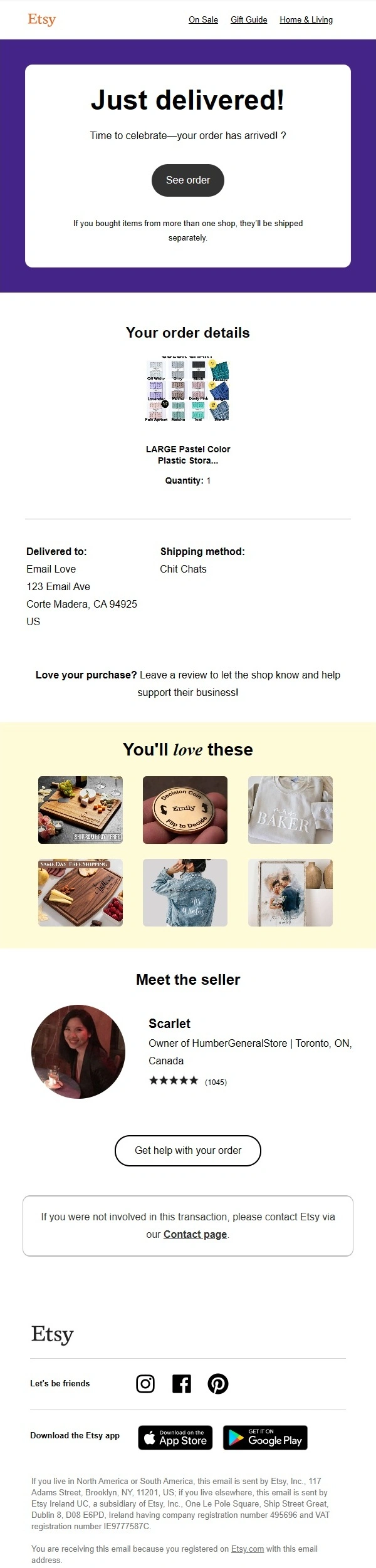
Etsy confirms that the order has been delivered, then extends the post-delivery experience with seller details, support access, product recommendations, and a prompt to leave a review.
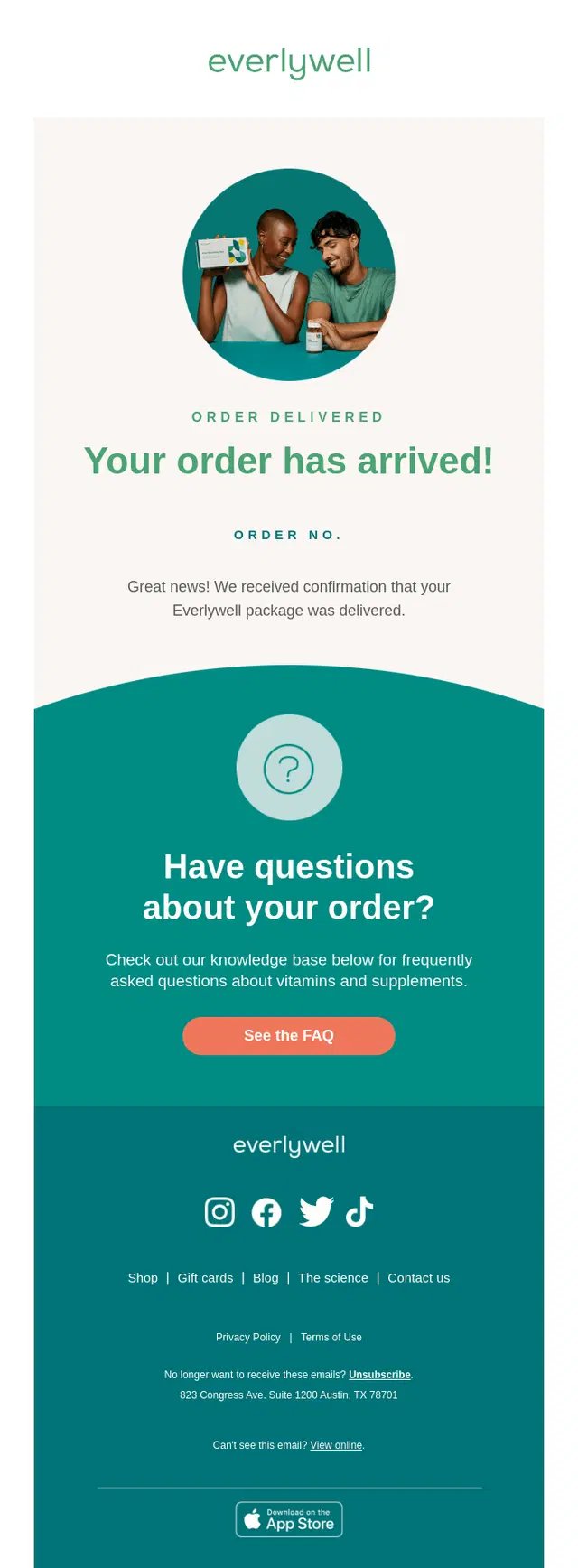
Everlywell uses a delivery confirmation email to let customers know the order has arrived while also directing them to helpful FAQ and support resources.
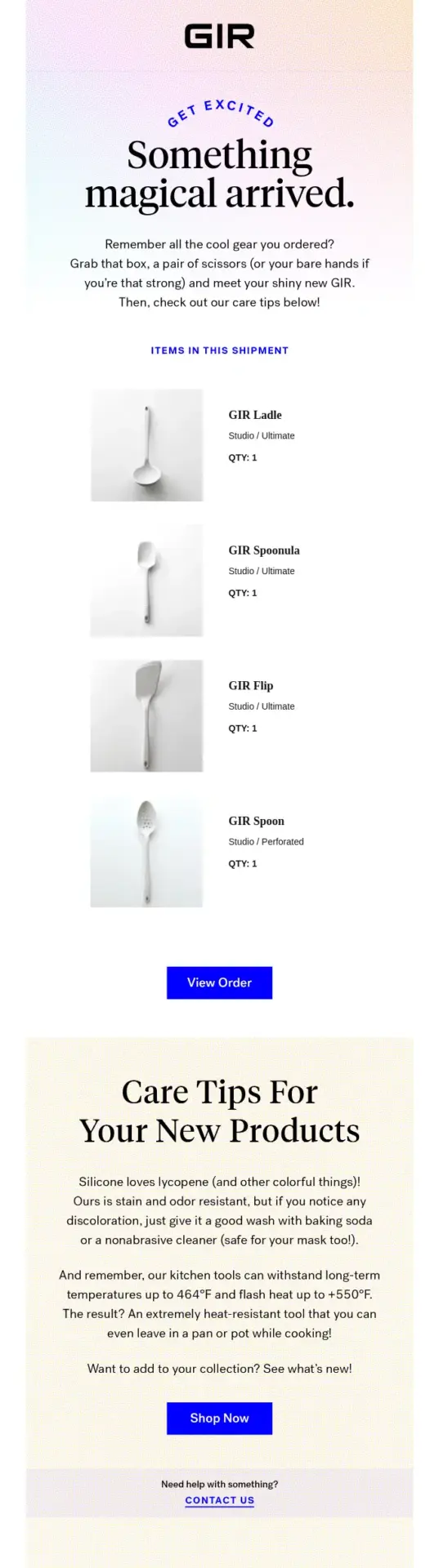
GIR turns a standard delivery confirmation into a useful post-delivery message by showing what arrived and immediately following it with practical care instructions for the purchased products.
Return, Exchange and Refund Email Examples
These return, exchange, and refund emails confirm each step of the post-purchase process, including return approval, exchange status, received items, and completed refunds.
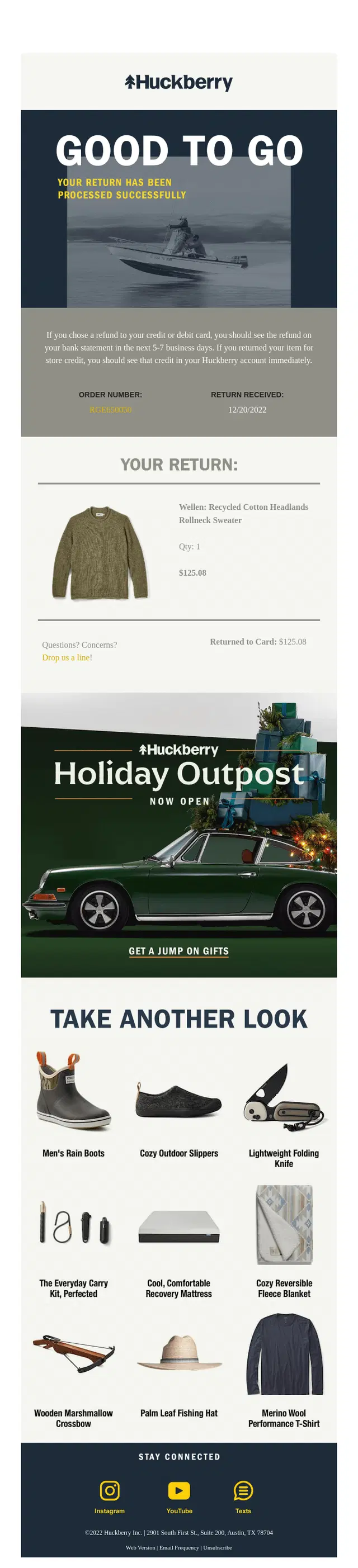
Huckberry confirms that the return has been processed, shows the refunded item and amount, and explains when customers can expect the money back on their original payment method.
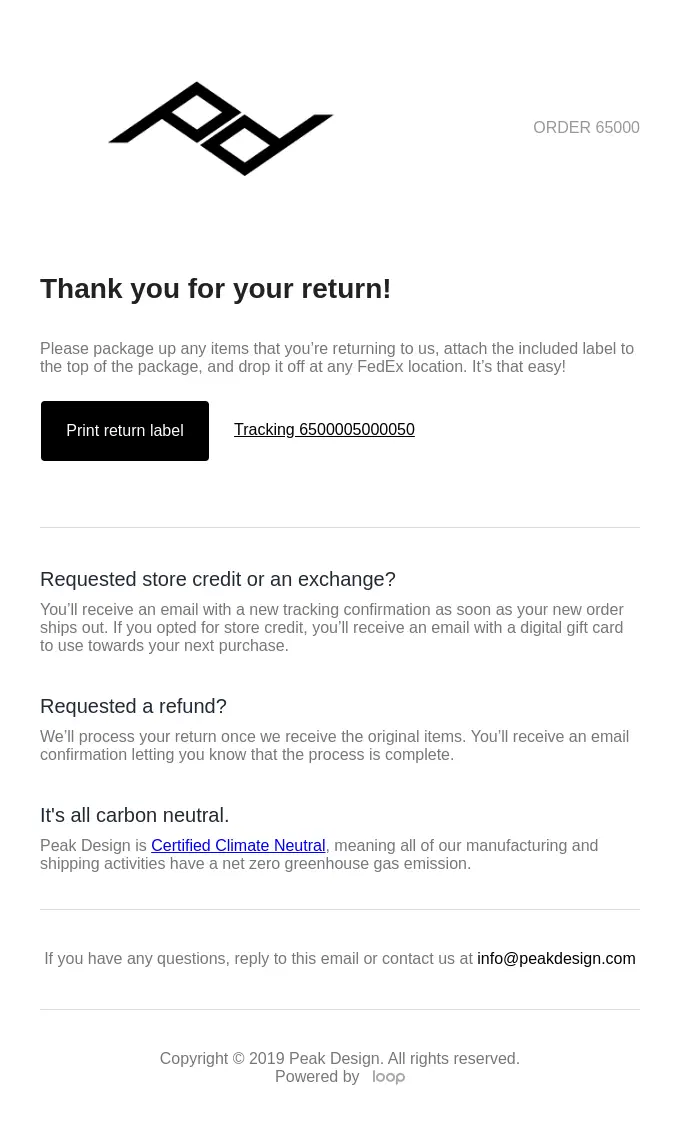
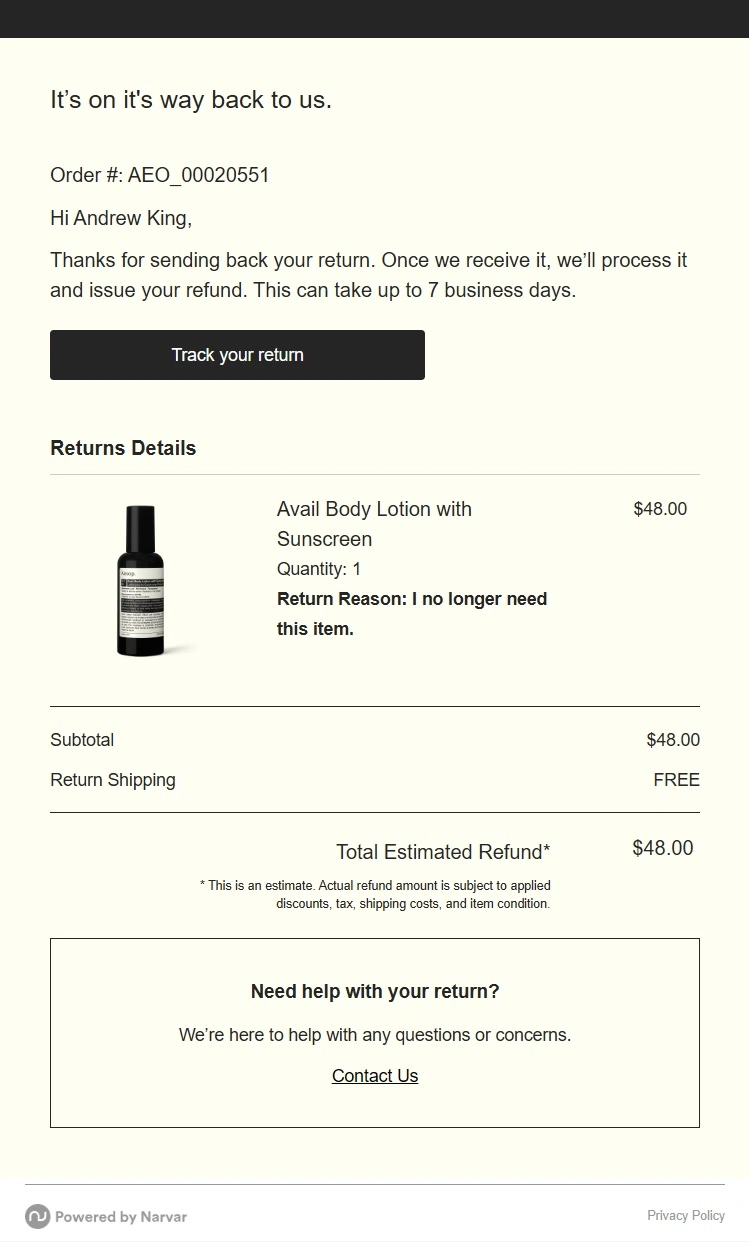
Peak Design shows a clear return-started email that helps customers print a return label, track the return, and understand what happens next for a refund, exchange, or store credit.
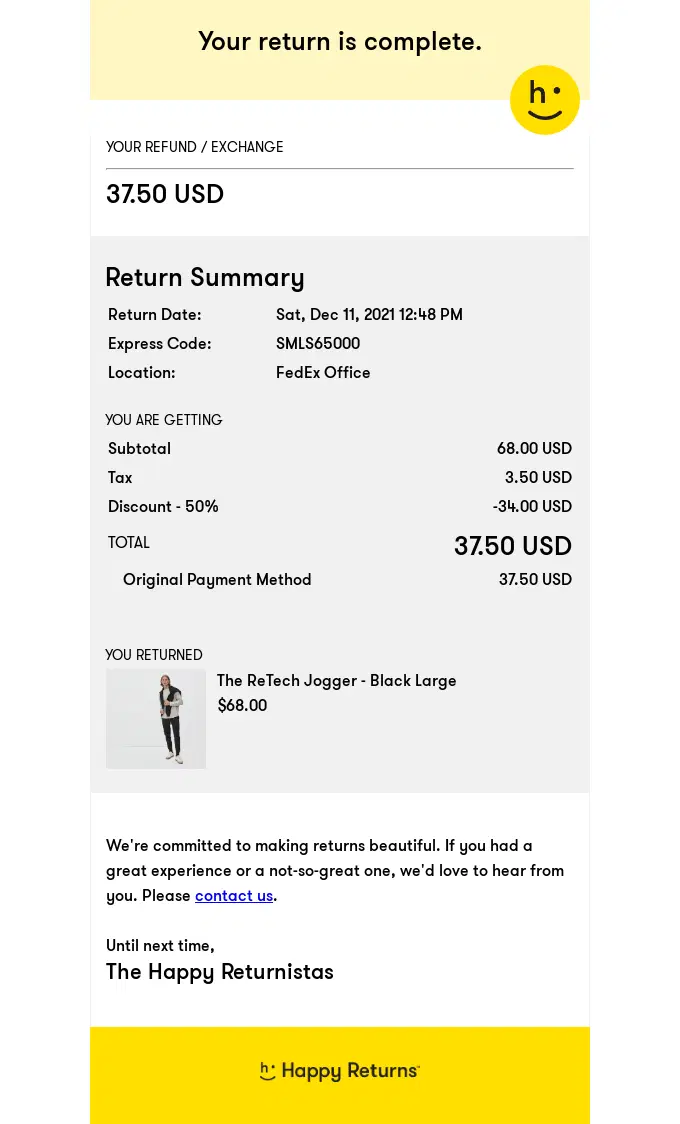
Happy Returns highlights the final step of the return journey with a completed return summary, the refunded amount, and a simple breakdown of the returned item and payment method.
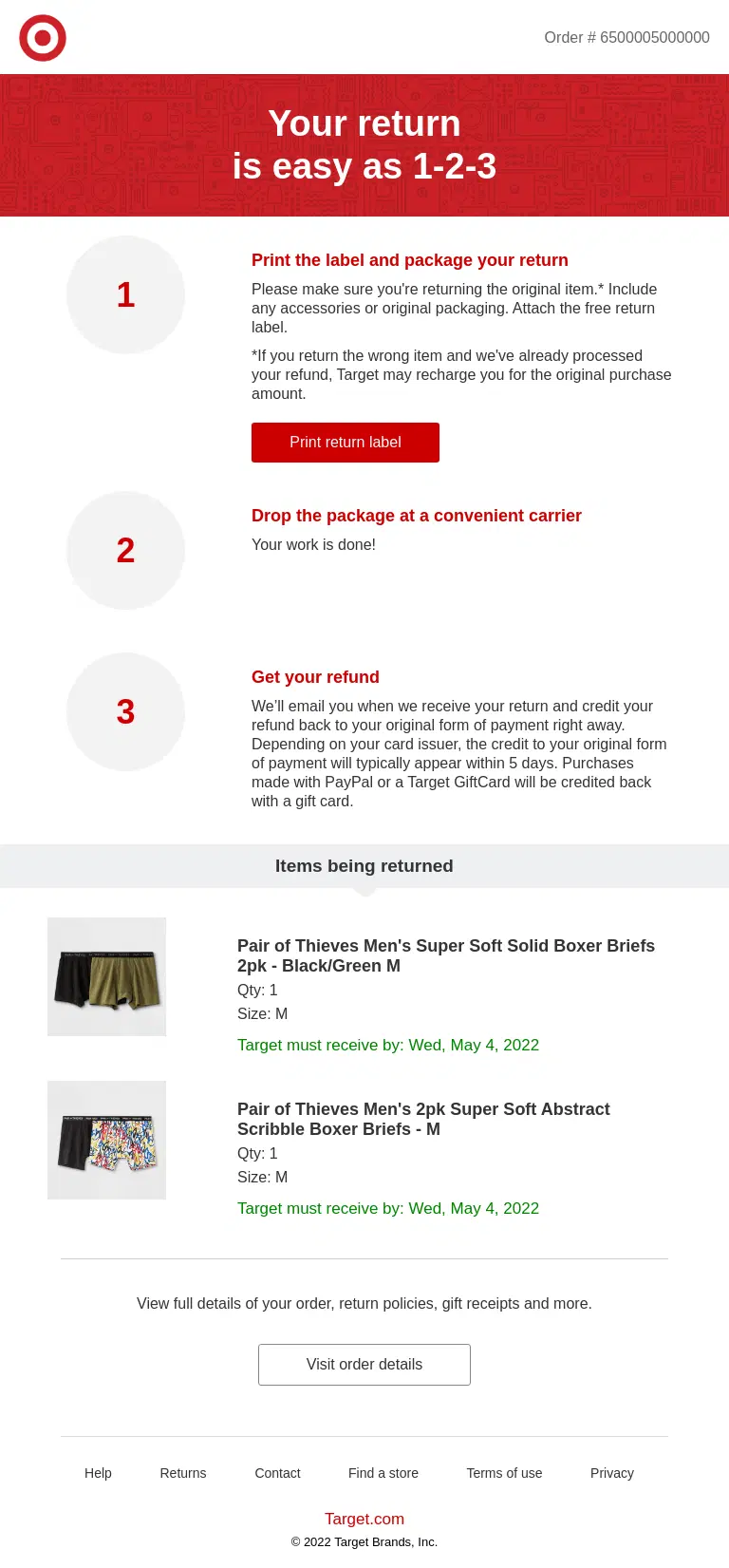
Target makes the return process easy to start by providing a free return label and clear instructions for sending the item back.
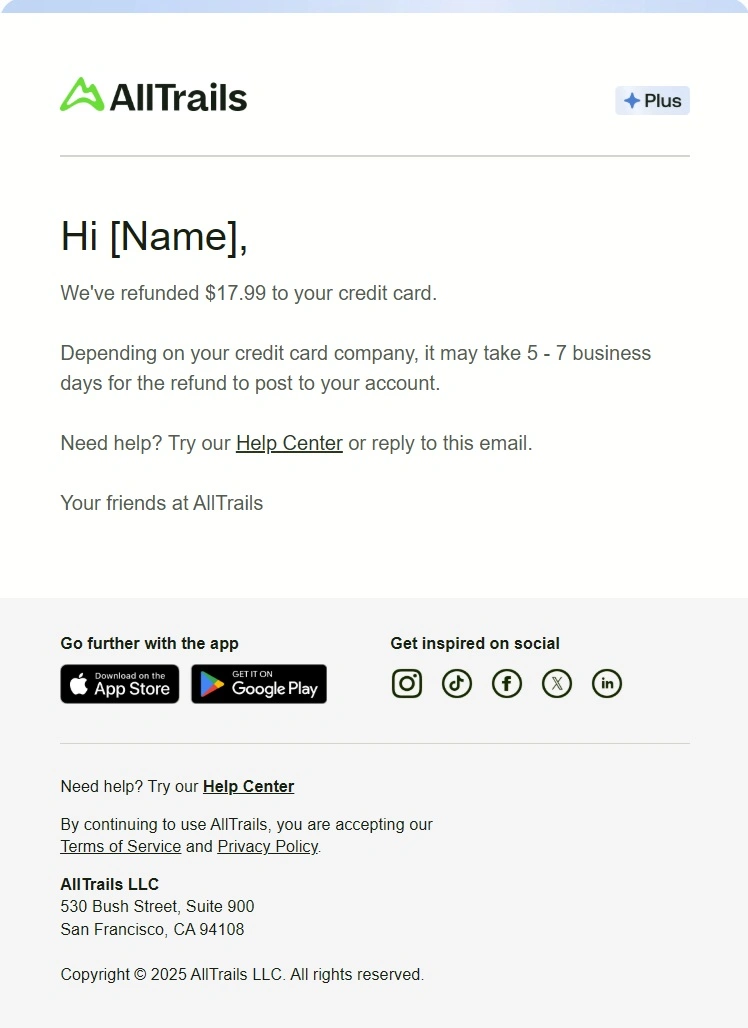
AllTrails keeps the refund confirmation concise by stating the exact refunded amount, where it was sent, and how long it may take to appear on the customer’s account.
Subscription and Renewal Email Examples
These subscription and renewal emails confirm recurring purchases, upcoming billing, plan changes, renewal status, and what subscribers can expect next.
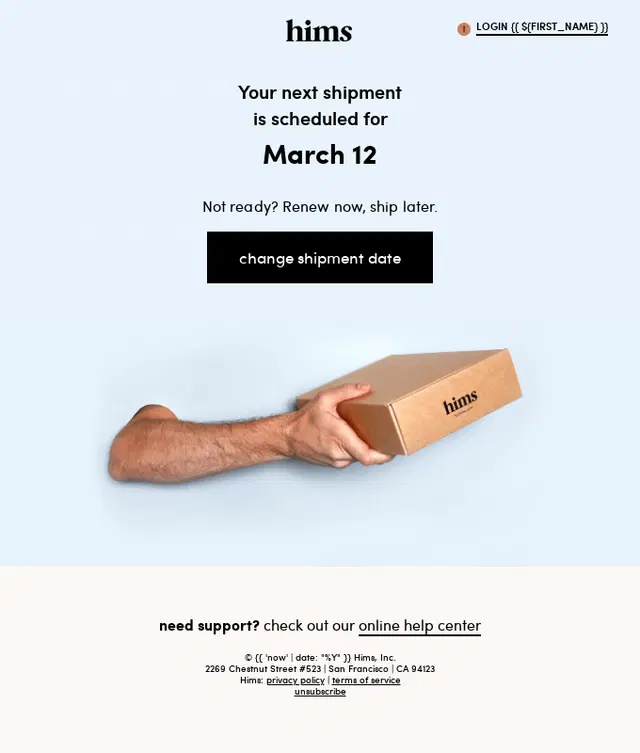
A Hims recurring shipment reminder highlighting the next scheduled shipment date with an easy option to change it.
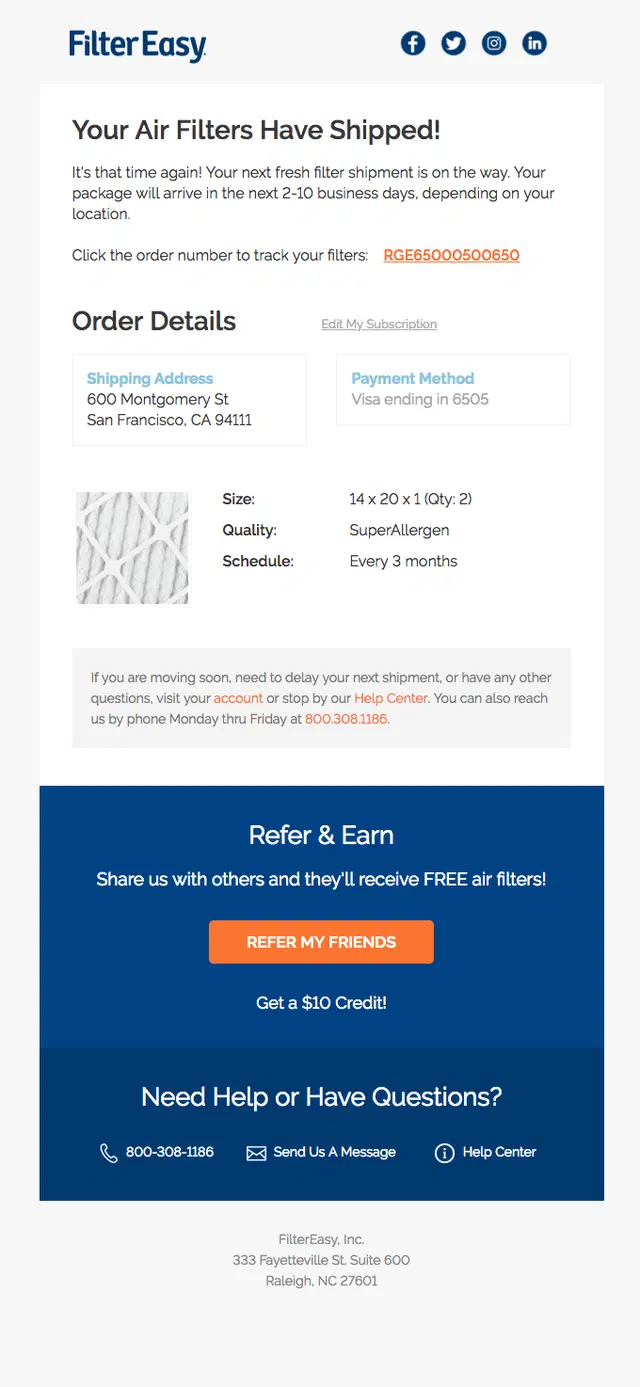
A FilterEasy shipping confirmation email combining replacement filter details with the recurring delivery schedule and customer support.
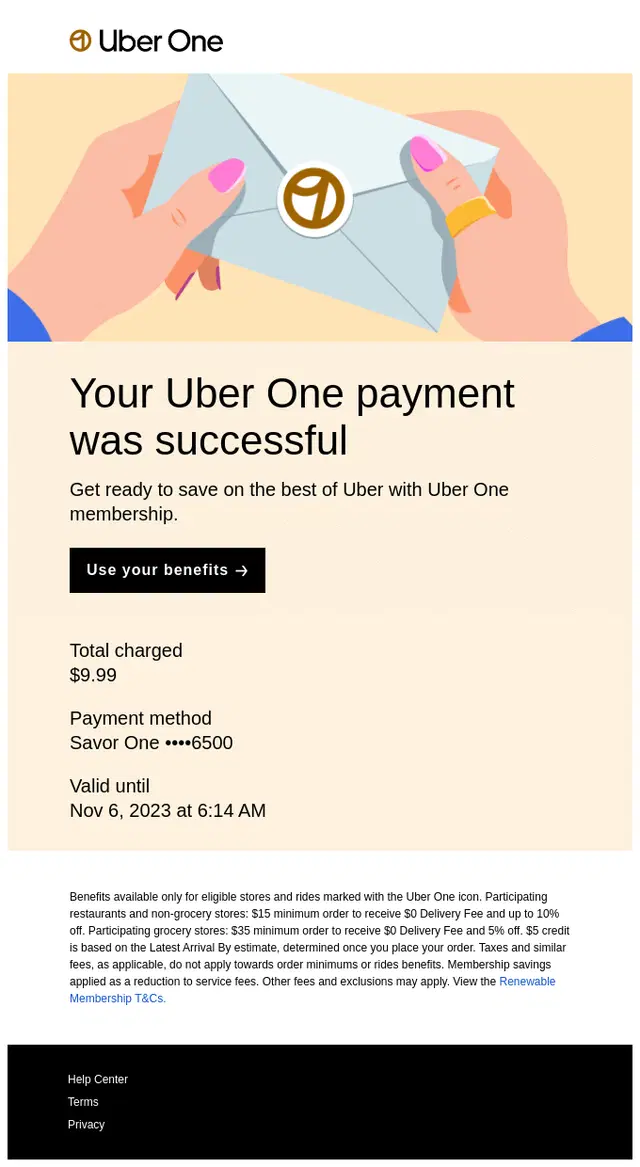
Uber One confirms the successful membership payment, summarizes the charge and payment method, and immediately directs the customer to the benefits included with the subscription.
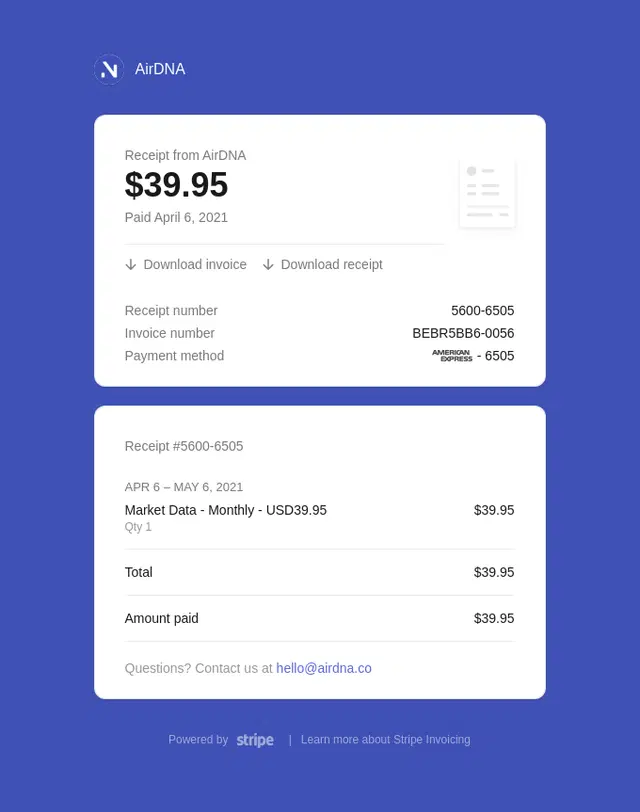
AirDNA keeps its recurring payment confirmation purely functional, making the billing period, amount paid, and downloadable records immediately accessible.
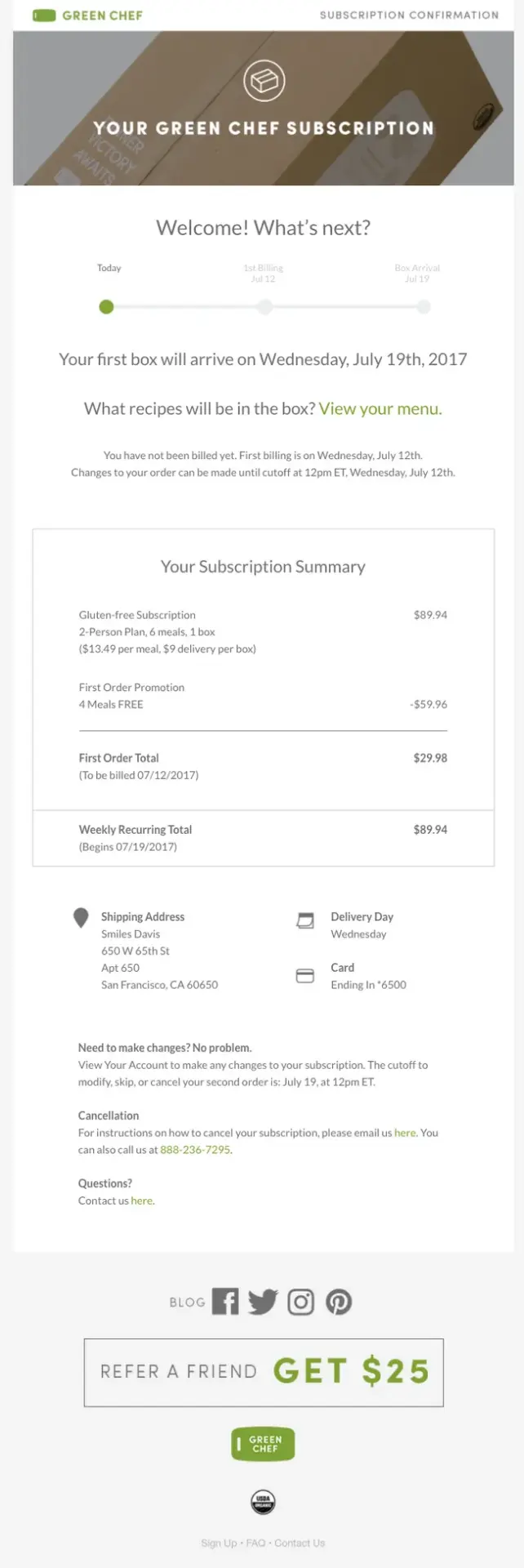
Green Chef combines first-delivery expectations, recurring subscription details, and account management guidance in one clear confirmation email.
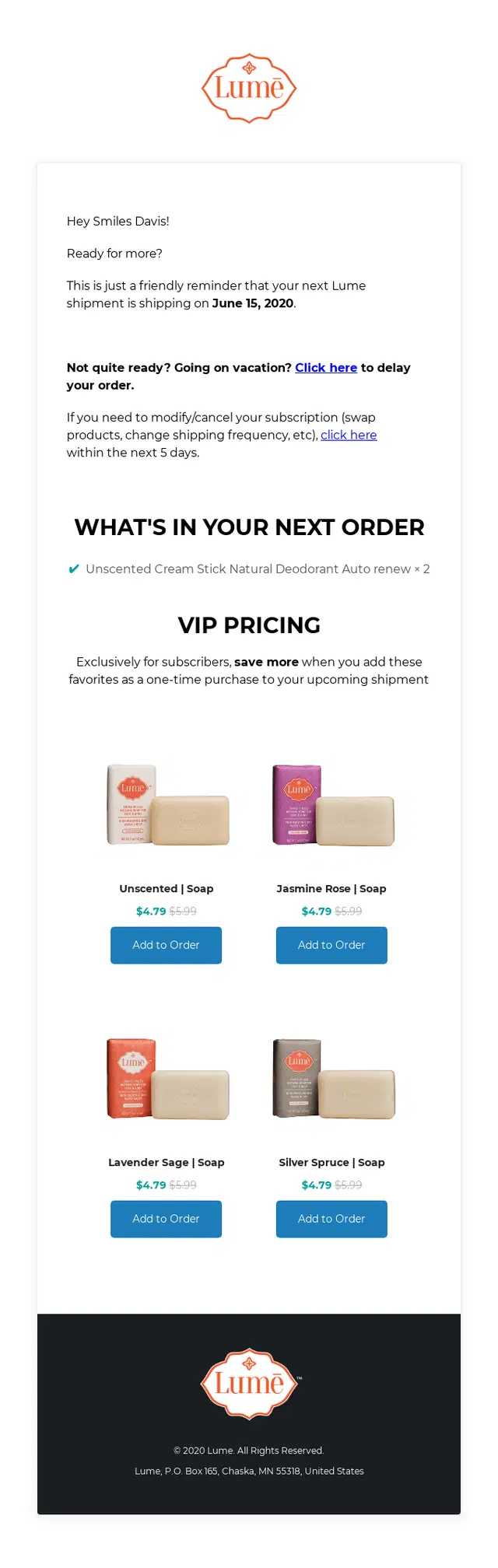
A Lume subscription shipment reminder letting customers delay or modify the upcoming order while offering discounted products to add before it ships.
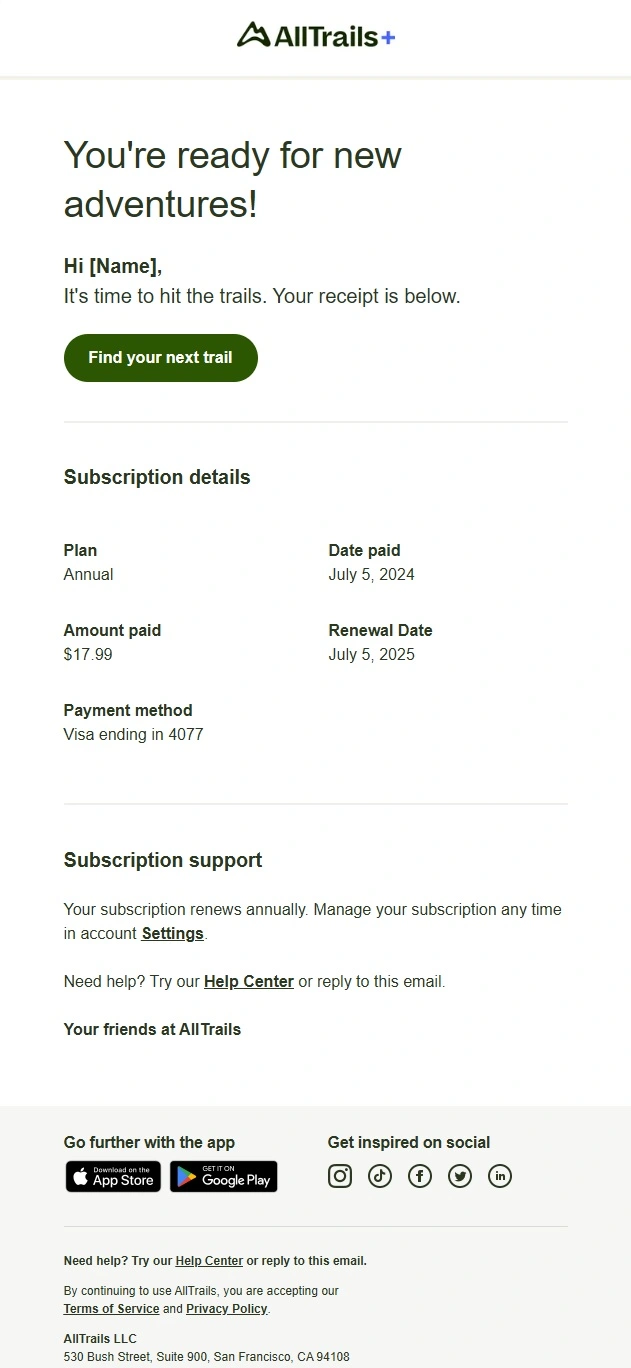
AllTrails+ makes the recurring purchase especially clear by showing the annual plan, payment details, and next renewal date in one compact subscription summary.
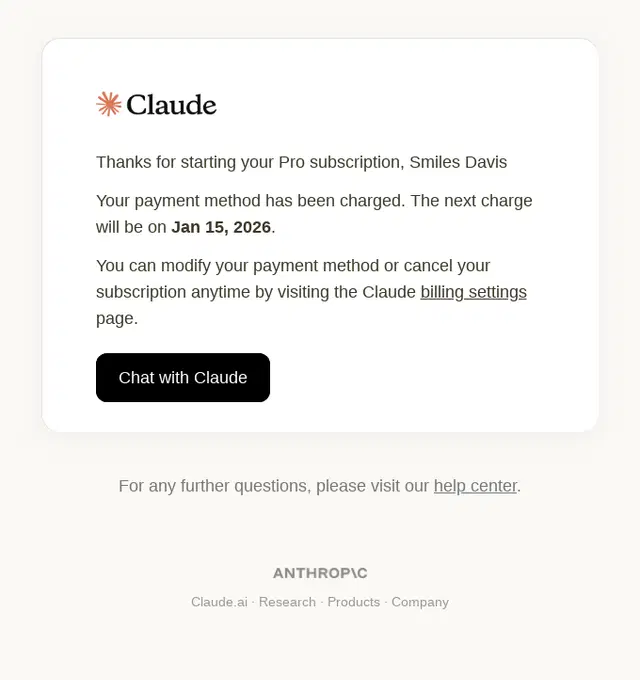
Claude confirms the start of the Pro subscription, states when the next charge will occur, and gives customers a direct path to manage their billing or cancel the plan.
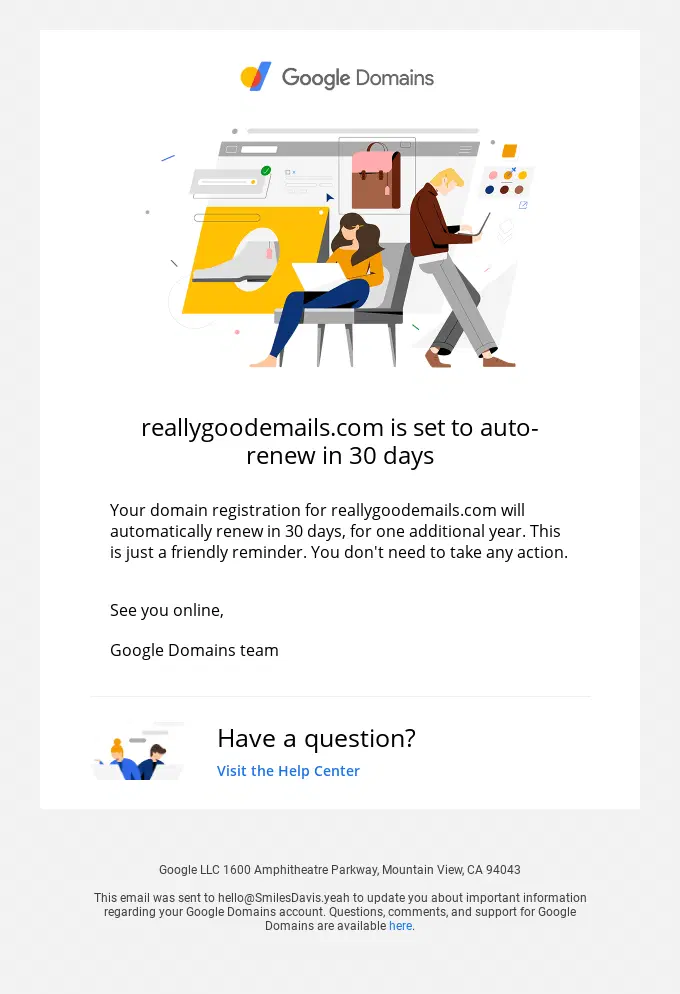
Google Domains gives customers advance notice of an upcoming automatic renewal, clearly stating when the domain will renew and that no action is required.
Failed Payment and Billing Email Examples
These failed payment and billing emails explain what went wrong, what action the customer needs to take, and how to update payment details or avoid service interruption.
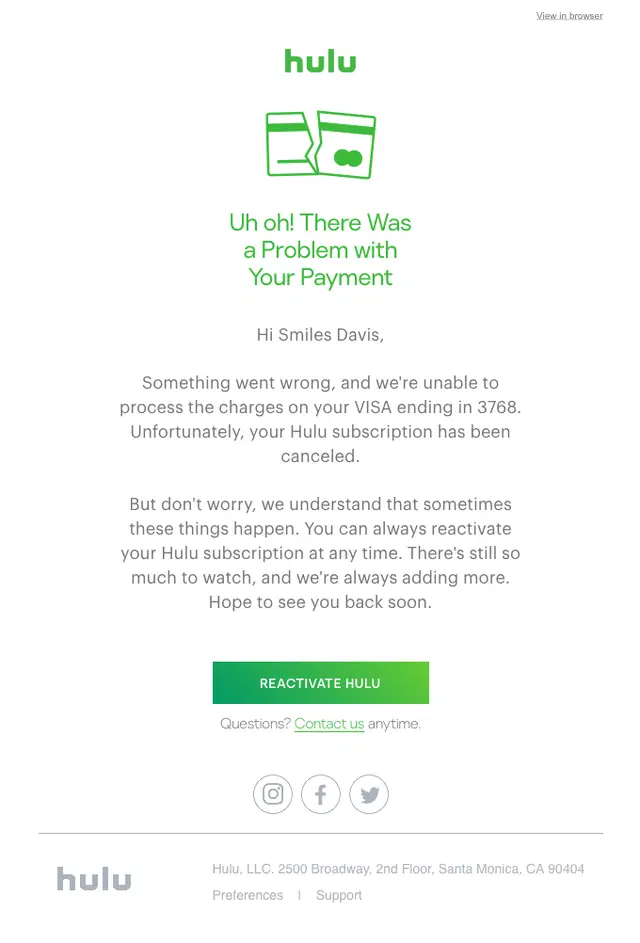
Hulu clearly explains that the payment failed and the subscription was canceled as a result, then gives the customer a direct way to reactivate the service.
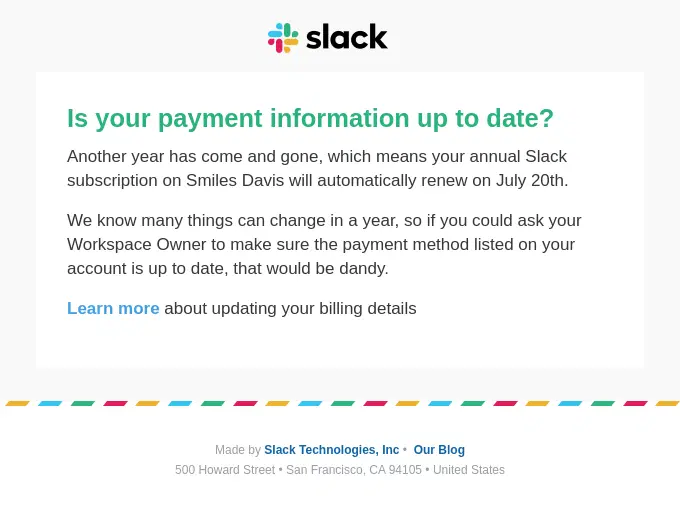
Slack uses an upcoming renewal as a prompt to verify billing information before the annual subscription charge is processed.
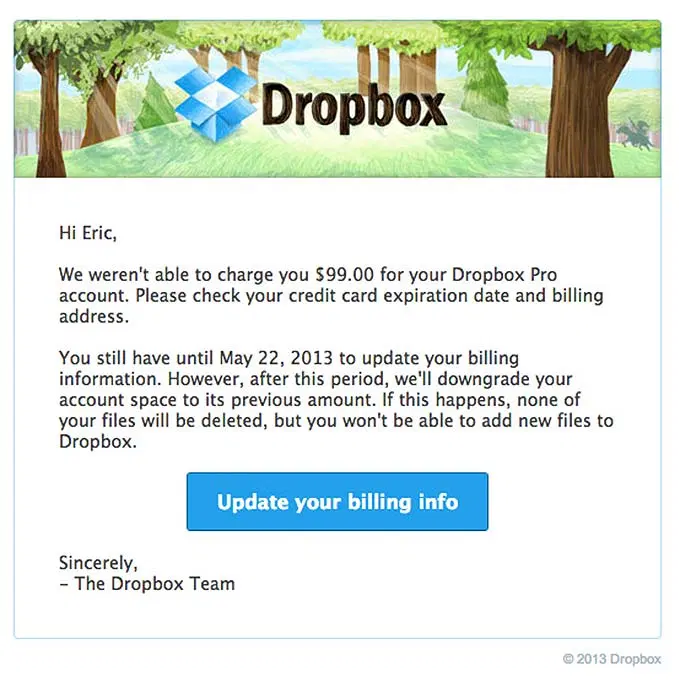
Dropbox clearly explains the failed charge, gives the customer time to correct their billing details, and spells out what will happen if the payment issue is not resolved.
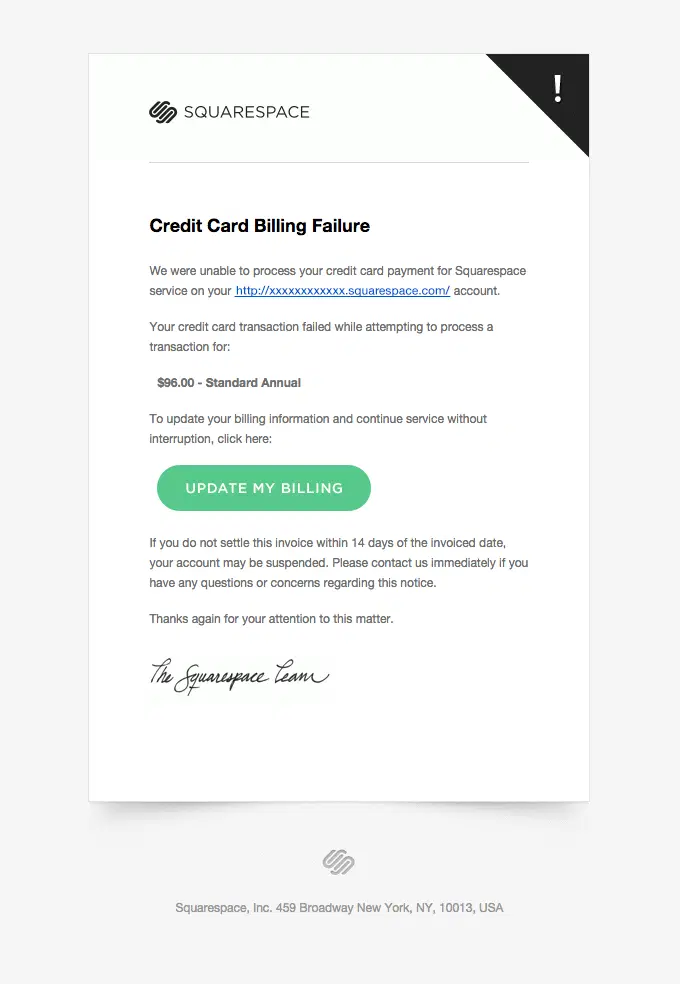
Squarespace connects the failed payment directly to the affected plan and gives the customer a clear deadline and billing update action to avoid service interruption.
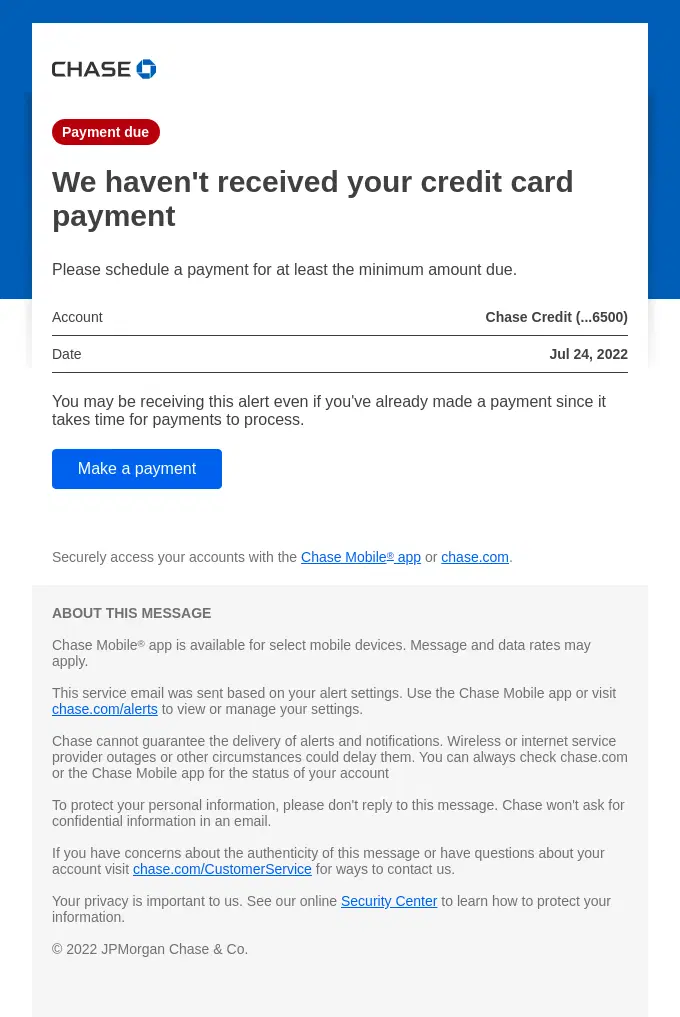
Chase clearly flags the missing payment and gives the customer an immediate way to pay at least the minimum amount due.
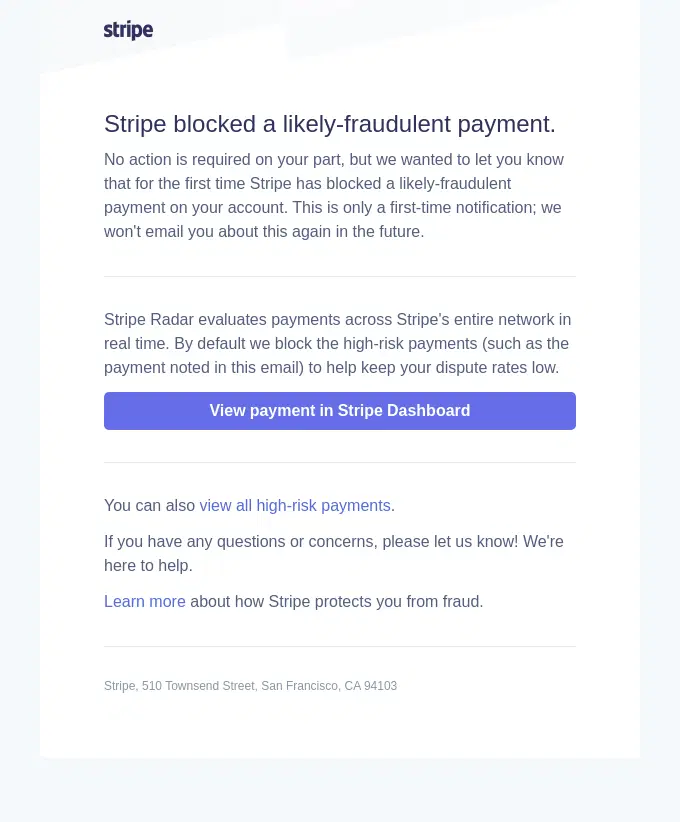
Stripe alerts the account owner that a high-risk payment was automatically blocked and provides direct access to review the transaction and related fraud activity.
Cancellation Email Examples
These cancellation emails confirm that an order, subscription, booking, or service has been canceled and clarify any refunds, access changes, or next steps.
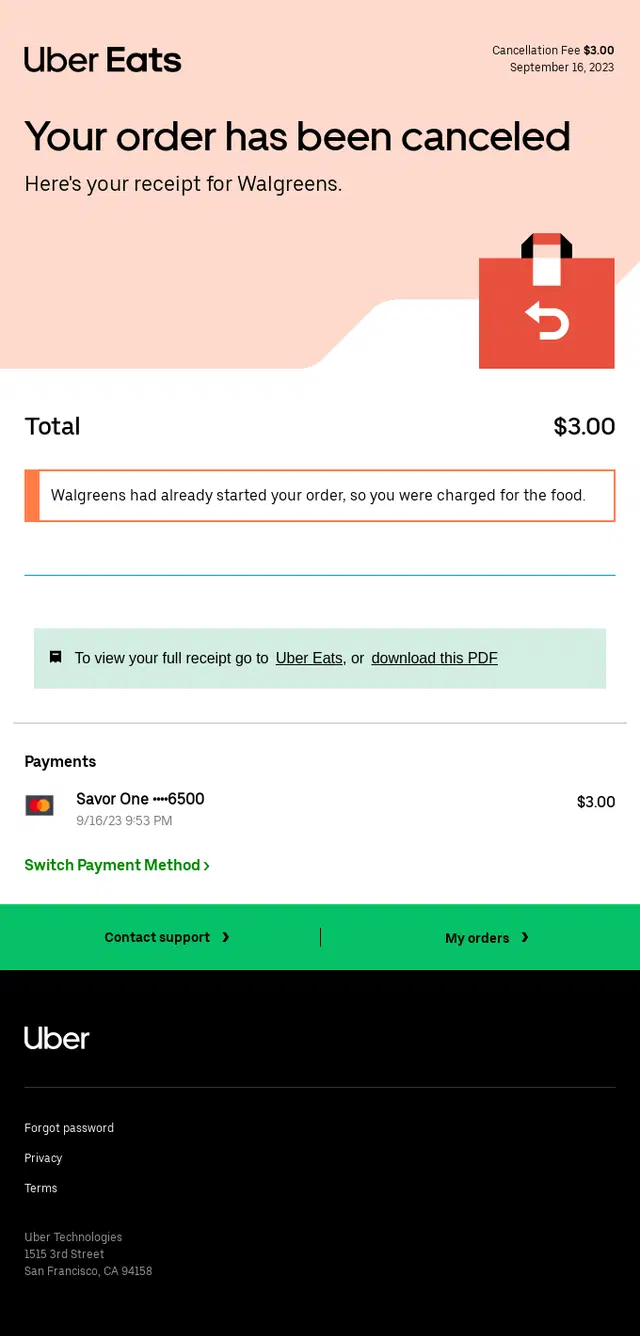
Uber Eats clearly confirms the cancellation and explains why a fee was charged, then gives the customer access to the receipt, payment details, support, and previous orders.
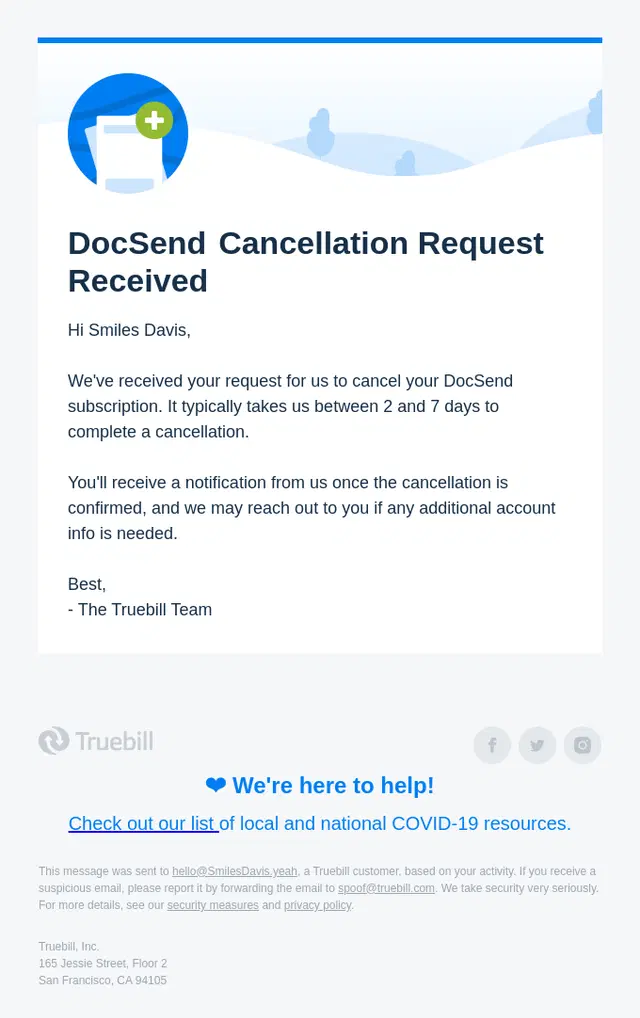
DocSend confirms receipt of the subscription cancellation request, sets a clear processing timeline, and tells the customer to expect a second notification when the cancellation is complete.
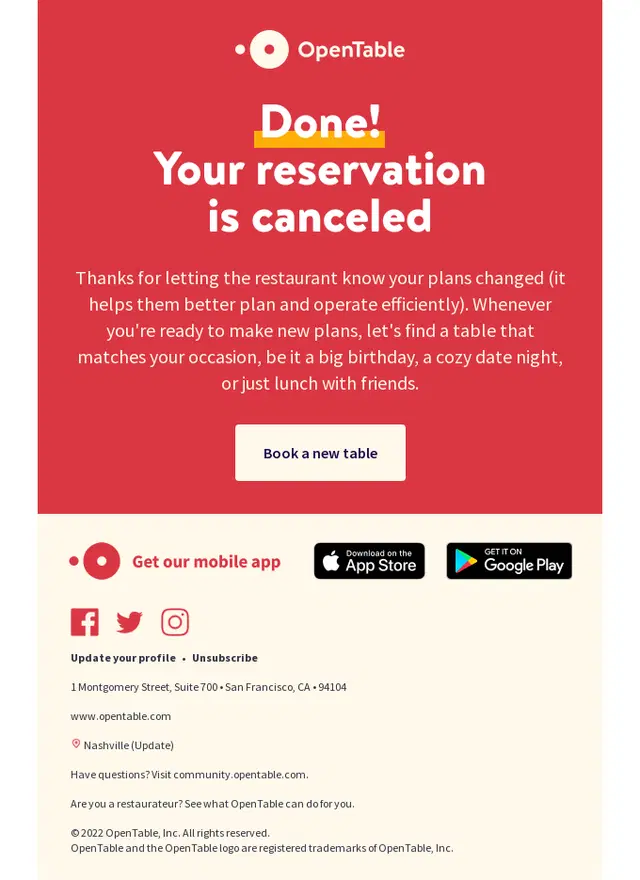
OpenTable keeps the cancellation confirmation simple and unmistakable, then gives the guest a direct path to make a new reservation when their plans change again.
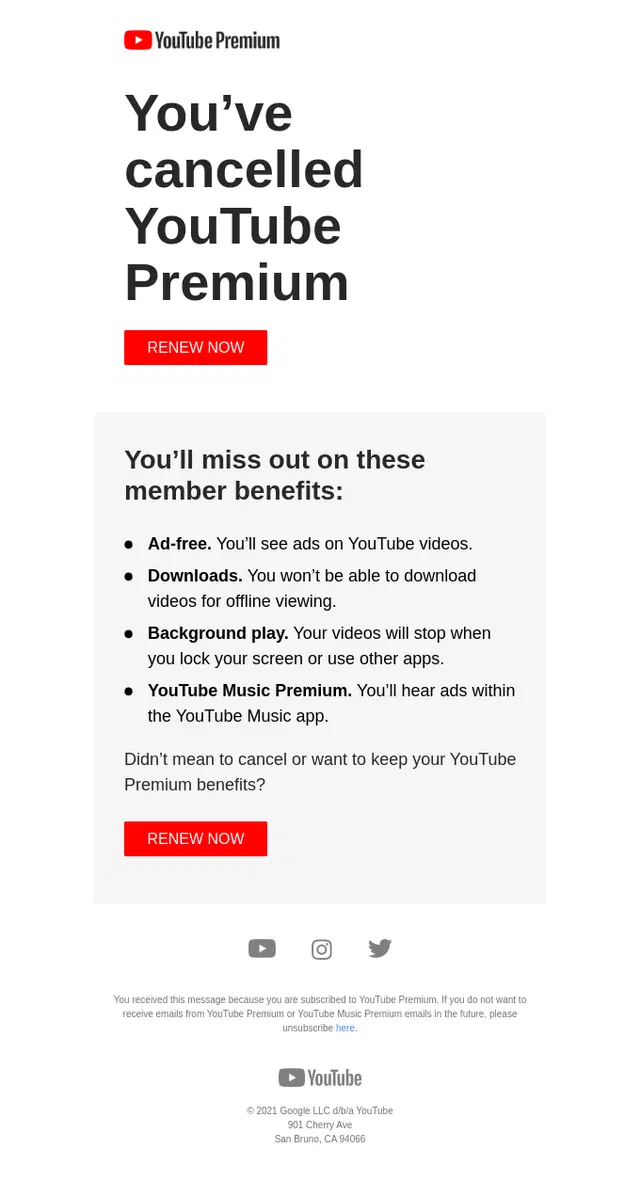
YouTube Premium confirms the cancellation, reminds the subscriber which membership benefits will end, and provides a direct option to renew if they change their mind.
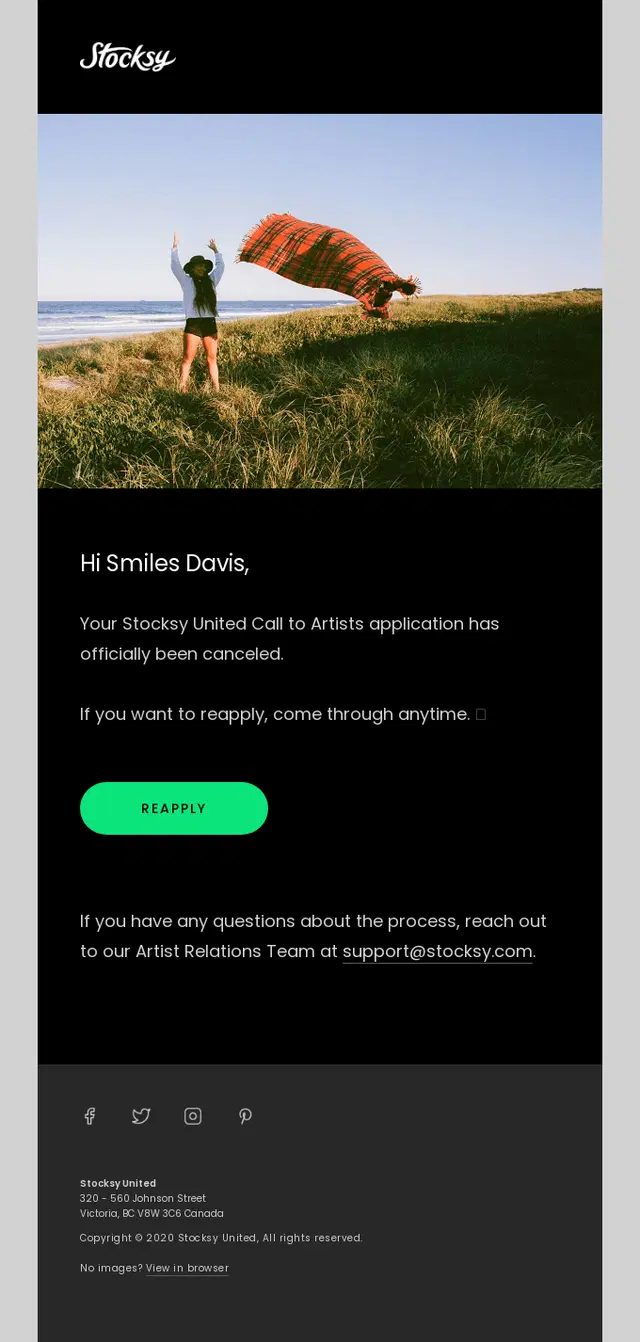
Stocksy confirms that the application has been canceled and keeps the next step simple with an option to reapply and a clear support contact for questions.
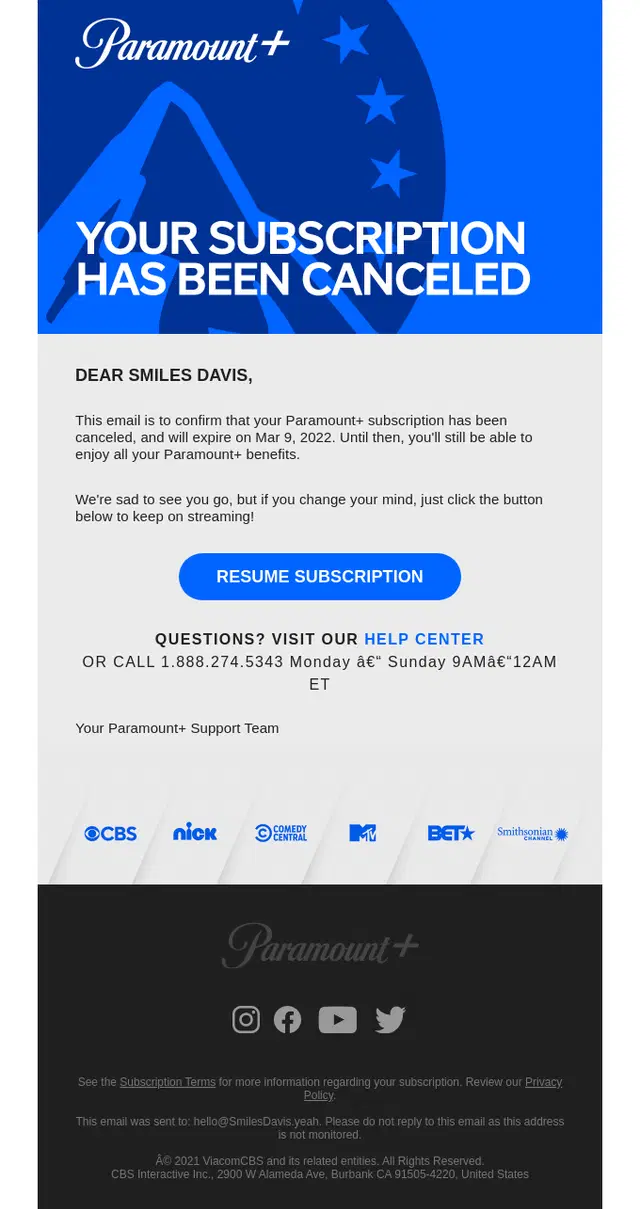
Paramount+ confirms the subscription cancellation, tells the customer exactly when access will end, and keeps a clear path open to resume the membership.
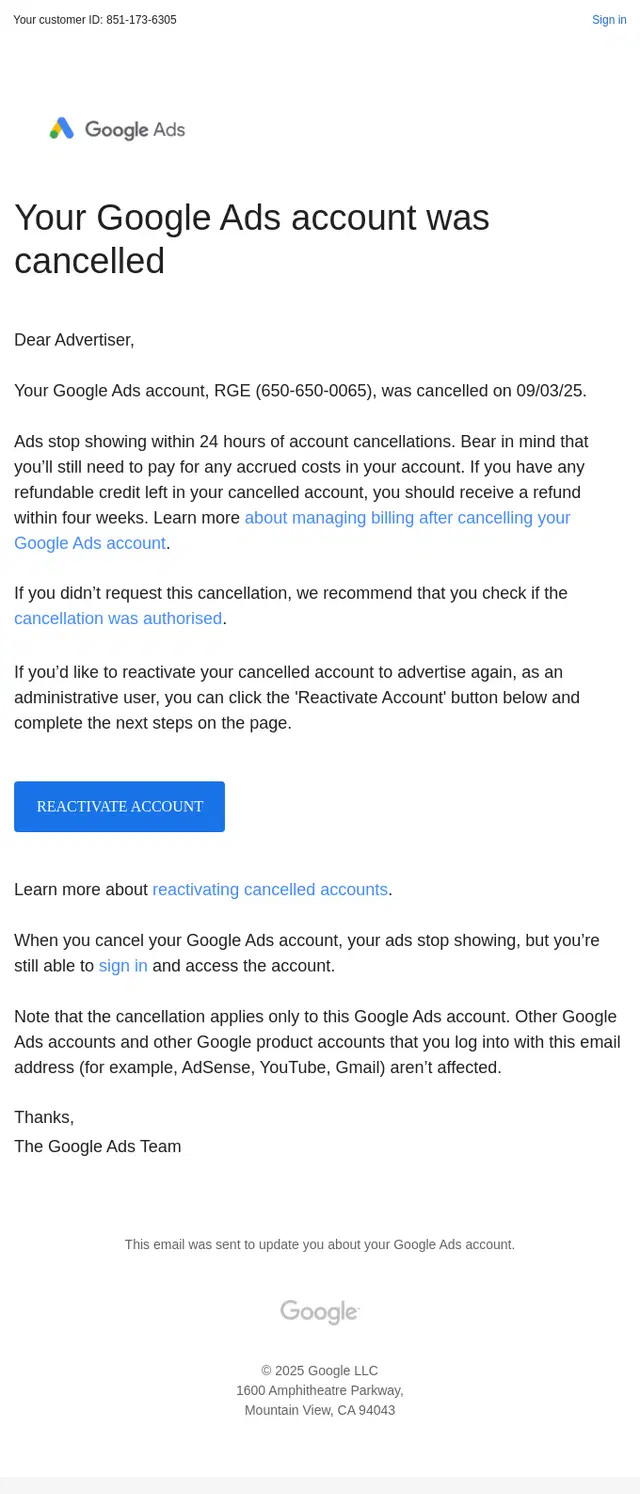
Google Ads confirms the account cancellation and clearly explains what happens next to active ads, outstanding charges, refundable credit, and account access, with an option to reactivate.
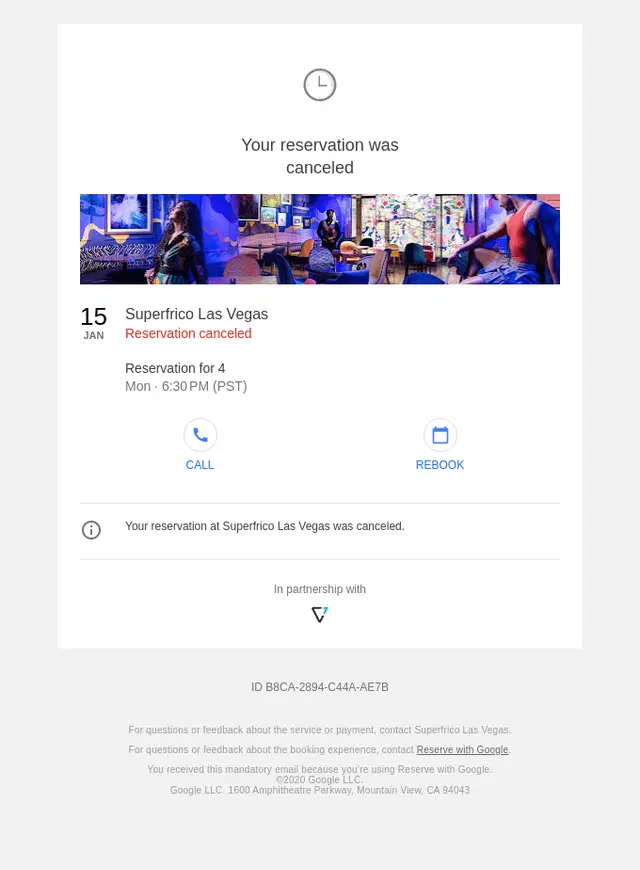
Google keeps the reservation cancellation concise, confirming the canceled booking while giving the guest immediate options to contact the restaurant or rebook.
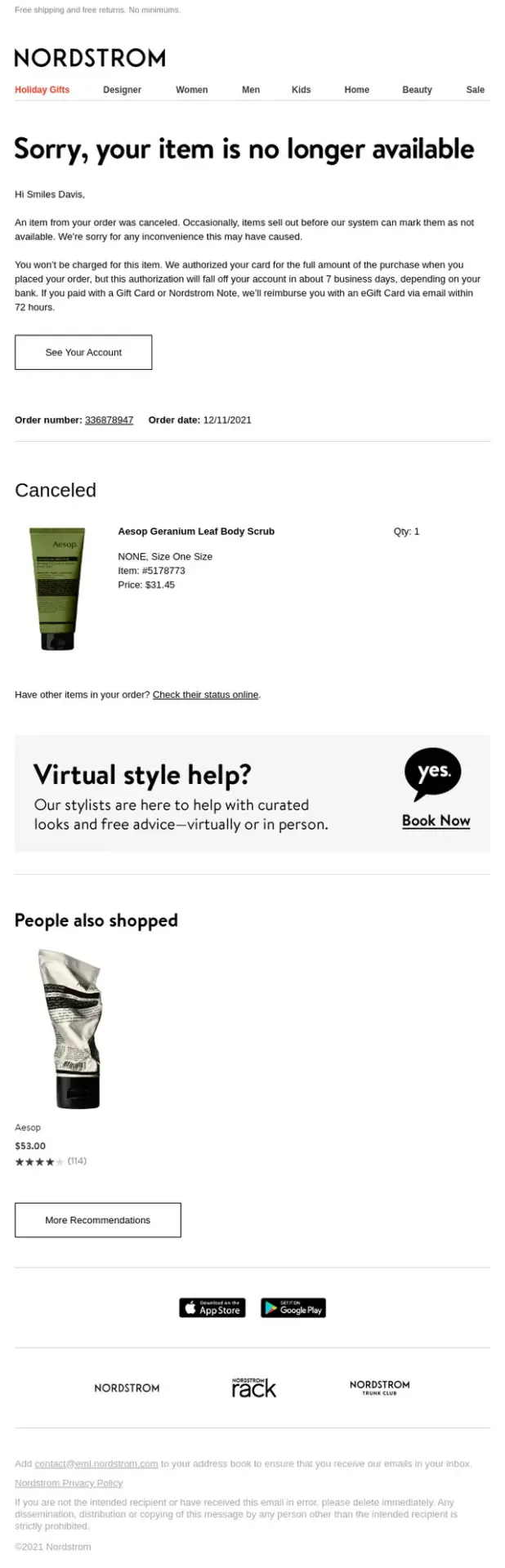
Nordstrom explains why an item was canceled, reassures the customer that they will not be charged, and provides both order status access and alternative product recommendations.
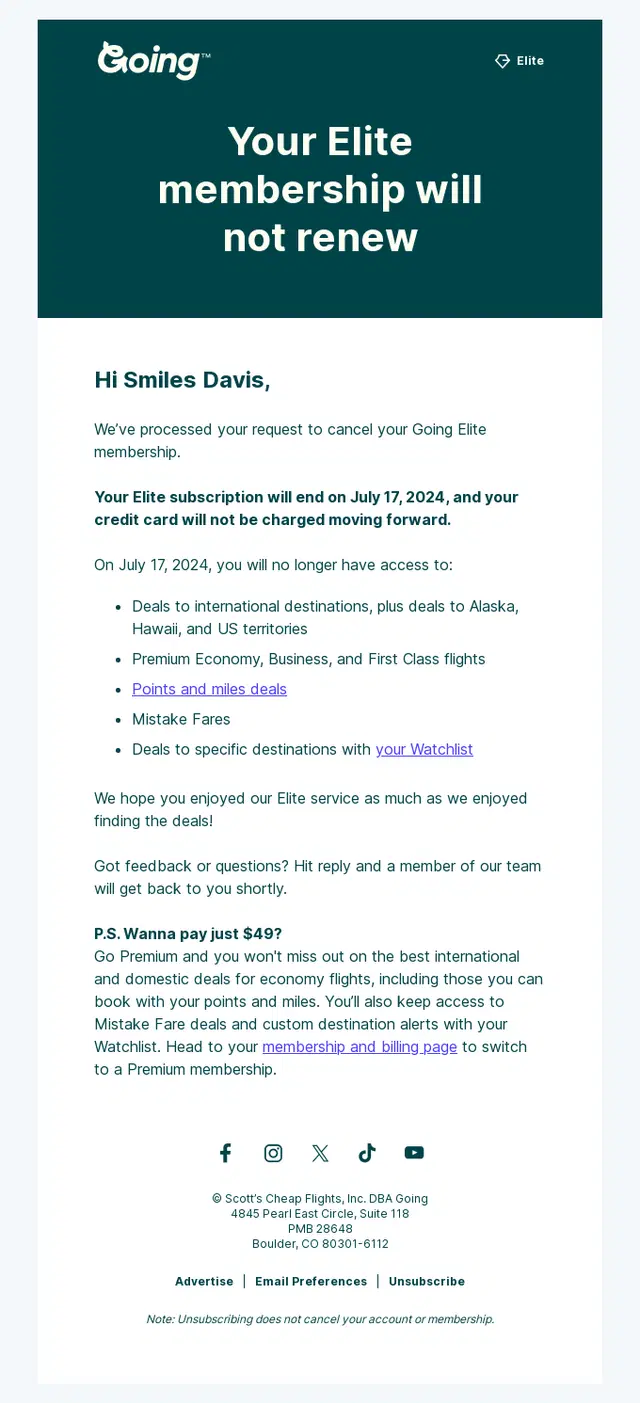
Going confirms that the Elite membership will not renew, clearly explains when access and billing will stop, and outlines the benefits the customer will lose after cancellation.
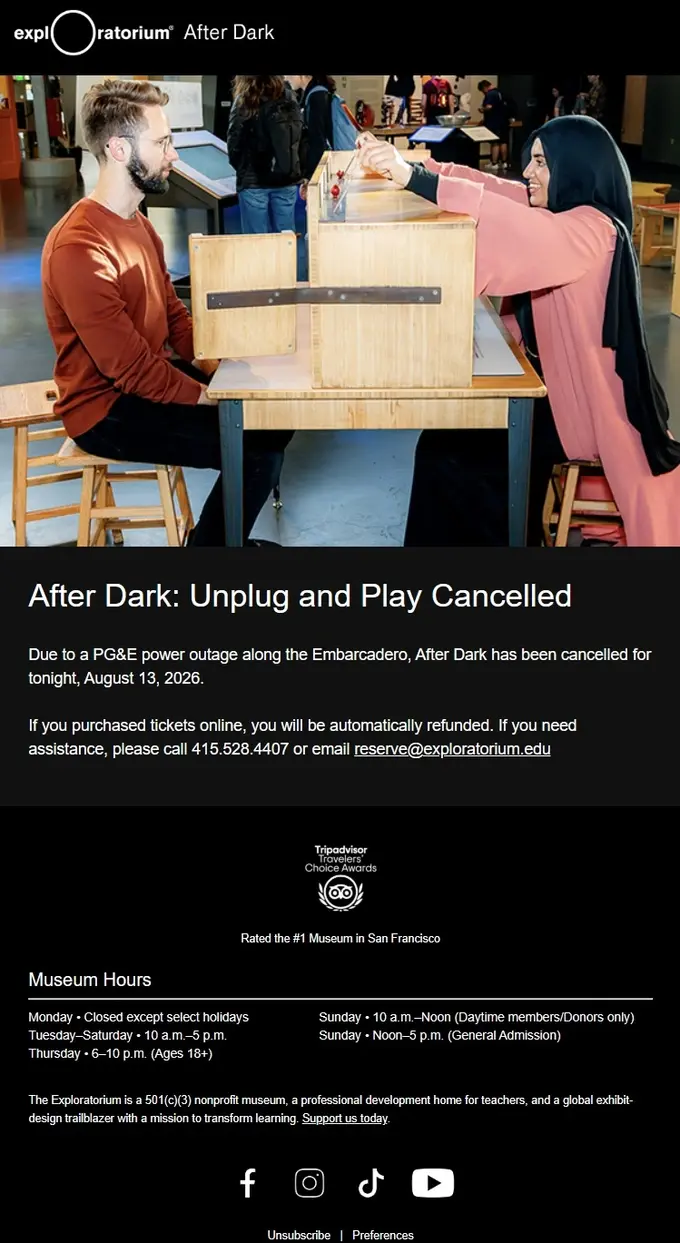
Exploratorium clearly communicates the event cancellation, explains the reason, and reassures ticket holders that online purchases will be refunded automatically.
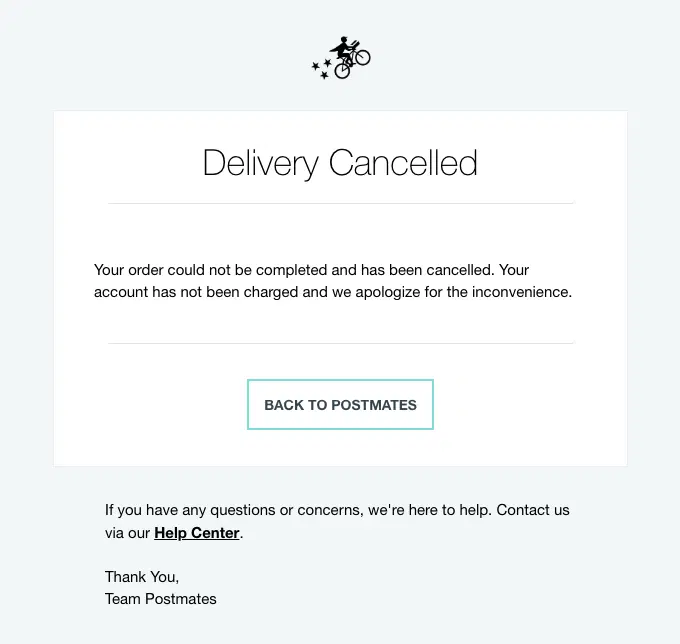
A Postmates delivery cancellation email clearly confirming that the order could not be completed and reassuring the customer that they were not charged.
Account Verification Email Examples
These account verification emails help users confirm their identity or email address through verification links, activation buttons, and one-time codes.
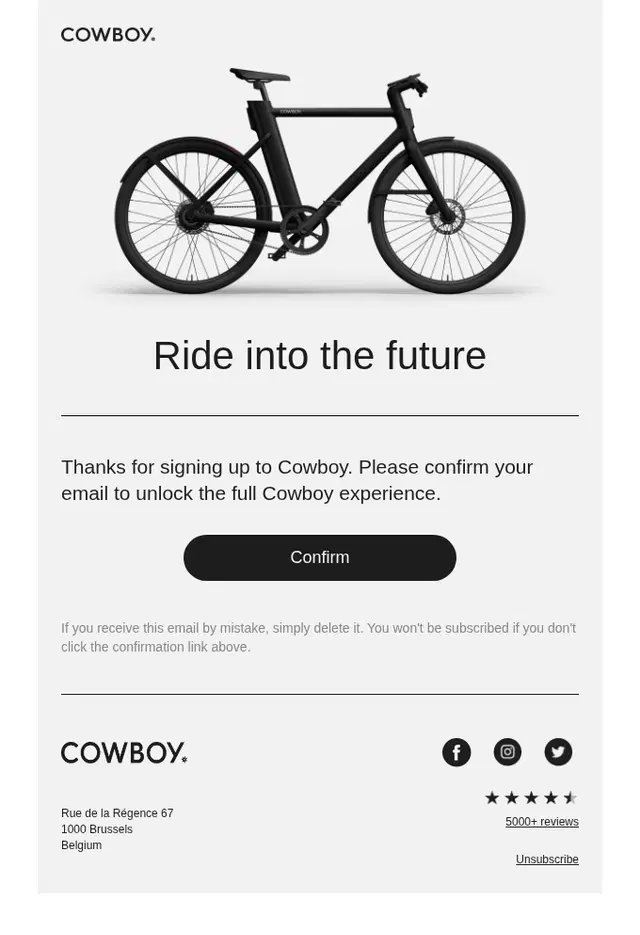
Cowboy keeps account verification focused on one action, asking new users to confirm their email address before unlocking the full account experience.
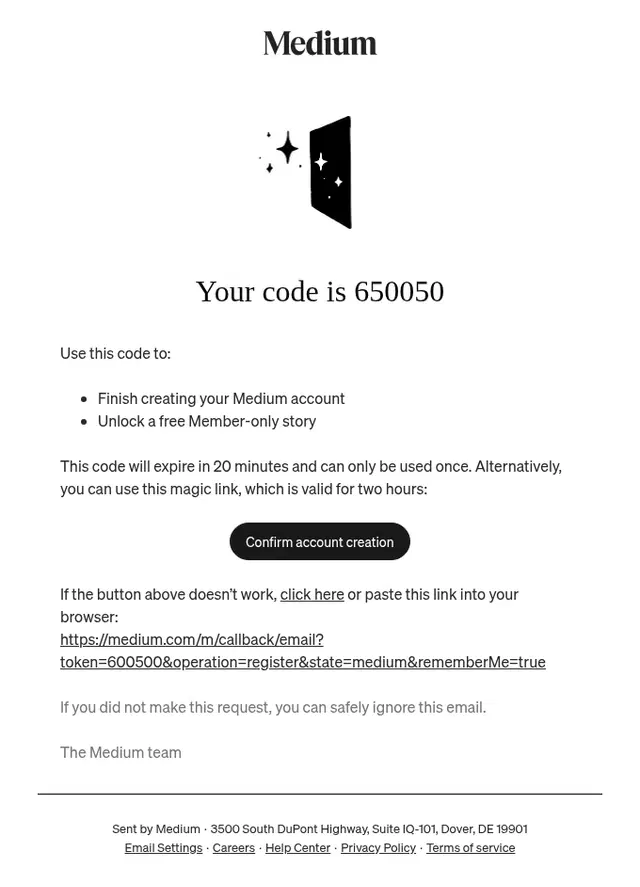
Medium gives users two ways to complete account verification, combining a time-limited one-time code with a magic link and clearly explaining when each option expires.
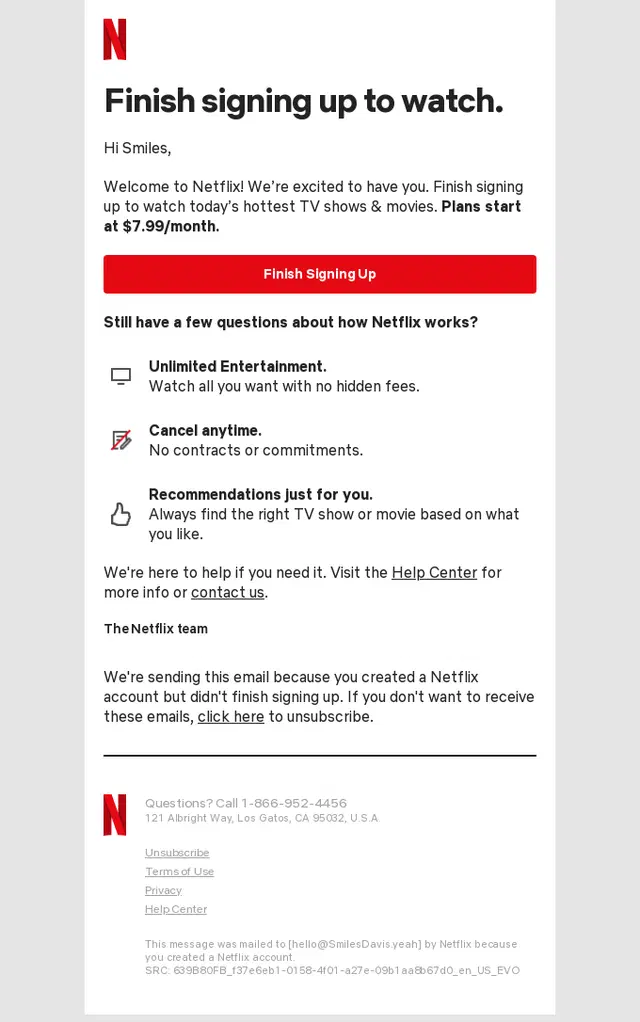
Netflix follows up on an incomplete account setup with a single clear action to finish signing up, while reinforcing the core membership benefits and pricing before activation.
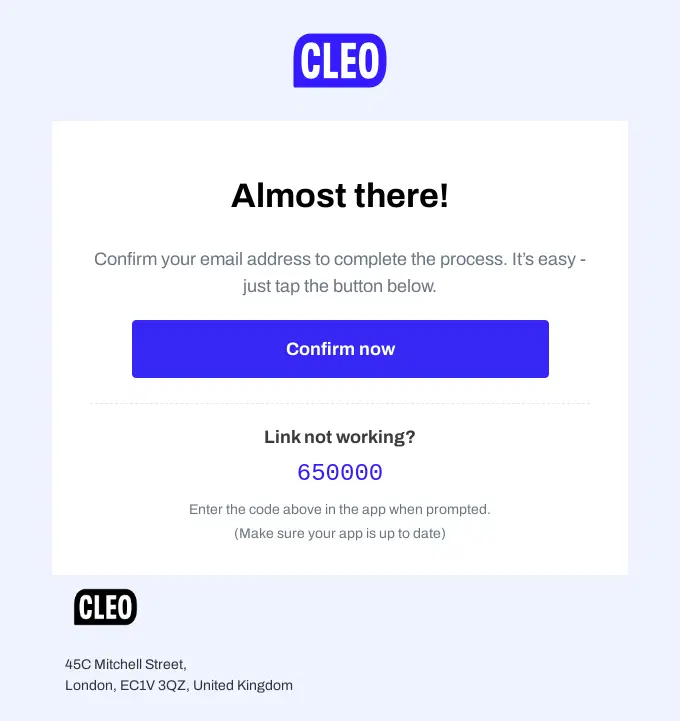
CLEO gives users two straightforward ways to verify their email address, combining a one-click confirmation button with a backup verification code for the app.
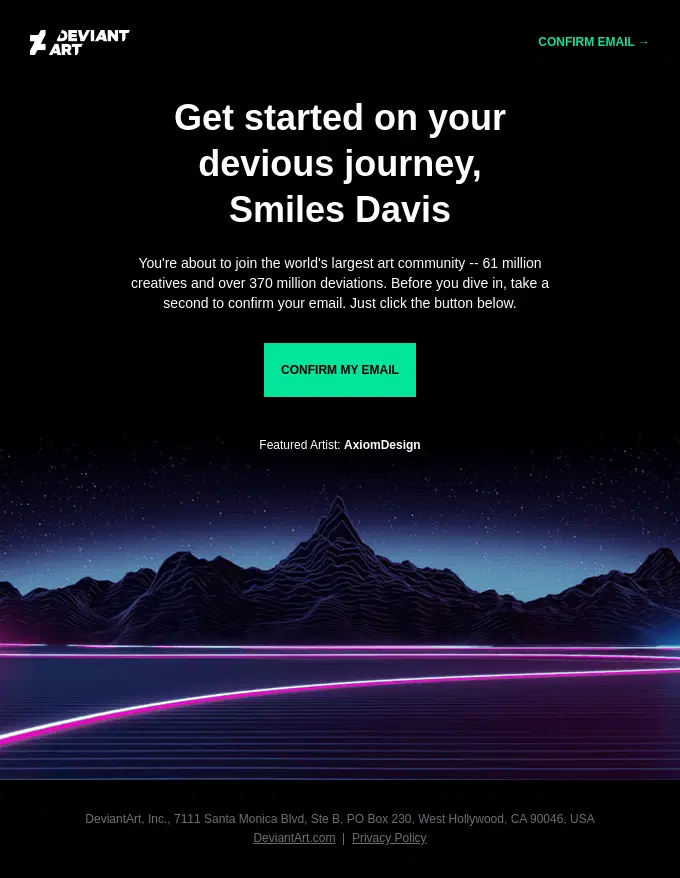
DeviantArt keeps account verification focused on a single action, using a bold branded design and clear CTA to confirm the email address before joining the community.
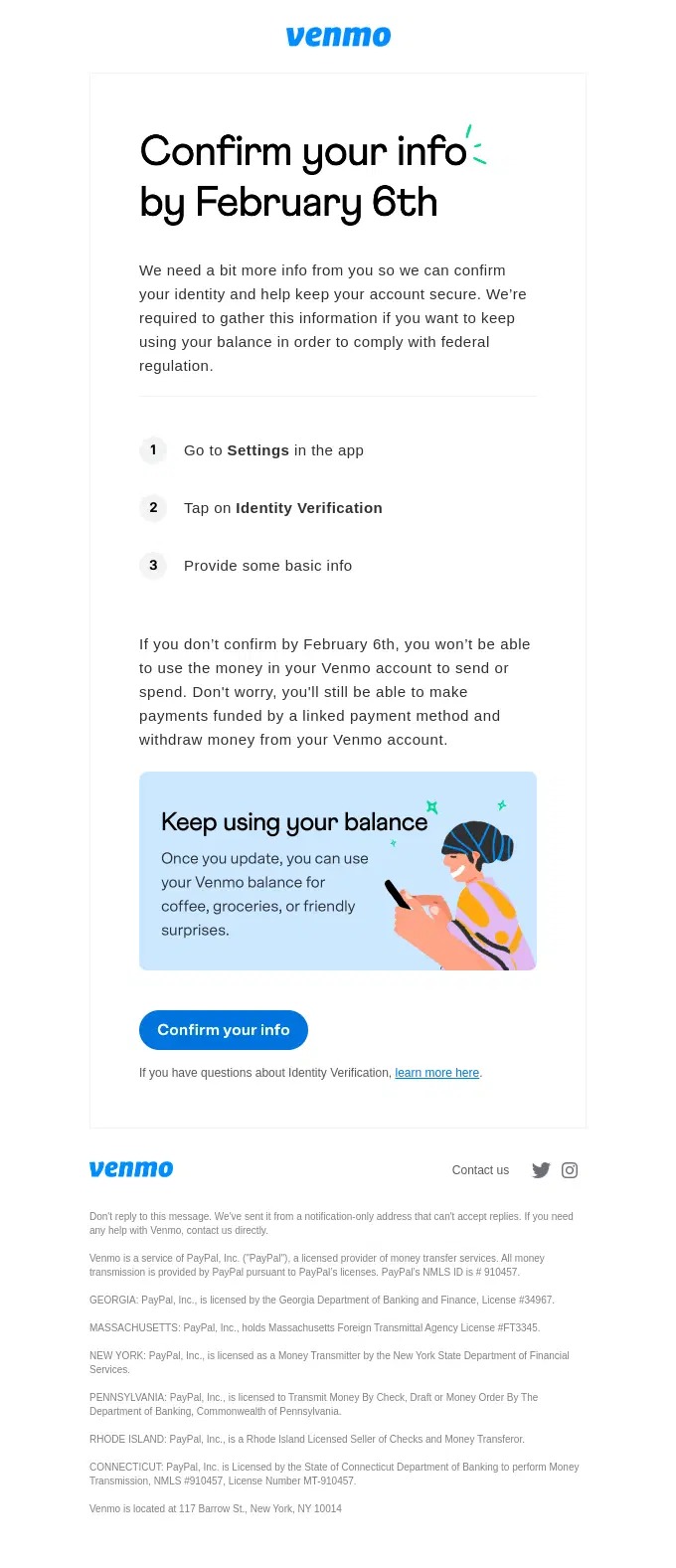
Venmo explains why additional identity verification is required, gives users a clear deadline, and breaks the process into simple steps while clarifying what account features could be restricted.
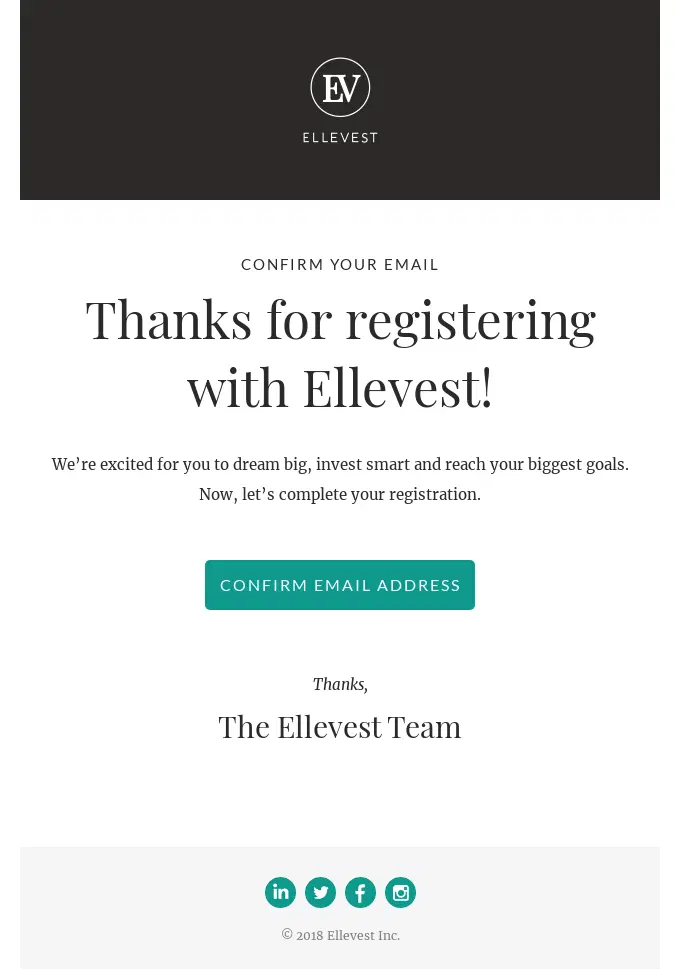
Ellevest uses a simple email verification message to complete account registration, keeping the focus on one clear action: confirming the new user’s email address.
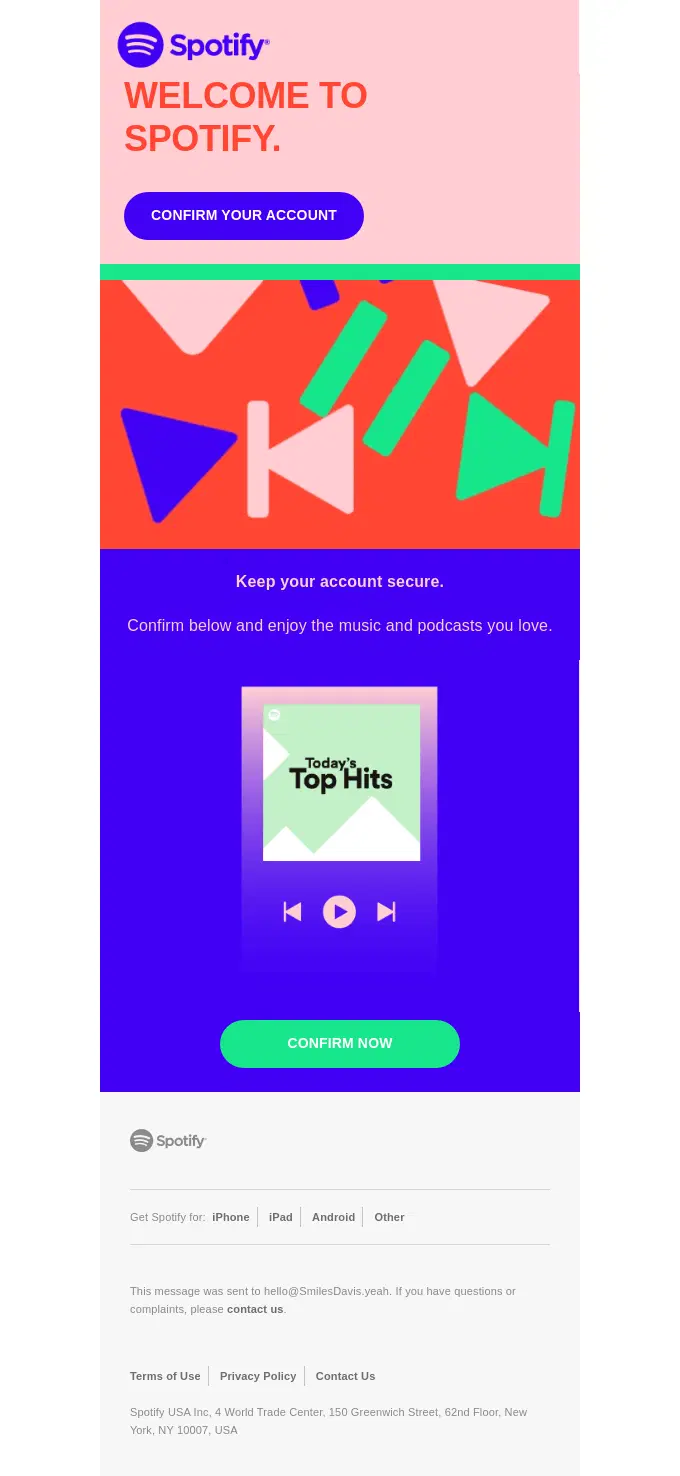
Spotify turns account verification into a branded onboarding moment, pairing a clear confirmation CTA with energetic visuals that reflect the product experience.
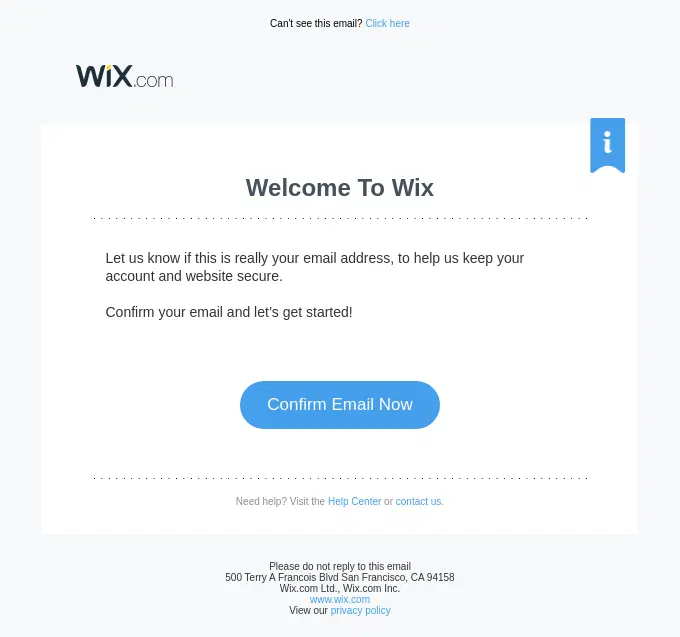
Wix combines a welcome message with email verification, making the next step clear while reinforcing account security and setup completion.
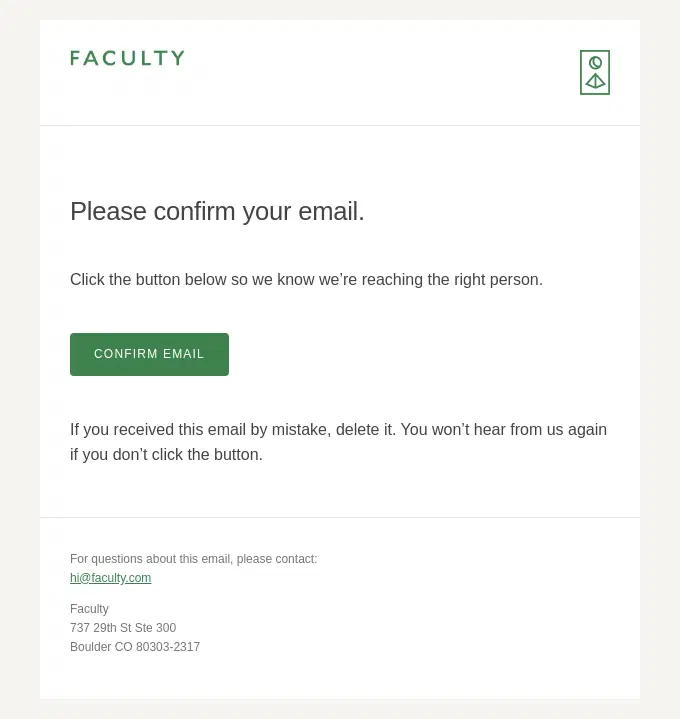
Faculty uses a minimal confirmation email to verify the recipient’s address and ensure the account setup continues with the correct contact information.
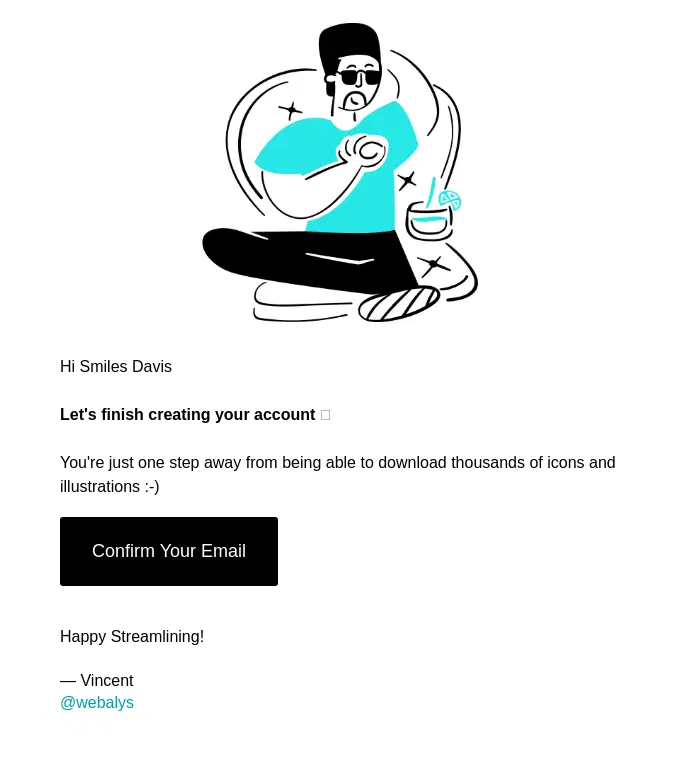
Streamline keeps account verification simple, using a short onboarding message and one clear CTA to help new users finish creating their account.
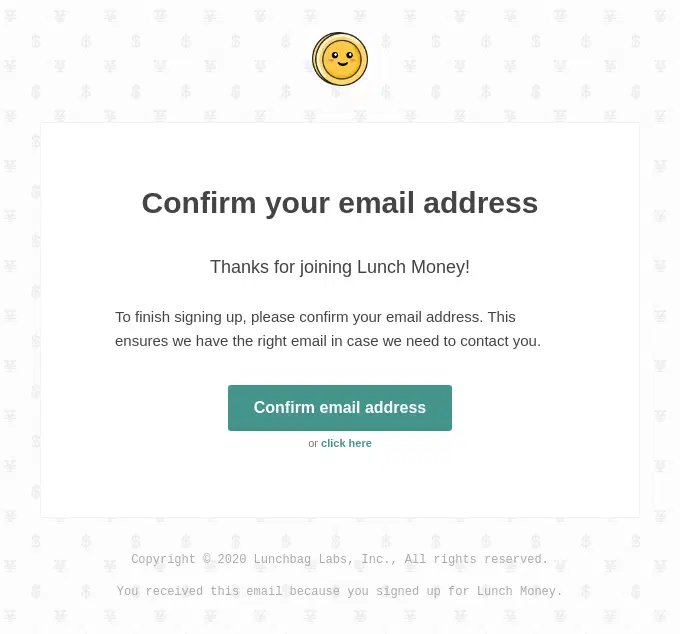
Lunch Money uses a straightforward verification email to complete signup and confirm it has the right email address for future account communication.
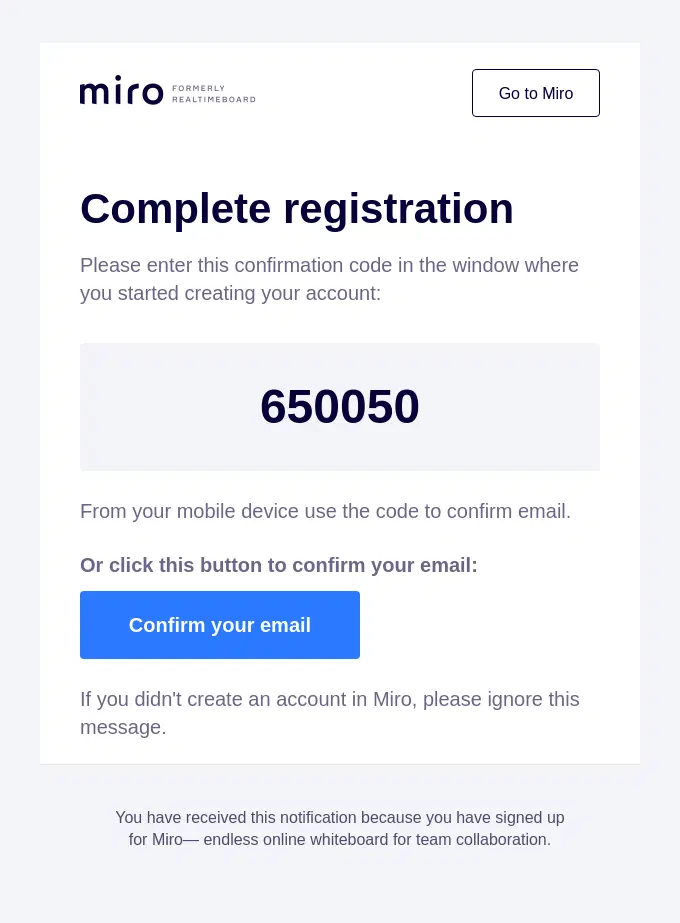
Miro offers two ways to complete registration, letting users verify their email with either a confirmation code or a direct confirmation button.
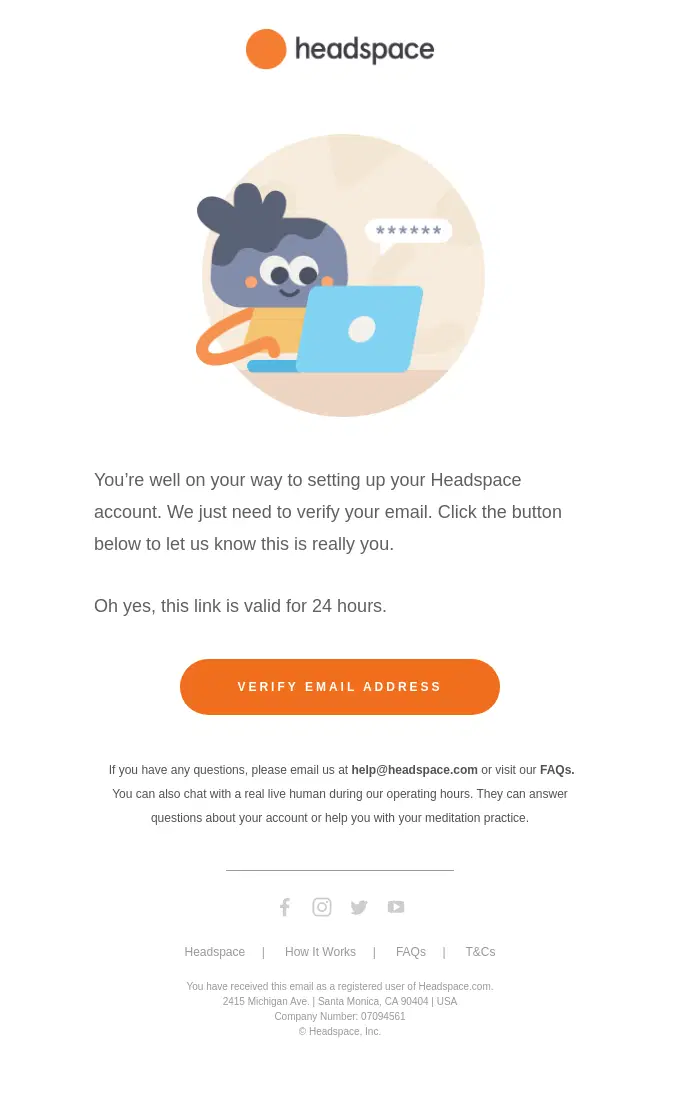
Headspace explains why verification is needed and gives new users a clear, time-limited action to continue setting up their account.
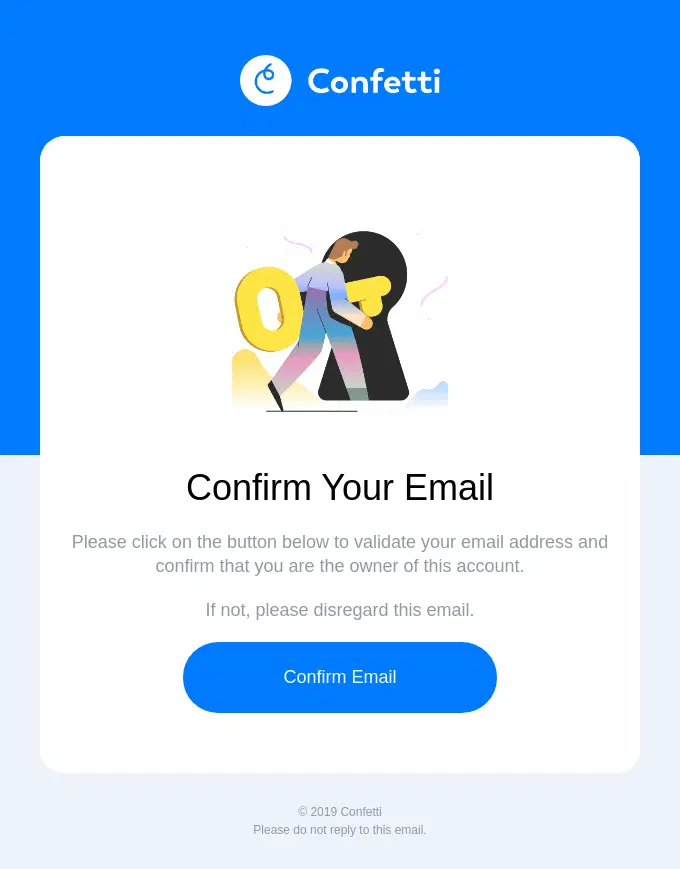
Confetti keeps email verification focused on one clear action, asking the user to confirm their address and verify ownership of the account.
Password Reset, Login and Security Email Examples
These security-focused transactional emails help users reset passwords, confirm account changes, verify new logins, and respond to suspicious activity.
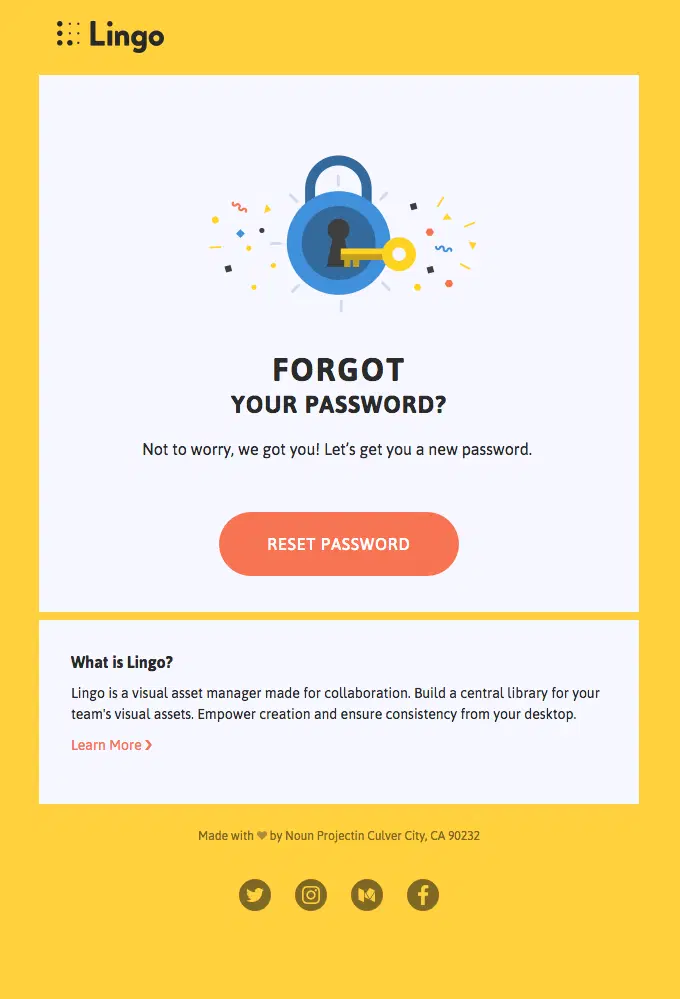
Lingo makes a routine password reset feel more approachable with branded visuals while keeping the main recovery action immediately visible.
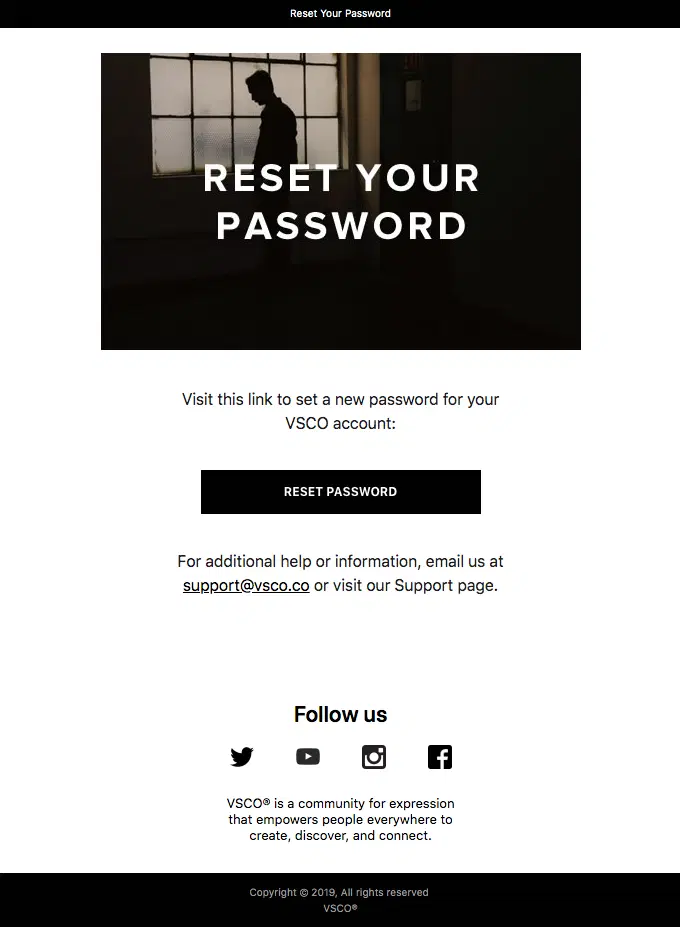
VSCO uses a minimal, highly focused password reset email that puts the recovery action first and keeps additional support close at hand.
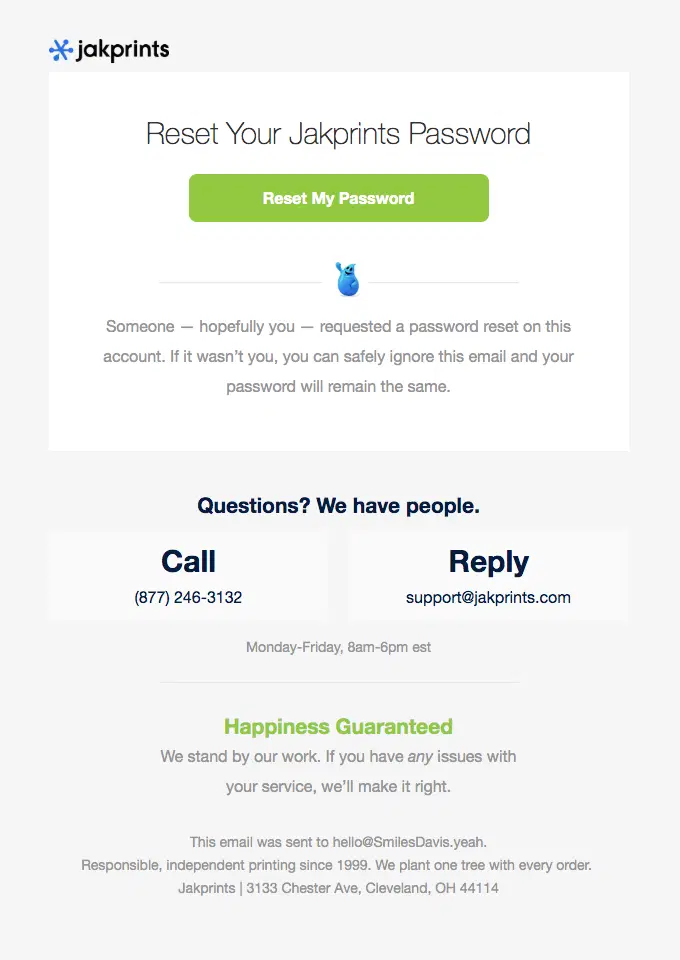
Jakprints keeps the reset action prominent while reassuring users that an unrequested reset will not change their password and making support easy to reach.
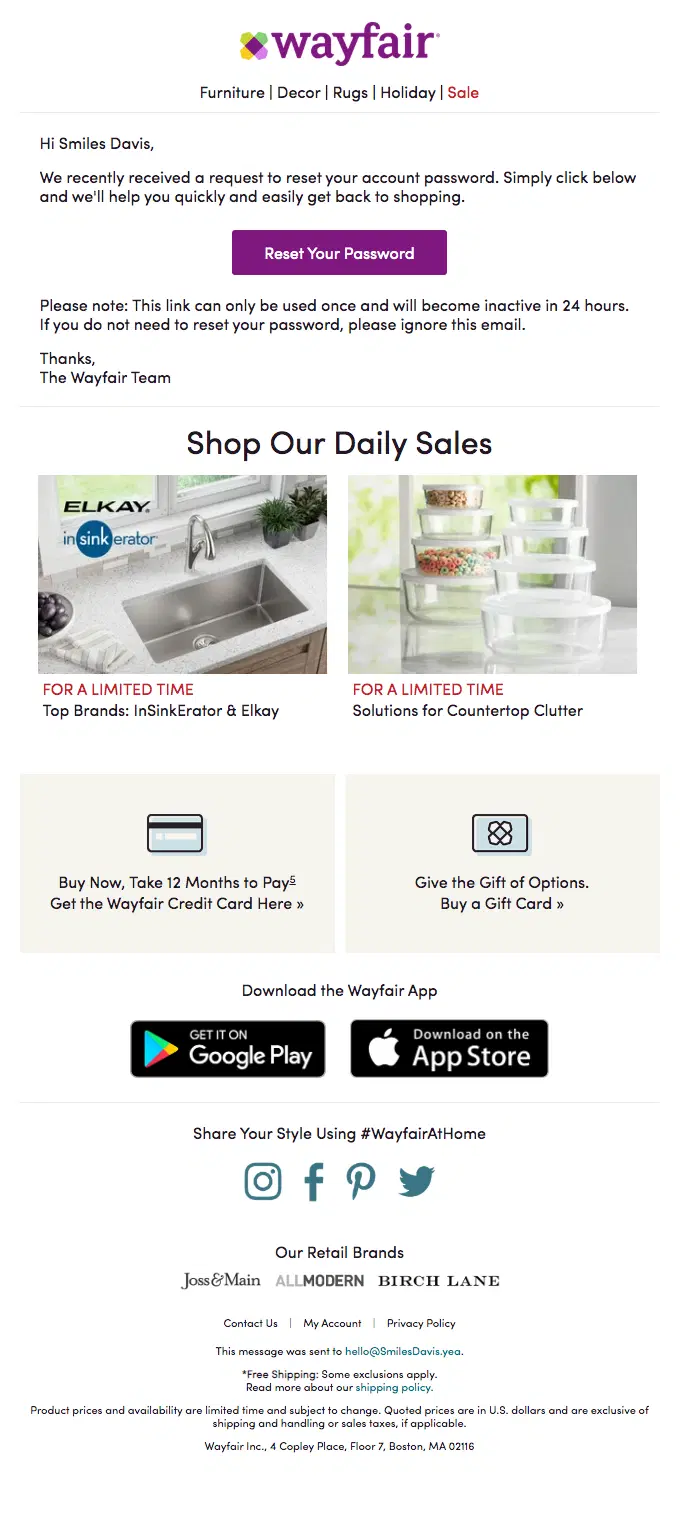
Wayfair explains the password reset process and link expiration clearly, although the email also includes secondary promotional content below the security message.
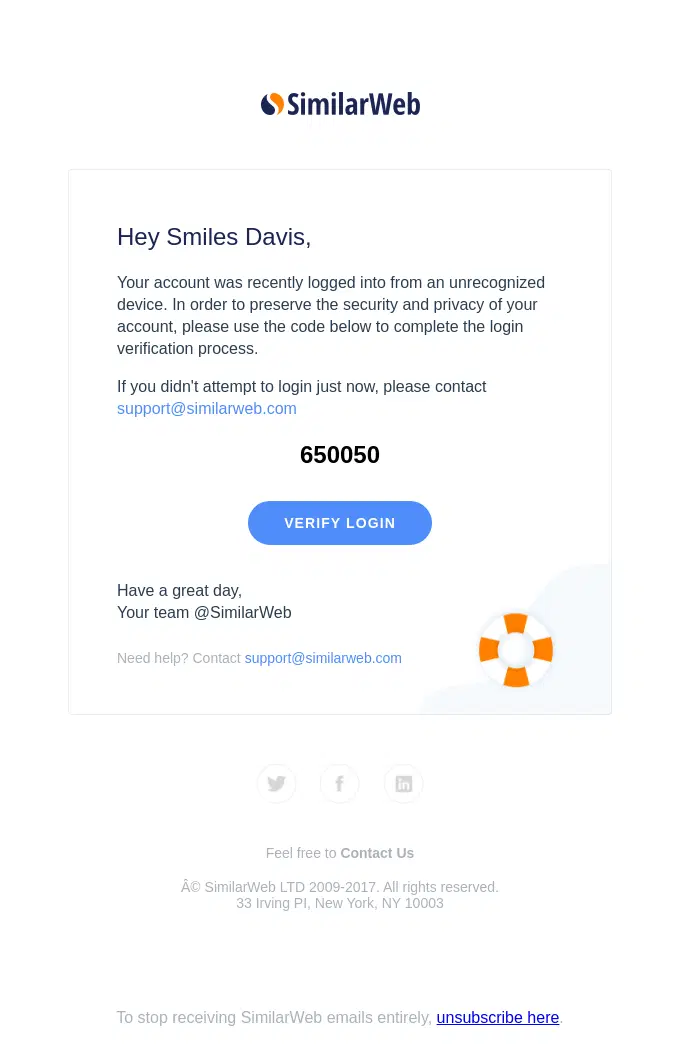
SimilarWeb responds to an unfamiliar login with an extra verification step, combining a security warning, one-time code, and direct login verification CTA.
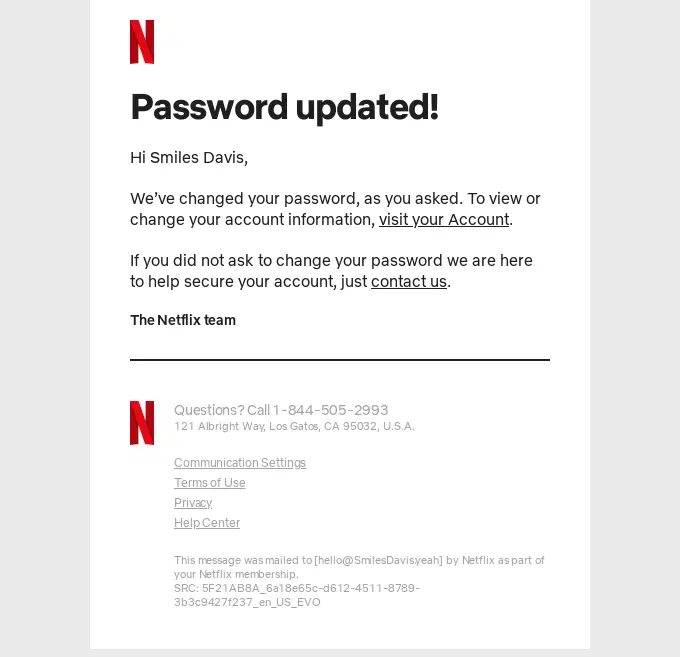
Netflix keeps its password update notification concise, confirming the completed change while giving customers a clear route to secure their account if necessary.
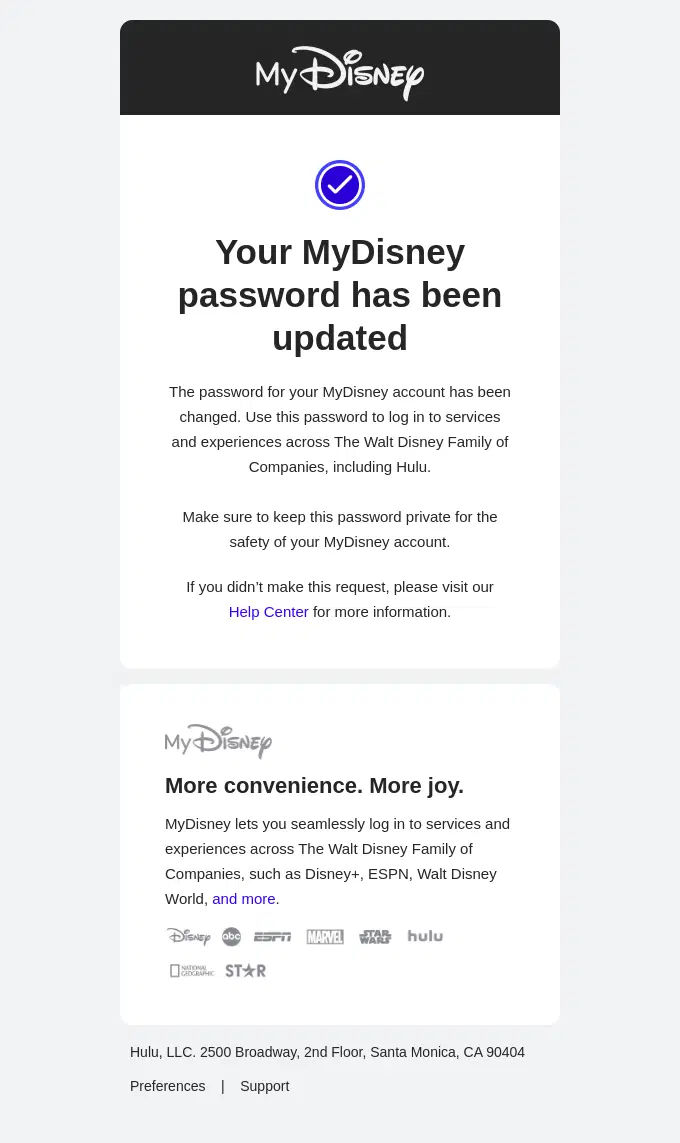
MyDisney confirms that the password change was completed and makes the security message clear by directing anyone who did not request it to the Help Center.
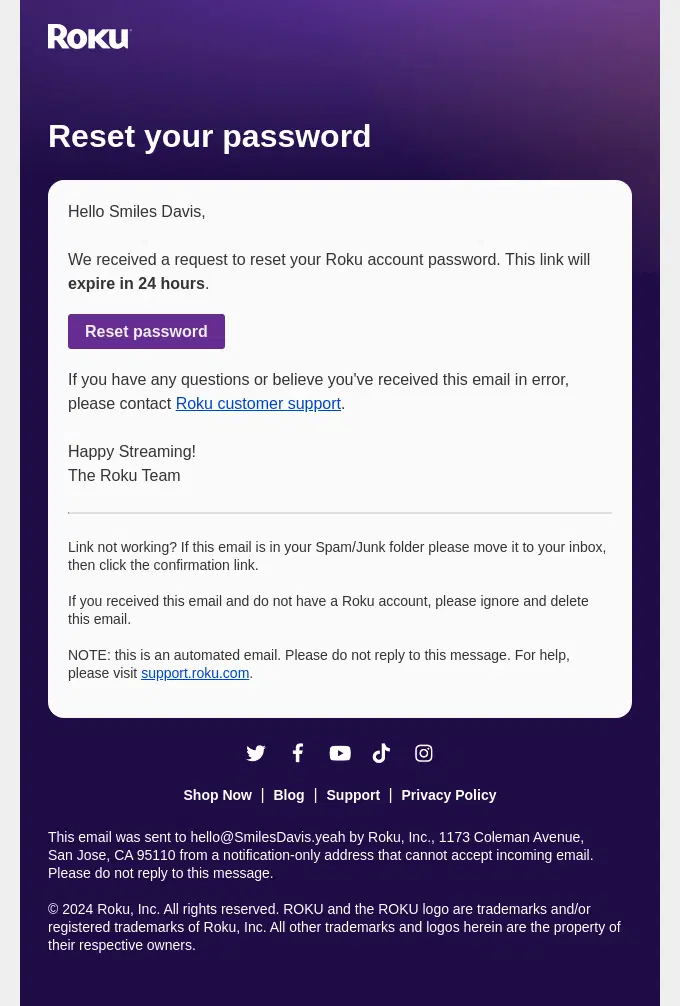
Roku clearly explains the password reset request, how long the link remains valid, and where customers can get help if they received the email unexpectedly.
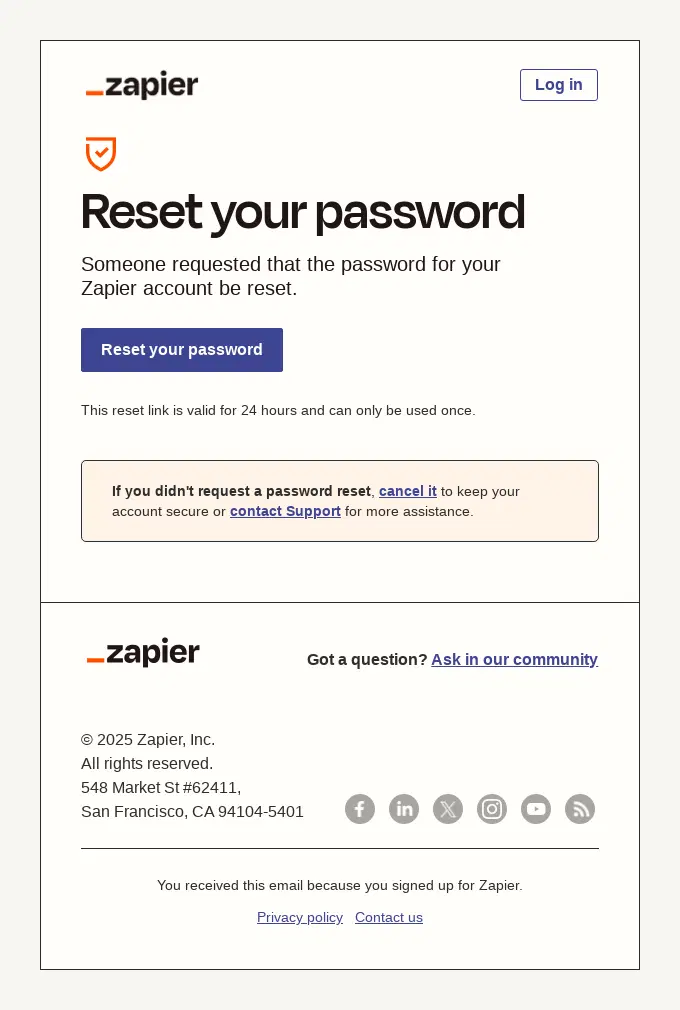
Zapier adds useful security safeguards to a simple password reset email, including an expiring one-time link and a clear way to cancel an unexpected request.
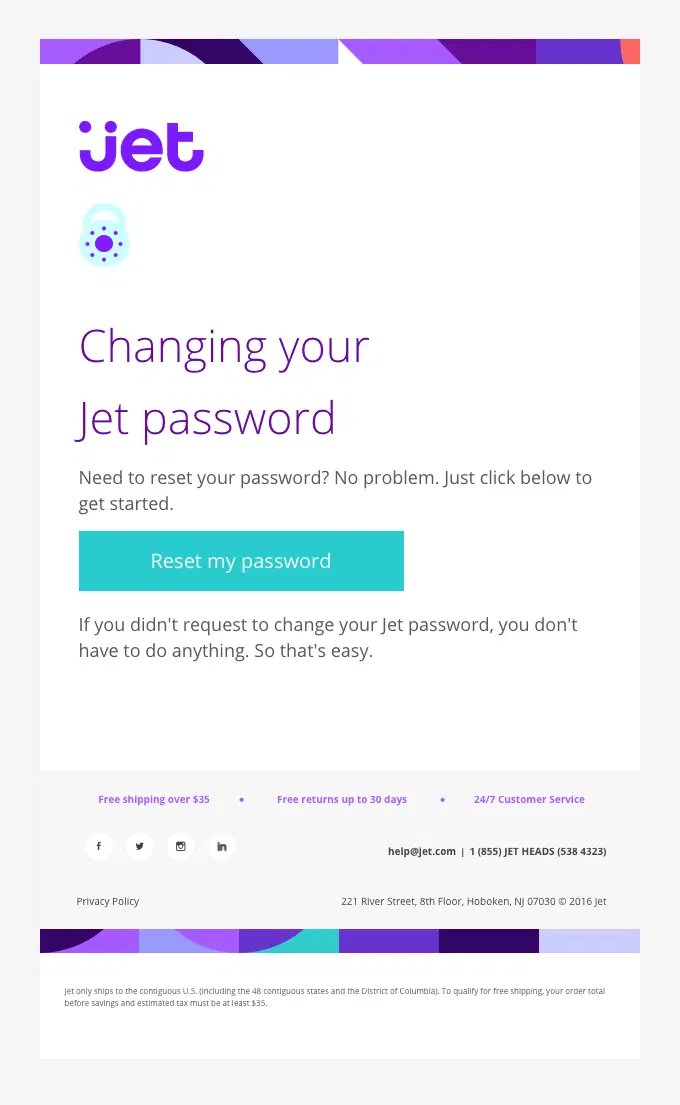
Jet keeps the password reset process straightforward with one clear CTA and reassures users that they can safely ignore the message if they did not make the request.
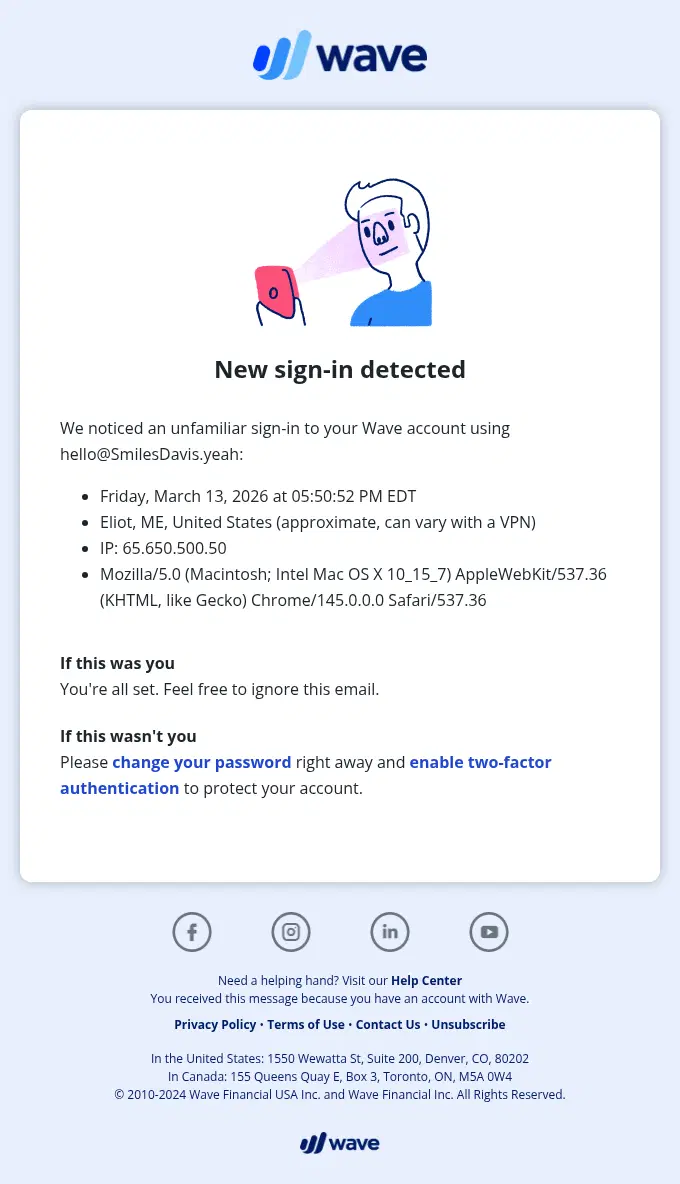
Wave gives users detailed context about an unfamiliar sign-in and clearly explains how to secure the account if they do not recognize the activity.
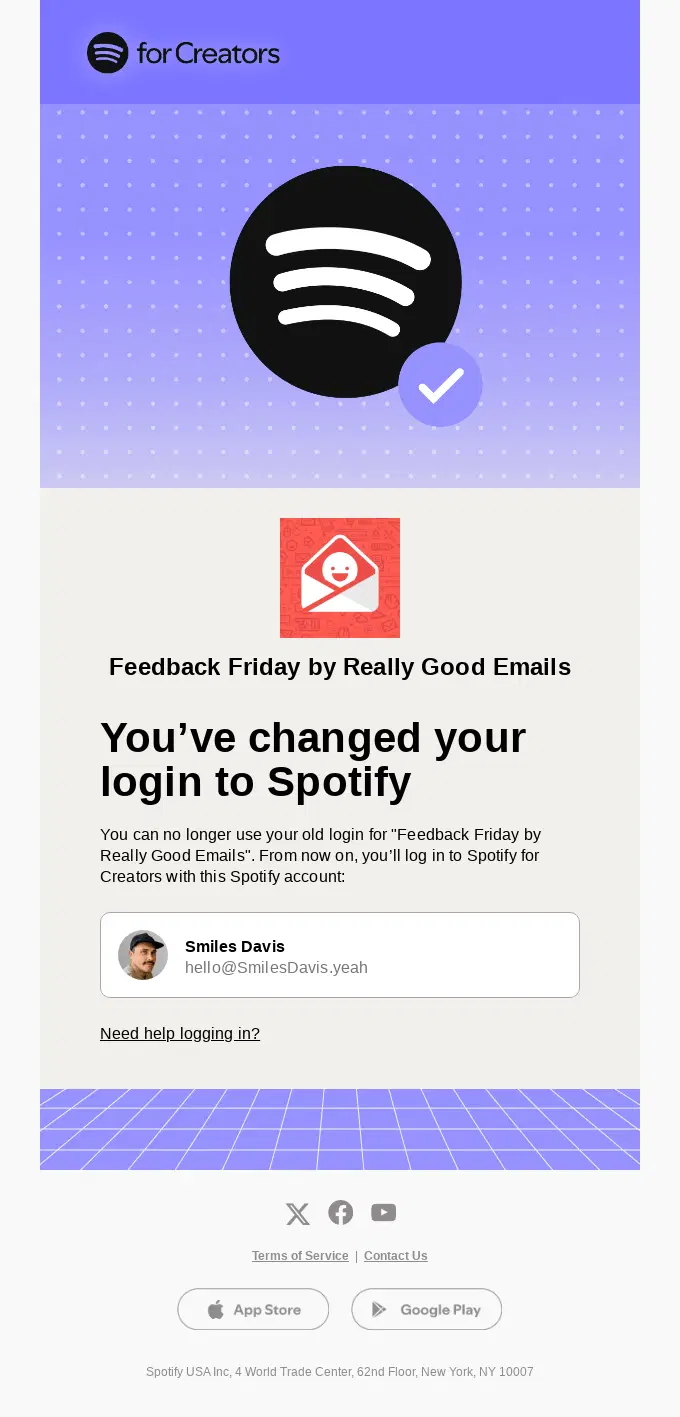
Spotify confirms an important login change, shows which account will now be used for access, and provides a direct help link in case the change causes login problems.
Booking, Reservation and Appointment Email Examples
These booking and appointment confirmation emails summarize dates, times, locations, reservation details, and options to manage or change the booking.
Hipcamp confirms the reservation first, then helps guests prepare for the trip with navigation guidance, trip management options, useful camping resources, and offline app access.
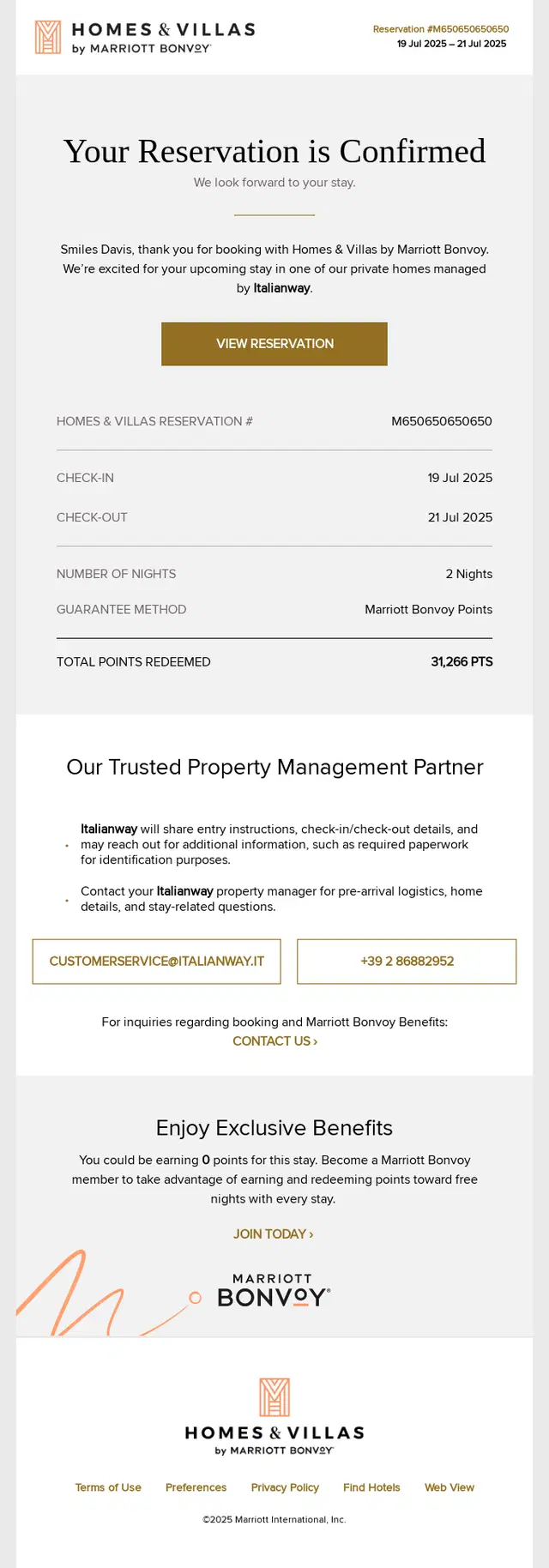
Homes & Villas by Marriott Bonvoy confirms the stay with the essential reservation details, then adds property management contacts and pre-arrival guidance to help guests prepare.
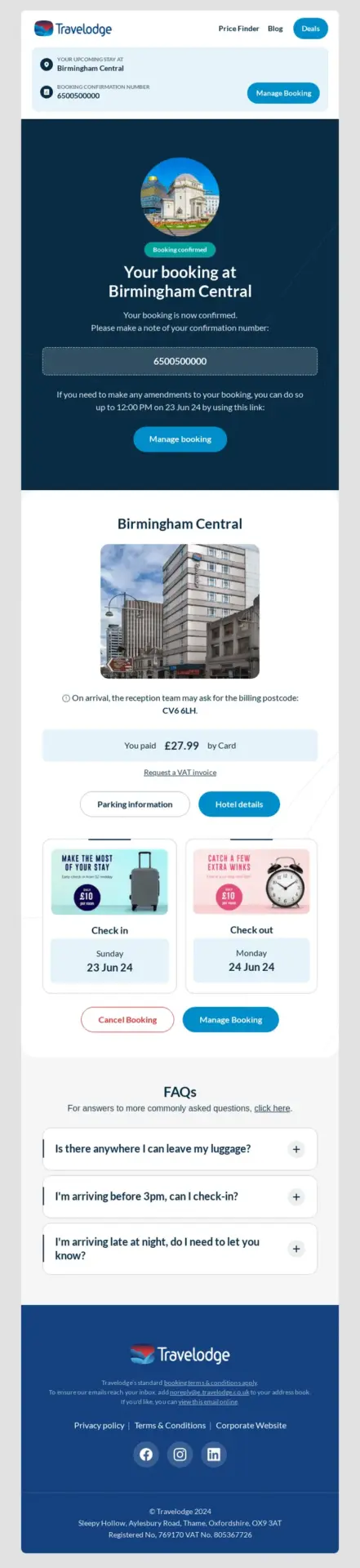
Travelodge turns the confirmation into a practical stay-management hub with prominent options to modify or cancel the booking and answers to common pre-arrival questions.
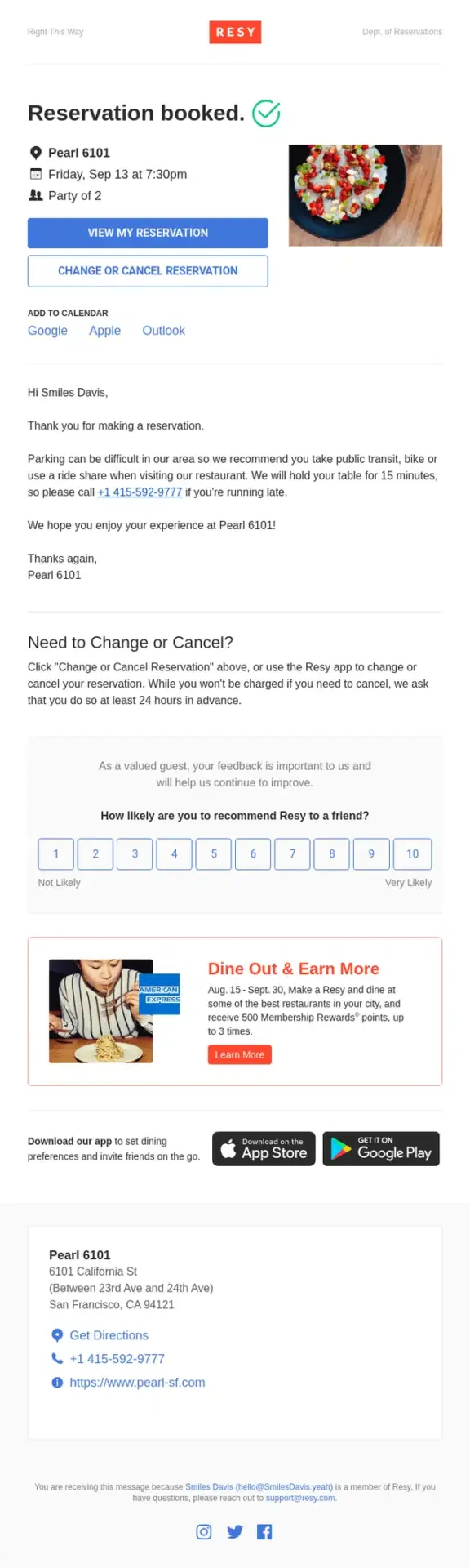
Resy confirms the booking with the essential reservation details up front, then makes it easy to add the visit to a calendar, change or cancel the table, and review practical arrival information.
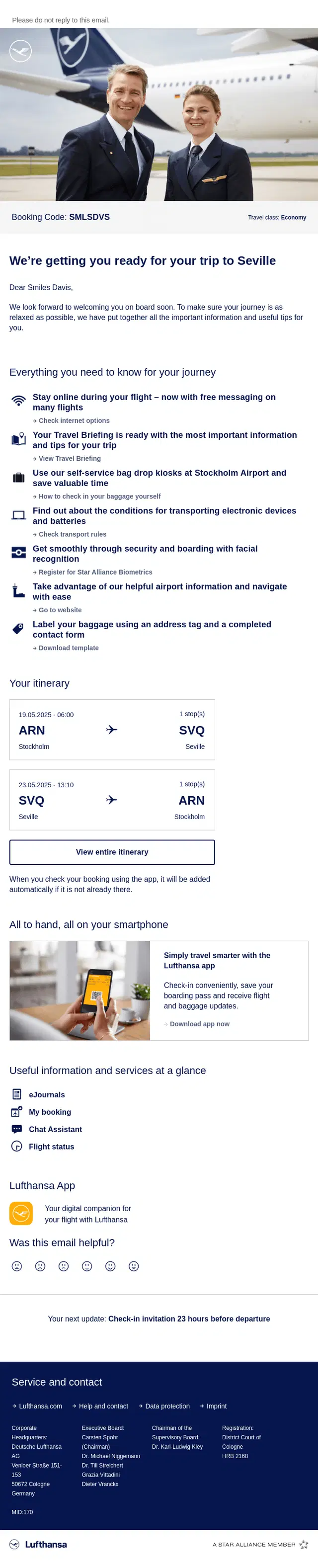
Lufthansa turns the existing booking into a practical pre-trip update, bringing the itinerary together with baggage, airport, check-in, connectivity, and travel preparation information.
Tradewinds Hotel confirms the stay with the essential booking dates and room details, then helps guests plan ahead with restaurant, activity, facility, and support information.
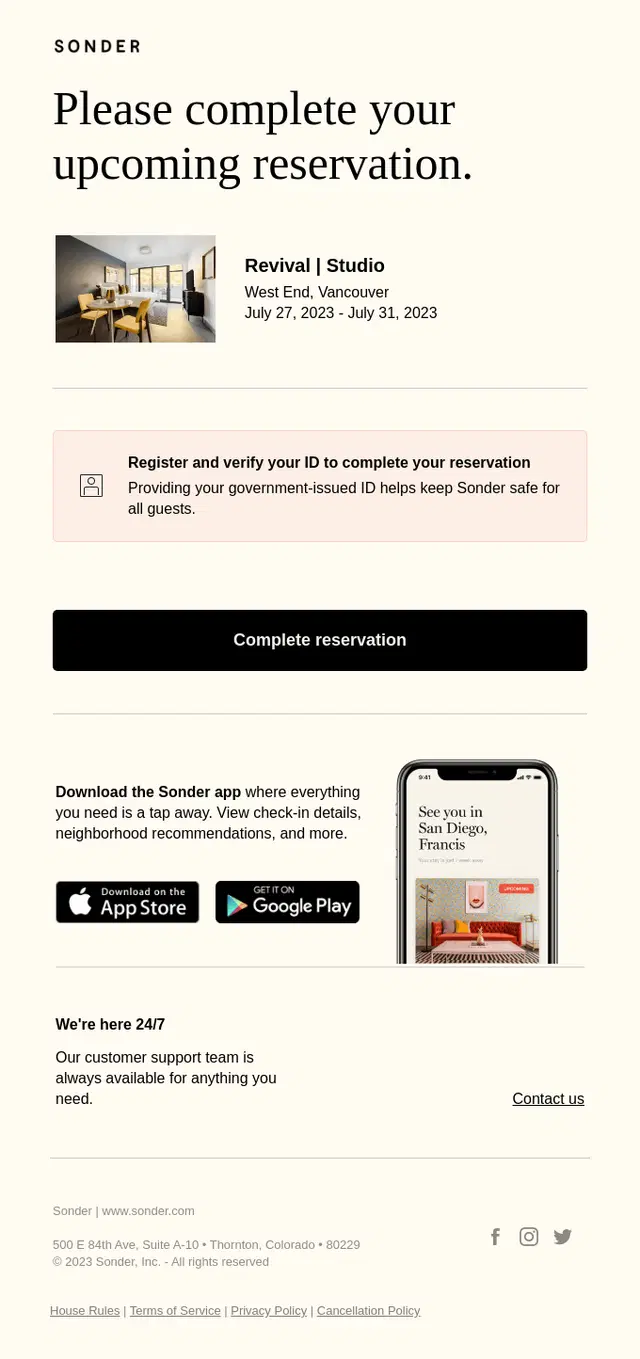
Sonder uses a reservation completion email to move the booking process forward by prompting the guest to verify their ID and finalize the upcoming stay.
Tend uses a clean appointment reminder email to surface the most important visit details, including timing, location, calendar access, pre-visit instructions, and cancellation guidance.
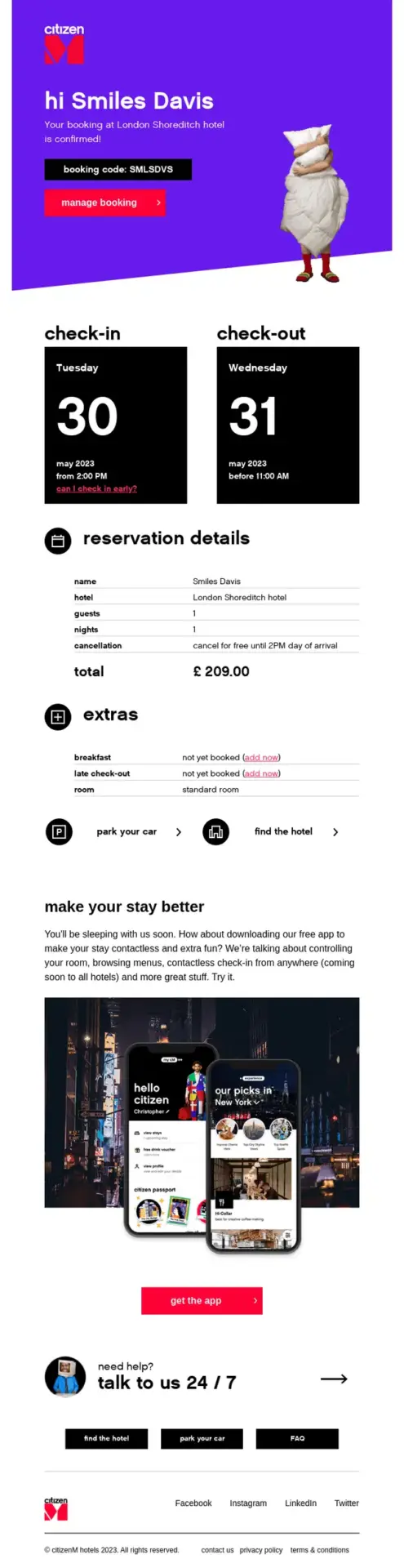
citizenM confirms the hotel booking while also helping guests prepare for their stay with reservation details, optional extras, hotel access information, and app-based self-service tools.
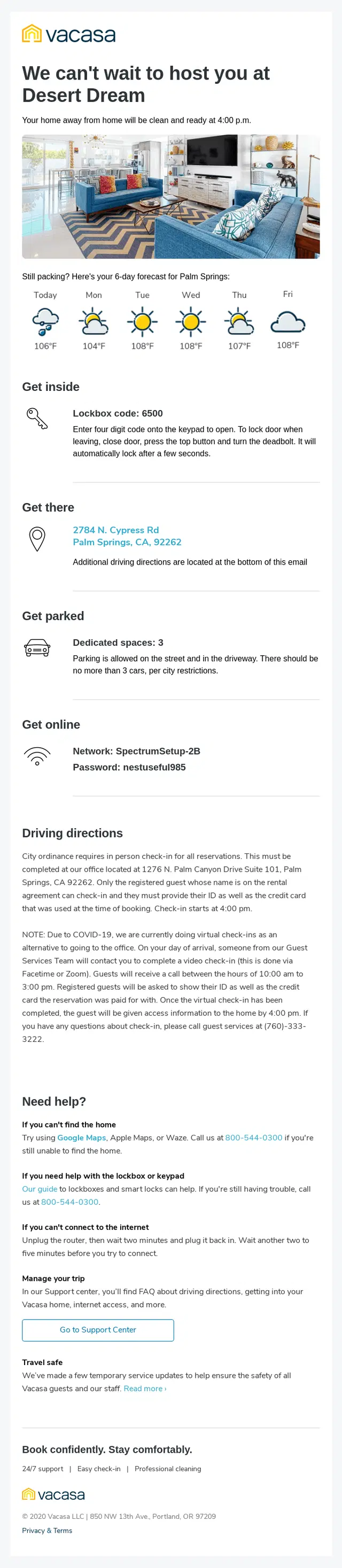
Vacasa turns a reservation follow-up into a practical pre-arrival guide by combining access details, parking information, internet credentials, driving directions, and support resources in one message.
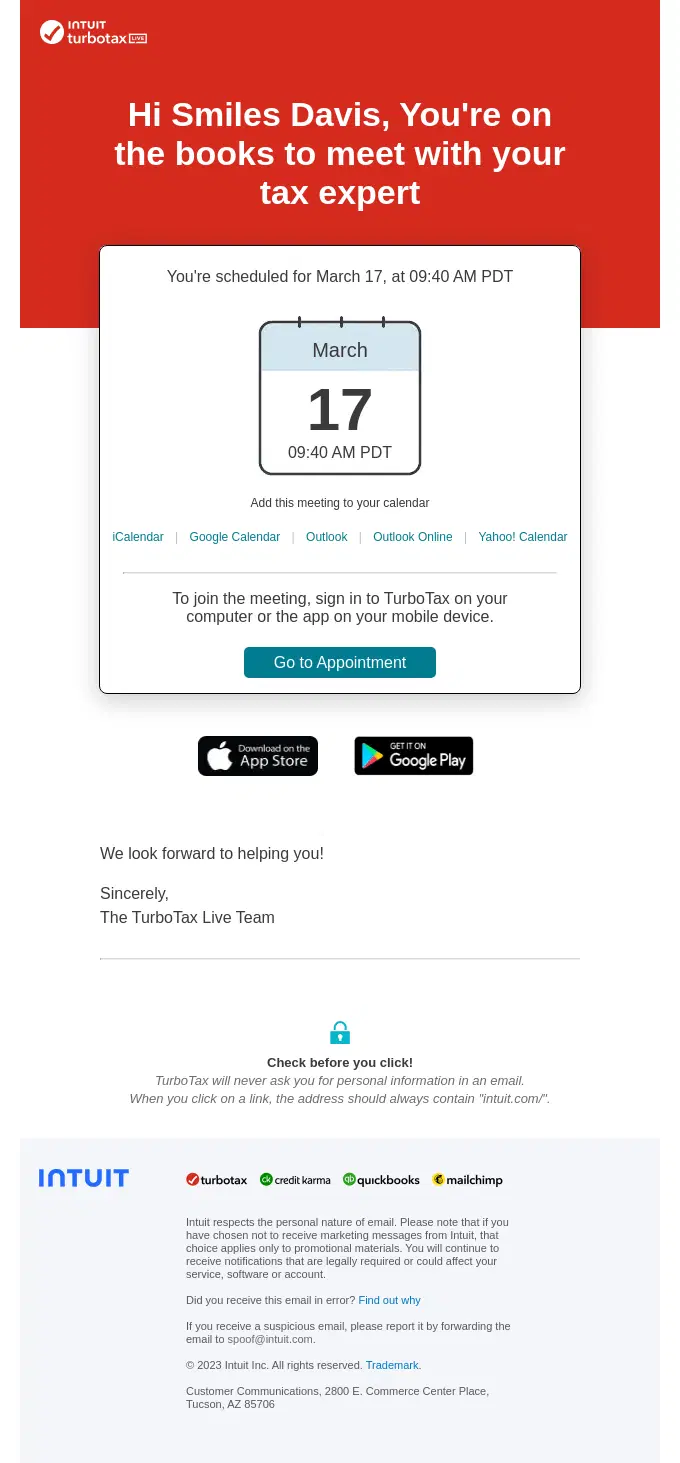
TurboTax makes the appointment details immediately visible, then gives customers quick options to add the meeting to their calendar or join the scheduled session.
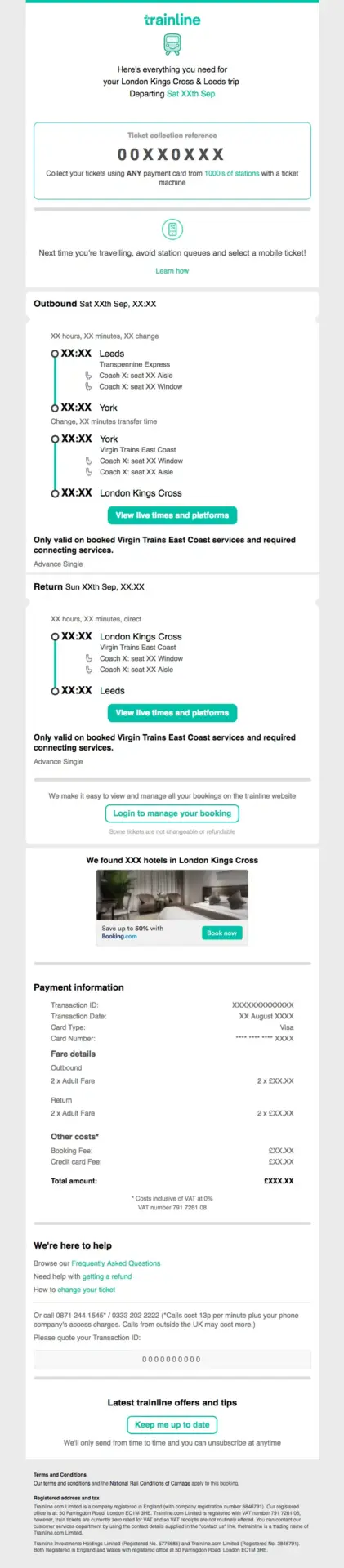
Trainline turns a detailed travel booking into a structured confirmation that brings together ticket information, the full journey itinerary, payment details, and options for managing the booking.
Event Registration and Ticket Email Examples
These event confirmation emails give attendees the information they need after registering, including tickets, QR codes, event details, calendar links, and access instructions.
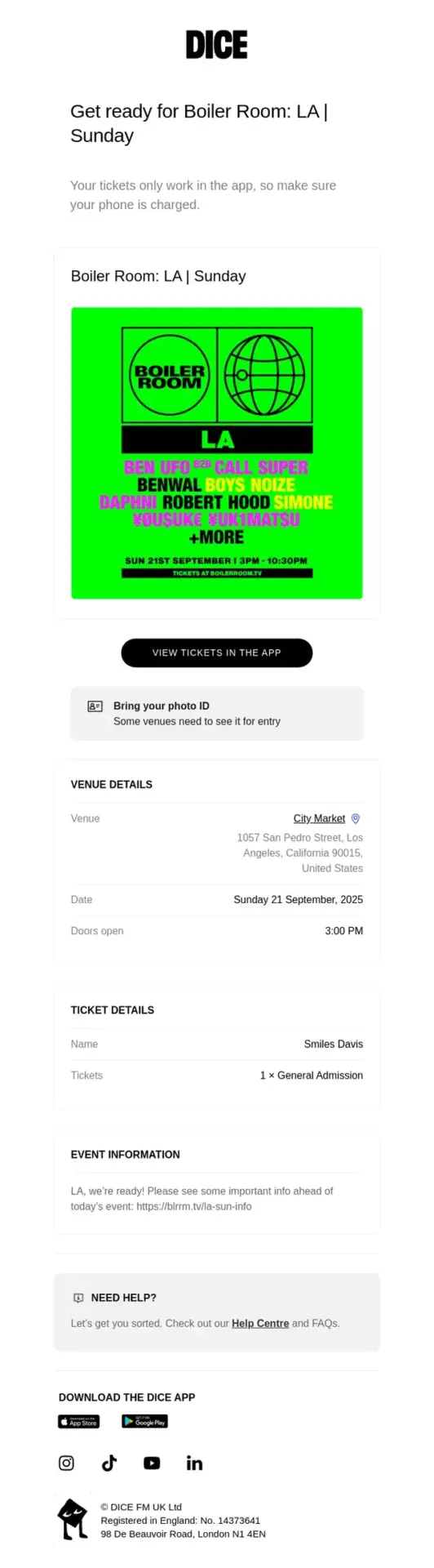
DICE brings the essential event information into one pre-event message, including ticket access, venue details, entry requirements, timing, and support resources.
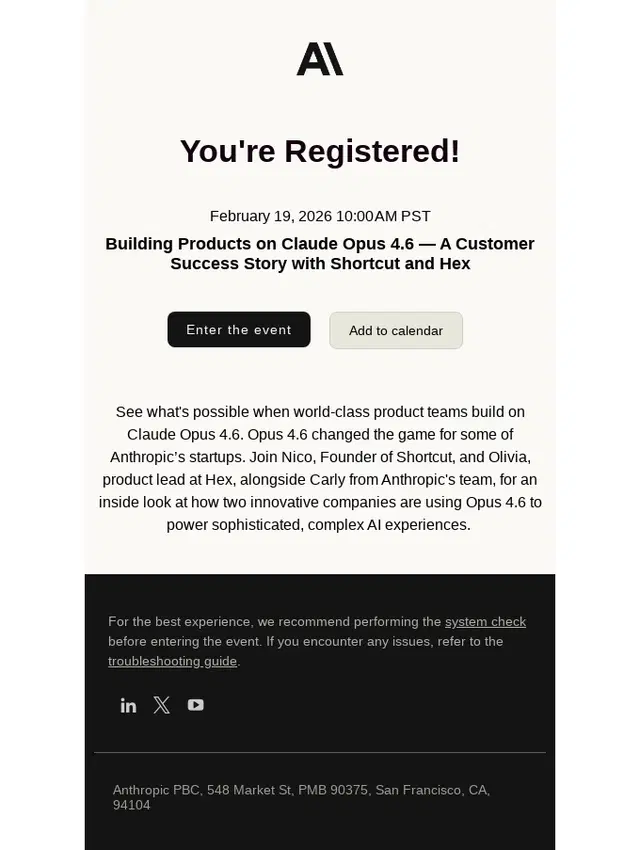
Anthropic confirms the registration and puts the two most useful next steps up front: entering the event and adding it to a calendar, with technical preparation resources included below.
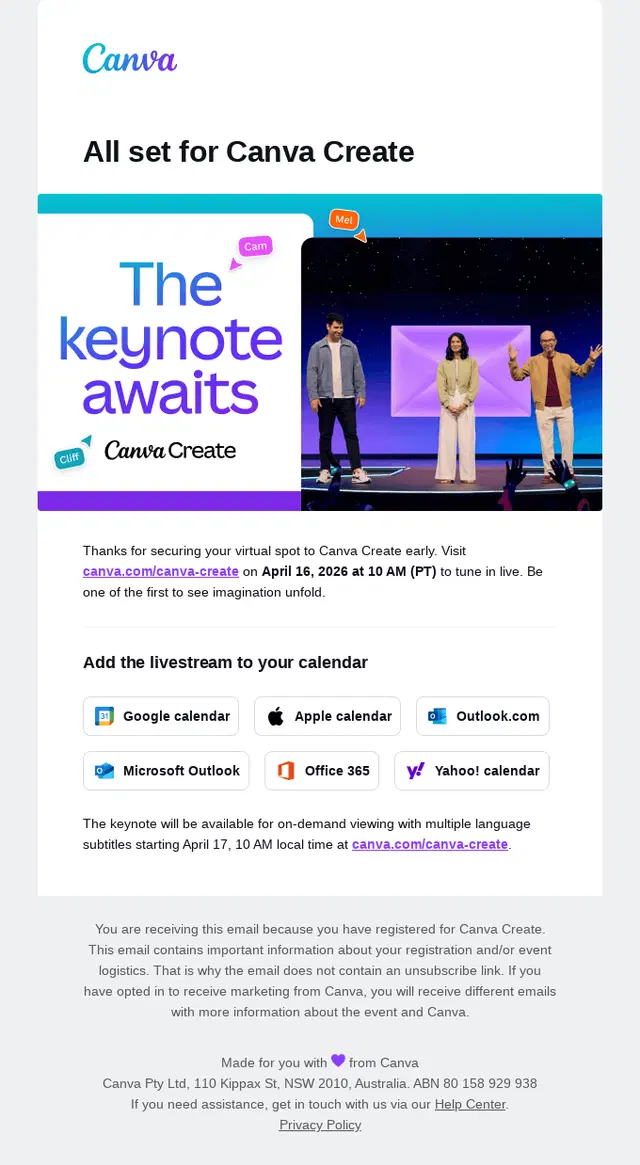
Canva confirms the virtual event registration and makes the next steps effortless with livestream details, multiple calendar options, and information about on-demand viewing.
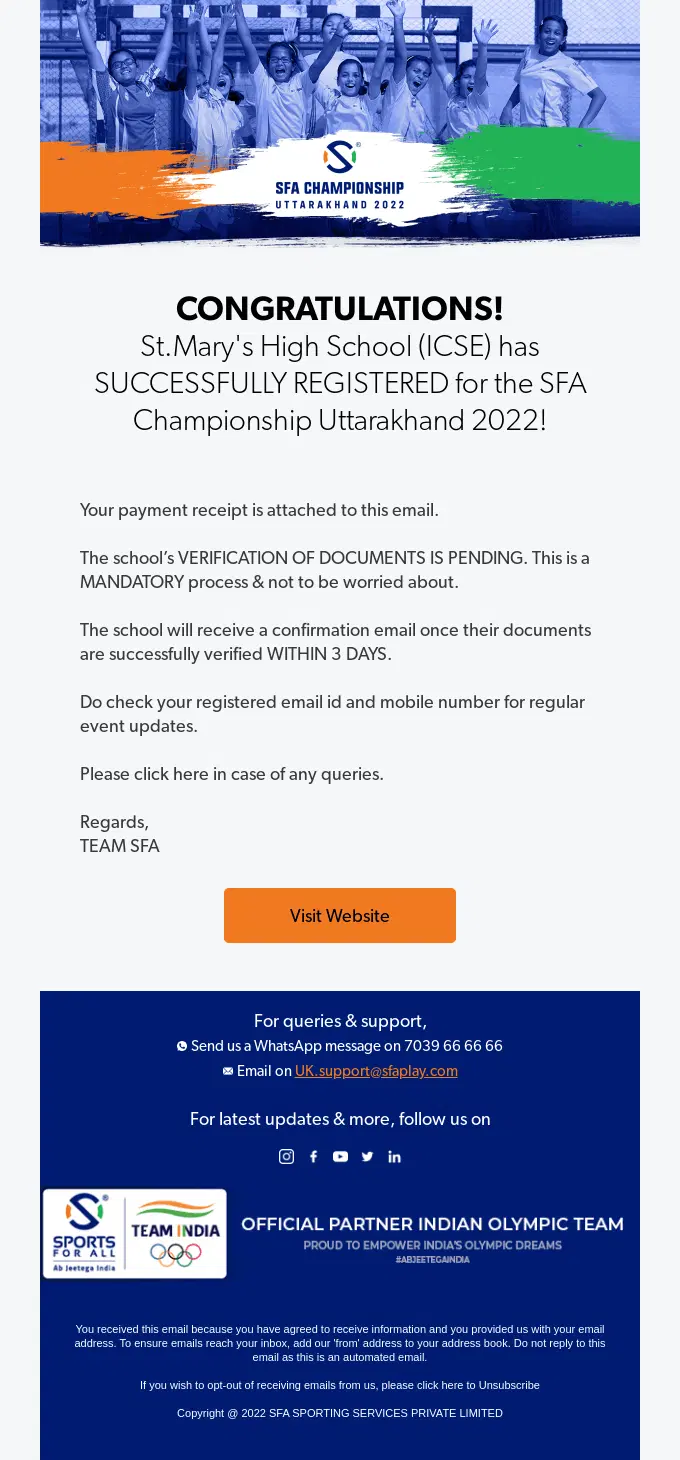
SFA confirms successful event registration while setting expectations for the remaining document verification process and directing participants to support and future event updates.
Hustle Con combines registration confirmation, ticket access, payment details, venue information, and calendar options in one comprehensive event email.
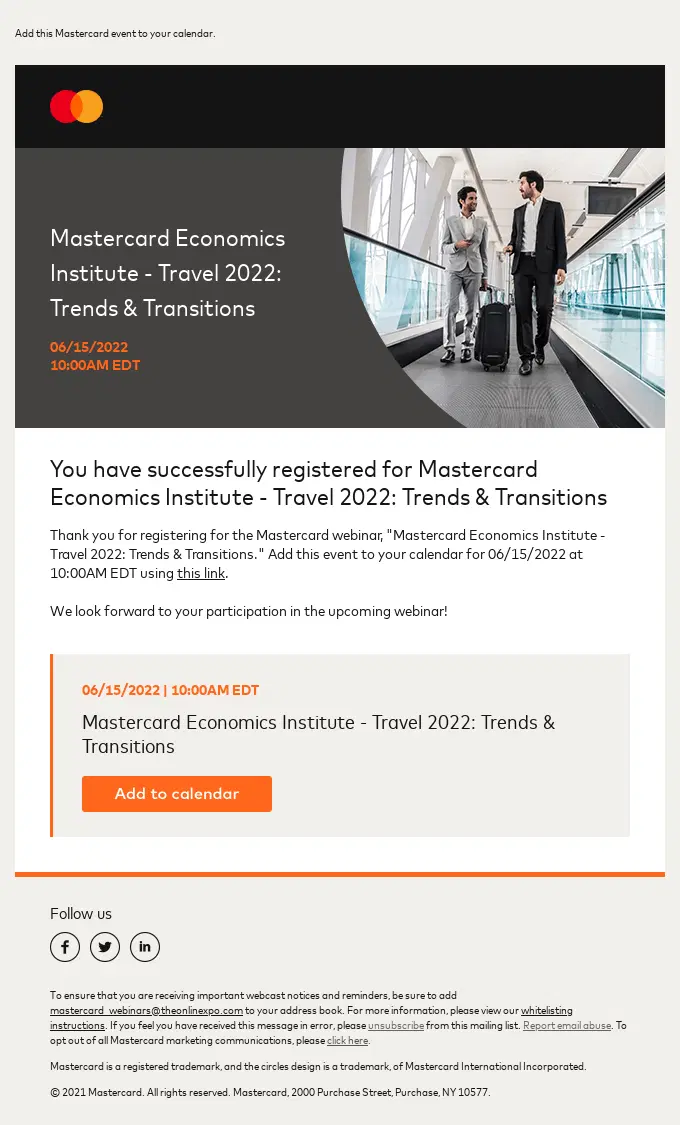
Mastercard confirms the attendee’s registration, repeats the essential webinar details, and makes it easy to save the event directly to their calendar.
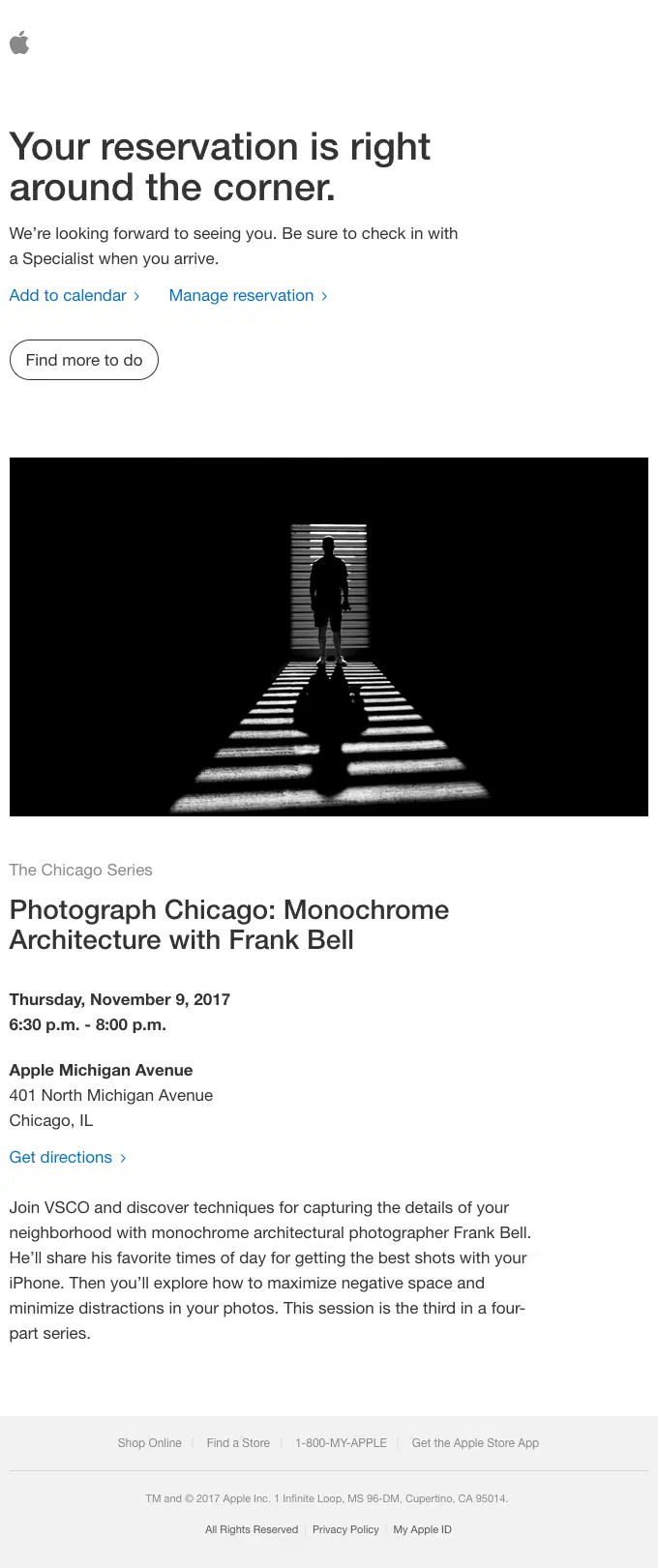
Apple reminds the attendee about an upcoming in-store session while keeping the key event details, location, calendar option, and reservation management links easy to find.
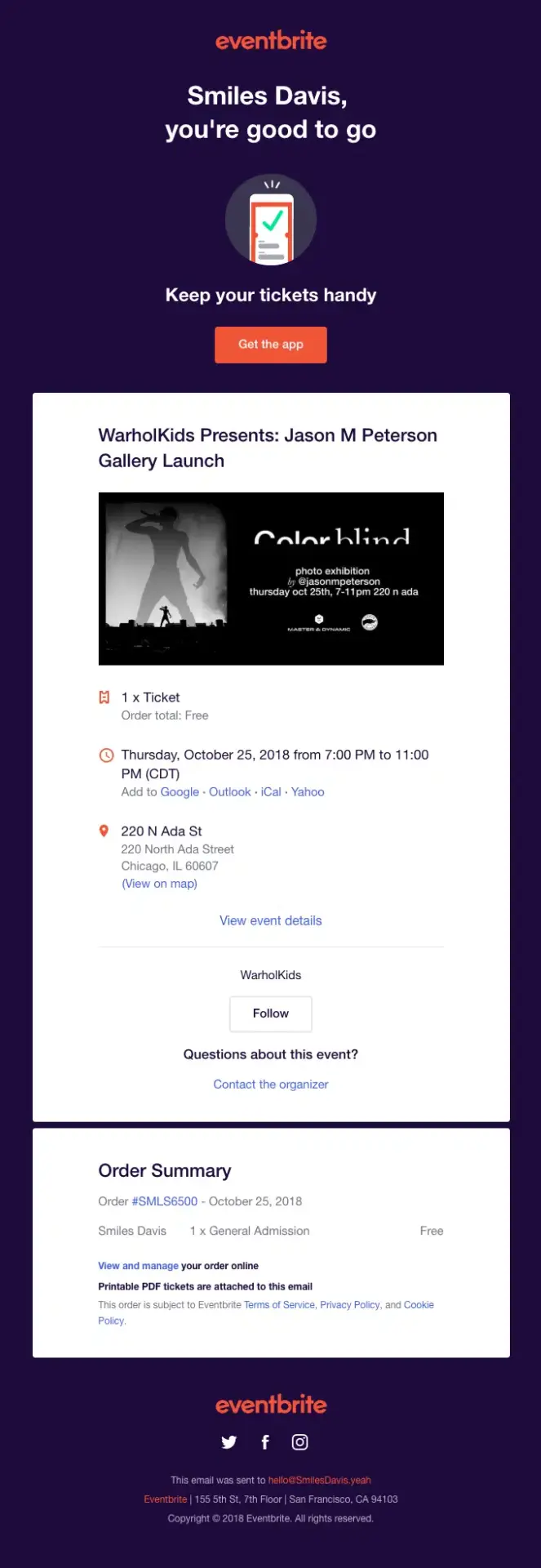
Eventbrite confirms the attendee’s ticket and puts the essential event details, venue information, calendar options, and ticket access in one easy-to-scan message.
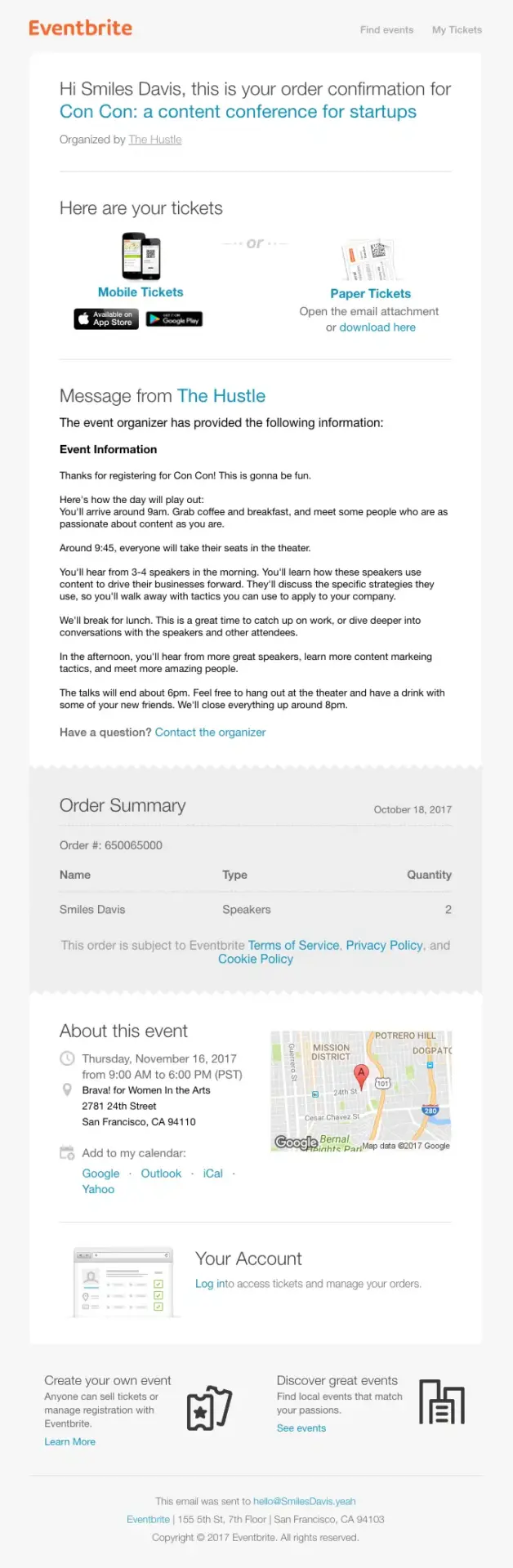
Eventbrite combines ticket delivery with a detailed conference confirmation, giving attendees access to their tickets, schedule information, venue details, and calendar options before the event.
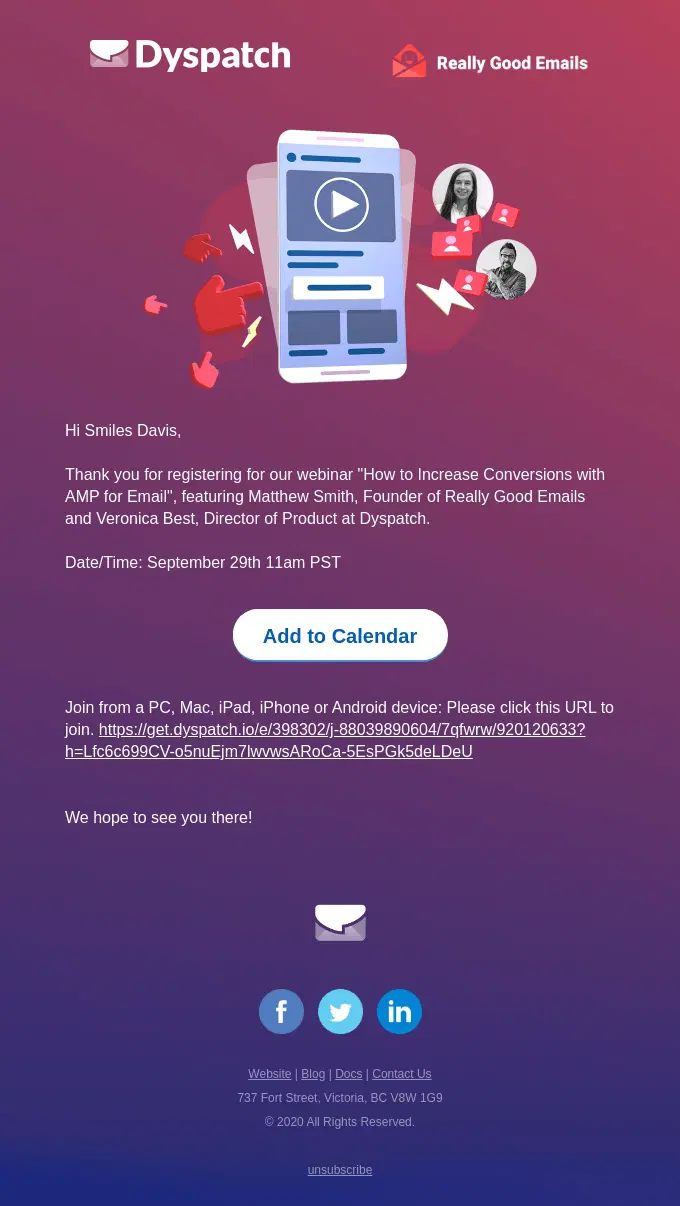
Dyspatch keeps its webinar confirmation focused on what attendees need next, including the session time, calendar option, and direct link for joining the event.
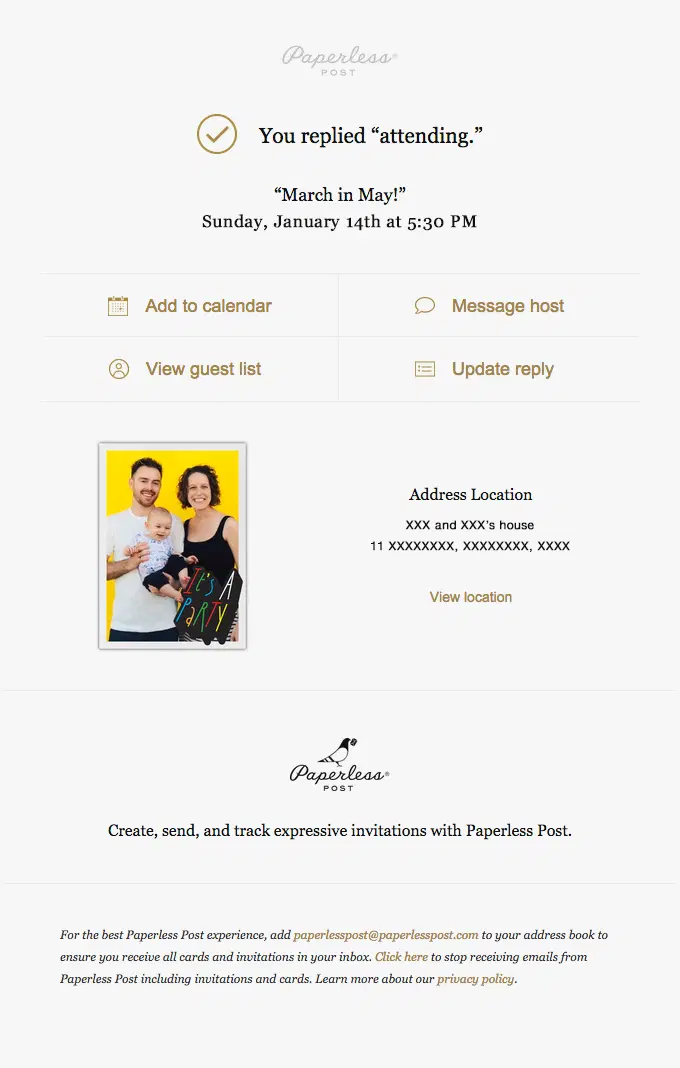
Paperless Post clearly confirms attendance and gives guests quick access to the event location, calendar, guest list, host messaging, and RSVP management.
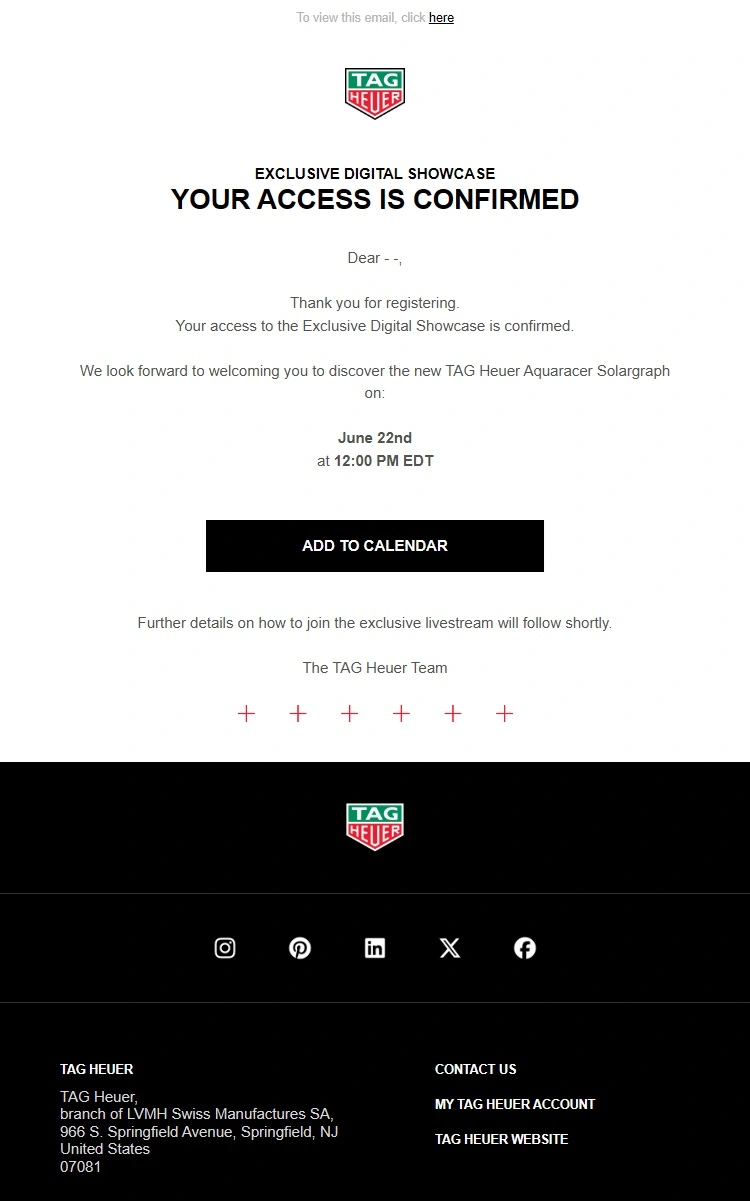
TAG Heuer keeps the registration confirmation polished and focused, confirming access to the digital showcase while highlighting the event time and giving attendees an easy way to add it to their calendar.
Support and Service Notification Email Examples
These support and service emails confirm requests, ticket creation, case updates, repairs, and resolutions so customers know the status of their issue.
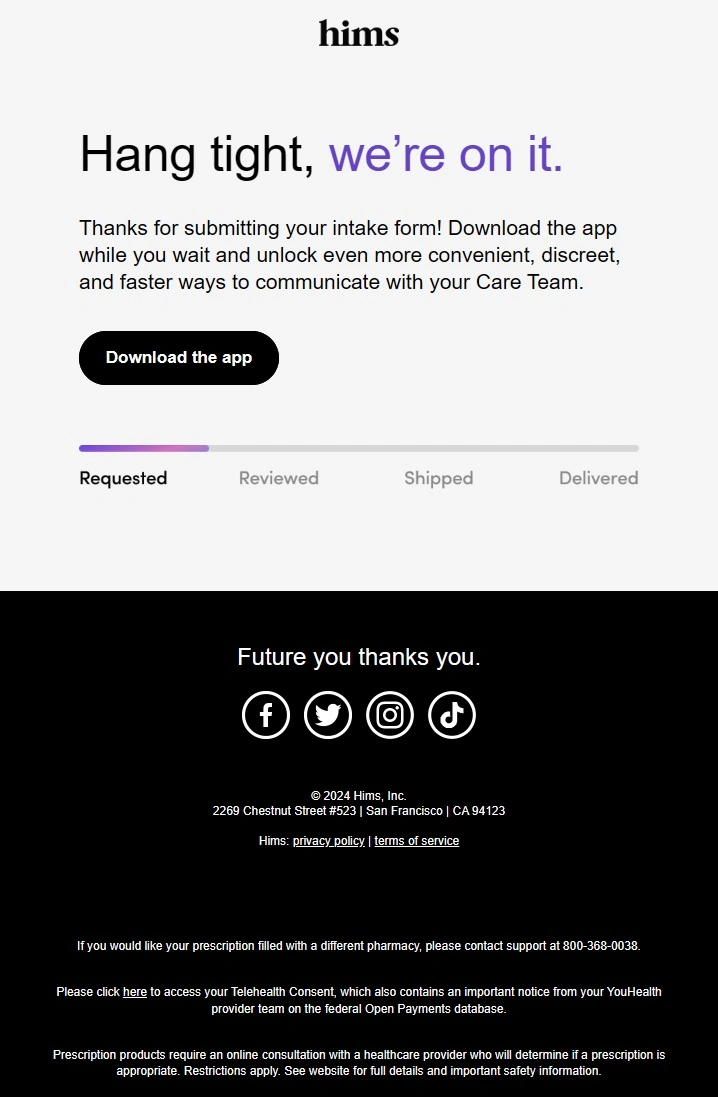
Hims confirms that the intake form has been received and uses a simple progress tracker to show what happens next, while directing the customer to the app for faster communication with the Care Team.
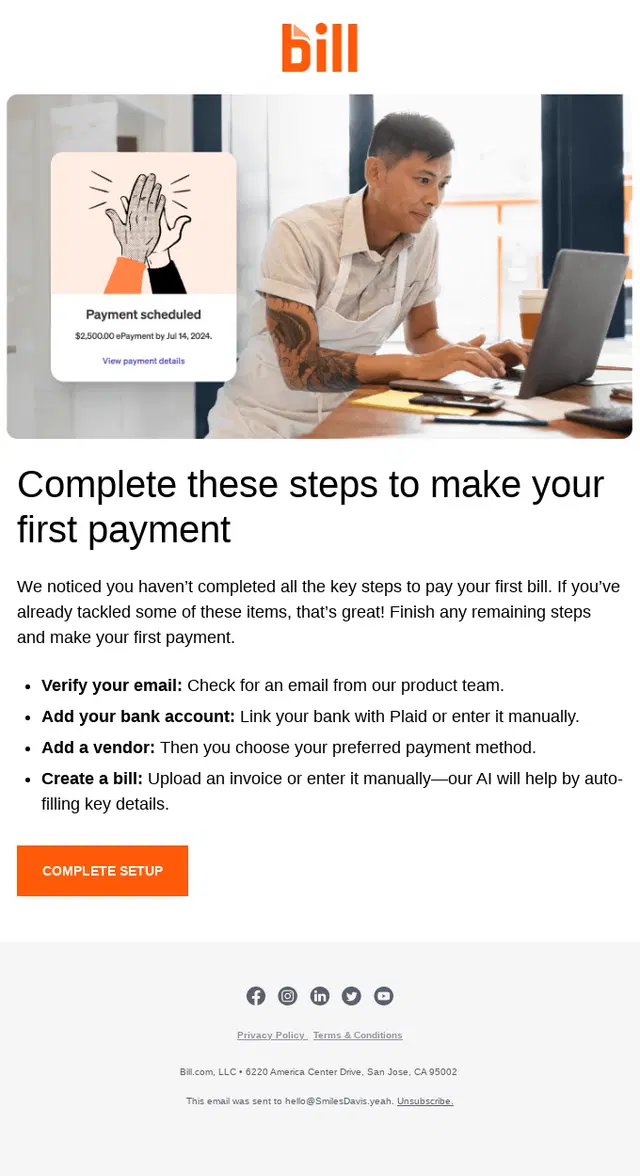
BILL turns a payment setup reminder into a clear checklist, showing the steps the customer still needs to complete before making their first bill payment.
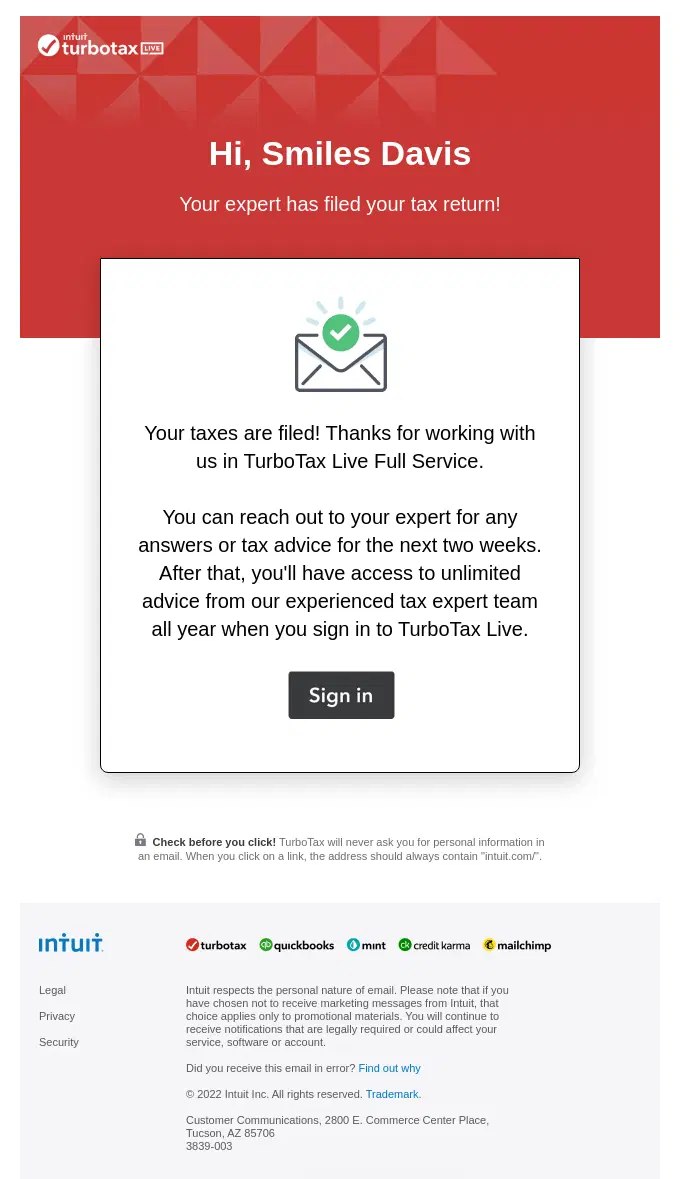
TurboTax confirms that the tax filing service has been completed and tells customers what support remains available after their return has been filed.
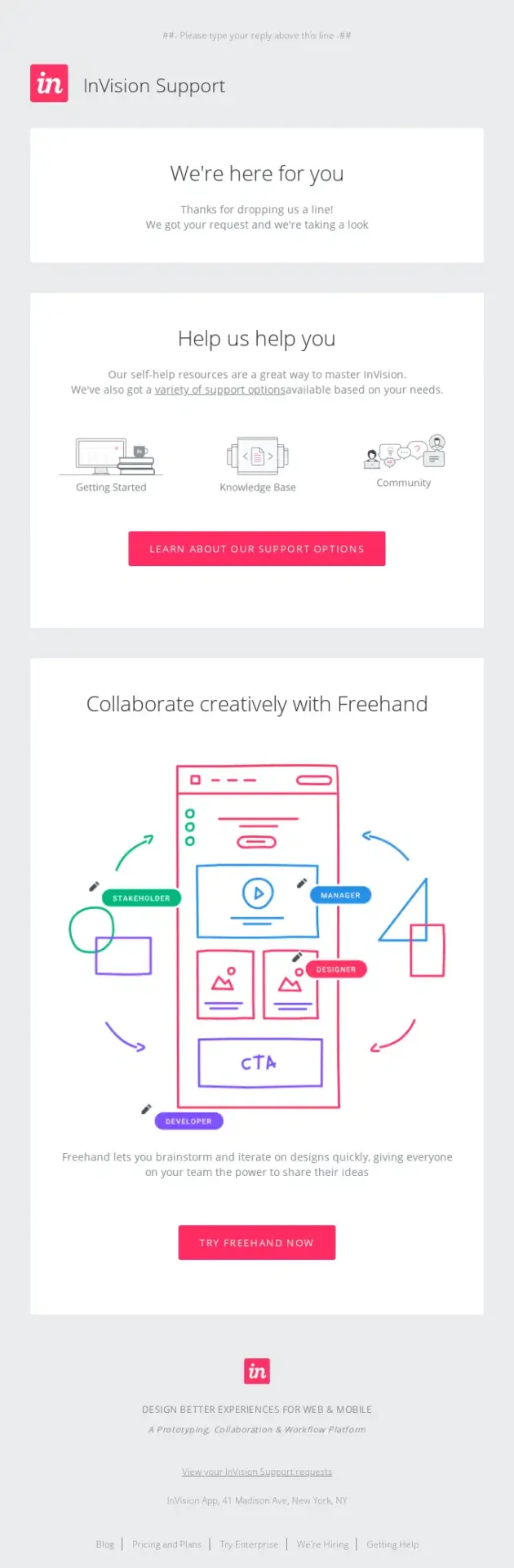
InVision confirms that the support request has been received, then gives customers several self-service resources they can use while the team reviews their issue.
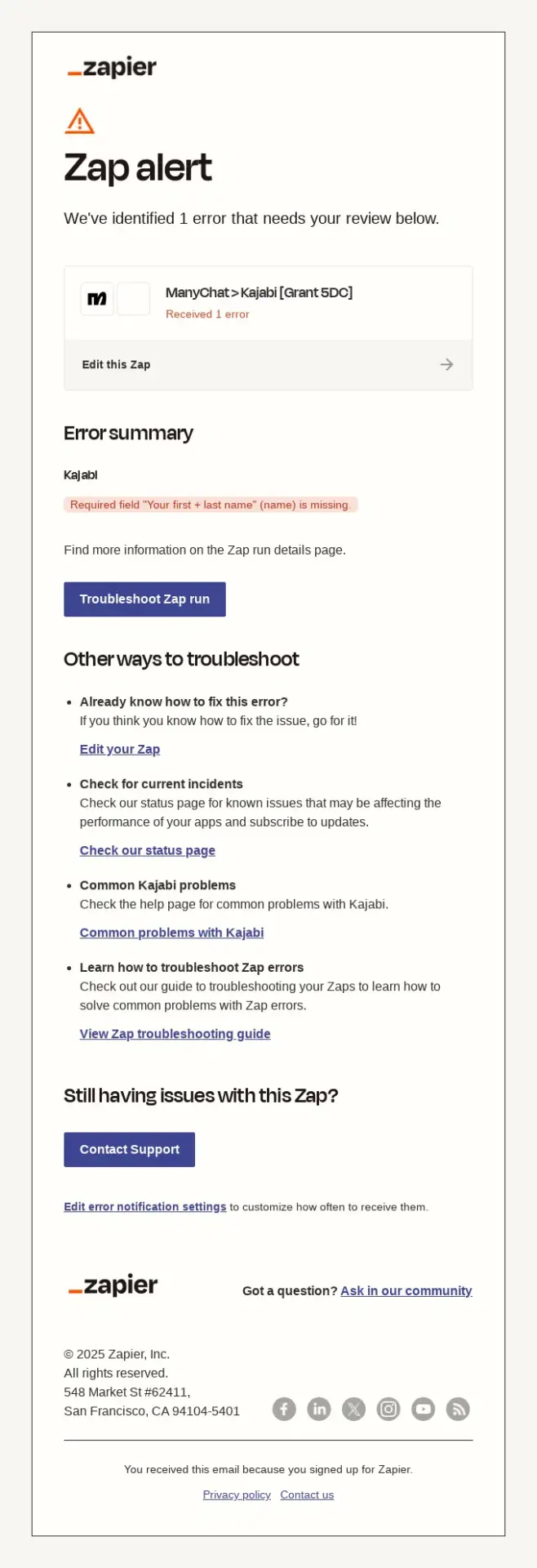
Zapier clearly flags the automation error, explains what caused it, and gives users several direct ways to troubleshoot the issue or reach support if they still need help.
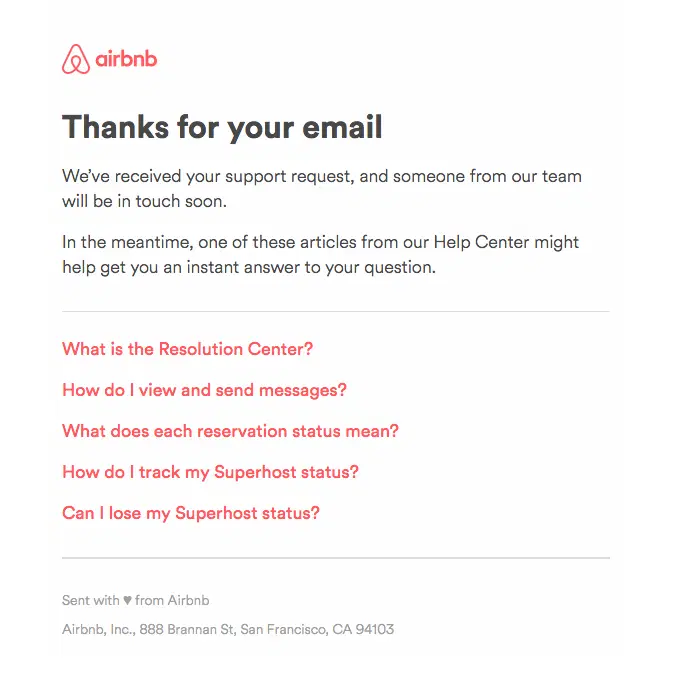
Airbnb confirms that the support request is in the queue, sets the expectation that someone will respond soon, and gives customers useful self-service resources while they wait.
What Is a Transactional Email?
A transactional email is an automated message sent in response to a specific customer action, transaction, or account event. Its primary purpose is to deliver information the recipient needs, such as confirming an order, providing a receipt, sharing a shipping update, resetting a password, or confirming a booking.
Unlike bulk email campaigns, transactional emails are typically triggered individually and sent when a particular event occurs. A customer places an order and receives an order confirmation. A package leaves the warehouse and triggers a shipping confirmation. A user requests a new password and receives a password reset email.
Transactional emails can appear throughout the customer journey, not just after a purchase. Common examples include account verification emails, invoices, payment confirmations, delivery notifications, subscription renewals, refund updates, appointment confirmations, security alerts, and support notifications.
Transactional Emails vs. Marketing Emails
The main difference between transactional emails and marketing emails is their primary purpose. Transactional emails communicate information connected to an action, transaction, account, or service, while marketing emails are primarily intended to promote products, generate sales, or encourage engagement.
Transactional Emails
Marketing Emails
Primary purpose
Deliver necessary or expected information
Promote, nurture, or drive engagement
Typical trigger
Customer action or system event
Campaign schedule or marketing behavior
Recipients
Usually sent individually
Often sent to a segment or list
Examples
Order confirmations, receipts, shipping updates, password resets
Promotions, newsletters, product launches
Timing
Usually immediate or event-driven
Scheduled or campaign-driven
Content focus
Transaction or account information comes first
Promotional message comes first
Both types can be automated and personalized. The distinction comes from why the email is being sent, not the software or automation used to send it.
Transactional Email Best Practices
Good transactional emails make the information customers came looking for easy to find immediately.
Lead With the Outcome
Tell the recipient what happened right away. Confirm the order, payment, shipment, booking, password change, or other action before adding secondary information.
Put Essential Details First
Make order numbers, totals, tracking details, appointment times, verification links, and other important information easy to find and scan.
Give a Clear Next Step
Use specific CTAs such as Track Order, View Invoice, Reset Password, or Manage Subscription when the recipient needs to take action.
Keep Branding Secondary to the Message
Use your brand voice, colors, and visuals consistently, but never let them compete with the transactional information the customer needs.
Use Accurate Dynamic Content
Personalize emails with relevant names, products, prices, dates, addresses, account details, and other event-specific data, and make sure those fields populate reliably.
Make Support Easy to Find
Give customers a clear way to get help, correct a problem, or manage the transaction without making them search through the email.
Design for Mobile and Accessibility
Keep important content readable across screen sizes, use clear hierarchy and descriptive links, and avoid relying on images alone to communicate essential information.
Frequently Asked Questions
How do you write a transactional email?
Start a transactional email with the information the recipient is waiting for, such as an order confirmation, payment status, shipping update, password reset, or booking details. Then add the essential supporting information and a clear next step if one is required.
Keep the message specific and easy to scan. Transactional details should come before promotional content, and customers should be able to find support or manage the transaction without searching through the email.
Do transactional emails need an unsubscribe link?
Purely transactional emails generally do not require an unsubscribe link when their primary purpose is to deliver necessary information about a transaction, account, or service. Examples include receipts, shipping notifications, password resets, and security alerts.
Requirements vary by jurisdiction, and an email may be treated differently if promotional content becomes its primary purpose. Businesses should therefore keep essential transactional information clearly separated from marketing content.
How do you automate transactional emails?
Transactional emails are automated by connecting a customer action or system event to an email platform, ecommerce platform, or transactional email API. An event such as an order being placed, a payment succeeding, a package shipping, or a password reset being requested triggers the corresponding email automatically.
The automation should pass the correct customer data into the template, send promptly, handle failed delivery attempts, and prevent duplicate messages from being triggered by the same event.
What are the CAN-SPAM requirements for transactional emails?
Under the U.S. CAN-SPAM Act, emails whose primary purpose is transactional or relationship-based are treated differently from commercial marketing messages and are exempt from many of the requirements that apply to promotional email.
Transactional emails still must not use false or misleading routing information. Mixed messages containing both transactional and promotional content may be classified based on their primary purpose, including how the subject line and message content are presented.
Can transactional emails use dynamic content?
Yes. Transactional emails commonly use dynamic content to display information specific to each recipient, such as an order number, purchased products, payment amount, delivery address, booking time, invoice number, or subscription details.
Dynamic fields allow one transactional email template to serve many customers while still showing the correct information for each event. Templates should also include fallback content so missing data does not produce incomplete or broken emails.
How can you improve transactional email deliverability?
Improve transactional email deliverability by authenticating the sending domain with SPF, DKIM, and DMARC, maintaining a strong sender reputation, monitoring bounces and complaints, and using consistent sender information.
Critical transactional messages should also be sent through reliable infrastructure and monitored for delivery failures. Many businesses separate transactional and promotional email traffic so problems with high-volume marketing campaigns are less likely to affect receipts, password resets, shipping updates, and other time-sensitive messages.
How do you monitor transactional email bounces and sender reputation?
Monitor transactional email performance through your email provider’s delivery logs and dashboards. Track hard bounces, soft bounces, spam complaints, blocks, deferrals, and delivery rates to identify problems before they affect a larger share of your transactional traffic.
Sender reputation should also be monitored alongside domain authentication and complaint levels. Sudden increases in bounces or rejected messages can indicate issues with recipient data, sending infrastructure, authentication, or mailbox-provider filtering.
Ready to Turn These Examples Into Working Flows?
We design and build Klaviyo flows that cover the full customer journey, from order and shipping updates to subscription, winback, and post-purchase emails.
Like what you're reading? Subscribe to our top stories.
"*" indicates required fields
By submitting your request, you agree with Our Policies
Related Articles
You may also like these
120+ Halloween Email Examples for Spooky Campaign Inspiration
Published:
Last updated:
100+ Product Launch Email Examples to Turn Hype Into Sales
Published:
Last updated:
130+ Email Marketing Examples for Every Stage of the Customer Journey
Published:
Last updated:
Get Started
High-Performing Emails That Work Everywhere
At MailBakery, we set the gold standard in email development. Every design is turned into a flawless, high-performing email that works everywhere, on any device, every time.
This site uses cookies. By proceeding, you agree to our Privacy Policy, including the use of cookies and their tracking technologies.
Functional
Always active
These cookies are always enabled as they are required for basic site functionality. They allow you to be remembered as you browse our website.They help make the shopping cart and checkout process possible as well as assist in security issues and conforming to regulations.
Preferences
The technical storage or access is necessary for the legitimate purpose of storing preferences that are not requested by the subscriber or user.
Performance
These cookies allow us to track user behaviour, which helps us to improve our website’s functionality. In some cases, these cookies improve the speed with which we can process your request and allow us to remember site preferences you have selected. Refusing these cookies may result in displaying a non-tailored content or slower website performance.The technical storage or access that is used exclusively for anonymous statistical purposes. Without a subpoena, voluntary compliance on the part of your Internet Service Provider, or additional records from a third party, information stored or retrieved for this purpose alone cannot usually be used to identify you.
Marketing
Social media cookies offer the possibility to connect you to your social networks and share content from our website through social media. Advertising cookies (of third parties) collect information to help better tailor advertising to your interests. In some cases, these cookies involve the processing of your personal data. Refusing these cookies may result in seeing advertising that is not as relevant to you or you not being able to link effectively with Facebook, Twitter, or other social networks and/or not allowing you to share content on social media.
To provide the best experiences, we use technologies like cookies to store and/or access device information. Consenting to these technologies will allow us to process data such as browsing behavior or unique IDs on this site. Not consenting or withdrawing consent, may adversely affect certain features and functions.
Functional
Always active
These cookies are always enabled as they are required for basic site functionality. They allow you to be remembered as you browse our website.They help make the shopping cart and checkout process possible as well as assist in security issues and conforming to regulations.
Preferences
The technical storage or access is necessary for the legitimate purpose of storing preferences that are not requested by the subscriber or user.
Performance
These cookies allow us to track user behaviour, which helps us to improve our website’s functionality. In some cases, these cookies improve the speed with which we can process your request and allow us to remember site preferences you have selected. Refusing these cookies may result in displaying a non-tailored content or slower website performance.The technical storage or access that is used exclusively for anonymous statistical purposes. Without a subpoena, voluntary compliance on the part of your Internet Service Provider, or additional records from a third party, information stored or retrieved for this purpose alone cannot usually be used to identify you.
Marketing
Social media cookies offer the possibility to connect you to your social networks and share content from our website through social media. Advertising cookies (of third parties) collect information to help better tailor advertising to your interests. In some cases, these cookies involve the processing of your personal data. Refusing these cookies may result in seeing advertising that is not as relevant to you or you not being able to link effectively with Facebook, Twitter, or other social networks and/or not allowing you to share content on social media.